
Our readers keep the lights on and my morning glass full of iced black tea. As an Amazon Associate, I earn from qualifying purchases.
Specs are compiled from manufacturer listings and verified buyer reviews and can change over time — please confirm the key details on the product page before buying.
You want your machine to wake up in seconds, not minutes, and the drive you pick does most of that work. A 256 GB NVMe SSD is the sweet-spot upgrade for an aging laptop or a first-time desktop build — roomy enough for Windows or Linux plus your daily apps, and fast enough that the old hard-drive grind simply disappears. The catch is that every listing claims speed, and the real differences hide in the interface generation, the form factor length, and whether the brand will answer you if the drive stops being recognized a year in. Start with the ones that hold the highest scores, then match the drive to your slot and your budget.
I’m Min — the founder and writer behind Gadgets Feed. This guide is built by comparing the manufacturers’ published specifications and the patterns across verified customer reviews, so you get each pick’s real strengths and trade-offs instead of marketing spin.
Fit comes before speed here: a drive rated for Gen3 still boots fine, but the wrong length or key simply will not slide into your slot. That is why the pick order below leads with the highest-scoring 256 GB options and flags the compatibility catches. Here is how each pick actually behaves in a real machine, so you can choose the best 256 GB NVMe SSD without guessing.
Our Picks at a Glance

How To Choose The Best 256 GB NVMe SSD
Every drive here holds the same 256 GB capacity, so capacity is not your deciding factor. What separates them is how the drive talks to your board, how long it physically is, and how the brand handles a real warranty claim. Work through these four checks in order and the shortlist collapses fast.
Match The Drive Length To Your Slot First
M.2 drives come in a length in millimeters, and the two you will meet here are the 2280 (80mm long) and the 2242 (42mm long, usually found in compact laptops). A 2280 is the standard for desktops and most upgradable laptops. If your machine came with a 2242 slot, a 2280 will not fit no matter how good it is. A few drives on this list are 2242, so read the spec line before you buy.
Understand What Gen3 And Gen4 Actually Change
The PCIe generation is the version of the data highway between drive and processor, and Gen4 moves data on a wider path than Gen3. Sequential read speed — how fast it streams one large file — is the number that climbs with that generation. In daily use, though, you feel boot times and app launches, which are helped far more by switching off a spinning hard drive than by the gap between two NVMe generations. A Gen3 drive labeled for Gen3 does not mean it is slow; it means it is honest about the interface it uses.
The Cache And Controller Question
Many budget 256 GB drives skip a dedicated DRAM cache and lean on SLC cache instead, meaning a slice of the flash is temporarily treated as a fast scratch pad. Write a small file and it flies; write a huge file and speed sags once the cache fills. That trade-off is exactly why the same capacity shows up with notice write figures in this price range.
Quick Comparison
| Model | Best For | Interface | Read / Write | Form Factor | Amazon |
|---|---|---|---|---|---|
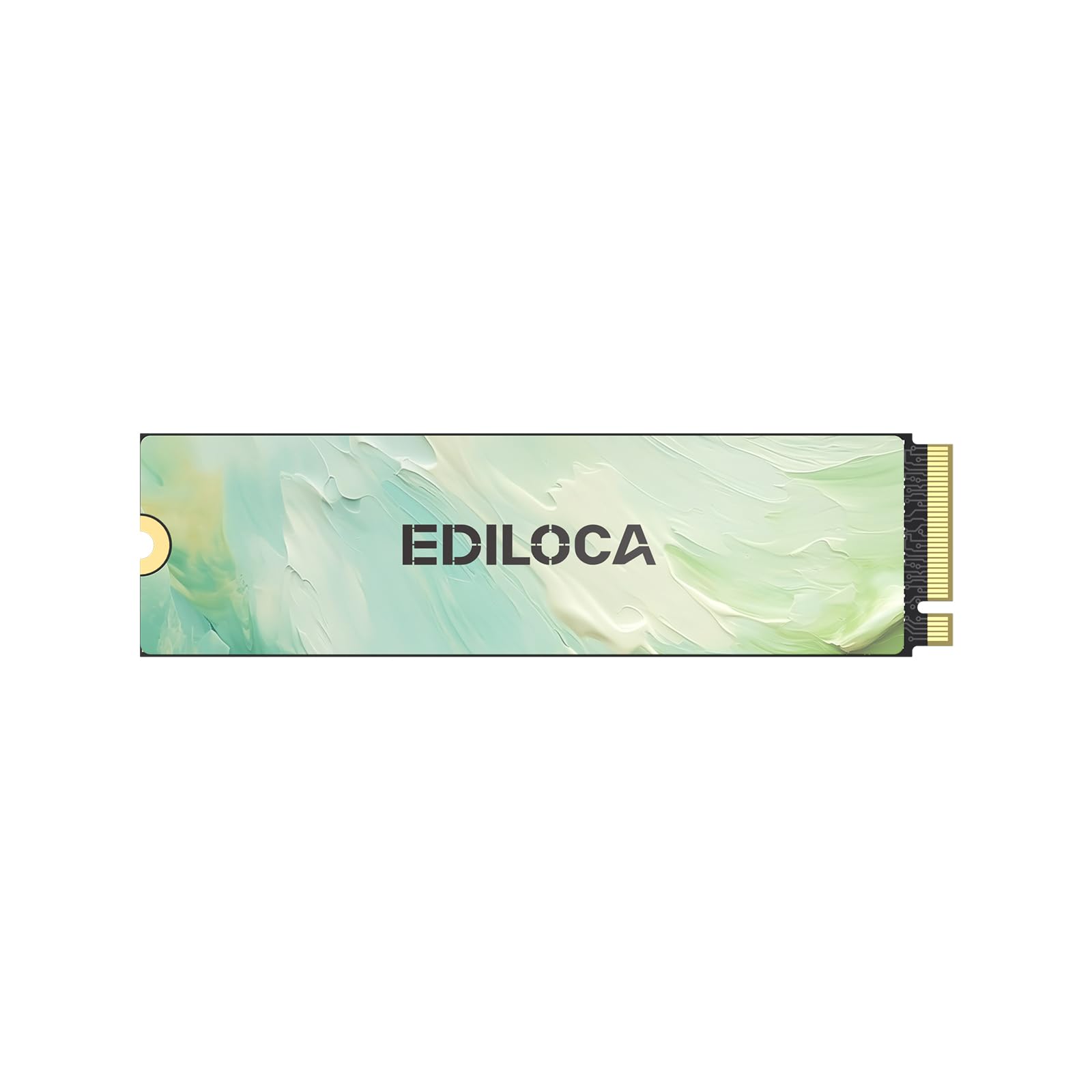
| Ediloca EN605 256GB★ Best Overall | Everyday laptop and desktop upgrades | PCIe Gen3 x4, NVMe 1.3 | 1950 / 800 MB/s | M.2 2280 | Amazon |
| Ediloca EN680E 256GBBest Value | Budget builds and 100GB file moves | PCIe Gen3 x4, NVMe 1.4 | 1400 / 550 MB/s | M.2 2280 | Amazon |
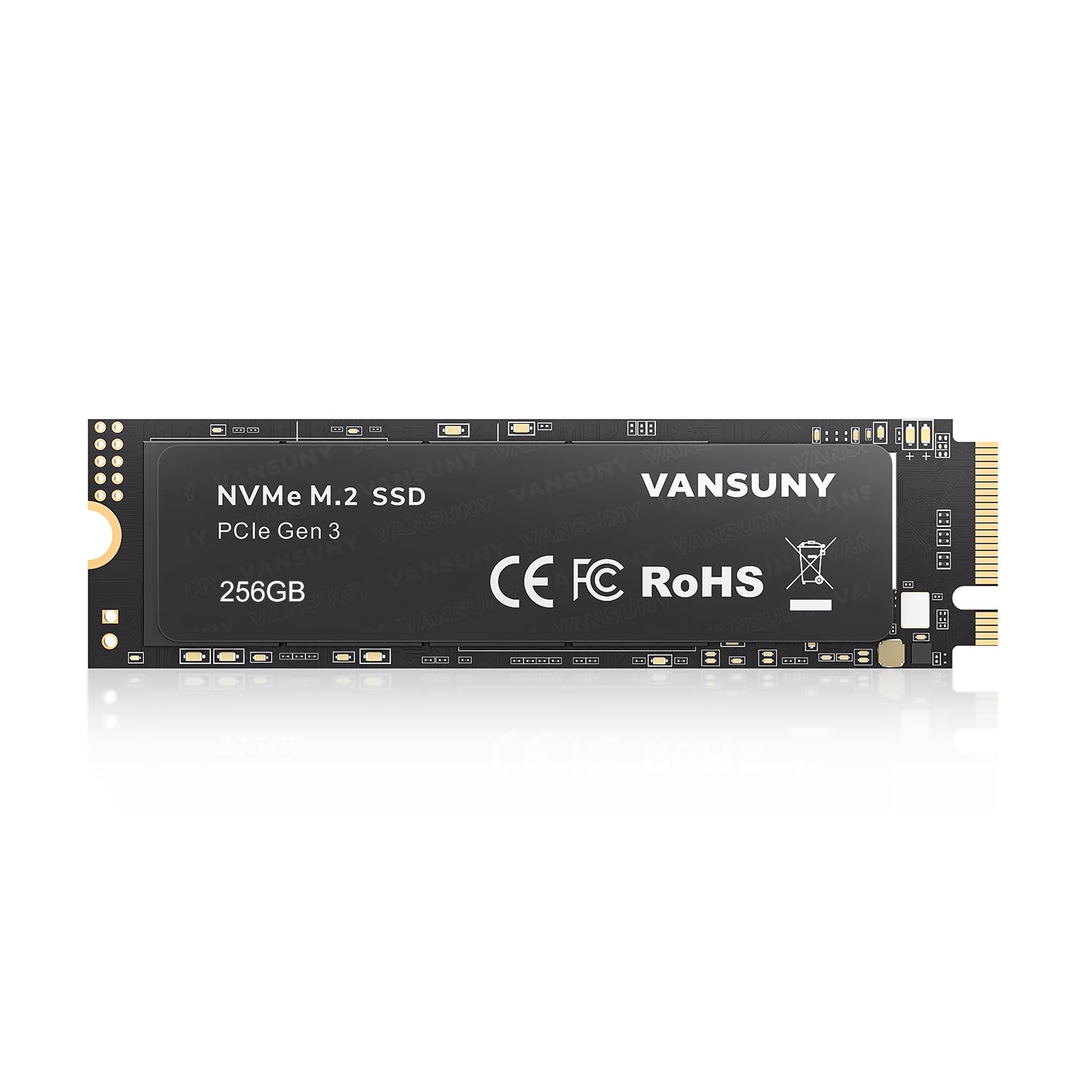
| Vansuny 256GBTop Performer | Fastest budget-tier transfers | PCIe 3.0 x4, TLC | 2800 / 2300 MB/s | M.2 2280 | Amazon |
| Ridata E801 256GB | Simple, low-hassle storage upgrades | PCIe NVMe x4 | 2100 / 1200 MB/s | M.2 2280 | Amazon |
| Samsung PM9B1 256GB (OEM) | Mini-PCs, NAS builds and routers | PCIe Gen4 x4, M Key | 3000 MB/s (transfer) | M.2 2280 | Amazon |
| fanxiang S500 Pro 256GB | High-volume, community-vetted installs | PCIe Gen3 x4, NVMe 1.4 | 3000 MB/s (read) | M.2 2280 | Amazon |
| KOOTION 256GB | Raspberry Pi and server builds | PCIe Gen3.0 x4 | 3000 / 2400 MB/s | M.2 2280 | Amazon |
| Western Digital OEM Gamer 256GB | Console and gaming-rig storage | PCI-Express Gen4 | 4000 / 2000 MB/s | M.2 2280 | Amazon |
| Samsung PM991 256GB | Compact 2242 laptops and Pi HATs | PCIe 3.0 x4, NVMe | — | M.2 2242 (42mm) | Amazon |
In‑Depth Reviews
1. Ediloca EN605 256GB M.2 SSD, NVMe1.3 PCIe Gen3 x4 Internal SSD
Our pick — over 4.5★ from 700+ verified ratings; the strongest balance of quality and price.
A Gen3 boot drive that replaces a hard drive’s slow start with a near-instant one.
Sized for real use and finished by a brand buyers keep coming back to. The EN605 runs the PCIe Gen3 x4 interface, the third-generation data pathway that most laptops built in the last decade already speak. It reads at up to 1950 MB/s and writes at up to 800 MB/s — the read figure is what you feel when Windows or a large game loads, and the write figure covers saving files and moving folders. A 256 GB capacity holds a full operating system with room to spare, which is the whole point of choosing this size over a 128 GB.
What wins people over is how it behaves in a normal machine rather than on a spec sheet. Owners describe the EN605 as doing its job quietly, and what comes up again and again is how straightforward the install is — plug it into the M.2 slot, secure it, and it is recognized. The drive also carries NVMe 1.3, the protocol version that governs how it queues commands, plus LDPC error correction, which is a built-in error-check step that catches and repairs data as it moves. Compare the write figure with the EN680E, its own sibling at 800 MB/s versus 550 MB/s, and the EN605 leads clearly.
The honest catch is a small one for most buyers. It is a Gen3 drive, so it will not hit the kind of sequential rates a Gen4 unit can reach — but if you are replacing a hard drive or an older SATA SSD, you will not notice the ceiling, because your bottleneck was never the NVMe generation. Ediloca backs it with a 3-year limited service, and you get the drive plus a screwdriver kit in the box. A handful of buyers have found the small screwdriver flimsy, which is a fair trade against the price point.
What Sells It
- Up to 1950 MB/s read is comfortably above a SATA drive and covers boot times and game loads
- NVMe 1.3 protocol with LDPC error correction handles data integrity at the drive level
- 256 GB leaves room for a Windows install plus day-to-day applications
- 3-year limited service and a screwdriver kit in the box
What To Weigh
- The write figure of 800 MB/s is half its own read rate, so heavy write workloads will feel a wall
- Budget hardware means the bundled screwdriver is there for convenience, not longevity
- Gen3 interface caps sustained sequential speeds below Gen4 territory
Straight answer: an easy recommendation if you are upgrading a machine with a Gen3-capable M.2 slot and want a reliable boot-drive replacement.
Worth pausing on: if your board supports Gen4 and you want maximum sequential throughput, look at the WD option below instead.
2. Ediloca EN680E 256GB NVMe M.2 SSD PCIe Gen 3×4
A Gen3 2280 stick sized for reviving older laptops with a spare M.2 slot.
This is the pick for anyone replacing an OEM drive in a laptop that has earned its retirement. The EN680E uses NVMe 1.4 — the newer protocol version, which brings better command queuing than the 1.3 drive above — and reads at up to 1400 MB/s with write at up to 550 MB/s. It carries dynamic SLC caching, meaning the drive treats a slice of its flash as a fast scratch pad for the files you touch most, which is why buyers report that a 100 GB transfer moves without drama and webpages load quick with the fan rarely spinning up. The nano-coated graphene heat spreader is the reason that last detail matters: it keeps sustained speeds from sagging under load.
Where the EN680E earns its value badge is in compatibility. It fits standard M.2 2280 slots, the 80mm length found in most laptops and desktops with an NVMe port, and it ships with a screwdriver kit and mounting screws. Buyers running Windows 7, 8, 10, 11 or Linux will find drivers already in place. Read versus the EN605 above, the 1400 MB/s figure trails that drive’s 1950 MB/s, so if raw read speed is your priority, step up to the EN605. The EN680E is the value play, not the speed play.
The limitation worth naming is the interface. Ediloca states outright that this drive is not compatible with the PS5 because of the Gen3 limitation — the console requires a more recent interface standard. For everyone else, the story is straightforward. Owners mention it holds up, that it is easy to install, and that the 256 GB capacity comfortably handles a system partition plus working files.
Where it fits: a budget-conscious laptop or desktop upgrade where reliability and price matter more than benchmark numbers.
Where it does not: a PS5 install, per the manufacturer’s own compatibility note — this drive is a PC-and-Linux part.
Reach for this if: you are refreshing an older laptop and want the lowest-friction replacement.
Step up if: you need the extra read headroom the EN605 delivers above.
3. Vansuny 256GB NVMe M.2 Internal SSD PCIe 3.0 TLC M.2 2280
The fastest Gen3 read/write pair in this budget tier, at 2800 / 2300 MB/s.
Vansuny’s entry wears the highest sequential figures in this pricing band. Up to 2800 MB/s read and 2300 MB/s write, both built on the PCIe Gen3 x4 interface with TLC 3D NAND flash — the layer-stacked memory type that holds up better to repeated writes than cheaper, weaker flash. Put it next to the Ediloca EN680E above and the gap is plain: 2800 MB/s versus 1400 MB/s read, and 2300 MB/s versus 550 MB/s write. If you are moving big files regularly, that difference shows up as less time watching a progress bar.
What the numbers do not carry is how durable the drive proves in daily use. That is where this drive is dogged by some valid reservations. There is an owner-report of a unit failing after a Windows 11 update and dropping into read-only mode, unable to be repaired with diskpart, with the warranty path described as difficult. Treat that as a caution about the failure mode rather than a pattern — many other customers note clean installs and ongoing reliability. The take-away is simple: back up anything you cannot afford to lose, and keep the purchase receipt.
The install kit is unusually tidy. Vansuny includes six screws across two sizes (KM2*5mm and KM3*6mm) to fit different motherboards, which is more considerate than the single-screw setups you will meet elsewhere on this list. The drive also runs cool and consumes little power thanks to its all-in-one design with no moving parts, which matters in a laptop where every watt of heat counts.
The speed story: on sequential numbers alone, this is the fastest budget-tier Gen3 drive in the roundup.
The reliability story: a single owner report of a failure exists here, and it should shape how you use the drive, not whether it belongs on your list.
Pick this when: you want the highest read/write figures a Gen3 drive in this tier will give you.
Look elsewhere if: the drive will be your only copy of anything important.
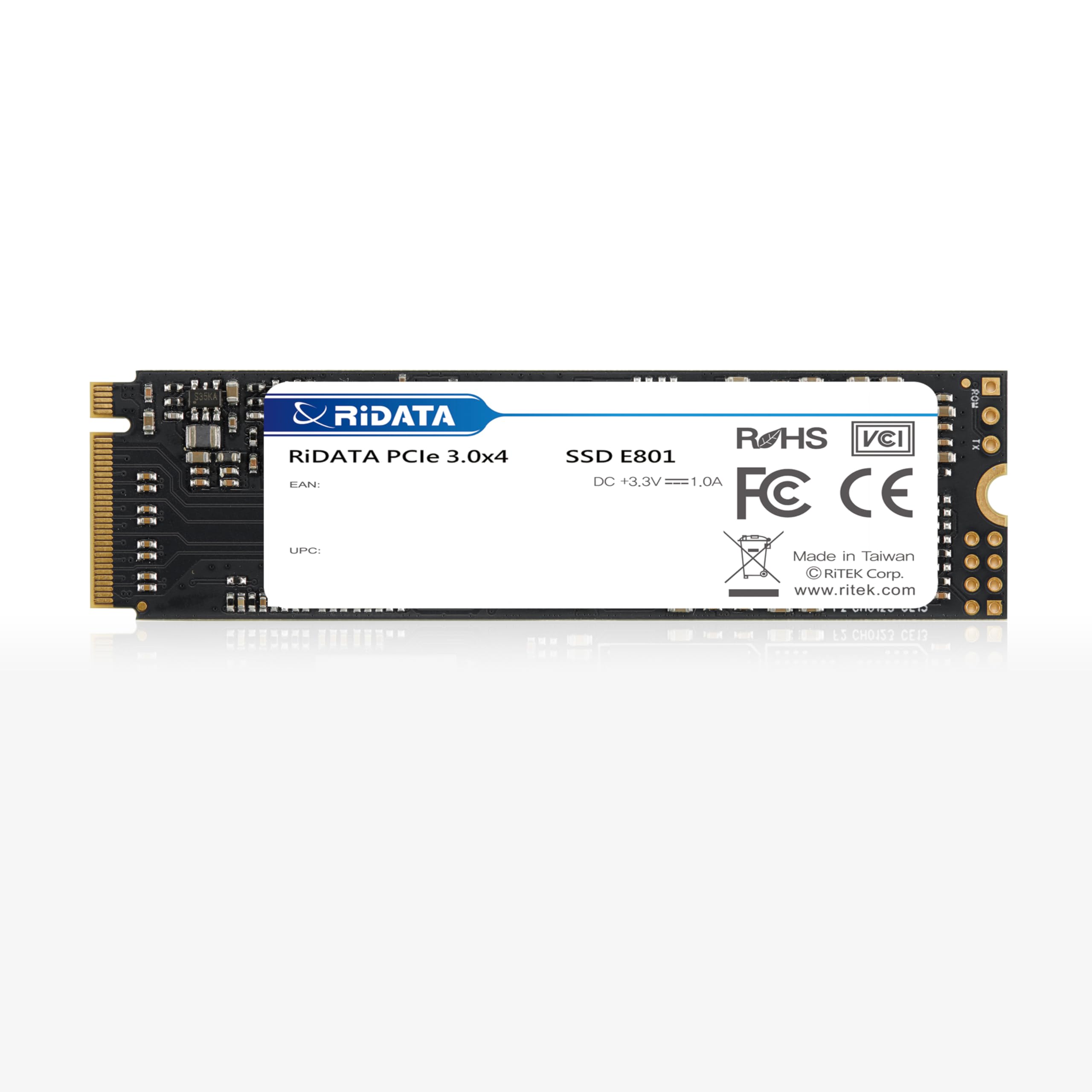
4. Ridata E801 256GB NVMe M.2 PCIe Gen3x4 2280 Internal SSD
A Taiwan-made Gen3 2280 drive rated 2100 / 1200 MB/s with a 3-year warranty.
Ridata takes a lower-drama path than the speed-forward picks. The E801 uses the PCIe NVMe interface with up to 4 lanes, reads at up to 2100 MB/s and writes at up to 1200 MB/s — that 1200 MB/s write figure is notably higher than the 800 MB/s the EN605 above delivers, so for large file saves the E801 holds its own. It is built on 3D NAND with LDPC coding, the same error-correction family the EN605 uses, and it is made in Taiwan with a 3-year warranty behind it.
Owners use this one in situations where a drive just needs to work and stay working. It has been dropped into a Thinkpad T480 and reports clean; it has revived an older laptop as a replacement. The absence of drama is the point. It ships at the same M.2 2280 length as the rest of the mid-field, so installation follows the same routine: seat the stick, tighten the M.2 screw, boot.
The one piece of housekeeping to handle is the mounting screw. Ridata does not include it, and some laptops do not include a spare inside the case either. If you do not already have an M.2 screw on hand — the tiny fastener that holds the drive down — pick one up before the drive arrives, or the opening weekend turns into a wait.
Why It Earns Its Slot
- Up to 2100 MB/s read with a stronger 1200 MB/s write than the EN605 delivers
- Made in Taiwan with LDPC error correction and a 3-year warranty
- Works across Windows XP, Vista, 7, 8, 10 and newer, plus Linux and Mac OS X
What To Sort Before It Lands
- No mounting screw in the box — source one before you open the machine
- Lower headline read speed than the Vansuny and Western Digital options
- Not aimed at anyone chasing peak sequential numbers
Best suited to: a straightforward storage upgrade where reliability outranks spec bragging rights.
Cross it off if: you want the fastest read this tier can produce.
5. OEM SAMSUNG PM9B1 256GB M.2 PCI-e GEN 4X4 NVMe SSD

A Gen4 2280 OEM drive with Samsung flash, 3000 MB/s transfers, and no retail box.
The PM9B1 is a Samsung drive sold as an OEM part, meaning it was built for system builders and arrives in bulk packaging with the drive only — no screws, cables, or adapters in the box. It runs PCIe Gen4 x4, the fourth-generation data pathway, and carries an M Key 2280 form factor. The 256 GB capacity puts it in the same storage class as the drives above, but its interface is one step newer and its transfer rate tops out at 3000 MB/s. You can put it in a laptop or a desktop, and the 22mm x 80mm x 2.38mm body fits a standard 2280 slot with no adapter.
Owners use this drive in places where stability and low heat matter — mini PCs, pfSense and FreeBSD builds, NAS boxes. What comes up repeatedly is how cool it runs relative to heavier drives, and that is meaningful in a cramped case. One important piece of housekeeping: Samsung’s Magician software will not update the firmware on this OEM variant. The workaround owners use is the manufacturer-specific SoftPaq sp149650, which upgrades firmware from HPS3NHAV to HPS4NHAV and, per its own release notes, enhances SSD stability. If you are planning to use this drive in any system where uptime matters, run that update before you rely on it.
Installation is not always simple, and that is worth flagging honestly. Some reviewers point out the drive working without drama on first boot; others ran into issues getting it initialized in a USB-to-NVMe adapter, needing it installed directly into a motherboard’s M.2 slot to be recognized. The seller’s own record of replacing a bad unit same-day is a good sign the support side functions, but the near-even split on installation is the reason this drive sits behind the Ediloca EN605 despite more total reviews.
The case for it: Gen4 interface plus genuine Samsung flash plus cool running make this the drive for a compact, heat-sensitive build.
The case against it today: the OEM firmware update loophole is an extra step most buyers will not expect.
Right for: a builder who wants Samsung silicon in a small, low-heat enclosure and is comfortable hunting down a firmware SoftPaq.
Not right for: someone who wants a plug-and-play install with no firmware follow-up.
6. fanxiang S500 Pro 256GB NVMe SSD M.2 PCIe 3.0 Gen 3×4 2280

A Gen3 2280 drive with a graphite heat sticker, 3000 MB/s reads, and 160TBW endurance.
When a drive has this many owners behind it, the pattern of praise is worth listening to. The thing people rave about is performance: this drive reads at up to 3000 MB/s on the PCIe Gen3 x4 interface with NVMe 1.4, backed by SLC caching and 3D NAND TLC flash. It arrives with a graphite heat-dissipation sticker already on it — the thin graphite layer that spreads heat away from the controller — plus a rated 160TBW endurance figure, which is how much data you can write over the drive’s life before the flash wears down. The number translates simply: you could write a typical library’s worth of files many times over before touching the ceiling.
The speed upgrade is the everyday experience. Shoppers say the drive noticeably cutting boot and program-launch times, easy installation, and clean packaging with the screwdriver and mounting screws included. It also boots quickly across many systems. The compatible operating systems are broad — Windows 7 through 11 plus Mac OS 10.9 and later — though buyers should note the drive needs to be formatted before first use, as is typical.
What to weigh honestly: reliability is the one aspect with mixed signals across the owner community. Some report the drive running great for months; a smaller set report failures somewhere past the three-month mark, sometimes taking the OS with them. That is a pattern to size rather than dismiss — this is a high-volume budget drive, and the minority of failures are the minority. Back up the OS partition and keep the receipt. The 3-year quality assurance service stands behind it, which is a promise worth keeping for a drive you plan to trust with your boot loader.
The Crowd Clearly Likes
- Up to 3000 MB/s read with SLC caching across NVMe 1.4
- Graphite heat-dissipation sticker helps sustain speeds under sustained load
- Rated 160TBW endurance with mounting screws and screwdriver included
- 3-year quality assurance service backs the drive
What To Go In Knowing
- Reliability is a mixed story in owner feedback, so treat the drive as a component to back up rather than trust blindly
- Needs formatting before first use, as the manufacturer notes
- Budget price point means the same budget-level expectations apply to long-term durability
Fits best: a builder who wants maximum owner feedback to lean on and cares about sustained speed over a long backup window.
Not for: a mission-critical machine where any drive downtime is unacceptable.
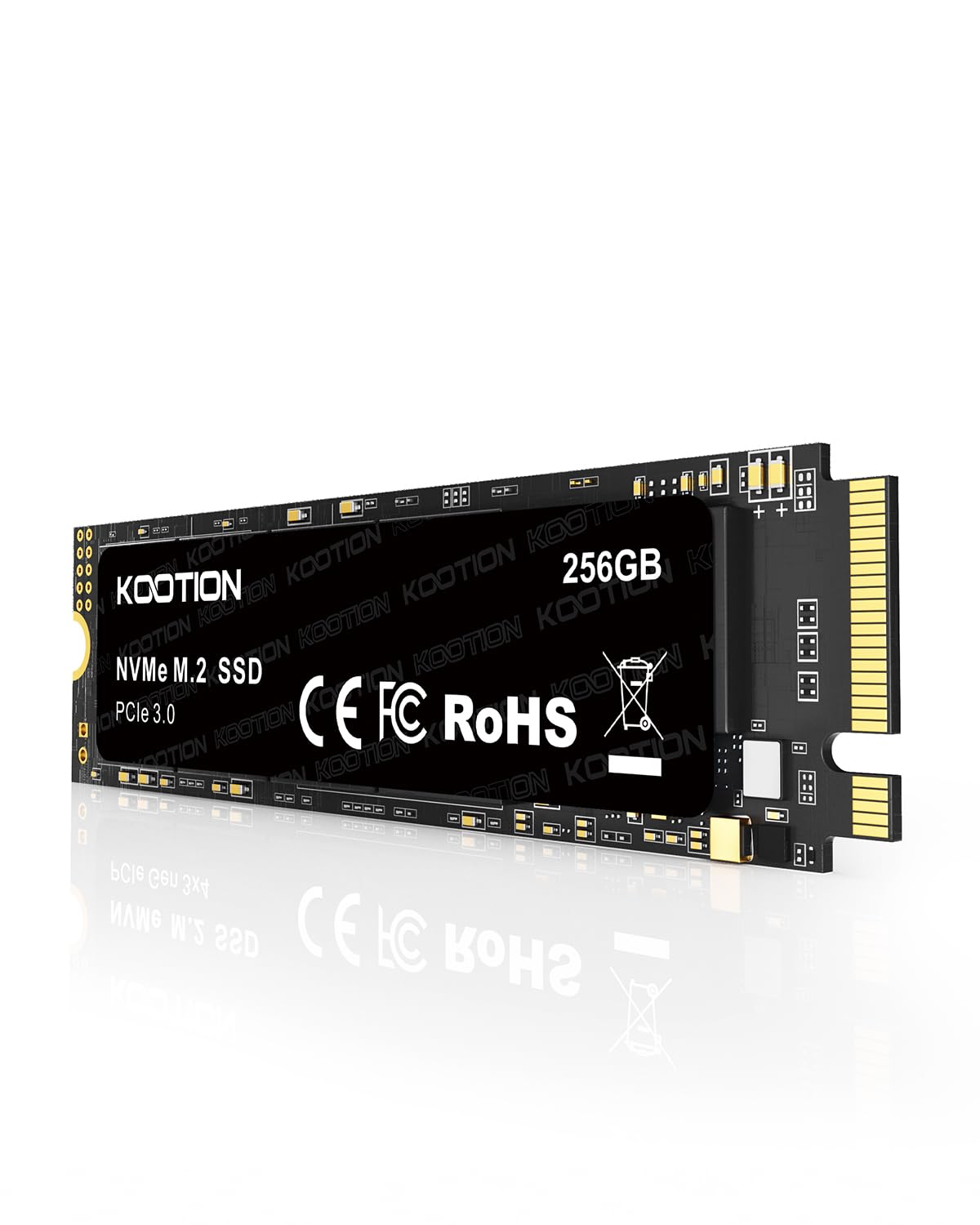
7. KOOTION 256GB NVMe M.2 PCIe 2280 SSD Gen3x4
A Gen3 2280 drive rated 3000 / 2400 MB/s for always-on server and Pi builds.
For anyone whose drive lives in a case that never gets switched off, KOOTION’s 256 GB entry is tuned for that life. Sequential read and write reach up to 3000 MB/s and 2400 MB/s on the PCIe Gen3.0 x4 interface, and the drive is designed with no moving parts, which gives it strong shock resistance and lets it run without the vibration a mechanical drive produces. Lower power draw and less heat generation are the two ways that design pays off: quieter systems and longer service life. KOOTION offers lifetime technology support on this model.
Installation is a real consideration here. This drive works in the standard M.2 2280 form factor — the long 80mm shape you find in most desktops and upgradable laptops — not the shorter 2242. Get the length right and it drops in. Owners use it in dedicated server rigs hosting game servers and in Raspberry Pi setups, where the drive’s 3000 MB/s capability exceeds the platform’s own bus speed but gives generous headroom. One owner reported the drive ran for several months nonstop without a hitch.
The honest note: reliability is a mixed picture in owner feedback, with the majority reporting clean runs and a smaller set reporting crashes on read/write errors. That is typical for a budget NVMe stick, but it bears mentioning. The counterweight is the price-to-performance tilt here — this drive sits at the same read speed ceiling as the fanxiang S500 Pro above but adds lifetime technical support as a differentiator.
For always-on rigs: the no-moving-parts design and low heat output make this a natural fit for a server or Pi enclosure.
The pattern to note: occasional reports of read/write errors exist in the owner base, so plan accordingly for any drive holding irreplaceable data.
Worth grabbing if: your drive is going into a server, Pi, or machine that runs 24/7.
Skip when: you want the strongest reliability track record on this list.
8. Western Digital OEM Gamer 256GB M.2 2280 Gaming Gen4 PCIe NVMe SSD

The only Gen4 drive here, at 4000 / 2000 MB/s with PS5 and Xbox Series X/S compatibility.
Western Digital’s OEM Gamer drive is the performance ceiling of this roundup. It runs PCI-Express Gen4 with sequential read at 4000 MB/s and write at 2000 MB/s — that 4000 MB/s read is the highest single figure any drive here advertises, and it exceeds the Vansuny’s 2800 MB/s top-end by a clear margin. The 256 GB formatted capacity and M-Key 2280 form factor match the rest of the field. Random read and write figures of 270K and 470K IOPS round out the picture: those are the drive’s small-file performance stats, the ones that matter to game loading and app responsiveness rather than big sequential transfers. Advanced file-level encryption with TCG OPAL 2.01 and TCG Pyrite 2.01 is built into the firmware.
The 2280 dimensions and the WD brand name give this drive an easy ride in most setups, and buyers report the installation is straightforward and the drive boots cleanly on first try. Note the spelling: this is genuine WD silicon, but the retail box and packaging are not included — you get the drive only, and it carries a 1-year seller hardware warranty rather than the multi-year warranties the other drives in this roundup offer. That shorter coverage is the trade for the higher performance tier.
One owner report of a failure after several weeks is worth knowing about, mostly because it underscores that even brand-name silicon can drop out in the field. The 4000 MB/s read is the reason to pick this drive; the 1-year warranty is the reason to weigh it carefully against the Ediloca EN605 above, which carries a 3-year promise at a lower price. Both are worth considering — just on different priorities.
The Case For The 4000 MB/s
- Sequential read at 4000 MB/s — the highest figure on this list
- Random read/write at 270K/470K IOPS for real-world responsiveness
- TCG OPAL 2.01 and Pyrite 2.01 encryption built into firmware
- Console-compatible spec including PlayStation 5 and Xbox Series X/S listings
The Case For Caution
- 1-year seller hardware warranty is shorter than most drives here
- Bulk packaging only — no retail box, no extras
- There is a known report of a drive failure in the owner base
Pick this when: you want the fastest sequential read a 256 GB drive at this level offers and you are comfortable with a shorter warranty.
Look past it if: three-year coverage on your boot drive matters more than peak read speed.
9. Samsung SSD 256GB PM991 M.2 2242 42mm PCIe 3.0 x4 NVMe

The half-length Samsung that only fits where a 42mm stick is called for.
This is the specialist of the roundup. The PM991 is a 2242 drive — 42mm long — which is the compact length used in certain slim laptops and in single-board computers where a full 2280 will not sit. If your machine expects a 2280, this drive will not fit; if it expects a 2242, no 2280 will. Getting that one dimension right is the entire buying decision. The interface is PCIe 3.0 x4 with NVMe, branded Samsung, backed by the flash memory quality that brand is known for across the PM-series OEM drives.
Owners use this drive almost exclusively in Raspberry Pi 5 setups and OrangePi boards with an M.2 HAT — the little adapter board that lets a Pi take an NVMe drive. The Pi-specific detail worth knowing: PCIe on the Pi has to be enabled, and one owner found that running the update tool rpi-eeprom-update -a and then rebooting was required before the drive would boot on Ubuntu, while Raspberry Pi OS handled it fine from the start. In forced PCIe Gen3 mode the drive reports around 800 MB/s, which is the ceiling for a single-lane Gen3 connection rather than a limit of the drive itself.
The near-universal note from owners is that the drive must be formatted before it will show up on some hosts. If your machine cannot see it from the start, format the drive first and it will become available. The one compatibility flag to check is a known report of the PM991 not fitting the Lenovo P52s, so confirm your slot size and key before ordering.
Built for: compact slots, Pi 5 HATs, and OrangePi boards where the 42mm length is non-negotiable.
Not built for: a standard 2280 desktop or laptop slot — this one only fits if the drive bay is a 2242.
Reach for this if: you have a 2242 slot or a Raspberry Pi 5 with an M.2 HAT.
Cross it off if: your machine takes a full-length 2280 stick.
Understanding the Specs
Sequential Read/Write Speed
These numbers describe how fast the drive streams large files in a straight line. Every drive here lists them, so you have an easy comparison: 3000 MB/s reads versus 1400 MB/s reads means one drive finishes a big file transfer faster than the other. What matters for boot times and app launches, though, is more about the drive’s responsiveness in many small files, which is why two drives with the same sequential figure can still feel different in daily use.
Interface Generation (PCIe Gen3 vs Gen4)
The PCIe generation is the version of the highway between the drive and the processor. Gen3 is what most laptops built in the last decade can use, and Gen4 doubles the lanes’ bandwidth, which allows higher sequential speeds. A Gen4 drive in a Gen3 slot will still work — it just runs at Gen3 rates. Match the drive to the slot your machine actually supports.
M.2 Form Factor: 2280 vs 2242
The number is the length of the drive in millimeters: 2280 means 80mm, 2242 means 42mm. Break out a ruler or check your laptop’s service manual before you buy. Most drives listed here are 2280; the 2242 drive is the odd one, and it only fits into slots that expect the shorter stick.
SLC Cache and Endurance (TBW)
SLC cache is the trick of temporarily dedicating a slice of slower storage to act as a fast scratch pad. It hides the slower write speed while the cache lasts. TBW, or terabytes written, is a wear rating: how many terabytes of writes the flash is rated to handle over its life. Higher TBW means more written data before the drive reaches the end of its rated endurance.
FAQ
Is 256 GB enough for Windows 11 and a few games?
Will a 2242 drive fit in a standard M.2 2280 slot?
Does a Gen4 drive work in a Gen3 slot?
How do I know my laptop has an M.2 NVMe slot at all?
Do I need to format a new NVMe SSD before using it?
Are these drives compatible with the PlayStation 5?
How long should I expect a budget NVMe SSD to last?
Will a 256 GB NVMe SSD speed up an older hard-drive laptop?
Do I need a heatsink for a 256 GB NVMe SSD?
How do I clone my existing drive over to a new NVMe SSD?
Is the Samsung PM9B1 the same as a retail Samsung 980 or 990 SSD?
Final Thoughts: The Verdict
For most buyers, the 256 gb nvme ssd winner is the Ediloca EN605 256GB because the 1950 MB/s read figure and the 3-year limited service cover the two things that matter most on a boot-drive replacement — it moves fast enough that you stop noticing it, and the brand stands behind it for years rather than months. If you want the single highest sequential read on this list, grab the Western Digital OEM Gamer 256GB at 4000 MB/s, but weigh that against its shorter 1-year seller warranty. And for a compact 2242 slot or a Raspberry Pi 5 build, the Samsung PM991 256GB is the one to reach for — there is no substitute for the right length. If the strongest owner-community backing matters to you, the fanxiang S500 Pro’s huge install base gives you plenty of real-world patterns to read before you commit, so the choices shortlist down to what your slot actually takes and how much time you want to spend on setup.
How We Picked
We do not accept paid placement. Every pick is matched to a real buyer and a real use-case; we do not hands-on test units.
Sources & Methodology
Specifications: manufacturer listings and product documentation. Review insights: verified customer reviews, as of September 2026. Pricing: not shown on this page (it changes often); check the current price via the retailer link.
As an Amazon Associate, Gadgets Feed earns from qualifying purchases. This does not affect which products we feature.