
Choosing a laptop for a business major means balancing spreadsheet speed, presentation clarity, and the ability to survive a full day of classes without hunting for a wall outlet. The wrong pick leaves you with a machine that stutters through data analysis in Excel or weighs down your backpack during a campus commute.
I’m Min — the co-founder and writer behind Gadgets Feed. I’ve spent countless hours cross-referencing processor benchmarks, RAM configurations, display resolutions, and battery life claims to separate the genuine workhorses from the overpriced distractions in this market.
After months of analysis to find the business major laptop that delivers the right mix of power, portability, and durability, the data points to a few clear standouts that consistently outperform their peers in real-world academic workloads.
How To Choose The Best Business Major Laptop
Business coursework demands a laptop that can run spreadsheets, presentations, research databases, and video conferencing without hiccups. Prioritizing the right specs ensures you get a machine that performs well now and stays relevant through graduation.
Processor
Modern Intel Core i5 and i7 processors, or the AMD Ryzen 5 and 7 series, handle Office 365, web research, and light multitasking with ease. For most business majors, a Core i5 or Ryzen 5 strikes the best balance between performance and price. Core i7 or Ryzen 7 models provide extra headroom for heavy data analysis or running virtual machines.
Memory and Storage
16 GB of RAM is the practical minimum for running multiple browser tabs, Excel workbooks, and a presentation side-by-side. Upgrading to 32 GB future-proofs the system for more demanding software later. A 512 GB NVMe SSD ensures fast boot times and sufficient local storage for project files and course materials.
Display and Portability
A 1920×1080 resolution display on a 15.6-inch screen provides enough real estate to view documents without constant scrolling. For students who commute, a laptop under 4 pounds with a slim profile makes a significant difference in daily carry comfort. Battery life should exceed 8 hours to get through a full class schedule.
Quick Comparison
On smaller screens, swipe sideways to see the full table.
| Model | Category | Best For | Key Spec | Amazon |
|---|---|---|---|---|
| GEEKOM GeekBook X14 Pro | Ultra-Portable | Maximum portability and display quality | 2.8K OLED 120Hz, 2.2 lbs | Amazon |
| ASUS ExpertBook | Premium Ultrabook | Premium build and AI-ready performance | Intel Core Ultra 7 258V, 32GB RAM | Amazon |
| Lenovo ThinkPad E16 Gen 3 | Business Workhorse | Data security and enterprise features | Intel Ultra 7 255H, 16GB DDR5 | Amazon |
| LG Gram 17 | Large & Light | Big screen in a featherweight body | 17″ 2560×1600 Touch, 3.2 lbs | Amazon |
| HP EliteBook 6 16 | Office Pro | Professional port connectivity | Intel Ultra 7 255U, 32GB RAM | Amazon |
| Dell Latitude 5550 | Business AI PC | Massive RAM and storage capacity | 64GB DDR5 RAM, 2TB SSD | Amazon |
| Microsoft Surface Laptop | ARM Ultrabook | All-day battery and premium design | Snapdragon X Elite, 20h battery | Amazon |
| Apple MacBook Pro 14 M4 Pro | Creative Powerhouse | Peak performance and ecosystem integration | M4 Pro 14-core, 24GB Unified | Amazon |
| Lenovo V-Series V15 | Value Workhorse | High RAM and storage at a price | 40GB RAM, 2TB SSD | Amazon |
| Dell Inspiron 15.6 | Mid-Range Performer | High refresh rate display for multitasking | 120Hz FHD IPS, 32GB RAM | Amazon |
| HP Touchscreen i7 | Touchscreen Study Mate | Interactive touchscreen for note-taking | Intel Core i7-1355U, 20GB RAM | Amazon |
| HP 17.3 Business | Entry Level | Large screen on a tight budget | Intel Core i5, 16GB RAM | Amazon |
| HP 17.3 FHD i5 | Budget Pick | Affordable 17-inch screen real estate | 13th Gen Core i5, 16GB RAM | Amazon |
In‑Depth Reviews
1. GEEKOM GeekBook X14 Pro

The GEEKOM GeekBook X14 Pro redefines what a lightweight laptop can deliver for a business major. At just 2.2 pounds with a magnesium alloy chassis, it weighs less than many textbooks while housing an Intel Core Ultra 9 185H processor and 32 GB of LPDDR5x RAM running at 7500 MHz. The 14-inch 2.8K OLED panel with a 120 Hz refresh rate makes reading financial models and research papers noticeably easier on the eyes than standard 60 Hz displays.
The 72 Wh battery delivers up to 16 hours on a single charge, which comfortably covers a full day of classes and library sessions. Charging to 80 percent takes about one hour via the 65W GaN adapter. The IceBlade 2.0 thermal system keeps the chassis cool and the fans nearly silent during heavy spreadsheet work or presentation creation.
For connectivity, two USB4 ports with 40 Gbps bandwidth, HDMI 2.1, and a bundled docking station cover everything from external monitor setups to fast file transfers. The physical camera shutter and fingerprint reader provide practical security without relying on software alone. This machine gives business majors a genuinely portable powerhouse that handles all academic software without compromise.
Why it’s great
- Extremely lightweight build at 2.2 pounds
- Stunning 2.8K OLED display with 120 Hz refresh rate
- Excellent battery life with fast charging
Good to know
- Smaller 14-inch screen may not suit users wanting a large display
- Touchpad could feel smoother to some users
2. ASUS ExpertBook P5

The ASUS ExpertBook P5 is built around the Intel Core Ultra 7 258V processor with a dedicated NPU delivering up to 47 TOPS for AI task acceleration. Paired with 32 GB of 8448 MHz LPDDR5X RAM and a 1 TB SSD, this machine handles data analysis, virtual meetings, and research databases with zero perceptible lag. The 14-inch WQXGA (2560×1600) non-touch display running at 144 Hz offers exceptional clarity for reading dense financial documents.
Weighing just 2.84 pounds with a 0.65-inch profile, the all-metal chassis meets MIL-STD-810H durability standards, meaning it can survive the bumps of campus life. The 180-degree hinge makes sharing your screen during group projects effortless. Battery life reaches beyond 10 hours under mixed university workloads, and the included sleeve and wireless mouse add immediate utility out of the box.
The ExpertBook includes Thunderbolt 4, HDMI, and USB-A ports, covering legacy peripherals and modern docks alike. The down-firing speakers are adequate for video calls but not for media consumption. For business majors who want a premium, durable, and exceptionally portable machine with AI-ready hardware, this is a top-tier choice.
Why it’s great
- Extremely portable at 2.84 pounds with durable build
- Bright 144 Hz QHD display for sharp visuals
- AI-ready NPU for future workflows
Good to know
- Down-firing speakers lack volume and bass
- Matte screen finish may not appeal to everyone
3. Lenovo ThinkPad E16 Gen 3
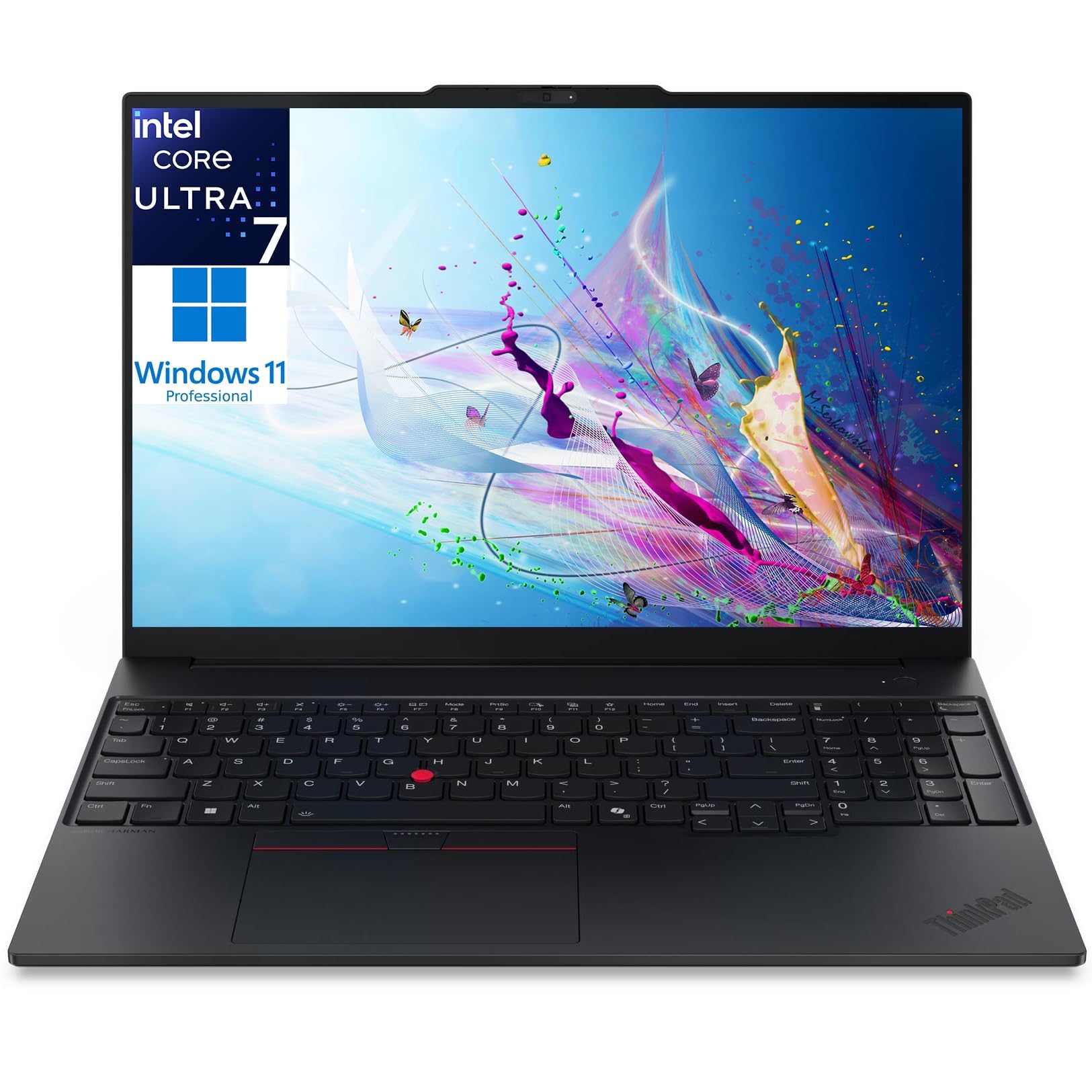
The ThinkPad E16 Gen 3 brings enterprise-grade security and durability to the business major audience. The Intel Core Ultra 7 255H processor with DDR5 RAM provides the computational power for running large spreadsheet models or even local AI workloads without cloud dependency. The 16-inch WUXGA (1920×1200) display offers extra vertical space for reading long documents and financial statements without constant scrolling.
Lenovo equips this model with a fingerprint reader, Firmware TPM 2.0, and a 1080p camera with a privacy shutter, protecting sensitive business data and research materials. The comprehensive port selection includes USB Type-C, USB-A, HDMI, Ethernet RJ45, an audio jack, and an SD card reader, eliminating the need for dongles during presentations or data transfers.
Windows 11 Pro adds BitLocker encryption, remote desktop capabilities, and enterprise management tools that are useful for majors handling sensitive data. The keyboard retains the classic ThinkPad typing experience with good travel and tactile feedback. For business students who prioritize data security and a proven chassis design, this laptop delivers confidence.
Why it’s great
- Enterprise-grade security features with fingerprint reader and TPM 2.0
- Full port selection including Ethernet and SD card
- Excellent ThinkPad keyboard for long typing sessions
Good to know
- Heavier than many ultraportables at over 4 pounds
- Non-touch display may disappoint some users
4. LG Gram 17

The LG Gram 17 defies physics by packing a 17-inch 2560×1600 touchscreen into a chassis that weighs only 3.2 pounds. This makes it the ideal choice for business majors who need maximum screen real estate for financial modeling, research papers, and presentation preparation but refuse to carry a heavy machine across campus. The Intel Core Ultra 7 258V processor with 32 GB of LPDDR5X RAM and 2 TB SSD handles multitasking without hesitation.
The anti-glare coating on the WQXGA display reduces reflections during library or outdoor study sessions, while the 320 nits brightness ensures readability in most lighting conditions. The port selection includes Thunderbolt 4 and USB4, allowing connection to multiple external monitors for dual-screen productivity setups. Wi-Fi 7 support ensures the fastest possible wireless speeds on campus networks.
Battery life comfortably exceeds a full school day, and the Dolby Atmos audio system provides decent sound for video calls. The touchscreen adds a useful layer of interaction for navigating lecture notes or zooming into spreadsheet cells. For students who prioritize screen size without the weight penalty, the LG Gram 17 is the clear winner.
Why it’s great
- Massive 17-inch touchscreen in a 3.2-pound body
- High-resolution WQXGA display with anti-glare coating
- Fast connectivity with Thunderbolt 4 and Wi-Fi 7
Good to know
- Premium pricing for the large screen and light weight
- Bottom-mounted speakers muffle sound on soft surfaces
5. HP EliteBook 6 16

The HP EliteBook 6 16 is engineered for office data processing with an Intel Core Ultra 7 255U processor, 32 GB of DDR5 RAM, and a 1 TB PCIe NVMe SSD. This combination handles complex Excel workbooks, accounting software, and video conferencing simultaneously. The 16-inch 1920×1200 display provides a taller aspect ratio that reduces scrolling in documents and web pages.
HP designed this machine with professional port connectivity in mind: Thunderbolt 4 USB-C at 40 Gbps, HDMI 2.1, RJ-45 Ethernet, and multiple USB-A ports mean you can plug into any campus or corporate setup without adapters. The backlit spill-resistant keyboard with a numeric keypad is a practical advantage for accounting majors who enter data frequently, and the included mouse adds desktop convenience.
The fingerprint reader and Windows 11 Pro provide enterprise-level security for sensitive academic and business data. The 65W USB-C fast charger replenishes the battery quickly between classes. For business majors who need to connect to external monitors, projectors, and wired networks daily, the EliteBook’s comprehensive I/O is a major asset.
Why it’s great
- Thunderbolt 4, HDMI 2.1, and Ethernet for universal connectivity
- Spill-resistant keyboard with numeric keypad for data entry
- Secure enterprise features with fingerprint reader
Good to know
- Speakers lack high volume for media consumption
- Plastic chassis feels less premium than some competitors
6. Dell Latitude 5550
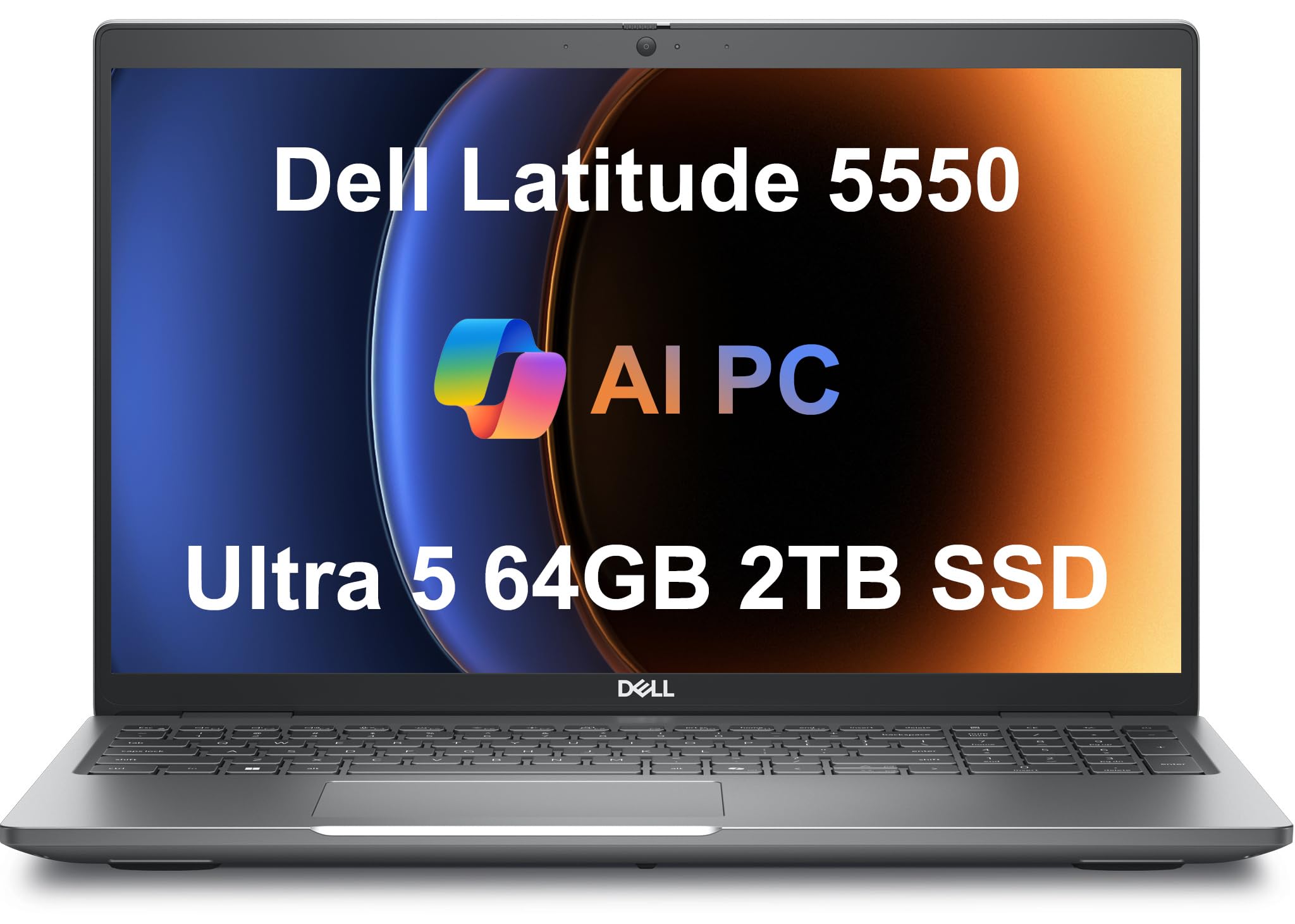
The Dell Latitude 5550 stands out for its monstrous 64 GB of 4800 MHz DDR5 RAM and 2 TB PCIe NVMe SSD, an uncommon configuration at its tier. The Intel Core Ultra 5 125U processor with 12 cores ensures smooth multitasking even when running data analysis tools, multiple research databases, and virtual meetings simultaneously. The 15.6-inch FHD IPS anti-glare display reduces eye strain during long study sessions.
Port selection is a highlight with two Thunderbolt 4 ports running at 40 Gbps each, HDMI 2.1 for 4K external displays, USB 3.2 Gen 1 Type-A ports, Ethernet RJ-45, and a microSD card slot. This eliminates the need for dongles when connecting to lab equipment, projectors, or external storage devices. The FHD RGB webcam with privacy shutter ensures clear video calls and physical camera control.
The battery provides up to 11 hours of runtime, enough for a full class and library schedule. The backlit keyboard is comfortable for extended typing. For business majors who plan to run heavy statistical software, virtual machines, or just want a system that will never run out of memory, this Dell Latitude configuration is a long-term investment in performance.
Why it’s great
- 64 GB DDR5 RAM handles extreme multitasking
- Complete port selection including dual Thunderbolt 4
- Anti-glare display for comfortable reading
Good to know
- The Core Ultra 5 processor is a mid-range chip
- Heavier than ultraportable alternatives
7. Microsoft Surface Laptop

The Microsoft Surface Laptop with Snapdragon X Elite delivers exceptional battery life, lasting up to 20 hours on a single charge. This makes it the undisputed champion for business majors who spend full days away from power outlets. The 15-inch touchscreen display with bright HDR technology and an ultra-thin design provides a premium viewing experience for presentations and documents.
The Snapdragon X Elite processor (12 cores) with 32 GB of RAM and 1 TB SSD delivers faster performance than the MacBook Air M3 according to Microsoft, with a dedicated NPU for AI acceleration. The Copilot+ PC integration brings AI assistance directly into Windows, helping with summarizing texts, generating images, and organizing tasks. The chassis rivals premium ultrabooks in build quality and feels solid on a lap or desk.
The ARM architecture does have a limitation: some legacy x86 applications may not run natively, though compatibility is improving. For productivity tasks like Office 365, web browsing, and video conferencing, this machine is fast, cool, and silent. The stereo speakers with Dolby Atmos provide clear audio for video calls. For students who prioritize battery endurance above all else, this Surface Laptop is a strong candidate.
Why it’s great
- Outstanding 20-hour battery life
- Premium build quality comparable to MacBooks
- Smooth and fast for productivity workloads
Good to know
- ARM compatibility issues with some x86 applications
- Not suitable for heavy gaming or demanding creative software
8. Apple MacBook Pro 14 M4 Pro

The MacBook Pro with the M4 Pro chip delivers uncompromising performance for business majors who also engage in creative work. The 14-core CPU and 20-core GPU handle compiling code, rendering 3D models, and editing high-resolution video without breaking stride. The 14.2-inch Liquid Retina XDR display with up to 1600 nits peak brightness offers stunning clarity for reviewing financial charts and marketing materials.
All-day battery life and the ability to deliver identical performance on battery or plugged in make it a reliable partner for campus life. The unified memory architecture at 24 GB ensures seamless multitasking between Microsoft 365, Adobe Creative Cloud, and data analysis software. Apple Intelligence integration provides privacy-focused AI assistance for writing, summarization, and task organization.
The build quality sets a benchmark with a precision trackpad, comfortable keyboard, and a durable chassis that ages gracefully. The ecosystem integration with iPhone, AirPods, and other peripherals adds convenience for students already in the Apple ecosystem. While the price point is the highest on this list, the M4 Pro MacBook Pro offers the most well-rounded premium experience for those who can stretch their budget.
Why it’s great
- Best-in-class performance with M4 Pro chip
- Exceptional Liquid Retina XDR display with high brightness
- Excellent build quality and all-day battery life
Good to know
- MacOS may require new learning for Windows users
- Highest price in this comparison
9. Lenovo V-Series V15

The Lenovo V-Series V15 delivers impressive specifications for a mid-range investment. The AMD Ryzen 7 7730U processor with 8 cores and 16 threads, combined with 40 GB of RAM and a 2 TB SSD, provides ample resources for running virtual machines, analyzing large datasets, and multitasking across numerous applications. The 15.6-inch FHD display offers sharp visuals for all types of academic work.
Lenovo includes a numeric keypad on the keyboard, a practical feature for accounting and finance students who frequently input numerical data. The port selection includes USB 3.2 Type-C, USB-A, HDMI, and crucially, an RJ45 Ethernet port for stable wired connections in dorms or libraries. Windows 11 Pro provides enhanced security and productivity features appropriate for business coursework.
The chassis is slim and sleek, making it easy to carry to classes. While it lacks a touchscreen, the combination of Ryzen processing power, abundant RAM, and generous storage at this price point offers exceptional value. For business majors who need heavy multitasking capability without stretching into premium budgets, this Lenovo delivers the best bang for the buck.
Why it’s great
- Massive 40 GB RAM and 2 TB storage at an attractive price
- Includes numeric keypad and Ethernet port
- Fast Ryzen 7 processor with 8 cores
Good to know
- Build quality is entry-level business class
- No touchscreen display
10. Dell Inspiron 15.6

The Dell Inspiron 15.6 stands out for its 120 Hz refresh rate IPS display, a feature uncommon at its price point. The higher refresh rate makes scrolling through long documents and web pages feel smoother and more responsive, reducing eye strain during extended research sessions. The Intel Core i7-1255U processor with 32 GB of RAM and 1 TB SSD ensures snappy performance for Microsoft Office, accounting software, and video conferencing.
Dell includes a numeric keypad, which is a welcome addition for business majors who frequently enter data. The port selection covers three USB-A ports, HDMI, an SD card reader, and a headphone jack, providing the basics without needing a dongle. The anti-glare coating on the 1920×1080 display reduces reflections in bright classrooms.
Windows 11 Pro with a Microsoft Office Lifetime License adds immediate value out of the box. The battery life is adequate for a full day of classes with moderate usage. For students who want a responsive, smooth-scrolling display for document work and a solid set of productivity features, this Dell Inspiron configuration hits a sweet spot.
Why it’s great
- 120 Hz refresh rate for smooth scrolling
- 32 GB RAM and 1 TB SSD for responsive multitasking
- Includes Office Lifetime License and numeric keypad
Good to know
- No touchscreen option
- Wi-Fi 5 instead of newer Wi-Fi 6E
11. HP Touchscreen i7

The HP Touchscreen i7 brings interactive touchscreen capability to an affordable price bracket for business majors. The 15.6-inch Full HD display responds to touch input, making it easy to zoom into spreadsheet cells, navigate presentations, or highlight text in research articles. Powered by the Intel Core i7-1355U processor with 10 cores and 20 GB of DDR4 RAM, it handles multitasking across Office apps and web browsers smoothly.
Weighing just 3.52 pounds, it is notably portable for a 15.6-inch touchscreen laptop, making it easy to carry between classes. Windows 11 Pro with Copilot integration provides AI assistance for tasks like drafting emails and organizing files, while Wi-Fi 6 and Bluetooth 5.3 ensure fast and reliable wireless connections on campus networks.
The included accessory kit adds value for students setting up their workspace. The touchscreen is particularly useful for majors in marketing or management who frequently present and interact with content. For a touch-enabled experience without jumping to premium price tiers, this HP model delivers a compelling mid-range option.
Why it’s great
- Responsive touchscreen for interactive note-taking
- Lightweight design for a touch-enabled laptop
- Intel Core i7 processor and 20 GB RAM
Good to know
- Plastic chassis may not feel as premium
- Some units reported missing touchscreen functionality
12. HP 17.3 Business Laptop
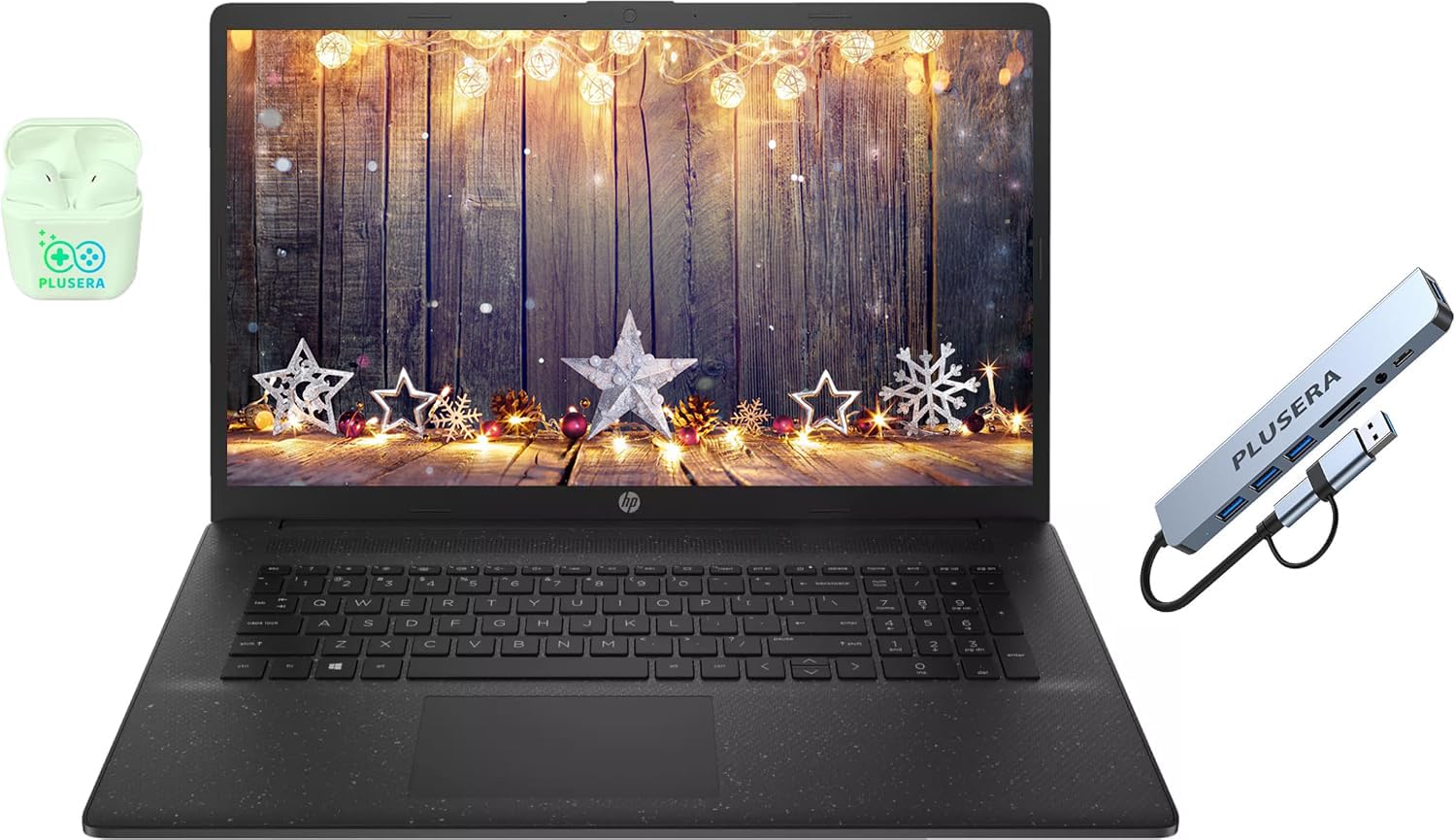
The HP 17.3 Business Laptop offers a large 17.3-inch LED display at a budget-friendly price point, making it a practical choice for business majors who prioritize screen size for reading documents and multitasking. The 1600×900 resolution is lower than true HD, but the vertical workspace helps reduce scrolling. The Intel Core i5 processor with 10 cores and 16 GB of RAM provides sufficient power for basic Office productivity and web research.
HP includes Windows 11 Pro, which adds security and productivity features not found in the Home edition. The numeric keypad is a welcome addition for data entry tasks. The port selection includes USB-C, USB-A, and HDMI, covering the basics for connecting external monitors or USB devices. An included earphone and 8-in-1 hub adds immediate utility.
The 256 GB SSD is smaller than many competitors, requiring careful file management or reliance on cloud storage. The display brightness at 250 nits is adequate for indoor use but struggles in brightly lit environments. For students on a tight budget who need a large screen for coursework, this HP provides the essentials without frills.
Why it’s great
- Large 17.3-inch screen for reading and multitasking
- Windows 11 Pro and numeric keypad included
- Comes with earphone and USB hub accessory
Good to know
- 1600×900 resolution is lower than Full HD
- 256 GB storage may fill up quickly
13. HP 17.3 FHD i5

The HP 17.3 FHD i5 is the most affordable entry point for business majors who need a large screen without sacrificing resolution. The 17.3-inch FHD IPS display delivers sharp images and wide viewing angles, making it suitable for watching lectures, reading long documents, and working on presentations. The 13th Generation Intel Core i5-1334U processor with 16 GB of DDR4 RAM and 512 GB SSD provides responsive performance for everyday academic tasks.
The Intel Iris Xe Graphics handles video playback and light visual workloads without issues. Battery life is rated at 8 hours, though real-world usage with the large display may be closer to 2.5 to 3 hours under load. The HP True Vision HD camera with a physical privacy shutter adds a layer of security for video calls. The lack of a backlit keyboard may be a drawback for night study sessions.
The SSD is user-upgradable, with one available M2 slot, and the RAM can be upgraded to 32 GB for users who need more memory as their programs advance. For students who want a full HD display on a 17.3-inch screen at the lowest possible investment, this HP model is the budget champion.
Why it’s great
- Full HD IPS display on a large 17.3-inch screen
- Upgradable SSD and RAM for future expansion
- Physical camera shutter for privacy
Good to know
- No backlit keyboard
- Battery life is shorter with the large display
FAQ
Is 16 GB of RAM enough for a business major?
Do I need a dedicated graphics card for business school?
Final Thoughts: The Verdict
For most users, the business major laptop winner is the GEEKOM GeekBook X14 Pro because it offers an unbeatable combination of ultra-portability, a stunning 2.8K OLED display, and enough processing power to handle any academic workload without weighing down your backpack. If you want the absolute best battery life for full campus days away from outlets, grab the Microsoft Surface Laptop with its 20-hour endurance. And for maximum screen real estate without the weight penalty, nothing beats the LG Gram 17.