
A motherboard tray littered with loose cables doesn’t just look bad—it chokes airflow, traps heat, and makes future upgrades a frustrating puzzle. A properly engineered chassis with dedicated channels, rubber grommets, and a PSU shroud transforms a rat’s nest into a clean, breathable environment that your components will thank you for.
I’m Min — the co-founder and writer behind Gadgets Feed. I’ve spent countless hours analyzing cable routing channels, tie-down points, motherboard tray depths, and PSU shroud designs across dozens of mid-tower and full-tower chassis to find the models that truly make wire management effortless.
This guide breaks down the top contenders for the best cable management pc case, comparing build quality, routing flexibility, and included accessories to match your specific build needs.
How To Choose The Best Cable Management PC Case
A case that makes cable management easy is built around its motherboard tray, PSU shroud, and channel layout—not fan counts. Prioritize chassis depth, tie-down points, and the ability to route thick 24-pin and GPU cables cleanly behind the tray.
Motherboard Tray Clearance & Channel Width
The gap between the motherboard tray and the side panel determines how much cable bulk you can stuff out of sight. Look for at least 20mm of clearance; premium cases often offer 25-30mm. Wide routing cutouts with rubber grommets at the top, middle, and bottom of the tray make it easy to run cables to any corner of the board without strain.
PSU Shroud & Drive Cage Configuration
A full-length PSU shroud hides the bottom cable cluster and often includes cutouts for routing GPU cables up to the graphics card. Removable drive cages free up the front cavity for longer power supplies or extra cable stashing, while dedicated SSD mounts on the shroud itself keep 2.5-inch drives tidy and accessible.
Included Accessories: Straps, Hubs, and Covers
Velcro straps, reusable cable ties, and built-in hooks on the back of the tray are small additions that save major frustration. Some chassis include a pre-installed PWM fan hub that reduces the number of cables running to the motherboard. A metal or plastic cable cover over the right side of the motherboard tray offers the cleanest possible interior look with zero wire visibility.
Quick Comparison
On smaller screens, swipe sideways to see the full table.
| Model | Category | Best For | Key Spec | Amazon |
|---|---|---|---|---|
| HAVN HS 420 | Mid-Tower | Ultimate cable routing | SimpliCable grooved guides | Amazon |
| CORSAIR AIR 5400 | Mid-Tower | Isolated cable chambers | Triple-chamber design | Amazon |
| ASUS ProArt PA602 | Full Tower | Professional workstations | Wide routing channels | Amazon |
| LIAN LI O11D Mini V2 | Mid-Tower | Compact ATX builds | Removable drive bays | Amazon |
| CORSAIR 4000D RS Frame | Mid-Tower | Modular cable covers | Removable cable cover panel | Amazon |
| NZXT H7 Flow 2024 | Mid-Tower | Wide cable channels | Built-in hooks & straps | Amazon |
| Lian Li LANCOOL 217 | Mid-Tower | Back-connect motherboard support | Dual PSU mounting positions | Amazon |
| KEDIERS K4(MAX) | Mid-Tower | Budget builds | PSU cable pockets | Amazon |
| JONSBO N5 | Full Tower | High-density storage setups | Separate cable compartments | Amazon |
In‑Depth Reviews
1. HAVN HS 420

The HAVN HS 420 redefines cable management with its SimpliCable routing system—a set of top-to-bottom grooved channels on the back of the motherboard tray that guide every wire into a clean, predetermined path. The 17.83 kg chassis uses a dual-chamber layout that dedicates the entire right side to cable stashing, fan hub placement, and PSU mounting. The included PWM fan hub and pre-routed velcro straps mean you can achieve a near-invisible wire look with minimal effort.
This case supports eleven 140mm fans and up to three 420mm radiators, but its real party trick is the 3-way adjustable GPU support bracket that also hides the power cable routing for your graphics card. The heat-formed UniSheet glass panel offers a distortion-free panoramic view of the interior, making your tidy cable work the centerpiece of the build. The fan brackets include rubber vibration-isolation pads that prevent resonance noise from rattling through the metal frame.
Building inside the HS 420 rewards patience—the top panel and long front-panel cables require careful tucking, and the back panel’s magnet closure can be pushed off by bulky wiring if you don’t fasten the included screws. Once everything is seated, the chassis feels like a luxury automotive product in its fit and finish. Users report RTX 5090 temperatures staying below 61°C under load, confirming that clean cables also mean superior airflow.
Why it’s great
- Grooved cable guides remove guesswork from routing
- Exceptional build quality with vibration-dampened fan brackets
- Panoramic glass showcases immaculate wire management
Good to know
- Large and heavy footprint demands a sturdy desk
- Back panel magnets may need screwing down with heavy cable bundles
2. CORSAIR AIR 5400 RS-R ARGB
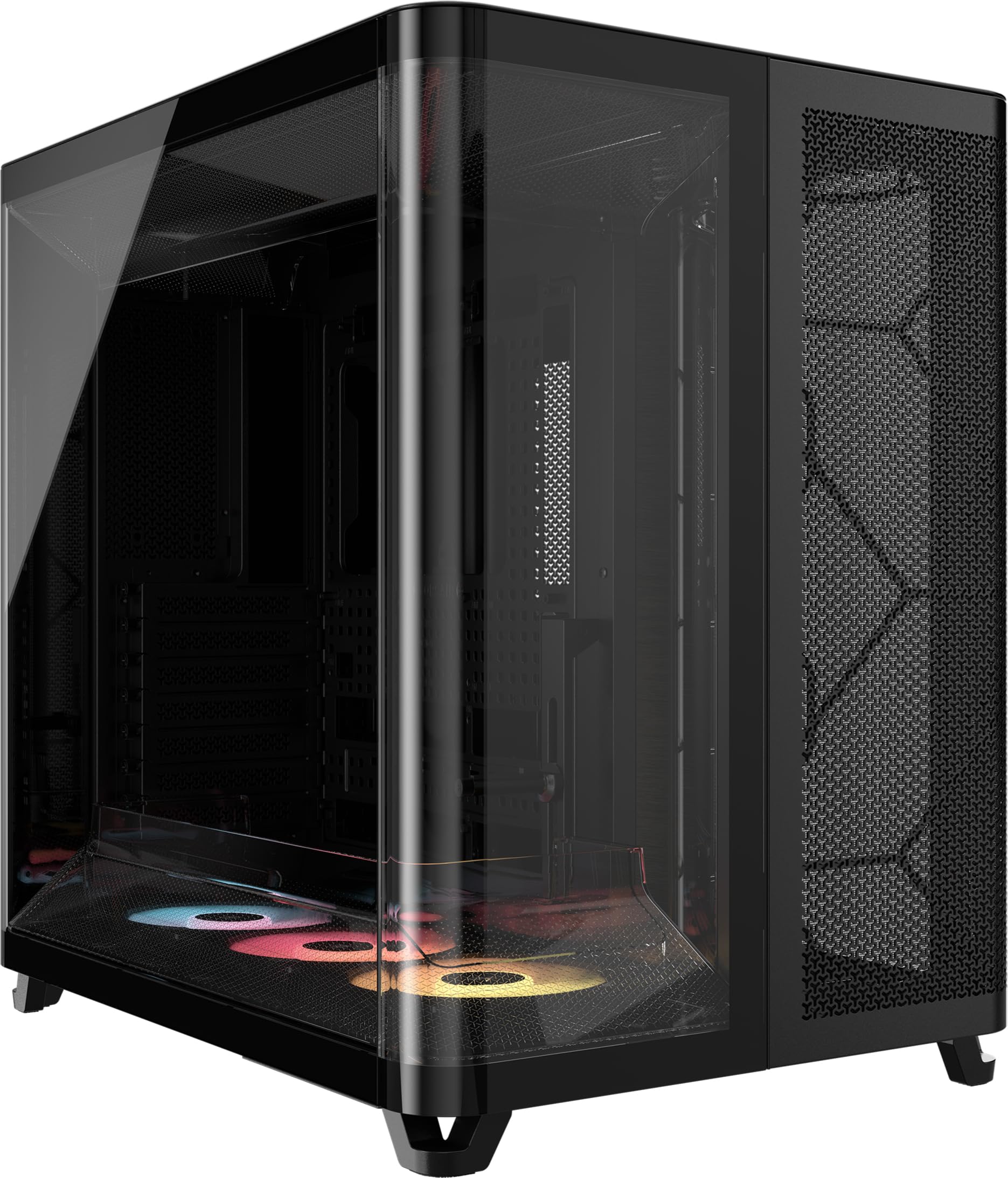
The CORSAIR AIR 5400 uses a triple-chamber architecture that isolates the CPU cooling radiator, the GPU and motherboard, and the PSU and storage into separate physical compartments. This layout means the power supply cables and drive wiring live in their own dedicated chamber on the opposite side of the chassis, completely hidden from the main view. The central motherboard chamber benefits from massive vertical airflow, while the PSU chamber has its own intake and exhaust locations to prevent heat soak from the other components.
Cable management is handled through wide routing cutouts between the chambers, and the pre-installed fan controller consolidates PWM and RGB cables into a single connection point. The chassis includes three reverse-rotor RS120-R ARGB fans in the front for clean blade aesthetics, and the bottom fan array uses an airflow duct that accelerates velocity without increasing fan speed. The wrap-around glass panel on the front and side provides a seamless view of the central chamber, making it a showcase for builders who invest in custom sleeved cables.
One important note: the integrated heat shield near the top AIO mount requires the radiator hoses to exit at the top, meaning you’ll want at least 450mm hose length for comfortable routing. The rear exhaust fan is partially blocked by the glass wrap, which helps GPU temperatures by about 3°C at the cost of some rear exhaust efficiency. Users upgrading from standard cases report CPU drops from 85°C to 58°C and GPU drops from 90°C to 55°C, proving that chamber isolation and clean wire management dramatically improve thermal performance.
Why it’s great
- PSU and storage cables are hidden in a dedicated chamber
- Pre-installed fan hub reduces cable clutter
- Innovative airflow duct improves cooling without added noise
Good to know
- Requires long hose AIO for comfortable top-mount installation
- Rear fan is partially obscured by the glass panel
3. ASUS ProArt PA602

The ASUS ProArt PA602 is a full-tower chassis built for professionals who need to manage multiple GPU cables and high-wattage PSU wiring without clutter. It features two extra-thick 200x38mm front fans that move massive volumes of air at low RPM, and the rear houses a 140mm exhaust fan. The cable management system uses wide routing channels on the back of the motherboard tray with ample clearance for the thickest 24-pin cables and multiple EPS12V leads, plus integrated velcro straps at key tie-down points.
The front panel grill has 45% porosity with an IR dust indicator that alerts you when the filter needs cleaning, ensuring sustained airflow without constantly checking. Tool-less PCIe mounting and a built-in GPU holder simplify the build process, and the top radiator mount supports up to a 420mm radiator. The front 20Gbps USB-C port is a welcome addition for transferring large video files. The case is massive at 35.5 pounds, but it comes with casters and integrated handles for mobility.
This case is particularly well-suited for Threadripper and dual-GPU workstation builds where cable management is critical for maintaining airflow across high-density components. The PSU shroud has a removable cover that makes it easy to route GPU cables up to the graphics card without reaching into dark corners. One minor limitation is that the 2.5-inch drive bays behind the motherboard tray require reverse 90-degree SATA cables to avoid kinking, so plan your cable order accordingly. Users consistently praise the quiet operation and excellent cooling of the pre-installed 200mm fans.
Why it’s great
- Extra-thick 200mm fans deliver massive airflow at low noise
- IR dust sensor and wide routing channels simplify maintenance
- Included casters and handles for heavy workstation builds
Good to know
- Very heavy at 35.5 pounds; needs a sturdy floor or heavy-duty desk
- 2.5-inch bays require reverse 90-degree SATA cables
4. LIAN LI O11D Mini V2 Flow

The LIAN LI O11D Mini V2 Flow packs a full-size ATX motherboard into a compact mid-tower footprint without sacrificing cable management. The chassis ships with five pre-installed 120mm reverse blade fans that are color-matched and positioned at a 10-degree slanted angle to draw cool air directly to the GPU. The pillar-less tempered glass on the front and side panels creates an unobstructed panoramic view, which means cable routing must be pristine—and this case delivers with a removable drive bay structure that frees up the main cavity for wire tucking.
Special brackets for the 24-pin motherboard cable help maintain a tidy layout, and the horizontal and vertical GPU anti-sag brackets ensure that heavy graphics cards stay aligned without putting strain on the PCIe slot. The compact design protrudes slightly at the mesh side panel to accommodate full-sized ATX power supplies. The bottom intake is optimized with those 10-degree tilted fans, and the case includes enough clearance behind the motherboard tray for neat routing of fan cables and front-panel connectors.
The O11D Mini V2 is designed to accommodate ATX back-connect motherboards, which can eliminate nearly all visible front-panel wiring. The stock fans are quiet but can produce an audible tone at 800 RPM—users recommend swapping them out for silence-focused builds. The removable drive bays make cable management much easier, but the front magnet on the glass panel can become dislodged over time. For builders who want a small showcase case with serious cable hiding potential, this is an outstanding mid-range option.
Why it’s great
- Compact footprint fits full ATX with excellent cable routing
- Removable drive bays free up space for wire management
- Pre-installed 24-pin cable brackets keep the build orderly
Good to know
- Stock fans have audible noise at 800 RPM
- Front magnet on glass panel may weaken over time
5. CORSAIR 4000D RS Frame

The CORSAIR 4000D RS Frame introduces a modular chassis system where you can swap the motherboard tray, front I/O panel, and fan mounting rails. The internal side panel near the motherboard tray functions as a removable cable cover, hiding all the wiring behind a clean metal plate while still allowing airflow through the side mesh. The InfiniRail fan mounting system uses steel rails that slide to accommodate fans up to 200mm in the front, eliminating the need to drill or measure.
The rear chamber includes dedicated routing channels and velcro straps, and the PSU shroud has cutouts for GPU cable pass-through. The case is designed to support reverse connector motherboards, which route all front-panel headers to the back, making the visible side of the motherboard completely cable-free. The 3D Y-pattern airflow panel on the front uses perforations in three dimensions to maximize unrestricted intake while maintaining structural rigidity.
Three CORSAIR RS PWM fans are pre-installed in the front with daisy-chainable 4-pin PWM connections and Zero RPM mode for silent operation at low loads. The FRAME system’s modularity means you can later upgrade to a billet aluminum motherboard tray or add USB ports to the front I/O. This case is ideal for builders who want to start with solid cable management and expand customization over time. The steel construction feels premium, and the tool-less panel removal makes access to the interior effortless.
Why it’s great
- Removable cable cover panel hides everything behind the motherboard tray
- Modular FRAME system allows tray and I/O upgrades
- InfiniRail fan mounting offers extreme flexibility without fixed constraints
Good to know
- Higher price point compared to other mid-towers without modular features
- Some front-panel upgrades require specific proprietary parts
6. NZXT H7 Flow 2024

The NZXT H7 Flow 2024 focuses on making cable management intuitive with wide routing channels, built-in hooks at every corner of the motherboard tray, and included velcro straps that hold bundles securely. The chassis supports three bottom-mounted 120mm fans for dedicated GPU cooling while maintaining a relatively narrow mid-tower footprint. The mesh front and top panels allow high unrestricted airflow while filtering dust, and the interior layout gives you generous space for routing cables behind the motherboard tray.
The PSU shroud is full-length with cutouts for frontal GPU cable pass-through, and the drive cage is removable to create additional cavity space for excess wiring. The included three front-mounted 120mm fans deliver strong out-of-the-box airflow, but they are 3-pin non-PWM fans—so you’ll want to set a fixed voltage curve in the BIOS or replace them if fan curve control matters to you. The panels pop off with a tool-less latch system that makes interior access quick during the building process.
One thing to note is that the H7 Flow is larger than most mid-towers, approaching full-tower dimensions at 18.43 inches deep and 21.42 inches tall. The tempered glass panel pops off rather than hinges, which can feel less premium than latch-based alternatives. Users consistently praise the excellent airflow and cooling potential, with many noting that the layout allows for up to ten fans and multiple radiators. The cable management channels are deep enough to handle a fully modular power supply’s worth of cables without bulging the side panel.
Why it’s great
- Wide routing channels with built-in hooks and velcro straps included
- Supports bottom fans for direct GPU cooling
- High-performance mesh panels with excellent airflow potential
Good to know
- Pre-installed fans are 3-pin non-PWM
- Panels pop off rather than using a hinge mechanism
7. Lian Li LANCOOL 217

The Lian Li LANCOOL 217 brings unique cable management flexibility with dual PSU mounting positions—install the power supply facing the front for traditional routing, or rotate it sideways for easier access to the modular connectors. This chassis supports back-connect motherboards, which hide nearly all front-panel cables behind the tray, and includes a fan hub pre-installed in the rear chamber to consolidate PWM wiring. The included GPU sag bracket adjusts to support heavy cards while keeping power cables organized.
Five fans are pre-installed: two 170x30mm front fans, two 120mm reverse-blade fans on the bottom, and a 140mm fan at the rear. The front fans can be raised into a CPU-bias configuration where they direct airflow specifically at the processor, or kept at default for balanced cooling. The real walnut wood accents on the front panel elevate the aesthetic, and the entire case uses tool-less fan mounting for easy customization. The PSU shroud is full-length with a cutout for GPU cable routing.
The LANCOOL 217 uses velcro straps and grommets at every routing passage, and the extra space behind the motherboard tray handles even fully modular ATX power supplies with ease. The dual power buttons accommodate different desk placements, and the side panels slide off without tools. Users highlight the excellent value—you get a case with five premium fans, real wood trim, dual PSU positions, and back-connect support at a competitive price point. The wood grain finish can scratch if mishandled, so take care during assembly.
Why it’s great
- Two PSU mounting positions offer flexible cable routing options
- Fan hub pre-installed reduces wire clutter
- Real wood accents with tool-less fan mounting system
Good to know
- Wood trim is delicate and can scratch easily during assembly
- Large 170mm front fans may not fit all traditional ATX layouts
8. KEDIERS K4(MAX)
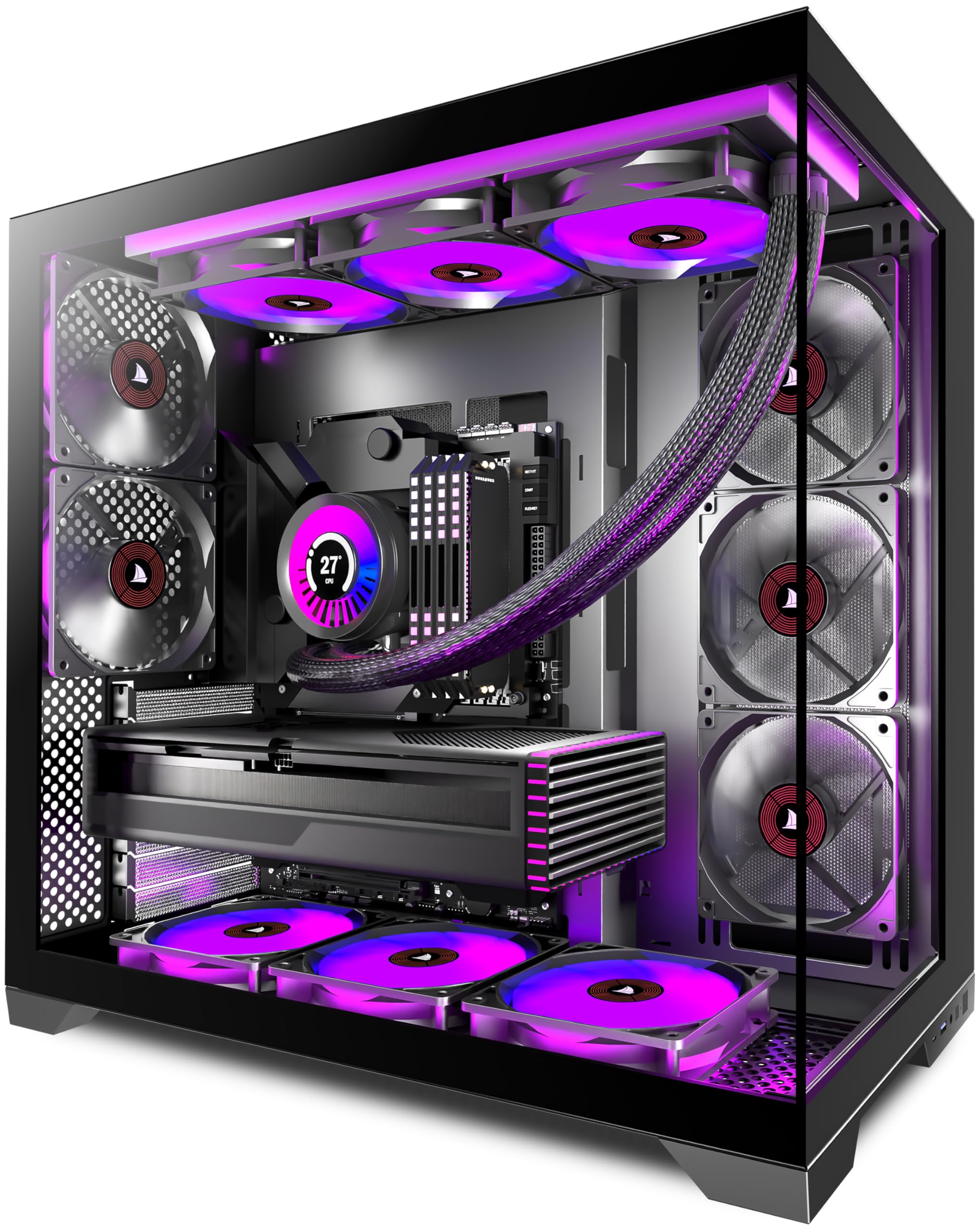
The KEDIERS K4(MAX) proves that strong cable management isn’t exclusive to premium cases. It features a panoramic 270-degree tempered glass design with full-view coverage of the front and side panels, which means cable routing must be neat—and the case provides PSU cable pockets and routing cutouts behind the motherboard tray to make it achievable. The chassis ships with five pre-installed 120mm fans (three intake and two exhaust) that include daisy-chained fan and RGB connections, so you only need to plug in one header per group of three fans.
The mid-tower supports ATX, Micro-ATX, and Mini-ITX motherboards, fits a 420mm radiator in the front and 360mm in the top, and accommodates GPU lengths up to 460mm. The front I/O includes a USB 3.0 port, a Type-C port, HD audio, and a reset button. The power supply shroud is full-length with ventilation cutouts, and the drive bays include HDD and SSD trays that are removable for additional wire stashing space. The diamond-cut edges of the glass panels provide a refined aesthetic at a budget-friendly price.
Building inside the K4(MAX) is straightforward for beginners, though the included manual is sparse—users recommend watching an assembly video. The metal frame feels slightly less rigid than premium competitors, and the daisy-chained fan connection for the top middle fan may flicker under load if the PWM signal is weak. The GPU alignment can be slightly off in some units, but for the price, the feature set is dense. Easy glass panel removal and decent cable management make this a strong entry-level pick for showcasing a tidy first build.
Why it’s great
- Panoramic glass design demands and rewards clean cable management
- 5 fans with daisy-chained connections minimize cable clutter
- Type-C port and 420mm radiator support at an entry-level price
Good to know
- Metal panels feel slightly flimsy compared to premium alternatives
- Included manual is sparse; building guide needed for beginners
9. JONSBO N5

The JONSBO N5 is a specialist NAS and home server case designed for builders who need to manage a dense array of storage drives without turning cable management into a nightmare. It supports up to twelve 3.5-inch hot-swap HDDs in the front and four 2.5-inch SSDs on the side, all while accommodating E-ATX motherboards, up to four GPUs, and a full ATX power supply. The case uses a separate motherboard section and a dedicated PSU/storage compartment, keeping data cables physically separated from power wiring for cleaner routing.
The front panel features North American black walnut veneer, adding a furniture-grade appearance to the steel and aluminum chassis. Three fans are pre-installed—two 120mm or 140mm in the front and one 120mm in the rear—with support for additional right-side, left-side, and top fans. The PCI expansion slots number eight, allowing for multi-GPU compute configurations. The one-piece removable top cover simplifies access to the interior, and the hot-swap drive bays use rubber straps instead of traditional drive trays to reduce vibration noise.
Builders should note that the stock fans are somewhat noisy at full speed, and the 2.5-inch drive mounting on the side panel requires careful SATA cable routing to avoid kinks. The drive bay cooling lacks direct front airflow for the HDD cage, so consider adding a 3D-printed fan mount if your storage workload is heavy. The separate chamber design keeps the motherboard area remarkably free of drive cables, making the N5 a strong choice for those who prioritize tidy wiring in a high-density storage build. The rubber straps can be finicky compared to conventional trays, but they successfully isolate drive vibration from the chassis.
Why it’s great
- Separate motherboard and storage compartments keep cables organized
- 12 hot-swap drive bays with rubber vibration-dampening straps
- Furniture-grade wood veneer complements a professional workspace
Good to know
- Stock fans are audible at full speed
- HDD bay lacks direct front airflow without modification
FAQ
How much clearance behind the motherboard tray is enough for cable management?
Does a dual-chamber case make cable management easier or harder?
What is a back-connect motherboard and do I need a special case for it?
Are velcro straps better than zip ties for cable management in a PC case?
Final Thoughts: The Verdict
For most users, the best cable management pc case winner is the HAVN HS 420 because its SimpliCable grooved routing system and dual-chamber layout make achieving a wire-free interior almost automatic. If you want the quietest possible thermal performance with isolated cable chambers, grab the CORSAIR AIR 5400. And for a compact ATX build that still offers exceptional cable hiding, nothing beats the LIAN LI O11D Mini V2 Flow.