
Our readers keep the lights on and my morning glass full of iced black tea. As an Amazon Associate, I earn from qualifying purchases.
Specs are compiled from manufacturer listings and verified buyer reviews and can change over time — please confirm the key details on the product page before buying.
If your video calls look soft, washed out, or stuck at that grainy built-in laptop quality, the fix is almost never your internet — it’s the camera. A 1080P computer camera (a webcam that captures Full HD video at 1920 pixels wide) plugs into a USB port and instantly upgrades how you look on Zoom, Teams, and every other call. This guide covers nine genuinely solid picks, from a budget champion most people should just buy to a 60fps streamer model built for smooth motion.
I’m Min — the founder and writer behind Gadgets Feed. This guide is built by comparing the manufacturers’ published specifications and the patterns across verified customer reviews, so you get each pick’s real strengths and trade-offs instead of marketing spin.
Setup is easier than most people expect: no drivers in almost every case, just plug in and go. The real differences live in frame rate, autofocus versus fixed focus, and how many microphones are onboard — so here is the honest breakdown of the best 1080p computer camera.
Our Picks at a Glance

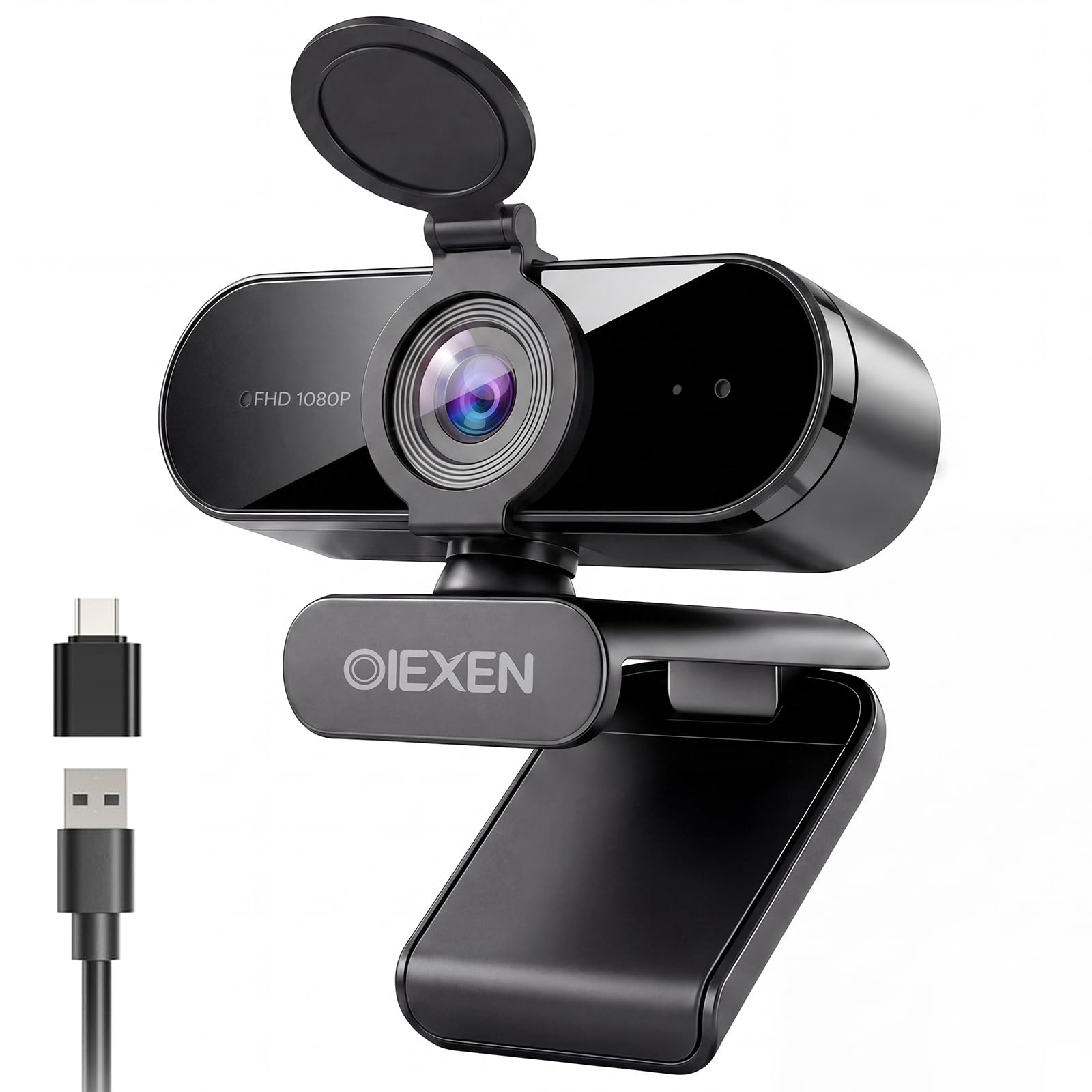
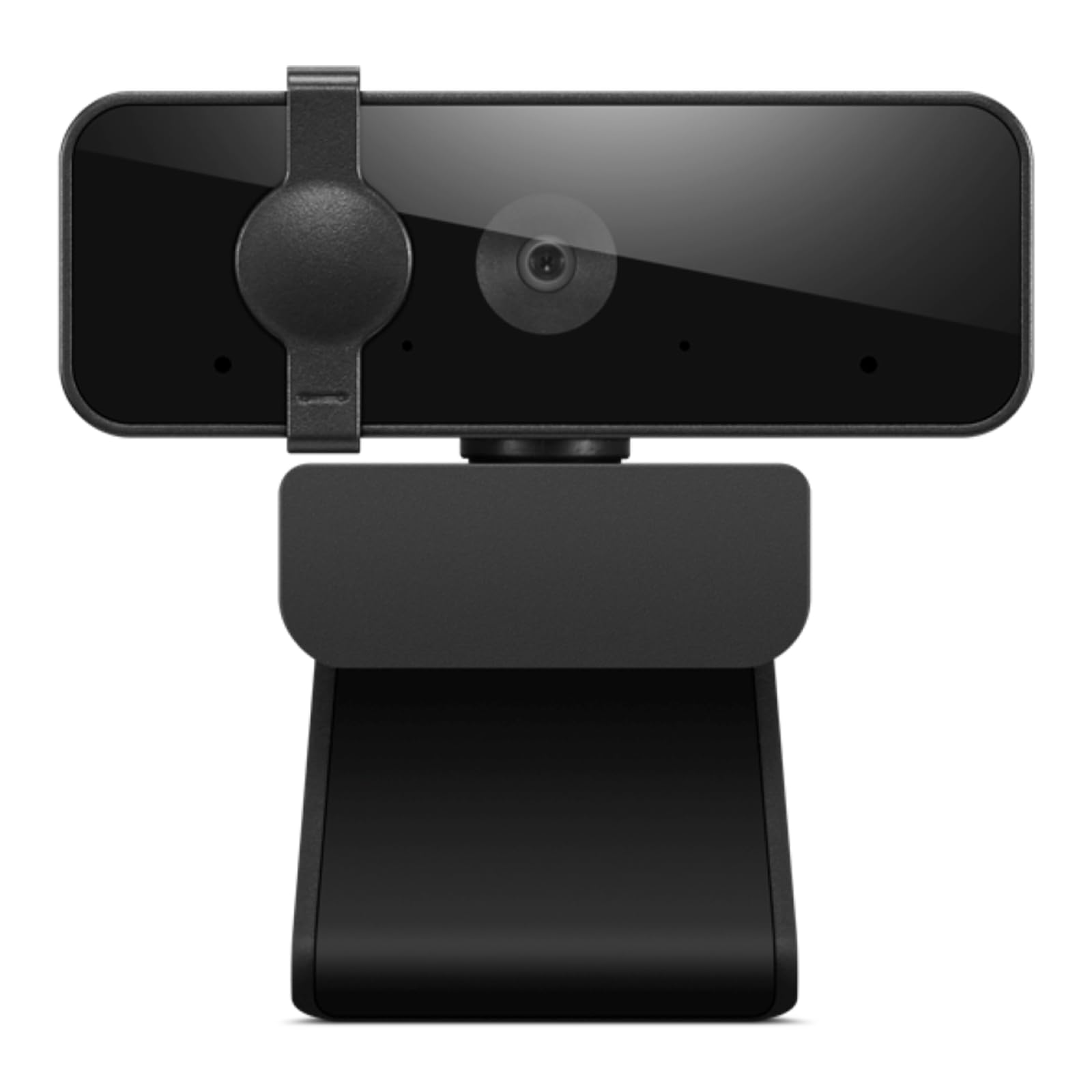
How To Choose The Best 1080P Computer Camera
You don’t need to overthink this. A 1080P computer camera is a simple device, and the differences that matter day to day come down to four things: how smooth the video looks in motion, whether the lens can refocus on you, how much room the frame captures, and whether the microphone is good enough to skip a headset. Get those four right and you’ll be happy for years.
Frame Rate: Why 30fps and 60fps Feel Different
Frame rate measures how many still images the camera captures each second, written as fps. A 30fps camera (thirty frames per second) is perfectly fine for talking-head meetings — your mouth and hands stay in sync with the audio. Bump up to 60fps (sixty frames per second) and fast movement — waving hands, gaming, or streaming action — stops looking like a slideshow and stays fluid. If you mostly sit still on calls, 30fps is plenty and usually costs less.
Autofocus Versus Fixed Focus
Autofocus is a motorized lens that hunts for sharpness on its own, so you can lean in to show a document and stay crisp. Fixed focus locks the lens to one distance range — usually tuned so that sitting a normal distance from your monitor stays sharp, but anything much closer goes soft. Neither is “better”; it depends on if you need to hold things up to the camera or just talk.
Field of View: How Much Room You Show
Field of view, or FOV, is the angle of the scene the lens takes in, measured in degrees. A wider FOV — commonly 85° to 90° — pulls more of your room and more people into the frame, which helps for group calls or a fuller background. Too wide can make your face look small and show clutter you’d rather hide, so match the angle to how you actually sit.
Microphones and Privacy
Dual microphones mean the cam listens from two points to cancel out background hum — keyboard clatter, an air conditioner — so your voice comes through cleaner. Many models also include a privacy shutter, a physical slide that covers the lens when you’re off the call so no app can see through it. Both features add real everyday value for the small cost difference.
Quick Comparison
| Model | Best For | Max Resolution | Video Resolution | Focus Type | Amazon |
|---|---|---|---|---|---|
| Logitech HD Pro Webcam C920★ Best Overall | All-round pick for most people | FHD | 1080 pixels | Automatic exposure, fixed lens | Amazon |
| 1080P Webcam with Microphone Noise Reduction Auto ExposureBudget Champion | Budget workstation upgrade | FHD pixels | 1080 pixels (2 mp sensor) | Fixed Focus | Amazon |
| Lenovo Essential FHD Webcam Gen 2Compact Pick | No-frills conferencing | 1080P | 1080P at 30 fps | Fixed, 85° FOV | Amazon |
| Acer A610 1080p Webcam | Value pick with wide frame | FHD | 1080 pixels | Fixed Focus | Amazon |
| RUWBY Pro HD 1080p/30fps Webcam with Tripod | Travel and flexible mounting | FHD pixels | 1080p at 30 fps (2 mp sensor) | Fast Auto-Focus | Amazon |
| EMEET 1080P Webcam C960 | Work-from-home calls | 1920×1080 (1080p Full HD) | 1080 pixels | Fixed Focus | Amazon |
| NexiGo N930AF Webcam | Autofocus on a budget | FHD | 1080 pixels at 30fps | Autofocus (turnable off) | Amazon |
| NexiGo N660P 60FPS Webcam | Streaming and fast motion | 1920 pixels | 1080p at 60fps | Autofocus | Amazon |
| Logitech C922 Pro Stream Webcam | Streamers and creators | FHD | 1080p at 30 fps (720p at 60 fps) | Autofocus | Amazon |
In‑Depth Reviews
1. Logitech HD Pro Webcam C920, Widescreen Video Calling and Recording, 1080p Camera, Desktop or Laptop Webcam
Our pick — over 4.5★ from 32,500+ verified ratings; the strongest balance of quality and price.
A 4.6-star veteran across 32,000+ ratings — the safest 1080p pick for most desks.
If you want the safest possible pick for a 1080P computer camera, this is the crowd favorite — 4.6 stars across 32,000+ ratings. It shoots Full HD 1080p video and captures still photos up to 15MP (15 megapixels, or fifteen million pixels per image), which is roughly a 7.5x gap over the cheaper 1080P Webcam with Microphone Noise Reduction on this list at just 2 mp.
Setup is genuinely plug-and-play. Owners describe it working instantly on Mac Mini and Macbook Air, with auto-recognized drivers and compatibility across Macs, Linux, and Windows. It handles the whole stack of video apps — Skype, Zoom, Teams, WebEx, FaceTime, Photo Booth. The built-in dual mics and auto-focus keep calls smooth, and the 3x digital zoom lets you tighten the frame without moving your chair. One owner who used it for business conferencing noted: “Durable cord held up 2+ years vs prior model.”
The honest trade-offs: low-light performance drops off more than premium studio cams, and the 15MP still mode needs Logitech’s software to open up — it isn’t automatic. Registration and software setup on Windows can be finicky, and the desk clamp doesn’t tilt downward when mounted on top of a monitor. Audio through the built-in mics is serviceable for calls but won’t replace a dedicated shotgun mic for professional work.
What makes it the default pick
- Full HD 1080p video with 15MP still capture — far beyond budget 2 mp rivals
- Works on Mac, Windows, and Linux without hunting for drivers
- Dual built-in mics and automatic exposure smoothing for one-piece setup
- 3x digital zoom for framing without moving the camera
Where it asks for patience
- 15MP stills only work through Logitech’s own software
- Monitor mount can’t tilt downward when clipped on top
- Built-in audio is fine for calls, not studio-grade
Reach for this if: you want one camera that handles work calls, family Zooms, and interviews without fiddling — reliability is the whole point.
Think twice if: you need tilt-down mounting or you stream at 60fps, in which case the NexiGo N660P further down is the better fit.
2. 1080P Webcam with Microphone Noise Reduction Auto Exposure
A 1080p cam with a physical privacy shutter and 90° wide angle for well under the brand-name picks.
The engineering brief here was clearly “get the basics right and don’t charge a lot.” A 30FPS sensor outputs 1080p video, and Face AE (short for Face Auto Exposure) automatically balances brightness so your skin tone stays even when you’re backlit by a window or sitting in a dim room. The fixed-focus lens is tuned to a “balance” within 16.5 inches — the natural distance from your face to a monitor — so you stay sharp without any autofocus hunting.
What owners say is consistent: “Works great on Teams meetings with video. Much better than laptop camera.” It handles Zoom, Teams, Skype, meets UVC/PnP (universal video class, meaning no drivers required), and even plays nicely with Linux. The physical privacy cover flips closed over the lens when you’re off-call. The 90° wide-angle lens (the angle the camera sees in degrees) fits more people and background, and a 360° ball joint lets you point the camera wherever you need it. A 6.6ft cable gives you slack to reposition. There’s also a USB-A to USB-C adapter in the box for laptops with only the newer port.
What’ll trip you up: at 2 mp effective still resolution, this camera is the low end of the still-photo scale compared with the Logitech C920 above at 15 mp. Lighting shifts under extreme conditions — a bright window behind you — will wash out faster than on premium models. And the fixed lens means you can’t hold a document up to the camera at close range and expect sharp text; it’s designed for face-forward calls. Also, no built-in speaker — mic input only.
The engineering trade-off: going fixed-focus instead of autofocus removes both the moving parts and the cost. Great for talking-head calls, less ideal if you need to lean in and show detail.
Best-value read: at 4.6 stars across a smaller review pool, this cam is the sensible entry point for anyone who wants a clean 1080p image without paying for features they won’t use.
Yes if: you sit at a fixed distance, mostly talk on calls, and want a shutter you can physically see closed.
Skip if: you need autofocus, close-up document capture, or a wider still-photo resolution than 2 mp.
3. Lenovo Essential FHD Webcam Gen 2, Full HD, 1080p, Dual Microphones, 85 Degree FOV, 30 fps, USB-A Connection, Built-in Manual Privacy Shutter
A 5-ounce 1080p cam with dual mics and a built-in slide shutter for a clean desk.
Lenovo’s second-gen Essential is a stripped-back conferencing cam: Full HD 1080p at 30 fps with an 85° FOV and dual built-in microphones. The 85° view is a little tighter than the 90° on the budget pick above — meaning less clutter behind you and a slightly more focused frame of your face. That tilt range is -20° to 10°, so you can look down at notes or up against a backlit window, and the mount holds monitors 4mm to 40mm thick.
It’s sized for a busy desk — 5 ounces, USB-A 2.0 with a 1.8m integrated cable, and it draws just 5V/1A of power (a tiny load, so no wall adapter needed). Owners love how simple it is: “No issue install, holds well on monitor. Easy to use, well worth the cost!” The included privacy shutter is a genuine physical slide rather than a stick-on sticker — the kind of detail that matters when you work from a bedroom or home office and want reassurance that nothing’s watching.
The honest catch: this is a video-conferencing-first camera, and at least one buyer’s experience notes sound cutting out mid-conference — so if crisp audio is your top priority, budget for an external mic. There’s no autofocus here either; the lens is tuned for standard desk distance. The smaller review volume on this newer model also means less long-term data than the veteran picks in this guide.
Why it earns a slot: clean 1080p image, dual mics, a physical privacy shutter, and a compact 5 oz body — the essentials nailed without padding.
The compromise you accept: fixed focus, no autofocus, and audio that some users have flagged as occasionally unstable on the calls that matter most.
The clean-desk call: pick this if you’ve been making do with a broken laptop camera and want an uncomplicated plug-in fix with a shutter you can trust.
Look further if: sound reliability on day-long conference calls is non-negotiable for you.
4. Acer A610 1080p Webcam for PC with Microphones Computer Camera for Meeting
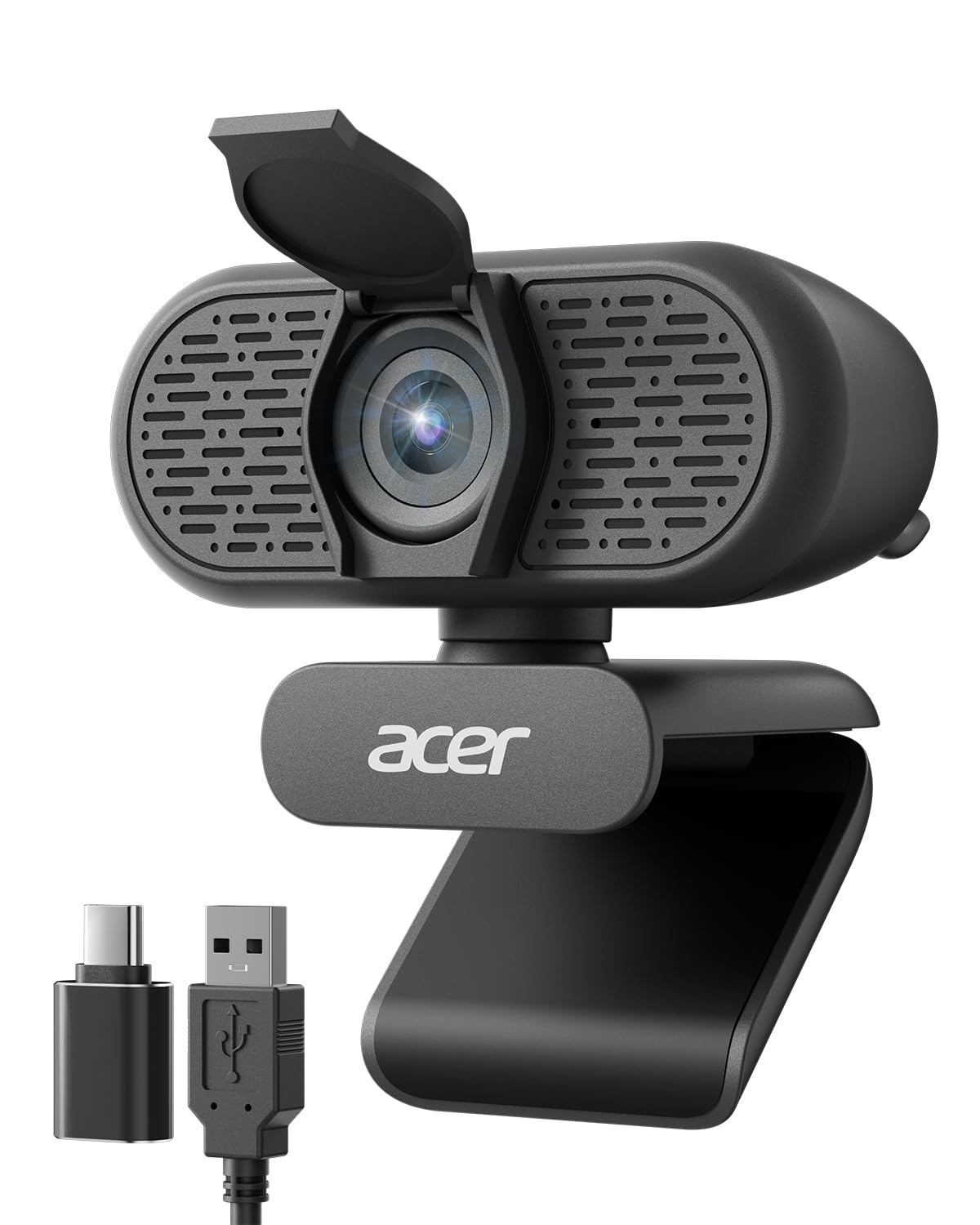
An 83° frame and a 360° rotating head — built for shared desks and whiteboard shots.
The Acer A610 runs a new CMOS sensor (a photo chip that converts light into the image) for sharper color and improved clarity than the older generations of budget cams. Video is 1080P Full HD, and the 83° field of view captures a fuller scene — useful for group sessions, teaching, or a fuller home-office backdrop. The 360° rotating mount lets you swivel from side to side, and the automatic low-light correction brightens things up when you’re calling from a darker room.
Plug-and-play is real here, and the included Type-A to Type-C adapter means it’ll connect to older laptops with a USB-A port and newer ones with USB-C. Dual noise-reduction microphones pick out your voice against background hum. One consideration worth knowing up front — the same wide-angle that shows your full workspace can feel too wide if you want just your face and not your bookcase. The 1080p resolution is delivered at 30fps, and the exposure adjustment handles typical office lighting with a bit of help.
Compatibility is broad: Windows 7/8/10/11, Mac OS, plus all the major platforms — Zoom, Skype, Twitch, Google Meet. There’s also a 2-year warranty on the package, which is longer coverage than most in this price band offer. The camera does not have built-in speakers, so if you’re expecting the webcam to play audio out, plan to use your laptop’s speakers or a headset.
What the wide angle gives you: an 83° view and 360° rotation mean you can show a whiteboard, a co-worker, or a fuller room without repositioning the whole laptop.
The trade-off to weigh: if you want a tightly framed, face-only shot, the wider lens may show more of your room than you bargained for.
Pick it when: you teach, present, or share a workspace and want everyone in frame — the swivel mount and 83° view carry that job.
Consider the Lenovo Essential instead: if a tighter, more face-forward frame matters more to you than the widest possible view.
5. RUWBY Pro HD 1080p/30fps Webcam with Tripod, External USB Camera for PC/Laptop

Ships with an aluminum tripod and fast autofocus, so you’re not stuck clipping to a laptop lid.
Two things stand out here: fast autofocus and a genuinely usable aluminum tripod in the box. The autofocus hunts down sharpness so you stay crisp even leaning in to hold up a document — a real step up from the fixed-focus budgets in this list. Video runs 1080p at 30fps with dual integrated microphones that pick up sound up to 10 feet away, and the wide-angle lens captures your workspace without distortion. Low-light correction kicks in when the room gets dim.
The telescopic tripod is the difference-maker. It uses a 1/4-inch universal screw, meaning the camera body can be swapped for other accessories on the same mount, and the tripod collapses into a backpack for travel. Owners note the mic picks up voice well without needing to lean in, and the picture holds up on a projection screen. Compatibility covers Linux, Chrome OS, Mac, Windows, and just about every calling app — Zoom, Teams, Meet, WebEx, OBS Studio, and more.
Two trade-offs worth checking before you buy: some users have flagged that they couldn’t turn off autofocus, which matters if you shoot against busy backgrounds that confuse the focus motor. And the 30fps rate is fine for talking-head calls but not smooth enough for action or fast hand motion — for that you’d want the NexiGo N660P below at 60fps. Finally, the auto-exposure can be a little enthusiastic in very bright rooms, occasionally washing out highs.
Best when flexibility is the priority: the included tripod, 360° rotation, and privacy shutter make this a genuine plug-and-go solution for tight desk setups or travelling.
The compromise: fixed autofocus can’t always be overridden, and 30fps is a limit for anyone who moves fast on camera.
The travel-friendly choice: ideal for anyone whose laptop lid is too thin to clip a camera onto, or who moves between desks.
Rethink if: you need to switch off autofocus for a busy background, or you shoot fast-motion content.
6. EMEET 1080P Webcam with Microphone, C960 Web Camera 2 Mics Streaming Webcam

1080p, dual noise-cancelling mics, and a 90° frame — built for back-to-back WFH calls.
The C960 was engineered for one job: making back-to-back video calls look and sound decent. A 5-layer anti-glare lens with a fixed focal length from 11.8 to 118.1 inches (about one foot out to nearly ten feet back) keeps your face in the sharp zone across a normal desk setup. Two omnidirectional microphones with noise-reduction tech pick up your voice and filter out background hum — the kind of attention that turns a kitchen-table call into something presentable.
Automatic low-light correction, low-light boost, and color boost all work together so you don’t have to draw the curtains when the sun moves behind you. The 90° wide-angle lens fits more participants, and the foldable body travels easily. USB plug-and-play means no drivers — the whole thing works the same on Windows 10/11, macOS 10.14+, Linux, and Android TV 7.0+. Apps that work from the start include Zoom, Teams, FaceTime, Google Meet, and YouTube.
Two honest limitations: the microphone is very sensitive, which is a plus for pickup but can pick up conversation from two rooms away — so in a shared space, a headset may still be the move. And this camera is incompatible with Windows Hello, so it won’t serve as a biometric login device. Owners who’ve used it professionally note it’s a workhorse for meetings and casual streaming rather than broadcast-level production.
What it’s built for: day-in, day-out video calls with enough low-light help and mic sensitivity to skip most of the fiddling most cameras require.
The catch: extremely sensitive mics and no Windows Hello support mean it’s a video-call specialist, not a do-everything camera.
Perfect for the daily WFH routine: you want a set-and-forget camera that looks clean on Zoom and Teams without extra software.
Skip if: you rely on Windows Hello sign-in, or you need a mic that ignores a loud household.
7. NexiGo N930AF Webcam with Microphone for Desktop, Autofocus, Webcam for Laptop, Computer Camera, 1080p HD USB Web Camera

Autofocus with a 7cm near limit that you can switch off — rare at this price.
Unlike the fixed-focus EMEET C960 and budget picks above, the N930AF runs a two MP CMOS sensor with autofocus that starts from a 7cm minimum distance — meaning you can hold a document or product up close to the lens and stay sharp. The clever bit: autofocus can be turned off and switched to manual focus, so you’re not stuck with the motor hunting for a target. Video delivers 1080p at 30fps, and the built-in noise-cancelling microphone filters out ambient hum for clearer voice pickup on calls.
Setup is genuinely plug-and-play — reports consistently describe it working in under a minute, recognised immediately by Zoom, Teams, WebEx, and Jitsy. The folding design travels easily, and the 6.5ft (2-meter) USB cord is long enough for most desks. An optional NexiGo Webcam Software lets you customize settings (brightness, white balance, exposure) while still running in Zoom or Teams.
The catch: autofocus is not universally loved — some buyers report the focus shifting during movement, and one long-time user described needing to block the lens to reset the focus after a drift. Low-light and off-center framing can also occasionally push the focus onto the background. This camera is a real step up in framing flexibility over fixed-lens models, but if you sit perfectly still at a set distance, you might not need the extra complexity.
Why autofocus matters here: the 7cm near limit and switchable motor mean you can go from face-on call to close-up product shot without swapping cameras.
The focus quirk to know: on rare occasions the focus can drift mid-call, though blocking the lens quickly resets it.
Take this one if: you present, show documents, or stream with movement, and you want autofocus without jumping to a premium price band.
Stick with the C920 above: if you want maximum reliability and you simply sit still on calls.
8. NexiGo N660P 1080P 60FPS Webcam with Software Control, Dual Microphone & Cover, Autofocus, HD USB Computer Web Camera

The only 1080p 60fps cam here — fast motion stays fluid instead of stuttering.
For streamers and anyone who moves fast on camera, the 60fps refresh is the spec that counts. Where the RUWBY and EMEET above top out at 30fps, this NexiGo delivers 1080p at 60fps — sixty individual frames every second — so waving hands, gaming footage, or on-camera movement stays fluid instead of stuttering. Automatic white balance and exposure control keep the picture steady even in dim or backlit rooms, and the camera intelligently adjusts to hold a decent image in poor light.
Audio comes through dual stereo microphones with noise-cancelling tech — omnidirectional pickup designed to grab your voice from any angle and filter out the room behind you. The attached privacy cover slides open and closed with a simple push, less fiddly than the stick-on covers some models ship with. Plug-and-play works across Windows 7/8/10/11, Mac OS 10.6+, Linux, Chrome OS, Ubuntu, and Android, with a 6.5ft USB cord for slack.
Two honest limits. The autofocus works well in bright light but can lose its edge in dim rooms — one user described the picture losing sharpness in low light. And the microphone is inconsistent across apps, with some reports of it not being picked up in certain software — a separate mic may be needed for professional streams. Also, the built-in software doesn’t offer zoom control at full 1080p — you’d handle that through OBS, and only at 720p.
The 60fps advantage: if you stream, game, or gesture a lot on camera, this is the single feature that separates it from every 30fps cam in this guide.
Where it falls short: mic reliability varies by app, and sharpness drops in very dim rooms.
Your pick if: you stream, game, or shoot moved content and need 60fps fluidity — nothing else on this list touches that frame rate.
Look elsewhere if: you just talk on video calls at a steady desk — the 30fps picks above will serve you at a friendlier price.
9. Logitech C922 Pro Stream Webcam 1080P Camera

Broadcasters’ choice — 1080p at 30fps, 720p at 60fps, and Personify background tech built in.
Logitech built this one for streamers specifically. You get 1080p at 30 fps for crisp talking-head broadcasts, or 720p at 60 fps when you want smoother motion for gaming streams. A bundled tabletop tripod with swivel mount lets you frame the shot precisely instead of relying on a laptop clip, and it’s fully adjustable so you can angle the camera to your liking. Automatic low-light correction keeps the stream readable when your desk lamp is the only light source — a frequent reality for streamers after dark.
Two built-in omnidirectional microphones deliver stereo audio with no drop-outs, and Logitech’s Personify tech enables customizable background replacement while broadcasting — swap your messy office out for a live image, though it only works on Windows 7 and above. Compatibility spans Windows 7/8/10, macOS X 10.9+, Chrome OS, and Android v5.0+. The XSplit license bundled in the box open up the virtual green-screen software for account-holders.
Two things to know up front: the tripod is on the short side for laptop use, sometimes forcing an awkward camera angle that needs repositioning tricks — set it on its own surface for best results. And the picture quality divides opinion — some love it from the start, while others have found they had to dig into settings to get it looking right. Also note the on-scene effective still resolution is listed at 0.7 mp, so this is a streaming-first camera rather than a still-photo capture tool.
what separates it: the dual bandwidth (1080p/30fps for crisp or 720p/60fps for smooth) and the Personify background tech are streaming-specific tools you won’t find on the budget picks.
The trade-off to plan for: a short bundled tripod and a picture that needs dialing-in via software rather than looking perfect from the start.
Worth it for: streamers, YouTubers, and content creators who want 1080p broadcast quality with a flexible 720p/60fps mode and background-replacement features.
Not for you if: you want plug-in-and-forget simplicity for standard video calls — the cheaper picks deliver that more directly.
Understanding the Specs
Resolution and Frame Rate
Resolution is how many pixels wide the video is — 1080p means 1920 pixels across, giving you Full HD. Frame rate, measured in fps, is how many still shots the camera takes each second. Thirty fps keeps talking heads smooth; sixty fps keeps fast movement (gaming, waving, gesturing) fluid. This guide sticks to 1080p models, since 720p looks soft on any modern monitor.
Focus Type
Autofocus uses a motor to search for sharpness, so a camera can keep you crisp whether you’re leaning in or sitting back. Fixed focus locks to one distance range — usually tuned to normal desk distance — and is simpler and cheaper but not great for close-up document sharing. Some cams let you switch autofocus off entirely, which is useful when the motor gets confused by a busy background.
Field of View (FOV)
FOV is the angle of the scene the camera sees, measured in degrees. A wider FOV like 90° captures more of your room and more people, which helps group calls or showing a whiteboard. A narrower FOV like 83° or 85° tightens the frame around you, hiding clutter. There’s no “correct” FOV — pick based on how much you want on screen.
Microphones and Privacy Shutters
Dual microphones listen from two points and cancel background hum, so your voice comes through cleaner than a laptop’s single built-in mic. A privacy shutter covers the lens when the call ends so no software can see through it. Physical shutters that slide built into the body tend to be more reliable than stick-on covers, which can lose adhesion over time.
FAQ
Will a 1080P computer camera work with my Mac?
Do I need to install drivers for these webcams?
Is 30fps or 60fps better for video calls?
What is the difference between autofocus and fixed focus in a webcam?
How much of my room will show on camera with a wide-angle lens?
Do the built-in microphones pick up too much background noise?
Can I use one of these webcams for live streaming on Twitch or OBS?
Do these cameras have privacy covers included?
Will a 1080P webcam work with Windows Hello sign-in?
Which of these cameras is the best value for a work-from-home setup?
Final Thoughts: The Verdict
For most people, the 1080p computer camera worth buying first is the Logitech HD Pro Webcam C920 — a 4.6-star veteran that plugs into Mac, Windows, and Linux, delivers real 1080p, and captures stills at 15MP when the software is loaded. It’s the safest money you can spend. If autofocus and a near-distance focus range matter more than long track record, the NexiGo N930AF is the one to reach for. And for streaming, live content, or anything that moves fast on camera, the 60fps NexiGo N660P is the clear pick — it’s the only 1080p 60fps model on this list. Whichever one you choose, the upgrade from your laptop’s built-in cam will be obvious on the very first call.
How We Picked
We do not accept paid placement. Every pick is matched to a real buyer and a real use-case; we do not hands-on test units.
Sources & Methodology
Specifications: manufacturer listings and product documentation. Review insights: verified customer reviews, as of September 2026. Pricing: not shown on this page (it changes often); check the current price via the retailer link.
As an Amazon Associate, Gadgets Feed earns from qualifying purchases. This does not affect which products we feature.