
Cutting acrylic with a laser is a dance between power and precision. One wrong setting melts the edge into a milky, discolored mess, while the right combination leaves a polished, flame-polished edge that needs no sanding. The machines capable of this feat vary wildly in wattage, cooling method, and build quality.
I’m Min — the co-founder and writer behind Gadgets Feed. My analysis for this guide involved cross-referencing hundreds of verified customer reports on cut speed, edge quality on 10mm acrylic, and the real-world reliability of control boards and air assist systems across dozens of diode and CO₂ laser cutters.
Whether you are scaling a small business or tackling complex hobbyist projects, the right tool saves time and material. This guide breaks down the specifications that separate a clean cut from a costly error to help you find the best acrylic laser cutting machine for your specific workload.
How To Choose The Best Acrylic Laser Cutting Machine
Choosing an acrylic laser cutter boils down to matching your typical material thickness to the laser source. Thinner, colored acrylic works with high-power diode lasers, but clear, thicker cast acrylic demands a CO₂ tube. The air assist system is non-negotiable for preventing discolored, frosted edges.
Laser Source: Diode vs. CO₂
Diode lasers (20W to 40W) are excellent for cutting thin colored acrylics and engraving. They are cheaper, more compact, and often have a smaller spot size for fine detail. However, they struggle with clear acrylic. CO₂ lasers (40W, 55W, and up) are the industry standard because the wavelength is absorbed much better by clear acrylic, yielding a faster cut and a naturally flame-polished, transparent edge. If you primarily cut clear sheets, a CO₂ machine is the correct choice.
Air Assist and Exhaust Filtration
A built-in air compressor directs a stream of gas at the cut line. This clears away molten plastic and oxygen, significantly reducing the soot and yellowing on the edges of acrylic. A high-quality machine will have a controllable or automatically adjustable air pump. A powerful exhaust fan is equally critical for clearing the acrid smoke generated by cutting acrylic, making a sealed enclosure with a fan port a must-have for indoor use.
Work Area and Build Platform
The bed size determines the maximum dimensions of what you can cut. A 12”x8” space is fine for small crafts; a 22”x22” bed opens up large signage and production work. A honeycomb panel is the standard base for cutting, as it elevates the material to prevent laser reflection back into the bottom of the acrylic and allows smoke to pass through.
Quick Comparison
On smaller screens, swipe sideways to see the full table.
| Model | Category | Best For | Key Spec | Amazon |
|---|---|---|---|---|
| xTool P2S 55W | Premium CO₂ | Production clear acrylic | 55W CO₂ / 20mm acrylic cut | Amazon |
| xTool S1 40W | Premium Diode | Large batch work | 40W diode / 600mm/s speed | Amazon |
| TOOCAA L2 40W | Enclosed Diode | Class 1 safe operation | 40W diode / 22×22″ bed | Amazon |
| Algolaser 40W | Smart Diode | Smart touchscreen workflow | 40W diode / 3.5″ touchscreen | Amazon |
| Mecpow X4 Pro 40W | Enclosed Diode | Dual power mode (engrave/cut) | 40W/20W switchable module | Amazon |
| OMTech K40+ 45W | Value CO₂ | Entry-level CO₂ cutting | 45W CO₂ / 12×8″ bed | Amazon |
| Longer RAY5 20W | Mid-Range Diode | Touchscreen monitoring | 20W diode / 3.5″ touchscreen | Amazon |
| Twotrees TTS-20 Pro | Mid-Range Diode | Large area, fast speeds | 20W diode / 27.4×23.4″ area | Amazon |
| ATOMSTACK A20 Pro V2 | Mid-Range Diode | High-detail engraving | 20W diode / 0.08×0.1mm dot | Amazon |
| Creality Falcon 10W | Budget Diode | Complete starter bundle | 10W diode / 500x500mm bed | Amazon |
| SainSmart Genmitsu 4040 | CNC Router | Milling thick acrylic | 710W spindle / 410x405mm | Amazon |
In‑Depth Reviews
11. xTool P2S 55W CO₂ Laser Cutter

The xTool P2S is the gold standard for desktop acrylic cutting. Its 55W CO₂ laser tube rips through clear 20mm acrylic in a single pass, leaving a perfectly flame-polished, transparent edge. The dual 16MP cameras and LiDAR autofocus make material placement and focusing fast and error-free.
The 26”x14” bed paired with Auto-Passthrough technology means you can work on signage up to 118 inches long without having to reposition the material manually. The upgraded dual-cylinder air pump and powerful exhaust system manage the acrid acrylic smoke effectively, keeping the lens clean for consistent cuts.
Users upgrading from older CO₂ units report a dramatic improvement in setup speed and cut reliability. The XCS software is intuitive for beginners, while the machine handles advanced batch processing with smart fill. For workshops that demand high throughput and perfect edges on clear acrylic, this is the tool to beat.
Why it’s great
- 55W CO₂ cuts clear acrylic with a polished edge that needs no secondary finishing.
- Auto-Passthrough and LiDAR autofocus streamline complex production runs.
- Powerful dual air assist and exhaust minimize smoke and lens contamination.
Good to know
- At 130 lbs, it requires a sturdy, dedicated table and two people to unbox.
- The premium price point represents a significant investment for hobbyists.
10. xTool S1 40W Laser Cutter

The xTool S1 is a powerhouse for businesses processing large volumes of acrylic sheets and tumblers. Its 40W diode laser engraves at 600mm/s, and the massive bed fits over 100 small pieces for batch production. The enclosed design and 5 flame sensors make it safer for busy shops.
It comes with a rotary bundle, making it uniquely capable of handling cylindrical acrylic items. Setup is minimal—users report being operational within an hour. The proprietary XCS software automates parameter settings for over 400 materials, including colored and black acrylic, reducing the guesswork for new operators.
The main limitation is that the 40W diode cannot cut clear acrylic efficiently; it excels at engraving and cutting darker and opaque colors. The aerospace-grade aluminum frame ensures stability at high speeds, but the machine’s 86.8-pound weight secures its footprint. For a fast, safe, and user-friendly production tool focused on colored and coated acrylic, the S1 delivers.
Why it’s great
- Enclosed Class 1 design means no need for external goggles or enclosures.
- 600mm/s engraving speed and a large bed maximize batch production efficiency.
- Rotary bundle is included, enabling engraving on cups and curved acrylic items.
Good to know
- This is a diode laser; it is not suitable for cutting clear or transparent acrylic sheets.
- The initial cost is high, though it includes a premium rotary axis kit.
9. TOOCAA L2 40W Enclosed Laser Engraver
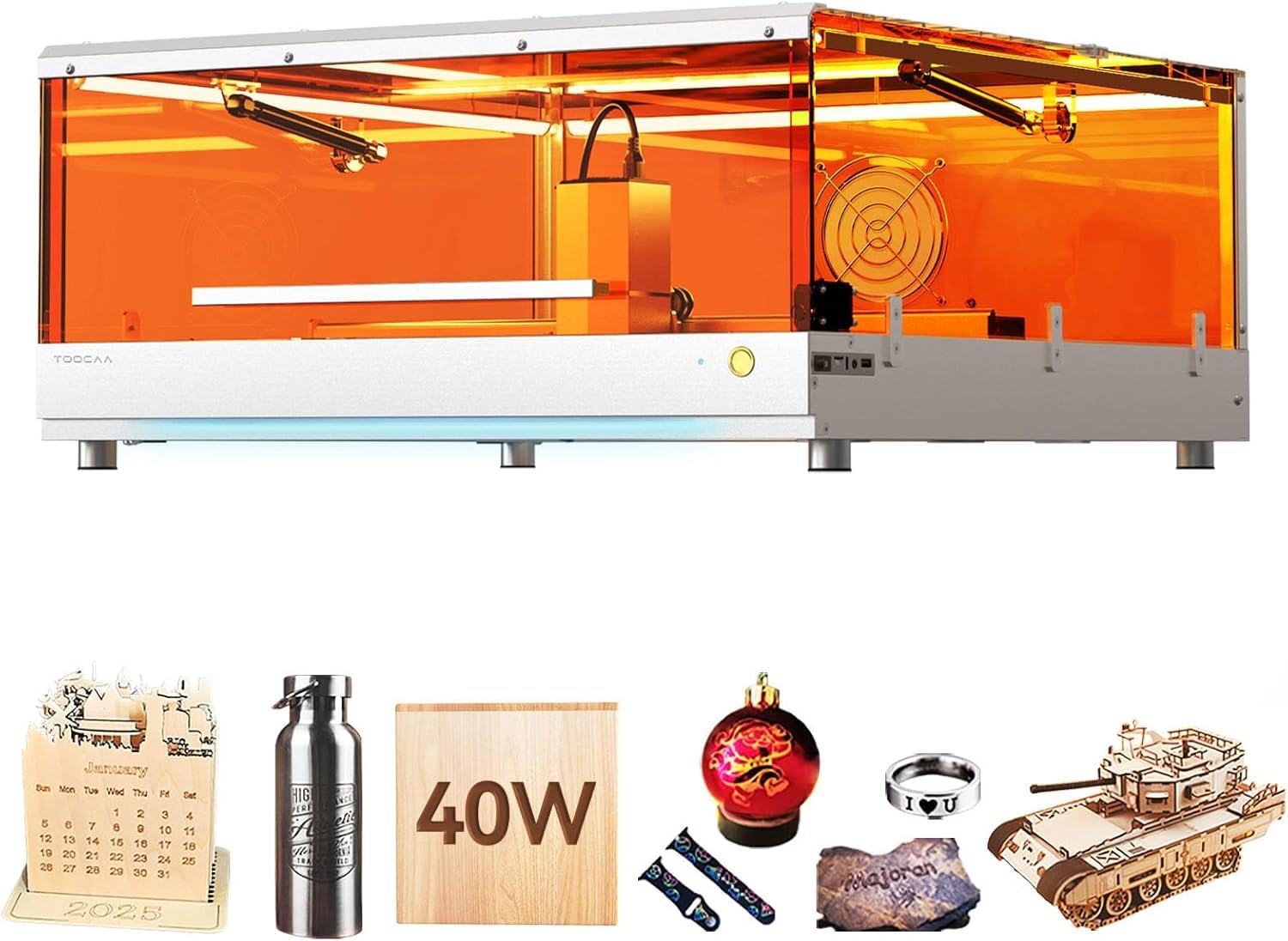
The TOOCAA L2 offers a massive 22×22 inch work area in a Class 1 fully enclosed package, making it one of the safest machines on this list. The amber acrylic lid blocks 99% of laser emissions, so no safety glasses are required, and the laser cuts immediately when the lid is opened.
Its 40W laser module cuts through 8mm pine wood in one pass and handles colored acrylic with ease. The Cartesian motion system, powered by two motors, provides greater stability and positioning accuracy compared to CoreXY designs. The enclosed rails keep dust from the mechanics, extending the machine’s life in a busy workshop.
Customer support is a standout point here—multiple reports praise TOOCAA for quickly replacing defective units. The inclusion of features like flame detection and a tilt sensor adds layers of safety. For users who prioritize a large cutting area with a premium, safe, and dust-resistant enclosure, the L2 is a compelling choice.
Why it’s great
- Class 1 safety certification means the unit is completely enclosed and filtered.
- The 22×22 inch bed is one of the largest available in a desktop diode laser.
- Enclosed rail system prevents sawdust and debris from jamming the gantry.
Good to know
- Assembly can take about an hour, and the included manual lacks some detail.
- As a diode laser, it will not cut clear, transparent acrylic.
8. Algolaser 40000mW Laser Engraver
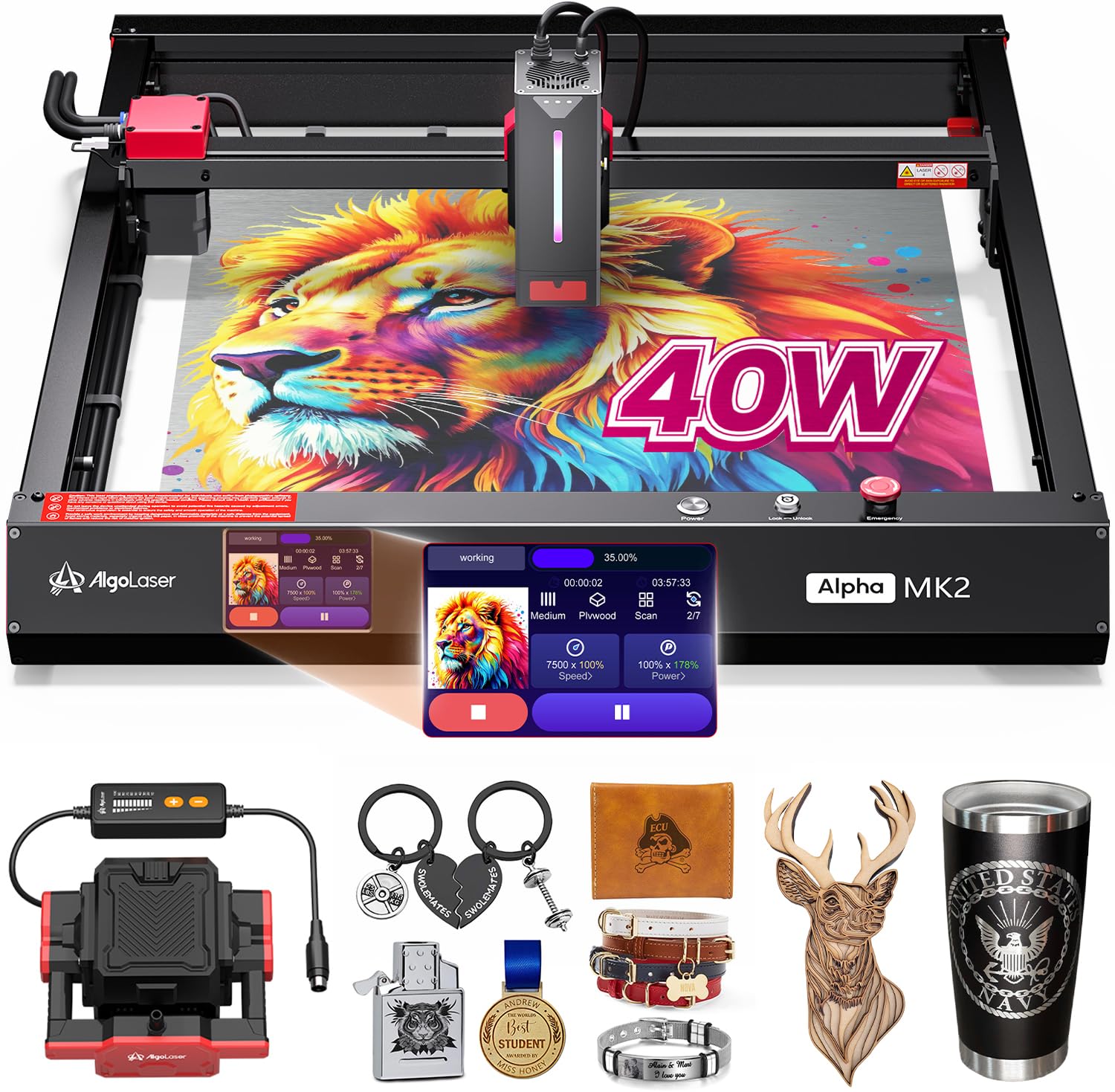
Algolaser’s Alpha MK2 runs on the proprietary AlgoOS, a 3.5-inch smart touchscreen that eliminates the need for a tethered computer for many basic operations. The 40W laser module cuts 25mm solid wood and performs well on black and colored acrylic, with a maximum speed of 25,000 mm/min.
The dual air assist system includes a smart pump and an internal exhaust fan, creating a positive airflow that pushes smoke away from the laser lens. This keeps the edges of your acrylic cuts cleaner. The 32 GB of onboard memory lets you queue multiple files for offline batch production, a major time-saver for small businesses.
The unit supports LightBurn and LaserGRBL for advanced users. Reviews highlight the excellent laser performance for photo engraving on coated metals and the reliability of the touchscreen interface. If you want a machine that can operate independently from a PC and prioritize a powerful built-in control system, this is a strong option.
Why it’s great
- The 3.5-inch AlgoOS touchscreen enables standalone, computer-free operation.
- 40W laser with dual air assist produces clean cuts on colored acrylic.
- 32 GB of onboard memory supports batch processing without a PC.
Good to know
- Basic instruction manual may require you to search for advanced tuning tips.
- Cutting clear acrylic is not an option with this diode module.
6. Mecpow X4 Pro 40W Laser Engraver

The Mecpow X4 Pro stands out with a switchable laser module that lets you toggle between a 20W fine-detail mode (0.08×0.1mm spot) for engraving and a 40W high-power mode (0.1×0.15mm spot) for faster cutting. The 30L capacity air pump automatically adjusts airflow based on the software command, reducing charring.
It features a built-in camera for visual-assisted positioning, an LED light bar, and a fully enclosed design with a child lock. The high-speed mode hits 30,000mm/min for engraving. The combination of safety sensors—flame, tilt, limit switches, and an emergency stop—makes it a well-protected machine for beginners.
Operationally, it supports WiFi, USB, and offline control via a TF card. Reviewers praise the X4 Pro for being a significant upgrade over lower-powered 10W machines, noting that the camera alignment feature is a game-changer for placing designs precisely on material. For those who need a versatile, high-speed diode machine that can switch between precision and raw power, the X4 Pro is a solid choice.
Why it’s great
- Dual-power module (20W/40W) lets you optimize between engraving detail and cutting speed.
- A 30L auto-adjusting air pump and high-efficiency exhaust system keep the workspace clean.
- Integrated camera enables precise visual positioning of your design on the material.
Good to know
- Assembly instructions are sparse, and some users found the WiFi camera connection to be finicky.
- Reported issues with power converter longevity in high-usage daily operations.
5. OMTech K40+ 45W CO₂ Laser Engraver
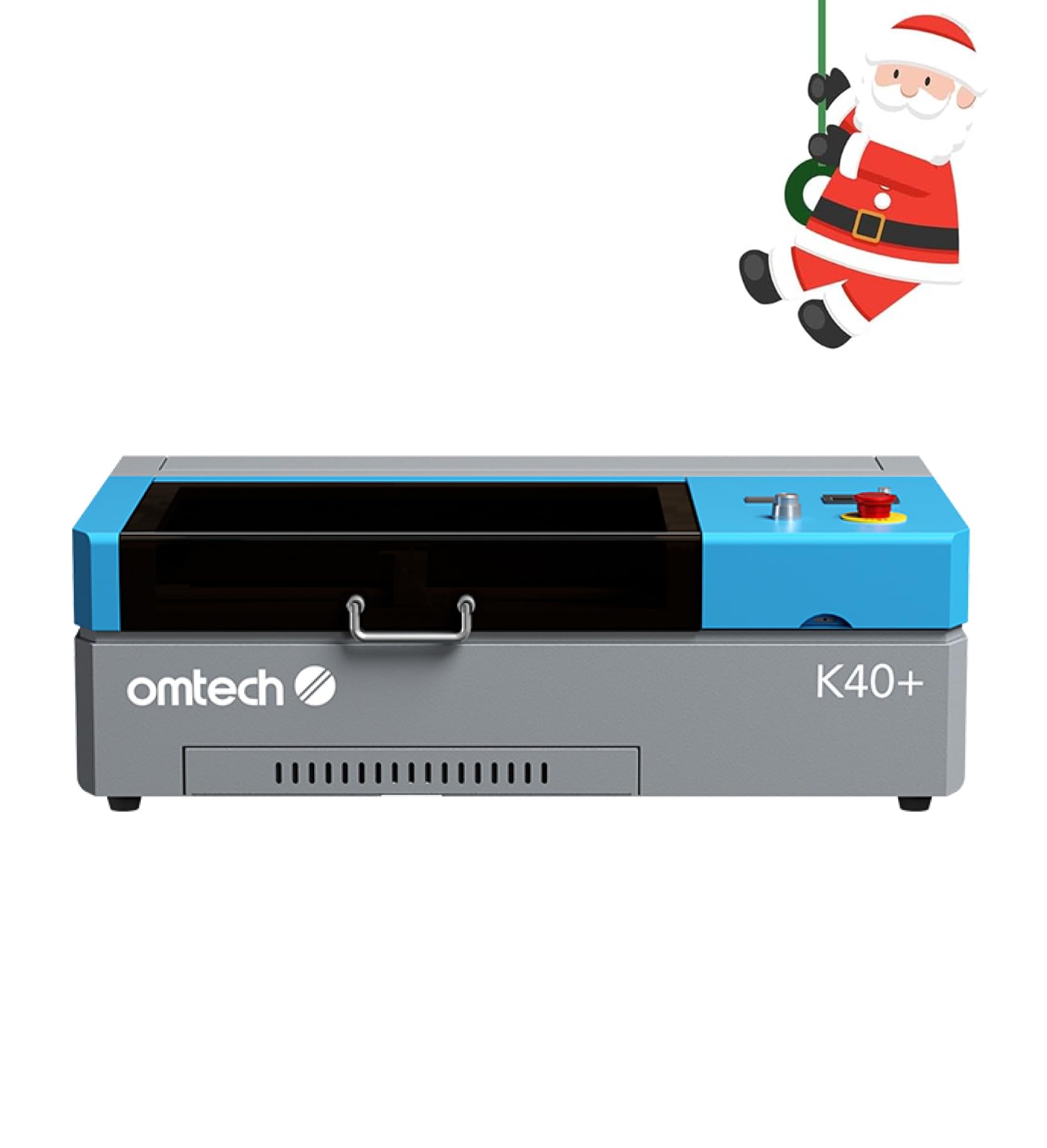
The OMTech K40+ is an entry-level CO₂ laser cutter that offers the advantage of a real CO₂ tube for cutting clear acrylic without breaking the bank. The upgraded 45W tube cuts through 10mm acrylic and 8mm wood, with cutting speed improved by 1.5 to 2 times compared to older K40 models.
Its 12”x8” workspace is compact, but it includes a honeycomb bed and a detachable base for handling irregular or cylindrical materials. The integrated 45° air assist automatically adjusts airflow to reduce charring. It runs on the standard LaserGRBL and LightBurn software, providing a familiar workflow for those entering the CO₂ realm.
Users consistently note the excellent customer support and value proposition. The machine is heavy at 81.8 lbs, indicating solid construction. The primary trade-off is the small bed size, which will limit large production runs. For a workshop taking the first step into professional CO₂ acrylic cutting, the K40+ is a balanced and reliable workhorse.
Why it’s great
- A 45W CO₂ tube offers genuine capability for cutting clear acrylic.
- The built-in auto-adjusting air assist improves cut quality and reduces fire risk.
- Compact footprint fits easily into a small home workshop or office.
Good to know
- Bed size is limited to 12×8 inches, restricting project dimensions.
- Users new to CO₂ lasers may find the initial alignment and water cooling setup challenging.
4. Longer RAY5 Upgraded 20W Laser Engraver
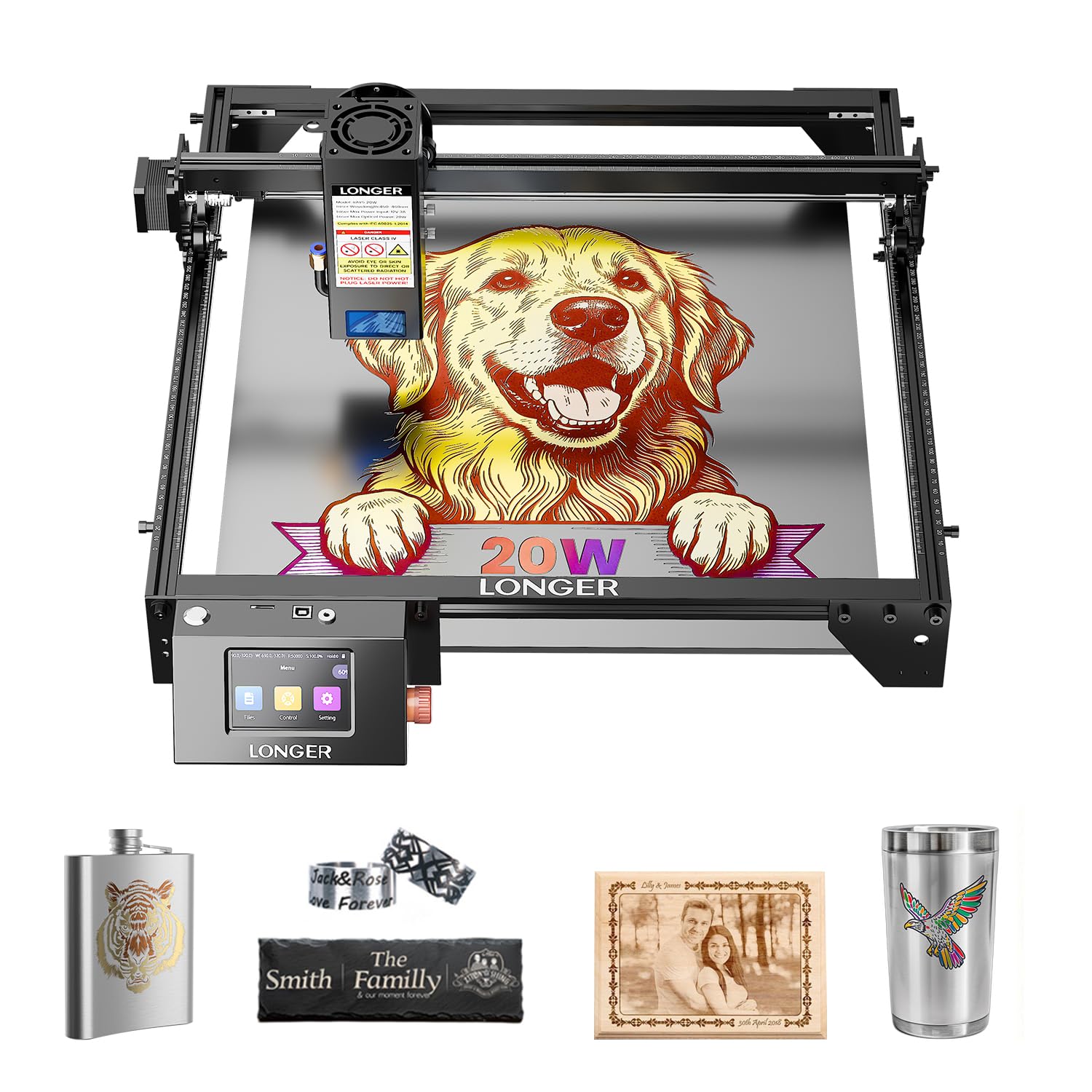
The Longer RAY5 20W brings a built-in 3.5-inch color touchscreen that lets you monitor progress and adjust settings from the console. With a compressed 0.08×0.1mm laser spot and precision rails, it is capable of detailed engraving and can cut up to 25mm wood and 35mm colored acrylic.
It offers four connection modes: USB, TF card, WiFi, and an app, giving you flexibility in how you set up the workflow. The machine supports LightBurn and LaserGRBL, and the 20W module provides enough power for batch-cutting acrylic crafts and signage for a small business. The RAY5 also includes 24/7 technical support.
Reviewers point out that purchasing the optional honeycomb bed and air assist is highly recommended to achieve clean edges on acrylic. The setup is straightforward, but planning for the cost of these add-ons is important. For a mid-range diode laser with a modern control interface and strong community support, the RAY5 is a very strong contender.
Why it’s great
- The 3.5-inch color touchscreen provides direct control and status monitoring.
- Twenty-watt diode with a compressed beam delivers sharp engraving on acrylic.
- Four connection modes (USB, WiFi, TF, app) offer versatile workflow integration.
Good to know
- Essential upgrades like honeycomb bed and air assist are sold separately, raising the total cost.
- Not suitable for cutting clear transparent acrylic sheets.
3. Twotrees TTS-20 Pro Laser Engraver

The Twotrees TTS-20 Pro offers a massive 27.4” x 23.4” work area, making it one of the largest-frame diode lasers available. The 20W laser module can cut through 20mm acrylic and 30mm pine boards. The 32-bit mainboard with silent TMC2209 drivers allows a top engraving speed of 500mm/s with ±0.1mm accuracy.
It supports LightBurn, LaserGRBL, and even comes with built-in WiFi for wireless file transfer from a phone or tablet. The air-assist nozzle is included and clears debris effectively to reduce charring, though the honeycomb panel and air pump are separate purchases. The aluminum frame ensures rigidity for the large gantry.
User feedback highlights easy assembly and a helpful seller. The potential drawback is that the large frame requires a dedicated table. The laser is powerful for a 20W unit, making it a great choice for sign makers who need to produce large acrylic panels and don’t want to spend a premium on a CO₂ system.
Why it’s great
- The 27.4×23.4 inch work area is exceptionally large for a diode laser machine.
- Silent drivers and a 500mm/s speed ensure fast, quiet operation during production.
- Built-in WiFi enables convenient wireless control from mobile devices.
Good to know
- Honeycomb bed and air pump are not included; budget for these essential accessories.
- Large footprint may be difficult to accommodate in a small workshop.
1. ATOMSTACK A20 Pro V2 Laser Engraver

The ATOMSTACK A20 Pro V2 delivers exceptional engraving quality thanks to its dot compression technology, achieving a 0.08 x 0.1mm spot. This makes it ideal for creating detailed business cards, intricate acrylic signage, or small personalized gifts where edge definition matters. The 20W output reaches engraving speeds of 400mm/s.
The machine features an integrated linear guide motion structure for longevity and includes safety limit switches and a cross-line light for precise positioning. It is compatible with LightBurn, LaserGRBL, and the ATOMSTACK app. The magnetic removable protective cover and tilt-angle safety beep provide user-friendly safety.
Owners consistently report high satisfaction with the build quality and ease of assembly. The primary complaint is the lack of deep documentation for fine-tuning specific materials. For a creator focused on high-resolution engraving on acrylic rather than heavy production cutting, the A20 Pro V2 offers the best balance of precision and value.
Why it’s great
- 0.08×0.1mm dot compression delivers high-fidelity engraving for fine details on acrylic.
- The aluminum alloy frame and linear guides ensure stability and a long lifespan.
- Support for Type-C, USB stick, and app connectivity provides multiple workflow options.
Good to know
- Beginners will need to search online for optimal material settings as the manual lacks detail.
- The laser head cables are not captured in a drag chain and can potentially snag during high-speed moves.
2. Creality Falcon 10W Laser Engraver

Creality’s Falcon 10W is designed to get you cutting acrylic immediately. It comes with a 500x500mm honeycomb panel, a 10W laser module that is powerful enough for thin colored acrylic crafts, and a 5-10 minute assembly time. The 10W laser is an effective entry-level tool for hobbyists.
It includes a safety tilt detection feature and an emergency stop button. The machine is compatible with both LightBurn and LaserGRBL, while Creality’s own Falcon Design Space software provides a very simple interface for beginners. The 72W input power ensures it can handle cuts on up to 3mm acrylic in multiple passes.
Reviews are generally very positive, emphasizing the ease of use and the completeness of the bundle. Some units arrived with defects, but Amazon and Creality support typically resolved them. For someone buying their first laser cutter for learning on acrylic and other craft materials, this is the safest, most beginner-friendly recommendation.
Why it’s great
- Complete bundle includes a honeycomb bed, making it ready for acrylic cutting out of the box.
- Very fast 5-10 minute assembly with minimal tools required.
- Beginner-friendly software (Falcon Design Space) lowers the learning curve significantly.
Good to know
- The 10W laser is low power; it requires multiple slow passes for acrylic thicker than 3mm.
- The instruction manual has very small drawings and poor English, which frustrated some users.
7. SainSmart Genmitsu 4040-PRO MAX CNC Router
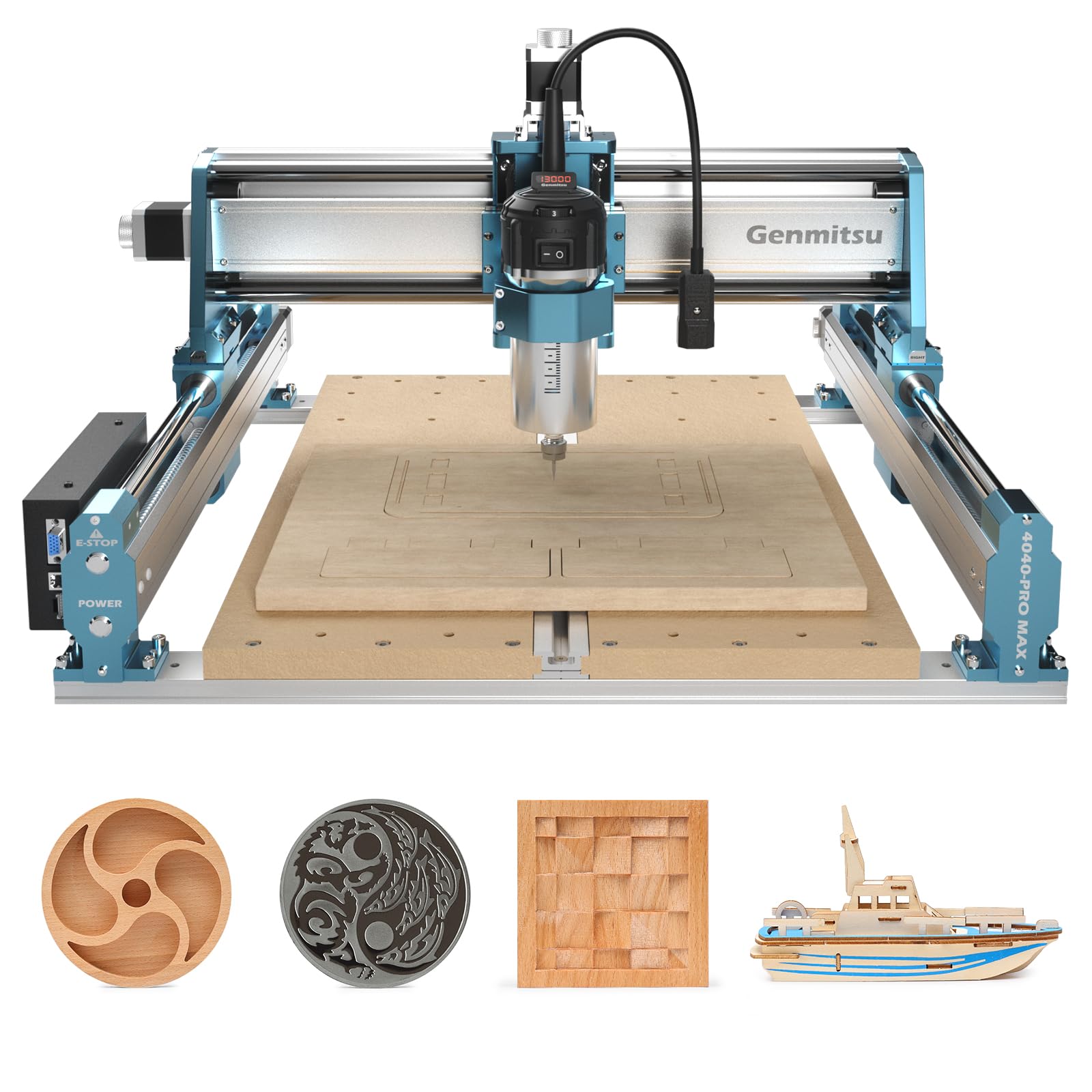
This is not a laser cutter, but a powerful CNC router with a 710W spindle. It is the correct tool for machining thicker or larger acrylic blanks where a laser would melt the edges. The 410x405mm work area and 100mm Z-axis pass height allow for engraving and milling thicker acrylic blocks and cast sheets.
The X and Z axis use linear guides for stability, and the reinforced spoilboard resists sagging. It runs on GRBL control and can be used with Easel or other CAM software. For users who need to create jigs, drill holes, or create 3D carves in acrylic, this machine fills a gap that lasers cannot.
The primary concern is the noise level; the spindle is significantly louder than any laser. The WiFi module is reported to be unstable, requiring a wired USB connection for reliable operation. For those who need a physical milling solution for acrylic and are aware of the trade-offs in noise and dust, the SainSmart is a capable and popular choice.
Why it’s great
- 710W spindle can physically mill and shape thick acrylic, a task impossible for a laser.
- Linear guide rails on X and Z axes provide motion precision for clean cuts.
- The 100mm Z-axis pass height is 40% higher, allowing for work on taller material blocks.
Good to know
- This is a CNC router, not a laser; it is much louder and produces chips rather than smoke.
- The built-in WiFi module can be unstable, making a wired USB connection more reliable.
FAQ
Can a 20W diode laser cut clear acrylic?
What is the ideal speed and power setting for cutting 3mm acrylic?
Why does my acrylic edge look milky or frosted after laser cutting?
Can I use a CNC router instead of a laser for acrylic?
Final Thoughts: The Verdict
For most users, the best acrylic laser cutting machine winner is the xTool P2S 55W because its CO₂ laser delivers factory-quality flame-polished edges on clear acrylic at production speeds. If you need a large work area for colored acrylic at a lower price, grab the TOOCAA L2 40W. And for an entry-level CO₂ machine that proves you don’t need a five-figure budget, nothing beats the OMTech K40+ 45W.