
Our readers keep the lights on and my morning glass full of iced black tea. As an Amazon Associate, I earn from qualifying purchases.
Specs are compiled from manufacturer listings and verified buyer reviews and can change over time — please confirm the key details on the product page before buying.
If your three screens are sitting on their own factory stands, you are losing a huge amount of desk space and staring at monitors that sit too low. A triple monitor mount clamps to your desk and holds all three screens on arms, so you can raise them to eye level and slide your keyboard right underneath. The trick is picking one whose arm reach and weight rating actually match your screens — that is where most buyers get burned.
I’m Min — the founder and writer behind Gadgets Feed. This guide is built by comparing the manufacturers’ published specifications and the patterns across verified customer reviews, so you get each pick’s real strengths and trade-offs instead of marketing spin.
Three screens need a mount rated for their combined weight and reach. Get the weight rating, VESA pattern, and arm span right the first time and your setup stays level instead of sagging.best 3 monitor mount
Our Picks at a Glance

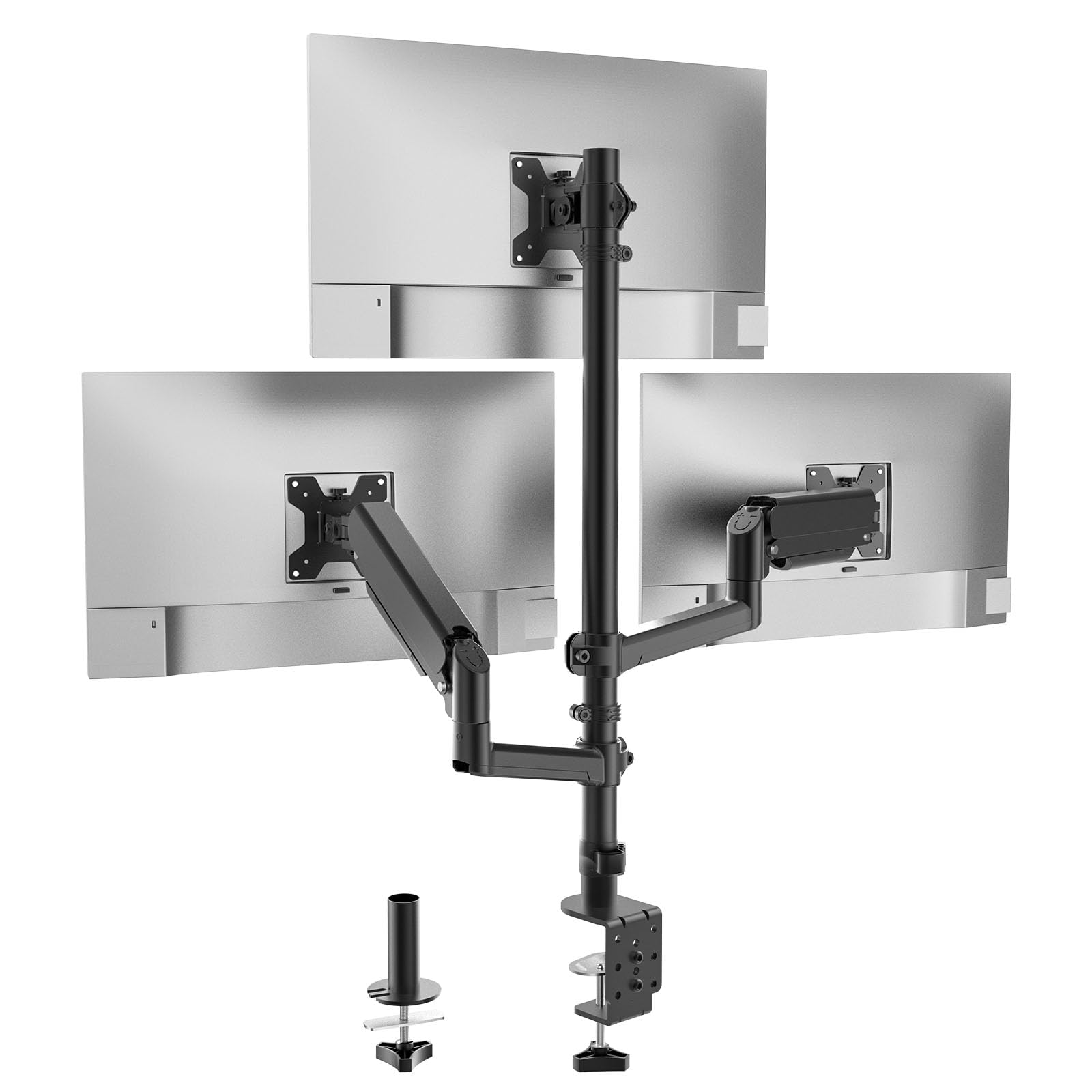
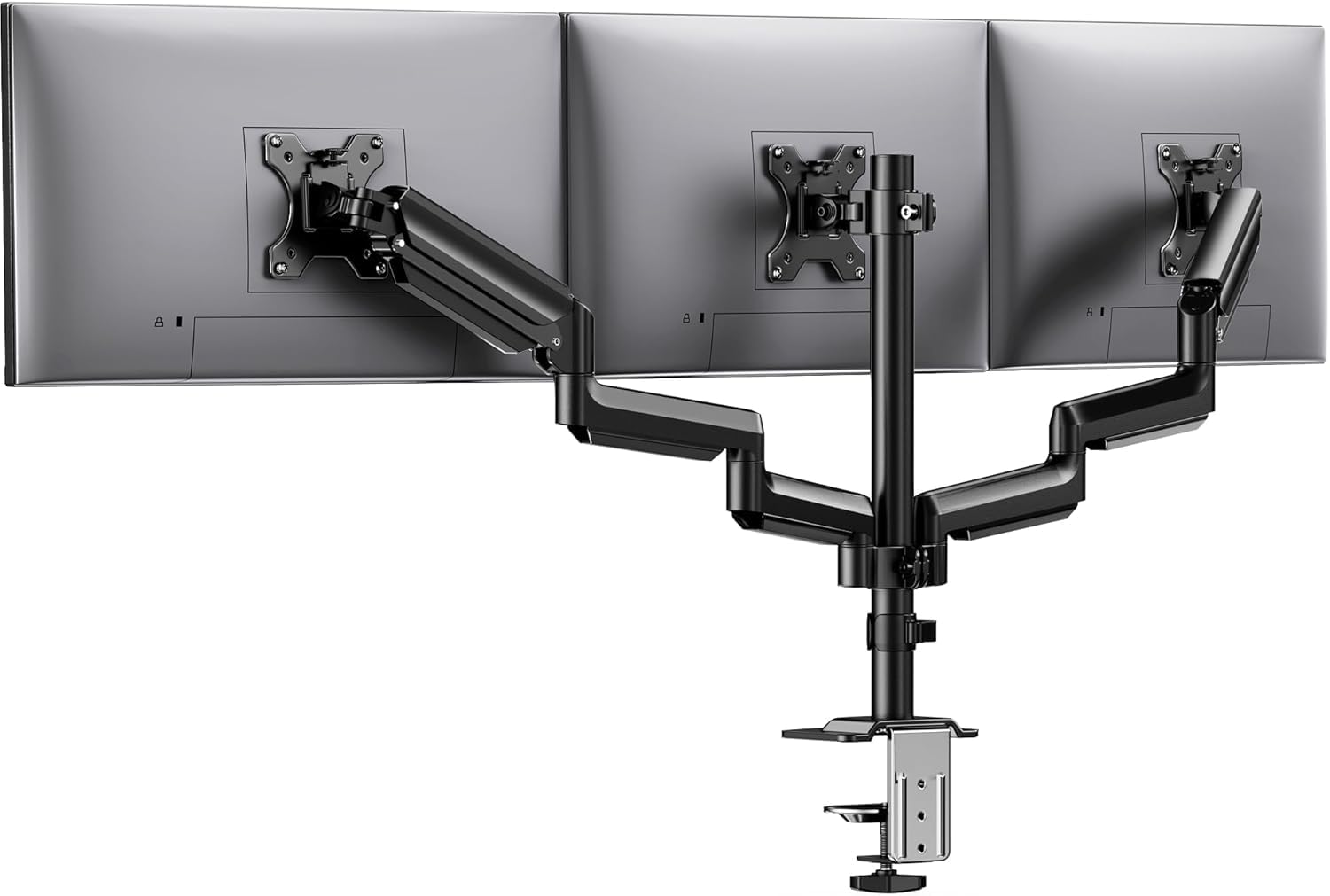
How To Choose The Best 3 Monitor Mount
The fastest way to get this wrong is to buy on looks and find out later that your biggest screen is too large or too heavy for the arms. Before you shop, weigh each monitor and measure the distance between the four screw holes on its back.
Match the weight and the VESA pattern first
Every mount lists a per-arm weight limit and a VESA pattern. VESA is the four-hole screw layout on the back of your screen, and 75x75mm and 100x100mm are the two sizes nearly all desk mounts accept. Put your heaviest monitor on the arm with the highest rating, and stay under the per-arm limit with a little room to spare.
Decide stacked or side-by-side
Stacked arms put one screen up top and two below, which keeps the whole rig narrow. Side-by-side arms spread all three across the desk in a line, which is better if you like one continuous workspace. The side-by-side span is the number to check — a wider span holds bigger screens.
Check how it clamps to your desk
A C-clamp grips the front edge of the desk from above and below, and a grommet mount bolts through a hole in the surface. Both need your desk to fall inside the stated thickness range. A thick, solid desk holds a loaded triple mount far more steadily than a thin hollow one.
Quick Comparison
| Model | Best For | Max Screen | Weight Per Arm | Mounting | Amazon |
|---|---|---|---|---|---|
| BONTEC Triple Monitor Desk Mount★ Best Overall | Best overall stack with a 32″ center | 32 inches | 22 lbs | C-clamp / grommet | Amazon |
| WALI Stacked Triple Monitor MountBudget Champion | Budget stacked three-screen rig | 27 inches | 19.8 lbs | C-clamp / grommet | Amazon |
| HUANUO Triple Monitor MountTop Performer | Alloy build with full tilt freedom | 27 inches | 19.8 lbs | C-clamp / grommet | Amazon |
| ErGear Triple Monitor Mount (EGTS6B) | Straight-across daily work setup | 30 inches | 17.6 lbs | C-clamp / grommet | Amazon |
| UPGRAVITY Triple Monitor Stand | Gas-spring arms for heavy screens | 32 inches | 30.9 lbs | C-clamp | Amazon |
| ErGear Triple Monitor Stand (EGDMA114B) | Big 32″ rows on a tighter budget | 32 inches | 17.6 lbs | C-clamp / grommet | Amazon |
| MOUNT PRO Triple Monitor Mount | Flexible multi-screen mixing | 32 inches | 19.8 lbs | C-clamp / grommet | Amazon |
| VIVO Triple Monitor Desk Mount | Ultrawide center with flush fit | 38 inches | 22 lbs | C-clamp / grommet | Amazon |
| PUTORSEN Triple Monitor Mount | Widest span for 32″ side-by-side | 32 inches | 22 lbs | C-clamp / grommet | Amazon |
In‑Depth Reviews
1. BONTEC Triple Monitor Desk Mount, Supports 13-32 Inch, VESA 75×75/100x100mm
Our pick — over 4.5★ from 650+ verified ratings; the strongest balance of quality and price.
The stacked rig that carries a 32-inch center screen and keeps it dead level
What sets this mount apart is how much screen it carries. It clamps two 13-27 inch monitors onto the side arms and hangs a single 13-32 inch screen on the central pole, and each monitor is rated to 22 lbs — the top weight rating in this whole roundup. That spread is why buyers report it simply holds: “Holds two 27″ and one 32″ monitors with no sag.” For an all-metal mount, 22 lbs per arm is real headroom.
Adjustment goes further than most. The top monitor gets ±15° tilt, ±15° swivel, and a full 360° spin for portrait; the side screens get ±90° tilt and ±90° swivel, so you can angle them inward toward your seat. You clamp it with either a C-clamp or a grommet, and it fits desk edges from 0.39” to 3.35” thick — among the widest thickness ranges here. Cable clips route your wires down the desk and there is even a slot to park the Allen key.
Your center screen size is the one thing to check before buying. The mount takes a 32-inch screen on the pole, but reviewers found that number optimistic for a curved screen — a curved 32-inch is likely to be tight, and one reviewer noted a standard 32-inch may not fit either. Owners also flag the plastic spacers that ship in the box as too long for some installations and needing to be trimmed. If your center screen is a flat 27-inch or a smaller 32, you are well inside its comfort zone. The crowd favorite here sits at 4.6 stars across 600+ reviews, and what wins owners over most is the build quality — the single most-praised trait in the feedback.
Where it pulls ahead
- Highest per-arm rating here at 22 lbs, so heavy screens ride steady
- Fits the thickest desk edges of the bunch — 0.39” to 3.35”
- Stacked footprint keeps all three screens narrow and centered
- Cable clips plus an Allen-key storage slot built into the pole
Where to slow down
- The 32″ sizing is best treated as a target, not a promise, for curved screens
- Some buyers had to trim the included spacers to fit their setup
the balance: a work or gaming desk running a big center screen with two smaller side screens that need to sit tight and level.
Think twice if: you plan a curved 32-inch center — measure carefully first.
2. WALI Stacked Triple Monitor Mount for 13-27 inch Screens, 19.8 lbs per Arm
The stack that keeps three mid-size screens in line for the least money
WALI’s stack tops out at 27 inches and 19.8 lbs per arm — so how does it stack up against the BONTEC’s 22 lbs and wider 13-32 inch span? It gives up roughly 2.2 lbs of capacity and five inches of maximum screen, but it spreads that across three brackets with 75x75mm or 100x100mm holes. On raw numbers the BONTEC leads on both capacity and maximum screen size, though a large gap separates their arm reach: the BONTEC carries its central screen to 32 inches while the WALI caps every bracket at 27. For the dozens of 24 and 27-inch desks out there, that ceiling is all you need.
WALI rates the joints for 20,000+ fatigue cycles, so the hinges should survive years of height tweaks without loosening. The top bracket tilts +15° to -15° and swivels 180°, while the side brackets run a much wider +75° to -45° tilt and 180° swivel, plus full 360° rotation on every bracket. Both the top bracket and the arm slide up and down the tall center pole for height tuning. Buyers who have run this on ultrawide setups report it holds a Dell 38″ and 34″ with no droop — and one long-term buyer liked it enough to say: “Bought 4 units across 3 orders.”
One honest note on the steel clamp base: it is sturdy, but the design has shifted between production runs, so the exact clamp you receive may need a slightly different assembly than an older one. What everyone seems to agree on is that this is a serious arm for the money — the value and build-quality feedback here is overwhelmingly positive. Skip it only if your monitors push past 27 inches.
Room for thought: owners who downsize to the smaller WALI arms get far flimsier hardware than this heavy-duty model — the triple is the real deal.
Worth knowing: height adjustment lives on the tall center pole, so plan your screen lineup before you clamp down.
Best for the budget desk: three 24-27 inch screens that want a sturdy stacked arm without paying premium money.
Look elsewhere if: any of your monitors is a 30-inch or larger — this one stops at 27.
3. HUANUO Triple Monitor Mount for 13-27 inch Computer Screens, Gaming 3 Monitor Desk Mount
Built from aerospace-grade aluminum with a tall 12.2-inch height slide
If you adjust your screens constantly — different tasks, different heights — this is the arm for it. It runs ±90° swivel, ±45° tilt, 360° rotation, and a 12.2 inch height adjustment, and the construction starts with aerospace-grade aluminum arms rated for 19.8 lbs each. HUANUO rates the arms for 20,000 lift cycles, and the aluminum hardware feels premium for its price. Three 13-27 inch screens go up with 75x75mm or 100x100mm holes, and it clamps desks 0.39” to 3.15” thick.
Daily use is the real test, and for one office buyer it held up: “I’ve had this for months now and I’d happily buy it again.” The cable covers help, and an owner with two matching screens plus one different-sized screen reported it lined all three up cleanly — the kind of result you want when you care about your monitors sitting flush. On the count that matters most here, build quality is the single most-cited praise, with setup ease not far behind.
There is one real trade-off. The middle monitor sits close to the pole and is the hardest of the three to nudge — owner feedback flags it as tricky to adjust often, which matters if you run a sit-stand desk. Setup is also its own event: the hardware needs a patient hand, and one buyer called it frustrating even while giving it four stars.
What the money buys: aluminum arms, matched 19.8 lb capacity, and a height range that lets you shift your whole rig to meet your eyes.
The daily catch: the center screen is the least mobile of the three, so set it once and leave it.
For the tuner: anyone running 13-27 inch screens who wants premium-grade aluminum and a generous height throw for the money.
Not the pick if: you need frequent center-screen adjustments on a sit-stand desk.
4. ErGear Triple Monitor Mount for 13-32 Inch Screens, 19.8 lbs per Arm

The straight-across row that puts three screens in a clean horizontal line
This mount is built around a side-by-side layout: one bracket fixed to the center bar with side arms reaching out, holding three 13-30 inch screens at up to 17.6 lbs each on 75x75mm or 100x100mm holes. The headline here is how easy it goes up. Ease of install is the single most-praised quality in buyer feedback by a wide margin, and the labeled hardware and clear instructions match that. One buyer was blunt about the surprise: “It looks more complicated than it is.”
Once mounted, it behaves. The metal holds 19.8 lbs at the arm level and the arms tilt ±45°, swivel ±90°, and rotate a full 360° for portrait or landscape. Owners with three 27-inch curved MSI monitors report it locked everything down without wobble or shake under load, and a buyer who wanted to add a fourth screen said they would buy another for future use. Cable channels keep the wires tucked, and it clamps with either a C-clamp or grommet on desks 0.39” to 3.15” thick.
One adjustment you cannot skip: the center bracket on this design is fixed to the vertical bar with no forward-and-back movement, so 27-inch screens only sit side-by-side in a straight row — the side arms are too short to swing them forward at 45°. That is fine for a trading or coding setup where you keep everything in one plane, less ideal if you like to angle your side screens inward.
Why owners rate it
- Installation and sturdiness top the feedback — setup is quick and the metal feels solid
- Full 360° rotation lets any screen flip to portrait
- Works with three 27-inch curved panels without wobble or shake
The fit note to know
- The center bracket does not move forward or back, so side arms cannot swing 45° on 27 inch screens
- Best kept in a straight-across row with side monitors under 27 inches
Pick this if: you want three screens in one flat horizontal band and value an easy, well-labeled install.
Pass if: you like to angle your outer screens toward you for a curved wrap.
5. Triple Monitor Stand with Heavy Duty C-Clamp Base for Screens up to 32″
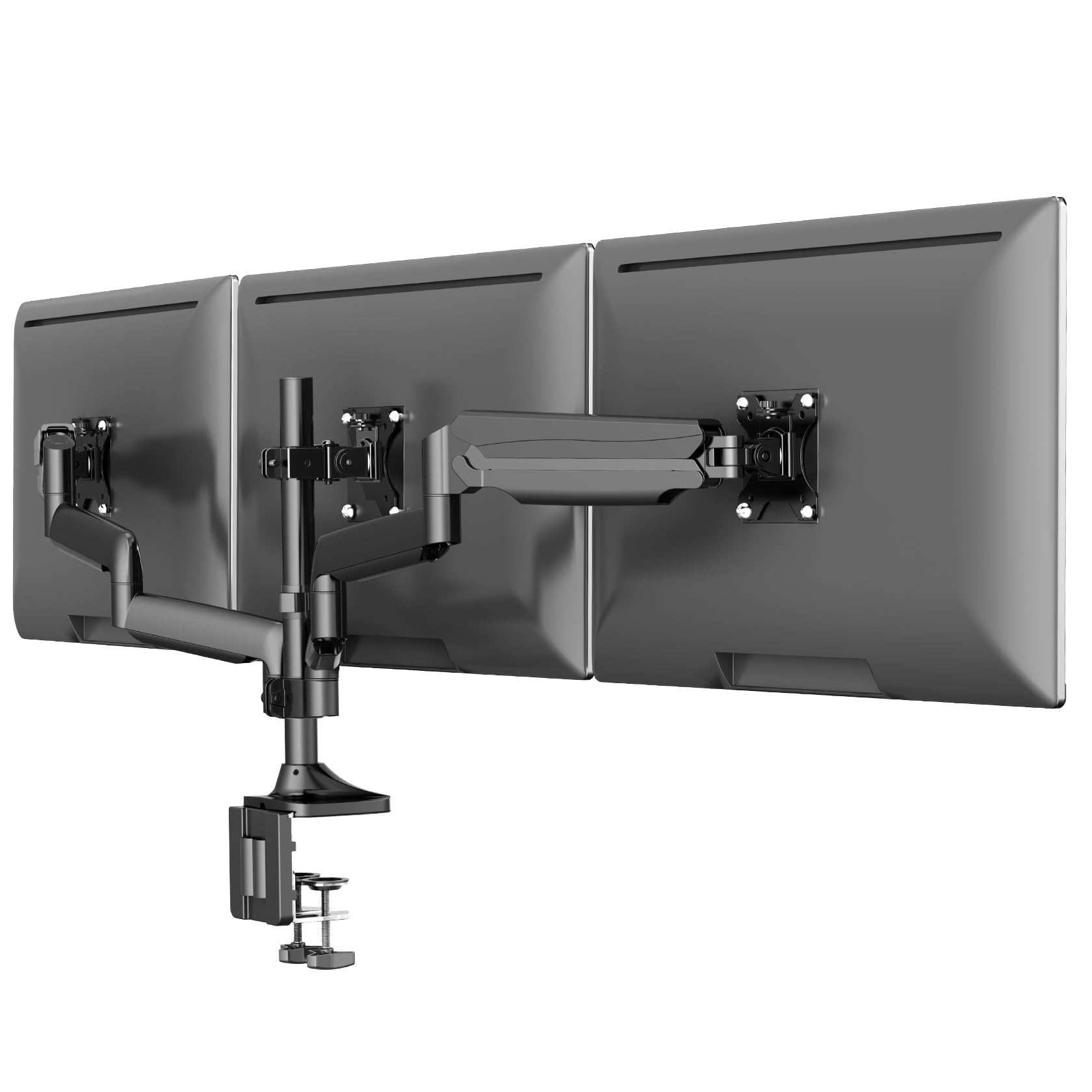
Gas-spring arms that haul up to 30.9 lbs per screen — the strongest grip here
The number to notice is 30.9 lbs per arm, the highest capacity across this entire roundup and well ahead of the 22 lb ceiling most mounts here set. That headroom comes from a gas spring system — a pressurized cylinder that pushes the arm up so your screen floats at eye level instead of sagging — and UPGRAVITY rates the gas-spring arms for over 25,000 lift cycles. Three 17-32 inch screens ride on it, with a double C-clamp base that spreads the weight across your desk edge for extra stability on desks 0.39” to 3.54” thick.
What owners keep coming back to is how painless the build is. Assembly is the top-cited positive, with feedback putting setup around 30-45 minutes and several people running it on a Secretlab Magnus Pro XL sit-stand desk. Once it is up, the arms tilt, swivel, rotate, and adjust for height, and the whole thing switches between landscape and portrait. Buyers using a 32-inch center between two 27-inch sides were happy with how the arms hold position after tension adjustment.
The trade-off is the arm span at the top end. The mount is rated to 32 inches, but pushing it there with three big panels leaves no room to spare — two 32-inch monitors barely fit with the arms fully extended, and three of them will not sit side-by-side horizontally. A 3-year warranty covers it, the longest in this roundup.
Standout spec: 30.9 lbs per arm means even a triple set of heavy panels sits light against what this base can carry.
Fit note: the side arms flex a touch more than the center when you are typing at standing height — a heavier desk corners better.
Built for: heavier displays and anyone on a sit-stand desk who needs gas-spring arms to hold them steady.
Look past it if: you are set on three 32-inch panels in a flat horizontal row.
6. ErGear Triple Monitor Stand Fits Three 17–32 inch Monitors
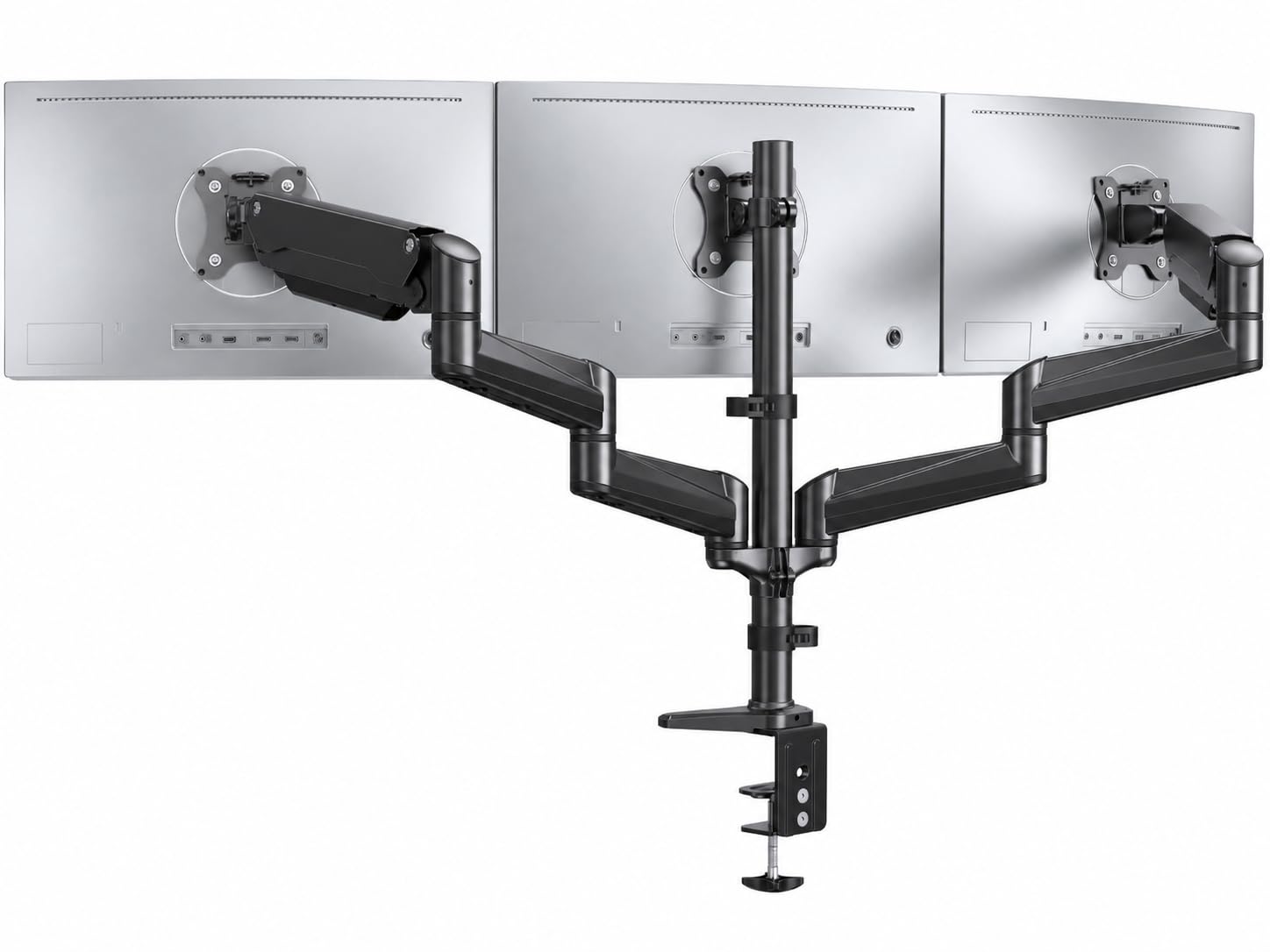
The big-screen ErGear that widens to 32 inches without widening the price much
Compared with the ErGear EGTS6B above, this stand stretches its screen range up to 32 inches while holding the same 17.6 lbs per arm — so three bigger panels now fit, though each arm still carries the lighter load. It handles 75x75mm or 100x100mm holes on screens from 17 to 32 inches, and the arms tilt, swivel, and rotate into portrait or landscape. One office user who moves monitors all day for presentations called it the best purchase they had made for the desk.
Height tuning gets its own attention here. ErGear built each arm for a smooth, high throw, and if a screen drifts up or down after you set it, the fix is a quick tension adjustment on the arm until it holds. That is the trick with friction-style arms: dial the tension to your monitor’s weight once and the screen stays put. Ease of install and sturdiness both lead the buyer sentiment, matching what the brand is known for.
There is a ceiling to keep in mind. This design leans toward a straight-across layout — the center bracket stays fixed with no forward-and-back travel, so a 27-inch screen in the middle plus large side screens can run short on arm swing. Two mounting paths are included: a C-clamp for desks 0.39”-3.15” thick and a grommet base for 0.39”-2.36” thick.
Big-screen value: a 32 inch top end with a 17.6 lb arm rating covers most modern flat panels without premium money.
The trade-off: center-screen placement is fixed — plan a mostly-level row rather than a deep wrap.
Good fit for: a mixed desk of 27 and 32-inch screens that wants a wide, level row at a fair price.
Skip if: you need the center screen to pull well forward for a deep curved arrangement.
7. MOUNT PRO Triple Monitor Mount for Max 32″ Screens, Up to 19.8lbs Each

The mix-and-match arm for screens that do not all match in size
If your three screens are all different, this is where that stops mattering. MOUNT PRO’s mount fits 13-32 inch flat or curved screens at 4.4-19.8 lbs per arm on 75x75mm or 100x100mm holes, and the two gas-spring arms extend, retract, and slide up and down dynamically — a far wider adjustment envelope than a fixed center bracket gives you. Screens rotate 360° for portrait, swivel 180°, and tilt 90° up or down so you can angle any panel toward you.
The arms are the story for people who shift their layout often: rotate a screen to portrait for reading code, then back to landscape for video, without unbolting anything. That flexibility is exactly what compatibility-first buyers want, and compatibility and assembly are the two qualities buyers cite most. On a properly solid surface it holds a firm line — one buyer mounted theirs and reported it: “The arms extend well and hold my 27’s monitors without a problem.”
A few honest sizes-of-the-picture. For three curved 27-inch screens, expect to fuss with the arm tension before they line up well, and consider a second set of hands. The gas springs are set for the weight range, so very light screens may need extra tension dialed back. And MOUNT PRO notes that a thin desktop or a heavy load benefits from a reinforcement plate to spread the pressure — that plate is sold separately, so budget for it if your desk is light.
What flexibility gives you
- Gas-spring arms extend, retract, and move vertically for easy repositioning
- 13-32 inch range with 4.4-19.8 lbs per arm suits a mixed set of screens
- Detachable cable system and 360° rotation for portrait work
Plan around this
- Matching three curved 27 inch screens takes careful tension tuning, ideally with a helper
- A thin desk or heavy setup calls for a reinforcement plate sold separately
Made for the tinkerer: a mismatched trio of screens you want to rearrange by the task, portrait or landscape, at any height.
Not the pick if: you want a set-and-lock rig you never touch again.
8. VIVO Black Triple Monitor Desk Mount, Up to 38 in Ultrawides, STAND-TS03C
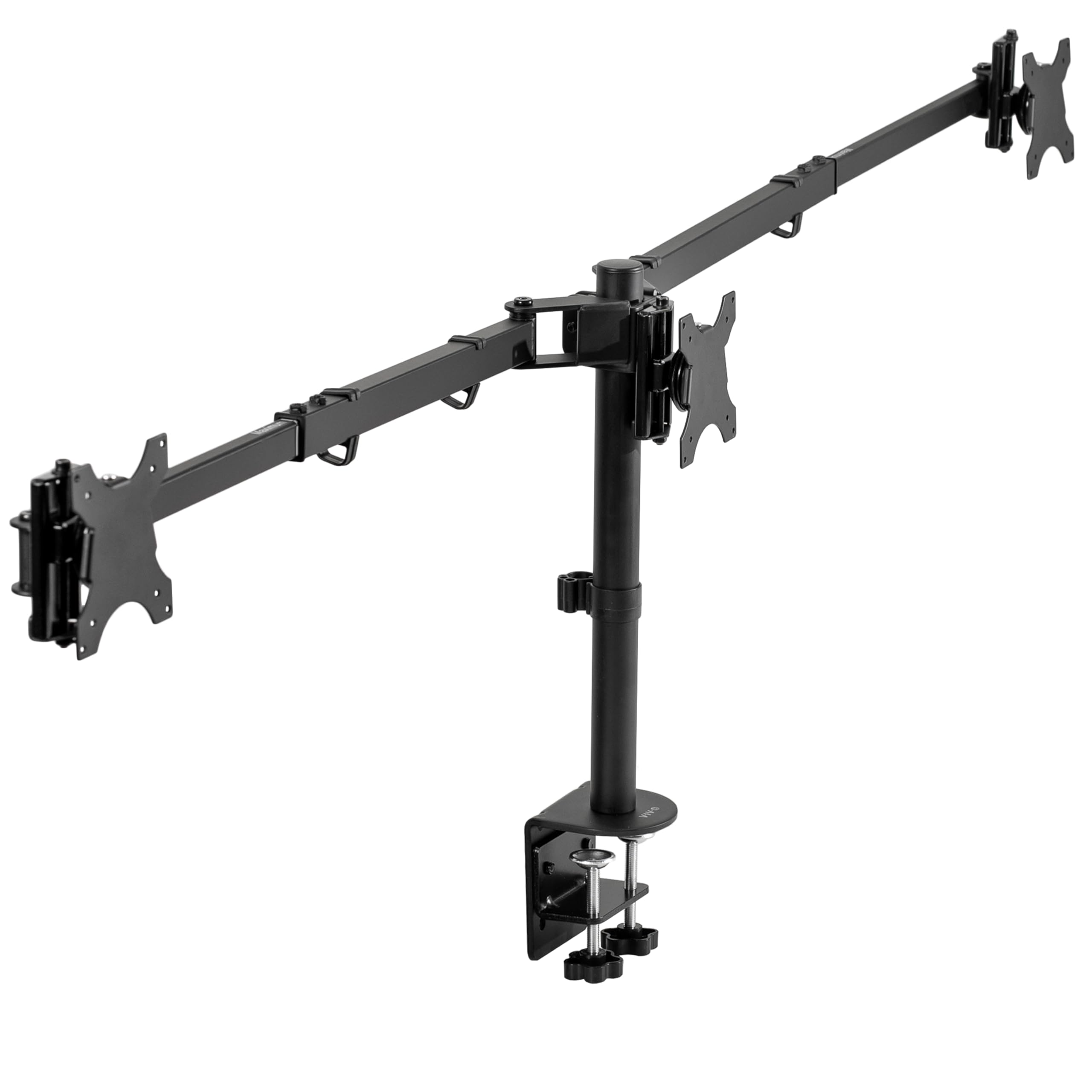
The ultrawide specialist whose arms telescope straight back for a wall-flush desk
No other mount here reaches 38 inches. The VIVO STAND-TS03C is built for an ultrawide center — a 34” to 38” screen flanked by two 24” to 27” monitors, or three standard 24” to 32” panels — at 22 lbs each on 75x75mm or 100x100mm holes. Its trick is the telescoping arms: they slide straight out and into each other, so nothing sticks past the back edge of your desk. That gives you a flush-to-wall setup a stepped arm simply cannot match. Total weight is 16.3 lbs of steel.
The arm’s flush geometry is also its strength story — sliding sections are stiffer than pivoting links, which is why owners running three 27-inch screens report no wobble or sag. Full articulation is there: +90° to -90° tilt, 360° swivel, 360° rotation, and height adjustment on the center pole, with detachable VESA brackets that make hanging the screens easier. It clamps desks up to 4” thick with a C-clamp or an optional grommet mount. For a pro user, the verdict was simple: “This is professional grade, am 100% satisfied.”
Be ready for the alignment step. Getting three screens perfectly level on telescoping arms takes patience, and multiple owners note it is the most fiddly part of setup — one called the leftover half-inch off-level “annoying.” The stand is also at its weight limits once you run two 27-inch sides around a 34-inch curved center, so light-to-mid monitors suit it best. Build quality is the most-cited praise, and that is the right lens for it.
Why it stands out: the only 38 inch ceiling in the group plus telescoping arms that fold flat against the wall.
Be patient with: leveling the trio — telescoping arms reward a careful, unhurried setup.
Choose it for: an ultrawide center and a small desk footprint you want tucked flush to the wall.
Choose differently if: you run heavy panels right at the weight limit without a solid desk.
9. PUTORSEN Triple Monitor Mount for 17-32” Screens, 22 lbs/arm

A 55.4-inch span that spreads three 32-inch screens across the desk
The measurement that decides whether this mount works is its span. PUTORSEN’s side arms open to a total 55.4 inches, so three big screens sit side-by-side without crowding each other — the kind of width a fixed-bracket triple can’t offer. It holds 17-32 inch screens at 4.4-22 lbs per arm on 75x75mm or 100x100mm holes, and each side arm swivels, tilts, and rotates on its own for landscape or portrait. Its 55.4-inch span suits traders and developers running three 32-inch screens in one horizontal row.
The span stays put once loaded. Owners mention the arms hold their position without sagging, and the tension bolts let you dial the hold tighter for heavier panels or looser for light ones. On a standing desk, one user found that raising and lowering did not knock the monitors out of place — a real win when you change posture often. Owners rate durability and functionality highest on this mount. It mounts with a C-clamp or grommet on desks 0.39” to 1.77” thick, and a 2-year warranty backs it.
Mind your desk thickness and your outermost screens. The clamp tops out at 1.77 inches, thinner than several rivals here, so measure your desk edge before ordering. And if you drop a 34-inch center into the mix, the arms will not reach far enough to keep 27-inch side screens in landscape — they will want to sit vertical instead. Wide is the point, and this one is the widest.
Spec that decides it: a 55.4 inch total span is the most room here for three big screens to breathe side-by-side.
Watch this: the thin-desk clamp limit of 1.77 inches rules out thick benchtops.
Right for: three matched 32-inch screens in one long horizontal line for trading or editing.
Wrong for: thick desks or a big ultrawide center paired with landscape sides.
Understanding the Specs
Per-Arm Weight Capacity
This is the most pounds a single arm can hold. It is the number that keeps a screen from slowly drooping over months, so match it to your heaviest monitor and leave some breathing room. Mounts in this group run from 17.6 lbs up to 30.9 lbs per arm, so a heavy 32-inch panel fits comfortably on the stronger arms and squeezes the lighter ones.
Maximum Screen Size and Span
The listed maximum size tells you the biggest single screen a bracket can take. Side-by-side mounts also publish a total span — the width all three screens can reach across your desk. A long span suits three big screens in a row; a stacked design keeps the footprint narrow instead.
VESA Pattern
VESA is the four-screw square on the back of your monitor. 75x75mm and 100x100mm are the two sizes almost every desk mount accepts, and nearly all the mounts here fit both. If your screen has no VESA holes at all, you will need an adapter — not every monitor ships with the pattern.
C-Clamp vs Grommet Base
A C-clamp squeezes the front edge of your desk from above and below; a grommet mount bolts through an existing hole in the surface. Both list a desk-thickness range you must fall inside. A thick, solid top holds a loaded triple far more steadily than a thin, hollow one.
FAQ
Will a triple monitor mount fit my monitors?
What does per-arm weight capacity mean for my screens?
Stacked or side-by-side — which layout is better?
Do I need a C-clamp or a grommet mount for my desk?
Will a thin or hollow desk hold three monitors safely?
How do I stop my monitors from drooping or sagging?
Can I use a triple monitor mount with curved monitors?
How much desk space will a triple mount actually free up?
How long does setup usually take?
What is VESA and what happens if my monitor does not have it?
Final Thoughts: The Verdict
For most desks, the 3 monitor mount winner is the BONTEC Triple Monitor Desk Mount because it stacks a 32-inch center screen over two side monitors, carries 22 lbs on every arm, and clamps the thickest desk edges in this group at 0.39” to 3.35”. If you run heavier panels and want gas-spring arms to hold them steady, grab the UPGRAVITY Triple Monitor Stand with its 30.9 lbs per arm. And for an ultrawide center that needs a flush-to-wall fit, the VIVO STAND-TS03C reaches a 38-inch screen no other mount here matches. Measure your screens, confirm your VESA pattern, and match the weight rating — do that, and any of these nine will hold your setup steady.
How We Picked
We do not accept paid placement. Every pick is matched to a real buyer and a real use-case; we do not hands-on test units.
Sources & Methodology
Specifications: manufacturer listings and product documentation. Review insights: verified customer reviews, as of September 2026. Pricing: not shown on this page (it changes often); check the current price via the retailer link.
As an Amazon Associate, Gadgets Feed earns from qualifying purchases. This does not affect which products we feature.