
Pushing 4K resolution at 240 frames per second requires a pixel clock so demanding that only the latest GPU architectures and display interface standards can keep up. The payoff is a level of motion clarity—fluid, artifact-free panning with zero ghosting—that transforms competitive gaming and desktop navigation into something almost tactile. Every millisecond of input lag shaved off and each hertz of refresh rate unlocked tightens the connection between your hand and the on-screen action.
I’m Min — the co-founder and writer behind Gadgets Feed. I’ve spent countless hours dissecting the intricate panel technologies, bandwidth calculations, and real-world latency trade-offs that define the current generation of high-refresh 4K monitors, analyzing how each spec translates into actual perceptual gains for the gamer or creative professional.
This guide cuts through the marketing noise to find the true champion that balances raw speed with image fidelity. The verdict on the best 4k 240hz monitor depends on whether you prioritize infinite OLED contrast or the sustained brightness of a Mini-LED backlight, but one thing is certain: the era of compromise between resolution and refresh rate is officially over.
How To Choose The Best 4K 240Hz Monitor
Selecting the right panel for 4K at 240Hz is not about finding the biggest number on the box—it’s about matching the underlying technology to your specific visual priorities. Gamers seeking the fastest response will prioritize OLED’s pixel-level black transitions, while those in bright rooms or with productivity workloads may prefer the sustained luminance of high-end Mini-LED backlit VA panels.
Panel Type: OLED vs. Mini-LED vs. Traditional LCD
OLED panels (including QD-OLED and WOLED) offer true black levels and sub-0.1ms response times, providing the most fluid motion. However, they have a lower sustained full-screen brightness (typically 250-450 nits) and can be susceptible to burn-in from static UI elements. Mini-LED backlit VA panels (like the Neo G8) claw back brightness and contrast through thousands of local dimming zones, offering a higher-sustained HDR experience without burn-in risk, but with some blooming around bright objects. Traditional high-end IPS LCDs (like the XG32UQ) offer reliable color and no burn-in, but cannot match the contrast or response times of the other two.
Connectivity Standards: The Bandwidth Bottleneck
To drive 3840 x 2160 at 240Hz with 10-bit color depth, you need substantial bandwidth. HDMI 2.1 can handle it with Display Stream Compression (DSC), which is visually lossless but can cause rare compatibility issues. DisplayPort 2.1 offers a wider bandwidth pipe (up to 80 Gbps with UHBR 20) that can run the signal without DSC, offering the cleanest signal path. If you are planning to use a high-end AMD Radeon RX 7000 series or newer GPU, prioritize monitors with DP 2.1 for the most future-proof connection.
Real-World Motion Handling vs. Refresh Rate
A 240Hz panel is only as good as its motion clarity. A slow response time negates the refresh rate advantage. OLEDs with their 0.03ms GtG response offer the sharpest motion, making each 240Hz frame clear without smearing. Some high-end VA panels can exhibit dark-level smearing, while IPS panels generally have good response but lack the contrast of the others. Check for certifications like VESA ClearMR (13000 being the top tier) to gauge validated motion performance beyond just the refresh rate number.
Quick Comparison
On smaller screens, swipe sideways to see the full table.
| Model | Category | Best For | Key Spec | Amazon |
|---|---|---|---|---|
| Samsung Odyssey Neo G8 (G85NB) | Mini-LED VA | High brightness HDR Gaming | Quantum HDR2000 (2000 nits peak) | Amazon |
| MSI MPG 321URX QD-OLED | QD-OLED | Best Overall QD-OLED Value | 99% DCI-P3, 0.03ms GtG | Amazon |
| ASUS ROG Swift PG32UCDM | QD-OLED | Premium Gaming Build & Burn-In Warranty | Custom Heatsink + Graphene Film | Amazon |
| Samsung Odyssey OLED G8 (G81SF) | QD-OLED | Glare-Free Gaming Experience | Pulsating Heat Pipe Cooling | Amazon |
| LG UltraGear 32GS95UE | WOLED | Dual Mode (4K 240Hz / FHD 480Hz) | Pixel Sound & 0.03ms response | Amazon |
| MSI MPG 272URX QD-OLED | QD-OLED | High PPI 27″ & DP 2.1a | 166 PPI, DisplayPort 2.1a | Amazon |
| Samsung Odyssey OLED G8 (G80SD) | QD-OLED | Smart TV / All-in-One Hub | NQ8 AI Gen3 Processor (upscaling) | Amazon |
| INNOCN GA27W1Q | QD-OLED | Budget-Friendly 27″ QD-OLED | 1,500,000:1 contrast ratio | Amazon |
| BenQ MA320U | IPS LCD | MacBook Productivity & Color Match | 90W Power Delivery over USB-C | Amazon |
| Acer Predator X32 | QD-OLED | Curved OLED for Immersion | 1700R Curve, 0.03ms response | Amazon |
| ASUS ROG Strix XG32UQ | IPS LCD | High Brightness, No Burn-In Risk | HDR600, 96% DCI-P3 | Amazon |
| Dell UltraSharp U4025QW | IPS Black LCD | Pro Ultrawide Productivity | 5120 x 2160 5K2K, 120Hz refresh | Amazon |
| Samsung Odyssey Neo G9 (G95NC) | Mini-LED VA | Ultrawide Dual 4K (7680 x 2160) | 57″ DUHD, 240Hz, DP 2.1 | Amazon |
In‑Depth Reviews
1. Samsung 32″ Odyssey Neo G8 (G85NB)

The Neo G8 stands alone in this list for its sheer HDR brute force. Using Quantum Mini-LEDs with 1,196 local dimming zones, it hits a calibrated peak brightness of 2000 nits under the Quantum HDR2000 spec. This allows for incredible specular highlights in games and movies—sunlight glinting off a weapon or a streetlamp at night truly feels blindingly bright, something no OLED in this generation can sustain across a full-screen white field.
The 1000R curvature creates an immersive wrap-around effect that is especially pronounced in first-person titles, though it may take a week or two to adjust from a flat panel. The 240Hz refresh rate and 1ms MPRT response time deliver fluid motion, but the VA panel’s intrinsic dark-level smearing is still present in very low-transition scenarios, unlike the instant response of an OLED.
Users report that the matte display coating effectively cuts reflections in well-lit rooms. The main Achilles’ heel is the scan line artifact that appears on some units at 240Hz in specific color patterns, which can be mitigated by dropping to 120Hz. If you prioritize sustained brightness over perfect black, this is your HDR champion.
Why it’s great
- Unmatched 2000-nit peak brightness for HDR highlights
- High count of local dimming zones for deep blacks
- Immersive 1000R curvature for gaming
Good to know
- Occasional scan line artifact at 240Hz in some tests
- VA panel has slight dark-level smearing vs. OLED
- Aggressive contrast enhancer requires manual tuning
2. MSI MPG 321URX QD-OLED

The MPG 321URX delivers the quintessential QD-OLED experience at a price point that undercuts many competitors. The 32-inch 4K panel offers infinite contrast, with blacks so deep the bezel disappears into the frame in a dark room. The 240Hz refresh rate feels buttery smooth, and the 0.03ms GtG response time means motion resolution is nearly perfect, with zero ghosting even on the most demanding fast-paced content.
Color accuracy is pro-grade out of the box, covering 99% of the DCI-P3 gamut with a Delta E of ≤2. The VESA DisplayHDR True Black 400 certification ensures that HDR content looks punchy, though the sustained full-screen brightness of 250 nits typical is lower than a Mini-LED panel. The built-in KVM and console mode are welcome additions for multi-device setups.
Text clarity is good for an OLED, with minimal fringing due to the QD-OLED subpixel layout. MSI includes a three-year warranty with burn-in coverage, offering peace of mind. This is the best all-around package for anyone wanting the purest image quality without paying a massive premium.
Why it’s great
- Infinite contrast and perfect black levels from QD-OLED
- Near-zero response time for flawless motion clarity
- Excellent color accuracy and gamut coverage out of box
Good to know
- Lower sustained brightness than Mini-LED options
- QD-OLED can show slight purple tint in bright reflections
- Stand is functional but not as premium as ASUS ROG
3. ASUS ROG Swift 32” OLED (PG32UCDM)

The PG32UCDM is ASUS’s flagship QD-OLED monitor, and it shows in every aspect of its construction. The standout feature is the custom heatsink combined with a graphene film backplate, which ASUS claims reduces the risk of burn-in by keeping the panel running cooler. This thermal management is a critical advantage for users who leave the monitor on for long gaming or work sessions.
The image quality is virtually identical to the MSI 321URX—they share the same 32-inch QD-OLED panel from Samsung Display. The ASUS pulls ahead in build quality with a more robust stand, a slightly better OSD joystick, and the DisplayWidget Center software for adjusting settings via mouse. The three-year warranty explicitly covers burn-in, matching MSI’s coverage.
Color performance is reference-grade, with true 10-bit depth and 99% DCI-P3 coverage. The uniform brightness setting is a nice touch for productivity, preventing the panel from dimming on static white fields. The biggest downside is the price premium of roughly -100 over the MSI for an identical panel core, but the superior build and cooling make it a compelling choice for the discerning buyer.
Why it’s great
- Superior thermal management with heatsink and graphene film
- Premium build quality and robust stand
- 3-year burn-in warranty and comprehensive software support
Good to know
- Shares same panel as lower-priced QD-OLEDs
- Price premium over competing QD-OLED models
- No DP 2.1—only HDMI 2.1 and DP 1.4a
4. Samsung 32” Odyssey QD-OLED G8 (G81SF)

The 2025 Odyssey G8 (G81SF) introduces Samsung’s Glare Free technology, a surface treatment that makes the screen 54% less glossy than conventional anti-reflection coatings. This is a game-changer for QD-OLED, which typically struggles with ambient light reflections washing out the deep blacks. In a bright office, the G81SF maintains its contrast far better than the glossy PG32UCDM or MSI 321URX.
The panel is a third-gen QD-OLED, delivering the same infinite contrast and 0.03ms response time worthy of the category. The 240Hz refresh rate is standard for the spec, and the inclusion of both AMD FreeSync Premium Pro and full G-Sync Compatibility ensures smooth operation with any GPU. The matte coating does slightly soften the raw specular highlights compared to a glossy panel, but the trade-off is worth it for mixed-use environments.
The stand is excellent with solid adjustability. The monitor also features a CoreLighting+ system for ambient lighting. Some users report minor software quirks from the Tizen smart platform, but the core display performance is top-tier. This is the best choice for gamers who game in a semi-lit room and don’t want to compromise on black levels.
Why it’s great
- Excellent Glare Free coating preserves blacks in ambient light
- Third-gen QD-OLED with vibrant colors and deep blacks
- Full G-Sync and FreeSync Premium Pro compatibility
Good to know
- Matte coating slightly reduces specular highlight pop
- Smart TV software can feel intrusive (Tizen platform)
- Minor user reports of periodic black screen glitches
5. LG UltraGear 32GS95UE
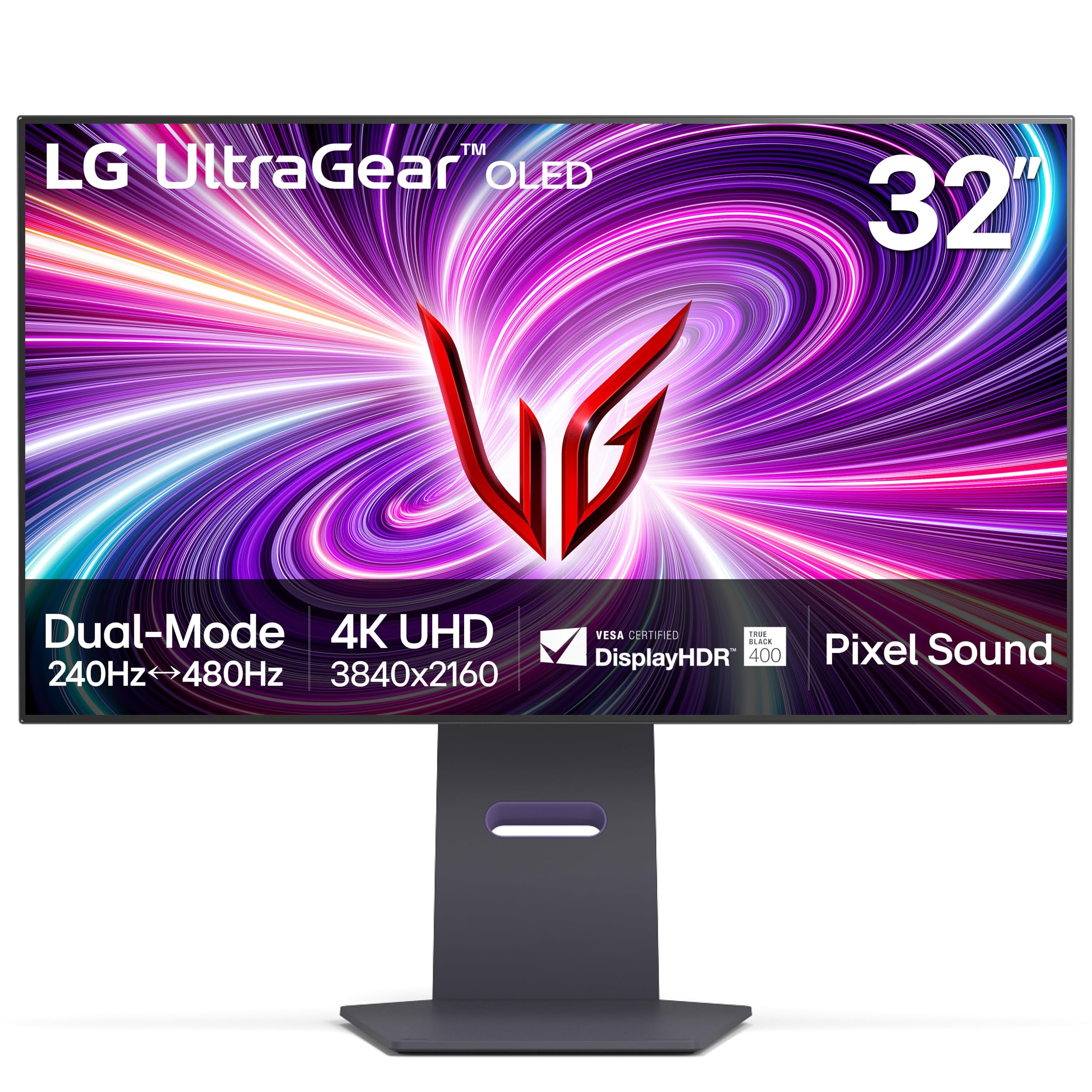
LG’s 32GS95UE is the only monitor in this roundup to feature a certified Dual Mode, allowing it to run at 4K 240Hz for immersive visuals, or switch to 1080p (FHD) at a blistering 480Hz for hyper-competitive shooters. This is a genuine value proposition for someone who plays both story-driven titles and high-frame-rate competitive esports. The WOLED (White OLED) panel offers the same infinite contrast as QD-OLED but with slightly less vibrant color volume in bright, saturated scenes.
The response time is the near-instant 0.03ms GtG expected of OLED. The monitor also features Pixel Sound technology, where the screen itself vibrates to create sound waves, projecting audio directly forward. This eliminates the need for external speakers and provides surprisingly clear audio for a monitor, though it lacks bass. The anti-glare with low reflection (AGLR) coating is effective, though not as aggressive as Samsung’s Glare Free.
The 32-inch size at a UHD resolution gives a very fine pixel density of 140 PPI, making text look sharp. Some users note that the WOLED subpixel layout can cause minor text fringing in certain applications, but it is generally less noticeable than on first-gen OLEDs. The dual-mode 480Hz capability is a killer feature for the competitive gamer who also enjoys rich single-player worlds.
Why it’s great
- VESA Certified Dual Mode: 4K 240Hz or FHD 480Hz
- Pixel Sound technology removes need for external speakers
- Excellent anti-glare coating and smooth motion
Good to know
- WOLED has less color volume than QD-OLED for bright scenes
- Slightly dimmer than QD-OLED competitors at full-screen
- Text clarity can show minor fringing on white backgrounds
6. MSI MPG 272URX QD-OLED

The MPG 272URX is the bleeding-edge choice for those with next-gen GPUs, thanks to its DisplayPort 2.1a input. This interface provides enough raw bandwidth to drive 4K 240Hz with 10-bit color *without* relying on Display Stream Compression (DSC). For users with an AMD Radeon RX 7900 XTX or newer, this eliminates rare DSC compatibility issues and provides the cleanest signal path. The EL Gen 3 QD-OLED panel promises 30% higher efficiency than previous generations.
At 27 inches with a 4K UHD resolution, the pixel density hits 166 PPI, resulting in exceptionally crisp text and finer detail than its 32-inch siblings. This makes it an excellent choice for users who want the sharpest possible image for both gaming and productivity. The 240Hz refresh rate feels fluid, and the 0.03ms response time ensures perfect motion clarity.
The 98W USB-C Power Delivery is generous for charging a high-wattage laptop. The build quality is typical MSI—solid but not flashy. The only downside is the price premium for the DP 2.1 feature and the smaller screen size, which some may find limits the 4K experience compared to a 32-inch panel. This is the future-proof specialist.
Why it’s great
- DisplayPort 2.1a for uncompressed 4K 240Hz 10-bit
- High 166 PPI for extremely sharp text and detail
- 98W USB-C Power Delivery for laptops
Good to know
- 27-inch size may feel less immersive than 32-inch
- Premium price for early adoption of DP 2.1a
- Some user reports of sub-panel bubble defects (RMA process)
7. Samsung 32″ Odyssey OLED G8 (G80SD)

The G80SD is unique in this lineup because it functions as both a high-performance gaming monitor and a full-fledged smart TV thanks to Samsung’s Tizen OS. The integrated NQ8 AI Gen3 Processor upscales lower-resolution content to nearly 4K, which is fantastic for streaming video or console gaming at 1440p. The smart TV features include a remote control, built-in apps (Netflix, YouTube), and an HDMI eARC port for connecting a soundbar.
The display core is a stellar QD-OLED panel with 4K 240Hz performance, 0.03ms response time, and infinite contrast. The Glare Free technology is identical to the G81SF model, making it highly resistant to reflections. The Dynamic Cooling System introduces a Pulsating Heat Pipe for superior burn-in prevention, a first for the industry. The Thermal Modulation System algorithmically controls brightness to reduce heat.
The downsides are tied to the smart platform: some users find the Tizen UI intrusive when used purely as a monitor, and the built-in speakers can be hard to disable permanently. The stand is functional but lacks height adjustment on some early units. If you want an all-in-one media and gaming hub, the G80SD is an excellent choice, provided the smart TV features are genuinely useful to you.
Why it’s great
- Full smart TV integration with powerful AI upscaling
- Glare Free coating for ambient light resistance
- Advanced Dynamic Cooling System for burn-in prevention
Good to know
- Smart TV UI can be intrusive for a monitor-only workflow
- Some units have issues with periodic screen blackout
- Stand height adjustment may be fixed on some sets
8. INNOCN 27″ QD-OLED (GA27W1Q)

INNOCN enters the 4K 240Hz arena with a compelling value proposition: a 27-inch QD-OLED panel that undercuts the major brands by a significant margin. The GA27W1Q delivers the same fundamental QD-OLED benefits—infinite contrast, wide DCI-P3 99% gamut, and near-zero response times—as the more expensive competition. The 1,500,000:1 contrast ratio makes dark scenes look spectacular, with no blooming or backlight bleed.
The monitor runs at the full 240Hz with a 0.03ms response time, making it feel just as fast as the premium options. It supports both FreeSync and G-Sync Compatibility. Connectivity is adequate with dual DP and dual HDMI, plus a USB-C port. It includes a MAC-View mode for optimizing visuals with Apple devices. The build quality is acceptable, though the housing materials feel less premium than ASUS or MSI.
The most significant drawback is the lack of a robust OSD and the omission of proper instructions—users report having to guess which HDR mode corresponds to which brightness level (Normal=HDR1000, Highlights=True Black 400). The external power brick is also a bit bulky. For the price, however, you are getting flagship-grade panel performance. This is the go-to for budget-conscious buyers who refuse to compromise on picture quality.
Why it’s great
- Excellent QD-OLED image quality at a competitive price
- Fast 240Hz with 0.03ms response time
- Good connectivity with dual DP and HDMI ports
Good to know
- Cheaper build quality and flimsy OSD
- Poor documentation for HDR and settings
- Bulky external power brick included
9. BenQ MA320U

The BenQ MA320U is a 4K IPS monitor tailored specifically for MacBook users. It features BenQ’s Mac Color Match technology, calibrating the panel to match the color profile of a MacBook screen, and integrated controls allow adjusting brightness and volume directly from a Mac keyboard. The single USB-C cable provides 90W of Power Delivery, enough to charge a 14-inch MacBook Pro, along with video and data, creating a one-clean-cable docking solution.
Its refresh rate is 60Hz, placing it outside the high-refresh 240Hz spec that is the focus of this guide. However, it is included as the alternative pick for professionals who prioritize color accuracy and seamless Mac integration over raw gaming speed. The 400-nit brightness is adequate for a decently lit office. The stand is fully adjustable, offering height, tilt, swivel, and pivot for maximum ergonomic flexibility.
The build quality is excellent, and the small bezel design looks modern. It lacks a built-in camera and microphone, which some remote workers may miss. For the creative professional or developer who lives in the Apple ecosystem and needs a large, color-accurate, and seamlessly integrated 4K display, the MA320U is a focused and refined solution, but it is not for high-refresh gaming.
Why it’s great
- Seamless MacBook integration with keyboard controls
- 90W Power Delivery over single USB-C cable
- Excellent color calibration and adjustable ergonomic stand
Good to know
- Limited to 60Hz refresh rate
- Not suitable for high-FPS gaming
- No built-in webcam or microphone
10. Acer Predator X32

The Acer Predator X32 brings QD-OLED technology to the 32-inch 4K 240Hz segment with a pronounced 1700R curvature, creating an immersive wrap-around effect designed to fill your peripheral vision. This is the only curved QD-OLED in the high-refresh 32-inch class, making it a unique choice for gamers who value a cinematic field of view. The curve deepens the sense of depth in games without being overly aggressive.
Panel specs are standard for the generation: 0.03ms GtG response time, 240Hz refresh, true 10-bit color, and a 99% DCI-P3 color gamut. The VESA DisplayHDR True Black 400 certification ensures excellent shadow detail. The stand is fully adjustable, and connectivity includes two HDMI 2.1 ports and a USB-C port. Acer includes a built-in heatsink to help manage the thermal load and prevent burn-in.
User feedback is mixed: while many find the image clarity and brightness phenomenal, some report that the panel can feel a bit dark out of the box and that the OSD menu is locked during HDR, which can be a problem with Windows HDR calibration. The large V-shaped feet require a deep desk. At its price point, it is an excellent entry point to curved QD-OLED, but be prepared to spend time on calibration.
Why it’s great
- Unique 1700R curved QD-OLED for immersive gaming
- Fast 240Hz with 0.03ms response time
- Excellent color gamut and contrast ratio
Good to know
- OLED panel can be dim in SDR at default settings
- Large V-shaped feet require a deep desk
- Some users report annoying on-screen prompts
11. ASUS ROG Strix XG32UQ

The ROG Strix XG32UQ is a high-end IPS LCD monitor designed for users who want high brightness and zero burn-in risk. It offers a native 160Hz refresh rate, which can be overclocked. While this falls short of the 240Hz focus of this guide, it is included as the best choice for those who need a bright, consistent panel for a mixed-use environment of gaming and productivity, where static UI elements on an OLED pose a burn-in risk over years of use.
The IPS panel provides excellent color accuracy with 96% DCI-P3 coverage and HDR600 certification, delivering high sustained brightness (much higher than any OLED) for well-lit rooms. The ELMB (Extreme Low Motion Blur) Sync technology can be used alongside G-Sync or FreeSync to reduce motion blur, making motion look sharper than typical IPS panels. The build quality and ROG design language are premium, with a robust stand and comprehensive cable management.
It features dual HDMI 2.1 and DP 1.4 ports, making it console-ready. The absence of built-in speakers is a minor inconvenience. For the productivity-first gamer who works in a bright environment and intends to keep the same monitor for many years, the XG32UQ’s lack of burn-in worry and high brightness represent a practical superiority in this niche.
Why it’s great
- High sustained brightness for bright rooms (HDR600)
- No burn-in risk for static desktop usage
- Excellent color accuracy and strong build quality
Good to know
- Max refresh rate is 160Hz, not 240Hz
- IPS glow is noticeable in dark scenes compared to OLED
- No built-in speakers
12. Dell UltraSharp U4025QW

The Dell UltraSharp U4025QW is a 40-inch 5K2K (5120 x 2160) ultrawide monitor with a IPS Black panel and a gentle 2500R curve. Its refresh rate is 120Hz, making it a productivity and creative workstation monitor rather than a 240Hz gaming device. It is included for the professional who needs immense screen real estate and can’t accept the burn-in risk of OLED for static productivity tools like IDEs, spreadsheets, and video timelines.
The IPS Black technology offers a 2000:1 contrast ratio, which is double that of standard IPS panels, delivering deep blacks without the glow of traditional IPS. The 120Hz refresh rate is still very smooth for desktop workflows and casual gaming, far better than standard 60Hz office monitors. The built-in hub is exceptional: a Thunderbolt 4 port with 140W charging, USB-C upstream/downstream, an RJ45 Ethernet port, and a full KVM that works seamlessly across two PCs.
The 5K2K resolution is a productivity dream, offering the vertical space of a 27-inch 4K monitor with the horizontal real estate of a dual 24-inch setup. The color accuracy is excellent with DCI-P3 99% out of the box. The U4025QW is the ultimate expression of the high-refresh productivity monitor, a perfect companion for a MacBook or high-end workstation where color-critical work meets massive screen space.
Why it’s great
- Massive 40″ 5K2K resolution for unparalleled productivity
- Excellent IPS Black contrast (2000:1) and color accuracy
- Comprehensive built-in hub with Thunderbolt 4 and KVM
Good to know
- 120Hz refresh rate, not 240Hz
- Very high price point for professional users
- Huge desk footprint required
13. Samsung 57″ Odyssey Neo G9 (G95NC)

The Odyssey Neo G9 G95NC is the most extreme monitor on this list. It is a 57-inch 32:9 ultrawide with a dual 4K resolution of 7680 x 2160—literally two 32-inch 4K monitors placed side-by-side without a bezel. It drives every pixel at 240Hz, requiring immense GPU power and the DisplayPort 2.1 interface to hit that refresh rate at full resolution. This is the ultimate example of what ‘no compromises’ means in the high-refresh space.
The panel is a Quantum Mini-LED VA with 2,392 local dimming zones. This provides excellent contrast and deep blacks for a VA panel, alongside 1000-nit peak brightness for HDR1000 compliance. HDR performance is spectacular, with bright, impactful specular highlights. The 1000R curvature is aggressive, wrapping the entire 57-inch screen around your field of vision for a truly immersive cockpit-like experience in driving and flight sims.
The downsides are significant. The physical size and weight (over 40 lbs) require a massive desk and a heavy-duty monitor arm or the included stand, which takes up a lot of depth. The firmware can be quirky, particularly with wake-from-sleep behavior. Gamers should note that older games will require mods or black bars to function correctly at this aspect ratio. For those with the space and GPU power, it is a breathtaking piece of technology.
Why it’s great
- Unrivaled dual 4K (7680 x 2160) 240Hz resolution
- Excellent HDR1000 with 2,392 local dimming zones
- Deeply immersive 1000R curvature for cockpit games
Good to know
- Massive size requires a powerful GPU and large desk
- Firmware can have wake-from-sleep issues
- Older games may not support the 32:9 aspect ratio
FAQ
What GPU do I need to run a 4K 240Hz monitor?
Can I use a 4K 240Hz monitor with my console?
Is text fringing still an issue on the latest QD-OLED monitors?
Final Thoughts: The Verdict
For most users, the best 4k 240hz monitor winner is the MSI MPG 321URX QD-OLED because it delivers the ideal balance of infinite contrast, flawless motion clarity, and a reasonable price point. If you prioritize the absolute highest HDR brightness and a 1000R immersive curve, grab the Samsung Odyssey Neo G8 (G85NB). And for the competitive gamer who wants dual-mode speed and future-proof connectivity, nothing beats the MSI MPG 272URX QD-OLED with its DisplayPort 2.1a interface.