
Our readers keep the lights on and my morning glass full of iced black tea. As an Amazon Associate, I earn from qualifying purchases.
Specs are compiled from manufacturer listings and verified buyer reviews and can change over time — please confirm the key details on the product page before buying.
If you are shopping for an affordable laptop, the single most important thing to know is that the cheapest machines are not all built the same. Some cut corners on the screen, some on the processor, and some on battery life. What separates a smart buy from a frustrating one is matching the specs to your actual daily routine. This guide covers eleven models and explains exactly what each one does well and who it is really for.
I’m Min — the founder and writer behind Gadgets Feed. This guide is built by comparing the manufacturers’ published specifications and the patterns across verified customer reviews, so you get each pick’s real strengths and trade-offs instead of marketing spin.
The guide below breaks down the processors, memory types, displays, and battery figures that actually matter for everyday work. That way you can confidently choose the right one for your needs among the best affordable laptops.
Our Picks at a Glance



How To Choose The Best Affordable Laptops
Buying an affordable laptop is about finding the right balance of speed, screen quality, and battery life for what you actually do. If you mostly browse the web, write documents, and stream video, you can save money by choosing a basic processor. If you run multiple apps at once or edit photos, you will want more memory and a faster chip.
The processor determines the feel of the machine
A processor is the brain of the laptop. It handles every task you give it. For basic tasks, an Intel Celeron N4500 is often sufficient. For smoother multitasking, look for an Intel Core 3 N355 or AMD Ryzen 3 7320U. These chips often reach higher maximum speeds in GHz (gigahertz, or billions of cycles per second), which helps apps open faster.
Memory and storage affect how many apps you run
RAM (random access memory) is your laptop’s short-term workspace. If you keep twenty browser tabs open, you need at least 8GB. Storage is where files live forever. A 128GB drive is enough for documents, but it fills up fast if you save large photos or videos. An SSD (solid-state drive) moves data faster than older spinning drives, so programs launch quicker.
Battery and screen details that determine daily comfort
Battery life is measured in hours of use. Some affordable laptops give you 12 hours, enough for a full day of classes. Others give you 4 to 8 hours. The screen’s resolution, measured in pixels, affects how sharp text looks. A 1920 x 1080 display is standard and crisp. A 1366 x 768 display looks softer and shows less detail.
Quick Comparison
| Model | Best For | Processor | Battery Life | Memory | Amazon |
|---|---|---|---|---|---|
| acer Aspire Go 15★ Best Overall | All-around daily performance | Intel Core 3 N355 | 12.5 hours | 8GB DDR5 | Amazon |
| Lenovo IdeaPad Slim 3iBest Battery Life | Portability and durability | N150 | 12 hours | 8GB DDR5 | Amazon |
| ASUS Vivobook Go 15.6″Top Performer | Fast performance and storage | AMD Ryzen 5 7520U | Not listed | 8GB RAM | Amazon |
| HP 14″ Laptop | Business and college multitasking | Intel Processor N150 | 11 hours | 8GB RAM | Amazon |
| Lenovo 15.6″ V15 G6 | Business affordability and storage | Intel N100 | Not listed | 8GB DDR5 | Amazon |
| jumper 17.6″ Laptop | Big screen and maximum RAM | 10100Y | 8 hours | 16GB RAM | Amazon |
| acer Aspire 3 A315 | Long-term reliability | AMD Ryzen 3 7320U | 11 hours | 8GB LPDDR5 | Amazon |
| Samsung Galaxy Chromebook Go | Students and light traveling | Intel Celeron N4500 | 12 hours | 4GB RAM | Amazon |
| HP Chromebook 14 | Simple web browsing | Intel Processor N100 | 8 hours | 8GB RAM | Amazon |
| BiTECOOL 15.6 | Office work and security | N95 Quad Core | 4 hours | 12GB LPDDR5 | Amazon |
| ASUS Vivobook Go 15.6” | Basic study and light tasks | Intel Dual Core N4500 | 8 hours | 4GB RAM | Amazon |
In‑Depth Reviews
1. acer Aspire Go 15 AI Ready Laptop
Our pick — over 4★ from 900+ verified ratings; the strongest balance of quality and price.
The workhorse that actually lasts a full day without hunting for an outlet.
This is the machine to grab if you want the longest battery life in this lineup. It runs for 12.5 hours on a charge, which means you can leave the charger at home during a full day of classes or work. The processor also leads here: the Intel Core 3 N355 reaches 3.9 GHz, while that same ASUS model tops out at 2.8 GHz, so apps and browser tabs open noticeably faster.
Inside, the 8GB DDR5 memory is the newer, faster type, which helps when you keep several programs open at once. The 128GB UFS storage is quick for reading files, though the capacity itself is modest. A couple of owners mention that the plastic case scratches easily, so it is worth treating the lid with a little care. The 15.6-inch 1080p IPS display stays sharp for documents and streaming, and Acer’s BluelightShield setting lowers blue light for late-night sessions.
Connections are generous for the money. You get dual full-function USB Type-C ports that can charge the laptop or drive an external monitor, two USB 3.2 Gen 1 ports, and an HDMI 2.1 output. Wi-Fi 6 keeps video calls steady. As buyers report: “Fast charging (~30min to 93%, 5+hr battery), good sound/screen/keyboard, USB-C convenient.”
What earns it first place
- 12.5-hour battery beats the 8-hour ASUS Vivobook Go 15.6” Slim on paper.
- 3.9 GHz max speed outpaces the 2.8 GHz ASUS model for snappier windows and tabs.
- Dual USB-C ports let you charge and run a monitor from the same laptop.
- DDR5 memory keeps multi-tab browsing and email smoother.
Where it asks for patience
- 128GB storage is tight if you save lots of photos or videos.
- The plastic lid scratches more easily than metal finishes.
- S Mode on Windows 11 blocks some downloads until it is switched off.
Reach for this if: you want the longest-lasting battery and the fastest processor in this affordable group.
Look elsewhere if: you need room for a large media library right away — the 128GB drive will need an external option.
2. Lenovo 15.6″ IdeaPad Slim 3i Laptop
A slim, tough traveler that sips power and survives the bottom of a backpack.
If you commute or move between rooms all day, this Lenovo earns its spot. It offers up to 12 hours of battery life and fast-charge tech, so a short top-up covers the rest of your afternoon. At 3.42 lbs and 0.70 inches thin, it slides into a bag without weighing you down. The Intel N-series N150 chip peaks at 3.6 GHz, which is plenty for web browsing, streaming, and school assignments.
The build is the other headline. Lenovo tested this IdeaPad against MIL-STD-810H for drops, vibration, and temperature swings., which is a durability check for drops, vibration, and temperature swings. That does not make it indestructible, but it is a more reassuring spec than the plastic shells on most entry machines. The 15.6-inch HD display runs at 1920 x 1080 with an anti-glare coating, so reflections from a window or overhead light are reduced.
Appearance-wise it is a clean gray slab. Ports cover the basics: one USB Type-C, two USB Type-A, HDMI 1.4b, and an SD card reader that many slim laptops drop. Wi-Fi 6 and Bluetooth 5.4 keep video calls steady in crowded cafés or dorms. If you want a machine that feels a little more solid than its price suggests, this is the one to shortlist.
Editor’s read: the combination of MIL-STD-810H testing and a 0.70-inch profile is unusual at this level — most slim laptops flex under a hard grip, and this one is designed not to.
Small update: the anti-glare coating means you can work near a bright window without fighting reflections, though the 250-nit panel is best for indoor use rather than direct sunlight.
The traveler’s pick: a light chassis, MIL-STD-810H durability testing, and up to 12 hours away from a plug.
One honest caveat: the LCD panel is anti-glare rather than eye-searingly bright, so typing outdoors in direct sun may feel washed out.
3. ASUS Vivobook Go 15.6” Slim Laptop (Ryzen 5)
Storage and speed in one package — the model to beat if you save lots of files.
Start with the numbers. The AMD Ryzen 5 7520U processor reaches 4.3 GHz, the highest turbo speed in this whole group. It is paired with 512GB of storage — four times the space of the 128GB models here — so you can keep a photo library, a semester of coursework, and a few downloaded films without plugging in a drive. That extra room directly answers the biggest complaint owners have about budget laptops: running out of space first.
The 15.6-inch screen uses a slim NanoEdge bezel with a 60Hz refresh rate and 250-nit brightness. ASUS rates the chassis to MIL-STD-810H for drops and vibration. Sound comes through SonicMaster speakers, and a webcam shield lets you slide a cover over the lens when you are not on camera.
What should you know before buying? A recurring theme in reviews is that the keyboard is not backlit, so typing in a dark room takes some guesswork. Battery life drew mixed comments too — fine for a workday of moderate use, but not a 12-hour marathon. And one buyer did hit a hardware fault with the wireless card from the start, though that reads as an isolated unlucky unit, not a pattern. For pure performance-per-dollar with large storage, this remains the pick.
The raw numbers that matter: 4.3 GHz turbo speed is the highest here, and 512GB of solid-state storage dwarfs the 128GB on the acer Aspire Go 15, so you are not managing free space every week.
The trade-off to plan around: no backlit keyboard and battery life that is adequate rather than exceptional, so buy a small desk lamp if you work at night.
Best for: anyone who wants fast performance and lots of built-in storage without managing external drives.
Not the first choice if: a backlit keyboard is a must-have for you — this one skips that feature.
4. HP 14″ Laptop Intel N150
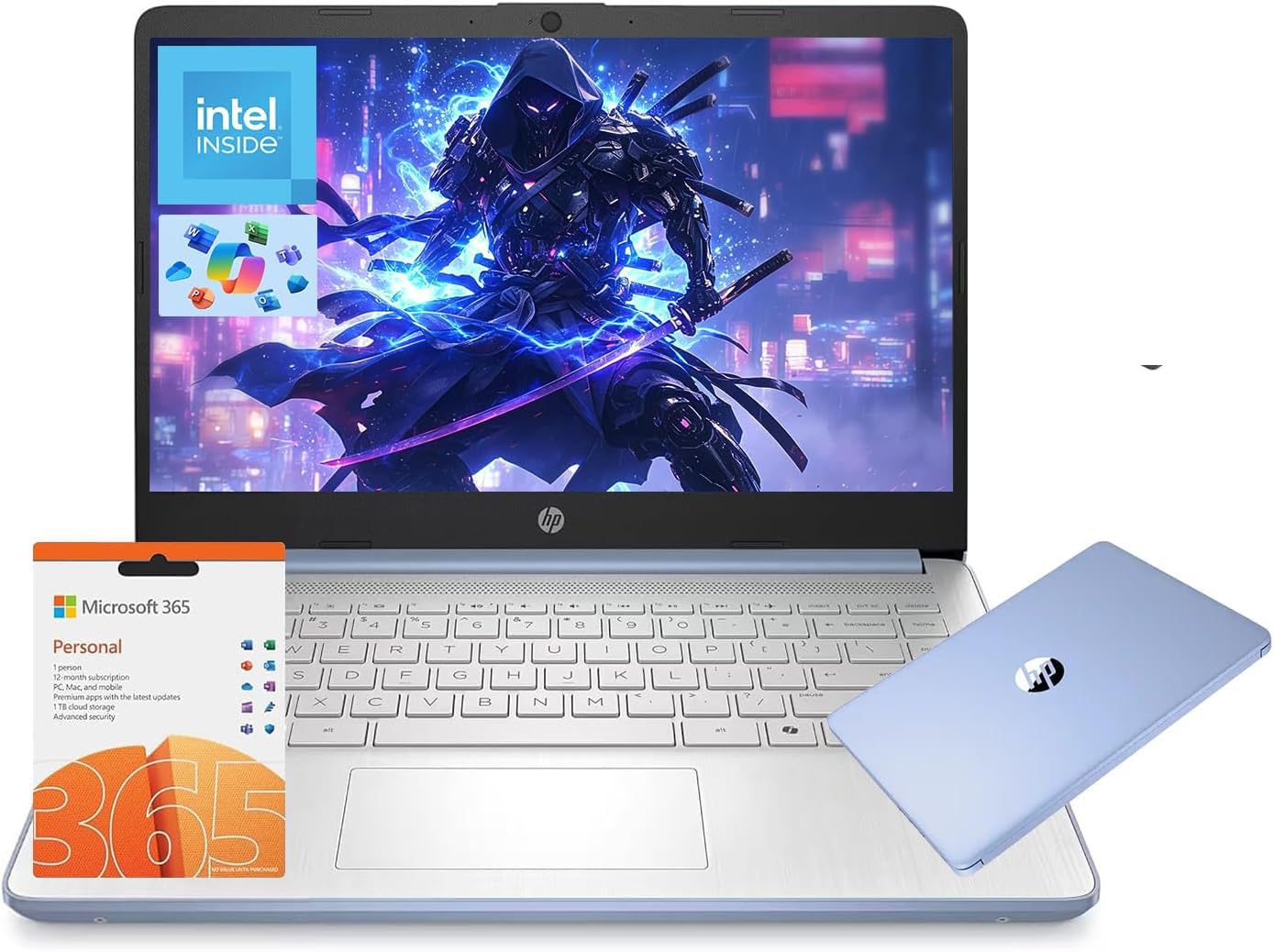
A proper work machine with a year of Office already inside the box.
The feature that jumps out here is the included one-year Microsoft 365 subscription, which hands you Word, Excel, and PowerPoint the moment you log in. For a student or a small-business user, that alone covers a real cost. The Intel N150 processor runs up to 3.6 GHz across four cores and pairs with 8GB of RAM and 128GB of UFS storage — the same memory-and-storage recipe as several pricier models on this list.
Battery life is rated at up to 11 hours, so a full day of classes or meetings is realistic. The chassis weighs only 3.24 lbs, which makes it a genuinely light 14-incher to carry between lectures or on a business trip. The full-HD 1920 x 1080 display is bright enough for desk work, and the 720p webcam handles video calls. There is a USB-C port plus HDMI 1.4, so you can connect an external monitor.
One thing to know: the listings offer several color options, and a buyer or two have received the wrong color, so double-check your chosen shade at checkout. Otherwise, owners describe this as a reliable everyday laptop — light on the shoulder, steady on the desk, and paired with a genuine productivity suite.
Why it stands out
- 1-year Microsoft 365 included, saving you a separate software purchase.
- 11-hour battery gets most users through a full work or school day.
- 3.24 lbs is light enough to carry all day in a backpack.
- Wi-Fi 6 supports stable video calls and fast downloads.
Worth mulling over
- 128GB storage fills up quickly if you keep large files locally.
- Color options are easy to mix up when ordering online.
- The 720p webcam is serviceable, not top-tier.
Best for: students and professionals who want a license to Office bundled in and a light frame for daily commuting.
Think twice if: you plan to store a huge media library on the device itself — 128GB goes fast.
5. jumper 17.6″ Laptop
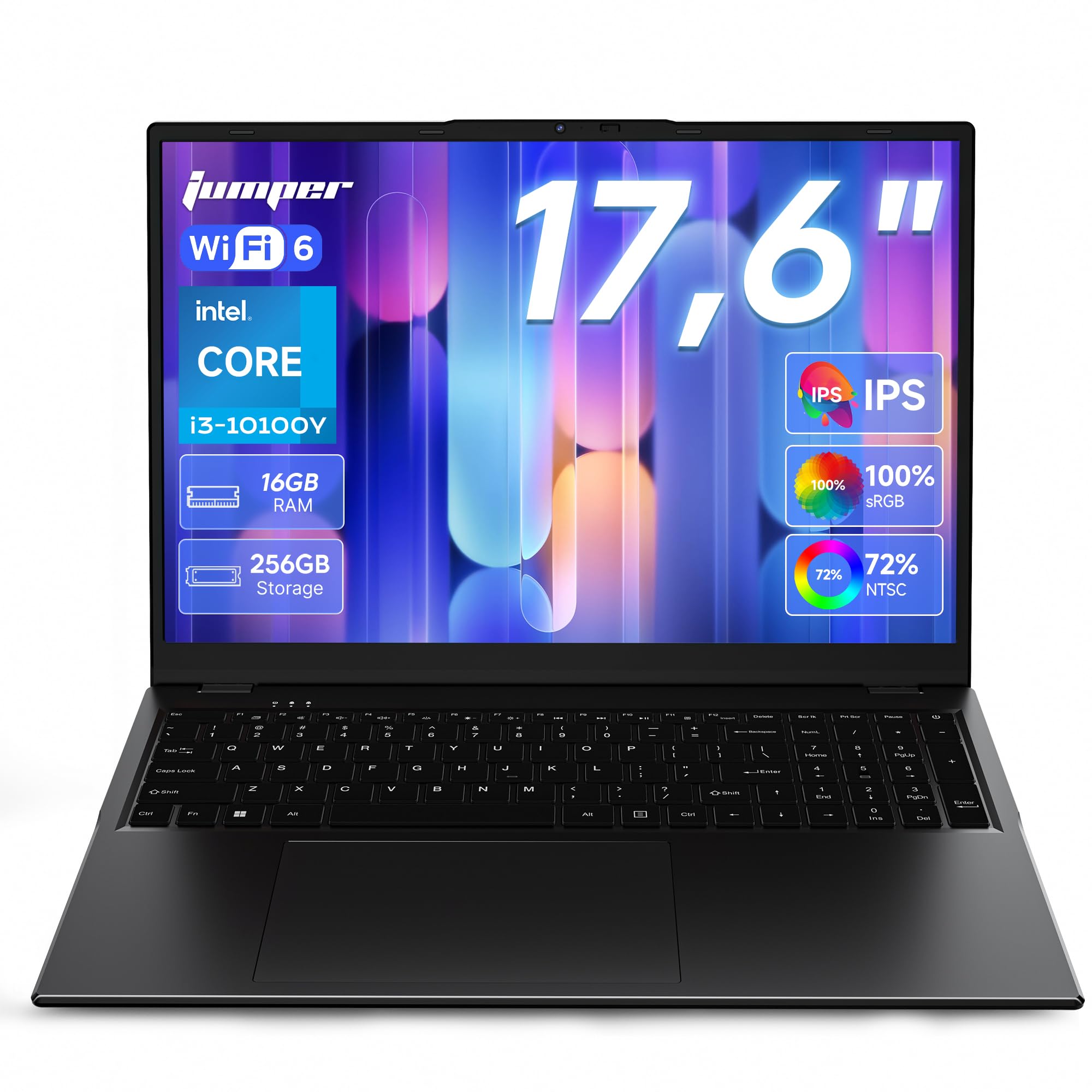
The biggest screen and double the memory — built for spreadsheets and streaming.
If screen space matters most to you, this jumper is the obvious choice. The 17.6-inch display runs at 1920 x 1200 with a 16:10 aspect ratio and covers 100% of the sRGB color range, which means photos and video look richer than on the 1920 x 1080 panels elsewhere here. The larger 16:10 frame also shows more rows in a spreadsheet or document without scrolling.
Memory is the other headline: 16GB of RAM sits inside, twice the 8GB found in most of these models. That is the figure that keeps a browser full of tabs, a video call, and a document all open without slowing down. The 256GB SSD stores a healthy working library. The 10100Y processor runs up to 3.9 GHz and is paired with a 53.2Wh battery rated for up to eight hours of use with fast-charging support.
A bonus for night owls: the keyboard is backlit, which most rivals here skip. Ports run generous too — a Type-C, an HDMI, three USB 3.0, a Micro TF card slot, and a DC charging port. The one fair warning is that this is a large machine, and a bare-bones performer under heavy load; owners call it great for study, documents, and streaming rather than gaming.
The standout spec: 16GB of RAM is double the memory of nearly every other pick here, so juggling many windows stops being a compromise.
Set expectations honestly: this is a big, bright workhorse, not a gaming rig — the appeal is screen size and memory, not raw frame rates.
Ideal if: you spend the day in documents, spreadsheets, or media and want the largest, most colorful screen plus the most memory.
Not for you if: you need a laptop that disappears into a slim bag — this one is built around a big display.
6. acer Aspire 3 A315-24P-R7VH

The veteran that quietly keeps running years after the warranty ends.
This is the pick for buyers who prioritize longevity over the newest chip. It runs the AMD Ryzen 3 7320U quad-core processor at up to 4.1 GHz with Radeon graphics, matched to 8GB of LPDDR5 memory and a 128GB NVMe SSD. That NVMe drive is faster than a standard SSD, so the system boots quickly and programs open without long waits. Battery life is rated at 11 hours for a full day of light use.
Longevity, though, is the real story here. In reviews you find a buyer who is almost five years in on an Aspire 3 and still happy, saying the battery barely behaves differently than new despite years of updates. That is the value proposition: a machine that holds up as your needs grow. The 15.6-inch Full HD IPS display is sharp and colorful for streaming and documents, and the HD webcam uses Acer’s TNR (Temporal Noise Reduction) tech to clean up low-light calls.
The catches worth knowing: the casing feels plasticky and the display is a touch dimmer than premium panels, so brightness hounds may prefer another option. Also, the memory is soldered and can’t be upgraded, though there is a spare M.2 slot for adding storage later. For a dependable everyday laptop you can hand down, this is the sensible choice.
Built to last: the Aspire name earns it here — long-term owners praise how the battery and speed hold up over years of daily use, which matters more than a flashy spec sheet.
Plan for storage: 128GB onboard plus one free M.2 slot means you can expand later, but you cannot add more RAM beyond the 8GB installed.
Pick this if: you want a dependable everyday laptop that keeps performing long after a cheaper machine would have slowed down.
Skip if: you need a bright, top-tier display for color-sensitive work — this one trades some screen brightness for reliability.
7. Lenovo 15.6″ V15 G6 Business Laptop
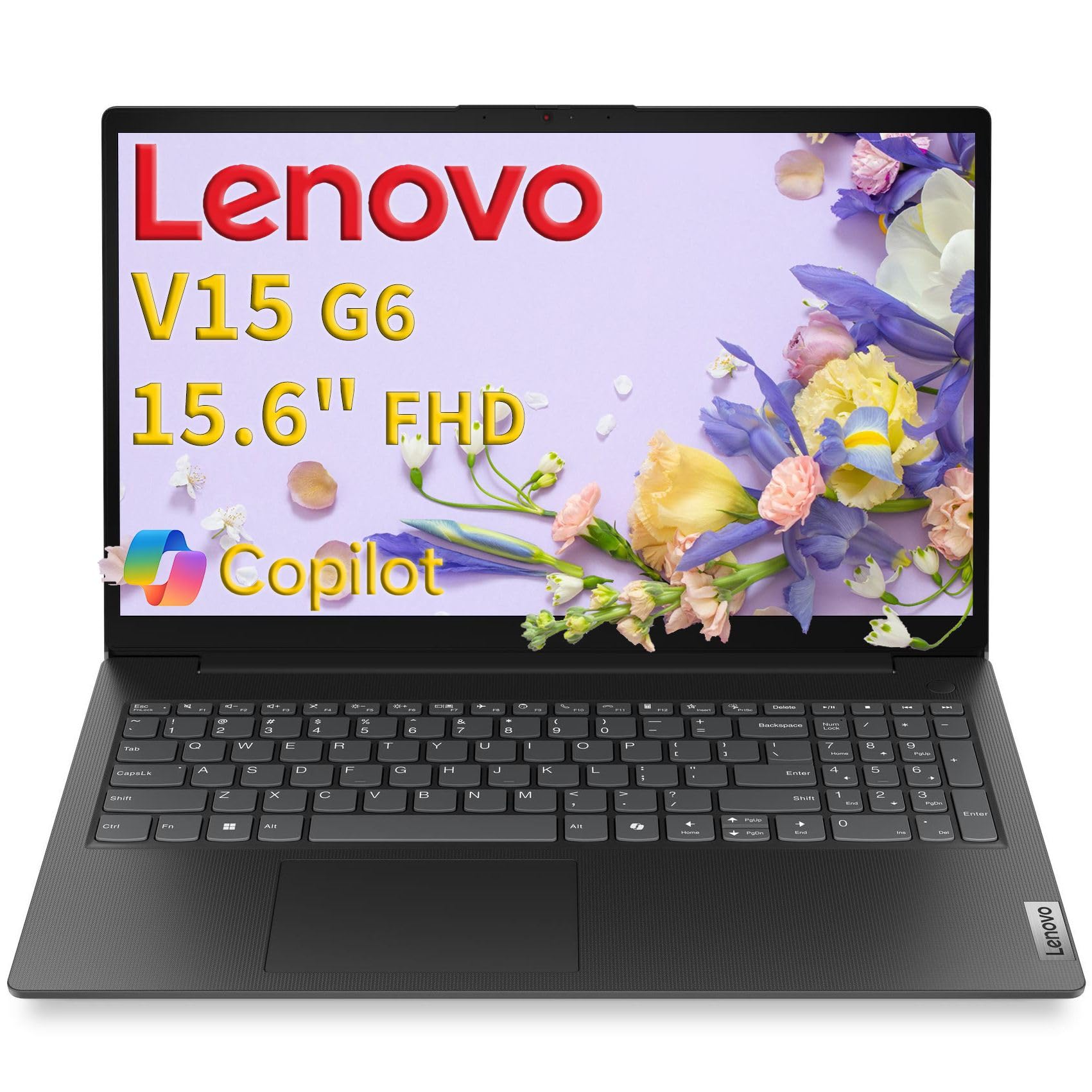
Security and speed for the desk-bound professional who values ports and durability.
For a laptop aimed at the office, the port selection here is unusually complete. You get two USB Type-C ports that support power delivery and DisplayPort output, two USB Type-A ports, HDMI 1.4b, a headphone jack, and — rare at this level — a Gigabit Ethernet port for a rock-solid wired connection. The 8GB of DDR5-4800 memory runs at a higher memory speed than older DDR4 setups, and the 256GB PCIe 4.0 NVMe SSD is the fast type, so booting and app launches feel quick.
The Intel N100 quad-core processor peaks at 3.4 GHz and pairs with Intel UHD Graphics for video playback and light multimedia. The 15.6-inch Full HD display runs at 1920 x 1080 with an anti-glare coating and 250 nits of brightness. It is also TÜV Rheinland Low Blue Light certified, which reduces eye strain for long work sessions.
The security features are the differentiator. A physical camera privacy shutter slides over the lens, and a Kensington Nano Security Slot lets you lock the machine to a desk. A Firmware TPM 2.0 chip supports hardware-level encryption. Lenovo tested the chassis to MIL-STD-810H for drops, vibration, and temperature swings.. The one honest note: a buyer found Office setup more involved than they expected, so plan a little patience on the first day.
Built for a desk
- Gigabit Ethernet gives you the option of a rock-solid wired network connection.
- Camera privacy shutter covers the lens when you are not on a call.
- 256GB PCIe NVMe SSD keeps boot times and file access quick.
- Kensington Nano slot lets you lock the laptop to a desk for security.
Where to temper expectations
- The N100 chip is efficient for office work, not for heavy creative apps.
- Setting up Office on the first run can take some patience.
- The keyboard is full-size but not backlit.
Great fit for: a home-office or remote worker who wants privacy hardware, Ethernet, and durable construction.
Look elsewhere if: you need bright, high-refresh entertainment — this machine is tuned for productivity, not gaming or video editing.
8. Samsung 14″ Galaxy Chromebook Go

A schoolwork machine that boots in seconds and charges once a day.
Students who want to open the lid, type, and close it again will appreciate what this Chromebook does well. It runs Chrome OS, which updates itself automatically, and starts up in about 12 seconds. Battery life reaches 12 hours, enough to power through a full school day without a charger. The 14-inch screen keeps the size travel-friendly, and at 4GB of RAM it is built for cloud-based work like Google Docs and web apps rather than heavy local programs.
The physical build is a noticeable asset. Samsung rates the chassis to MIL-STD-810H for drops and vibration., and owners echo that sturdiness — several report that a prior 12-inch Galaxy Chromebook lasted five years of daily use, with this bigger version picked up as the replacement. The 14-inch screen is bright and clear for documents and streaming, and the keyboard has a pleasant feel. It also pairs neatly with an Android phone for file transfers.
The honest caveat: this is a Chromebook, not a Windows laptop. If a course or a job requires a particular Windows-only app, you will hit a wall. And with 4GB of RAM, loading dozens of browser tabs at once will feel sluggish. For a student or a light household user whose work lives in a browser, though, it is a straightforward, dependable choice.
The standout spec: 12 hours of battery means one charge covers a whole school day, and a 12-second boot gets you typing before the lecture starts.
The trade-off to weigh: 4GB of RAM is fine for browser work but will strain under many open tabs, and Chrome OS will not run Windows-only software.
Right for: students and casual users whose day lives in the browser and who want a tough, long-lasting machine.
Wrong for: anyone who needs a Windows program for class or work — you will hit the operating system wall.
9. HP Chromebook 14 inch

An easy, uncomplicated laptop for browsing and Google apps without fuss.
This HP Chromebook doubles the memory and storage of most rivals at this tier. You get 8GB of RAM and 128GB of UFS storage, plus a 12th-generation Intel N100 processor and Intel UHD Graphics that can stream 4K video. That combination makes it snappier than the average budget Chromebook when you keep several browser tabs open. Owners mention over eight hours of basic web browsing and productivity on a charge.
The display uses a non-reflective anti-glare panel, which cuts down on glare when you work near a window or outdoors. Chrome OS is the draw for many buyers — it updates automatically and Chrome OS updates itself automatically, so there is no antivirus to manage., so there is no antivirus to manage and no driver headaches. The setup takes minutes, and the machine handles everyday web apps plus cloud storage and streaming services without complaint.
Where does it fall short? The screen panel brightness is modest, so it is best for indoor use, and the keyboard is not backlit, which owners point out makes low-light typing harder. Ports are limited too — one USB-A, one USB-C, and a headphone jack. If you need extra storage, plan on a USB-C adapter. For a light-use machine that just works, it is an easy recommendation.
What stands out: 8GB of RAM and 128GB of storage is a generous pairing for a Chromebook, and it holds up to 4K streaming and multi-tab days.
Fair warning: low-light typing suffers from the unlit keyboard, and only two USB ports means adapters for anything more.
Great for: web-first users who want an inexpensive laptop with a browser-centric, low-maintenance operating system.
Think twice if: you type late at night — a backlit keyboard is one feature this model leaves out.
10. BiTECOOL 15.6 FHD Laptop
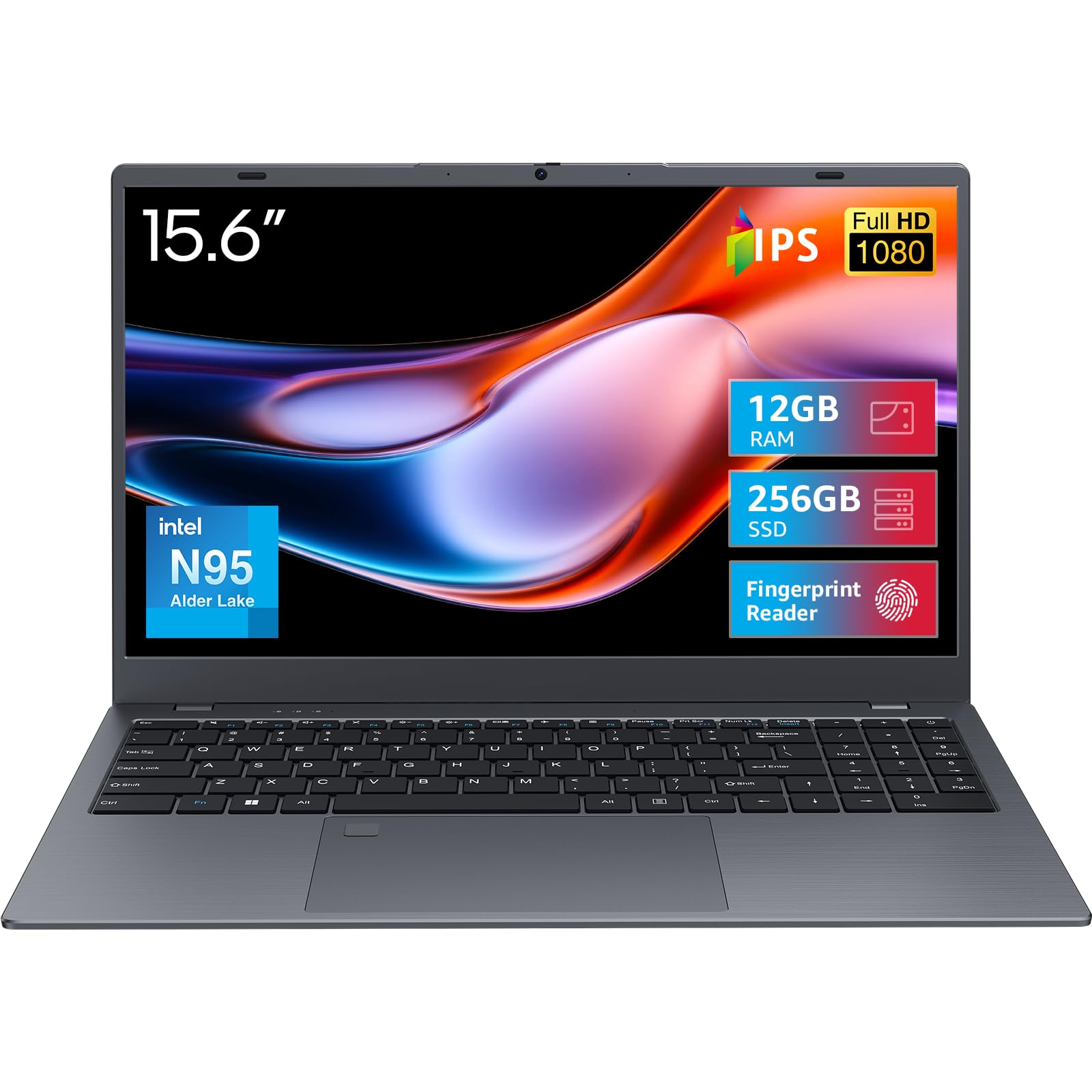
A work laptop with a fingerprint login and generous RAM at a value price.
The standout convenience here is the built-in fingerprint reader, which turns on the machine with a touch instead of a typed password — useful if you log in and out dozens of times a day. Under the hood, you get 12GB of LPDDR5 memory clocked at 4800MHz and a 256GB SATA3 solid-state drive. That is more memory than most rivals, and it shows when running several programs at once. The processor is an N95 quad-core, and the whole package targets office productivity, not heavy gaming.
The 15.6-inch Full HD IPS display pushes up to 300 nits of peak brightness, well above the 250-nit panels on several competitors, so it stays readable in a bright room. The keyboard is full-size with a dedicated number pad, handy for entering figures, and there is a large precision touchpad. Bluetooth 5.0 and dual-band Wi-Fi 5 handle your peripherals and connection.
Two things to keep in mind. A few customers note the shipped power adapter arriving faulty, and a small number describe occasional stuck update screens, though the majority of reviews praise the performance and the fingerprint login. If you buy, test the charger on the first day so any fault is caught inside the return window.
Best feature: the fingerprint reader is a genuine time-saver that most budget laptops skip, and 12GB of memory keeps several apps open at once.
Check on arrival: the bundled power adapter has been a weak point for a few buyers, so verify charging on day one.
A solid match for: office workers who want quick fingerprint login, a bright screen, and above-average memory.
Not ideal if: you plan on serious gaming — this is tuned for documents, streaming, and everyday work.
11. ASUS 15.6” Vivobook Go Slim Laptop (N4500)

A full Windows PC shaped like a light, go-anywhere student machine.
This is the entry point of the lineup, and it is honest about what it does. You get a real Windows 11 Home machine with a 15.6-inch Full HD display at 1920 x 1080 and a 60Hz refresh rate. The Intel Celeron N4500 processor runs up to 2.8 GHz and is paired with 4GB of DDR4 memory and 128GB of eMMC storage. For a light workload of web browsing, email, and document writing, that is enough to get the job done.
Two features stand out for the price. First, the 42Wh battery supports Fast-Charge tech that ASUS says reaches 60% in about 49 minutes over USB-C. Second, the machine stays slim and light, so it is easy to slip into a bag. The keyboard is an ErgoSense backlit chiclet design, and a 720p HD camera with a privacy shutter covers video calls. The audio system uses SonicMaster speakers.
Now the honest part: the memory and processor here are modest, and a subset of owners found it slow from the start, with a heavier Windows install straining the 4GB of RAM and the N4500 chip. Speed up noticeably if you lighten the software load, but expect a machine built for light tasks, not heavy multitasking. If you need smoother multitasking, the acer Aspire Go 15’s 8GB DDR5 and quicker chip — 3.9 GHz next to this unit’s 2.8 GHz — handle more at once. For basic study and browsing at a stripped-down price, this Vivobook still does the everyday job.
What it does right
- Fast-charge gets you to 60% in roughly 49 minutes so you are not tethered long.
- Full Windows 11 at an entry-level spot, with a bright 15.6-inch 1080p screen.
- Backlit keyboard and a 720p camera with a privacy shutter.
- Slim, light build that fits easily in a backpack.
Know before you buy
- 4GB of RAM and the N4500 chip struggle under heavy multitasking.
- 128GB eMMC storage is basic and best paired with cloud or a memory card.
- No touchscreen, and the speakers are modest.
Good fit for: a first laptop or a light-use machine where browsing and typing carry the day.
Stretch up if: you keep many apps and tabs open at once — the next tier up smooths that out.
Understanding the Specs
Processor speed (GHz)
GHz means gigahertz — billions of processing cycles per second. A chip with a higher max GHz typically feels snappier opening apps and switching windows. The acer Aspire Go 15 reaches 3.9 GHz, while the ASUS Vivobook Go Slim (N4500) tops out at 2.8 GHz. For light browsing, both are fine. For running several programs, the higher number helps.
Battery life (hours)
This is how long the laptop runs on a single charge under normal use. The acer Aspire Go 15 and the Samsung Galaxy Chromebook Go each reach 12 hours, which covers a full school or work day. Others, like the BiTECOOL, run for four hours, better suited to desk work near a plug.
RAM and memory type (GB)
RAM is your laptop’s short-term workspace. More GB means more apps and tabs running smoothly at once. Newer memory types like DDR5 and LPDDR5 are faster than older DDR4. The jumper offers 16GB, while entry models run 4GB — the more memory you have, the less often the machine slows under load.
Display resolution and storage
Resolution is measured in pixels. A 1920 x1080 panel looks sharp, and a lower 1366 x 768 panel looks softer. Storage types also differ: an SSD or NVMe drive moves data far faster than eMMC, so it boots and launches apps quicker. Most picks here include at least 128GB, with some offering 256GB or 512GB.
FAQ
How much RAM do I need in an affordable laptop?
Is an Intel Celeron or N-series chip good enough for daily use?
Do affordable laptops come with Windows or Chrome OS?
How long does the battery last on these laptops?
What is the difference between SSD, NVMe, UFS, and eMMC storage?
Can I upgrade the RAM or storage later?
Is a Chromebook or a Windows laptop better for students?
Do these affordable laptops have backlit keyboards?
Will a 15.6-inch laptop fit in a standard backpack?
Is Wi-Fi 6 worth having on a budget laptop?
Final Thoughts: The Verdict
For most people, the affordable laptops winner is the acer Aspire Go 15 — it pairs the longest 12.5-hour battery with the quickest 3.9 GHz processor in the group, so it is the safest all-rounder. If you want the speediest chip and room to store files, the ASUS Vivobook Go with a Ryzen 5 gives you 4.3 GHz and 512GB. If a big screen and generous memory top your list, the jumper 17.6″ offers both. And if you just need web browsing, documents, and long battery for the lowest outlay, the Samsung Galaxy Chromebook Go is the dependable everyday pick.
How We Picked
We do not accept paid placement. Every pick is matched to a real buyer and a real use-case; we do not hands-on test units.
Sources & Methodology
Specifications: manufacturer listings and product documentation. Review insights: verified customer reviews, as of September 2026. Pricing: not shown on this page (it changes often); check the current price via the retailer link.
As an Amazon Associate, Gadgets Feed earns from qualifying purchases. This does not affect which products we feature.