
Our readers keep the lights on and my morning glass full of iced black tea. As an Amazon Associate, I earn from qualifying purchases.
Specs are compiled from manufacturer listings and verified buyer reviews and can change over time — please confirm the key details on the product page before buying.
If your TV picture flickers, your sound drops out mid-scene, or your console occasionally hands you a black screen, the problem is usually not your TV — it is the cable behind it. Most people keep the thin cord that came in the box, and that cord often can’t keep up with 4K or a game console running at a high refresh rate. This guide covers two-packs that fix exactly that, so you get a spare cord for the same money as swapping one.
I’m Min — the founder and writer behind Gadgets Feed. This guide is built by comparing the manufacturers’ published specifications and the patterns across verified customer reviews, so you get each pick’s real strengths and trade-offs instead of marketing spin.
You do not need to understand bandwidth charts to pick well here. What matters is matching the cord’s speed and length to the device you own, then judging build quality by how owners describe the connectors. The picks below cover the reliable 2 hdmi cables most buyers actually need.
Our Picks at a Glance


How To Choose The Best 2 HDMI Cables
Buying two cords instead of one sounds simple, but the wrong pair wastes money on speed your devices can’t use — or leaves you short on length where you actually need it. These three questions settle most of it.
Start With What You’re Plugging In
Match the cord to the device, not to the newest standard. A Blu-ray player or a 1080p television is happy with an 18Gbps cord, which is the bandwidth (the pipe size for data) older HDMI versions use. A PlayStation 5, an Xbox Series X, or a gaming PC pushing 4K at a high refresh rate needs the 48Gbps bandwidth of HDMI 2.1 to avoid stutter and screen tearing. If your hardware cannot output 8K, you will not see a benefit from a cord that supports it — but the two-pack price is often the same, so future-proofing costs you little.
Length Changes Everything
Longer cords lose signal strength, so a 3ft run between a laptop and a monitor behaves very differently from a 10ft run hidden behind a wall. For a desk setup, a short cord is stiffer and tidier. For a console across the room, you want the reach without a repeater. Measure your actual gap before ordering, and remember you are buying two — one for now, one for a device you have not moved yet.
Check the Build, Not the Badge
The parts that fail first are the connectors. Braided nylon jackets, gold-plated contacts, and a strain-relief collar where the cable meets the plug are the three things that decide whether a cord survives years of plugging. A certified cord — one that carries an HDMI 2.1 certification you can verify with a QR code — tells you the cord was tested against the standard rather than just labeled with it.
Quick Comparison
| Model | Best For | Bandwidth | Length | Max Refresh | Amazon |
|---|---|---|---|---|---|
| PowerBear 4K HDMI Cable 3 ft 2 Pack★ Best Overall | Short desk and laptop runs | 18Gbps | 3 feet | 4K @ 60Hz | Amazon |
| JSAUX 8K HDMI 2.1 2 Pack 6ftBest Value | Consoles and high-refresh monitors | 48Gbps | 6 feet | 4K @ 144Hz | Amazon |
| Stouchi 8K HDMI 2.1 Cable 8ft 2-Pack | Multi-room and wall runs | 48Gbps | 8 feet | 4K @ 120Hz | Amazon |
| Highwings 8K HDMI 2.1 2-Pack 6.6FT | Next-gen consoles at a desk | 48Gbps | 6.6 feet | 4K @ 120Hz | Amazon |
| Thsucords Ultra Thin 8K 3.3FT 2 Pack | Travel kits and tight bends | 48Gbps | 3.3 feet | 4K @ 120Hz | Amazon |
| Snowkids 8K HDMI 2.1 10FT 2-Pack | Long console-to-TV reach | 48Gbps | 10 feet | 4K @ 120Hz | Amazon |
| Silkland Certified HDMI 2.1 2-Pack 6.6FT | Verified certification and PC gaming | 48Gbps | 6.6 feet | 4K @ 144Hz | Amazon |
In‑Depth Reviews
1. PowerBear 4K HDMI Cable 3 ft 2 Pack
Our pick — over 4.5★ from 87,500+ verified ratings; the strongest balance of quality and price.
The 3-foot pair for laptop-to-monitor setups, backed by the deepest review pool in this lineup.
Buy this pair if your devices sit close together — a laptop beside a monitor, a streaming stick behind a wall-mounted TV, a little console under a desk. Each cord runs 3 feet and carries 18Gbps of data, which handles 4K at 60Hz, 2K, and 1080p, plus 48-bit HDR color depth (the part that gives you richer brights and blacks). TrueHD 7.1 audio, Audio Return Channel, and Ethernet all pass through as well.
What wins people over is the build for the money. Inside you get 30AWG copper wire, which is a thicker conductor than budget cords use, wrapped in triple tin shielding (a metal layer that blocks interference) and a double braided nylon jacket. The connectors are gold plated, so they resist corrosion instead of going fuzzy after a few years. The head-to-head here is stark: this cord moves 18Gbps while the Stouchi pair above moves 48Gbps, and it runs 3 feet against the Stouchi’s 8 feet. That makes it the right call for a short, permanent connection, not a long one.
Reviews trend overwhelmingly positive across tens of thousands of ratings, with quality and value the two things buyers single out most. One themed gripe does surface: a handful of owners see the picture freeze for a moment when they expand or minimize a window on a laptop-to-TV connection, which clears by clicking or re-seating the plug. Worth knowing if you plan to use it as a live desktop extender rather than a video feed. It is also not an 8K cord — the listing says so plainly.
What holds up over time
- 30AWG copper plus triple tin shielding resists signal interference
- Double braided nylon jacket and gold-plated connectors resist wear and corrosion
- Works with Blu-ray players, Fire TV, Apple TV, PS5, Xbox One, Switch, laptops and projectors
- Backwards compatible with HDMI 1.3, 1.4, 2.0 and 2.0a hardware
Where it stops short
- Capped at 18Gbps and 4K at 60Hz — no 4K 120Hz and no 8K
- 3 feet is too short for a couch-to-console run
- A few owners see a brief freeze when expanding windows on a laptop-to-TV setup
Reach for this if: your gear sits within arm’s reach and you want the pair with the deepest owner track record behind it.
Look elsewhere if: you need 4K at 120Hz for a console, or a run longer than 3 feet.
2. JSAUX 8K HDMI 2.1 Cable 2 Pack 6ft
48Gbps for 4K at 144Hz on PS5, Xbox Series X, and gaming monitors, in a red jacket that’s easy to spot behind a desk.
The headline number is 48Gbps — the bandwidth ceiling of HDMI 2.1, and the reason this cord can carry 8K at 60Hz, 4K at 144Hz, 4K at 120Hz, and 2K at 240Hz without choking. For a PlayStation 5 or Xbox Series X running 4K at 120Hz, or a gaming monitor at 144Hz, that headroom is the whole point. It also passes Dynamic HDR, Auto Low Latency Mode, Variable Refresh Rate, Quick Media Switching, eARC, Dolby Atmos, Dolby Vision, and HDCP 2.2 and 2.3.
Owners describe it as a cord that simply works, and the split on raw performance is telling: this JSAUX pair carries 48Gbps against the PowerBear’s 18Gbps. At 6 feet it also sits between the PowerBear’s 3 feet and the Snowkids’ 10 feet, which is the practical middle for a console sitting a couple of feet from the TV. The 28AWG copper inside is slightly thinner than the 30AWG in the Stouchi pair, a small difference in conductor bulk rather than a capability gap.
The honest trade-off is durability: while most owners find it sturdy, some report a cord failing within a couple of months, and a smaller group notices occasional flickering. Those are the outliers against a very large pool of working cables, but it is the reason to treat this as a great-value cord to buy and use, not the one to bury behind drywall for a decade. Buyers report it running flawlessly on a 1440p 144Hz monitor, which is exactly the use case it nails.
Where the money goes: Almost all of it lands on bandwidth. 48Gbps, HDMI 2.1 feature set, braided double nylon jacket, gold-plated connectors — the same wiring recipe as premium cords at a mid-tier ask.
The one thing to weigh: a small share of owners mention early failures or flicker, so if you plan to run this inside a wall permanently, the certified Silkland pair lower down is the safer permanent install.
Buy these for the spec sheet: 8K at 60Hz, 4K at 144Hz, 2K at 240Hz, and every HDMI 2.1 gaming feature, at a price that undercuts most certified rivals.
Think twice if: you want a cord sealed in a wall run for years — a handful of units give out early.
3. Stouchi 8K HDMI 2.1 Cable 8ft 2-Pack
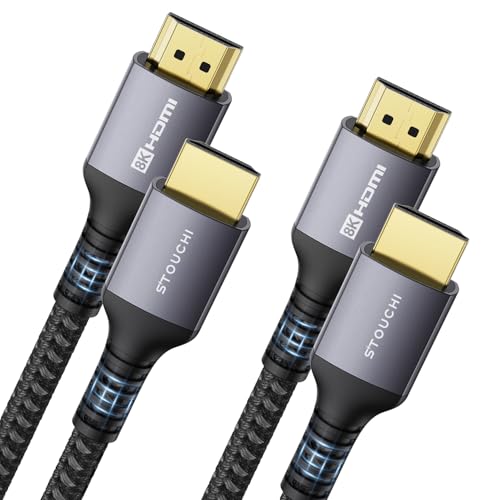
8 feet of 48Gbps for wall runs and multi-room setups where the console sits far from the screen.
Two things stand out here: length and shielding. Each cord runs 8 feet — more than double the PowerBear’s 3 feet, and the second-longest pair in this group behind only the Snowkids. Inside sits 30AWG copper with triple-tin shielding, which is the same conductor gauge the PowerBear uses, but with more armor against interference. That armor has a cost: it makes the cord thicker and stiffer, which is fine for a permanent home theater or a desk you never rearrange, and annoying if you need a cord to bend tight around a corner.
On speed, the 48Gbps and 144Hz ratings put it alongside the JSAUX pair, with the same 4K at 120Hz gaming payoff on PS5 and Xbox Series X. VRR and ALLM are built in, and it plays nice with Mac mini M4, Apple TV 4K, and NVIDIA SHIELD units. The maker backs it with a 24-month customer-assurance window, which is the kind of cover you rarely see on a cable this cheap.
This is the pick that solves a specific problem: customers note it replacing store-bought cords across two home theater setups and clearing up audio sync issues, video blackouts that happened up to a dozen times per viewing, and music playback dropouts mid-song. Those are dramatic fixes for what looks like a simple cable swap, and they come from one part of the picture — signal quality. The other part is less rosy. Some owners hit intermittent blackouts and repeated “no signal” errors, so if your run is long and your source picky, plan to test it in the first week. That single signal gripe is the one thing standing between this and a perfect score.
Why people keep it
- 48Gbps with 144Hz refresh capability for gaming displays
- 8-foot length covers wall runs and multi-room setups
- 30AWG copper with triple-tin shielding blocks interference
- 24-month customer-assurance window included
The honest catch
- Thicker and stiffer body will not bend tightly around corners
- Some reviewers point out intermittent blackouts and “no signal” errors
- Heavier cord puts more pull on the port if it dangles
Pick this when reach is the problem: a 4K TV plus a receiver across the room, or two displays that need their own cord.
Not for you if: you want a supple cord that coils into a laptop bag or bends hard behind a wall plate.
4. Highwings 8K HDMI 2.1 Cable 2-Pack 6.6FT

An aluminum shell and anti-bending tail protect the connector joint for gamers who re-plug constantly.
Here is the cord’s identity in one detail: an aluminum alloy shell with an anti-bending tail, which is the reinforced collar that keeps the cable from splitting where it meets the plug. That is the exact spot cheap cords fail. Beyond that, the 48Gbps bandwidth runs 8K at 60Hz or 4K at 120Hz, and the game mode supports Variable Refresh Rate, so your monitor and console stay in step and you stop seeing torn frames. It handles Roku TV, HDTV, PS5, and Blu-ray players.
Compared with the Stouchi pair above, this Highwings cord moves the same 48Gbps across 6.6 feet rather than 8 feet, and it stays noticeably more flexible thanks to a smaller build. That means a tidier run behind a desk or monitor arm. The 0.24kg weight (about half a pound per pair) is light enough to leave hanging from a port without much pull.
The owner pattern here is consistent: solid, snug connectors and a reliable signal, with no flickering, black screens, or dropouts in most setups. Picture comes through sharp with smooth motion and vivid color, and shoppers say it handling high refresh rates and the new consoles without complaint. The one caveat is a rare fit issue — one owner found the cable head too bulky to seat into an older TV receiver with a plastic bump on the back, and returned it without faulting the cord itself. If you own older hardware with tight port surrounds, this is worth checking before you commit.
Where it earns its spot: the anti-bending tail and aluminum shell target the exact failure point that kills budget cords, so this is the pair to buy when you re-plug often.
Worth flagging: one owner could not seat the connector into an older TV with a raised plastic surround — the plug body is chunky, so check your port recess first.
The gamer’s pick: 48Gbps, VRR game mode, and a reinforced shell designed for the constant plug-and-re-plug of a console rotation.
skip it if: you’re connecting to older hardware with tight port surrounds where a bulky plug body won’t seat.
5. Thsucords Ultra Thin 8K HDMI Cable 3.3FT 2 Pack

A soft, thin 3.3-foot pair that routes through conduit and coils into a camera bag where braided cords won’t fit.
If you have ever fought a stiff HDMI cord into a cramped port or a camera rig, this pair answers that. Each cord runs 3.3 feet and the jacket is deliberately soft and light, so it packs flat into a travel kit and snakes through a wire hider without kinking. It carries the full 48Gbps bandwidth with 8K at 60Hz and 4K at 120Hz, plus Dynamic HDR 10, Variable Refresh Rate, Quick Frame Transport, and Quick Media Switching, and it is backwards compatible down to HDMI 1.1.
Against the Highwings pair above, the reach is shorter — 3.3 feet against 6.6 feet — but the flexibility is the opposite end of the scale. Owners describe it as thinner and more bendable than the bulky braided cords, and a few report running it through conduit where a thicker jacket simply would not fit. Gold-plated connectors and strain-relief grommets at each housing are there to survive the bending, and the maker includes a 12-month warranty for replacement if anything goes wrong.
What owners praise most is the quality relative to the build, with flexibility and the thin profile running close behind — this is a small review pool, so treat it as a lightly proven pick rather than a battle-tested one. The honest snag is video performance: while many buyers report clean 4K, some found it did not hold up to the 4K functionality they expected. For a short internal run inside a rig or a cramped cabinet this is the right tool. For a long wall run to a demanding display, one of the brawnier cords above is the safer bet.
Where it shines: 48Gbps in a jacket thin enough to route through conduit and coil into a camera bag — a combination most braided cords can’t match.
What to know: a portion of owners mention video performance below what they expected for 4K, so keep this to short, internal runs where it excels.
Made for movers: a travel kit, a camera rig, or any spot where a stiff cord will not physically fit.
Not the one for: a long permanent run where the extra flexibility buys you nothing and a proven signal chain matters more.
6. Snowkids 8K HDMI 2.1 Cable 10FT 2-Pack
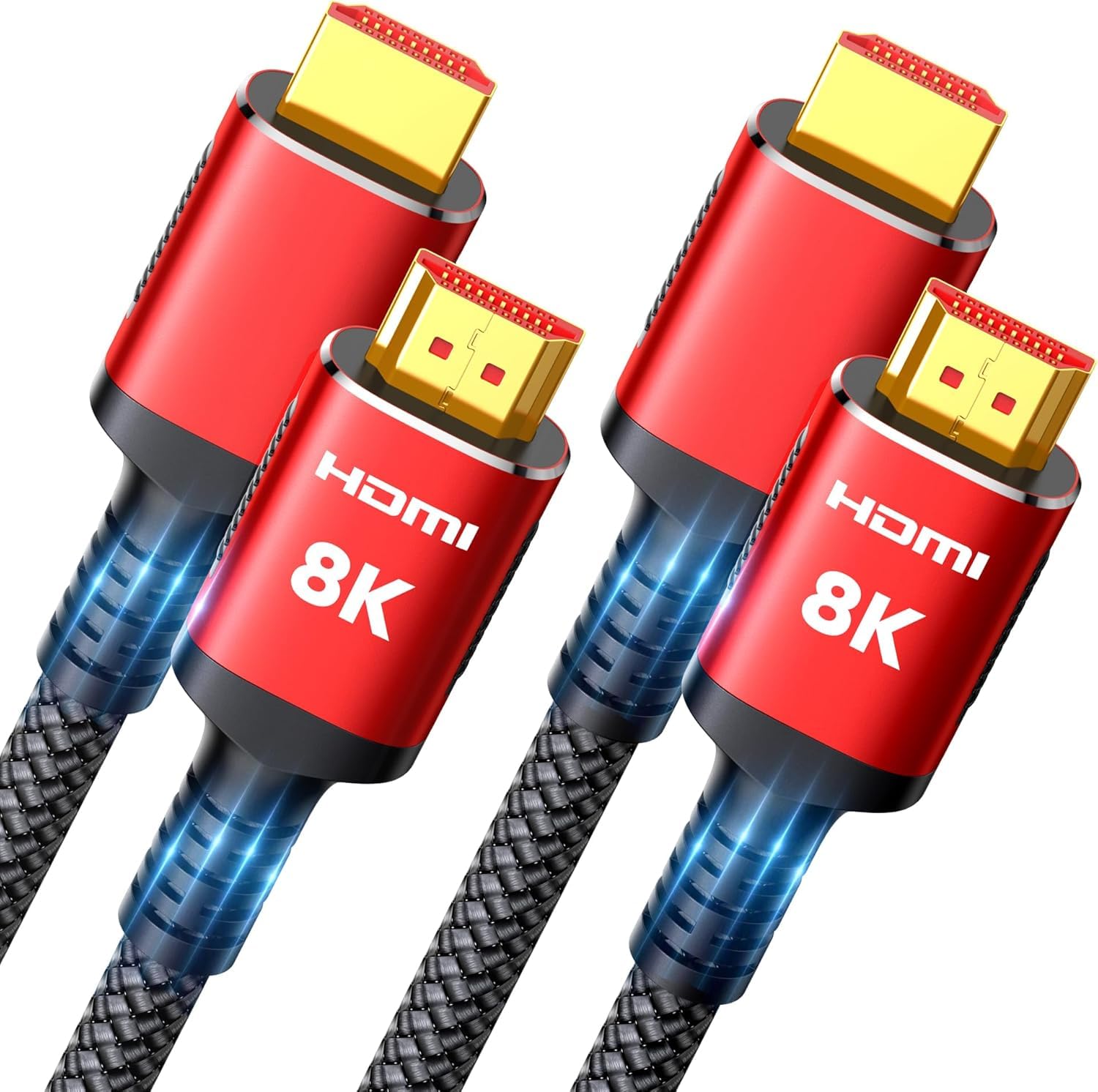
10 feet of 48Gbps for console-to-TV gaps that shorter pairs can’t bridge.
That length turns a couch-side console or a far-corner projector into a viable setup without a signal booster. The speed keeps pace: 48Gbps with 8K at 60Hz, 4K at 144Hz, 4K at 120Hz, and 2K at 240Hz, plus Variable Refresh Rate and Quick Media Switching for smoother, tear-free gaming.
The build is the traditional durable recipe — braided nylon jacket with gold-plated connectors — and it is rated for indoor and outdoor use. It works across PS5, PS4, PS3, Xbox Series X, Roku TV, and Blu-ray players, and it is backwards compatible with HDMI 2.0, 1.4, 1.3, and 1.2.
Customers note this cord handling a full 10-foot TV-to-console run with stable 4K at 120Hz and clean picture over months of use, which is the hardest thing to pull off at this length. The recurring gripe is physical, not electrical: the braided jacket is thick and bulky, so it stores awkwardly. One owner with a complex AV receiver setup found eARC and CEC failed to hand off correctly, though the same cord worked fine on a simple soundbar-and-TV pairing. If your setup is straightforward, this is the far-side-of-the-room answer; if you run a receiver with multiple devices negotiating handshakes, test early.
Built for distance
- 10-foot reach — longest in this lineup
- 48Gbps with 8K at 60Hz and 4K at 144Hz
- Variable Refresh Rate and Quick Media Switching for smoother frames
- Rated for both indoor and outdoor use
Where it gets awkward
- Thick braided jacket is bulky to store and route
- eARC and CEC failed on one complex AV receiver setup
- Stiffer than the slim Thsucords pair when bending around corners
The long-run specialist: 10 feet of 48Gbps for a console-to-TV gap that no shorter pair can bridge.
Look past it if: you run a multi-device AV receiver that depends on eARC and CEC handshakes, or you need a cord that coils small.
7. Silkland Certified HDMI 2.1 Cable 2-Pack 6.6FT
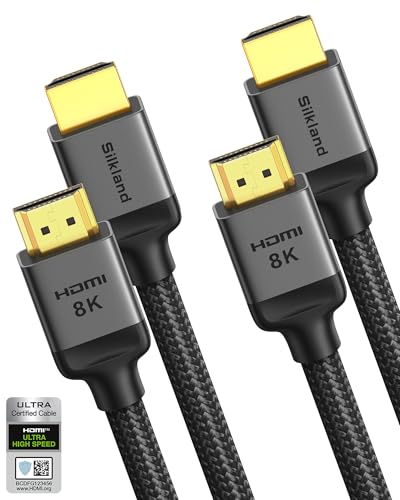
The only pair here with verifiable HDMI 2.1 certification you can confirm by scanning its QR code.
This is the certified pair, and that word means something. The maker states only a small fraction of HDMI cables on the market have passed HDMI 2.1 certification, and this cord carries it — you can scan a QR code with a verification app to confirm the certification is real rather than just printed on the box. Inside, copper cores and ferrite magnetic beads (small chokes that absorb interference) work to keep the signal steady and eliminate the black screens and flickering that ruin a movie night.
The speed matches the best here: 48Gbps with 10K and 8K at 60Hz, 5K at 120Hz and 90Hz, 4K at 144Hz and 120Hz, and 2K at 240Hz and 165Hz, all at 12-bit color. That is the same 48Gbps and 144Hz ceiling as the JSAUX and Stouchi pairs, but with the certification as the differentiator. It also carries DTS:X and Dolby Atmos through eARC, plus HDCP 2.2 and 2.3 for streaming, and the unique double-layer “E-Braid” jacket pairs a fishnet winding with nylon for durability.
Reviewers point out it as a true 2.1 cord that works with a Panasonic 4K player, a Roku Ultra, an Xbox, and Blu-ray players, and it improved the picture when swapped in for an older High Speed cable. It handles multi-monitor editing suites and wall runs. The one thing note is that this is a newer, lightly reviewed pick compared with the older cords here, so its track record is shorter even if its spec is the strongest. The maker also promises a support response within 12 hours.
Why it costs more: you are paying for verifiable HDMI 2.1 certification and a support response window, plus the ferrite-bead and E-Braid construction aimed at killing interference at the source.
The trade-off: the review history is shorter than the established cords here, so you are trusting the certification more than a long pattern of owner experience.
Pick the certified one for: a permanent install where you want to scan and confirm the cord matches the standard, plus 4K at 144Hz for PC gaming.
Look past it if: you would rather lean on a long, proven owner record than on a certification badge.
Understanding the Specs
Bandwidth, Measured in Gbps
Bandwidth is the size of the pipe your video and audio travel through, written in gigabits per second. An 18Gbps cord handles 4K at 60Hz — plenty for a Blu-ray player or a 4K streaming box. A 48Gbps cord is the HDMI 2.1 ceiling and carries 4K at 120Hz or 144Hz, plus 8K at 60Hz. Buy the bandwidth your device can actually output: a console pushing 4K at 120Hz needs the 48Gbps pipe, while a 1080p television will never use it.
Refresh Rate and What It Does
Refresh rate is how many times per second the screen redraws, and it caps how smooth fast motion looks — 60Hz is standard, 120Hz and 144Hz are where gaming feels fluid. A cord rated for 4K at 144Hz can pass that signal only if your display and source both support it. Features like Variable Refresh Rate, Auto Low Latency Mode, and Quick Media Switching ride on the same 48Gbps pipe and reduce stutter and input lag.
Length and Signal Integrity
Every extra foot of cable gives the signal more room to weaken, which is why a short pair stays cleaner on a desk and a long pair needs better shielding to survive a wall run. Longer cords in this lineup use thicker copper and extra layers of shielding to hold the signal. If your run is long, favor the cords with more armor and test in the first week; if it is short, a slimmer cord bends more easily and routes tidier.
Build: What Survives Real Use
The connector is where cables die. Gold plating resists corrosion over years of plugging, a braided nylon or mesh jacket protects the inner wires from nicks, and a strain-relief collar keeps the cord from splitting right where it meets the plug. Ferrite beads inside a cord absorb electromagnetic interference that would otherwise cause flickering or dropouts. Certified cords carry a QR code you can scan to confirm the cable was actually tested against the HDMI 2.1 standard.
FAQ
Will a 48Gbps HDMI 2.1 cable work with my older HDMI 2.0 TV?
Do I need 8K support if I only own a 4K TV?
How long can an HDMI cable run before the signal degrades?
What does an HDMI 2.1 certification actually prove?
Will a braided HDMI cable fit a wall-mounted TV or tight port?
Are plated connectors worth paying more for?
How do I stop HDMI flickering or black screens?
Does cable length affect 4K 120Hz gaming performance?
Is HDMI 2.1 worth it over HDMI 2.0 for a PS5 or Xbox Series X?
Can these HDMI cables handle eARC and Dolby Atmos audio?
Final Thoughts: The Verdict
For most people, the 2 hdmi cables pick that ends the guessing is the PowerBear 4K HDMI Cable 3 ft 2 Pack, because it pairs a clean 18Gbps signal with the deepest owner track record in this group — 4.7 stars across a huge pool of ratings — and enough build quality that you stop thinking about cords. If you game on a PS5 or Xbox Series X and need 4K at 120Hz, the JSAUX 8K HDMI 2.1 2 Pack 6ft gives you the full 48Gbps HDMI 2.1 feature set for the least money. And for a console parked across the room, the Snowkids 8K HDMI 2.1 10FT 2-Pack reaches where nothing shorter can. Whichever you pick, match the bandwidth to your device and the length to your gap — and buy the pair, because a spare cord in the drawer beats a black screen on game night.
How We Picked
We do not accept paid placement. Every pick is matched to a real buyer and a real use-case; we do not hands-on test units.
Sources & Methodology
Specifications: manufacturer listings and product documentation. Review insights: verified customer reviews, as of September 2026. Pricing: not shown on this page (it changes often); check the current price via the retailer link.
As an Amazon Associate, Gadgets Feed earns from qualifying purchases. This does not affect which products we feature.