
Buying a 120 Hz 4K monitor sounds simple until you realize most listings hide the fact that certain refresh rates are only achievable at lower resolutions or through specific ports. The market is flooded with panels that claim 4K and 120Hz, but many require HDMI 2.1 or DisplayPort 1.4 with DSC to actually deliver that combination. This guide cuts through the marketing to find monitors that genuinely sustain 4K at 120Hz without compromise.
I’m Min — the co-founder and writer behind Gadgets Feed. I’ve spent hundreds of hours analyzing panel types, refresh-rate specifications, and real-world user feedback to identify which 120 Hz 4K monitors actually deliver the performance they promise.
Whether you need a professional-grade display for color-critical work or a gaming monitor that handles fast motion without artifacts, this guide helps you find the right 120 hz 4k monitor for your setup and budget.
How To Choose The Best 120 Hz 4K Monitor
Finding a monitor that actually delivers 4K resolution at a 120Hz refresh rate requires understanding a few key specifications. Many affordable monitors cap their refresh rate at 60Hz over HDMI 2.0, meaning you need the right hardware to unlock the full 120Hz potential.
Panel Technology: IPS, VA, OLED, or QD-OLED
IPS panels offer wide viewing angles and color accuracy, making them ideal for professional work and general gaming. VA panels provide deeper contrast ratios, which enhance dark scenes in movies and games but can suffer from slower pixel response times. OLED and QD-OLED panels deliver infinite contrast, true blacks, and near-instantaneous pixel response, but they come at a premium and require burn-in mitigation. For pure motion clarity at 120Hz, OLED panels are unmatched, but IPS remains the best balance of performance and price.
Connectivity: HDMI 2.1 and DisplayPort 1.4
To push 3840 x 2160 at 120Hz, your monitor and GPU both need HDMI 2.1 or DisplayPort 1.4 with Display Stream Compression. HDMI 2.0 is limited to 4K at 60Hz, so if you connect a next-gen console or modern PC to an HDMI 2.0 port at 4K, you will be stuck at 60Hz. Look for monitors that explicitly list HDMI 2.1 bandwidth and DisplayPort 1.4 support to ensure full 4K 120Hz operation without chroma subsampling.
Response Time and Motion Handling
At 120Hz, each frame lasts about 8.3 milliseconds. A monitor with a slow response time (above 5ms GtG) will show noticeable ghosting behind moving objects at this refresh rate. For competitive gaming, seek monitors with 1ms or faster response times. IPS panels typically offer 1ms to 4ms GtG, while OLED panels achieve sub-0.1ms response times, delivering near-perfect motion clarity at 120Hz.
Quick Comparison
On smaller screens, swipe sideways to see the full table.
| Model | Category | Best For | Key Spec | Amazon |
|---|---|---|---|---|
| LG 27G810A-B | Mid-Range | Best Overall Value | Dual Mode 4K 180Hz / FHD 360Hz | Amazon |
| ASUS ROG Strix XG32UCG | Mid-Range | Dual Mode Performance | 0.3ms Fast IPS, 4K 160Hz / FHD 320Hz | Amazon |
| Dell UltraSharp U2725QE | Premium | Professional Color Accuracy | Thunderbolt 4, 140W PD, Delta E < 1.5 | Amazon |
| MSI PRO MAX 271UPXW12G | Premium | QD-OLED for Creators | True Black 400, 98W PD, Mac Sync | Amazon |
| LG 32GX850A-B | Premium | Glossy OLED Motion | 0.03ms GtG, Dual Mode 165/330Hz | Amazon |
| MSI MAG 321UPX QD-OLED | Premium | High-Refesh OLED Gaming | 240Hz, 0.03ms, True Black 400 | Amazon |
| ASUS ROG Swift PG32UCDM | Premium | No-Compromise Gaming | Qd-OLED, 240Hz, Custom Heatsink | Amazon |
| Samsung Odyssey G7 37” | Premium | Immersive Curved Gaming | 1000R Curve, 4K 165Hz | Amazon |
| Alienware AW3225QF | Premium | Premium QD-OLED Experience | 4K QD-OLED, Dolby Vision | Amazon |
| KTC 32 Inch 4K Gaming | Budget | Budget 4K at 165Hz | 3000:1 Contrast, 121% sRGB | Amazon |
| InnoView 27 Inch Dual Mode | Budget | Portable Dual-Mode | 500 nits, 4K 120Hz / FHD 288Hz | Amazon |
In‑Depth Reviews
1. LG 27G810A-B 27-inch Ultragear 4K UHD Gaming Monitor

The LG 27G810A-B strikes the hardest value proposition in the 4K 120Hz space. Its Dual Mode function lets you toggle between 4K at 180Hz for visually rich single-player titles or drop to Full HD at 360Hz for competitive shooters where raw speed matters. The 27-inch IPS panel delivers 95% DCI-P3 coverage and VESA DisplayHDR 400, giving you vibrant colors and acceptable HDR highlights for the price tier.
NVIDIA G-Sync and AMD FreeSync Premium compatibility ensure tear-free gameplay across both PC and consoles. The 1ms GtG response time keeps motion crisp, and Dynamic Action Sync reduces input lag to near imperceptible levels. The fully adjustable stand (height, tilt, swivel, pivot) makes it easy to dial in ergonomic comfort for long sessions.
Reviewers consistently praise the near-OLED color accuracy and the seamless Dual Mode switch. The only caveat is moderate black levels typical of IPS panels, which means dark room movie watching won’t match VA or OLED. For the price, this monitor delivers the most versatile 4K 120Hz package on the market.
Why it’s great
- Dual Mode offers 4K 180Hz and FHD 360Hz at a hotkey press
- G-Sync and FreeSync Premium for universal tear-free gaming
- Fully ergonomic stand with pivot, swivel, and height adjustment
Good to know
- IPS panel has typical 1000:1 contrast ratio — blacks aren’t deep
- Fan noise reported in silent environments under load
2. ASUS ROG Strix 32” 4K HDR Gaming Monitor XG32UCG

The ASUS ROG Strix XG32UCG pushes the Fast IPS panel technology to a mere 0.3ms response time — the fastest in this IPS class. Its Dual Mode scales from 4K at 160Hz down to Full HD at 320Hz, making it equally viable for AAA eye-candy and esports. The 32-inch size hits a sweet spot between immersion and pixel density, giving you a 140.6 PPI that keeps text sharp for productivity.
ASUS Extreme Low Motion Blur Sync (ELMB SYNC) works alongside variable refresh rate to eliminate ghosting without sacrificing brightness. The 130% sRGB and 95% DCI-P3 color gamut ensures vibrant, accurate colors out of the box. Connectivity includes DisplayPort 1.4, HDMI 2.1, and USB-C with DP Alt mode, so it works with modern laptops and consoles alike.
The built-in tripod socket is a unique bonus for content creators who mount cameras above their display. The ROG Gaming AI Technology adjusts settings dynamically based on what’s on screen. Users report excellent HDR brightness and a sturdy build quality, though the backlight can feel aggressive in dark scenes compared to OLED competitors.
Why it’s great
- 0.3ms response time sets the IPS speed record
- ELMB SYNC combines motion blur reduction with variable refresh
- Wide 130% sRGB gamut with accurate factory calibration
Good to know
- Dynamic contrast affects perceived brightness consistency
- No built-in speakers or USB hub beyond basic I/O
3. Dell UltraSharp U2725QE 27 Inch 4K UHD IPS Black Monitor

The Dell UltraSharp U2725QE is built for professionals who need color accuracy more than gamer-centric features. The IPS Black panel delivers a 2000:1 contrast ratio — double that of standard IPS — producing deeper blacks that approach VA performance without sacrificing viewing angles. Factory calibration to Delta E less than 1.5 ensures that what you see is what you print.
Thunderbolt 4 is the standout connectivity feature: a single cable delivers video, data, and up to 140W power delivery to your laptop, with daisy chain support for two additional 4K monitors. The built-in ambient light sensor and ComfortView Plus reduce blue light exposure while maintaining color accuracy, making this an ideal monitor for all-day editing sessions.
The 120Hz refresh rate is a welcome upgrade for creative workflows involving video scrubbing or 3D viewport navigation. The full ergonomic stand with height, tilt, swivel, and pivot adjustments makes it easy to find the perfect viewing angle. Mac users should note a compatibility quirk with certain models, but PC and console users will find flawless performance at 4K 120Hz out of the box.
Why it’s great
- IPS Black technology offers 2000:1 contrast with IPS viewing angles
- Thunderbolt 4 delivers 140W power and daisy chain support
- Factory calibrated Delta E < 1.5 for professional color work
Good to know
- Some Mac models show compatibility error messages
- Premium price reflects professional-grade feature set
4. MSI PRO MAX 271UPXW12G 27 Inch 4K UHD QD-OLED Hub Monitor

The MSI PRO MAX 271UPXW12G brings QD-OLED technology to a productivity-focused form factor, wrapped in a clean white chassis. The 27-inch 4K UHD Quantum Dot OLED panel delivers infinite contrast, deep blacks, and vibrant colors with Delta E < 2 accuracy. VESA DisplayHDR True Black 400 certification ensures that HDR content looks punchy without the blooming typical of LCD monitors.
Dual USB-C ports with up to 98W power delivery enable true one-cable laptop setups. The MSI Mac Optimization Software syncs macOS color profiles and supports Mac shortcut keys, making this an excellent choice for creative professionals who work across platforms. Built-in speakers and a 120Hz refresh rate with FreeSync Premium Pro handle both productivity and casual gaming.
The height-adjustable stand provides solid ergonomics, and the brightness/volume control wheel on the bezel is a small but welcome convenience. Users note that QD-OLED text clarity is excellent at 27 inches, and the anti-glare coating helps maintain contrast in bright rooms. The main trade-off is the premium OLED pricing and the need to use OLED Care features to mitigate burn-in over long-term use.
Why it’s great
- QD-OLED delivers infinite contrast and True Black 400 HDR
- Dual USB-C with 98W power delivery simplifies desk setup
- Mac optimization tools for seamless cross-platform workflow
Good to know
- OLED burn-in risk requires active mitigation software
- Premium price compared to IPS alternatives
5. LG 32GX850A-B 32″ UltraGear Glossy OLED Gaming Monitor

The LG 32GX850A-B uses a glossy WOLED panel with Micro Lens Array+ technology, pushing typical brightness to 275 nits — significantly brighter than previous OLED generations. The 32-inch size at 4K UHD provides a pixel-dense image that works equally well for gaming and content consumption. VESA DisplayHDR True Black 400 and 98.5% DCI-P3 coverage ensure stunning HDR performance with true blacks and vibrant colors.
Dual Mode lets you run at 4K 165Hz for immersive single-player titles or drop to Full HD at 330Hz for competitive play. The 0.03ms GtG response time is nearly instantaneous, eliminating ghosting and motion blur entirely. NVIDIA G-Sync Compatible and AMD FreeSync Premium Pro provide tear-free performance across the full frame rate range.
The glossy finish enhances perceived contrast and color saturation but can reflect ambient light in bright rooms. Three UL certifications (Anti-Glare, Flicker-Free, Low Blue Light) make this one of the most comfortable OLED monitors for extended sessions. Users upgrading from IPS LCDs consistently report a dramatic improvement in black levels and motion clarity, though text clarity and banding can be minor compromises on OLED panels.
Why it’s great
- Glossy WOLED with MLA+ delivers brighter, more vibrant images
- 0.03ms response time eliminates all visible motion blur
- Dual Mode offers 4K 165Hz or FHD 330Hz flexibility
Good to know
- Glossy screen reflects ambient light in bright rooms
- Text clarity and banding can be minor compromises on OLED
6. MSI MAG 321UPX QD-OLED 32″ 4K Gaming Monitor

The MSI MAG 321UPX uses the third-generation QD-OLED panel, offering a 240Hz refresh rate at full 4K resolution — one of the highest refresh rates available at this pixel count. The 32-inch Quantum Dot OLED panel covers 99% DCI-P3 with VESA DisplayHDR True Black 400, delivering the deep blacks and vibrant colors that make OLED gaming so compelling.
HDMI 2.1 with full 48 Gbps bandwidth supports 4K at 240Hz from compatible GPUs and consoles. MSI OLED Care 2.0 includes pixel refresh, panel shift, and taskbar detection to reduce burn-in risk over years of use. The 0.03ms GtG response time ensures that the 240Hz refresh rate is fully utilized without any perceivable ghosting.
The adjustable stand offers height, tilt, and swivel adjustments, though the base is fairly large. Users report that the glossy QD-OLED coating is stunning in moderate lighting but can show a purple tint in direct sunlight. The mandatory OLED Care popup that triggers a 10-minute pixel refresh has frustrated some users, though it is necessary for long-term panel health.
Why it’s great
- 240Hz at 4K is among the highest refresh rates available
- Third-gen QD-OLED with excellent color and contrast
- Full HDMI 2.1 bandwidth for uncompressed 4K 240Hz
Good to know
- OLED Care popup interrupts gaming sessions periodically
- Glossy coating can show purple tint in direct sunlight
7. ASUS ROG Swift PG32UCDM 32” 4K QD-OLED Gaming Monitor

The ASUS ROG Swift PG32UCDM is the benchmark for premium 4K gaming monitors. The 32-inch QD-OLED panel delivers 99% DCI-P3 coverage, true 10-bit color, and VESA DisplayHDR 400 True Black compliance. With a 240Hz refresh rate and 0.03ms response time, this monitor provides the smoothest gaming experience available at 4K resolution.
ASUS engineered a custom heatsink with graphene film and advanced airflow design to manage heat better than standard QD-OLEDs, reducing burn-in risk. The 90W USB-C port charges laptops while carrying display signal, and DisplayWidget Center lets you adjust OLED Care functions and monitor settings via mouse clicks. The uniform brightness setting ensures consistent luminance across the panel, which is critical for professional color work.
The glossy screen enhances clarity and immersion, with reflections being minimal in most indoor environments. The 3-year warranty includes burn-in coverage, providing peace of mind for a major investment. Users universally praise the divine clarity and contrast, noting that the 140 PPI allows 1440p gaming at near-4K quality if your GPU needs the frame rate headroom.
Why it’s great
- Custom heatsink and graphene film reduce burn-in risk
- 240Hz at 4K with true 10-bit color and HDR400 True Black
- 3-year warranty includes burn-in coverage
Good to know
- Peak brightness varies across different content types
- Premium price makes it a significant investment
8. Samsung 37” Odyssey G7 G75F 4K Curved Gaming Monitor

The Samsung Odyssey G7 37-inch model stands out with its aggressive 1000R curve that wraps around the viewer’s field of vision, creating a genuinely immersive experience for gaming and movie watching. The 4K UHD VA panel delivers a 3000:1 contrast ratio, producing deeper blacks than any IPS monitor at this price, and VESA DisplayHDR 600 enhances highlights for better HDR performance.
The 165Hz refresh rate and 1ms GtG response time handle fast-paced games well, though VA panels can show slight dark-level smearing at very high frame rates. AMD FreeSync Premium Pro provides tear-free gameplay with low latency. The 37-inch size is a unique middle ground between standard 32-inch and ultra-wide monitors, giving you four crisp window zones for productivity without needing an ultrawide aspect ratio.
Software engineers particularly praise this monitor for single-display workflows where the curve reduces eye movement across the screen. Console gamers will appreciate the HDMI 2.1 connectivity for 4K 120Hz on PS5 and Xbox Series X. The main criticism is the extreme curve — some users find it disorienting for non-gaming tasks, and the premium price puts it in competition with OLED alternatives that offer better contrast and response times.
Why it’s great
- 1000R curve provides wrap-around immersion for gaming
- 3000:1 contrast ratio with DisplayHDR 600
- Unique 37-inch size balances screen real estate and desk fit
Good to know
- Extreme curve can be disorienting for productivity tasks
- VA panel has slight dark-level smearing at high frame rates
9. Alienware AW3225QF 32 Inch 4K QD-OLED Gaming Monitor

The Alienware AW3225QF is a 32-inch QD-OLED monitor that supports Dolby Vision alongside standard HDR10 and VESA DisplayHDR True Black 400. The QD-OLED panel delivers the signature infinite contrast and deep blacks that make HDR content truly pop, with 12-bit color processing for smooth gradients without banding.
Built with a sleek white and black design, the monitor includes HDMI 2.1, DisplayPort, and USB 3.2 Gen 1 connectivity. The 240Hz refresh rate (interpolated from native 120Hz) provides smooth motion for gaming, while the near-instantaneous pixel response eliminates ghosting entirely. Alienware’s anti-burn-in technology runs automatically in the background, and the 3-year limited warranty includes burn-in coverage.
Mac users should note that to achieve 120Hz over HDMI on M1 Macs, a USB-C to DisplayPort cable is required — HDMI on M1 is limited to 60Hz. Turning off HDR in macOS improves text clarity. Users universally praise the infinite contrast, flawless motion handling, and beautiful design, though the price places it firmly in the premium category.
Why it’s great
- Dolby Vision support for superior HDR tone mapping
- 12-bit color processing for smooth gradients
- Automatic burn-in protection with 3-year coverage
Good to know
- Mac M1 requires USB-C to DisplayPort for 120Hz
- HDR can cause fuzzy text on macOS without disabling
10. KTC 32 Inch 4K Gaming Monitor H32P22P

The KTC H32P22P brings 4K 165Hz gaming to an entry-level price point without cutting essential features. The 32-inch Fast IPS panel offers a 3000:1 contrast ratio — higher than typical IPS panels — and 121% sRGB color gamut for vibrant, punchy visuals. Adaptive Sync technology (FreeSync and G-Sync compatible) keeps gameplay smooth across both AMD and NVIDIA GPUs.
Connectivity includes HDMI 2.1 and DisplayPort 1.4, allowing full 4K at 165Hz with compatible hardware. The monitor supports VESA mount (100x100mm) and comes with a tilt and height adjustable stand. The three-year warranty and responsive customer service provide peace of mind for a budget purchase.
Users highlight the excellent value, particularly when purchased on sale. The built-in speakers are adequate for casual use but won’t replace dedicated desktop audio. Some users noted that the maximum 100Hz refresh rate reported by some units may indicate a firmware or cable limitation, so pairing with a high-quality DP 1.4 cable is recommended to ensure full 165Hz operation.
Why it’s great
- 4K 165Hz at the lowest price point in this guide
- 3000:1 contrast ratio is higher than standard IPS
- Includes HDMI 2.1 and DP 1.4 for full bandwidth
Good to know
- Some units may show 100Hz max without proper cable
- Built-in speakers are basic and lack bass
11. InnoView 27 Inch Dual Mode 4K UHD 120Hz Portable Monitor
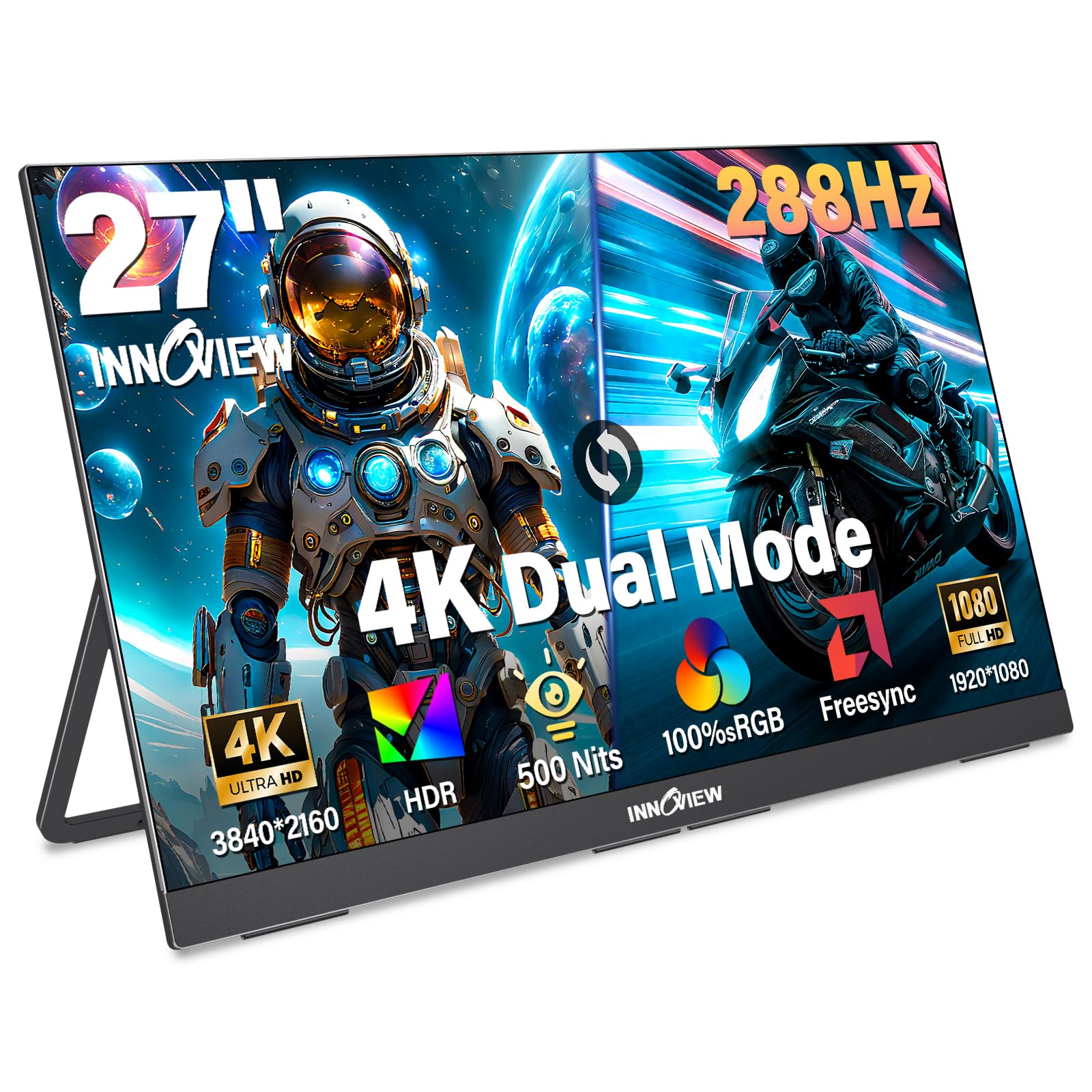
The InnoView 27-inch Dual Mode monitor offers a unique proposition: it is technically portable but heavy enough (9.5 lbs) that it works best as a semi-permanent secondary display rather than a daily travel companion. The dual-mode panel switches between 4K at 120Hz for creative work and Full HD at 288Hz for competitive gaming, giving you flexibility in one panel.
The IPS screen delivers 100% sRGB coverage and 500 nits brightness, making it bright enough for use near windows or in well-lit rooms. HDR support with DC dimming and AI-enhanced rendering helps preserve details in highlights and shadows. Connectivity options include two full-function USB-C ports and one HDMI port, with plug-and-play compatibility for laptops, PCs, smartphones, and consoles.
Built-in dual speakers provide decent audio for casual media consumption, and the 3.5mm audio jack supports external headphones. The 180° adjustable kickstand and VESA mount support (100x100mm) provide flexible placement options. Customer support reviews are strong, with one user reporting a same-day replacement for a failed unit after 10 months of use.
Why it’s great
- Dual Mode offers 4K 120Hz or FHD 288Hz flexibility
- 500 nits brightness for use in well-lit environments
- Excellent customer support with rapid replacements
Good to know
- 9.5 lbs weight limits true portability
- Requires external power adapter — not bus-powered
FAQ
Can I run 4K at 120Hz with an HDMI 2.0 cable?
Why does my 4K 120Hz monitor show only 60Hz in Windows settings?
Is 120Hz enough for competitive gaming at 4K?
Final Thoughts: The Verdict
For most users, the 120 hz 4k monitor winner is the LG 27G810A-B because it delivers the best balance of speed, color accuracy, and Dual Mode flexibility without breaking the bank. If you want deeper blacks for HDR content and professional color work, grab the Dell UltraSharp U2725QE. And for competitive gamers who demand the highest frame rates at 4K, nothing beats the ASUS ROG Swift PG32UCDM with its 240Hz QD-OLED panel and comprehensive burn-in warranty.