
Most people waste money on a tablet for reading, then spend months fighting glare, eye strain, and battery anxiety. An affordable e-reader solves all three with a single piece of specialized hardware: a glare-free E Ink screen that sips power and delivers sharp text under any light.
I’m Min — the co-founder and writer behind Gadgets Feed. I’ve spent hundreds of hours cross-referencing E Ink display tech, battery metrics, and real-world user feedback to separate the devices that genuinely enhance reading from those that just look good on paper.
After analyzing dozens of models across multiple price tiers, I’ve compiled the definitive list of the best affordable e-reader models that deliver premium reading features without the premium price tag.
How To Choose The Best Affordable E-Reader
Choosing an affordable e-reader means prioritizing the display technology and storage capacity over flashy extras. The most critical spec is the pixel density — 300 PPI delivers sharp, book-grade text that mimics printed paper, while lower-resolution screens look fuzzy when reading small fonts. Battery life varies wildly depending on whether the device runs a custom OS (Kindle, Kobo) or a full Android framework, so decide how often you want to charge.
The Right Display for Your Eyes
E Ink Carta glass with a dedicated front light is non-negotiable. A front light illuminates the screen surface evenly without shining light into your eyes like a phone or tablet backlight. Models with adjustable color temperature let you shift from cool daylight to warm amber tones at night, reducing blue light exposure that disrupts sleep.
Storage and File Support
16 GB holds up to 12,000 books without audiobooks, but 8 GB can fill up fast if you load comics or PDFs. If you own books from multiple stores, choose a device with wider format support (EPUB, MOBI, PDF) or an open Android OS that lets you install reading apps directly. Otherwise, stick with the ecosystem that matches your existing library.
Quick Comparison
On smaller screens, swipe sideways to see the full table.
| Model | Category | Best For | Key Spec | Amazon |
|---|---|---|---|---|
| Kindle Paperwhite 16GB | Premium | Waterproof reading anywhere | 7″ display, 300 PPI, IPX8 | Amazon |
| Kobo Libra Colour | Premium | Color comics and note-taking | 7″ Kaleido 3, 32GB, IPX8 | Amazon |
| Kindle 16GB (2024) | Mid-Range | Lightest compact reader | 6″ display, 300 PPI, 16GB | Amazon |
| Kobo Clara BW | Mid-Range | Open ecosystem and library books | 6″ Carta 1300, 16GB, IPX8 | Amazon |
| Neo 64GB+2GB | Mid-Range | Android flexibility with Google Play | 6″ 300 PPI, 64GB, Android OS | Amazon |
| PocketBook Verse Lite | Mid-Range | Extreme format compatibility | 6″ E Ink Carta, 8GB, 25+ formats | Amazon |
| PocketBook Basic Lux 4 | Budget | Value with microSD expansion | 6″ E Ink Carta, 8GB, MicroSD | Amazon |
| Barnes & Noble Nook Glowlight 4 | Budget | Physical page-turn buttons | 6″ 300 PPI, 32GB, page buttons | Amazon |
| Fire HD 8 (Like-New) | Value | Multimedia tablet for reading and streaming | 8″ LCD, 3GB RAM, 32GB | Amazon |
In‑Depth Reviews
1. Amazon Kindle Paperwhite 16GB (newest model)

The Kindle Paperwhite remains the benchmark for dedicated reading hardware. Its 7-inch 300 PPI glare-free display delivers crisp text with 25% faster page turns than the previous generation, and the adjustable warm light lets you shift from cool daylight to amber tones for nighttime reading without blue light interference. The IPX8 waterproof rating means you can read poolside or in the bath without worry.
This is the first Paperwhite with USB-C charging, and the battery life stretches to 12 weeks on a single charge — enough for several long novels without reaching for a cable. The 16 GB storage holds roughly 12,000 books, and the Kindle ecosystem gives you instant access to over 15 million titles plus Kindle Unlimited subscriptions.
What sets this apart from cheaper options is the combination of waterproofing, warm front light, and Amazon’s library integration via Libby. It’s the most versatile single device for readers who want premium features at a mid-range price, though the touchscreen can occasionally register accidental link taps during one-handed reading.
Why it’s great
- Waterproof IPX8 for worry-free reading near water
- Adjustable warm front light reduces eye strain at night
- 12-week battery life on a full charge
Good to know
- Touch controls can trigger accidental link clicks
- Power button placement may cause accidental presses
2. Kobo Libra Colour

The Kobo Libra Colour brings color E Ink to the affordable segment with its 7-inch Kaleido 3 display. Colors are intentionally muted — this isn’t an LCD replacement — but book covers, comics, and illustrations gain meaningful context that black-and-white screens can’t deliver. The ergonomic design with physical page-turn buttons and auto-rotation makes one-handed reading genuinely comfortable for extended sessions.
With 32 GB of storage, you can carry up to 24,000 eBooks or 150 audiobooks. The IPX8 waterproof rating matches the Kindle Paperwhite, and Kobo’s open approach to file formats supports EPUB, PDF, MOBI, and even CBR comics directly without conversion. The built-in OverDrive integration lets you borrow library books wirelessly, and the Kobo Stylus 2 compatibility (sold separately) turns the device into a color notation tool for PDFs and journals.
The color panel has a slightly lower contrast than monochrome E Ink screens, so serious text-only readers may prefer a pure black-and-white device. Battery life is still measured in weeks but takes a hit during heavy color use, dropping to around 75 percent after 8.5 hours of reading. It’s the best choice for those who want color without switching to a backlit tablet.
Why it’s great
- Color E Ink for comics and illustrated books
- Physical page-turn buttons with auto-rotation
- Open file format support and OverDrive library access
Good to know
- Color image quality is muted compared to LCD
- Battery drains faster with heavy color content
3. Amazon Kindle 16 GB (newest model)

The 2024 Kindle is the lightest and most compact model Amazon has ever produced at just 158 grams. The 6-inch 300 PPI display now offers 25% brighter front lighting at max setting, making it genuinely usable in full sunlight, and the higher contrast ratio makes text appear sharper against the white background. It fits easily into a jacket pocket or small purse.
Battery life reaches up to 6 weeks on a single charge, and the 16 GB storage holds thousands of books. This Kindle uses 75% recycled plastics and 90% recycled magnesium for the chassis, making it a more sustainable choice than most electronics. The distraction-free interface — no notifications, no social media — helps you stay focused on reading.
The trade-off for the ultra-light weight is the lack of warm light adjustment and waterproofing. You get a single-tone front light, not the amber-shifting system found on the Paperwhite. For readers who prioritize portability above all else and rarely read near water, this is the most travel-friendly affordable e-reader available.
Why it’s great
- Lightest Kindle ever at 158 grams — disappears in your hands
- 25% brighter front light for sunlight reading
- 5+ week battery life on a single charge
Good to know
- No warm light adjustment for nighttime reading
- Not waterproof — keep away from pools and baths
4. Kobo Clara BW

The Kobo Clara BW punches well above its price class by including an IPX8 waterproof rating — a feature typically reserved for premium readers. The 6-inch E Ink Carta 1300 display offers excellent contrast and fast page turns, and ComfortLight PRO lets you adjust both brightness and color temperature to reduce blue light exposure at night. Dark Mode inverts the screen for reading in pitch-black rooms.
At under 175 grams, the Clara BW is nearly as portable as the basic Kindle, but it supports EPUB and PDF natively without conversion. The OverDrive integration connects directly to your local library, letting you borrow and return books wirelessly — no computer needed. Bluetooth support for audiobooks through Kobo’s ecosystem adds versatility, and the 16 GB storage holds up to 12,000 eBooks.
The interface can feel slightly slower than Kindle’s in menu navigation, but reading performance is smooth once you’re inside a book. The lack of physical page-turn buttons means you rely entirely on touch, which can be less comfortable during extended one-handed sessions. For library borrowers and readers who want waterproofing without paying Paperwhite prices, this is the best budget-friendly waterproof option.
Why it’s great
- IPX8 waterproof at a mid-range price point
- ComfortLight PRO with adjustable color temperature
- OverDrive library integration and Bluetooth for audiobooks
Good to know
- Menu navigation can be sluggish
- No physical page-turn buttons
5. Neo 64GB+2GB eBook Reader
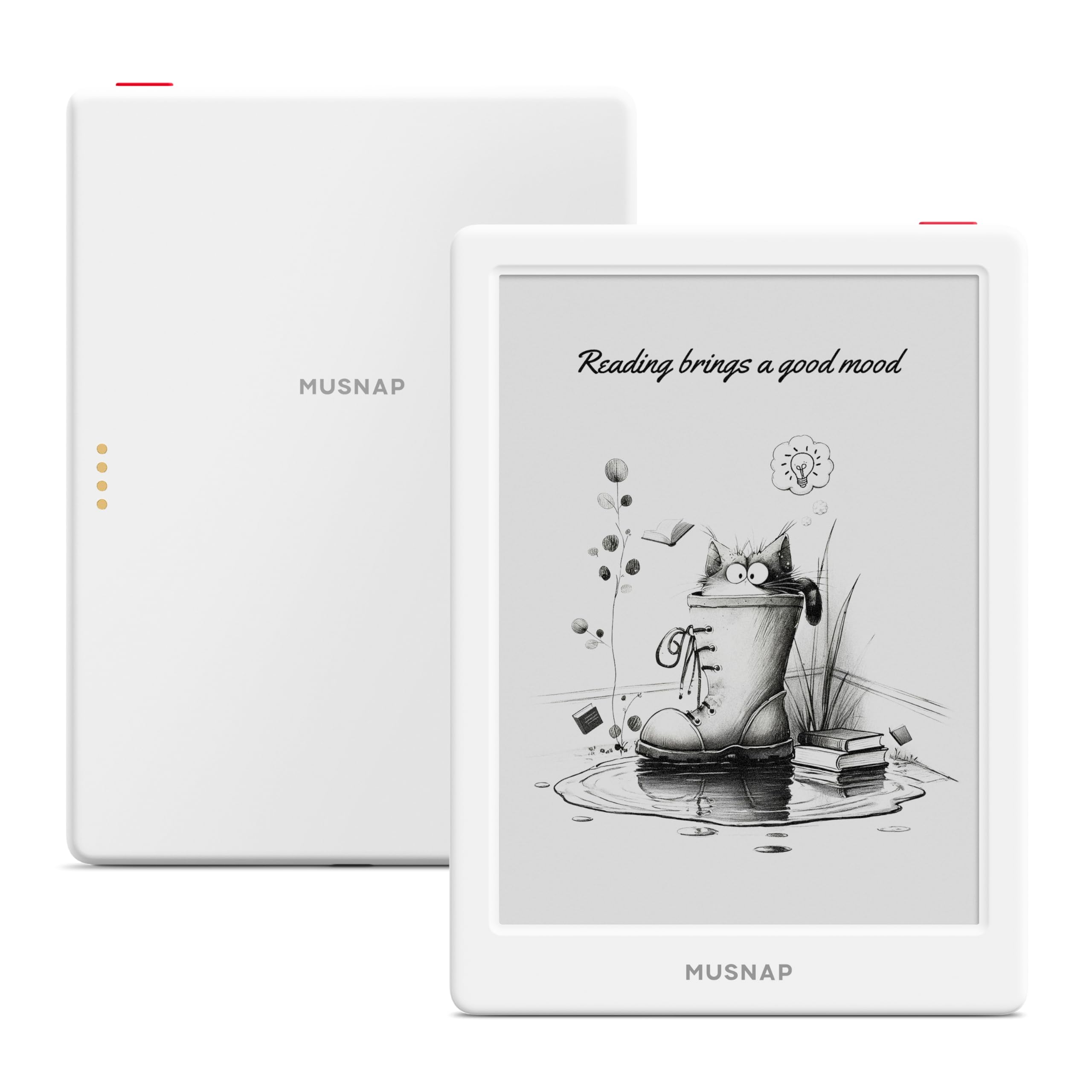
The Neo reader breaks the closed-ecosystem mold by running a full Android OS with Google Play Store access. This means you can install the Kindle app, Kobo app, Libby, Nook, or any other reading app directly onto the device, giving you access to every major book ecosystem in one unit. The 6-inch 300 PPI E Ink display with auto-adjusting front light maintains the eye-friendly reading experience while offering app flexibility.
With 64 GB of storage and 2 GB of RAM paired with a 2.0 GHz quad-core processor, this reader handles multitasking between apps better than most dedicated e-readers. The USB-C charging and Bluetooth connectivity add modern convenience, and the white chassis gives it a distinctive look compared to the sea of black readers. The adjustable color temperature and brightness respond to ambient light automatically.
The major risk is software stability — several users report devices bricking after system updates or shutdowns, and the company has disabled ADB recovery options, making unbricking impossible without a return. The Google Play setup is slightly hidden in the settings menu, and battery life drops noticeably when running multiple Android apps. It’s the most flexible option for multi-ecosystem readers, but only if you’re comfortable with some software roughness.
Why it’s great
- Full Android with Google Play — use any reading app
- 64 GB storage holds massive libraries and comics
- Auto-adjusting front light with color temperature
Good to know
- Risk of device bricking during system updates
- Battery life suffers with multiple Android apps running
6. PocketBook Verse Lite
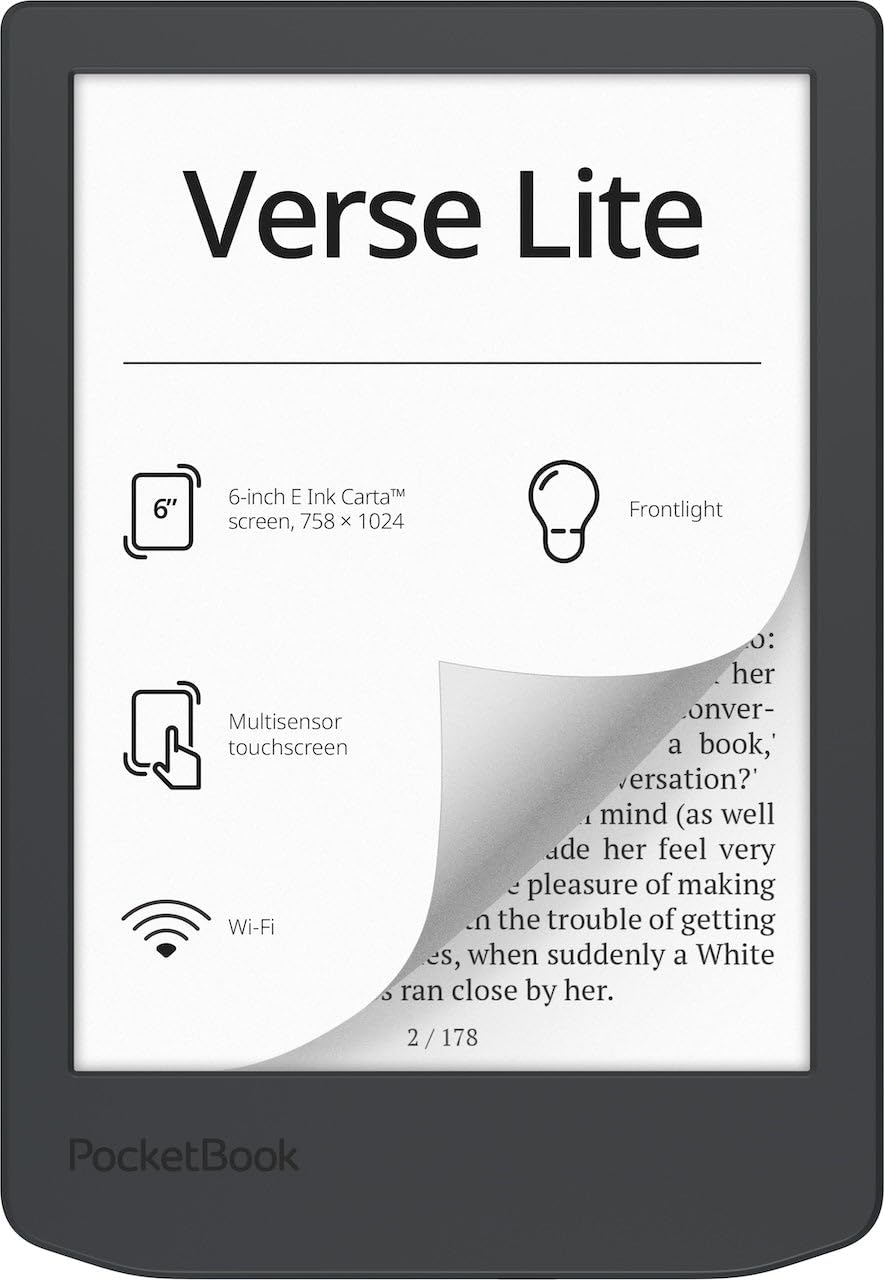
The PocketBook Verse Lite solves the format headache with support for over 25 file types including EPUB, MOBI, PDF, DOCX, and even Adobe DRM-protected library books. This makes it the best choice for readers who own books from multiple stores and don’t want to mess with format conversion. The 6-inch E Ink Carta touchscreen is glare-free and offers a built-in frontlight for low-light reading.
Battery life is advertised at up to two months between charges, and the 8 GB internal storage can be supplemented via cloud connectivity. The Verse Lite is ad-free — no lock-screen promotions or store suggestions — and the interface lets you remove the PocketBook store entirely for a pure reading environment. Wi-Fi and cloud sync keep your library updated across devices.
Performance feedback is mixed: some users love the format flexibility and library borrowing support, while others report screen flickering and sluggish navigation that borders on unusable. The device lacks physical buttons, relying entirely on touch input, and third-party case availability is limited. The open format support is unmatched at this price, but the software polish lags behind Kindle and Kobo.
Why it’s great
- Native support for 25+ formats including Adobe DRM
- Ad-free interface with removable store
- Cloud sync and Wi-Fi for library management
Good to know
- Screen flickering reported by some users
- Sluggish menu navigation compared to competitors
7. PocketBook Basic Lux 4
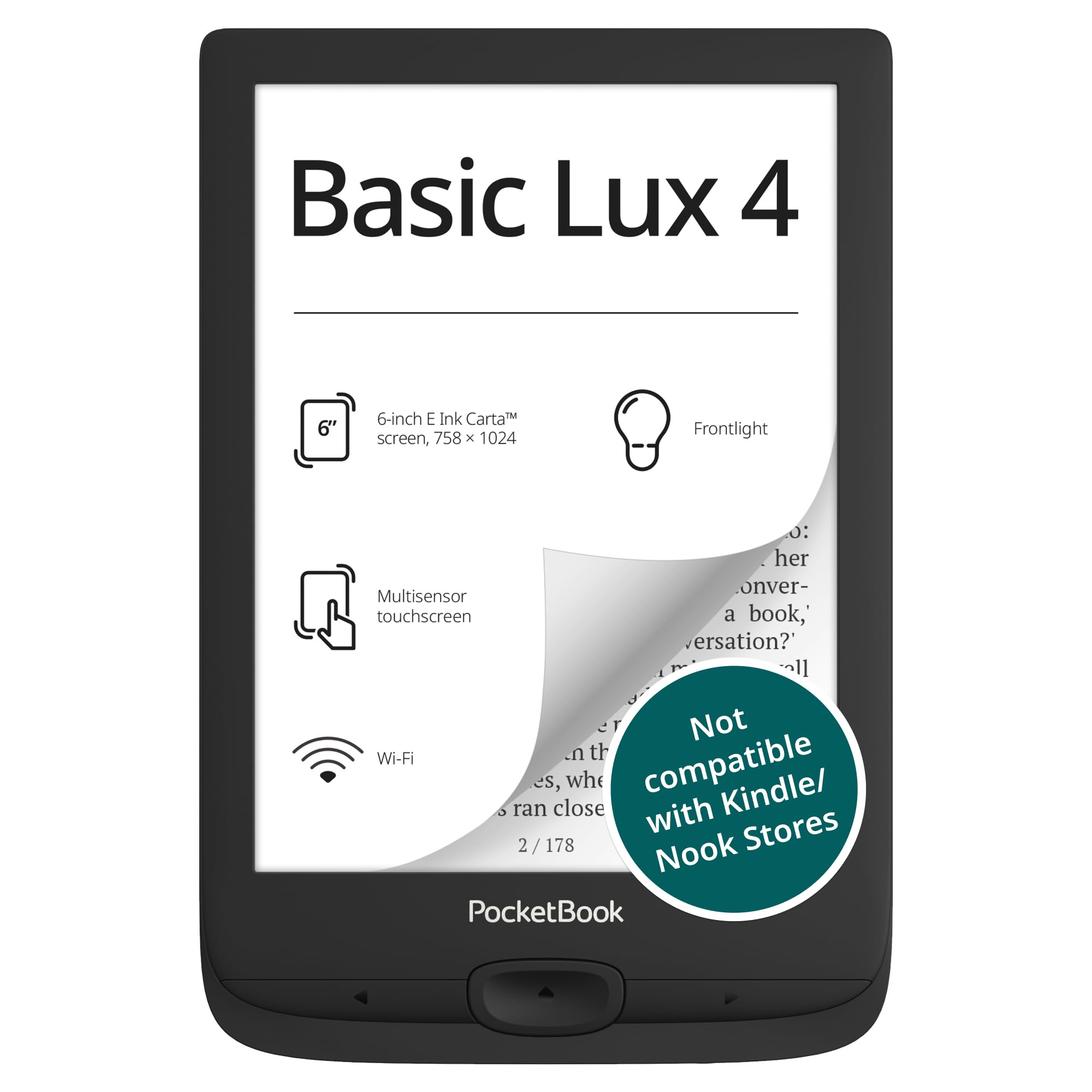
The PocketBook Basic Lux 4 is one of the few affordable e-readers with a microSD card slot, letting you expand storage cheaply beyond the built-in 8 GB. The 6-inch E Ink Carta display with frontlight provides comfortable reading in any environment, and the ultra-light 155-gram design makes it one of the most portable options available — easily held for hours without fatigue.
Format support is wide, covering EPUB, PDF, MOBI, FB2, and even comic formats like CBZ and CBR. The ergonomic buttons on the side give you physical page-turn control without reaching across the touchscreen, and the customizable menus let you arrange your most-used functions. The USB-C charging is a welcome modern addition.
The build quality feels noticeably cheaper than Kindle or Kobo options — several users report screen breakage from falls as short as 12 inches even with a protective case. The software can be quirky, with a long-press page-skip feature that’s enabled by default and takes time to disable. Performance is adequate for basic reading but slows down noticeably with large PDFs or library browsing. The expandable storage is a genuine advantage if you have a massive EPUB collection.
Why it’s great
- MicroSD card slot for cheap storage expansion
- Physical page-turn buttons with customizable menus
- Ultra-light 155g design for fatigue-free reading
Good to know
- Fragile build — screen can break from short drops
- Default long-press page skip is annoying until disabled
8. Barnes & Noble Nook Glowlight 4

The Nook Glowlight 4 brings physical page-turn buttons to a compact 6-inch form factor — a feature that makes one-handed reading dramatically more comfortable than pure touchscreen devices. The 300 PPI display delivers crisp text, and the scratch-resistant lens with anti-glare coating ensures the screen stays readable for years. The soft-touch finish feels premium in hand and provides a secure grip during long sessions.
With 32 GB of storage, this Nook holds roughly 24,000 books, giving you more space than most competitors at this price. The warm amber backlight is gentler on eyes than cool-toned lights, and the battery lasts for weeks on a single charge. The smaller bezels with side buttons make it easy to hold without covering the screen.
The major reliability concern is that some units fail after about a year, with the screen freezing and not responding to power button resets. Forcing a factory reset may erase your library. The Nook ecosystem is also less robust than Kindle or Kobo — you can’t borrow library books wirelessly via Libby, and you’ll need a computer to sideload EPUB files. It’s a great device for physical button enthusiasts who are comfortable with some ecosystem limitations.
Why it’s great
- Physical page-turn buttons for effortless one-handed reading
- 32 GB storage — holds up to 24,000 books
- Warm amber backlight is gentle on eyes
Good to know
- Some units experience screen freezing after extended use
- No wireless library book borrowing — sideloading required
9. Like-New Amazon Fire HD 8 tablet

The Fire HD 8 is not a dedicated e-reader — it’s an LCD tablet that happens to work well for reading — but its low price and versatility make it a contender for budget-conscious buyers. The 8-inch HD display is larger than any dedicated e-reader screen, and the 3 GB RAM with 32 GB storage (expandable to 1 TB via microSD) handles streaming, gaming, and web browsing alongside reading. The 13-hour battery life covers a full day of mixed use.
The Like-New refurbished version is tested and certified to work like new, coming with the same limited warranty as a brand-new device. The 5MP rear camera handles document scanning and quick photos, and Alexa integration adds voice control for smart home devices. You can download Kindle, Nook, Libby, and other reading apps from Amazon’s Appstore.
The LCD screen causes more eye strain than E Ink for extended reading sessions, and the lack of Google Play support means you’re limited to Amazon’s Appstore — no official Chrome, Gmail, or many standard Android apps. The 13-hour battery is short compared to weeks-long e-reader batteries. It’s a great value for someone who wants a tablet that can also read books, but not for someone whose primary activity is reading.
Why it’s great
- 8-inch LCD screen is larger than any dedicated e-reader
- Expandable storage up to 1 TB for media and books
- Versatile tablet for reading, streaming, and web browsing
Good to know
- LCD screen causes more eye strain than E Ink
- No Google Play — limited to Amazon’s Appstore
FAQ
Can I read library books on an affordable e-reader?
How much storage do I need for books vs comics?
Does the front light drain the battery significantly?
Final Thoughts: The Verdict
For most users, the best affordable e-reader winner is the Amazon Kindle Paperwhite 16GB because it combines waterproofing, adjustable warm light, and the most mature ebook ecosystem at a price that undercuts most premium alternatives. If you want open file format support and library borrowing without a computer, grab the Kobo Clara BW. And for multi-ecosystem flexibility with Google Play app access, nothing beats the Neo 64GB+2GB Reader.