
Our readers keep the lights on and my morning glass full of iced black tea. As an Amazon Associate, I earn from qualifying purchases.
Specs are compiled from manufacturer listings and verified buyer reviews and can change over time — please confirm the key details on the product page before buying.
If your 2015 MacBook shut itself off at 30% today, or the trackpad suddenly stopped clicking flat, you do not need a new laptop. The battery inside those machines swells, loses capacity, and drags the whole computer down with it — and a replacement cell costs a fraction of a new Mac.
I’m Min — the founder and writer behind Gadgets Feed. This guide is built by comparing the manufacturers’ published specifications and the patterns across verified customer reviews, so you get each pick’s real strengths and trade-offs instead of marketing spin.
What matters most is matching the exact model number, then picking a cell with honest capacity and a kit that actually includes the right screwdrivers. Below you will find the best 2015 MacBook battery for every 13-inch and 15-inch Retina build.
Our Picks at a Glance


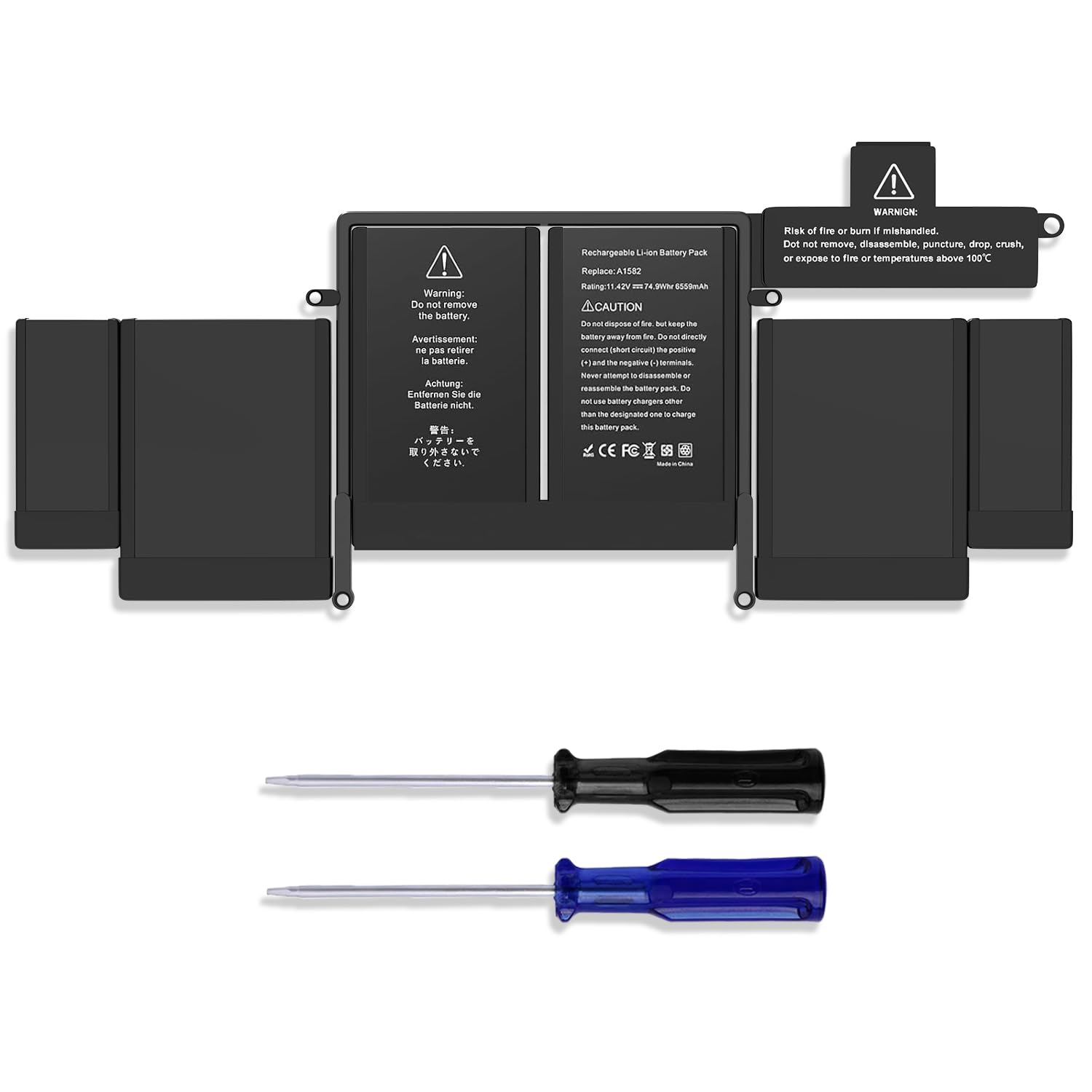
How To Choose The Best 2015 MacBook Battery
Buying a replacement cell for a 2015 MacBook is really two decisions: getting the model number exactly right, then choosing a battery whose real capacity and included tools suit how you plan to install it.
Match your model number before anything else
Every 2015 MacBook Pro carries its own battery part number. The 13-inch Retina uses the A1502 chassis and takes A1493 or A1582 cells, while the 15-inch Retina takes A1398, A1494, or A1618 batteries. Open “About This Mac” and confirm yours before you buy, because a 15-inch battery will not seat in a 13-inch shell.
Understand capacity in watt-hours and milliamp-hours
Watt-hours (Wh) measure total energy the pack stores — the bigger the number, the longer you run unplugged. Milliamp-hours (mAh) measure charge at a given voltage, and capacity claims range widely across these kits. A pack that advertises roughly 74.9Wh is a full-size 13-inch cell, while the 15-inch sizes run higher.
Decide how much install help you want
These batteries are glued in, so the kit matters. Some bundles throw in screwdrivers and a pry bar, others add spudgers, adhesive sponges, and a printed guide. If you have never opened a Mac, the quality of the instruction manual can matter as much as the cell itself.
Quick Comparison
| Model | Best For | Capacity | Voltage | Fits | Amazon |
|---|---|---|---|---|---|
| PlxMxr A1618★ Best Overall | Best Overall | — | 11.26 V | 15″ Mid 2015 | Amazon |
| Techowl A1493/A1582Budget 13-Inch Pick | Budget 13-inch pick | 71.28Wh / 6600 mAh | 11.36 V | 13″ 2013–2015 | Amazon |
| Dentsing A1582Most Reviewed | Most reviewed | 74.9Wh / 6559 mAh | 11.42 V | 13″ 2013–2015 | Amazon |
| ASUNCELL A1582 | Certified safety pick | 74.9Wh | 11.42 V | 13″ 2013–2015 | Amazon |
| Bituli A1618 | 15-inch budget option | 99.5Wh / 8755 mAh | 11.36 V | 15″ 2013–2015 | Amazon |
| ASUNCELL A1618 | Top-rated 15-inch pick | 99.5Wh / 8755 mAh | 11.36 V | 15″ Mid 2015 | Amazon |
| SeaPlant A1493/A1582 | Premium 13-inch pick | 79.4Wh / 7000 mAh | 11.34 V | 13″ 2013–2015 | Amazon |
| iFixit A1582 Kit | Guided repair kit | 6230 mAh or greater | — | 13″ Early 2015 | Amazon |
| iFixit A1618 Kit | Premium 15-inch kit | 8800 mAh / 99 Wh | 11.26 V | 15″ Mid 2015 | Amazon |
In‑Depth Reviews
1. A1398 Battery Replacement Compatible with Apple MacBook Pro 15″ Retina A1398 A1494 A1618
Our pick — over 4.5★ from 70+ verified ratings; the strongest balance of quality and price.
The 15-inch Retina cell that ships with the printed guide most rival kits leave out.
PlxMxr’s A1618 replacement is the pick if your 15-inch Retina MacBook Pro needs a fresh cell and you want clear written directions in the box. Plenty of these batteries arrive with no readable guide, which turns a straightforward swap into guesswork. Here you get a step-by-step manual, and since these packs are glued in, that paperwork earns its keep.
What wins people over is battery quality — it is comfortably the most-praised trait in this pick’s feedback. Fit lands second among positive themes, and owners describe seating the pack cleanly into the 15-inch bay. One buyer reports 8952mAh after 7 conditioning cycles, above the original 8600mAh. Another notes the pack is slightly smaller than the factory cell, so you position it carefully before the connector lines up.
The honest catch is how long it actually runs: buyer feedback is mixed, with some owners reporting strong runtime and others saying the pack settles around 75% of its rated capacity. Run a few full charge-and-discharge cycles before you judge it, because capacity often climbs once the cell calibrates. Two of the three real specs also line up with the 15-inch family: 11.26V here versus 11.36V on the A1502 packs above, and at 150 g this pack is lighter than the 530 g bundled weight of the Techowl kit below.
The case for it
- Printed step-by-step manual included — rare at this tier
- Lithium-polymer cell rated at 11.26V
- Battery quality is the strongest theme in owner feedback
- Buyers report capacity above the original after conditioning
Where it fends for itself
- Battery life feedback is mixed — some settle near 75% capacity
- Pack runs slightly smaller than the OEM cell, so alignment takes care
- You supply the alcohol and paper towels for adhesive cleanup
Right for you if: you own a Mid 2015 15-inch Retina MacBook Pro and want a printed guide alongside the cell.
Look elsewhere if: you need the absolute highest-capacity 15-inch pack — the 99.5Wh options further down carry more.
2. Techowl A1502 Battery Replacement for MacBook Pro 13-inch Retina
A 6600mAh 13-inch cell that undercuts the premium kits without skimping on basic tools.
The Techowl kit suits the DIY owner reviving an Early 2015, Mid 2014, or Late 2013 13-inch Retina on a tighter budget. Its cell is rated at 6600mAh and 71.28Wh at 11.36V — the voltage that runs fractionally higher than the 11.26V PlxMxr pack in the top spot. It is a value option, so free from premium kit pricing, and it still arrives with two screwdrivers packed in.
Value for money is the standout theme in owner feedback. Installation splits opinion: many describe the swap as extremely easy, while a few mention the plug tab and frame design giving trouble, and the recurring warning is the fragile trackpad and keyboard cable. One buyer learned that the hard way — a first battery dropped from 6559 to 5917 mAh in days, but the vendor replaced it quickly.
Because that 530 g kit weight is the heaviest single pack in this roundup — a touch heavier than the 300 g ASUNCELL A1618 further down — plan on giving yourself a solid afternoon for the swap. Battery life is honestly mixed here too; some owners get weeks of steady performance, others land nearer three hours. Do not drain the new cell to zero before charging.
What owners praise: the value. It is the clearest positive theme in this kit’s feedback, and for the price you get a real 71.28Wh pack plus installation screwdrivers.
3. Dentsing A1582 A1502 MacBook Pro 13-inch Battery Replacement
74.9Wh in a 13-inch shell, with hundreds of buyers already through the install.
Dentsing’s A1582 is the 13-inch option to study if you want the broadest real-world track record before you commit. It holds a 74.9Wh and 6559mAh rating at 11.42V — a full-size 13-inch cell, and the same watt-hour figure the ASUNCELL 13-inch kit carries just below. It fits the Early 2015, Mid 2014, and End 2013 Retina 13-inch, and the included manual covers the process.
Buyers rate the value and the fit highly, and that pairing is the strongest thing going for this pack — a cost-effective route that seats cleanly. The instruction booklet draws mixed response, with some finding it hard to follow, and battery life is genuinely a split bag across the reviews. Tool quality and battery durability sit as the least-liked themes, so treat the bundled drivers as a convenience rather than workshop-grade gear.
You also get a 30-day refund and a 12-month warranty, which runs past the standard Amazon return window, so a problem months in still gets a fix as long as you contact the seller directly. If you would rather buy a kit that names its UL and CE safety certifications (independent safety standards for electrical goods) up front, the ASUNCELL 13-inch review below spells those out by name.
The buyer’s safety net: a 12-month warranty with a 30-day refund window, handled by contacting the seller store directly rather than through Amazon’s standard one-month return. That is a rare level of cover at this tier.
4. ASUNCELL A1502 A1582 Laptop Battery for MacBook Pro 13-inch Retina
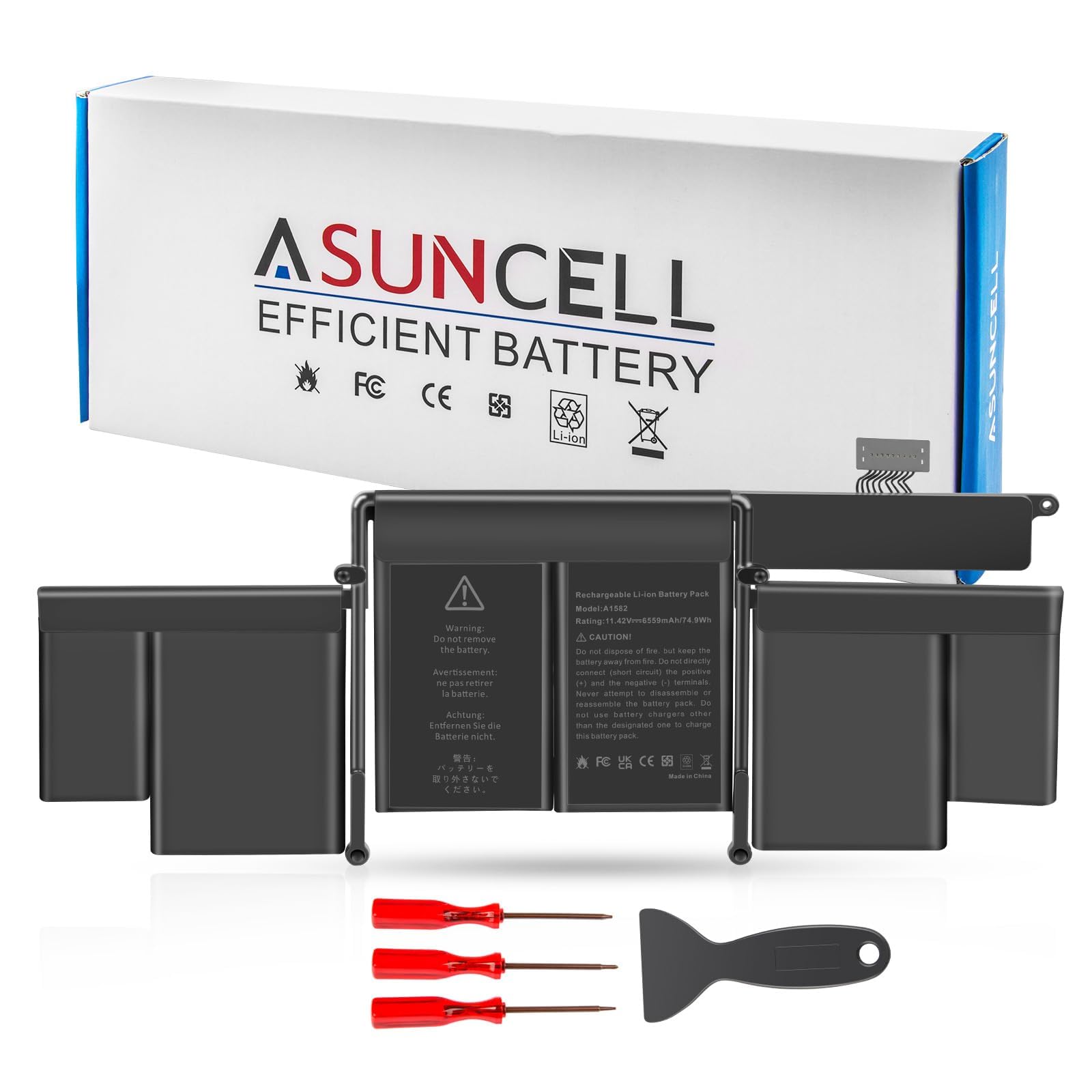
A 6-cell 74.9Wh pack that wears its UL, CE, FCC, and RoHS certifications openly.
This ASUNCELL 13-inch option is for the buyer who wants a full-size 74.9Wh, 11.42V cell with named safety approvals behind it. The pack is a 6-cell, 500-cycle design rated for roughly 1.5 to 3 hours of operation, and it is certified to UL, CE, FCC, and RoHS for short circuit, overheat, and overload protections. If a visible paper trail matters when you are sealing a lithium pack inside a machine you use daily, this is the one that shows it.
At 365 g, this pack is the same ~3x-leaner conversation as the 300 g ASUNCELL A1618 in the 15-inch section — both far lighter than the front-loaded, 530 g Techowl kit. Owners find the fit for the 13-inch chassis clean, and quality is the highest-praised aspect in its feedback. Capacity honesty comes up too though: while some say it holds a charge decently, others report it charging only to 64%.
The part to brace for is installation. ASUNCELL includes screwdrivers and pry bars, yet owners describe the job as a mix of straightforward and genuinely fiddly, and the manual is thin. If you are a complete beginner with no repair experience, budget extra time and watch a teardown video first. Owners who have done the swap once report the cell brings an uncooperative MacBook back into usable shape.
Arguments in its favour
- 74.9Wh, 11.42V, 6-cell Li-ion design
- Certified to UL, CE, FCC, and RoHS for safety
- Free screwdrivers and crowbars included
- 12 months warranty and 24/7 email support
Friction to expect
- Installation feedback lands mixed — the manual is thin
- A few owners mention the pack charging only to 64%
- Roughly 1.5 to 3 hours of quoted operation time
Good for: anyone who wants certified safety credentials on a full-size 13-inch cell without paying premium kit money.
Poor fit for: first-time repairers who need hand-holding — the instructions here are minimal.
5. Bituli A1618 Laptop MacBook Pro Battery for 15-inch Retina A1398
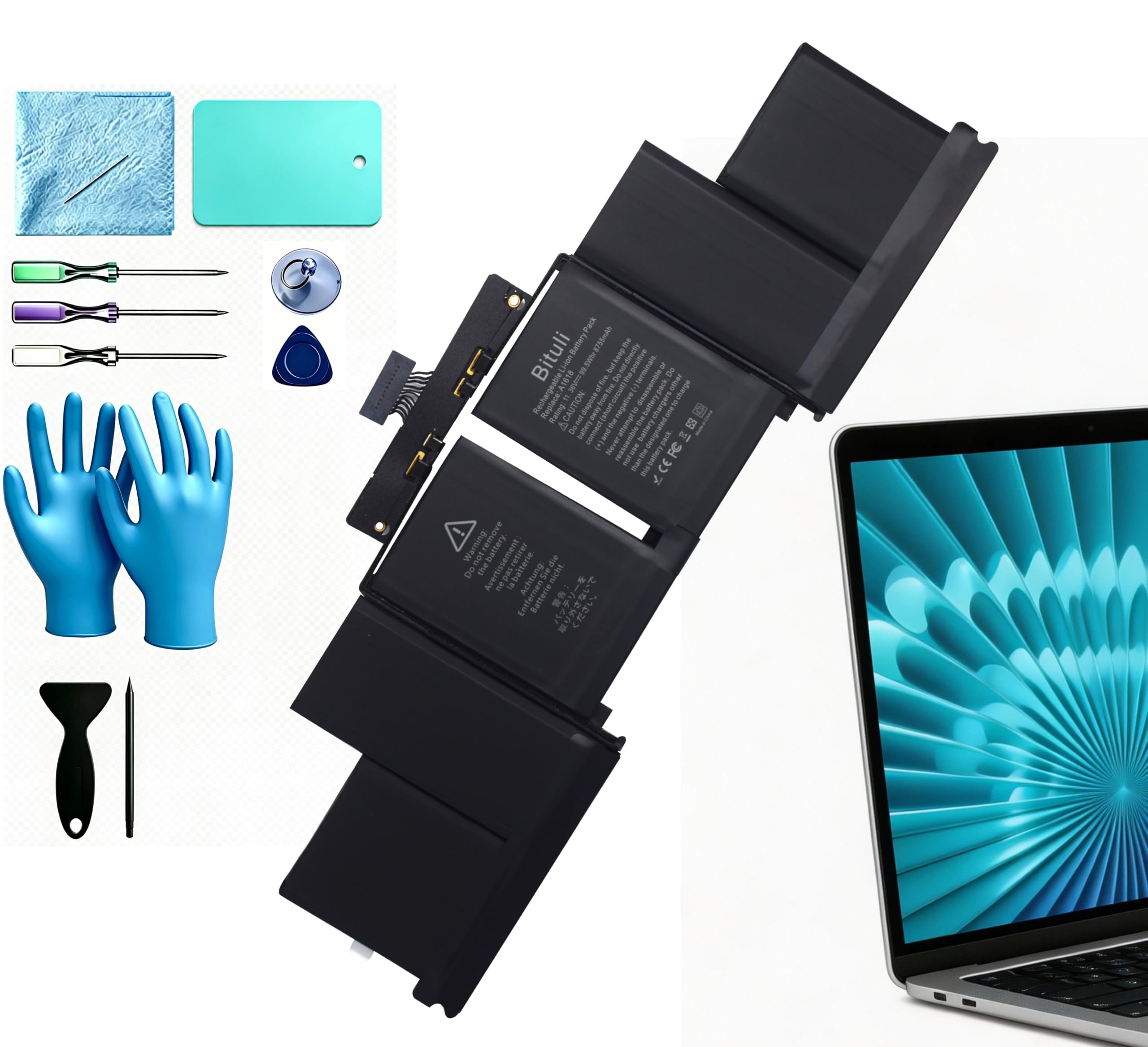
A 99.5Wh 15-inch cell with a full tool set, but the tools stub their toe.
For 15-inch Retina owners on a budget, this Bituli A1618 pitches a big 99.5Wh, 8755mAh, 4-cell pack at 11.36V — the same voltage that sits midway between the 11.26V and 11.42V picks on this list. It fits the Late 2013, Mid 2014, and Early 2015 15-inch Retina, and it comes with a disassembling tool set, a sponge, and a user manual. That listed capacity is the top figure in this roundup’s 15-inch group.
Installation is the strongest theme in its feedback — owners find the swap straightforward and like having the tools in the box. One buyer’s Coconut Battery readout showed 8100mAh, up from the 1780mAh their old cell had fallen to. Capacity like that is exactly why people replace these batteries instead of the laptop.
Here is the catch that keeps this from being the top 15-inch pick: those included tools get called out as trash. The screwdrivers reportedly do not seat properly against Apple’s P5 Pentalobe and Torx T5 screws, and the pry tools are metal when you want plastic for the glued-down battery. Battery life feedback is also genuinely mixed. Order a decent precision driver set alongside this pack so the tools are not the thing that decides whether your repair succeeds.
What owners keep saying: installation — having the tool set and a manual together makes the job approachable, and it is the clearest positive theme in its reviews.
6. ASUNCELL A1398 MacBook Pro 15-inch Retina Battery Replacement
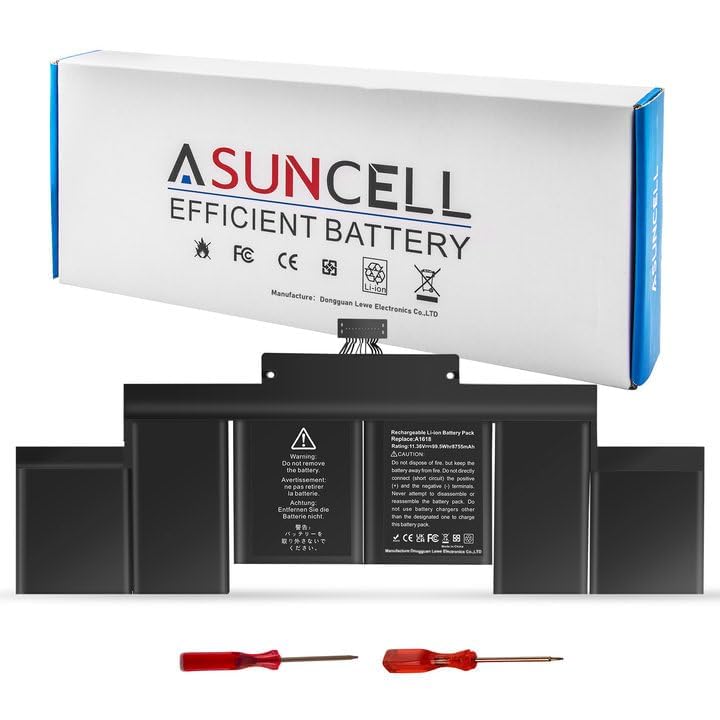
The 15-inch pack with the strongest owner satisfaction record in this roundup.
If you want the 15-inch Retina battery that makes buyers happiest, this ASUNCELL A1398 is it. Its 8755mAh and 99.5Wh rating at 11.36V matches the Bituli pack in the value spot, but the material list is the standout here: at 300 g, it is the most compact 15-inch pack on the list. It covers the Late 2013, Mid 2014, and Mid 2015 15-inch Retina and carries the same UL, CE, FCC, and RoHS certification as its 13-inch sibling.
Owner feedback here is unambiguously warm, with battery quality and performance tied as the co-most-praised themes. The Coconut Battery readouts are the real story. One owner reports 104% health after 186 cycles and a year of use, and another says it arrived precharged around 55% and charged quickly to a full 100% health reading. For a laptop battery, that is the kind of number that tells you the pack aged honestly.
Verify your model carefully before buying — the listing stresses checking your MacBook’s model number first, because this is the Mid 2015 15-inch chassis specifically. Customers note the swap is easy but time-consuming, and the included screwdrivers and spudger get the job done. If you would be tempted to skip the double-check on model number, do not; a 99.5Wh pack in the wrong machine helps no one.
Why it climbs the list
- 99.5Wh and 8755mAh at 11.36V
- Only 300 g — the lightest 15-inch pack here
- Reviewers point out 100% battery health from the start and 104% after a year
- Screwdrivers and spudger included in the box
Worth knowing before you buy
- Strictly for the Mid 2015 15-inch Retina — model check is non-negotiable
- Installation is time-consuming even for confident hands
- Not the same watt-hour as the 13-inch kits, so a mix-up means it simply will not fit
Buy it if: you have a Mid 2015 15-inch Retina and want the pack with the best owner-reported health numbers.
Give it a pass if: your machine is a 13-inch — that shell takes the A1502 family instead.
7. SeaPlant A1502 Replacement Battery for MacBook Pro 13-inch
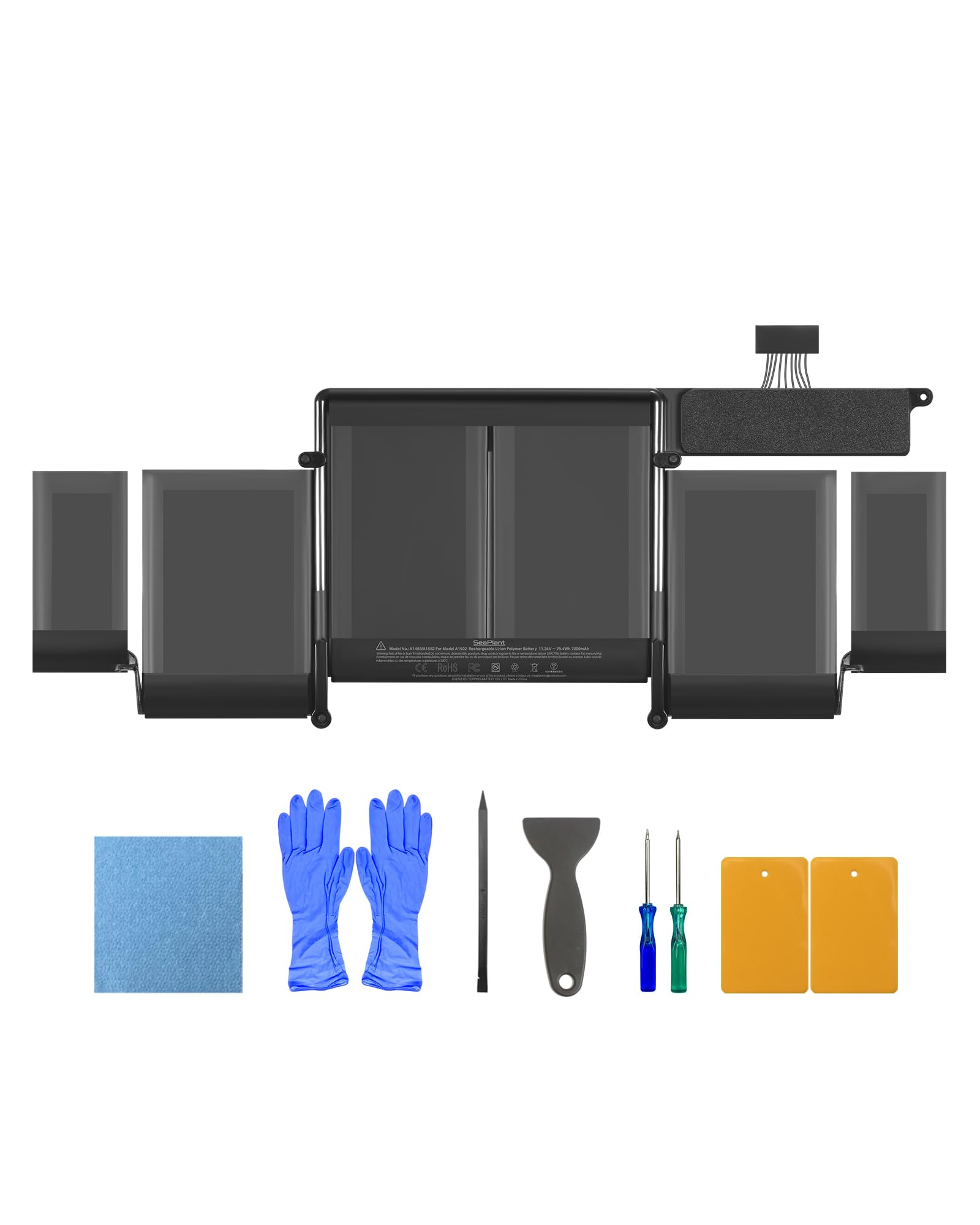
The highest-capacity 13-inch cell here, at 79.4Wh, for owners who want maximum runtime.
SeaPlant’s A1502 pack is the premium 13-inch answer for anyone who wants the biggest energy reserve in this group. Its 79.4Wh and 7000mAh at 11.34V beats the 74.9Wh figures the Dentsing and ASUNCELL 13-inch kits carry, and it comes with a full install handover: battery pack, tools, printed instruction, and a service manual. If runtime per charge tops your priority list, this is the pick that leads the 13-inch shelf on watt-hours.
Shoppers say a clean install with no gaps or rattles, and several say the pack handles long coding or video sessions without stuttering or running hot. A word of caution from the reviews: one buyer found a single screw hole misaligned by roughly 3mm, which is a genuine fit check worth doing before you commit the adhesive. Test-fit first, and you sidestep the whole problem.
One quiet detail that lifts this above the budget tier is the seller’s response when something goes wrong. When one buyer’s MacBook itself proved to be the power drain, the seller still sent fault-analysis steps and a refund offer. That is the kind of backup that matters when a battery swap does not immediately solve the problem, and it is what you are paying premium money for here.
For you if: the 13-inch Retina is your daily machine and you want the longest quoted runtime per charge.
Not for you if: you cannot test-fit before gluing — one owner hit a screw-hole alignment snag worth checking first.
8. iFixit A1502 A1582 Battery for MacBook Pro 13-inch Retina

A kit built around the step-by-step instructions, not just the cell.
iFixit’s 13-inch kit is for the owner who wants a documented installation as much as a working battery. The cell is confirmed to hold 6230 mAh or greater, the lowest guaranteed figure in this 13-inch group, but you are partly paying for the route rather than the raw capacity. Every tool needed for the DIY repair ships in the box, plus access to iFixit’s own online walkthrough and a 1-year warranty on the battery itself.
Installation is the aspect owners like best here, ahead of the included tools — a rare order when most kits are judged on the cell. The bundled screwdriver even carries three hidden tips, and owners who follow the online guide describe a smooth job. Be aware the instructions themselves are flagged as verbose by some; the consensus is that you lean on the website version for clarity, not just the printed notes.
The real trade-off at this tier is adhesion and battery life. Several owners note the adhesive is not as strong as the original, and a few report the pack shifting in the bay over time. Runtime feedback is mixed, with some finding it behaves exactly like the factory cell and others seeing it drain faster. iFixit’s 1-year guarantee covers a genuinely faulty unit, so a bad cell is a warranty conversation, not a dead end. Just know that this is the shortest-guaranteed-capacity pack in the 13-inch lineup.
Where the money goes: into the guided repair — the full tool set and iFixit’s online instructions are what separate this kit from a bare cell.
9. iFixit Battery for MacBook Pro 15-inch Retina (Mid 2015)

An 8800mAh 15-inch cell with a 1-year warranty and adhesive included.
At the very top of the 15-inch price tier sits iFixit’s A1618 kit. It pairs the highest milliamp-hour rating in this roundup — 8800mAh at 99Wh and 11.26V — with a 1-year battery warranty and installation adhesive in the box. It fits the Mid 2015 15-inch Retina specifically, and for anyone who wants the biggest name in repair parts behind the purchase, this is that option.
What the 15-inch section here can tell you is that this iFixit pack sits above the 99.5Wh ASUNCELL A1618 on milliamp-hours, even though the ASUNCELL slims down to 300 g against iFixit’s 1.3 lb kit weight. Buyers report arrival at around 70% charge and an easy install, with the confidence of a recognised repair brand behind it. For a lot of owners these alone justify the premium step up.
The honest caveat is that this tier is not immune to the odd bad cell. A few owners mention their pack failing inside a year, or dropping to a few hours of runtime, and if that happens you are relying on iFixit’s 1-year warranty for a replacement. That is the trade-off at the top of the market — you accept a higher entry cost in exchange for the strongest warranty backing and the name. skip it if the budget 15-inch options already cover your needs.
The reasons to pick it: the highest milliamp-hour figure in this roundup, backed by a recognised repair brand and a 1-year warranty.
Reasons to keep looking: you want the lightest 15-inch pack, or the lowest upfront cost — the ASUNCELL and Bituli A1618 options both cover that ground.
Understanding the Specs
Capacity — Watt-Hours and Milliamp-Hours
Capacity tells you how much energy the cell stores, so it predicts how many hours you get between charges. Watt-hours measure the total energy, while milliamp-hours measure charge at a given voltage — both appear in these listings. The 13-inch A1502 packs here sit around 74.9Wh, and the 15-inch A1618 packs reach 99.5Wh and 8800mAh. Bigger numbers mean longer unplugged runtimes, so compare like with like between the two chassis sizes.
Voltage and Cell Chemistry
Voltage must match the MacBook you own. The 15-inch batteries in this roundup are built around 11.26V to 11.36V, and the 13-inch cells at 11.42V — close enough within a family, but not interchangeable across sizes. Cell chemistry is lithium-ion or lithium-polymer. Both work; the difference is packaging, not a reason to choose one over the other here. What matters is matching the model number stamped on the pack you remove.
FAQ
Will an A1398 battery fit my 13-inch 2015 MacBook Pro?
How long does a replacement 2015 MacBook battery last on a charge?
Why does my replacement battery only show 80% or 64% health?
Do I need special tools to replace a glued-in MacBook battery?
Is it worth replacing the battery instead of buying a new laptop?
Can I replace the battery myself if I have never opened a Mac before?
What is the difference between the 74.9Wh and 99.5Wh battery packs?
How do I know which battery model my 2015 MacBook Pro takes?
Does replacing the battery fix a swollen trackpad?
Should I leave the new battery charging overnight to break it in?
Final Thoughts: The Verdict
For a 15-inch Mid 2015 MacBook Pro, the top pick is the PlxMxr A1398, which pairs a printed install manual with an 11.26V lithium-polymer cell (a rechargeable battery type common in laptops), and 4.6 stars across 70+ ratings backs that call. If you want the highest milliamp-hour rating for the 15-inch and the strongest warranty name behind it, step up to the iFixit A1618 kit.
On the 13-inch side, choose by what you value most. For the biggest quoted energy reserve, the SeaPlant A1502 leads with 79.4Wh and a full install handover. For the widest owner track record, the Dentsing A1582 has the most reviews and a 12-month warranty to match. And if you want to be walked through the whole repair, the iFixit 13-inch kit is the one to reach for.
How We Picked
We do not accept paid placement. Every pick is matched to a real buyer and a real use-case; we do not hands-on test units.
Sources & Methodology
Specifications: manufacturer listings and product documentation. Review insights: verified customer reviews, as of September 2026. Pricing: not shown on this page (it changes often); check the current price via the retailer link.
As an Amazon Associate, Gadgets Feed earns from qualifying purchases. This does not affect which products we feature.