
Our readers keep the lights on and my morning glass full of iced black tea. As an Amazon Associate, I earn from qualifying purchases.
Specs are compiled from manufacturer listings and verified buyer reviews and can change over time — please confirm the key details on the product page before buying.
If you want a TV that streams well without spending much, the short answer is this: buy on the streaming platform, not the badge on the bezel. A screen that loads apps fast, holds your Wi-Fi night after night, and doesn’t hide free channels behind endless menus will make you happier than a marginally better panel with a sluggish interface. This guide walks through nine real budget sets and tells you exactly who each one fits.
I’m Min — the founder and writer behind Gadgets Feed. This guide is built by comparing the manufacturers’ published specifications and the patterns across verified customer reviews, so you get each pick’s real strengths and trade-offs instead of marketing spin.
From 1080p bedroom sets to a 43-inch 4K Roku with a lost-remote finder, here’s what separates a smart buy from a slow one — this is your plain-English walkthrough of the budget tv for streaming.
Our Picks at a Glance
How To Choose The Best Budget TV For Streaming
A cheap streaming TV lives or dies on three things: how fast its apps open, how reliably it holds your Wi-Fi, and whether its interface keeps you watching or makes you scroll. The picture quality is usually good enough at this tier — the software is where the money gets saved or lost.
Pick the platform you’ll actually live in
Roku puts its free channel library front and center, and its home screen is the one most first-time smart TV owners find intuitive. Fire TV leans on Alexa voice search and smart recommendations, which helps if you already use Amazon devices. Google TV pulls your watchlist from across apps into one row. If you’ve used one of these on a streaming stick before, buy the TV with that same system — the learning curve basically disappears.
Match resolution and refresh rate to the room
A 1080p Full HD panel is genuinely fine in a bedroom or guest room, especially at 40 inches or under, because you sit close enough that the softer detail isn’t obvious. In a living room with a bigger screen or a longer viewing distance, 4K starts to earn its keep. Refresh rate matters most for sports and gaming: a 60Hz panel redraws the picture 60 times a second, while a 120Hz panel doubles that for smoother motion. If you mostly watch movies and sitcoms, 60Hz is plenty.
Check the ports and the connection before the specs sheet
Count your devices. A cable box, a game console, and a soundbar will eat three HDMI inputs on their own. Two inputs disappear fast, so look for a set with four if you’re building a real entertainment setup. Ethernet is the quiet hero here — a wired connection sidesteps the Wi-Fi dropouts that show up when several devices stream at once. If you can’t run a cable, at least confirm the TV supports the Wi-Fi band your router pushes hardest.
Quick Comparison
| Model | Best For | Screen Size | Resolution | Smart Platform | Amazon |
|---|---|---|---|---|---|
| Roku Smart TV 43-Inch Select Series★ Best Overall | All-around streaming | 43 inches | 4K HDR10 | Roku TV | Amazon |
| Hisense 40-Inch QD4SR Hi-QLED FHD Roku TVBest Value | Bedroom and small rooms | 40 inches | 1080p FHD | Roku TV | Amazon |
| Hisense 40-Inch QD4 Hi-QLED FHD Fire TVBest for Alexa | Alexa households | 40 inches | 1080p FHD | Fire TV | Amazon |
| Roku 43-Inch Select Series 4K HDR TV | Entry 4K streaming | 43 inches | 4K HDR | Roku TV | Amazon |
| TOSHIBA 43″ M450 Series QLED Fire TV | Dolby Vision and Atmos fans | 43 inches | 4K QLED | Fire TV | Amazon |
| Amazon Ember 40″ 2-Series Fire TV | Prime-heavy homes | 40 inches | 1080p FHD | Fire TV | Amazon |
| Samsung 43-Inch Crystal UHD U8000H | Free-channel surfers | 43 inches | 4K Crystal UHD | Vision AI / Tizen | Amazon |
| Samsung 43-Inch M70H Mini LED | Contrast-focused streaming | 43 inches | 4K Mini LED | Vision AI / Tizen | Amazon |
| TCL 55″ T7 QLED Google TV | Big-screen gamers | 55 inches | 4K QLED | Google TV | Amazon |
In-Depth Reviews
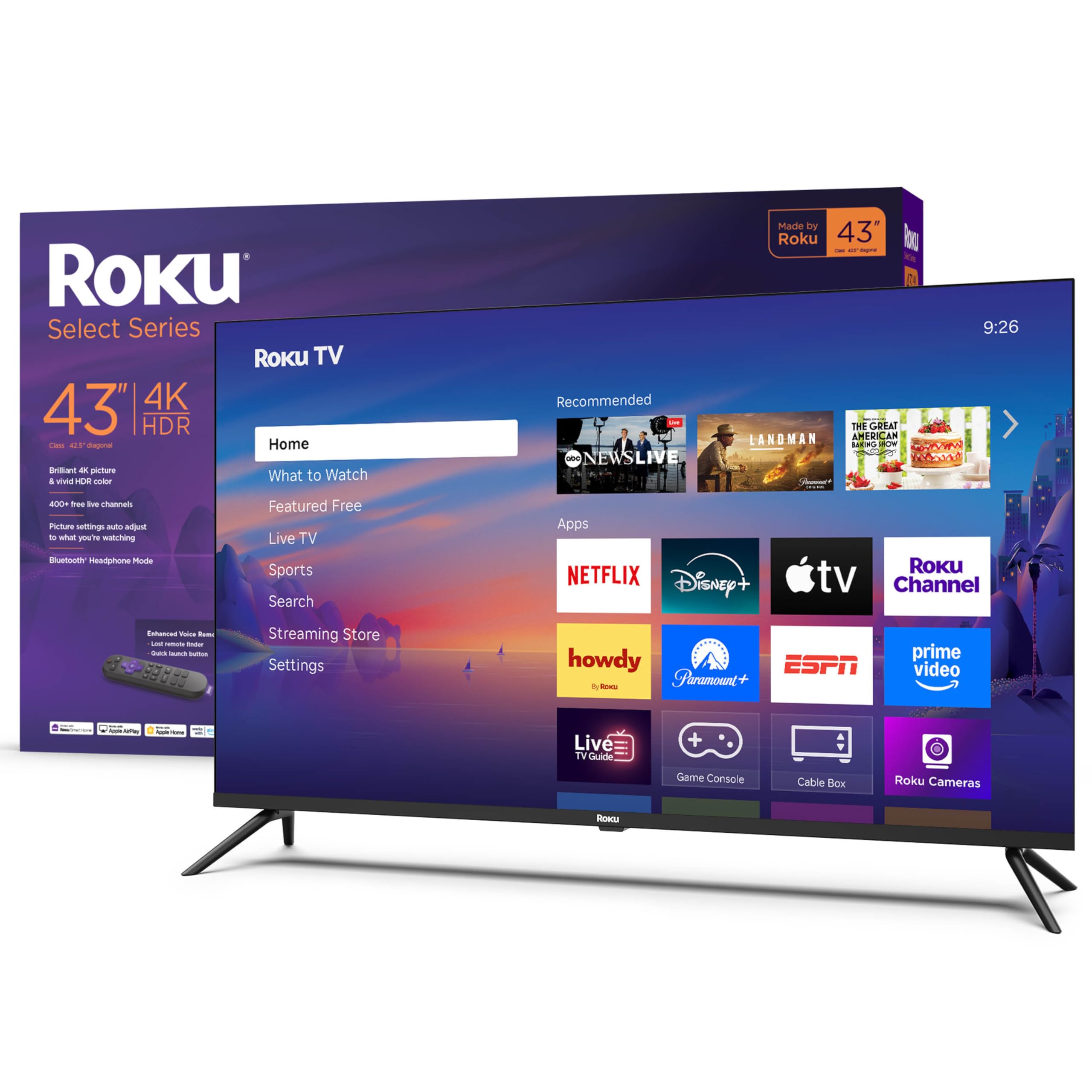
1. Roku Smart TV – 43-Inch Select Series, 4K HDR TV – RokuTV with Enhanced Voice Remote
Our pick — 4.5★ from 850+ verified ratings; the strongest balance of quality and price.
The 43-inch Roku that streams fast, holds its signal, and finds its own remote.
You get one TV that handles everything well, with no major weaknesses. The 43-inch screen delivers 4K detail with HDR10 (a contrast boost that keeps dark scenes from turning into gray mush), so you see sharp images. Roku Smart Picture cleans up incoming signals before picking a picture mode for you. At this price, Roku’s 500+ free TV channels stand out — live in-season shows, hit movies, weather, and local news are one click away, so you don’t pay another subscription just to have something on.
The remote has voice search across thousands of apps, personal shortcut buttons, and a lost remote finder that makes even the deepest couch cushions a non-issue. It pairs with Siri, Alexa, Google Assistant, and streams from Apple devices via AirPlay. If you are coming from an older Fire TV, this will feel like a step up on the interface alone — streaming stacks on this Roku run lean and load fast, which is the whole point of buying a streaming-first TV.
Compared with the cheaper Hisense 40-inch QD4SR Roku below, you are trading a bit of price for a bigger 43-inch screen versus 40 inches, plus full 4K HDR10 rather than 1080p FHD. That gap in resolution is why this one earns the top spot: it’s still budget-tier but the panel won’t feel dated in two years. As owners put it: “Live TV/free streaming accessible,” though one note flags that Pluto specifically takes about 15 seconds to load. Minor — everything else opens in a snap.
Where It Wins
- Sharp 4K with HDR10 and Roku Smart Picture auto-tuning
- 500+ free channels — no extra subscription needed to stream
- Voice remote with lost remote finder
- Fixed a common Fire TV annoyance: no loud startup ads
Where It’s Weak
- Non-removable power plug and a back panel that prefers a larger mount
- Leg screws are fiddly to tighten — have a skinny screwdriver handy
Grab this if: you want one TV that streams anything without fuss — the Roku interface, free channel library, and 4K HDR10 panel are the whole package.
Consider elsewhere if: you need a wall mount with a small bracket or you dislike fiddly leg assembly on day one.
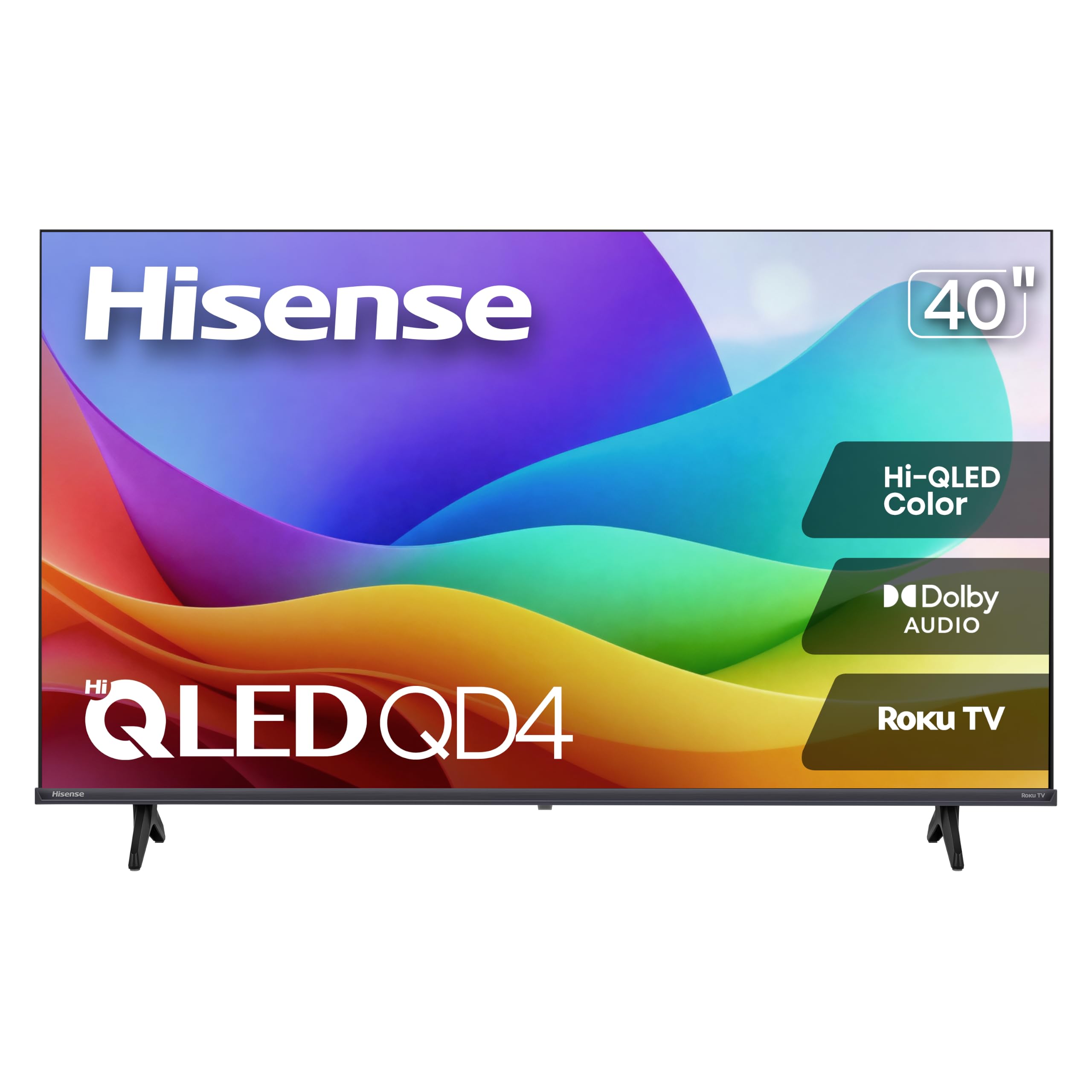
2. Hisense 40-Inch Class QD4SR Series Hi-QLED FHD Smart Roku TV
The bedroom TV that streams live news and free channels on a small footprint without skimping on color.
If the TV is going in a bedroom, dorm, or gazebo where you sit close enough that resolution barely matters, this 40-inch Hisense is the one to grab. It’s a 1080p FHD screen with a Full Array LED backlight and Hi-QLED color processing, which together deliver a brighter, sharper picture than plain 1080p sets in this tier. You still get Roku OS built in — 5,000+ free movies and shows, plus Roku’s grid-based interface with one-tap access to live streaming, on-demand, and settings.
What wins people over on this one is the audio. Dolby Audio handling plus Hisense’s own speaker tuning gets described repeatedly as better than the mid-priced TVs people owned before — not soundbar quality, but good enough that you don’t rush to buy one. A dedicated Game Mode cuts input lag to 16ms, so casual gaming feels responsive. Wi-Fi for the Roku apps, a Full Array LED backlight instead of edge lighting, and noise reduction that specifically targets grainy low-light and fast-action scenes round it out.
Compared with the 43-inch Roku above, you’re giving up 4K in exchange for a slightly smaller screen and a bit less money. That trade-off makes sense if you sit within 8 feet or so — at that distance 1080p and 4K are hard to tell apart. The recurring gripe among buyers is the remote’s infrared line-of-sight: you have to point it fairly precisely at the TV, and one owner noted that it doesn’t work around corners. That’s a known quirk, not a defect — plan to sit facing the screen.
The color worth paying for: Hi-QLED plus Full Array LED backlighting gives this under-40-inch screen real punch, which is unusual at this size and tier.
The trade worth knowing: infrared remote, so line-of-sight matters — and 1080p max resolution, which is fine up close but not optimal for a big living room.
Ideal for: tight spaces — a bedroom, guest room, dorm, or covered patio where the Hisense sits within a few feet of the couch and free Roku channels do the heavy lifting.
Look elsewhere if: you want 4K detail or you plan to sit far back, in which case the 43-inch Roku at the top of this list is the smarter call.
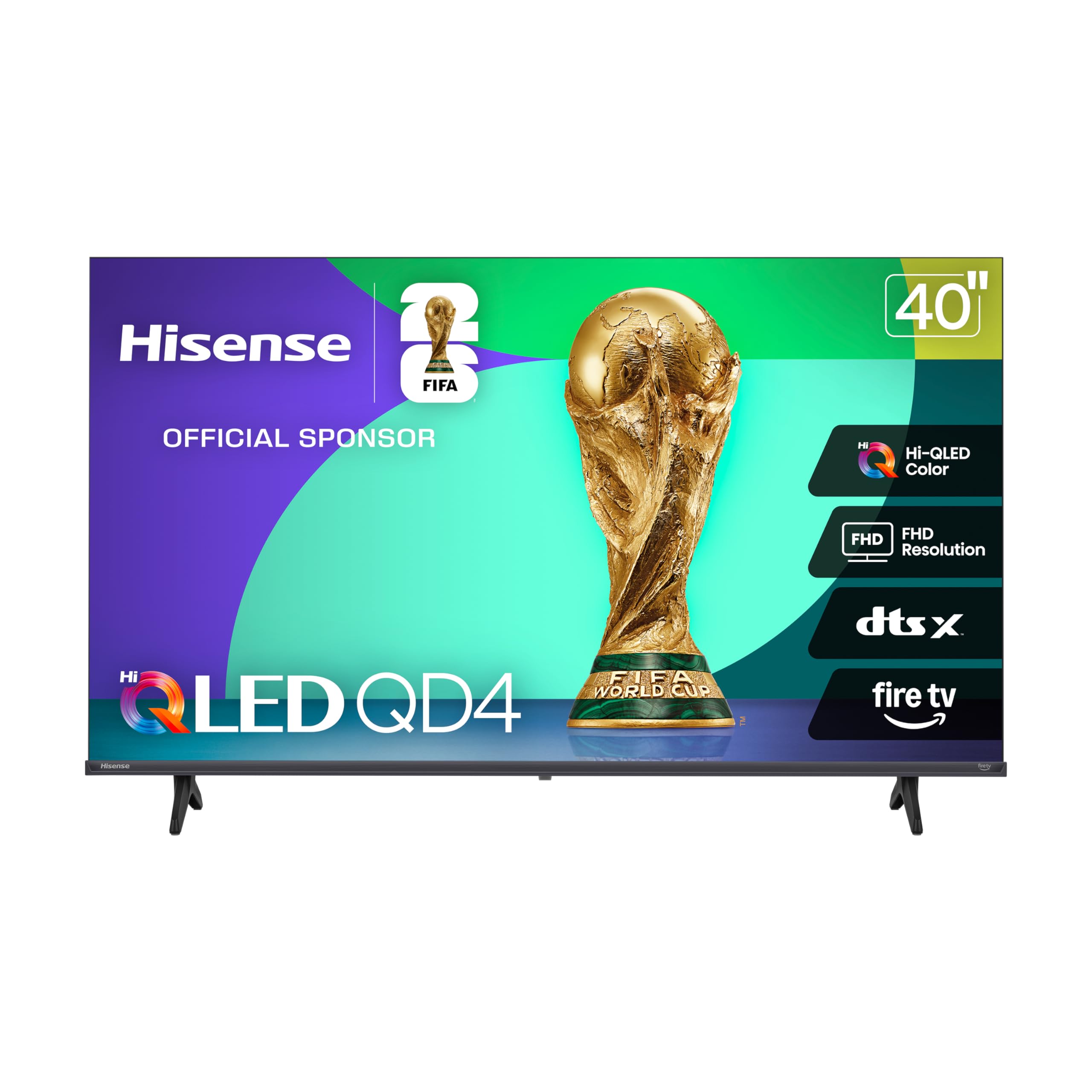
3. Hisense 40-Inch Class QD4 Series Hi-QLED FHD Smart Fire TV
Fire TV with Alexa built in, packaged in a 40-inch Hisense that punches above its shelf.
If you already live inside the Alexa ecosystem, this TV slots right in without a second remote or a separate Fire TV stick. The 40-inch panel runs 1080p Full HD with the same Hi-QLED color processing and Full Array LED backlight as its Roku sibling, but the software layer is entirely Fire TV: press-and-ask Alexa to launch apps, change channels, or control compatible smart home gear, all from the included voice remote. It’s a substantial jump in voice convenience over the Roku’s search-only voice function.
Dark scenes read as deep blacks rather than the washed-out gray of typical budget TVs, thanks to a 6000:1 contrast ratio — high for a Full HD LED panel. DTS Virtual:X handles the audio, delivering clear dialogue and a surround-ish effect from the built-in speakers. Bluetooth 5.0 is on board, so you can pair a wireless soundbar or headphones without a dongle. Game Mode drops input lag to 16ms, matching the Roku version. It also works with Apple HomeKit and AirPlay, which is unusual on a Fire TV set.
Where does it fall short compared with the 43-inch Roku at the top of this list? It’s 1080p where the Roku is 4K, and a slightly smaller screen. But if your household already says “Alexa, turn on the living room,” you’ll feel at home here in five minutes. The one gripe that comes up most often is the remote — it’s small, and owners lose it. A cheap remote case or a velcro strip attached to the back solves that permanently.
Alexa-first bonus: Voice control isn’t bolted on — it’s native Fire TV, so voice search, app launching, and smart home control all run through the one remote.
Pairing upside: Bluetooth 5.0 plus DTS Virtual:X means you can add wireless headphones or a budget soundbar without hunting for a dongle or optical adapter.
Reach for this if: Alexa is already your household assistant and you want Fire TV’s recommendation engine steering your watchlist.
Think twice if: you want a bigger screen or 4K — this one is capped at 1080p on a 40-inch panel, and the Roku of the same size at position 2 is a closer sibling than a rival.
4. Roku 43-Inch Select Series Smart TV 4K HDR
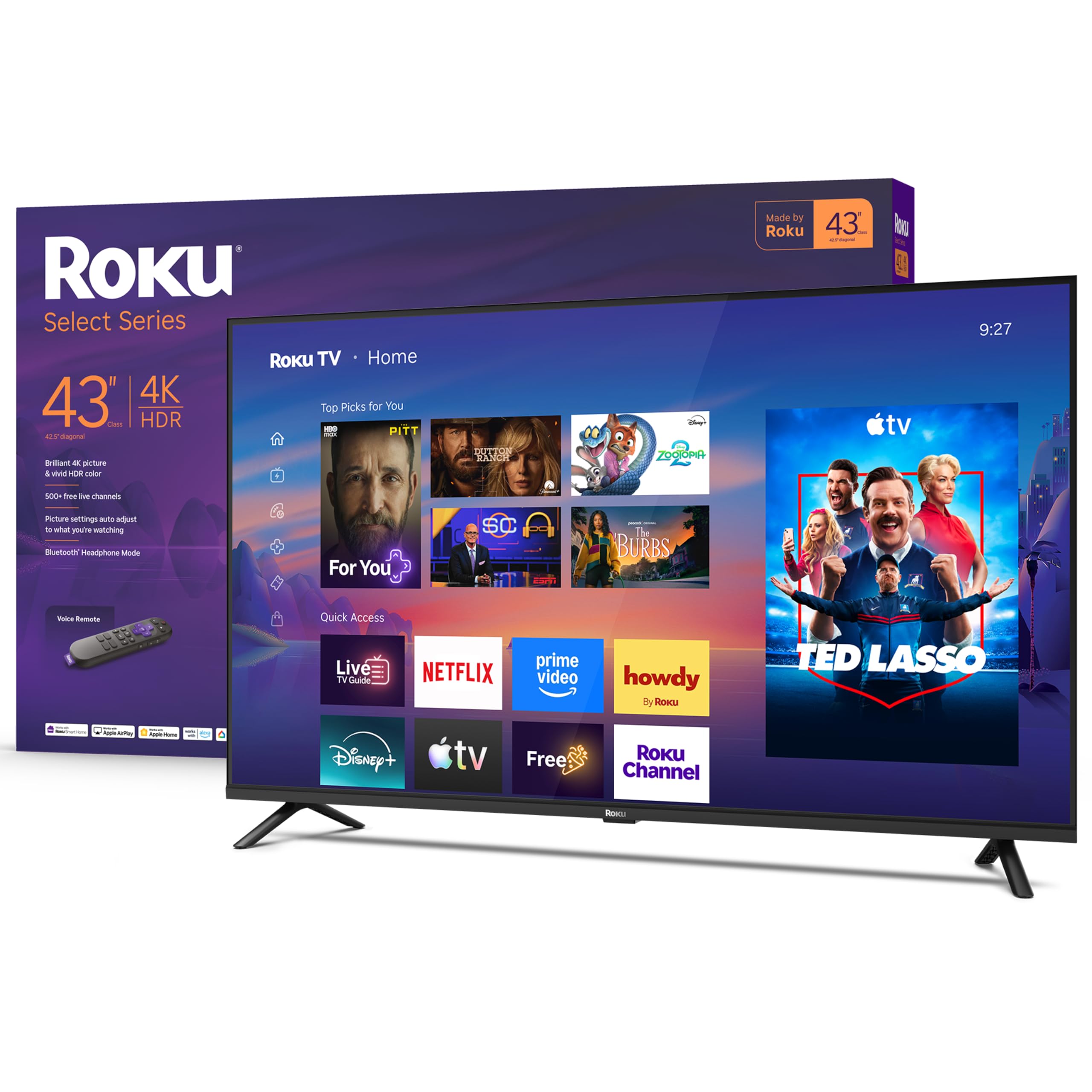
The Roku 4K that skips dual-band niceties but nails the basics — fast apps, clean menu, smooth picture.
Here’s the version of the Roku Select Series to grab if you’re strictly benchmarking on the fewest dollars for a real 4K HDR set. It’s the same 43-inch 4K panel as the top pick, minus the lost remote finder and the enhanced shortcut remote. You still get the full Roku streaming environment — 500+ free channels, automatic app updates, Apple AirPlay, and voice search through the standard remote. Bluetooth 5.2 is a nice touch for wireless headphones, and the panel handles HDR10 for punchier HDR scenes.
For a bedroom, spare room, or starter apartment TV, this is arguably the value play on the entire list. Ownership feedback consistently points to fast, snappy software — apps open quickly, the Roku interface stays responsive over time, and picture quality holds up well for standard LED. One long-time Roku user who replaced a failing TV landed on this size specifically for the Roku OS, citing the free-app library and the inclusion of the Apple TV app as the deciding factors.
What’s the trade against the top pick? You lose the enhanced remote’s personal shortcut buttons and its lost remote finder, but gain a slightly lower starting point if this Roku happens to sit in a promotional tier. Both share the same 43-inch 4K HDR10 panel and the same Roku platform. If you want the cleaner remote experience, spend up to the Best Overall; if you just want 4K streaming on the cheap, this one is the answer.
The pitch: identical 4K HDR10 panel and Roku platform as the Best Overall, at a lower entry point — everything that matters for a streaming TV, nothing that doesn’t.
The compromise: standard voice remote instead of the enhanced one with shortcut buttons and lost remote finder.
Best for: a first 4K streaming setup where battery-life cases and remote gimmicks aren’t worth extra money — the Roku platform does the heavy lifting.
Skip if: you’ve already fallen for the enhanced Roku remote on a friend’s TV; the missing shortcut buttons will bug you every evening.
5. TOSHIBA 43″ Class M450 Series QLED 4K UHD Smart Fire TV

QLED color and Dolby Vision in a 43-inch Fire TV — the picture nerd’s pick at this size.
This Toshiba stands out because it supports Dolby Vision and HDR10+. Those are the two advanced HDR formats that adjust brightness and contrast scene-by-scene (rather than applying one fixed setting for the whole movie), so a dark tunnel scene and a sunlit beach scene each look right without you touching the settings. Toshiba pairs that with a QLED panel (Quantum Dot color), which produces richer, more saturated reds and greens than standard LED. If you stream a lot of HDR content on Netflix or Prime, this is the cheapest way on this list to see it done properly.
Dolby Atmos handles the audio, and REGZA’s dual “clear direct speakers” give dialogue a bit more presence than the typical downward-firing cheap TV. Fire TV runs the software side with Alexa voice search, smart recommendations, and a watchlist that carries across apps. The picture engine also upscales lower-resolution streaming content to near-4K, which helps if you watch YouTube TV or older on-demand catalogs.
Be honest about the compromises. The 60Hz refresh rate is fine for movies and standard TV, but a serious gamer paying attention to motion will notice the difference versus the 144Hz TCL further down this list. Some buyers report the Fire TV interface can feel sluggish to navigate compared with Roku, and a subset mention wanting a wired Ethernet connection for stable streaming — worth checking if your Wi-Fi is spotty. And one review flagged the factory “energy saving mode” as dumbing down the picture; the fix is a five-minute settings tweak after setup, which is a known quirk of the M450 line rather than a defect.
Standout Features
- Dolby Vision AND HDR10+ — both major advanced HDR formats on one 43-inch Fire TV
- QLED Quantum Dot panel for richer color than standard LED
- Dolby Atmos via dual clear direct speakers
- Game Mode supports ALLM, VRR, and eARC
Trade-offs
- 60Hz refresh rate — not a match for high-refresh gaming
- Fire TV interface can feel slower than Roku’s
- No analog audio out or headphone jack
Pick this if: you want the best HDR picture at 43 inches on a Fire TV budget — Dolby Vision and QLED color together are the entire story.
Look past it if: you’re a serious gamer chasing 120Hz+ motion, or you want the snappiest software navigation money can buy.
6. Amazon Ember 40″ 2-Series with Fire TV

Amazon’s own small-screen Fire TV, tuned for smart homes and small rooms.
This is the pick to reach for if Amazon already runs your home. The Amazon Ember 2-Series is Amazon’s own 40-inch Full HD 1080p set, so it slots directly into a Prime household — your apps, watchlist, and Alexa routines all carry over with almost no setup friction. Wi-Fi 6 support (the latest mainstream Wi-Fi standard, which handles crowded networks better than older versions) plus a quad-core processor keep apps launching fast and the picture smooth even when other devices are streaming. Two HDMI inputs cover a cable box and a game console or soundbar.
The “Ambient Experience” feature is the headline trick — built-in sensors wake the display when you walk in and can show artwork or a favorite photo instead of a black screen. In practice, that feature draws mixed reactions from owners; several find the automatic wake behavior intrusive rather than magical. The newer Alexa+ voice experience is genuinely useful though — talking naturally to find something across apps is faster than typing with a remote. AirPlay support handles content sharing from Apple devices, and free live TV plus ad-supported content means you’re not stuck browsing only paid services.
At 40 inches and Full HD, this is a bedroom or kitchen TV first. Owners of this set repeatedly mention the ideal fit for a bedroom, guest room, or small hobby room, and the crispness of the picture at that distance. What it isn’t is a 4K panel — if you’re going in a living room with a big couch-to-screen gap, look at one of the 4K picks instead. Also note the speaker is thin — the built-in audio is described as the weakest part of this TV by owners, so a cheap soundbar is a smart pairing.
Where it earns its place: Wi-Fi 6 and the quad-core processor keep apps snappy, and the smooth Fire TV handoff from an existing Fire TV Stick or Echo setup is the real selling point.
Be aware: onboard speakers are consistently the weak spot and the Ambient Experience feature gets mixed reviews — skip it if either of those matters to you.
Top choice for: a Prime household wanting a second or third TV that just works — the Ember assumes you already live inside Amazon’s ecosystem and rewards that with zero friction.
Not the one if: you’re buying a primary living-room screen or you expect the built-in audio to carry a movie night without external help.
7. Samsung 43-Inch Class Crystal UHD U8000H Series Smart TV

The 43-inch Samsung with 2,700+ free streaming options and a 4K upscaler that makes old shows look new.
Samsung TV Plus is the reason to care about this set. The Crystal UHD U8000H ships access to 2,700+ free streaming options, including 750+ subscription-free channels — news, sports, kids’ shows, movies, reality TV — all without a monthly bill. That free library plus the Samsung Vision AI platform make this a genuinely easy pick for anyone tired of subscription stacking. The Crystal Processor 4K upscales everything that isn’t native 4K, so even older on-demand catalogs render with crisp detail instead of looking blurry on a modern screen.
Motion Xcelerator smooths out fast-action content — sports, gaming, or action movies — with real-time frame adjustment. Color Booster pushes contrast and saturation further than stock settings, and at 43 inches with a slim bezel the set looks clean in a living room. Alexa is built in for voice control, and Bluetooth 5.3 handles wireless audio to a soundbar or headphones. Energy consumption is rated at 78 kWh per year, modest for a 4K 43-inch panel.
Now for the honest caveat: Samsung’s remotes have been a complaint point on this model line. The simplified remote that ships with the U8000H has been called “awful” more than once. Consider pairing it with a cheap universal remote or a streaming stick remote if that bothers you. Also worth noting: the smart platform prioritizes Samsung TV Plus, so if you’re attached to a specific third-party app, check that it’s available before you buy. Outside of those caveats, this is a genuinely well-rounded budget 4K with a huge free content library built in.
What Shines
- 2,700+ free streaming options and 750+ subscription-free Samsung TV Plus channels
- Crystal Processor 4K upscaling brings older content to sharpness
- Motion Xcelerator and Color Booster for smoother sports and punchier color
- Bluetooth 5.3 for wireless soundbar or headphone pairing
What to Know
- Remote design draws consistent complaints — a universal replacement is worth considering
- Platform prioritizes Samsung TV Plus, so third-party app selection runs thinner than Roku
Buy it when: the free content library is what you’re really after — 2,700+ free streaming options is a real, ongoing value.
Pass if: you have strong existing allegiance to a specific app ecosystem or you hate simplified TV remotes.
8. Samsung 43-Inch Class M70H Series Mini LED 4K Smart TV

Mini LED contrast at 43 inches — brighter highlights and deeper blacks than anything else at this size on this list.
If you want serious picture quality without jumping to a bigger size, the M70H is the step-up pick. Mini LED backlighting means the panel uses many small LEDs behind the screen instead of a few large ones, so it can brighten or darken specific zones and deliver deeper blacks and brighter highlights than a standard LED TV. Pure Color Spectrum covers one billion true-to-life colors, and Supreme Mini LED Dimming applies that precision across the whole frame. If you watch a lot of HDR movies with dark scenes — sci-fi, thrillers, anything with space or night shots — the difference shows up immediately.
Motion Xcelerator and DLG 120Hz handle smooth motion for gaming and sports. The 2026 model’s Soccer Mode gets special attention from Samsung, promising clearer motion and more vibrant greens for pitch coverage. The Gaming Hub aggregates console, cloud, and streaming games into one place with personalized recommendations, and Bluetooth 5.3 pairs any modern soundbar or headphones. You also get the same 2,700+ free streaming options and 750+ Samsung TV Plus channels as the U8000H above, so the free content library is identical.
Two things to expect. The user interface gets mixed reactions — Samsung’s Tizen platform is powerful but consistently described as less intuitive than Roku for someone setting it up for the first time. And the remote has generated more negative feedback than any other single aspect; the simplified design that Samsung ships with its 2026 TVs has been a sticking point across multiple models. Plan to budget for a replacement remote if that bothers you — it’s a small fix for a real annoyance.
Why it stands apart: Mini LED backlighting over the pure color spectrum gives this 43-inch panel genuinely deep blacks and bright highlights — a real step up for HDR content and dark scenes.
The recurring gripe: Samsung’s simplified 2026 remote continues to draw complaints, and the Tizen interface is less beginner-friendly than Roku’s.
Made for: the buyer who prioritizes HDR picture quality above all else and doesn’t mind learning a slightly fussier interface to get it.
Consider the cheaper Crystal UHD instead if: you want Samsung’s free content library without the premium Mini LED price — you’ll trade contrast but not the platform.
9. TCL 55″ T7 4K QLED Google TV with 144Hz Gaming

The 55-inch TCL T7 — a gamer’s QLED with 144Hz variable refresh and Google TV.
If streaming is only part of why you’re buying and gaming is the other half, this is the one. The TCL 55T7 runs a 120Hz native panel with a 240Hz Variable Gaming Refresh Rate, which means the screen redraws the picture up to 120 times per second and can dynamically match the frame rate your console outputs. For a PS5 or Xbox Series X, that eliminates the screen tearing and stutter that cheaper 60Hz panels cause. QLED (Quantum Dot) color covers nearly the entire DCI-P3 color space, and the TCL AIPQ Pro processor intelligently tune color, contrast, and clarity in real time.
Google TV runs the software side, pulling your watchlist across apps into one home screen and offering hands-free voice control alongside the included voice remote. Four HDMI inputs — including one with eARC (the audio return channel that lets your soundbar handle TV audio without extra cables) — cover a game console, a streaming stick, a Blu-ray player, and a soundbar all at once. Chromecast and Apple AirPlay 2 let you mirror content from phones and tablets, and Dolby Atmos audio comes built in for spatial sound from the TV speakers.
The 55-inch size is the biggest on this list, so measure your wall or stand before you buy. The recurring note from buyers is that the Google TV interface isn’t blazing fast compared to Roku — it’s responsive, but a separate streaming stick is sometimes recommended to make it more snappy. A couple of users also flagged that the remote’s backlight drains the battery quickly; the fix is to disable the backlight through the settings menu. Small quirks on an otherwise strong 55-inch gaming and streaming set.
Gaming & Picture Wins
- 120Hz native panel with 240Hz Variable Gaming Refresh Rate — real console-grade motion handling
- QLED panel covering nearly the entire DCI-P3 color space
- Dolby Vision, HDR10+, HDR10, and HLG support — every major HDR format
- 4 HDMI inputs including one with eARC for a soundbar
The Catch
- Google TV interface can feel slower than Roku by comparison
- Remote backlight drains the battery quickly unless disabled in settings
- 55-inch footprint needs room — not a small-bedroom fit
The right pick for: a PS5 or Xbox Series X owner who wants 120Hz+ motion and QLED color in one screen — nothing else at 55 inches on this list does both.
Not for: small bedrooms or anyone who values Roku’s snappy interface over Google TV — you’d be paying for gaming speed you’ll never use.
Understanding the Specs
Smart TV Platform
The platform is the operating system inside the TV — Roku, Fire TV, Google TV, Samsung Tizen. It decides how fast apps launch, how your watchlist is organized, and how much free content you get from the start. Roku is usually described as the simplest and most responsive; Fire TV leans on Alexa voice; Google TV pulls together recommendations across apps; Samsung TV Plus has the largest free channel library but a less intuitive interface. Match the platform to something you’ve already used on a streaming stick and setup friction disappears.
Refresh Rate
Refresh rate is how many times per second the screen redraws the picture, measured in Hertz (Hz). A 60Hz panel refreshes 60 times per second — perfectly fine for movies, sitcoms, and casual streaming. A 120Hz panel doubles that, and smooths fast-moving content like sports and games. Some gaming TVs add a variable refresh mode that syncs the panel to the console’s frame rate on the fly, which prevents tearing. If you watch a lot of sports or game on current-gen consoles, refresh rate is worth paying for; otherwise 60Hz is enough.
FAQ
Does a budget streaming TV need Wi-Fi, or can I use Ethernet?
Is 4K worth it on a 43-inch TV, or should I stick with 1080p?
Will a budget TV stream live sports without buffering?
Do I need a soundbar with a budget streaming TV?
How long does a budget streaming TV typically last?
Can I use Apple AirPlay and HomeKit with these budget TVs?
Is a Fire TV or a Roku better for streaming free content?
What does “Mini LED” actually mean on a budget TV?
How much HDMI do I need on a streaming TV?
Final Thoughts: The Verdict
For most people shopping for a budget tv for streaming, the Roku 43-Inch Select Series is the pick that does everything well — the 4K HDR10 panel, the fast Roku platform, the 500+ free channels, and the voice remote with lost remote finder together make it the most complete set at this tier. Its 4.5-star rating across 800+ owners backs that up. If you want the cleanest picture tech for the money, the Toshiba 43″ M450 QLED is the one that brings Dolby Vision and HDR10+ to a size where the difference is visible. And if you’re building a living-room gaming setup where 55 inches and 120Hz matter, the TCL 55″ T7 is the set to plan around.
How We Picked
We do not accept paid placement. Every pick is matched to a real buyer and a real use-case; we do not hands-on test units.
Sources & Methodology
Specifications: manufacturer listings and product documentation. Review insights: verified customer reviews, as of September 2026. Pricing: not shown on this page (it changes often); check the current price via the retailer link.
As an Amazon Associate, Gadgets Feed earns from qualifying purchases. This does not affect which products we feature.