
Our readers keep the lights on and my morning glass full of iced black tea. As an Amazon Associate, I earn from qualifying purchases.
Specs are compiled from manufacturer listings and verified buyer reviews and can change over time — please confirm the key details on the product page before buying.
If you want an RTX 3050 gaming PC that boots straight into your games without drama, the pick that gets nearly everything right is the CyberpowerPC Gamer Xtreme VR. It pairs the 3050 with the largest video memory in this lineup, so textures load clean and frame rates hold steady. Everything below is sorted by what actually matters once the box is open — the graphics card’s memory, the processor, the storage, and how quietly the thing runs while you play.
I’m Min — the founder and writer behind Gadgets Feed. This guide is built by comparing the manufacturers’ published specifications and the patterns across verified customer reviews, so you get each pick’s real strengths and trade-offs instead of marketing spin.
An RTX 3050 sits in a specific spot: it is the card that makes modern titles playable at 1080p without asking you to rewire your budget. The trick is that two machines with the same card name can feel completely different, because memory, processor, and storage decide whether games feel smooth or stuttery. The picks below separate those real differences so you can choose a 3050 gaming pc that still feels fast a couple of years from now.
Our Picks at a Glance



How To Choose The Best 3050 Gaming PC
Two towers can both say “RTX 3050” on the box and still play the same game very differently. Here is what separates a machine you are happy with for years from one you quietly stop using.
Start With The Graphics Card’s Memory
An RTX 3050 comes in 6GB and 8GB versions, and that number is the card’s own private shelf for storing game textures — think of it as counter space in a small kitchen. When a modern game runs out of that space, it starts shuffling data back and forth, which is what a stutter actually is. The CyberpowerPC Gamer Xtreme VR’s 8GB card holds more textures than the 6GB cards here, so it stutters less in texture-heavy titles at 1080p.
Then Look At The Processor Behind It
The processor is the part that keeps everything else moving — your game, your browser, the voice chat, the stream. A six-core chip with turbo speeds in the low 4GHz range handles all of that at once without the machine gumming up. Be careful with vague labels like “i7” on a budget tower: what matters is the exact model number, because an older-generation chip with the same badge can be slower than a newer mid-tier one.
Storage Decides How Many Games Live On The Drive
Modern games are huge, so a 512GB NVMe SSD (a fast solid-state drive that plugs directly into the board) fills up faster than most people expect — a handful of big titles and you are juggling installs. A 1TB drive gives you real elbow room. Also check whether the listing promises two drives and delivers one, because that is the single most common complaint across prebuilt towers.
Quick Comparison
| Model | Best For | Graphics Card | Processor | Memory / Storage | Amazon |
|---|---|---|---|---|---|
| CyberpowerPC Gamer Xtreme VR★ Best Overall | All-round 1080p gaming | RTX 3050 8GB | Intel Core i5-12400F 2.5GHz, 6 Cores | 16GB DDR4 / 500GB NVMe | Amazon |
| STGAubron Core I7 RTX 3050 6GLowest Entry | Cheapest entry into 1080p | RTX 3050 6GB GDDR6 | Intel Core i7 up to 3.9GHz | 16GB / 512GB SSD | Amazon |
| NOVATECH PhantomBest Display Output | 4K-capable output and styling | RTX 3050 6GB GDDR6 | Intel Xeon E3-1230V6 3.5GHz | 16GB DDR4 / 512GB M.2 SSD | Amazon |
| WIWB Ryzen 7 4700LE Tower | Multitasking and content work | RTX 3050 8GB GDDR6 | Ryzen 7 4700LE, 8 Cores / 16 Threads | 16GB DDR4 3200MHz / 512GB NVMe | Amazon |
| suevery Pre Built RTX 3050 6G | White build with WiFi 6 | RTX 3050 6GB | AMD Ryzen 5, 3.6G–4.1G | 16GB DDR4 3200MHz / 512GB NVMe | Amazon |
| LXZ Gaming PC Ryzen 5 4500 | Compact starter tower | RTX 3050 6GB GDDR6 | Ryzen 5 4500 6 Cores, up to 4.1GHz | 16GB DDR4 / 512GB NVMe | Amazon |
| STGAubron R5 5500 32G 1T | Storage-heavy multitasking | RTX 3050 6GB | Ryzen 5 5500 3.6–4.2GHz, 6C/12T | 32GB DDR4 / 1TB SSD | Amazon |
| ZYNEEX Ryzen 5 5500 Prebuilt | Quiet marathon sessions | RTX 3050 6GB GDDR6 | Ryzen 5 5500, up to 4.2GHz | 16GB DDR4 3200MHz / 1TB NVMe | Amazon |
| Skytech Shadow | Name-brand power supply | RTX 3050 6GB GDDR6 | Ryzen 5 5500 3.6GHz (4.2GHz Turbo) | 16GB DDR4 3200 / 1TB NVMe | Amazon |
| Lenovo IdeaCentre Gaming 5i | Big-brand build and support | RTX 3050 | Intel Core i5-12400, up to 4.4GHz | 8GB RAM / 512GB SSD | Amazon |
| iBUYPOWER Element SE | Newest platform with DDR5 | RTX 3050 6GB | Ryzen 5 8400F, up to 4.7GHz | 16GB DDR5 4800MHz / 1TB NVMe | Amazon |
In‑Depth Reviews
1. CYBERPOWERPC Gamer Xtreme VR Gaming PC (GXiVR8060A16)
Our pick — over 4.5★ from 250+ verified ratings; the strongest balance of quality and price.
The 8GB version of the 3050 — the one that keeps textures loaded while the others start stuttering.
The single fact that earns this tower the top slot is the 8GB of graphics card memory. That is the card’s own private counter space for holding game textures, and having more of it means fewer hitching moments when a scene gets busy. The i5-12400F is a six-core processor running at 2.5GHz, backed by 16GB of DDR4 memory and a 500GB PCIe NVMe solid-state drive that boots to desktop in seconds rather than minutes. This is the crowd favourite here at 4.6 stars across 290+ ratings, and the pattern in those reviews is consistent: it simply runs high-end games at high graphics settings and high frame rates without fuss — which is exactly the job.
What wins people over is straight performance — the overwhelming majority of owners talk about games running smooth and quiet rather than about any one feature. Setup is the second most-praised thing, and the consensus is that it is genuinely easy for a first-timer. As the review pages put it, everything arrives pre-assembled with Windows 11 Home already loaded, so you are plugging in a monitor and signing in rather than wiring up a build. The 802.11AC WiFi and gigabit Ethernet cover both wireless and cabled internet, and you get six USB 3.1 ports plus two USB 2.0 for your headset, mouse, and phone cable. The 7.1 channel audio and included keyboard and mouse mean you can start playing the same day the box lands.
Here is the honest part. That 500GB drive is the smallest storage allowance in this entire lineup, so a handful of large modern games will fill it — you will manage installs rather than hoard them. Noise sits in the 40–50dB range in normal use and stays under 60dB under load, which is audible but not intrusive. And the fan-cooled case wants decent airflow and occasional dust cleaning, so do not tuck it into a closed cabinet.
VR Ready Out Of Box
- 8GB of video memory — the largest GPU buffer in this comparison, so textures stay loaded
- Six USB 3.1 ports plus two USB 2.0 for peripherals and charging
- Genuine Windows 11 Home, keyboard, and mouse included — no extra outlay to start playing
- Runs cool and quiet enough that owners never raise it as a problem
Case Airflow Limits
- 500GB of storage is the tightest here — plan on rotating installs
- Air cooling means dust control and clearance actually matter
- 802.11AC WiFi rather than the newer WiFi 6 standard
VR Enthusiasts: you want the steadiest 1080p experience from the start and you would rather buy games later than a bigger drive now.
Airflow Demands: you keep a large library installed simultaneously — the 500GB drive will run out before your patience does.
2. STGAubron Gaming PC Desktop, Core I7, RTX 3050 6G, 16G RAM, 512G SSD
The cheapest way in, and it shows most sharply in the one place you never want trouble: the network.
As the least expensive tower on this list, the STGAubron has to earn its place on what it does well, and the picture is genuinely mixed. On paper you get a Core i7 running up to 3.9GHz, 16GB of memory, a 512GB solid-state drive, and an RTX 3050 with 6GB of GDDR6. Six RGB fans, WiFi 6, and Bluetooth 5.0 round out the connect list. Compare that against the CyberpowerPC above and the 3050 here carries 6GB of video memory versus 8GB — that 8GB card has a third more buffer for game textures, and it is why the top pick holds steady where this one can struggle in heavier scenes.
Where it lands for real buyers is as a starter machine, and that is the note it earns most clearly. Teens and first-time PC gamers are the balance — it runs Fortnite, Minecraft, and older titles happily, and owners describe plug-and-play setup that gets you going in minutes. Families buying for a kid have had good experiences with general use, school work, and lighter Steam libraries.
The catch is the connectivity, and it is worth saying plainly. Network troubles are the recurring theme: wireless dropouts, and in the worst cases both WiFi and wired internet failing after a few months, with a USB WiFi adapter as the common workaround. As one buyer put it after their machine’s networking quit: “After four months, both WiFi and wired internet failed.” There is also a cooling note — the manufacturer’s fan settings need the machine to be configured as directed, or it can run hot. The 3.6-star rating sits well below the others here for exactly these reasons.
Core I7 Power: a first tower for a younger player, light Steam and MMO libraries, homework and streaming — the RGB look and the low entry point both land well with that crowd.
RTX 3050 Ceiling: budget-tier networking hardware is the weak link, so budget for a cheap USB WiFi adapter and set the fans up per the manual on day one.
CPU Heavy Tasks: a parent buying a first gaming PC for a teen who mostly plays lightweight, popular titles.
4K Gaming: anyone who needs rock-solid internet from day one or wants to run heavy modern releases at high settings.
3. NOVATECH Phantom Prebuilt Gaming PC Desktop
The only tower here that pushes a 3840×2160 signal — double the resolution ceiling of the CyberpowerPC’s 1920×1080.
Resolution support is where the Phantom stands apart. Its maximum display resolution is 3840×2160 — that is 4K, four times the pixels of a standard 1080p panel — against 1920×1080 on the CyberpowerPC Gamer Xtreme VR above. The practical read: if you already own a 4K monitor or plan to add one, this machine will actually drive it at native resolution for desktop work, streaming, and video, rather than capping you at 1080p. Inside sits a Xeon E3-1230V6 processor viewed by the maker as server-grade, 16GB of DDR4 memory, a 512GB M.2 NVMe drive, WiFi and Bluetooth, and Windows 11 Pro rather than Home.
The gaming reality is what owners actually talk about, and smooth high-frame-rate play is the theme. As one delighted buyer put it, setup was quick, games run very smooth with high FPS, and the RGB looks clean while the PC stays cool and quiet even mid-session. Another calls it tough to top in its price range with no issues so far. The styling earns repeat compliments — a high-quality tower with vibrant RGB fans that people describe as genuinely good-looking on a desk.
Two things a buyer should know before committing. The graphics card listing notes the brand and size may vary, so the exact 3050 variant you receive can differ from what you pictured. And reliability is the mixed note — most units are trouble-free, but a minority report powering down during long streaming sessions. The rating sits at 4.1 stars across 29 ratings, a small sample, so weight the strong performance and styling notes accordingly.
Style Focused: a 4K monitor is already on your desk and you want Windows 11 Pro and RGB styling without spending flagship money.
Support Seekers: you must know the exact GPU variant inside before you buy, or you want a longer track record of reliability.
4. WIWB Gaming PC Desktop Computer, GeForce RTX 3050 8GB GDDR6, Ryzen 7 4700LE
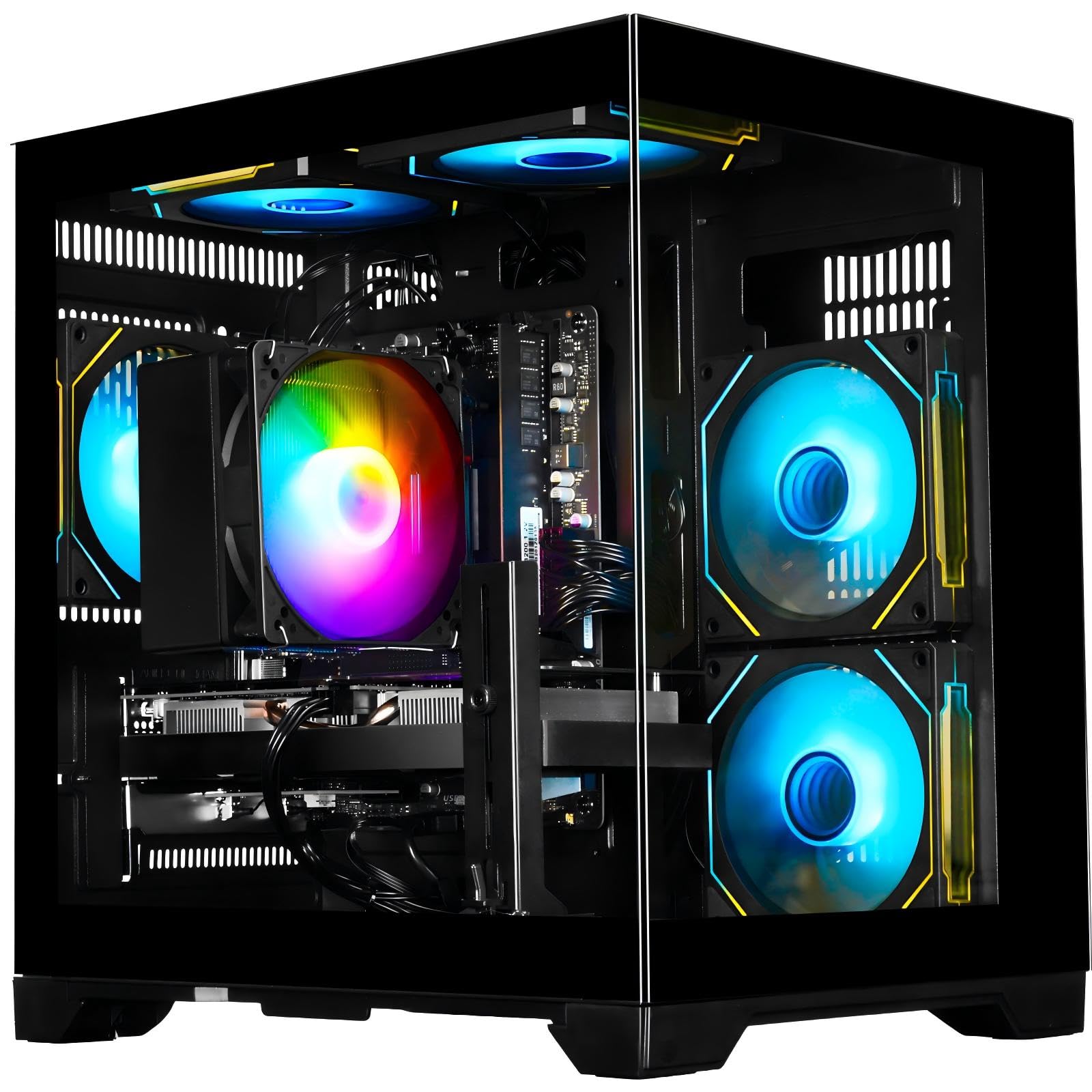
Eight cores and eight gigabytes — the combination that lets you game and stream on the same machine.
Two numbers define this tower. The first is the Ryzen 7 4700LE’s eight cores and sixteen threads, which is the processor’s ability to run many tasks at once — twice the thread count of a six-core chip. The second is 8GB of GDDR6 video memory, matching the CyberpowerPC at the top of this list rather than settling for 6GB. Where the top pick uses a six-core Intel i5-12400F, this machine’s eight-core layout is built for people who stream, edit, or keep a browser and a game running side by side without the whole thing bogging down. The maker quotes 55–60 FPS in demanding titles, 70+ in Fortnite, and 90–100 in Apex Legends with DLSS on, backed by 16GB of DDR4 3200MHz memory and a 512GB NVMe M.2 drive.
One owner’s girlfriend uses hers for The Sims and resume work and adores it — which is exactly the profile this machine serves best: someone whose PC does gaming duty alongside real life. Another runs dual monitors with Chrome, Slack, Zoom, and spreadsheets open with no lag at all and calls it quiet and reliable. A third bought two, because the 8GB card had no trouble driving a 5k2k monitor.
One caveat worth naming: this is a low-end gaming PC by the maker’s own framing, so sims, older titles, and esports games shine while the heaviest new releases need settings dialed back. An occasional unit arrives with software trouble — one buyer hit a blue screen and game glitches that five hours of troubleshooting could not fix. That is the rare case, not the pattern, and the rating sits at a healthy 4.3.
8GB RTX 3050: eight cores, sixteen threads, and an 8GB card is a genuinely generous combination for the mid-range tier, and the AM4 platform stays upgrade-friendly later.
Single Channel RAM: treat it as a 1080p machine — the specs support a smooth 1080p experience, not a 4K gaming one.
1080p Gamers: your PC is a gaming rig and a workbench at once — streaming, editing, and dual-monitor productivity all live here comfortably.
Memory Hogs: you chase maximum frame rates in the newest AAA releases, where a stronger card is the real answer.
5. suevery Pre Built Gaming PC Bundle RTX 3050 6G Ryzen 5

A white tower with switchable lighting that runs most games well and asks you to double-check one listing detail.
Sitting in the middle of the pack, the suevery pairs an AMD Ryzen 5 six-core processor (3.6G to 4.1G) with an RTX 3050 carrying 6GB, plus 16GB of DDR4 3200MHz memory and a 512GB M.2 NVMe drive. Ports cover 2 USB 3.0 and 4 USB 2.0 with built-in WiFi 6, and the display outputs include HDMI and DisplayPort. The white body and the fully adjustable RGB system — colors, modes, or off entirely — are the visual hooks, and multiple owners name the lighting as a favourite detail.
Performance carries the strongest praise here, with owners reporting it handles most games fairly well for the outlay. One parent writes simply that their son loves it and it works beautifully for gaming. A lighter user finds it fine for casual play. Several describe it as easy to upgrade, even for beginners, which matters when you want to add a card or storage down the line.
Now the part that deserves your attention. The advertised storage on some listings does not match what arrives — buyers have reported expecting 1TB and finding far less, so confirm the exact configuration you are ordering. Functionality also splits: most units boot and run right away, but a few did not turn on at all, and driver support after purchase has drawn criticism from one frustrated owner. At 4.3 stars the majority are clearly happy; just verify the spec sheet before you click.
First Time Buyers: the white-and-RGB look is the point, and you are comfortable opening a case to add upgrades later.
Upgrade Planners: storage capacity is critical to you — read the listing’s exact configuration carefully before ordering.
6. LXZ Gaming PC Desktop Ryzen 5 4500 RTX 3050 6GB
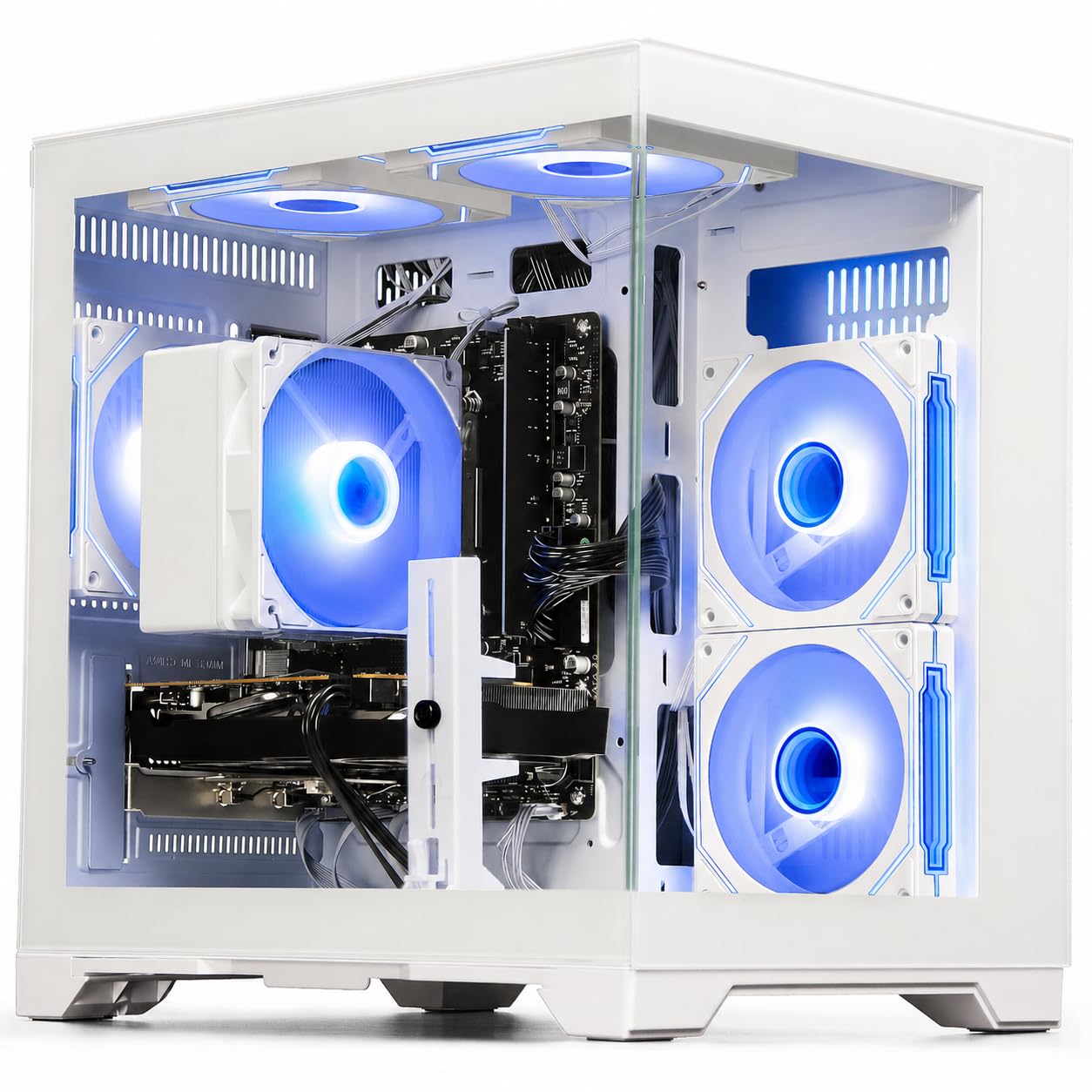
A smaller-footprint white tower that punches above its size for beginners.
The first thing to know is that this tower is smaller than most buyers picture when they order it — multiple owners double-take at the box size, then decide they are glad for it because it fits a desk corner or dorm shelf without eating the room. Inside, the Ryzen 5 4500 runs six cores up to 4.1GHz alongside an RTX 3050 with 6GB of GDDR6 and ray tracing and DLSS support, backed by 16GB of DDR4 memory and a 512GB NVMe PCIe 3.0 solid-state drive. WiFi 6 (802.11ax) handles the networking, and HDMI plus DisplayPort cover your monitors.
The name of the game here is value at the entry point. One owner who runs FiveM maxed out reports zero crashes, and another notes it still handles large games and mods without complaint. Owners keep describing it as an awesome beginner computer, which is precisely the audience: a first gaming tower where the specs are honest about their tier and the software is ready from the start. The build quality and reliability both draw positive notes, including fans that run audibly but not distractingly.
Two honest footnotes. The 6GB card here trails the 8GB variants above on texture headroom, so the newest AAA releases mean turning settings down. And one buyer received a unit that powered on with fans spinning but no display and returned it — a rare dead-on-arrival case, not a trend. The 4.4-star rating on a small sample reflects mostly delighted starter owners.
Budget Builds: a compact setup where desk space is tight and you want a first gaming PC that just works.
Future Proofing: you want the extra texture headroom of an 8GB 3050 or heavy AAA titles at high settings.
7. STGAubron Gaming PC Desktop, R5 5500, RTX 3050 6G, 32G DDR4, 1T SSD
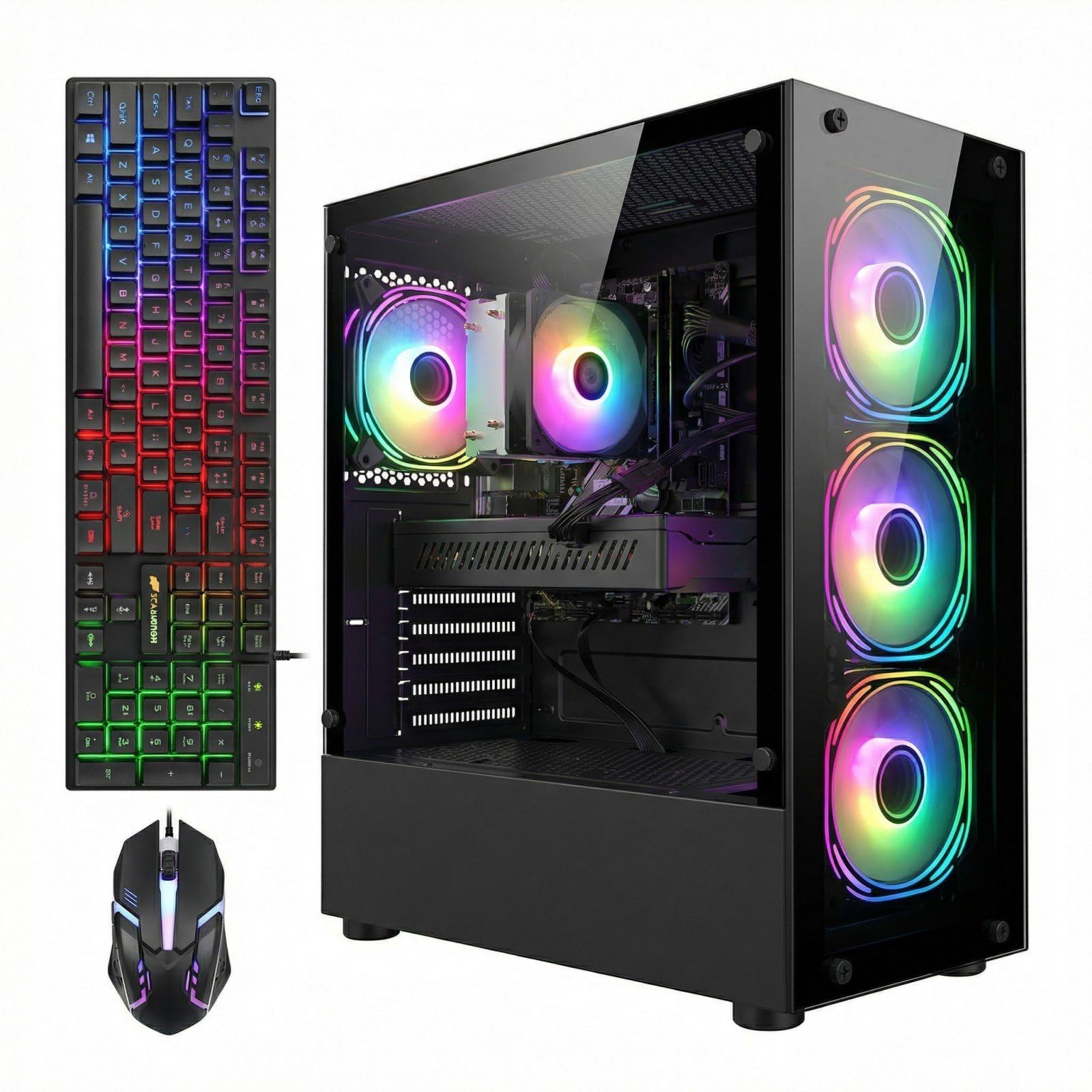
Double the memory and double the storage of the budget towers — for people who keep everything open at once.
The Ryzen 5 5500 is a six-core, twelve-thread processor running up to 4.2GHz, and here it is paired with 32GB of DDR4 memory and a 1TB solid-state drive. That is twice the memory and twice the storage found on several towers in this comparison, and it changes the daily experience: more browser tabs, more background apps, more installed games, fewer trips to the uninstall screen. Four RGB fans, WiFi 6, and Bluetooth 5.2 handle the rest, with an RTX 3050 carrying 6GB. A one-year parts and labor warranty with free lifetime tech support backs it up.
Performance is the clear strong suit — it is the aspect owners return to again and again, describing games and creative software running exactly as they should. One buyer reports Fortnite, World of Warcraft, and After Effects all running perfectly, with the only hiccup being an update-related reboot loop that a Microsoft update fix resolved. Another praises the thoughtful case design with a dust filter and the build quality overall.
Be clear-eyed about the caveat here. The hardware is a step behind in generation, and a disappointed owner found they could not run demanding modern titles like Call of Duty comfortably, describing the machine as better suited to lighter duties. That is the minority view rather than the rule, and the reliability record is genuinely mixed, but it is the honest picture — treat this as a spacious, capable machine for moderate gaming rather than a modern AAA monster. The 4.0-star rating reflects that split.
32GB DDR4: 32GB of memory and a 1TB drive at this tier is a lot of elbow room, and it serves households that game, work, and create on the same machine.
RTX 3050 6GB: if your wishlist is full of the newest, heaviest releases, the generation-old hardware will feel the pinch sooner than the memory would suggest.
Multitaskers: you want storage and memory to be one less thing to worry about, and your games lean lighter or older.
VRAM Hungry: Call of Duty and the newest AAA releases top your playlist.
8. ZYNEEX Prebuilt Gaming Desktop PC, Ryzen 5 5500, RTX 3050 6GB

A Ryzen 5 5500 paired with a full 1TB of fast storage and cooling that keeps quiet through long sessions.
Swap the CyberpowerPC’s 500GB drive for a 1TB NVMe SSD and you have the storage story here — twice the room of that top pick for your game library, which matters for buyers who hate juggling installs. The processor is a Ryzen 5 5500, six cores and twelve threads running up to 4.2GHz, matched with an RTX 3050 carrying 6GB of GDDR6 and ray tracing support. 16GB of DDR4 3200MHz memory handles multitasking, and the ARGB air cooling system with multiple fans is built to hold stable performance and low noise through marathon sessions, with WiFi, USB ports, plus HDMI and DisplayPort outputs for flexible monitor setups.
Setup genuinely stands out — Windows 11 installs itself, and buyers describe the whole thing as fast, smooth, and quiet, with only the occasional input hiccup needing a settings tweak to sort out. A first-time owner calls it really fast and smooth with no regrets, and another notices the crisp improvement over a previous machine that lagged.
The one honest snag: some listings ship without the RGB or fan remote that the lighting system pairs with, and direct manufacturer contact is hard to find, with Amazon support offering little help. That is a small convenience issue rather than a performance one, and the 4.6-star rating reflects mostly happy first-PC buyers getting exactly what they hoped for.
Mid Range Gaming: a first gaming PC where you want the full 1TB of storage and quiet cooling without stepping up a tier.
Quiet Seekers: the RGB remote may not be included, so do not bank on lighting control from the start.
9. Skytech Shadow Gaming PC Desktop, Ryzen 5 5500, RTX 3050 6GB
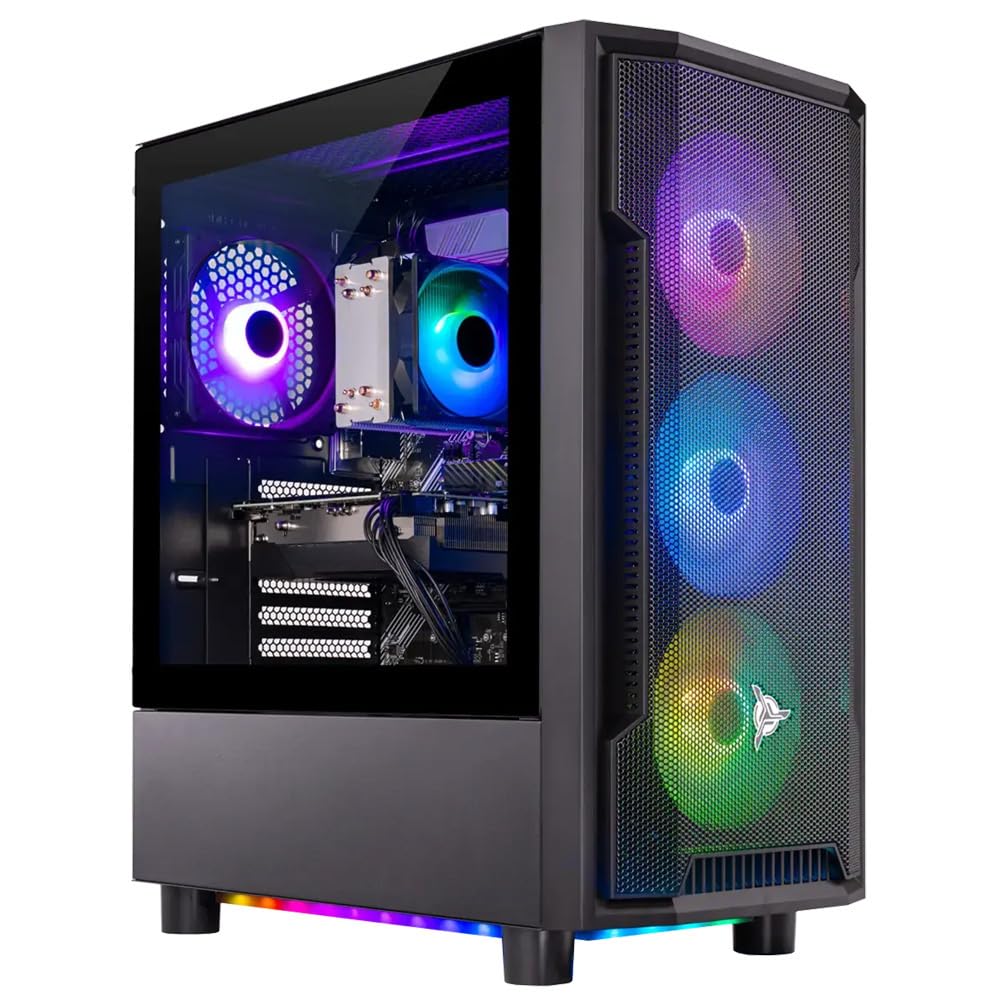
A 650W Gold certified power supply — the part most budget towers cheap out on, done properly here.
It is easy to overlook the power supply until a cheap one fails, and this is where the Skytech Shadow separates itself. It ships with a 650W Gold certified PSU, a spec that names both the wattage and the efficiency standard, alongside a Ryzen 5 5500 running 3.6GHz with turbo up to 4.2GHz, an RTX 3050 with 6GB of GDDR6, 16GB of DDR4 3200MHz memory, and a 1TB NVMe M.2 SSD. A high-performance air cooler and ARGB fans handle temperatures, the tempered glass Shadow case shows off the build, and the machine comes assembled in the USA with a one-year parts and labor warranty plus free technical support.
Owners describe a solid, smooth performer for the tier. One notes it arrived well-packaged with no damage and was easy to set up once the packaging was removed from inside the side panel, playing Borderlands 4 at medium settings and expecting a few years before a GPU upgrade is needed. Another runs RE4 with graphics that exceed expectations and calls it the best of the options they considered. Several bought it as a gift and report it as a clear upgrade over an older PC, with fantastic picture quality.
The minor snag is a Windows key that did not activate for one buyer, and getting hold of customer service proved difficult in that case. It is an outlier against the overall picture, and the 4.4-star rating on a smaller sample supports that. Consider this the pick for buyers who value a name-brand, properly-specced power supply over the absolute lowest price.
Shadow Aesthetic: the 650W Gold certified power supply is the kind of component that protects the whole build over the long haul.
Limited Storage: the WiFi is 802.11AC rather than the newer standard, so cabled Ethernet is the smoother road for competitive play.
RGB Fans: wants a confident, well-specced tower from a known brand and values a reliable power supply.
Storage Needs: you need the very newest wireless standard from the start.
10. Lenovo IdeaCentre Gaming 5i Gaming Desktop

A household name with a strong i5-12400 and clean airflow — just budget for a memory upgrade.
The processor here is a genuine highlight: the Intel Core i5-12400 runs up to 4.4GHz, the fastest boost speed among the Intel towers in this comparison, paired with an RTX 3050 and a 512GB SSD. Lenovo’s own engineering touches are real — a 65W CPU cooler the maker says runs up to 5 °C cooler with 50% better airflow than previous generations, in a chassis with front vents that cool the system. You also get a mouse and keyboard and a free three-month Xbox GamePass.
What buyers describe is strong 1080p gaming, ray tracing, and DLSS performance, with quiet cooling and expandable internals that hold up over time. One owner who upgraded to 32GB of memory reports it runs everything smoothly and is very happy. Another plays Hogwarts Legacy on ultra settings without issues, which speaks to the i5-12400’s headroom.
Two honest notes shape the buying decision. This configuration ships with 8GB of memory, which is genuinely tight for modern gaming — most owners who are happiest added more memory themselves. And the storage capacity draws the most complaints: several buyers expected a larger drive alongside the SSD and found only the 512GB SSD in the box, with one calling the description misleading. Both are easy fixes — the case opens up simply — but factor them in. The 4.2-star rating reflects a solid machine that is better once you spend a little on memory.
Brand Loyalists: you want a well-engineered, expandable tower from a big name and you do not mind adding memory yourself.
Custom Builders: you want to game comfortably from the start without opening the case.
11. iBUYPOWER Element SE Gaming PC Desktop (ESA5N3501)
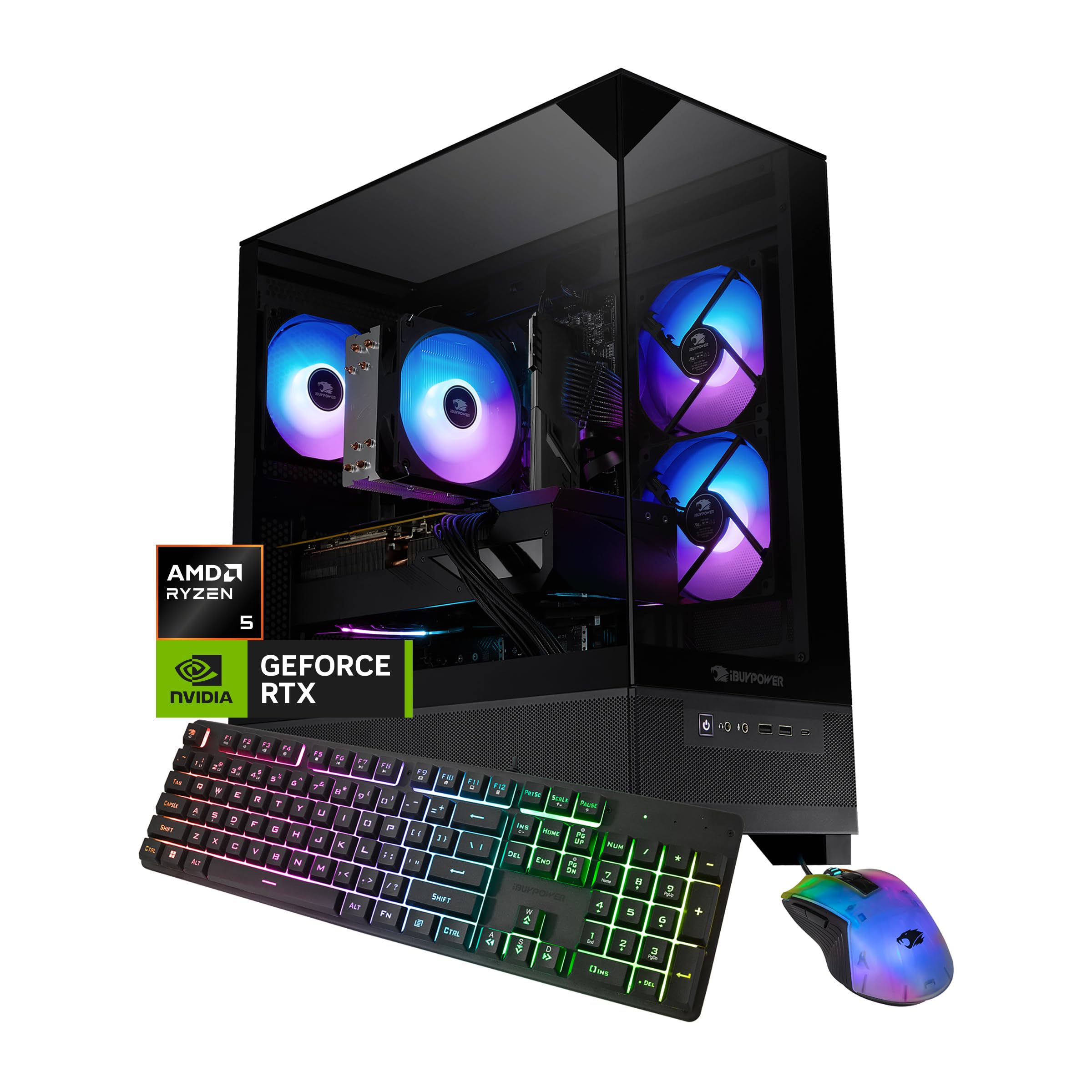
The only tower here running DDR5 memory and the highest boost clock in the group, at 4.7GHz.
This is the newest platform in the lineup. The Ryzen 5 8400F tops out at 4.7GHz — the highest boost speed across every PC here — and it runs on DDR5 memory at 4800MHz, the newer generation that supersedes the DDR4 used everywhere else on this list. Storage is a generous 1TB NVMe SSD, graphics come from an RTX 3050 with 6GB of GDDR6, and the tower includes a tempered glass RGB case with 16-color lighting, WiFi, a free keyboard, and an RGB mouse, all with no bloatware. Six USB 3.1 ports and gigabit Ethernet cover your peripherals and networking.
When it works, it works well — owners praise the processor, GPU, and memory combination and describe quick, smooth setup and graphics quality that satisfies. Some report running favorite games at maximum settings with no lag, fast multitasking, and a machine that arrives securely packaged and boots without fuss. For buyers who want the future-proofing of DDR5 and the fastest boost clock in the group, the pitch is strong.
The complication is reliability, and it deserves your attention here more than elsewhere. The power supply is the sharpest concern — a number of buyers report it failing, some within a couple of weeks, though reliable owners who swapped it describe the fix as straightforward. Others report units that will not output a display from the start. It is a genuine mixed bag, and the 4.0-star rating captures that split rather than a uniform story.
Why It Stands Out
Element SE Design
- Power supply failures are the recurring complaint — budget for a replacement PSU
- Mixed reliability record at 4.0 stars, with some units arriving without display output
- DDR5 platform benefits only really show over years, not on day one
Mid Tower Fans: the newest technology — DDR5 memory and the highest boost clock here — and does not mind a spare power supply on hand.
Overclockers: you want reliability first and would rather not think about a PSU swap.
Understanding the Specs
Video Memory (VRAM)
VRAM is the graphics card’s own private storage for holding game textures, and on an RTX 3050 it comes in either 6GB or 8GB versions. Think of it like counter space in a kitchen — when a game’s textures run out of room, the card has to shuffle data back and forth to regular memory, and that shuffling is what a stutter is. An 8GB card holds more textures than a 6GB card at 1080p, which is why the CyberpowerPC and the WIWB stay smooth where a 6GB card hitches. You cannot upgrade VRAM after purchase, so this is the one spec worth getting right on day one.
Processor Cores And Boost Speed
The processor is the part that keeps your game, browser, voice chat, and background apps all running at once. Cores and threads describe how many tasks the chip can genuinely handle in parallel — a six-core chip handles gaming plus streaming fine, while an eight-core, sixteen-thread chip like the Ryzen 7 4700LE handles them with more slack. Boost speed is the short-burst top speed, useful for a loading spike or a tab switch. Watch the exact model number rather than the tier name: a chip labeled “i7” from an older generation can be slower than a newer mid-tier chip, which is where vague labels get buyers into trouble.
FAQ
Do I need the 8GB version of the RTX 3050 over the 6GB version?
Will an RTX 3050 PC run games like Fortnite, Valorant, and GTA V smoothly?
Is 16GB of RAM enough for gaming, or should I get 32GB?
Should I upgrade the storage on a 512GB prebuilt?
What is the difference between the 6GB and 8GB RTX 3050 cards here?
Do these PCs need WiFi, or should I use a wired Ethernet connection?
How long will an RTX 3050 gaming PC stay usable for new games?
Can I upgrade the RAM, storage, or graphics card on these prebuilt towers?
Is it worth upgrading the power supply in a prebuilt tower?
How small are these gaming PC towers, and do they fit on a desk?
Final Thoughts: The Verdict
If you want one answer, it is the CyberpowerPC Gamer Xtreme VR: the 8GB RTX 3050 keeps textures loaded where the 6GB cards start stuttering, the i5-12400F and 16GB of DDR4 keep games smooth, and the whole thing behaves quietly — all backed by the highest rating and the largest review base on this list. If storage is your priority, the ZYNEEX Prebuilt doubles the drive to 1TB with a quieter cooling system, and if you want the newest platform with DDR5 and the fastest boost clock, the iBUYPOWER Element SE is the one to consider. On the other hand, if you want the cheapest first step into PC gaming, the STGAubron Core I7 6G gets you a starter tower — just budget for a spare WiFi adapter on day one.
How We Picked
We do not accept paid placement. Every pick is matched to a real buyer and a real use-case; we do not hands-on test units.
Sources & Methodology
Specifications: manufacturer listings and product documentation. Review insights: verified customer reviews, as of September 2026. Pricing: not shown on this page (it changes often); check the current price via the retailer link.
As an Amazon Associate, Gadgets Feed earns from qualifying purchases. This does not affect which products we feature.