
A 4K HDR monitor is no longer a luxury—it’s the baseline for serious creative work and immersive gaming. The jump from standard 4K to proper HDR is the difference between seeing a flat image and feeling the scene: sunlight that genuinely glares, shadows that hide detail, and colors that punch beyond the sRGB prison. But not every panel stamped “HDR” delivers that experience; many simply accept the signal and map it into their limited brightness ceiling.
I’m Min — the co-founder and writer behind Gadgets Feed. I’ve spent countless hours cross-referencing EDID data, measured brightness regression across firmware versions, and mapped the real-world luminance output of dozens of 4K HDR panels to separate marketing specs from actual performance.
Whether you are color-grading a commercial timeline or hunting for enemies in a dimly lit corridor, choosing the right display is critical. This guide cuts through the spec-sheet noise to help you find the best 4k hdr monitor for your specific needs and budget.
How To Choose The Best 4K HDR Monitor
Selecting a 4K HDR monitor involves more than matching the resolution and checking a box for HDR support. Three critical factors—peak luminance, contrast technology, and color gamut coverage—determine whether HDR content looks transformative or merely average. Understanding each will save you from paying a premium for a label that your hardware cannot back up.
Peak Brightness and Sustained Luminance
HDR’s primary demand is brightness headroom. A panel needs at least 400 nits of sustained full-screen brightness to show specular highlights that feel real, but the real magic starts above 600 nits for small-area peaks. Many budget-friendly monitors advertise HDR10 compatibility but cap their brightness at 300 nits, which simply maps the high-dynamic-range signal into a standard-dynamic-range envelope—defeating the purpose entirely. Look for VESA DisplayHDR 600 certification as a minimum baseline for credible HDR; True Black 400 is a separate standard for OLED panels that trade peak brightness for absolute black levels.
Contrast and Local Dimming Architecture
Contrast ratio defines how deep the blacks can go while bright elements remain luminous. VA panels naturally deliver a static contrast of 3000:1, giving them decent HDR foundation even without aggressive backlight control. IPS panels, by comparison, struggle at roughly 1000:1 unless paired with Mini-LED backlights and hundreds of local dimming zones that can turn off regions behind dark content. OLED panels win here with per-pixel dimming and infinite contrast, but they introduce burn-in risk and lower peak brightness than the best Mini-LEDs. The number of dimming zones and the algorithm controlling them matter far more than the panel type alone.
Color Gamut Coverage and Bit Depth
HDR content is mastered to the DCI-P3 or Rec. 2020 color spaces, which are significantly wider than the sRGB that most monitors target. A display covering 90% or more of DCI-P3 will show the expanded reds and greens that HDR demands, while monitors stuck at 95% sRGB will look washed out in comparison. True 10-bit panel depth (8-bit + FRC is a common compromise) reduces color banding in gradients, which matters for sky shots and skin tones. Color-critical workflows also benefit from factory calibration reports showing a Delta E of under 2 for accuracy out of the box.
Quick Comparison
On smaller screens, swipe sideways to see the full table.
| Model | Category | Best For | Key Spec | Amazon |
|---|---|---|---|---|
| LG 32GX850A-B UltraGear | OLED | Competitive + cinematic gaming | 0.03ms GtG, 165Hz, True Black 400 | Amazon |
| ASUS ROG Swift PG32UCDM | QD-OLED | HDR gaming with burn-in protection | 240Hz, 99% DCI-P3, 1000-nit peak | Amazon |
| MSI MPG 321URX QD-OLED | QD-OLED | Premium gaming + productivity mix | 240Hz, 0.03ms, 90W USB-C | Amazon |
| Samsung 49″ Odyssey OLED G9 | QD-OLED | Ultrawide immersive sims and multitasking | 5120×1440, 32:9, 144Hz | Amazon |
| Samsung 37″ Odyssey G7 G75F | VA Mini-LED | Curved 4K gaming with HDR 600 | 165Hz, 1ms GtG, 1000R curve | Amazon |
| Dell UltraSharp 43 U4323QE | IPS | Massive 43-inch productivity hub | KVM, 4-PC iMST, 100% sRGB | Amazon |
| KTC 32″ H32P22P | Fast IPS | High refresh on a budget | 165Hz, 1ms MPRT, 121% sRGB | Amazon |
| CRUA 32″ Curved | VA | Curved 4K with 240Hz for esports | 240Hz, 1500R, AMD FreeSync | Amazon |
| ASUS ProArt PA279CV | IPS | Color-accurate creative work | 100% sRGB, ΔE < 2, 65W USB-C | Amazon |
| Dell 32 Plus S3225QS | VA | All-round home and office 4K | 120Hz, 0.03ms, 95% DCI-P3 | Amazon |
| LG 32UR550K-B Ultrafine | VA | Entry-level 4K with wide ergonomics | 90% DCI-P3, 3000:1 contrast | Amazon |
In‑Depth Reviews
1. LG 32GX850A-B 32″ UltraGear 4K Glossy OLED

The LG UltraGear 32GX850A-B combines a glossy WOLED panel with a dual-mode feature that lets you toggle between 4K at 165Hz and Full HD at 330Hz—a rare flexibility for both story-rich single-player titles and competitive esports. The Micro Lens Array+ technology pushes typical brightness to 275 nits, and with VESA DisplayHDR True Black 400 certification, blacks are truly infinite while specular highlights maintain credible punch. The 0.03ms GtG response time eliminates motion blur even at lower frame rates.
Color coverage hits 98.5% DCI-P3, and the glossy finish enhances perceived contrast and clarity in a controlled-lighting room without the diffusion of matte coatings. The monitor carries three UL certifications for anti-glare, flicker-free, and low blue light, which reduces eye fatigue during long sessions. Users upgrading from IPS panels report that the jump in black-depth immediately changes how games look in dark environments, with no clouding or backlight bleed.
The stand offers full height, tilt, swivel, and pivot adjustments, and the virtually borderless design fits a multi-monitor setup cleanly. One minor concession is that the glossy surface reflects overhead lights, so positioning matters. Overall, this monitor hits the sweet spot between OLED image quality and gaming-oriented features without crossing into four-figure territory.
Why it’s great
- Dual-mode 4K 165Hz / FHD 330Hz via hotkey
- Infinite contrast ratio (1.5M:1) with True Black 400
- Full ergonomic stand with pivot and swivel
Good to know
- Glossy panel shows reflections in bright rooms
- Peak brightness lags behind Mini-LED competitors in sustained highlights
2. ASUS ROG Swift PG32UCDM 32″ 4K QD-OLED

The ASUS ROG Swift PG32UCDM uses a third-generation QD-OLED panel that hits up to 1000 nits peak brightness on small highlights while maintaining a 1500000:1 contrast ratio. It covers 99% DCI-P3 and is factory-calibrated to a Delta E of under 2, meaning HDR movies and games look as the director intended without manual tweaking. The 240Hz refresh rate paired with 0.03ms GtG response time makes motion resolution essentially perfect—no ghosting, no overshoot.
Where this monitor stands apart is its thermal management: a custom heatsink, graphene film, and advanced airflow design reduce the risk of burn-in significantly. ASUS backs it with a three-year warranty that explicitly includes burn-in coverage, which removes the primary hesitation most buyers have about OLED for mixed-use scenarios. The monitor also includes a uniform brightness setting that prevents luminance fluctuations when switching between bright and dark windows.
Connectivity is robust with HDMI 2.1, DP 1.4a, and a 90W USB-C port that charges a laptop while carrying a 4K 240Hz signal. The DisplayWidget Center software allows OLED Care controls and settings adjustment without reaching for the joystick.
Why it’s great
- 1000-nit peak brightness with 99% DCI-P3 coverage
- Three-year burn-in warranty included
- Custom heatsink and graphene film for heat dissipation
Good to know
- Glossy screen requires careful room lighting
- Premium price positions it near the top of the mid-range bracket
3. MSI MPG 321URX QD-OLED 32″ 4K

The MSI MPG 321URX brings QD-OLED technology into a more productivity-friendly package with a KVM switcher, PiP/PbP modes, and a 90W USB-C port that can drive a 16-inch MacBook Pro at full resolution while charging. The 240Hz refresh rate and 0.03ms GtG response time match the best gaming OLEDs on the market, and VESA DisplayHDR True Black 400 ensures that HDR content renders with deep blacks and bright specular highlights. MSI’s OLED Care 2.0 runs pixel refresh and shift in the background to protect against burn-in.
Color accuracy is factory-calibrated to Delta E ≤ 2, and the 10-bit panel covers 99% DCI-P3 without visible banding. The matte-ish anti-reflective coating on the QD-OLED panel reduces reflections compared to glossy competitors, making it a better fit for rooms with windows or overhead lighting. Mac users report that connecting via USB-C at 4K 120Hz requires disabling DSC and locking the DP input, but once configured, the monitor works seamlessly with dual-monitor setups.
The stand supports tilt, swivel, height, and pivot adjustments, and the slim bezel design works well in multi-monitor arrays. One minor downside is that the QD-OLED coating can show a slight purple tint on white backgrounds in bright ambient light, though this disappears in normal viewing conditions. For users who want OLED image quality with genuine multi-device flexibility, this is a compelling choice.
Why it’s great
- Integrated KVM for controlling multiple PCs
- 90W USB-C with DisplayPort Alt Mode
- OLED Care 2.0 with pixel refresh and shift
Good to know
- QD-OLED coating shows slight purple tint on white backgrounds
- Mac dual-monitor requires manual EDID configuration
4. Samsung 49″ Odyssey OLED G9 G91SD

The Samsung Odyssey OLED G9 G91SD uses QD-OLED technology across a massive 49-inch 32:9 panel with a Dual QHD resolution of 5120×1440. This effectively replaces two 27-inch monitors side by side without a bezel gap, and the 1800R curvature wraps the display around your peripheral vision for deep immersion in racing sims, flight simulators, and open-world RPGs. The 1,000,000:1 contrast ratio and VESA DisplayHDR True Black 400 certification deliver the deep blacks and vibrant colors expected from QD-OLED.
The monitor includes a Thermal Modulation System that predicts surface temperature and adjusts brightness to reduce heat, plus Logo and Taskbar Detection that automatically lowers brightness on static elements to prevent burn-in. G-Sync compatibility and AMD FreeSync Premium Pro ensure tear-free gameplay across the entire frame. Picture-in-Picture mode supports sub-screens from different inputs, useful for keeping chat windows or guides visible during gameplay.
Ergonomics include height and tilt adjustments on a sturdy stand, though the power supply is an external brick and the cable is short. Some users note that the monitor effectively behaves as two fused 27-inch 1440p panels, and subtle brightness uniformity differences along the center seam can appear on dim gray backgrounds. For those who want the widest OLED gaming canvas available, however, this monitor has no direct equivalent.
Why it’s great
- 32:9 QD-OLED replaces dual monitors seamlessly
- Thermal modulation and burn-in prevention features built in
- G-Sync and FreeSync Premium Pro compatible
Good to know
- Subtle brightness mismatch along the center seam on uniform colors
- Power cable is short and the brick is external
5. Samsung 37″ Odyssey G7 G75F 4K 165Hz

The Samsung Odyssey G7 G75F uses a 1000R-curved VA panel—the same aggressive curvature found on the company’s flagship ultrawides—but in a more conventional 37-inch 16:9 frame. This curve wraps the entire 4K UHD image into your peripheral view, reducing eye saccades and making the screen feel significantly larger than its diagonal suggests. The VESA DisplayHDR 600 certification indicates real high-dynamic-range capability with sustained brightness of 600 nits on highlights, and the 3000:1 native contrast ratio ensures deep blacks without local dimming artifacts.
The 165Hz refresh rate and 1ms GtG response time are well-suited for console gaming at 4K 120Hz and competitive PC titles. AMD FreeSync Premium Pro handles variable refresh rate with low framerate compensation, keeping motion smooth even when frame rates dip below the VRR window. Users upgrading from 1440p panels report that the 37-inch size allows comfortable four-window multitasking and that the curve does not introduce noticeable distortion for productivity applications.
One caveat is that the 1000R curve is aggressive—some users find it too pronounced for spreadsheet-heavy work or graphic design, where straight lines at the edges of the display appear bowed. If you play cockpit-view games or want maximum wrap-around immersion, this monitor delivers an experience that flat panels cannot match.
Why it’s great
- 1000R curve wraps the 4K image around your field of view
- VESA DisplayHDR 600 with 3000:1 native VA contrast
- 165Hz with FreeSync Premium Pro for console and PC gaming
Good to know
- Aggressive curve causes geometric distortion for productivity work
- Price premium over flat 4K VA panels of similar specs
6. Dell UltraSharp 43 4K USB-C Hub U4323QE
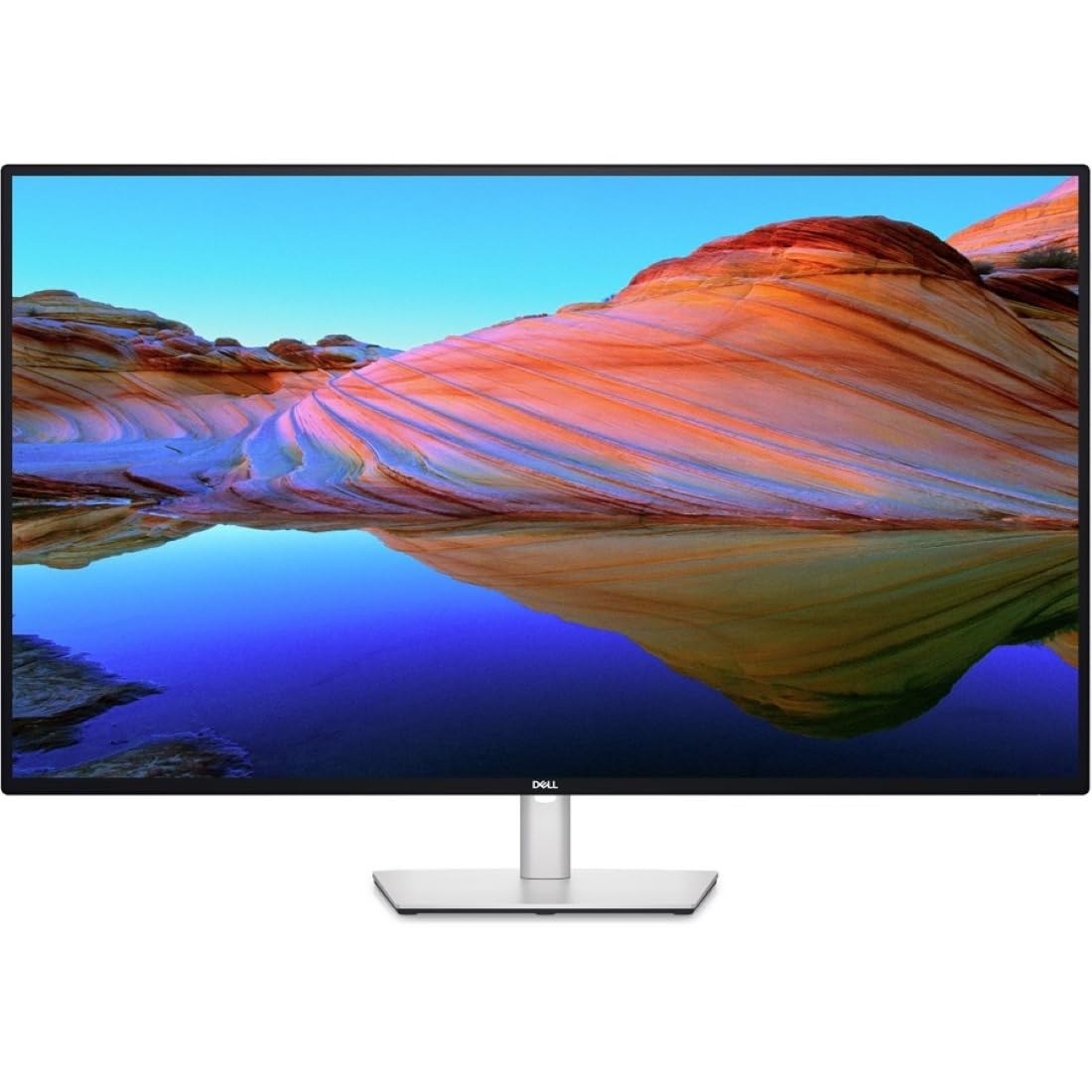
The Dell UltraSharp U4323QE is not a gaming monitor—it is a 43-inch IPS productivity behemoth designed to replace a multi-monitor array with a single panel. Its key innovation is Internal Multi-Stream Transport (iMST), which splits the 4K 3840×2160 canvas into four virtual 1080p partitions when connected to a single PC via DisplayPort, allowing window snapping that mimics a 2×2 grid without software. The built-in KVM with Auto KVM lets you control up to four different source PCs with one keyboard and mouse, switching between inputs seamlessly.
The 100% sRGB and 100% Rec. 709 color gamut coverage makes it suitable for light creative work, though the 1000:1 contrast ratio and 300-nit typical brightness mean HDR performance is limited compared to VA or OLED alternatives. The front-facing pop-out USB-A and USB-C (15W charging) ports provide easy peripheral access, and the rear I/O includes DisplayPort, HDMI, USB-C with 90W power delivery, and even an RJ45 Ethernet port for wired networking.
The stand offers height, tilt, and swivel adjustments, and the IPS panel delivers wide viewing angles essential for a screen this large. Users report that the software-based KVM can occasionally require a restart, but the core productivity use case—multiple computers on one display with shared peripherals—works reliably for most setups.
Why it’s great
- iMST splits 4K into four 1080p virtual monitors
- Built-in KVM controls up to four PCs
- Front-facing USB-C with 15W and USB-A ports
Good to know
- KVM is software-based and can crash occasionally
- Limited HDR performance due to 300-nit brightness ceiling
7. KTC 32″ H32P22P 4K 165Hz Fast IPS

The KTC H32P22P brings a Fast IPS panel to the 4K 165Hz segment at a price that undercuts the major brands significantly. The 3000:1 contrast ratio is unusually high for IPS (most IPS panels top out at 1200:1), which helps HDR content look more credible, and the 121% sRGB color gamut volume (area-based) translates to punchy, saturated colors. The panel covers 1.07 billion colors with 8-bit + FRC, and the adaptive sync compatibility works with both FreeSync and G-Sync hardware.
Connectivity includes HDMI 2.1 and DP 1.4 ports, which means this monitor can run 4K at 165Hz over DisplayPort without compression and supports HDMI 2.1 for PlayStation 5 and Xbox Series X at 4K 120Hz. The stand includes height and tilt adjustments, and the VESA 100x100mm mount makes it easy to attach to aftermarket arms. The included accessories—a screwdriver, DP cable, and power brick—reflect a thoughtful unboxing experience.
User reports indicate good image quality for the price tier, but the headphone jack has lower-than-expected output volume, so direct PC audio or Bluetooth headphones may be preferable. Some units in the early batch showed minor flicker at 1440p 144Hz, but firmware updates have reportedly addressed this. For budget-conscious buyers who prioritize high refresh rate and IPS color consistency, this monitor delivers strong value.
Why it’s great
- Fast IPS at 165Hz with 3000:1 measured contrast ratio
- HDMI 2.1 and DP 1.4 for full-bandwidth 4K 165Hz
- Height-adjustable stand and VESA mount support
Good to know
- Headphone jack output volume is lower than expected
- Occasional flicker reported at non-native 1440p resolutions
8. CRUA 32″ Curved 4K 240Hz VA Monitor

The CRUA 32″ Curved Monitor offers a combination that is rare in the budget tier: a 1500R curved VA panel with 4K UHD resolution and a 240Hz refresh rate. The VA panel delivers a 3000:1 contrast ratio and 120% sRGB color gamut, making HDR games look noticeably better than on flat IPS panels of comparable cost. The 8-bit + FRC panel renders 1.07 billion colors, and the 300 cd/m² brightness is adequate for a dim-to-moderate room environment.
The monitor includes HDMI 2.1 and DP 1.4 ports, meaning it can hit 240Hz at 4K over DisplayPort with DSC support. Built-in speakers are present, though they lack the volume and frequency range to replace dedicated desktop speakers. The white chassis and RGB backlighting give it a distinct aesthetic that suits light-colored desks or gaming setups that break from the all-black norm. PIP/PBP support allows simultaneous input from two sources.
Several users note that the stand offers only tilt adjustment and no height or swivel, which may require an aftermarket arm for optimal ergonomics. The OSD menu is controlled via a joystick, but some settings are not clearly labeled. For buyers who want the immersion of a curved 4K panel at 240Hz without breaking the bank, this monitor delivers surprising performance.
Why it’s great
- 240Hz on a curved 4K VA panel at an aggressive price
- HDMI 2.1 supports full console bandwidth
- White chassis with RGB backlight for distinctive aesthetics
Good to know
- Stand is tilt-only; height and swivel require an arm
- Built-in speakers are weak and lack bass
9. ASUS ProArt PA279CV 27″ 4K IPS

The ASUS ProArt PA279CV is built for color-critical work: it covers 100% sRGB and 100% Rec. 709, is Calman Verified, and ships with a factory calibration report guaranteeing a Delta E of under 2. The 27-inch 4K IPS panel pairs a matte finish with a 100,000,000:1 reported contrast ratio through ASUS Smart Contrast technology, though native contrast is closer to 1200:1. The 60Hz refresh rate is fine for video editing and photography workflows but not intended for competitive gaming.
Connectivity is the highlight: the USB-C port supports DisplayPort Alt Mode with 65W power delivery, allowing a single cable to drive the display, charge a laptop, and connect peripherals through the integrated USB 3.2 hub. The stand offers full ergonomic adjustment—height, tilt, swivel, and pivot—for rotation into portrait mode, which is essential for coding or reading long documents. Users report that color accuracy matches MacBook screens out of the box, reducing the need for manual calibration.
The included Adobe Creative Cloud subscription (valid through August 2026) adds value for creative professionals. Some users note a slight green tint that requires setting the tint to -7 for neutral whites, and the HDR performance is limited by the 350-nit brightness ceiling—sufficient for SDR grading but not true HDR mastering.
Why it’s great
- Factory-calibrated to Delta E < 2 with Calman certification
- USB-C with 65W power delivery and integrated USB hub
- Full ergonomic stand with portrait pivot rotation
Good to know
- Limited HDR capability due to 350-nit brightness ceiling
- Some units require slight tint adjustment for neutral whites
10. Dell 32 Plus S3225QS 4K 120Hz VA

The Dell 32 Plus S3225QS is a refined all-rounder that ups the refresh rate to 120Hz—a sweet spot for smoother desktop navigation and console gaming—while keeping the price accessible. The VA panel delivers a 1500:1 contrast ratio and covers 95% DCI-P3, producing rich, saturated colors that give HDR content legitimate punch even though peak brightness is limited to 300 nits. The 0.03ms response time eliminates ghosting in everyday use, and AMD FreeSync Premium ensures tear-free gameplay on compatible GPUs.
Dell has improved the ComfortView Plus technology on this model, reducing harmful blue light emissions to 35% or less without shifting the color temperature into a yellow cast. The speakers have been redesigned with greater output power and deeper frequency response compared to the previous generation, sounding fuller than typical monitor speakers. The ash white finish and ultra-thin bezels give the monitor a clean, modern look that fits minimalist desk setups.
The stand includes height and tilt adjustments, though it lacks swivel and pivot rotation. The long power cord is appreciated, but the included HDMI cable at 1.8 meters may be short for some desk configurations. Users switching from LG panels report noticeably brighter colors and clearer text, with no glare issues from the anti-glare coating.
Why it’s great
- 120Hz refresh rate at a budget-friendly price point
- 95% DCI-P3 coverage with 1500:1 VA contrast
- ComfortView Plus reduces blue light without color shift
Good to know
- Peak brightness of 300 nits limits HDR impact
- Stand lacks swivel and pivot adjustments
11. LG 32UR550K-B 32″ Ultrafine 4K VA

The LG 32UR550K-B is a straightforward 4K VA monitor aimed at users who need a large, clear screen for productivity and media consumption without paying for high refresh rates or OLED premiums. The 3000:1 native contrast ratio gives it deeper blacks than IPS alternatives at the same price, making movies and dark-mode UIs look richer. The 90% DCI-P3 coverage provides wider-than-sRGB color for HDR video streaming, though the 250-nit brightness means highlights never truly pop.
The stand is a strong point at this price: it offers height, tilt, and pivot adjustments, including full 90-degree portrait rotation—a feature typically reserved for more expensive monitors. The VA panel provides good off-axis viewing compared to older VA designs, and the anti-reflective coating keeps distractions minimal in rooms with ambient light. Built-in Waves MaxxAudio speakers are present for basic audio, and the monitor includes gaming features like Dynamic Action Sync and Black Stabilizer despite its 60Hz refresh rate.
The primary limitation is the 60Hz refresh rate, which is fine for office work and console gaming at 4K 60Hz but precludes the smooth scrolling and responsiveness that higher-refresh panels provide for desktop use. Users upgrading from 1080p panels report dramatic improvements in sharpness and screen real estate, making this a solid entry-level choice for those who prioritize resolution over speed.
Why it’s great
- Full ergonomic stand with height, tilt, pivot, and swivel
- 3000:1 native VA contrast for deep blacks
- 90% DCI-P3 coverage at a very accessible price
Good to know
- 60Hz refresh rate caps desktop smoothness
- 250-nit brightness is below HDR effectiveness thresholds
FAQ
Is a 60Hz refresh rate enough for a 4K HDR monitor?
Do I need HDMI 2.1 for a 4K HDR monitor?
Can I use a 4K HDR monitor for console gaming at 120Hz?
Does a higher contrast ratio always mean better HDR?
Final Thoughts: The Verdict
For most users, the best 4k hdr monitor winner is the LG 32GX850A-B UltraGear because it delivers OLED-grade contrast and color in a glossy panel with a versatile dual-mode refresh rate that serves both immersive and competitive gaming. If you want the absolute highest peak brightness and the best burn-in protection, grab the ASUS ROG Swift PG32UCDM. And for a 32:9 ultrawide QD-OLED experience that replaces two monitors, nothing beats the Samsung 49″ Odyssey OLED G9.