
Our readers keep the lights on and my morning glass full of iced black tea. As an Amazon Associate, I earn from qualifying purchases.
Specs are compiled from manufacturer listings and verified buyer reviews and can change over time — please confirm the key details on the product page before buying.
If you need to move a 4K or 8K picture across a room, through a wall, or from one end of a house to the other, the cable matters more than anything else in the chain. Copper HDMI (the normal metal kind) simply runs out of steam over long distances, which is why a 200 foot run needs fiber optic. This guide compares nine real fiber-optic options so you can pick one without guesswork.
One note before we start: this list uses flexible, human-like matching for the 200 foot length, accepting the nearest sold length roughly between 190 and 210 feet, so not every pick is the exact number you searched. The nearest same-type length serves the same purpose, and we tell you upfront so you are never misled.
I’m Min — the founder and writer behind Gadgets Feed. This guide is built by comparing the manufacturers’ published specifications and the patterns across verified customer reviews, so you get each pick’s real strengths and trade-offs instead of marketing spin.
If you need to send a 4K picture 200 feet without it breaking up, the cable’s core material decides everything. Every cable here uses fiber optic strands (glass threads that carry light instead of electricity), because a copper core cannot hold full signal across a long run. That single fact shapes which of these earns a permanent spot behind your wall for the best 200 Foot HDMI Cable setup.
Our Picks at a Glance

How To Choose The Best 200 Foot HDMI Cable
At this length, the shopping question flips. You are no longer asking which cable is best in general — you are asking which one will survive the distance you actually need. A 200 foot run is well past where a standard copper cable (the ordinary metal wire inside most HDMI cords) can carry a full high-speed signal without the picture breaking up.
Fiber optic versus copper at distance
Fiber optic cable sends the signal as light through a glass core instead of electricity through metal. That matters for two everyday reasons. First, light does not fade the way an electrical signal does over a long run, so the picture arrives clean. Second, glass is immune to electromagnetic interference — the electrical noise that nearby power lines, wall wiring, and appliances throw off — so nothing in your house can corrupt the signal.
The direction trap almost everyone hits
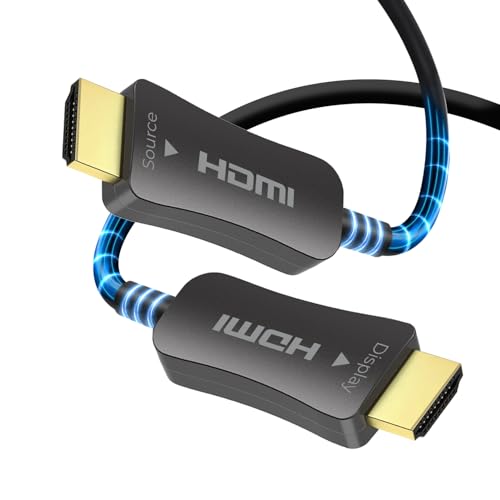
Fiber optic HDMI cables are directional, meaning the signal only flows one way. One end is marked “Source” and plugs into your output device — a game console, laptop, streaming box, or AV receiver. The other end is marked “Display” and plugs into your TV, monitor, or projector. Wire it backwards and you get nothing on screen. Some buyers report losing half an evening to exactly this before flipping the cable.
Bandwidth decides your resolution ceiling
Bandwidth — measured in Gbps, or gigabits per second — is the size of the signal pipe. An 18Gbps cable comfortably handles 4K at 60Hz with full color. A 48Gbps cable is the HDMI 2.1 tier, built for 8K at 60Hz and 4K at 120Hz for high-refresh gaming. Match the bandwidth to what your display can actually do, and you will not overspend or underbuild.
Quick Comparison
| Model | Best For | Bandwidth | Length | Max Resolution | Amazon |
|---|---|---|---|---|---|
| Snowkids 8K HDMI Fiber Optic Cable 200FT/60M★ Best Overall | Most buyers, all-around reliability | 48 gigabits_per_second | 200 feet | 8K@60Hz / 4K@120Hz | Amazon |
| OREl 4K Fiber Optic HDMI 2.0b Cable 200ftPremium Pick | Long-term in-wall installs | 18 gigabits_per_second | 200 feet | 4K@60Hz | Amazon |
| iBirdie 8K Fiber Optic HDMI Cable 200 FeetGaming Pick | Gaming and AVR setups | 48 gigabits_per_second | 200 feet | 8K@60Hz / 4K@144Hz | Amazon |
| OREl 8K HDMI 2.1 Fiber Optic Cable 200ft | EMI-heavy environments | 48 gigabits_per_second | 200 feet | 8K@60Hz / 4K@120Hz | Amazon |
| RUBMUD 8K HDMI 2.1 Cable 200ft | High-refresh home theater | 48 gigabits_per_second | 200 feet | 8K@60Hz / 4K@120Hz | Amazon |
| KIMTABO 4K HDMI Cable 200 ft | Budget long-run 4K | 18 gigabits_per_second | 200 feet | 4K@60Hz | Amazon |
| DICEKOO HDMI Cable 200FT 8K Fiber Optic | White, discreet in-wall runs | 48 gigabits_per_second | 200 feet | 8K@60Hz / 4K@240Hz | Amazon |
| Adrenenjoyer Fiber Optic 200 ft HDMI Cable | Tight-space installs | 18 gigabits_per_second | 200 feet | 4K@60Hz | Amazon |
| Soonsoonic Fiber Optic HDMI Cable 200ft | Best budget-friendly entry | 18 gigabits_per_second | 200 feet | 4K@60Hz | Amazon |
In‑Depth Reviews
1. Snowkids 8K HDMI Fiber Optic Cable Long 2.1 200FT/60M, 48Gbps Unidirectional
Our pick — over 4.5★ from 17,500+ verified ratings; the strongest balance of quality and price.
The future-proof pick that treats a 200 foot run like a short hop.
Buy the Snowkids if you want the newest HDMI standard living behind your wall for the next several years. It pushes 48 gigabits per second — twice the pipe of the 18Gbps tier — which is the difference between 8K at 60Hz and 4K at 120Hz being possible at all on a long run. Copper cable of any brand cannot hold that speed past short distances, so this is the ceiling of what a 200 foot fiber cable can do right now.
What buyers keep coming back to is how well it holds up. Reviewers running console-to-TV setups get stable 4K at 120Hz with no tearing or lag, and the picture at 8K reads sharp and vivid. The build is a braided military-grade nylon jacket with 24K gold-plated connectors, rated for 25,000 flex cycles — which is the reason it feels heavier in the hand than a cheap lead. It is also back-compatible with every older HDMI version, so it will not go obsolete the moment you upgrade a device.
The honest catch is flexibility and complexity. The same thicker jacket that makes it tough can be stubborn in tight corners, and a few complex AV receiver setups have reported eARC and CEC handshake trouble that a simpler soundbar-to-TV run never saw. Budget-tier and mid-range alternatives below will not beat it on bandwidth, and the closest 18Gbps rival moves less data per second — 48 vs 18 — which is the whole reason this one sits on top.
Where It Wins
- 48Gbps bandwidth open up 8K at 60Hz and 4K at 120Hz on a long run
- Braided nylon jacket rated for 25,000 flex cycles
- 24K gold-plated connectors stay stable over time
- Works with every older HDMI version you might still own
The Honest Catch
- The thick jacket resists bending in tight corners
- Complex AV receiver chains have shown eARC/CEC quirks
Reach for this if: you want one cable that handles today’s 4K gear and tomorrow’s 8K gear without a re-run through the wall.
Look elsewhere if: your setup is a tangled AV receiver stack where CEC handshake problems would be a headache — the simpler mid-range options may suit you better.
2. OREI 4K Fiber Optic HDMI 2.0b Cable 200ft
The in-wall specialist that skips the extender box entirely.
If you plan to bury a cable inside a wall and forget about it, this is the pick. The OREI runs 18Gbps (gigabits per second, the data rate) for a full 4K signal at 60Hz (60 frames per second) across the entire 200 feet without degrading, so movies stay sharp and smooth. It carries HDR (high dynamic range, which keeps bright and dark scenes detailed) plus HDCP 2.2 — the copy-protection handshake that streaming boxes and Blu-ray players require before they will send a picture. It also supports 1536KHz sample rates and 32-channel uncompressed audio sync, so surround sound arrives intact.
The big practical win is that you do not need a separate HDMI extender box. Those little powered units are the usual workaround for long copper runs, and they add another device to power and troubleshoot. The OREI sends the signal straight through instead. What owners value most carries over from OREI’s broader line: the build and the value, with the brand backing it with a full 5-year warranty — the longest coverage window in this group.
At roughly 4.8mm in diameter it is genuinely thin, which is exactly what lets it slide through tight wall cavities and around bends that would stop a fatter cable. If you need 8K or high-refresh gaming, this is not your ceiling — the Snowkids above moves twice the data at 48Gbps. But for standard 4K HDR television, the painless install and the warranty are hard to argue with.
Install-Day Reality: the slim 4.8mm profile (about the width of a pencil lead) is the honest reason to pick this one — it threads through walls and tight spaces where a thicker jacket fights back, so you spend less time fishing and more time watching. And no extender box means one less thing to plug in.
A Fair Trade-Off: you are capped at 4K at 60Hz here, so if you are running a 120Hz gaming display or an 8K set, spend the little extra on a 48Gbps cable instead.
The fit: a long-life 4K install where the cable goes into the wall, stays there, and the buyer wants a warranty to lean on.
3. iBirdie 8K Fiber Optic HDMI Cable 200 Feet 62 Meter, 48 Gbps
Gaming-ready 48Gbps muscle with a power lifeline for stubborn HDMI ports.
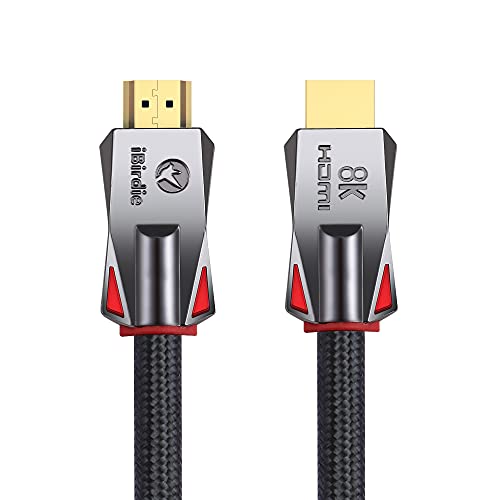
The iBirdie is built for the buyer pushing high-refresh game frames or a demanding audio setup. It runs 48Gbps and handles 8K at 60Hz, 4K at 144Hz, 4K at 120Hz, 2K at 165Hz, and 1080p at 240Hz, back-compatible with HDMI 2.1, 2.0b, and 2.0a. For a long-run gaming setup, that headroom is the whole point. It also carries eARC support so your receiver gets uncompressed surround audio in one single cable run.
The one genuinely clever extra is the included HDMI USB power cable. Active optical cables need stable power to run, and some HDMI ports on hubs, switches, and splitters simply do not supply enough of it. If your port comes up short, the USB cable feeds extra power into the cable so it works anyway. Alongside that, the build is a tough exterior that stays flexible, handles 4K at 144Hz with VRR and HDR at 12-bit color, and reports no flickering or blackouts on a clean setup.
Be ready to check a setting before you blame the cable. iBirdie notes that most 4K 120Hz TVs ship with their HDMI 2.1 features switched off, so you must turn them on in the TV menu yourself to get full performance. The recurring owner gripe is the opposite end of the convenience: on some setups the cable needs an unplug-and-replug at every power-up to lock eARC audio in, which is a genuine nuisance if you switch equipment on daily.
The Standout: that bundled USB power cable is the differentiator — it saves you when a hub, switch, or splitter port cannot supply enough juice on its own, a problem that quietly kills other active cables.
A Fair Warning: you must go through the TV settings menu once to set it up, and some users must reseat the cable after each power-up to get eARC audio (the return channel that sends TV sound back to your soundbar). That is a small routine if you power on once in a while, but annoying if you do it constantly.
Pick it if: you are feeding 4K at 144Hz or an eARC receiver and want a spare power path for stubborn HDMI ports.
4. OREI 8K HDMI 2.1 Fiber Optic Cable 200ft – AOC, 48Gbps
Flagship 8K bandwidth from a name that already sells the 4K version.
If the 4K OREI above caught your eye but you want the newer standard, this is the same company’s step up. It carries 48Gbps for 8K at 60Hz and 4K at 120Hz with HDR10+ and Dolby Vision, and it does it without a signal drop even across the full 200 feet. Gold-plated connectors and a tough nylon jacket round it out, and the signal runs at 4.8GHz — the huge number behind all that throughput.
The real selling point is interference protection. Fiber-optic construction means the cable is immune to electromagnetic and RF interference, so running it near power lines, electrical panels, or other data cabling does not disturb the picture. That matters in the exact installs where long runs often happen — inside walls alongside house wiring, or in a rack full of equipment. Audio gets full eARC, Dolby Atmos, and DTS:X, plus CEC and EDID for devices that need to talk to each other.
Read the connections carefully before you commit. This listing is marked female-to-female, meaning both ends are sockets rather than standard plugs, so confirm it matches your ports. Owners also flag that fiber is more fragile than metal — the polymer body can crack if you force a sharp bend, so route it with gentle curves. Treat it kindly during the pull and it pays off for years.
The Case For It
- 48Gbps handles 8K at 60Hz and 4K at 120Hz over the full run
- Immune to electromagnetic and RF interference near power and data cables
- Full eARC, Dolby Atmos, and DTS:X audio support
- Tough nylon jacket with gold-plated connectors
Worth Knowing
- Listed as female-to-female, so check your port type first
- The polymer body is more delicate than metal — avoid sharp bends
Right for: an interference-heavy run — a rack, a panel room, a wall shared with mains wiring — where clean signal is the priority.
5. RUBMUD 8K HDMI 2.1 Cable 200ft, Long Fiber Optic HDMI Cable

Tough enough for a wall pull, smooth enough for a lag-free frame.
Home theater builders get a lot of value here. The RUBMUD runs 48Gbps with 8K at 60Hz, 4K at 120Hz, and 2K at 240Hz, plus Dynamic HDR, Dolby Vision, Dolby Atmos, HDCP 2.2 and 2.3, 3D, 32 audio channels, and 4:4:4 RGB color. It also carries ALLM and VRR — the gaming features that cut input lag and stop the frame tearing you would otherwise see on a big screen. It comes with a two-year warranty, and the manufacturer touts its gold-plated connectors and a housing rated for over 20,000 bending cycles.
What wins people over is reliability through the rough part of the job. Buyers have pulled this cable through walls and ceilings, survived a hard yank mid-install, and still gotten a clean 4K HDR picture afterward with no signal loss. The fiber build is light and easy to route compared with copper, so getting it from a ceiling down to a display does not turn into a two-person wrestling match. It handles consoles, streaming boxes, and home theater gear without complaint.
The honest caveat is durability. Some users report a unit failing within a month, and build quality earns a mix of praise and disappointment. That is the reality of a long fiber cord — the glass inside is fragile even when the outside looks sturdy. Handle the coil gently, keep a calm bend radius, and the odds swing heavily in your favor.
The Strong Point: the light fiber construction and 20,000-cycle bend rating together make this one of the easier cables to drag through wall cavities and ceilings — install-day pain is low.
The Recurring Gripe: a minority of units fail early, so buy this with the expectation of careful handling, not heavy abuse.
Best for: a full home theater build that needs high-refresh gaming features and a smooth install through structure.
6. KIMTABO 4K HDMI Cable 200 ft, Fiber Optic HDMI Cord
The thin, cooperative cable you thread through finished walls.
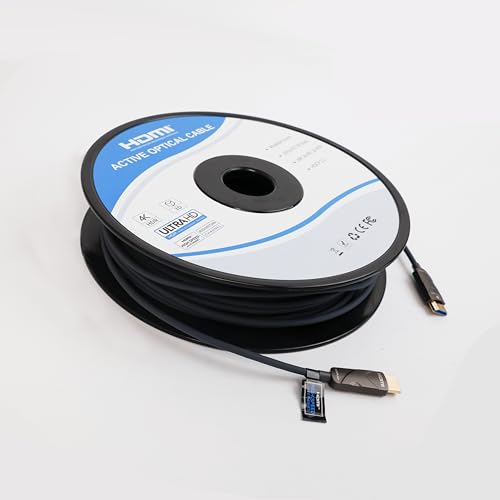
If you are wiring a whole home or running cable inside walls, this one gives you the most. It is a 4K at 60Hz cable rated to a full 4096×2160 at 60Hz, so you get ultra-sharp detail on a big screen. It includes HDCP 2.2, HDR10, and ARC support (the audio return channel that sends TV sound to your soundbar), running on a fiber core with a German chipset and OM3 fiber cores. At only 4.8mm in diameter with a zinc shell, it is built to slip through the kind of tight spaces that stop a fatter cable — and it carries a 28-gauge construction to match.
Owners doing real installs say it threads easily. It runs through wall joists, fishes down from an attic, and reaches where a shorter cable cannot. One buyer used it for a security system and DVR run and reported a clean signal; another notes a thick, solid feel across a whole living room. For a long in-wall extension at a value price, the length and the maneuverability are the reasons it earns its spot.
Keep expectations calibrated on speed and audio. A buyer running a splitter-based job could not push a full 4K signal out of a short extension, so if your run stacks splitters or a receiver into the chain, a 48Gbps cable will be the surer bet. This one is honest about its place: great for standard 4K television and 1080p, and best when the run is straightforward.
Why Owners Reach for It: that slim 4.8mm body and 28-gauge build are the honest reason it wins installs — it goes through joists and attic runs with far less fuss than a bulky cord.
A Fair Trade-Off: with only 18Gbps, a complex splitter or receiver chain can leave it short on bandwidth, so plan the run accordingly.
Ideal for: a straightforward in-wall 4K run where the thin cable matters more than maximum speed.
7. DICEKOO HDMI Cable 200FT 8K Fiber Optic, 48Gbps
A white 48Gbps run built for competitive frames and clean walls.
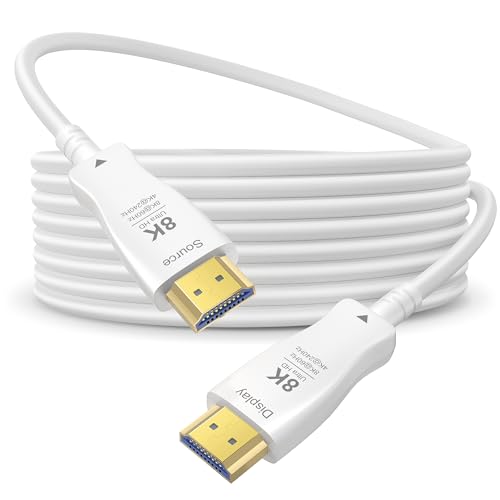
The DICEKOO is for the buyer chasing the highest refresh rates on a long run. It carries 48Gbps for 8K at 60Hz, 4K at 240Hz, and 2K at 240Hz, with Dynamic HDR, Dolby Vision, ALLM, eARC, and HDCP 2.2 and 2.3, plus 12-bit output at 7680×4320. That is the spec sheet for smooth, high-refresh gaming and large-screen movie nights, and the white jacket blends into a light-colored wall better than a black cable if you are running it exposed.
The fiber construction is the quiet hero here. It is lighter and more resistant to electromagnetic interference (stray electrical noise from other cables) than copper, so it delivers zero latency even over long distances — useful for a large living room TV or a high-refresh gaming monitor at the far end of a room. It is also plug-and-play, no external power needed. Buyers running it to projectors and laptops report a reliable signal with no degradation over the length.
Two things to plan for. First, it is unidirectional, so the “Source” end must go to your console, laptop, or player and the “Display” end to the screen — wire it backwards and you will see nothing until you flip it. Second, fiber is delicate, so avoid excessive bending or pinching. A few owners also note the cable does not support ARC in some receiver setups, so if you need the TV to send audio back down the line, check that requirement first.
What It Brings
- 48Gbps with 4K at 240Hz and 2K at 240Hz for high-refresh gaming
- White jacket blends with light walls on exposed runs
- Plug-and-play, no external power supply needed
- Resistant to electromagnetic interference over long distances
Watch-Outs
- Unidirectional — the ends must be wired the right way around
- Fiber is delicate; sharp bends can damage it
- ARC may not work in some receiver setups
Choose it if: you want maximum refresh rate plus a discreet white cable for an exposed run.
8. Adrenenjoyer Fiber Optic 200 ft HDMI Cable, 18Gbps
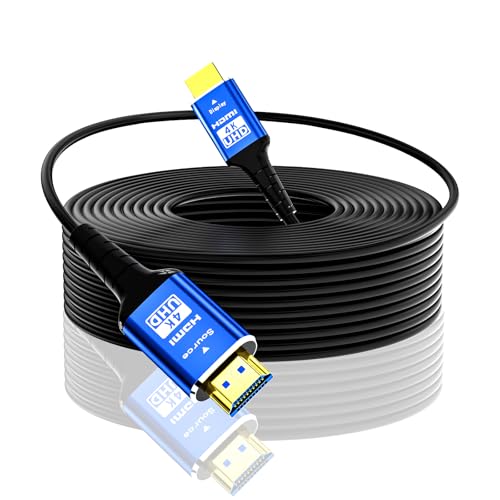
The slim, interference-immune 4K run for tight wiring paths.
If your install is more about routing than raw bandwidth, this one earns its keep. It runs 18Gbps for 4K at 60Hz with 4:4:4 RGB, and is back-compatible with 2K at 144Hz, plus HDR10, eARC, CEC, 3D, and HDCP 2.2 — all the standards a standard 4K television needs. It also carries a German chipset for clean optical-to-electrical conversion and is immune to electromagnetic interference, so nearby wiring will not corrupt the signal.
what separates it is how thin and nimble it is. At just 4.8mm in diameter it handles tight bends and cramped corners where a fatter cable refuses to cooperate, and the light weight makes long pulls through walls and ceilings noticeably easier. Buyers running laptops to TVs and long-distance 4K setups report a clean picture with no audio or video dropouts and an installation that went together easily. The value for a long fiber run is front and center.
Be realistic about two things. First, it is a 4K-at-60Hz cable — if you are chasing 8K or high-refresh gaming, look at the 48Gbps picks instead. Second, the connectors lock in place firmly, and some owners find them nearly impossible to disconnect once seated, so make sure your positioning is right before you commit. A handful of units have also simply arrived dead, which is what the manufacturer’s after-sales line is for.
What Buyers Praise: owners praise the build and the value, and the slim 4.8mm body is the reason it threads tight paths a chunky cable cannot handle.
A Fair Note: the locking connectors hold so firmly that unplugging them can be a fight — set your final position carefully the first time.
Worth it for: a standard 4K run through a cramped, bendy path where flexibility beats extra bandwidth.
9. Soonsoonic Fiber Optic HDMI Cable 200ft, 18Gbps Unidirectional Active 2.0 Cord
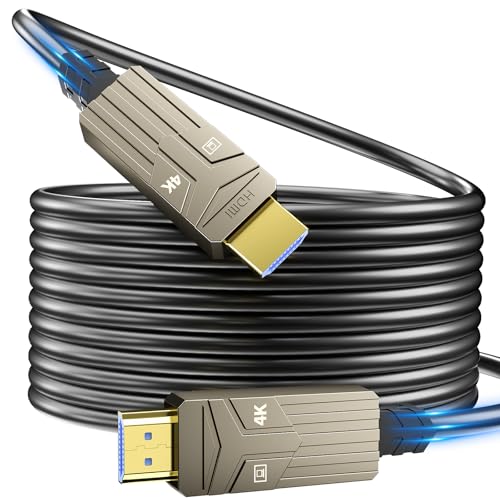
The entry-level fiber run that gets a clean 4K signal across the room for the least outlay.
This is the pick for a first long-run project on a tight budget. It is a directional active fiber optic cable rated at 18Gbps, supporting 4K at 60Hz with 8-bit 4:4:4, HDR10, ARC, eARC, CEC, 3D, HDCP 2.2, Dolby Atmos, and DTS:X. It uses four OM3 optical cores as the transmission medium — the light-carrying glass that keeps signal strong without attenuation or delay — and it runs on plug-and-play with no external power needed. It is back-compatible with 2K at 144Hz and 1080p at 240Hz.
The value is the draw. One buyer ran a version of this line to a satellite receiver through a splitter and reported it working flawlessly for 1080p television; another calls it good quality that works well. The build uses a 24K gold-plated connector, a zinc alloy shell, a Kevlar tensile layer, and three-layer shielding to keep the optical signal accurate and protect it over its service life. Sturdy packaging with velcro ties shows up in owner notes too.
Two practical caveats. It is unidirectional (it only works one way), so the “Source” end must go to your player or console and the “Display” end to the screen — a few buyers found the ends were not clearly marked and had to sort out the direction by trial. And the cable is somewhat stiff, so coil it gently to avoid stressing the fiber. A rare unit has arrived with a bent connector, an occasional shipping miss rather than the norm.
Why It Sells: it delivers real fiber-optic signal over a 200 foot run for the lowest outlay here, and the plug-and-play setup with no external power keeps it simple to add to any system.
Mind the Coil: the stiff jacket needs gentle handling when you store or re-route it, and slightly fuzzy end markings mean you should check which side is “Source” before you plug in.
Good starting point: a simple 4K or 1080p long run where the budget is fixed and the setup is uncomplicated.
Understanding the Specs
Bandwidth (Gbps)
Bandwidth is the size of the signal pipe, measured in gigabits per second. An 18Gbps cable handles 4K at 60Hz with full color — plenty for a standard 4K television. A 48Gbps cable is the HDMI 2.1 tier, built for 8K at 60Hz and 4K at 120Hz for high-refresh gaming. Pick the bandwidth that matches your display’s top ability, and you spend exactly what you need and no more.
Directionality (Source and Display)
Fiber optic HDMI cables send the signal one way only, so each end is labeled. The “Source” end plugs into your output device — a console, laptop, or receiver — and the “Display” end plugs into your TV, monitor, or projector. Wire it the wrong way and the screen stays blank. This is the single most common setup mistake on long fiber runs, and it takes seconds to get right.
Fiber Optic versus Copper
Copper cable carries the signal as electricity, which fades over distance and can pick up interference from nearby wiring. Fiber optic cable carries it as light through a glass core, so it holds up over long runs and shrugs off electromagnetic interference. That is why every cable on this list is fiber — at 200 feet, copper simply cannot keep up.
Active Cables and Power
Long fiber runs are “active,” meaning they need stable power to work properly. Most draw enough from your HDMI port alone, but some hubs, switches, and splitters do not supply enough, which is why certain cables include a USB power cable to top up the signal. If a cable comes with one, keep it handy in case your port comes up short.
FAQ
Why do I need fiber optic instead of a normal copper HDMI cable at this length?
My picture is blank after connecting the cable — what did I do wrong?
Will an 18Gbps cable work for my 4K TV?
Does a long fiber HDMI cable need a separate power supply?
Can I run a 200 foot HDMI cable inside a wall?
Is a fiber optic HDMI cable better than a copper one for gaming?
Will eARC and Dolby Atmos pass through a long fiber cable?
How do I care for a fiber optic HDMI cable so it lasts?
Should I pick 4K at 60Hz or 8K at 60Hz for a long run?
Why does my cable drop signal when it runs past a certain length?
Final Thoughts: The Verdict
For most buyers building the best 200 foot hdmi cable setup, the winner is the Snowkids 8K HDMI Fiber Optic Cable — it is the only pick here that carries the full 48Gbps. If a buried, warranty-backed 4K run is more your priority than raw speed, the OREl 4K Fiber Optic HDMI 2.0b Cable with its 5-year coverage is the smarter grab. And if you are wiring for a high-refresh gaming display and want a spare power path for stubborn HDMI ports, the iBirdie 8K Fiber Optic HDMI Cable is the one to reach for.
How We Picked
We do not accept paid placement. Every pick is matched to a real buyer and a real use-case; we do not hands-on test units.
Sources & Methodology
Specifications: manufacturer listings and product documentation. Review insights: verified customer reviews, as of September 2026. Pricing: not shown on this page (it changes often); check the current price via the retailer link.
As an Amazon Associate, Gadgets Feed earns from qualifying purchases. This does not affect which products we feature.