
Our readers keep the lights on and my morning glass full of iced black tea. As an Amazon Associate, I earn from qualifying purchases.
Specs are compiled from manufacturer listings and verified buyer reviews and can change over time — please confirm the key details on the product page before buying.
Will the laptop you buy today still feel quick two years from now? The picks below answer that with real specs — how long the battery actually runs, how much memory ships inside, and how big the screen is for spreadsheets, streaming, and video calls. Every option here is a genuine, well-reviewed machine, from budget-friendly workhorses to premium display standouts.
I’m Min — the founder and writer behind Gadgets Feed. This guide is built by comparing the manufacturers’ published specifications and the patterns across verified customer reviews, so you get each pick’s real strengths and trade-offs instead of marketing spin.
You will see which models earn their place and which one matches your daily routine — the honest breakdown of the best laptop makes it easy to spot the right fit before you spend.
Our Picks at a Glance


How To Choose The Best Laptop
The biggest mistake first-time buyers make is shopping by brand name instead of by the two or three specs that actually shape daily life. Here is what genuinely moves the needle.
Memory and storage set the ceiling
Memory, measured in gigabytes (GB), decides how many browser tabs, spreadsheets, and apps you can run at once without slowdown. Storage, measured in gigabytes or terabytes, is the shelf where your files and programs live. A machine with 8GB of memory will feel fine for email and web browsing but starts to strain once you pile on windows. A machine with 16GB or more keeps its composure for years. Storage works the same way — 128GB fills up fast after Windows and updates, while a 1TB drive gives you room to stop worrying about it.
Battery life changes where you can work
Battery figures in this category range from a couple of hours to a full workday and beyond. A gaming laptop with a powerful graphics chip will drain quickly under load, while a thin productivity machine can stretch well past a typical class schedule. If you rarely leave a desk, battery matters less. If you commute, study in libraries, or travel, it matters a lot.
Display: size, resolution, and refresh rate
Screen size in inches tells you how much you can see at once — a 16-inch panel splits spreadsheets and windows more comfortably than a smaller one. Resolution (like 1920 x 1080, also written 1080p, or 1920 x 1200) determines how sharp text looks. Refresh rate in Hertz (Hz) measures how many times per second the screen redraws; a 60Hz panel is standard, while 165Hz or 180Hz panels show fast motion more smoothly. A sharper, smoother panel reduces eye strain on long days.
Quick Comparison
| Model | Best For | Memory | Storage | Display | Amazon |
|---|---|---|---|---|---|
| Apple 2026 MacBook Air 15-inch (M5)★ Best Overall | All-day battery and premium build | 16GB | 512GB SSD | 15.3-inch Liquid Retina | Amazon |
| Lenovo ThinkPad E16 Gen 3Business Workhorse | Business work and secure multitasking | 16GB DDR5 | 1TB SSD | 16-inch WUXGA IPS | Amazon |
| Dell 16 PlusBest Display | Data-heavy work and large screens | 32GB | — | 16-inch QHD+ | Amazon |
| Dell XPS 14 Premium | Display quality and touch input | 32GB | 1TB SSD | 14.5-inch 3.2K OLED Touch | Amazon |
| ASUS ROG Strix G16 | High-refresh gaming and creation | 16GB DDR5 | 1TB Gen 4 SSD | 16-inch FHD+ 165Hz | Amazon |
| Acer Nitro V 16S AI | Gaming plus AI workloads | 32GB DDR5 | 1TB Gen 4 SSD | 16-inch WUXGA 180Hz | Amazon |
| HP 255 G10 | Home-and-work value with big storage | 16GB | 1TB SSD | 15.6-inch Full HD | Amazon |
| HP OmniBook 3 16-inch | Touchscreen on a budget | 8GB | 256GB SSD | 16-inch 2K IPS Touch | Amazon |
| NIMO 15.6-inch FHD | Big memory and storage for the money | 32GB | 1TB SSD | 15.6-inch FHD IPS | Amazon |
| Lenovo V15 | Everyday office work and study | 16GB | 512GB SSD | 15.6-inch FHD | Amazon |
| Acer Aspire Go 15 | Basic tasks and light schoolwork | 8GB DDR5 | 128GB UFS | 15.6-inch FHD IPS 60Hz | Amazon |
In‑Depth Reviews
1. Apple 2026 MacBook Air 15-inch Laptop with M5 chip
Our pick — over 4.5★ from 650+ verified ratings; the strongest balance of quality and price.
Runs a full day of classes on one charge, then fits in a bag like a magazine.
You can leave the charger at home and still get through classes, meetings, and a Netflix episode afterward. At 3.32 pounds, the 15.3-inch body carries more like a smaller machine, and the fanless M5 chip runs silent because there is no spinning fan to hear.
The M5 chip with 16GB of unified memory handles multitasking, editing, and AI tools without a stutter. The 512GB SSD is four times the Acer Aspire Go 15’s 128GB, and the 16GB memory doubles that machine’s 8GB, so files and apps have real room to breathe. Setup is a few minutes, and if you already carry an iPhone, photos and messages flow between the two without cables.
The honest catch is that this is the premium end of the range and it is not a gaming machine. It has no dedicated graphics chip, so heavy 3D titles are off the table. Buyers report: “This is an amazing laptop. I was running my business from a Chromebook and with ChatGPT and spreadsheets, It just got a bit too slow. It’s so easy to set it up. Has a great battery life.”
M5 chip speed
- 18-hour battery rating means a charger-free workday
- 16GB unified memory and a 512GB SSD — four times the Acer Aspire Go 15’s 128GB
- 3.32 pounds for a 15.3-inch screen, plus a fanless, silent design
- 12MP Center Stage camera, six-speaker Spatial Audio, Wi-Fi 7, and Touch ID
price climbs fast
- Premium-tier pricing — this is the top of the range here
- No dedicated graphics, so it is not built for heavy games
- Only two Thunderbolt 4 ports alongside the MagSafe charging port
buy for power: anyone who wants one machine that lasts all day, stays quiet, and syncs with their phone — students, writers, and business owners who value time over specs.
overkill for email: your priority is ray-traced gaming, in which case the Acer Nitro V 16S below fits better.
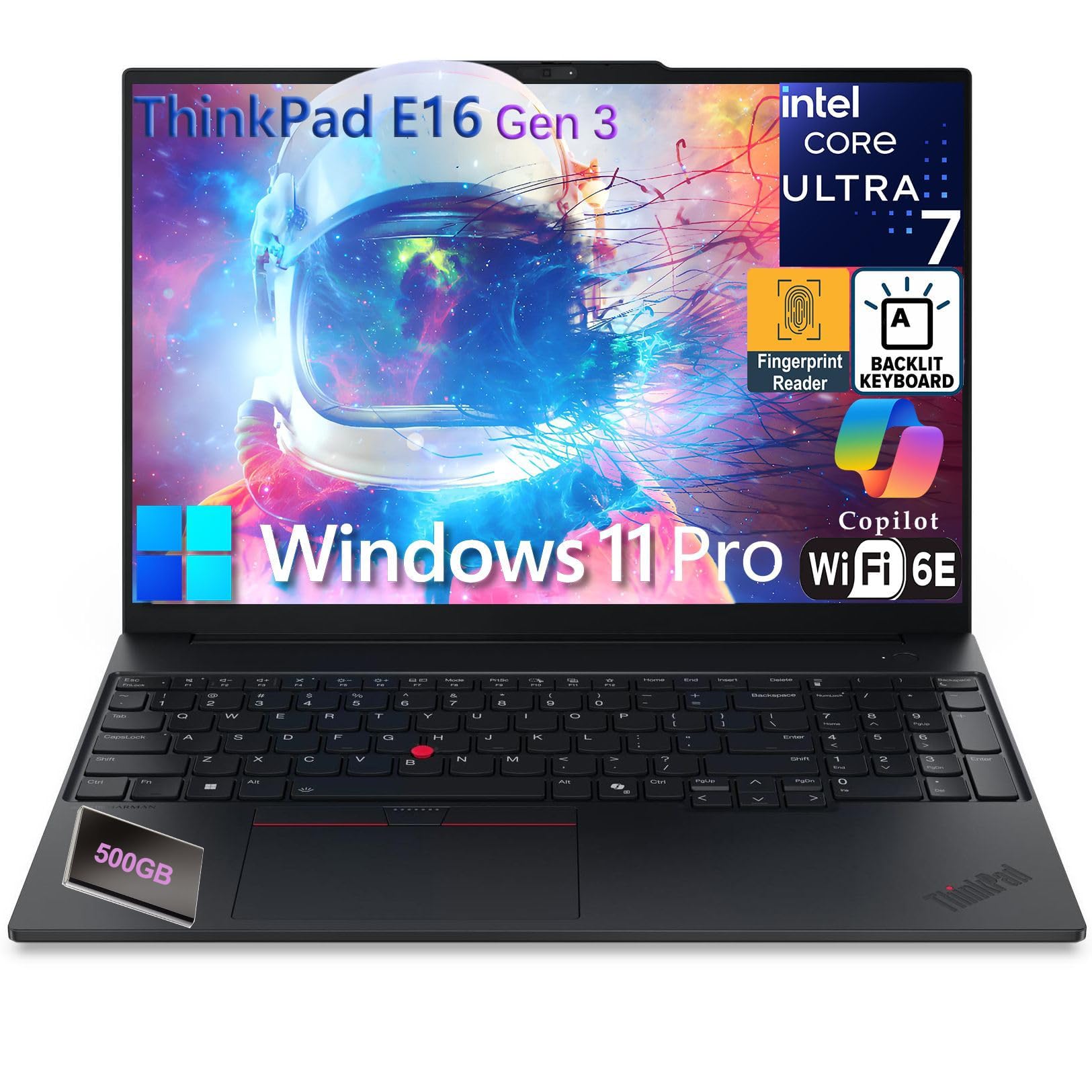
2. Lenovo ThinkPad E16 Gen 3
The business machine that multitasks spreadsheets and calls without breaking a sweat.
If your day lives in email, spreadsheets, and browser tabs, what matters is processor headroom and enough memory to keep everything open. This one carries the Intel Core Ultra 7 255H, which can turbo up to 5.1GHz, paired with 16GB of DDR5 memory. That is the same memory figure as the MacBook Air above, and it is what lets a dozen tabs and a video call run side by side without the machine snagging.
The display is built for data work rather than entertainment — a 16-inch WUXGA panel at 1920 x 1200, so you get extra vertical room for rows of numbers. Storage lands at 1TB on a PCIe NVMe SSD, so files and apps open near-instantly and you stop juggling external drives. On the connectivity side there is Wi-Fi 6E and Bluetooth 5.3, plus a genuinely generous port lineup: two USB-C ports (one at Thunderbolt 4 speeds), two USB-A ports, HDMI 2.1, Ethernet, and a headphone jack. A fingerprint reader sits in the power button for one-touch logins.
Owners mention it runs like a serious business machine rather than a consumer toy. The honest catches are minor: the speakers are on the tinny side, and Windows 11 Pro setup takes some patience. Neither gets in the way of work, but they are worth knowing before you buy.
ThinkPad keyboard feel: The ThinkPad E16 delivers professional-grade performance and a genuinely useful port selection for people who dock into a desk all week. It is the strongest pick here for anyone whose machine is a tool, not a toy.
choose for typing: you need Windows 11 Pro, a numeric keypad, Ethernet, and Thunderbolt 4 in one reliable machine.
want bright screen: you mostly watch movies — the modest speakers and business-first display are not built for that.
3. Dell 16 Plus Laptop QHD+
A 32GB memory monster that keeps a wall of windows open without blinking.
Anyone who genuinely lives inside spreadsheets and dashboards knows the pain of a machine that freezes mid-formula. That is exactly what 32GB of memory solves — you can keep a dozen tabs, a huge sheet, and a video call running at once. Tied to the Intel Core Ultra 9 288V processor turboing up to 5.1GHz, and a spacious 16:10 screen, this is a laptop shaped for deep work rather than games.
The QHD+ panel delivers a high pixel count, which means crisp text during long sessions and enough side-by-side room for two documents or a spreadsheet plus a reference page. Dell builds the chassis from high-quality materials and puts every unit through military-grade durability testing, so it should survive daily commuting. There is a QHD+ resolution screen, an FHD+ webcam for video calls, and a 65W Type-C adapter in the box.
The recurring gripe here is ports. Owners note the machine is light on USB-A and there is no SD or microSD card reader, so photographers and multi-monitor users should plan on a hub. The screen brightness and webcam quality are also not the headline features. Customers note: “so happy with my upgrade, this is the best! fast, high-memory laptop with bright clear display; great for work/photos/multitasking.”
sharp QHD+ screen: The Dell 16 Plus trades port variety for a big, sharp canvas and serious memory headroom. It suits anyone whose workload is text, data, and documents — not photographers who need an SD slot right in the chassis.
pick for pixels: data-heavy professionals who want a large, high-resolution screen and abundant memory for parallel tasks.
need many ports: you rely on USB-A accessories or memory cards — the port count is limited.
4. Dell XPS 14 Premium Laptop
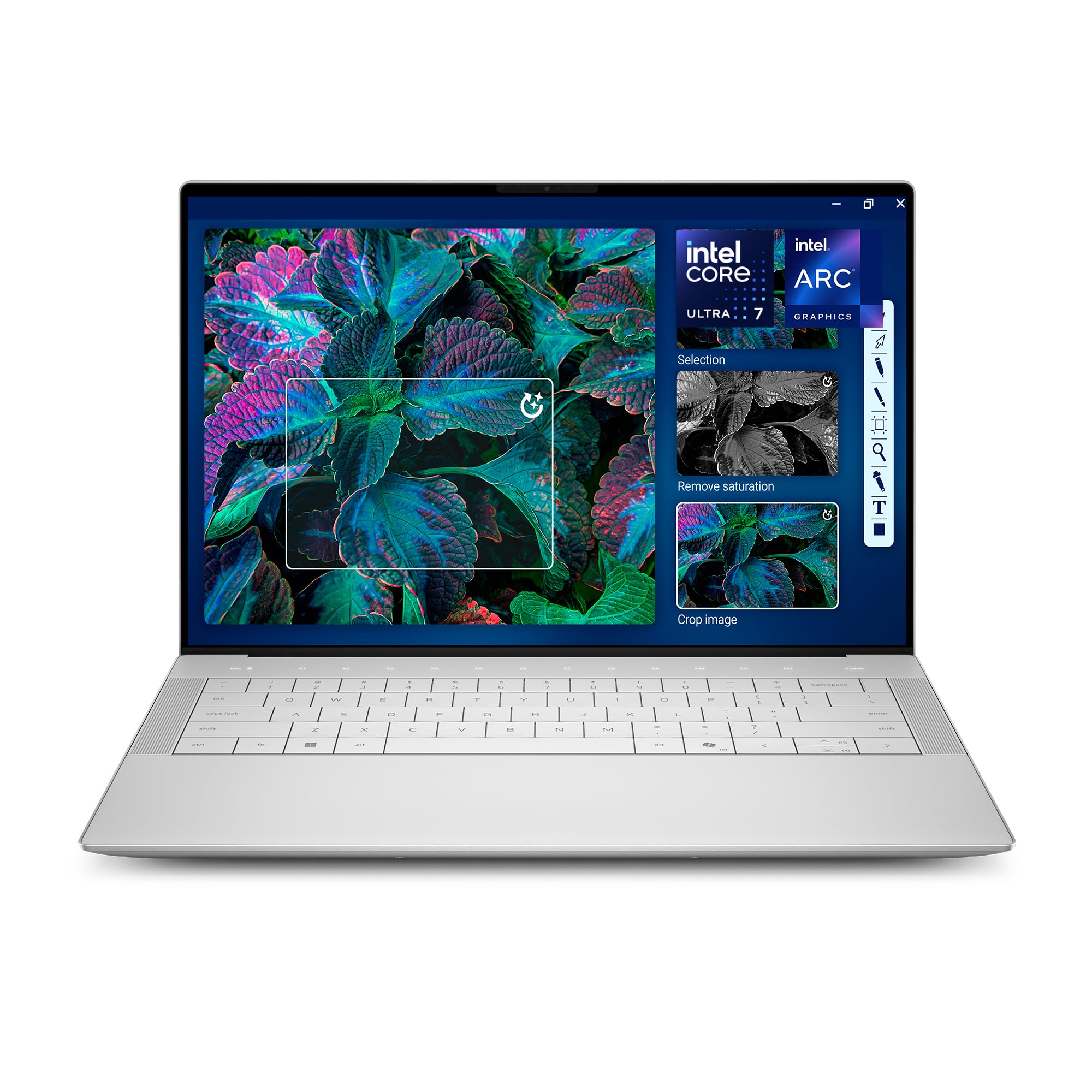
A touchscreen OLED panel that turns photo and video work into a pleasure.
For anyone whose work is visual, the 3.2K OLED touch display is the reason to pick this one. OLED panels turn pixels off for true blacks, so photos and video look richer than on a standard LCD, and the touch layer adds direct control when you are editing on the move. The 3.2K resolution means sharp detail on a 14.5-inch canvas, and the screen refreshes between 48Hz and 120Hz depending on what is on screen, which smooths motion while helping battery life when the picture is static.
Inside, an Intel Core Ultra 7 255H up to 5.1GHz pairs with 32GB of memory and a 1TB SSD — the same memory figure as the Dell 16 Plus above. Machined aluminum and Gorilla Glass 3 keep the build strong and light, and there is a fingerprint reader plus a backlit keyboard. The 60W Type-C adapter keeps charging simple.
The one real friction point here is the keyboard. Touch typists have pushed back on the flat keys and cramped function row on this generation, so try one in a store if you type all day. The chassis also runs a touch heavier than slimmer ultrabooks. On the plus side, owners say it is simply an excellent machine and worth the outlay.
premium build quality
- 3.2K OLED touchscreen with 48–120Hz variable refresh
- 32GB memory and 1TB SSD for heavy creative work
- Machined aluminum and Gorilla Glass 3 build
- Intel Core Ultra 7 255H and a fingerprint reader
shallow key travel
- Keyboard layout draws criticism from heavy typists
- Runs a bit heavier than slimmer ultrabooks
want sleek metal: reach for the XPS 14 if your work lives in color — photo, video, or design — and you want a touchscreen that matches the effort.
type all day: test the keyboard first, because the flat keys split opinion.
5. ASUS ROG Strix G16 (2025) Gaming Laptop

A 165Hz panel and an RTX 5060 for players who want smooth frames every session.
For anyone chasing fast action, the 165Hz refresh rate on this 16-inch display is the headline — that is how many times per second the screen redraws, so panning and fast movement look fluid rather than smeared. A 3ms response time keeps motion crisp, and the 1920 x 1200 FHD+ panel includes an anti-glare film that cuts reflections. The Intel Core i7 14650HX turboes to 5.2GHz and pairs with an NVIDIA GeForce RTX 5060 Laptop GPU built on the Blackwell architecture.
Multitasking chores run comfortably thanks to 16GB of DDR5 memory clocked at 5600MHz alongside a 1TB PCIe Gen 4 SSD. ROG’s cooling uses an end-to-end vapor chamber, tri-fan technology, and liquid metal on the chipset, which is what lets a machine this powerful run relatively quiet. There is a full-surround 360° RGB light bar, a Wi-Fi 7 wireless card, and a no-tool bottom panel for upgrades. In professional settings, Stealth Mode turns off every light.
The trade-off is battery life — gaming laptops of this class drain quickly, and this one is rated at just 2 hours, so it lives near an outlet. It can also get hot under sustained load. Otherwise, reviewers point out it plays demanding titles at high settings without hiccups.
RTX gaming frame rates: As a plugged-in gaming and creation rig, the ROG Strix G16 is a serious, well-cooled performer. As a travel companion, its short battery means you will want the charger in your bag.
grab for games: you game at high refresh rates, batch-render video, or want a machine you can crack open for upgrades.
need quiet office: you need long unplugged sessions — the battery is rated at just 2 hours.
6. Acer Nitro V 16S AI Gaming Laptop

A 572 AI TOPS gaming rig that also moonlights as a work machine.
This machine handles games and AI-assisted work in equal measure, thanks to a Ryzen 7 260 processor plus an NVIDIA GeForce RTX 5060 Laptop GPU (a graphics chip built for gaming and AI tasks), rated at 572 AI TOPS (trillions of AI calculations per second). The 180Hz WUXGA display (a screen that redraws 180 times a second) covers 100% sRGB color (the full standard color range), so games and creative work look accurate and smooth. Its 1920 x 1200 panel refreshes faster than the ASUS ROG Strix G16’s 165Hz, for an even more fluid picture.
Storage and memory are where the Nitro V 16S pulls ahead of the gaming crowd — 32GB of DDR5 memory at 5600MHz (fast, current-generation RAM, double the 16GB inside the ROG Strix G16) and a 1TB PCIe Gen 4 SSD (a fast solid-state drive with room for a large game library), plus a second M.2 slot for expansion. The AI hardware is real enough to run local neural-network tools, and the cooling holds up over long sessions without throttling (slowing down from heat).
The honest catches: it is a gaming laptop, so battery life is short under load, and the fans spin audibly when you push it. Owners also flag a fingerprint-prone lid and a screen that is dimmer than some rivals. Otherwise it earns strong marks across both gaming and AI workloads.
budget gaming value: If you want one machine that plays games and runs AI workloads, the Nitro V 16S delivers both without asking you to pick a lane — just keep it plugged in for heavy sessions.
save on gaming: gamers and AI tinkerers who want double the memory of a standard gaming laptop and accurate color for creative work.
expect premium feel: it is not a battery-first machine — the fans and drain are part of the deal.
7. HP 255 G10 Laptop for Home or Work

A budget machine that ships with a full 1TB of storage and Windows 11 Pro.
If you want a real work machine without the premium outlay, the headline is the 1TB SSD (a large, fast solid-state drive) paired with 16GB of RAM — the same memory figure as the ThinkPad E16, but at a much friendlier tier. That combination means quick boots, plenty of room for files, and the ability to juggle several apps without slowdown. A Ryzen 3 7330U processor, up to 4.3GHz, powers it, and Windows 11 Pro is included for business-focused features.
Owners praise the value — a lot of usable laptop for the money. The 15.6-inch Full HD display (1920 x 1080) is bright and clear enough for browsing, email, and documents, and the chassis is light enough to commute with. There is HDMI and USB-C for connecting a monitor or drive.
The honest note is that battery life is rated at 10 hours in ideal conditions, but real-world use tends to be shorter, and the fans can be heard under load. It also will not satisfy a serious gamer. For everyday work, though, it is a very sensible buy.
cheap office basics: The HP 255 G10 is the pick for students and home workers who want a genuine work machine with real storage and a familiar Windows setup. It is not a showpiece — it is a workhorse.
spend little: you want big storage, 16GB of memory, and Windows 11 Pro without paying flagship money.
multitask heavily: you need all-day battery or want to play demanding 3D games.
8. HP OmniBook 3 16 inch Laptop PC
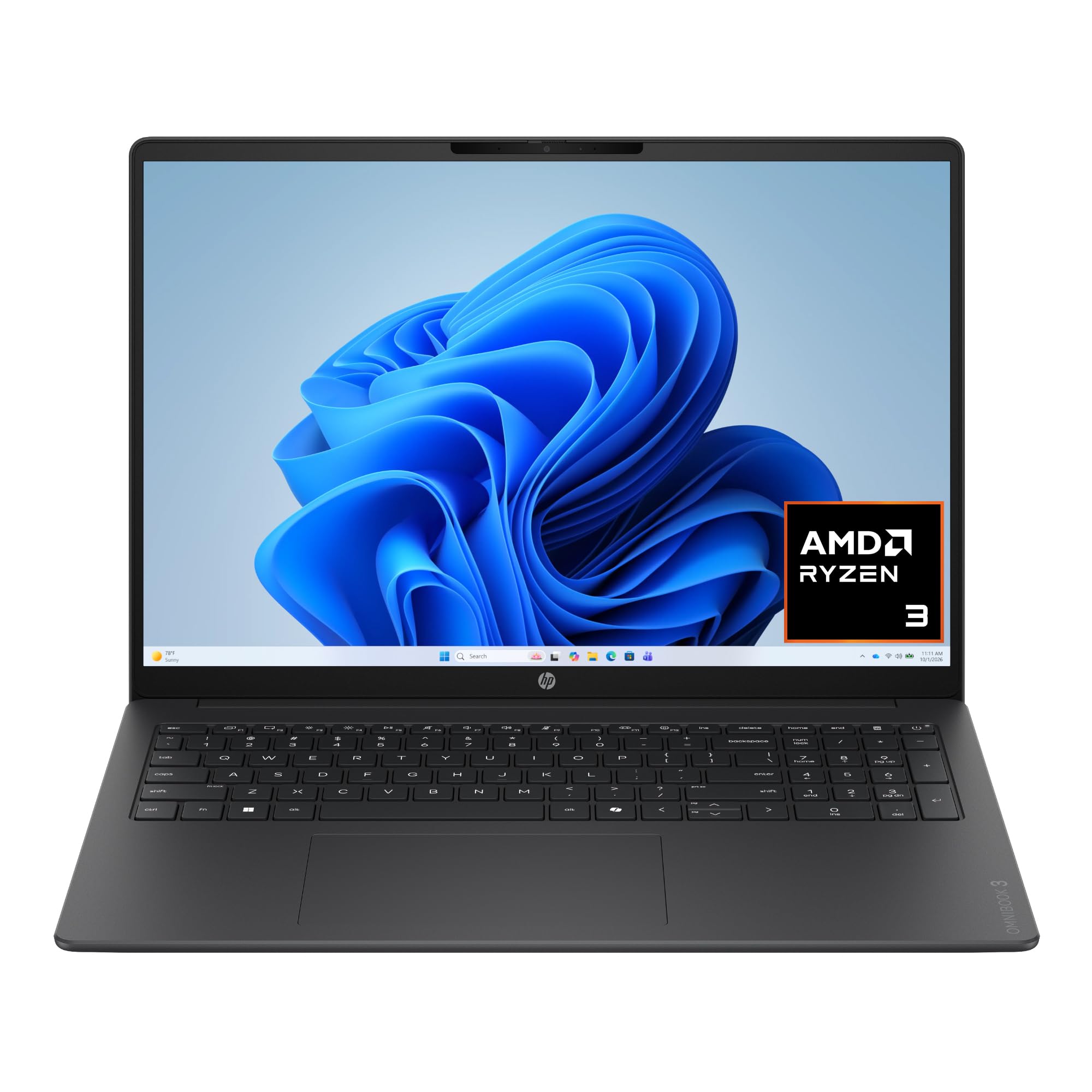
A budget-friendly 16-inch touchscreen that makes tapping and scrolling feel natural.
If you have gotten used to a phone or tablet, a touchscreen laptop simply makes sense — and this one delivers that on a big 16-inch 2K IPS panel. The 1920 x 1200 resolution is a step up in clarity from standard Full HD, and the touch layer means you can tap, scroll, and zoom without reaching for the trackpad. An AMD Ryzen 3 30 processor powers it, with AMD Radeon 610M graphics, 8GB of LPDDR5 memory, and a 256GB PCIe NVMe SSD.
Battery life is rated up to 14 hours and 15 minutes, and HP Fast Charge restores the battery from 0 to 50% in about 45 minutes — handy if you are between classes or meetings. There is Wi-Fi 6 and Bluetooth 5.4, plus a 1080p FHD camera with HDR auto-switch so video calls stay clear in awkward lighting. The AMD AI noise reduction filters out background speakers during calls.
The honest limits here are memory and storage — 8GB of RAM and 256GB of storage are modest, so if you keep dozens of apps and windows open, the machine will feel the strain. It is also not built for demanding games. For browsing, streaming, and documents, though, the touchscreen is a genuine delight.
large 16 inch view: The HP OmniBook 3 is the value touchscreen pick — great for anyone upgrading from a tablet or who wants a big, bright panel for web and media without spending premium money.
want big screen: you want a 2K touchscreen and long claimed battery life at a value price.
travel often: you need lots of storage or run heavy multitasking — 8GB and 256GB fill up quickly.
9. NIMO 15.6″ FHD IPS Laptop
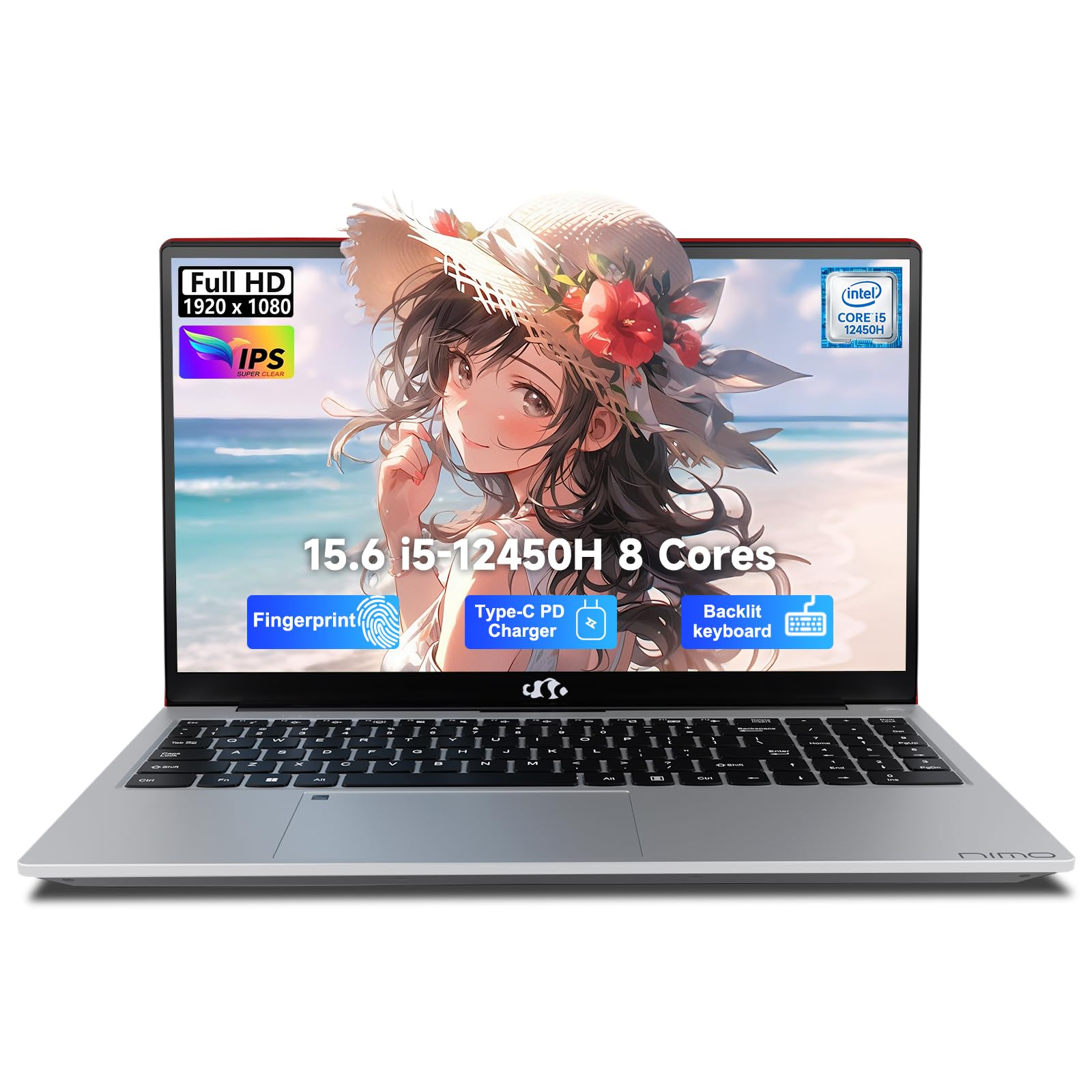
A dark-horse pick packing desktop-grade hardware and a two-year warranty.
Most buyers have never heard of NIMO, and that is the point — you are getting a lot of hardware for the money. The combination of 32GB of RAM and a 1TB PCIe SSD matches the Dell 16 Plus on memory and puts you in the same territory as machines that cost considerably more. The Intel Core i5-12450H processor, up to 4.4GHz with its 28W standard-voltage design, gives it real headroom for heavy Excel files and video calls at the same time.
The extras are what make this pick feel thoughtful. There is a 100W PD fast charger (a high-wattage USB-C power adapter) with a 2-meter detached cable — enough to reach a distant outlet — plus a backlit keyboard with a numeric pad, a fingerprint reader, and a webcam with a physical privacy shutter. The 15.6-inch 1080p display (Full HD resolution) sits on a 175-degree hinge, and the whole machine stays under 3.75 pounds.
The honest catch is that this is an unknown brand, so you trade the reputation of the big names for the spec sheet — but the two-year warranty and 90-day return policy soften that concern. Buyers also mention battery life running shorter in real use than the rated figures suggest. For daily work, though, it earns its keep.
light 15.6 frame: The NIMO N156 delivers memory and storage that usually cost much more, wrapped in a package with a two-year warranty. For students and remote workers on a tighter tier, that is a compelling trade.
carry daily: you want 32GB of RAM and 1TB of storage without flagship pricing, and value a long warranty.
need loud audio: you insist on a well-known brand or need all-day battery life.
10. Lenovo V15 Laptop

An affordable 15.6-inch machine for office work, study, and light gaming.
If your needs are modest but real — email, web, documents, and a bit of gaming — this is the value pick. The AMD Ryzen 5 5500U processor with six cores and twelve threads, boosted by 16GB of memory and a 512GB SSD, is enough for everyday workloads and light games like Fortnite or Rocket League. A numeric keypad on the keyboard makes number entry quicker, and Windows 11 Pro is included.
Convenience is well handled: there is one USB-C port, two USB-A ports, HDMI, an RJ45 Ethernet jack, and a headphone/mic combo, plus Wi-Fi and Bluetooth 5.3. Boot times are quick and the textured plastic chassis feels sturdy in the hand. It handles a wireless Xbox controller well, which is a nice touch for casual gaming sessions.
The honest catch is the display — it is fine for work but not sharp, so photo editing and movie watching are better on an external monitor. Battery life also runs modestly. Owners say it does the basics reliably and consider it a fair trade for the money.
familiar Lenovo layout: The Lenovo V15 is a sensible, no-frills laptop for someone whose priority is getting through a workday or a semester rather than chasing specs.
simple tasks: budget-conscious buyers who want a full-size keyboard, a numeric pad, and Windows 11 Pro.
edit photos: you care about display quality or long battery life — both are budget-level here.
11. acer Aspire Go 15 AI Ready Laptop

The starting point of the list — a 15.6-inch machine built for the basics.
If your budget is tight, this is where to look, but know what you are signing up for. An 8-Core Intel Core 3 N355 processor runs the show, with 8GB of DDR5 memory and just 128GB of storage. The 15.6-inch 1080p IPS display handles browsing and streaming fine, and the battery is rated at 12.5 hours — comfortably under the MacBook Air’s 18 hours, but plenty for a day of classes or a run of errands.
Acer equips it nicely for the money. There is Copilot built into Windows with a dedicated key, dual full-function USB Type-C ports that can charge the machine at up to 45W, two USB 3.2 Gen 1 ports, HDMI 2.1, and a headphone jack. Wi-Fi 6 and Bluetooth 5.1 cover the wireless side, and AcerSense lets you tune battery and performance settings from one place.
The honest catches are clear: 128GB of storage fills up fast once Windows and a few programs are installed, and 8GB of RAM is entry-tier. Owners specifically wish it had more space, and some have chosen to install Linux for a lighter day-to-day feel. Kept for light duties, though, it works well.
AI ready cheap: The Aspire Go 15 is a fair starting point for someone whose needs are genuinely light — browsing, streaming, and light homework. Plan on an external drive or cloud storage for anything more.
starter machine: you want a full-size screen and USB-C charging on a very tight budget.
demand sturdy build: you store a lot of files or run more than a few apps at once — the storage and memory will feel cramped fast.
Understanding the Specs
Processor and graphics
The processor (CPU, the chip that does the thinking) sets how fast everyday tasks feel. Higher clock speeds in gigahertz (GHz) mean quicker bursts, and more cores help with multitasking. A dedicated graphics card (GPU) is what makes a laptop capable of gaming and video editing — the Acer Nitro V 16S and ASUS ROG Strix G16 in this list each carry one. Integrated graphics, found in the productivity picks, are lighter and more battery-friendly.
Memory, storage, and battery
Memory (RAM, measured in gigabytes) is short-term workspace — more allows more apps and tabs open at once. Storage is the long-term shelf for your files, faster on an SSD than an older spinning hard drive. Battery life is quoted in hours under light use, so gaming machines rating two hours will run far less under load, while productivity machines rating well past ten hours will cover a full day.
FAQ
Is 16GB of memory enough for a laptop in normal use?
How long should a laptop battery last on a full charge?
Do I need a dedicated graphics card?
What is the difference between SSD and UFS storage?
Is a touchscreen worth it on a laptop?
How much storage do I really need?
What does refresh rate in Hz mean for gaming?
Can I upgrade the memory or storage on these laptops?
Will a 15-inch or 16-inch screen fit in a normal laptop bag?
Is Windows 11 Pro better than Windows 11 Home for a work laptop?
Final Thoughts: The Verdict
For most people, the winner in this guide to the best laptop is the Apple 2026 MacBook Air 15-inch with M5 chip — its 18-hour battery, 16GB unified memory (RAM shared between the processor and graphics), and silent 3.32-pound build cover a full day of work or study without compromise. If your day lives in spreadsheets and business software, the Lenovo ThinkPad E16 Gen 3 brings Windows 11 Pro, a numeric keypad, and an exceptional port lineup. And for pure gaming and AI horsepower, the Acer Nitro V 16S packs a 180Hz display and 32GB of DDR5 memory into a well-cooled chassis.
On a tighter budget, the HP 255 G10 or the NIMO 15.6-inch deliver genuine storage and memory without the premium label — and if the MacBook Air’s configuration fits your work, it is the one worth deciding on today.
How We Picked
We do not accept paid placement. Every pick is matched to a real buyer and a real use-case; we do not hands-on test units.
Sources & Methodology
Specifications: manufacturer listings and product documentation. Review insights: verified customer reviews, as of September 2026. Pricing: not shown on this page (it changes often); check the current price via the retailer link.
As an Amazon Associate, Gadgets Feed earns from qualifying purchases. This does not affect which products we feature.