
Our readers keep the lights on and my morning glass full of iced black tea. As an Amazon Associate, I earn from qualifying purchases.
Specs are compiled from manufacturer listings and verified buyer reviews and can change over time — please confirm the key details on the product page before buying.
If your Chromebook stutters on email, Google Docs, YouTube, and school portals, the fix is simple: get at least 4GB of RAM (memory that keeps several tabs open at once) and a processor built for Chrome OS (Google’s lightweight laptop system) — not a cut-rate Windows laptop pretending to be one. The picks below are the ones that actually hold up.
I’m Min — the founder and writer behind Gadgets Feed. This guide is built by comparing the manufacturers’ published specifications and the patterns across verified customer reviews, so you get each pick’s real strengths and trade-offs instead of marketing spin.
Chromebooks run Google’s operating system, which means they boot in seconds and update themselves automatically — but the hardware underneath varies wildly. That is why the picks below cover the full honest range of what a cheap chromebook can do.
Our Picks at a Glance


How To Choose The Best Cheap Chromebook
Chrome OS is a lightweight operating system, so you do not need a powerful chip to run it well. What you do need is enough memory and a processor that handles multiple browser tabs without slowing down.
RAM and processor — the real speed drivers
4GB of RAM is the practical minimum for smooth web browsing. The processor matters too, but on Chrome OS a modest Intel Celeron or MediaTek Kompanio chip handles everyday tasks comfortably. If you regularly keep eight or more tabs open, lean toward a model with a slightly stronger processor or more RAM.
Battery life in real terms
A Chromebook rated for 10 hours or more gets you through a full school day or a cross-country flight without hunting for an outlet. The ratings on the models below range from 10 hours up to 13.5 hours — those extra hours add up over a week.
Storage — how much do you actually need
Chromebooks are cloud-first machines, so 32GB of storage is workable if you stream rather than download. 64GB gives you more breathing room for offline files and Android apps, and 128GB inches closer to a standard laptop experience.
Screen size and resolution
An 11.6-inch screen is genuinely portable and slips into a tote bag. A 14-inch or 15.6-inch display gives you more room for split-screen work. Resolution matters most on larger screens — 1366×768 on a 15.6-inch panel shows more visible pixels than the same resolution on a smaller one.
Quick Comparison
| Model | Best For | Display | Battery | Storage | Amazon |
|---|---|---|---|---|---|
| acer Chromebook 311 CB311-9H-C12A★ Best Overall | Ultra-portable daily carry | 11.6″ HD | 10 hours | 32GB eMMC | Amazon |
| acer Chromebook 315Big Screen Value | Large-screen budget work | 15.6″ HD | 12.5 hours | 64GB eMMC | Amazon |
| HP 2023 Chromebook Laptop 14″Family Favorite | Home and family use | 14″ HD | — | 64GB eMMC | Amazon |
| ASUS 15″ FHD IPS Chromebook | Sharpest screen on a budget | 15″ FHD | — | 128GB | Amazon |
| Lenovo IdeaPad Slim 3 Chromebook | Long battery, light carry | 14″ HD | 13.5 hours | 64GB | Amazon |
| ASUS Chromebook CM14 | Rugged everyday durability | 14″ HD anti-glare | — | 64GB eMMC | Amazon |
| HP Chromebook 14a-nf0099nr | Best performance value | 14″ HD | — | 128GB UFS | Amazon |
| Samsung Galaxy Chromebook Go 14″ | School and student use | 14″ HD | 12 hours | 64GB | Amazon |
| Lenovo Chromebook 14″ Touchscreen WUXGA | Touchscreen and display quality | 14″ WUXGA 400 nits | — | 64GB UFS 2.2 | Amazon |
In‑Depth Reviews
1. acer Chromebook 311 CB311-9H-C12A
Our pick — 4.5★ from 200+ verified ratings; the strongest balance of quality and price.
The featherweight that runs a full day on a single charge and still fits in a tote.
This is the top pick because it nails the Chromebook formula without overcharging for it. The 11.6-inch HD screen (1366×768 pixels — sharp enough for streaming and web pages) pairs with 4GB of LPDDR4 memory (fast, low-power RAM) and an Intel Celeron N4000 chip (a basic dual-core processor), so it boots in seconds and stays responsive through email, YouTube, and document editing. The 32GB eMMC storage (built-in flash memory) is on the lean side, but Chromebooks are cloud-first machines, so that space goes further than you would expect.
Battery life lands at 10 hours, which means you can leave the charger at home on a normal workday. The build quality is what wins people over — it feels solid in hand despite the compact footprint. Bluetooth 5.0 keeps wireless accessories connected reliably, and the 3.5mm combo jack means you can plug in wired headphones without an adapter.
The honest trade-off is the screen size. At 11.6 inches, split-screen work gets cramped — the acer Chromebook 315 above gives you a 15.6-inch display instead. But if portability matters more than screen real estate, this is the one. It is also note that the CB-311 model does not have a touchscreen, so do not expect tap-to-navigate.
What earns it the top spot
- 10-hour battery means real all-day use without a charger
- Weighs almost nothing — genuinely easy to carry
- Boots in seconds and stays fast through basic tasks
- Bluetooth 5.0 and a headphone jack cover all your accessories
Where it asks you to compromise
- 32GB of storage fills up quickly if you download a lot
- 11.6-inch screen gets tight for split-screen multitasking
- No touchscreen on this model
- Only 5 ratings mentions for connectivity and it is mixed — Bluetooth and Wi-Fi work fine for most, but a few hit bumps
Grab this if: you want a genuinely portable Chromebook for travel, quick work sessions, and couch browsing that lasts all day on one charge.
Think twice if: you need a large screen for side-by-side windows — the 15.6-inch acer 315 below is the better fit.
2. acer Chromebook 315 Laptop 15.6″
The big-screen workhorse that gives you 34% more display real estate than the 11.6-inch pick above.
If you want a Chromebook that does not feel like a compromise on screen space, the 315 delivers. The 15.6-inch HD display with an anti-glare coating and narrow 0.37-inch bezel gives you a wider workspace for split-screen browsing and document editing. The integrated numeric keypad is a small touch that makes spreadsheet work genuinely easier. Storage doubles to 64GB eMMC, twice the acer 311’s 32GB, leaving more room for offline files and Android apps.
The Intel Celeron N4020 dual-core processor handles everyday browsing and streaming without issue. One owner noted it “runs three monitors with several windows before slowdown” — a useful signal that it handles multi-monitor setups better than its price suggests.
The recurring gripe is the screen’s default contrast — it can look washed out straight from the start. There is no contrast adjustment in Chrome OS settings, though many owners solve it with a quick workaround. Not a dealbreaker, but worth knowing before it arrives. The 4GB RAM and Chrome OS speed also mean it slows with many browser tabs open, so keep your tab count reasonable.
Screen size honestly wins: the 15.6-inch anti-glare display and numeric keypad make this the most comfortable budget Chromebook for extended typing and spreadsheet sessions. Its 64GB eMMC storage doubles the 311’s 32GB, which matters if you keep files offline.
What needs adjusting: the display contrast can require a quick tweak from the start, and the 4GB RAM caps how many tabs you can keep open before slowdown sets in. Neither blocks everyday use — millions do exactly this — but it is the trade-off for the price.
The right call for: anyone who wants the biggest possible screen on a budget and values a numeric keypad for spreadsheets.
skip it if: portability is your priority — the 11.6-inch acer 311 above is far easier to carry.
3. HP 2023 Chromebook Laptop 14 Inch
The 14-inch middle ground that works for the whole household without stretching a budget.
The size is the balance here. A 14-inch screen at 1366×768 resolution (about 1 million pixels) sits between the cramped 11.6-inch acer above and the desk-bound 15.6-inch model — big enough for comfortable document work, small enough to carry around the house. The Intel Celeron N4120 processor with 4 cores and 4 threads (four workers handling tasks at once) handles web browsing, document editing, and video streaming without complaint. The integrated Intel UHD Graphics 600 (built-in graphics, no separate card) is enough for regular office work and video.
You get 4GB of DDR4 RAM — which runs applications smoothly for basic tasks — and 64GB of eMMC storage. WiFi 5 and Bluetooth keep you connected, and the port selection includes one USB 3.1 Type-C, two USB 3.0 Type-A, and a headphone jack. The Google apps suite comes standard, so you can edit and convert Microsoft Office files in Google Docs, Sheets, and Slides without installing anything.
The honest caveat is reliability variance. The recurring note is that a small number arrive with issues — one owner reported a screen arriving damaged as a birthday gift. That is not the norm across hundreds of happy buyers. It is a reminder to inspect on arrival and buy from a seller with straightforward returns if you are gifting it. This is a home-and-family machine, not a heavy-workload one.
Why it fits most households
- 14-inch screen is the best size compromise in this group
- 4-core Intel Celeron N4120 handles everyday work and streaming
- Port selection covers USB-C, USB-A, and a headphone jack
- Works well for students and virtual learning setups
What to keep in mind
- Reliability shows mixed feedback — inspect on arrival, especially if gifting
- 4GB RAM is fine for basics but tight with many tabs open
- Connectivity gets the most mixed feedback of any aspect — WiFi works for most but a few hit issues
- No backlit keyboard or touchscreen
Best for: families and students who want one affordable Chromebook for homework, email, and streaming — and who want the 14-inch size that fits both a desk and a backpack.
Consider a different pick if: you need the machine to be absolutely bulletproof on arrival for a gift — order with a clear return window.
4. ASUS 15″ FHD IPS Chromebook (Renewed)
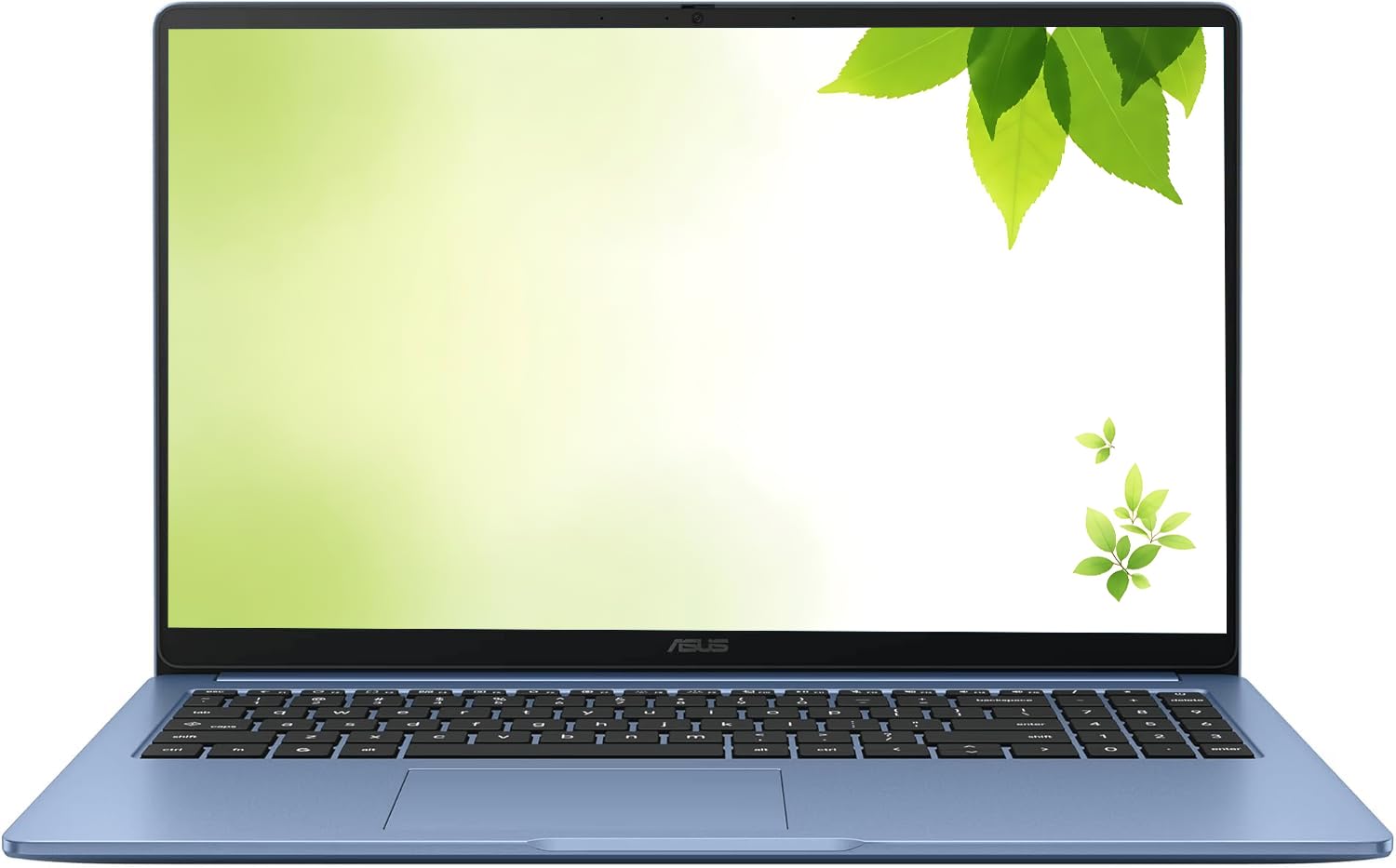
The clearest picture in this lineup, with a full-HD screen that makes everything else look soft.
Full HD at 1920×1080 on a 15-inch IPS panel is the standout here. IPS panels hold their colors and viewing angles far better than standard LCD, so text looks crisp and video looks properly sharp. With four times the pixels of a 1366×768 panel, it is the pick for hours of reading or watching. Its 128GB is the most storage here — four times the acer 311’s 32GB — so offline files and Android apps fit easily.
The Intel processor runs up to 2.80GHz with 4GB of DDR4 RAM. Chrome OS itself is lightweight, so this configuration handles Google Docs for writing, editing, and saving documents smoothly. Wi-Fi and Bluetooth keep everything connected, and you get a USB Type-C, a USB Type-A, HDMI, and a headphone/microphone combo jack.
This is a renewed unit, which means it was inspected and restored by the manufacturer or a third party rather than sold as new. Buyers report it arrives looking like brand new from the start — one described it as flawless. Battery life reports split between those who get a full day and those who find it drains faster, so plan on keeping the included AC charger nearby. The USB-C port supports display output, so you can mirror to an external monitor.
The display is the reason to choose it: a 1920×1080 IPS panel (full HD, with wide viewing angles) on a 15-inch frame gives you the sharpest, most color-accurate picture in this group at a budget-friendly tier — so photos and video look right from any seat — and 128GB of storage means you never think about running out of space.
The renewed-unit reality: this arrives as a refurbished unit, not sealed new stock — condition is generally excellent, but battery life varies and you should confirm the return policy before buying.
Pick this one for: a large, genuinely sharp full-HD screen and generous 128GB storage, if you are comfortable buying a renewed unit.
Pass if: you want sealed-new-only hardware or need guaranteed consistent battery life across units.
5. Lenovo IdeaPad Slim 3 Chromebook 14″

The one that keeps going when every other laptop on the table is hunting for a charger.
With up to 13.5 hours of battery life, this is the longest-lasting Chromebook in this lineup. It also weighs just 2.87 lbs — genuinely light enough to carry all day without noticing. The 14-inch HD display paired with Waves MaxxAudio-tuned stereo speakers makes it a good companion for streaming, and the MediaTek Kompanio 520 processor runs a quiet, cool chassis. WiFi 6 means you connect on the faster modern wireless standard, and the privacy shutter built into the camera lets you physically block the lens when not on a call.
The 64GB of storage and 4GB of memory handle everyday tasks — email, Google Docs, browsing, YouTube — comfortably. The USB-C port charges the laptop, transfers files, and syncs to an external monitor all at once, which keeps the bag lighter since you need one cable instead of three. Owners consistently describe the setup process as quick and simple, and many use it as a secondary device for work-life balance alongside a heavier primary machine.
Two things to know before buying. First, this model does not have a touchscreen, and some buyers specifically note the lack of it. Second, the screen’s color accuracy gets mixed feedback — a few describe the colors as looking washed or blurred. The picture gets the basics right for documents and video, but it is not a color-critical display. An occasional unit has arrived with charging faults, so test yours within the return window. The blue finish is also prone to scratches — a protective sleeve is a smart add-on.
What you are getting
- 13.5-hour battery is the longest in this comparison
- 2.87 lbs makes it one of the lightest picks here
- WiFi 6 for faster, more stable wireless
- Privacy shutter and mute key for call privacy
Where it falls short
- No touchscreen — the most-discussed gap on this model
- Screen colors get mixed reviews from buyers
- Blue finish scratches easily — use a sleeve
- Performance is good for basics but struggles with many tabs or screen-sharing
Made for you if: battery life and light weight top your list — this is the one that gets you from morning to late evening without a charger.
Look elsewhere if: you want a touchscreen or need color-accurate display work.
6. ASUS Chromebook CM14 14″

Built to shrug off coffee spills, drops, and whatever else the day throws at it.
Durability is the reason to pick this model. The keyboard is spill-resistant to cope with up to 13 oz of water, and the chassis is built to a US MIL-STD 810H military-grade standard — a set of tests covering drops, shock, and vibration. ASUS also states its Antimicrobial Guard inhibits bacterial growth by up to 99% over 24 hours. For a shared family Chromebook or a machine that travels in a bag without a case, those protections genuinely matter.
Beyond toughness, the MediaTek Kompanio 520 processor with 8 cores handles everyday browsing and streaming smoothly. The 14-inch HD anti-glare display (1366×768) keeps reflections off, which helps in bright rooms. You get WiFi 6 and Bluetooth 5.3 for stable wireless connections, plus a physical webcam shield and a high-definition webcam with face-lighting adjustment. The port lineup covers two USB 3.2 Gen 1 Type-C with power delivery, one USB Type-A, a Micro SD reader, and a 3.5mm audio jack.
On the honest side: this model is on the heavier, more rigid side compared to the lighter picks above, and the lack of a touchscreen comes up often. Speed gets mixed feedback — it is quick for basic tasks but not a speed demon with many tabs. It also costs a bit more than comparable ASUS Chromebooks with similar specs, which reflects the durability build.
Durability is the whole pitch: a spill-resistant keyboard, MIL-STD-810H testing, and an antimicrobial surface make this the best choice for shared or rough-handled use — it is built to take real-world knocks.
The trade-offs: it is not light, it lacks a touchscreen, and the value proposition reflects the durability premium — you are paying for the tougher build, not for faster hardware.
Suits buyers who: need a Chromebook that can survive spills, drops, and family life — the MIL-STD-810H build and spill-resistant keyboard make this the most resilient option here.
Skip if: you want the lightest possible carry or a touchscreen.
7. HP Chromebook 14a-nf0099nr

The one that outperforms pricier rivals with 8GB of RAM and 128GB of fast UFS storage.
This is the first Chromebook in this lineup to give you 8GB of LPDDR5 memory — double what every other pick here offers. That means fewer slowdowns when you have a dozen tabs open, and it is the model to choose if you regularly multitask between Gmail, Google Docs, streaming, and a spreadsheet. The Intel Processor N100 is a 12th-generation chip that handles the load comfortably. The 128GB of UFS storage is faster than standard eMMC and consumes less power, so apps load quicker and the battery benefits.
Owners mention over eight hours of web browsing and productivity per charge — strong for this price tier. Setup is quick and the machine handles basic tasks like Minecraft, music streaming, and heavy Chrome browsing without strain. It has been described as better than an iPad for productivity, which speaks to how well it handles the everyday workload. Chrome OS also supports OneDrive, Microsoft 365, and Apple Music, so you are not locked out of the apps you actually use.
The compromise is the screen. The 14-inch display runs at 1366×768 resolution, and a few owners note it looks a bit soft compared to a full-HD panel. The keyboard also has no backlighting, which makes it harder to type in low light. An occasional unit arrives with the keyboard not lighting up — the recurring complaint. The rest of the package delivers far more than its tier suggests.
What sets it above the rest
- 8GB of RAM — double every other pick here — means more tabs without slowdown
- 128GB of UFS storage is faster than standard eMMC
- Intel N100 12th-gen processor handles everyday workloads well
- Strong battery life for the price tier
Honest caveats
- 1366×768 resolution makes text less crisp than a full-HD screen
- No backlit keyboard — harder to use in dark rooms
- No touchscreen
- An occasional unit has keyboard lighting issues from the start
The one to buy if: you push your Chromebook hard with many tabs and want the best performance per pound in this group — 8GB of RAM (double the budget models here) and 128GB of fast UFS storage (quicker flash memory than eMMC) make it feel several tiers above its class.
Look at a different pick if: you need a high-resolution display or a backlit keyboard — those are the two things this model sacrifices to deliver its speed.
8. Samsung Galaxy Chromebook Go 14″

Built for the school run — it boots in seconds and lasts the whole day on one charge.
If a student in your life needs a Chromebook that can handle a full day of classes, this is the one to look at. The 12-hour battery outlasts a school day with room to spare, so there is no panicking about whether the charger made it into the backpack. The slim, lightweight design makes it easy to carry between classes. The Intel Celeron N4500 processor with 4GB of RAM handles browsing, email, streaming, and Docs without complaint, and it boots in seconds so you are not waiting around.
The 14-inch display gives you a big enough workspace for schoolwork while staying portable. Samsung states Wi-Fi is three times faster than the previous generation — useful on a school network. The phone-to-Chromebook integration lets you easily transfer files between devices and control your phone right from the laptop. Many owners describe it as an ideal student machine — one noted it works great for middle school and lasts for years of daily use.
The honest note: reliability shows mixed feedback. A small number of units have stopped working entirely, though the vast majority function well for years. The lack of a touchscreen also comes up frequently as the thing buyers wish it had. Neither is a reason to avoid it — this is an enormously popular student machine — but inspect it on arrival and buy from a seller with a fair return policy.
Why students love it
- 12-hour battery covers a full school day
- Slim and lightweight for carrying between classes
- Boots in seconds so there is no waiting
- Phone integration for file transfers
What to know before buying
- Mixed reliability feedback — a few units stop working
- No touchscreen on this model
- 4GB RAM with many tabs open hits slowdown
- Battery life gets mixed reports from owners
Reach for this if: you are buying a student laptop for school use and want the best balance of battery, portability, and price — it fits a backpack and lasts a full day.
Think again if: you want a touchscreen or need a machine with rock-solid longevity guarantees — inspect it on arrival.
9. Lenovo Chromebook 14″ Touchscreen WUXGA

The touchscreen standout with a 400-nit WUXGA panel and the newest chip in this lineup.
This is the only touchscreen Chromebook here, and it pairs the touch panel with a WUXGA 1920×1200 IPS display at 400 nits brightness. That resolution is sharper than the 1366×768 panels on most budget Chromebooks, and the 400-nit brightness means you can actually see the screen in a bright room or near a window. The 10-point multi-touch panel makes navigation intuitive — tap, pinch, and zoom directly on the display. The display also carries TÜV Rheinland Low Blue Light certification and an anti-glare coating for comfortable longer sessions.
The MediaTek Kompanio 540 processor is an 8-core chip with Arm Cortex-A78 and A55 cores, and it runs Chrome OS smoothly with multiple tabs open. You also get 4GB of LPDDR5X memory and 64GB of UFS 2.2 storage — the faster kind of flash storage, so files load quickly. Wi-Fi 6E and Bluetooth 5.3 handle modern wireless, and the port lineup includes two USB-A ports, two USB-C ports with USB PD power delivery and DisplayPort 1.4, HDMI 1.4b, and a headphone/microphone jack.
Durability is a real plus: the machine is built to pass MIL-STD-810H testing, weighs just 2.99 lbs, and includes a Google Security Chip H1, a Kensington Nano security slot, and a camera privacy shutter. The 65W USB-C adapter charges it fast, and a 5-in-1 hub comes bundled. The honest caveat is reliability — a few units have arrived defective, and this is a refurbished model, so condition varies. Confirm the return policy and test yours thoroughly on arrival. Speed is praised but mixed, and the 4GB of RAM is the same as most budget picks here — it is the touchscreen and display where the money goes.
Where the money goes: the 14-inch WUXGA touchscreen (1920×1200 pixels, tap and swipe with your finger) at 400 nits (brightness — readable in a sunlit room) with low blue light certification (a filter that eases eye strain) is the sharpest and only touch-equipped display in this group — a genuine step up if you want both touch navigation and a bright, crisp panel.
What to weigh honestly: it is a refurbished unit (a returned and reconditioned machine) with mixed reliability feedback, and the 4GB of RAM matches the budget models here — the premium is for the display and the newer 8-core MediaTek chip (an eight-core processor), not for more memory.
The pick for you if: a touchscreen and a bright, sharp display are non-negotiable — this is the only model here that delivers both, with an 8-core MediaTek Kompanio 540 driving it.
Consider otherwise if: you need simple, sealed-new hardware or want more than 4GB of RAM for heavy multitasking.
Understanding the Specs
Processor — the chip that runs everything
The processor (the chip that handles all your calculations) determines how smoothly pages load and apps open. On Chrome OS, even a modest Intel Celeron or a MediaTek Kompanio chip handles web browsing, Google Docs, and streaming without issue. You only need to worry about processor power if you regularly run many browser tabs or heavy web apps at once — a dual-core chip can slow down under that load. The models above range from the older Intel Celeron N4000 up to the 8-core MediaTek Kompanio 540, with the newer chips generally handling multitasking better.
RAM and storage — where speed meets space
RAM (the short-term memory that holds open apps) is the single most important spec for smooth performance. 4GB is the practical minimum for a Chromebook; 8GB handles heavy tab counts without stuttering. Storage type matters too: eMMC is the standard budget option, while UFS is faster and more power-efficient, so apps launch quicker and the battery benefits. In terms of capacity, 32GB is enough for a cloud-first user, 64GB gives you more room for offline files, and 128GB is generous enough to not think about it.
FAQ
Can a cheap Chromebook run Google Docs and Microsoft 365 files?
How much storage do I actually need on a Chromebook?
Does a Chromebook work offline without Wi-Fi?
Is 4GB of RAM enough for a Chromebook?
How long does the battery actually last on a budget Chromebook?
Can a cheap Chromebook handle video calls on Zoom or Google Meet?
Do Chromebooks get viruses?
What is the difference between a Chromebook and a regular laptop?
Are touchscreen Chromebooks worth the extra cost?
Can I use an external monitor with a budget Chromebook?
Final Thoughts: The Verdict
For most buyers, the strongest cheap chromebook is the acer Chromebook 311 CB311-9H-C12A because it combines a 10-hour battery (a full school day away from the charger), genuinely lightweight portability, and reliable everyday performance in a package that does not ask you to overpay — it holds 4.5 stars from over 200 owners who single out the build quality.
If storage space and a bigger screen matter more to your workflow, the HP Chromebook 14a-nf0099nr doubles the RAM to 8GB and upgrades to 128GB of faster UFS storage — the best performance value in this lineup. And for students who need a machine that lasts a full school day, the Samsung Galaxy Chromebook Go 14″ delivers a 12-hour battery in a slim, carry-friendly frame.
How We Picked
We do not accept paid placement. Every pick is matched to a real buyer and a real use-case; we do not hands-on test units.
Sources & Methodology
Specifications: manufacturer listings and product documentation. Review insights: verified customer reviews, as of September 2026. Pricing: not shown on this page (it changes often); check the current price via the retailer link.
As an Amazon Associate, Gadgets Feed earns from qualifying purchases. This does not affect which products we feature.