
Our readers keep the lights on and my morning glass full of iced black tea. As an Amazon Associate, I earn from qualifying purchases.
Specs are compiled from manufacturer listings and verified buyer reviews and can change over time — please confirm the key details on the product page before buying.
If you searched for a 120 GB USB memory stick, you will not find that exact number on the shelf. The closest standard size is 128 GB, and every pick below uses 128 GB. What really matters is not the capacity on the label — it is how fast the drive reads and writes, whether the connector retracts or has a cap, and how it survives months in your pocket. That is what this guide sorts out for you.
I’m Min — the founder and writer behind Gadgets Feed. This guide is built by comparing the manufacturers’ published specifications and the patterns across verified customer reviews, so you get each pick’s real strengths and trade-offs instead of marketing spin.
You will see which drives move a movie in under half a minute and which crawl at hard-drive speeds — the difference between a 120 gb usb memory stick that feels instant and one that tests your patience every time.
Our Picks at a Glance


How To Choose The Best 120 GB USB Memory Stick
Buying a 128 GB flash drive is not complicated, but there are four things worth checking before you hand over your money. Get these right and the drive you pick will last years of pocket abuse. Get them wrong and you will be the person whose drive died mid-backup.
The capacity label versus the capacity you get
A drive advertised as 128 GB will show less than that when you plug it in. Windows reports capacity in a way that makes a 128 GB stick read as roughly 115 GB or more once the file system takes its share. That is normal, not a defect — every operating system measures storage differently from the way drive makers label it. Expect roughly a 7 to 12 percent gap between the box and what File Explorer shows.
Read speed versus write speed — the gap nobody warns you about
Product pages love to shout about read speed because that number is bigger and more impressive. Read speed is how fast the drive can hand files to your computer. Write speed — how fast it accepts files from you — is usually far slower and varies wildly between drives. A drive that reads at 150 MB/s might write at 15 MB/s. If you spend your time copying files onto the drive rather than off it, write speed is the number that matters to you.
Connector style and how you will carry it
There are four common designs on these sticks. Retractable means the metal tongue slides into the body when not in use. Capless sliding means a collar covers the connector without a removable cap to lose. Swivel means a metal ring rotates 360 degrees around the body. Capped means a small plastic or metal cap you will absolutely lose within three weeks. Each has a real trade-off, and which one fits you depends on whether the drive lives loose in a pocket, clipped to keys, or plugged into a dashcam long-term.
USB generation — why the connector color matters
A USB 3.0 drive plugged into a USB 2.0 port will still work, but it drops to USB 2.0 speed. Look for the blue tongue inside the port or the “SS” (SuperSpeed) marker next to it. If your machine is older and only has USB 2.0, a premium USB 3.1 drive will not perform anywhere near its rated speed — you would be paying for speed you cannot reach.
Quick Comparison
| Model | Best For | Capacity | Interface | Rated Read Speed | Amazon |
|---|---|---|---|---|---|
| SANDISK 128GB Ultra, USB-A Flash Drive★ Best Overall | Everyday transfers and boot drives | 128 GB | USB 3.0 | Up to 100MB/s | Amazon |
| SAMSUNG BAR Plus 3.1 USB Flash DriveBest Performance | Speed-first buyers | 128 GB | USB 3.2 Gen 1 | Up to 300 MB/s | Amazon |
| SANDISK 128GB Ultra Flair, USB-A Flash DriveBest Value | Fast media transfers and TV expansion | 128 GB | USB 3.0 | Up to 150MB/s | Amazon |
| Amazon Basics 128 GB Ultra Fast USB 3.1 Flash Drive | Reliable workhorse storage | 128 GB | USB 3.1 Gen 1 | Up to 130MB/s | Amazon |
| PNY 128GB Turbo Attaché 3 USB 3.0 Flash Drive | Music libraries and media hoarding | 128 GB | USB 3.0 | Up to 100MB/s | Amazon |
| Lexar 128GB JumpDrive S80 Flash Drive | Photos, backup, and encryption | 128 GB | USB 3.2 Gen 1 | 150MB/s | Amazon |
| Lexar 128GB JumpDrive M400 Flash Drive | Car audio and BIOS updates | 128 GB | USB 3.2 Gen 1 | 150MB/s | Amazon |
| TEAMGROUP C175 128GB USB 3.2 Gen1 Flash Thumb Drive | Multi-pack OS installers | 128 GB | USB 3.2 Gen 1 | 100MB/s | Amazon |
| 128GB Flash Drive ENUODA 1 Pack Thumb Drive | Light file shuffling and keychain carry | 128 GB | USB 2.0 | — | Amazon |
In‑Depth Reviews
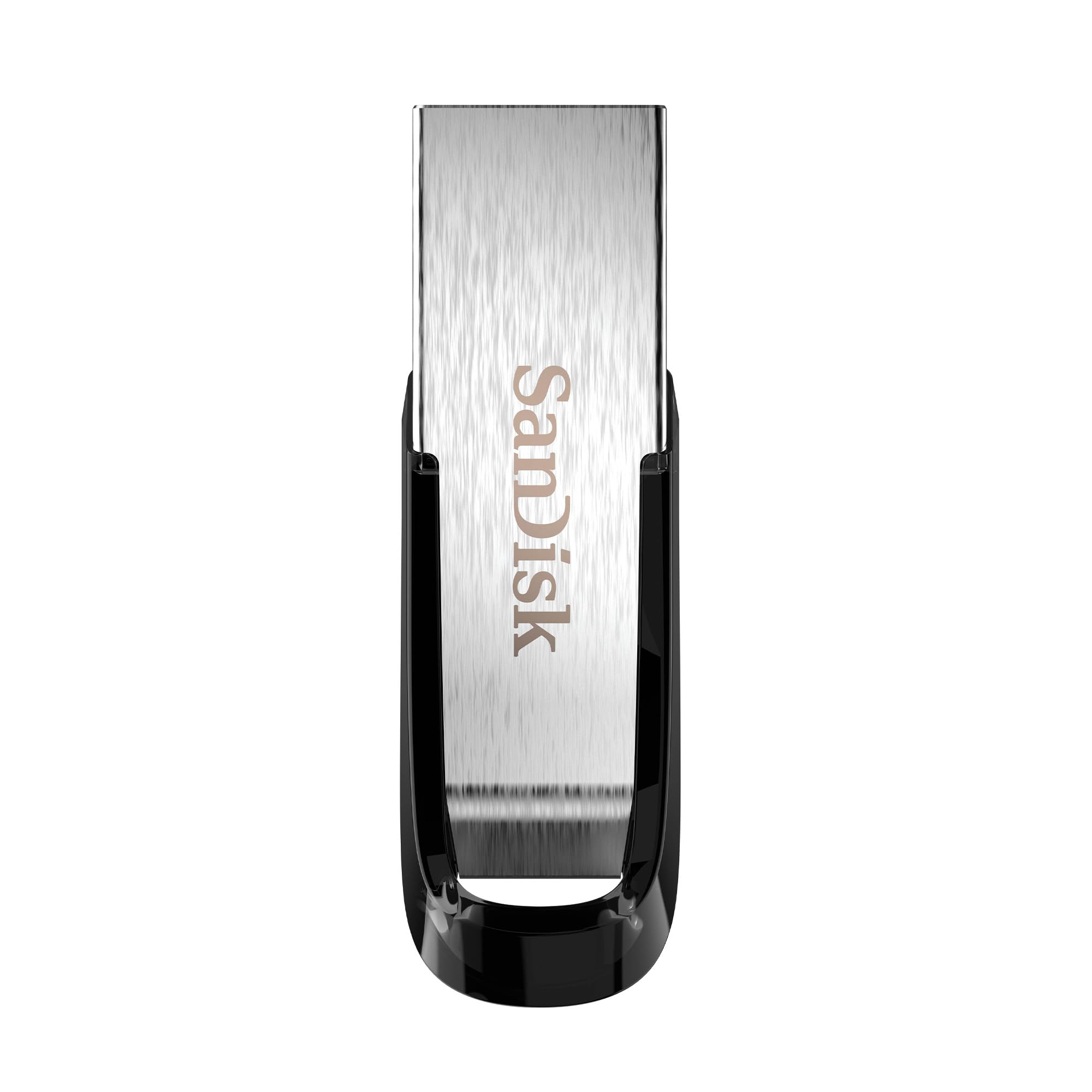
1. SANDISK 128GB Ultra, USB-A Flash Drive, Up to 100MB/s Read Speeds
Our pick — over 4.5★ from 133,000+ verified ratings; the strongest balance of quality and price.
The drive that has quietly become the default for booting operating systems and stashing a photo library.
This drive has earned a reputation as the safe pick, and the reason is simple: it reads at up to 100MB/s over USB 3.0 (a fast connection standard), so a multi-gigabyte operating system image moves in minutes instead of half an hour. On older machines, it drops back to USB 2.0 speed without complaint. It also ships with Rescue PRO Deluxe file recovery software on a one-year subscription — real insurance if you ever delete something by accident.
The retractable connector is the quiet hero here. There is no cap to lose — the metal tongue slides back into the body when you are done — and at 1.6 ounces, it will not vanish into the lining of a jacket pocket. Buyers also use these as Windows and Linux installer drives, a job the drive handles without drama. Each unit is enabled for USB 3.0 and comes in a sturdy shell that survives life on a keyring.
The honest caveat: write speed is where this drive lives in reality. One buyer summed it up bluntly — “Works great for everything overall but for what I need it to do it take a long time to transfer stuff… the unexpected part of this i believe is the writing in to it and it speed to be around 15 mb/s.” If your main job is dumping large files onto the drive rather than taking them off, the 150MB/s-class Samsung below will feel dramatically different. For getting data out of the drive fast, this is still the benchmark.
Where it earns its keep
- 100MB/s read speeds handle boot drives and OS images without stalling
- Retractable connector means no cap to lose on a keychain or in a bag
- Rescue PRO Deluxe recovery software included for one year
- Only 0.42 by 0.87 by 0.31 inches — this is a keyring-friendly footprint
- USB 3.0 backward compatible with USB 2.0 ports on older machines
What to know before you buy
- Write speed is closer to 15MB/s according to real-world tests, much slower than the rated read speed
- Wireless charging not applicable — this is a wired-only drive
- Red colorway only on this listing
Best for: Anyone building a bootable Windows or Linux installer, or wanting a photo and music drive they can trust not to die mid-project.
Skip if: You transfer large video files onto the drive daily — the write speed here is not built for that grind.
2. SAMSUNG BAR Plus 3.1 USB Flash Drive, 128GB, 400MB/s, Rugged Metal Casing
The metal-bodied drive that reads a 3GB 4K video in about ten seconds.
If read speed is the spec that decides your purchase, this is the one where the number is not marketing fluff. Samsung rates it at up to 300 MB/s read speed over USB 3.1, enough to send a 3GB 4K UHD video file to your PC in about 10 seconds. That is a different league from every other pick on this list, and the reason sits inside the drive: Samsung builds the DRAM and NAND flash in-house, which is a level of control most budget brands cannot match.
The casing is the other half of the story. The metal body is waterproof, shock-proof, temperature-proof, magnet-proof, and X-ray-proof — protection that matters for a drive carried in pockets with keys and through airport scanners. Samsung backs it with a 5-year limited warranty and an integrated keyring so you do not have to invent your own tether. For a drive you plan to own for years, the 5-year warranty is the quiet reassurance behind the purchase.
What owners rave about is the quality and the speed — those two aspects dominate why people keep buying this drive. The recurring gripe is a tight fit in some USB ports, which comes with a metal-bodied drive; press firmly and it seats, but do not force it. Heat is the second trade-off. Large transfers will make the casing noticeably warm, though it does not throttle read performance, and the metal body is what dissipates that heat in the first place. If you want a drive that feels like it will outlive your current laptop, this is the one.
Speed that changes workflow: At 400MB/s read, this is the drive for editors, photographers, and anyone who moves large files daily. Every other pick here would take meaningfully longer on the same file.
Trade-off to weigh: The metal-on-metal fit can be snug in tighter USB ports, and long transfers will warm the casing — both are the price of a rugged enclosure.
Reach for this when: You want the fastest reads on this list and a rugged body that survives pocket life and airport security.
Look elsewhere if: Your budget is tight and your daily job is small document transfers — you would be paying for headroom you do not need.
3. SANDISK 128GB Ultra Flair, USB-A Flash Drive, Up to 150MB/s Read Speeds
The full-length-movie-and-coffee speedster that often gets plugged into a TV and left there.
Fifty percent faster reads than the Ultra above. That is the shortest possible description of this drive — 150MB/s versus 100MB/s — and the practical difference is a full-length film landing on your machine while you pour a coffee. The Ultra Flair also ships with easy-to-use password protection through 128-bit AES encryption, so private files stay private if the drive ever wanders off with a colleague. It weighs 4.5 grams, meaning this is a drive you will genuinely forget is in your pocket.
People buy Ultra Flairs for an unexpected set of jobs. One is expanding a smart TV’s storage — many Sony Bravia models cap at 256GB, and the 128GB drive formatted in a few clicks on the TV itself. Another is serving as the shoe box for a music library during DJ sets, where the compact size and metal body mean it survives life strapped to a CDJ deck. Digital artists keep one for portfolio work. The sleek metal casing is what makes the drive feel like something more than plastic, and it also keeps the drive cooler than a solid-plastic shell on long transfers.
Two honest points. The metal casing does get warm during long transfers — that is physics, not a build flaw — and if the temperature surprises you, plan to let large jobs finish rather than yanking the drive. The second point is durability over years. Most buyers report no issues, but a small number report units stopping after six months of heavy use. For a drive you use constantly, keeping a secondary backup is just common sense, not a comment on the brand. For the money, this is the fastest drive in this tier.
The compelling case
- 150MB/s read speed beats the Ultra above by a wide margin
- 128-bit AES password protection for private files
- Metal casing feels more sturdy than plastic alternatives
- 4.5 grams — this is a pocket drive you will forget you are carrying
- Works as TV storage expansion on Sony Bravia sets that cap at 256GB
Fair warnings
- The metal body warms during large file transfers — normal, but noticeable
- No retractable connector, so the USB tongue stays exposed when not in use
- Small footprint means it is easy to lose track of on a cluttered desk
Best fit for: Media hoarders and TV tinkerers who want a fast read drive in their pocket without paying top-tier money.
Not for you if: You plan to routinely transfer files for hours on end — the warming casing will remind you the drive is working.
4. Amazon Basics 128 GB Ultra Fast USB 3.1 Flash Drive, Retractable, High-Speed Data Transfer Storage Device

The no-drama workhorse that stores 32,000 photos or 488 minutes of 1080p video and asks nothing in return.
Amazon Basics flash drives sit in an interesting spot. They ship from the same warehouses as the drives they compete with, carry a house brand warranty, and the specs are honest — read speed up to 130MB/s, write speed up to 30MB/s, USB 3.1 Gen 1 interface (a fast connection standard). Amazon rates it up to fifteen times faster than USB 2.0. That is a real, usable speed for everyday file transfer, and the retractable, telescopic design with a key hole keeps it safe in a bag without a cap to lose.
Capacity is where the numbers get interesting on this drive. Amazon rates the stick as holding roughly 32,000 12MP photos or 488 minutes of 1080P video, and the listing notes usable capacity is above 115GB even though the packaging says 128. That gap surprises some buyers, which is why the note is printed on the listing — Windows reports storage differently than the drive maker labels it. For a workhorse drive — backups, ISO images, firmware transfers, moving data between a homelab rack and your desk — this is exactly the use case the stick was built for.
One quirk worth knowing: the drive ships formatted as FAT32, which works on Windows and Mac from the start but caps any single file at 4GB. If you plan to transfer video files larger than 4GB, reformat the drive to exFAT or NTFS first. That is a ten-second job on your computer and it open up the drive’s full potential for large media. For long-term archival storage, an external HDD is the better tool than any flash drive — this stick is for moving data, not keeping it safe for a decade.
The everyday pick: 130MB/s read plus a retractable connector and keyring hole make this the drive that quietly does what you need without fuss. Quality is the thing owners keep coming back to.
The catch to plan around: Factory FAT32 format caps single files at 4GB — reformat to exFAT or NTFS before loading any big video project onto it.
Choose this if: You want a reliable, retractable everyday stick for backups and file shuffling with a house-brand warranty.
Better options exist if: Your priority is encryption (the Lexar S80 below has 256-bit AES) or absolute top read speed (the Samsung Bar Plus above).
5. PNY 128GB Turbo Attaché 3 USB 3.0 Flash Drive

The drive media professionals keep rebuying for their music libraries.
PNY rates this drive at roughly 23,674 songs. That is the number PNY puts on this drive’s capacity, and it tells you exactly who this stick is for. Anyone whose “work” involves moving MP3s, sample packs, or audio projects around will find the capacity number practical rather than abstract. USB 3.0 with read speeds up to 100MB/s, backward compatible with USB 2.0 ports on older machines, and a shockproof body that lives in a sliding collar without any cap to lose.
The sliding collar is a small design decision with outsized benefit. The connector slides back inside the shell when not in use, protecting the metal tongue from dust, pocket lint, and the inevitable keys-in-the-same-pocket scenario. An integrated loop at the tail lets you clip the drive to a keyring, backpack zipper, or lanyard without adding a separate clip. The drive weighs 18.14 grams — enough heft to feel substantial, light enough to carry every day without thinking about it.
Long-term PNY owners in the media business describe these drives as well-made and super reliable, and they come back generation after generation. The honest caveat: with any drive in the hundreds of thousands of units in circulation, a small percentage turn up with damaged sectors or slow transfer speeds, and that is the nature of commodity flash. If you are storing genuinely irreplaceable work, use this drive as one of two copies, not the only one. The manufacturer note says it clearly for anyone who needs to hear it — flash drives are for transferring, not for archiving.
What wins people over
- Holds approximately 23,674 songs — real capacity for media collections
- 100MB/s read speeds over USB 3.0 for quick media transfers
- Sliding capless design eliminates the number one cause of drive damage
- Integrated loop clips straight to a keychain or backpack without an extra clip
- Shockproof body survives the daily bump-and-drop lifestyle of a portable drive
Know before you buy
- No encryption software bundled, unlike the Lexar S80
- 18.14 grams is heavier than the smallest drives on this list
- Commodity-drive variance means the occasional unit arrives with slow speeds
The drive for: Music hoarders, DJs, and media people who want a shockproof stick with a capless design and serious capacity.
Skip the rebuy if: You want encryption and advanced security — the Lexar JumpDrive S80 below brings 256-bit AES to the party.
6. Lexar 128GB JumpDrive S80 Flash Drive, 150MB/s Read, USB 3.2 Gen 1

The drive with 256-bit AES encryption built in — confidence, not just storage, in a retractable shell.
Most flash drives treat security as an afterthought. This one makes 256-bit AES encryption a headline feature and pairs it with USB 3.2 Gen 1 performance rated at 150MB/s read speed. Write speeds are rated up to 10 times faster than standard USB 2.0 drives — a meaningful jump if you are used to the slow crawl of an old stick. Backward compatible with USB 3.1, 3.0, and 2.0 ports, so it works on older hardware without adapters. The retractable design protects the connector when you are not using it, so nothing gets bent in a bag.
The built-in encryption is what makes this drive the right pick for anyone handling sensitive material. If you carry client files, medical records, financial documents, or any work product that should never be readable if the drive is lost, the AES encryption (a strong scrambling standard) is not a gimmick — it is the reason to choose this drive over a cheaper competitor. It protects against the exact scenario everyone worries about: the drive falls out of a bag, someone picks it up, and they cannot read what is on it. Three-year limited warranty on top.
Owner feedback is broadly positive on quality and reliability, with most describing the drive as working without issues after months of use. The honest trade-off is speed. A minority report that write speeds fluctuate — some owners measure average write speed around 10 to 12 MB/s with swings up to 64 MB/s. That is the drive doing its job for smaller files and pictures, but it will feel slow if you try to move large video onto it in one shot. The drive also heats slightly when writing, which is normal for USB flash and does not affect performance.
The security angle: 256-bit AES encryption at the drive level is rare at this tier and worth the price difference if you carry anything confidential. Quality and reliability land where owners expect them to.
Watch for: Write speed hovers around 10-12 MB/s on average per real-world tests — fine for documents and photos, slow for large video files.
Pick this if: You carry client work, financial documents, or anything confidential and want encryption handled at the drive level.
skip it if: You mostly move giant video files around — the write speed here will feel like a bottleneck compared to the Samsung Bar Plus above.
7. Lexar 128GB JumpDrive M400 Flash Drive, 150MB/s Read, USB 3.2 Gen 1

The car-friendly metal stick that turns a Corolla stereo into a working audio library.
Cars are where a lot of flash drives quietly live out their whole lives. This Lexar is the pick that fits that job. Metal body, key ring design, USB 3.2 Gen 1 with 150MB/s read speed, and backwards compatibility with USB 3.1, 3.0, and 2.0 ports so it works on essentially any car stereo from the last fifteen years. The manufacturer also throws in Lexar DataShield to protect files, and the drive weighs 4.54 grams — a slim enough profile to sit in a car’s USB slot without blocking the port next to it.
What makes this drive a standout for car use is the metal body combined with a key ring design. Car USB ports get hot in summer, jostled in winter, and constantly bumped when the driver reaches for a phone cable. A plastic drive casing can develop cracks over time in that environment; a metal one avoids that specific failure. Owners have used this stick in a Toyota Corolla to keep audio recordings and describe it as working exactly as described. Others use it for BIOS updates and other one-shot utility jobs.
Two honest points. The drive gets warm during sustained operation, though one owner noted it stays relatively cold compared to typical drives — heat varies with how much work you ask of it. And on big single-file transfers, the drive slows down in the middle of the job, sometimes continuing background writes after the progress bar finishes, so let it sit for a beat before removing it. For music libraries, photo collections, and small document shuffles, neither point matters. For moving two-hour video files, this is not the barn-burner.
Thematic wins
- 150MB/s read speed handles music libraries and photo collections easily
- Metal body with key ring design suits the bumpy life of a car USB slot
- Compatible with PC and Mac without any software setup
- Lexar DataShield file protection included
- 4.54 grams — the lightest drive on this list
Realistic limits
- Write speed slows on large single files, with background writes continuing after the progress bar shows
- No retractable connector — the USB tongue stays open when not plugged in
- Fewer reviews in circulation than the Lexar S80 above
Right for you if: You want a metal-bodied drive to live in a car stereo or on a keyring, playing music and shuffling everyday files.
Think twice if: You mostly move multi-gigabyte video files around — the drive will test your patience on large writes.
8. TEAMGROUP C175 128GB USB 3.2 Gen1 (USB 3.1/3.0) Read 100MB/s Flash Thumb Drive

The OS-installer workhorse with a cap-loss free design and a read speed that gets the job done.
When you need a drive to hold a Linux installer, a Windows recovery image, or an Ubuntu boot disk, spending a lot on that drive is wasted money. This TEAMGROUP is the answer to that exact scenario. 128GB of storage, USB 3.2 Gen 1 interface with 100MB/s read speed, a rounded streamlined shell, and a cap-loss free design that keeps the connector protected without a removable cap to lose. Plug and play with hot swap support, and a lifetime warranty backs it up if you register on the TEAMGROUP website.
This drive’s natural habitat is the multi-pack bundle. Buyers looking at these describe using the drives as a set of OS installers — one for Windows, one for Ubuntu, one for macOS recovery — and keeping them in a drawer or bag ready to go. The drive runs Linux on a Windows host without drama, which is a common ask from this type of buyer.
The honest caveat is speed consistency. Read speeds are fine, but write speeds fluctuate — heavy transfers can pause, and long files sometimes hang for minutes before resuming. A small but real percentage of units turn up faulty from the start, and the manufacturer’s warranty process has drawn criticism from buyers who had to ship the dead unit back at their own cost. Treat these drives as quick-transfer tools, not archival storage, and the value holds up. For OS installers and everyday document moves, this stick does exactly what is asked of it.
Where it shines: The value per gigabyte is the headline, which is why owners reach for these multi-pack bundles for OS installers and heavy drive rotation.
The honest watch-out: Write speeds fluctuate with pauses on large transfers, and the warranty process has left some buyers frustrated with paid return shipping — worth knowing before you commit to a large purchase.
Right for you if: You need affordable OS installer drives or a rotating set of everyday sticks, and you do not need premium write speeds.
Look elsewhere if: Large file transfers are your daily job — this is not the drive for consistency on heavy writes.
9. 128GB Flash Drive ENUODA 1 Pack Thumb Drive 128GB Swivel Design USB 2.0 Memory Stick

The keychain-friendly stick with a swivel cover, built for shuffling documents, not much more.
If your flash drive mostly sits on a keychain and only leaves it to move documents, photos, or a few hundred music files between machines, this ENUODA is the honest budget option on the list. It runs on USB 2.0, which is dramatically slower than the USB 3.0 and 3.1 drives above — but that is the trade-off to accept at this tier. What you get is 128GB of storage, a 360-degree rotating metal cover that protects the connector, a built-in keyring loop, and dust-proof and wear-resistant housing. Compatible with Windows 11 down through 2000, Mac, Linux, and a wide range of devices including TVs, car audio systems, laptop computers, and speakers.
Owners mention two common practices with this drive. First, format it before you use it — a fresh format takes about a second and a half and heads off the “drive needs reformatting” message some users see on first insertion. Second, treat any cheap flash drive as a transport tool, not long-term storage. The ENUODA is fine for moving files between home and school or the family car, but it is not the drive to entrust with the only copy of your wedding photos. That said, plenty of owners describe it as working reliably for simple use cases, and the swivel cover is a fan favourite for keys and backpacks because there is no cap to lose and the metal ring takes real abuse.
The honest trade-off is speed. On large files, this drive is slow — genuinely slow. One reviewer noted transfer times measured in days for a very large data set, which is the USB 2.0 ceiling showing itself. For small jobs — a folder of documents, a batch of images, an installer — it is fast enough to feel normal. For anything measured in tens of gigabytes, spend the small step up to a USB 3.0 drive. The ENUODA earns its place as the entry point on this list, not as a performance pick.
Where the value sits: Storage capacity and upfront cost are the ENUODA’s story — this is the cheapest way into 128GB on this list, and the swivel keyring cover is a genuinely clever design.
Where it falls short: USB 2.0 transfer speeds make this drive unsuitable for large files — the frame time on a big video project would be measured in hours, not minutes.
Best for: A keychain drive for document shuffling, small photo transfers, and pickup-and-go situations where speed is not the priority.
Not the right call if: You plan to move video projects, large game files, or anything measured in tens of gigabytes — step up to a USB 3.0 drive instead.
Understanding the Specs
Read speed versus write speed
Read speed is how fast the drive hands data to your computer. Write speed is how fast it accepts data you send to it. Read speed is the number printed on the box because it is bigger and more impressive. Write speed is what you feel when you are actually loading files onto the drive. A drive can honestly advertise 150MB/s read speed and still write at only 15MB/s in the real world. When you see two drives at the same read speed but wildly different prices, the slower one is almost always a write-speed compromise. The Samsung Bar Plus on this list is the outlier — it reads at up to 300 MB/s and stands apart from the pack at every file-transfer size.
USB 2.0 versus USB 3.0 versus USB 3.2 Gen 1
USB 2.0 is roughly the speed of a slow home network — fine for a Word document, painful for video. USB 3.0 is the workhorse generation and what most computers from the last decade offer. USB 3.2 Gen 1 is essentially the same as USB 3.0 under a newer name, so do not assume a drive labeled USB 3.2 Gen 1 is twice as fast as USB 3.0 — the “Gen 1” tells you it is the standard 5Gbps class. When you plug a USB 3.0 drive into a USB 2.0 port, it still works, but it drops to USB 2.0 speed. Look for the blue tab inside the port to confirm you are getting the fast lane. The two USB 2.0 drives on this list — the TEAMGROUP and the ENUODA — are best treated as USB 2.0 drives because that is what the hardware actually delivers.
FAQ
Will a 128GB stick show as 128 GB when I plug it in?
How long does a USB flash drive actually last?
Can I use a 128GB flash drive with a smart TVYes, if the TV accepts USB storage. Many TVs read FAT32 or exFAT formatted drives automatically. The SanDisk Ultra Flair is a common choice for this — one buyer used a 128GB model as expanded storage for a Sony Bravia TV that capped at 256GB, plugged it into the high-speed port, and formatted it through the TV’s own settings menu in a few clicks. Stick to the TV’s own formatting tool and avoid NTFS unless the manual says otherwise.?
Why does my drive get warm during large file transfers?
Should I format a new USB drive before using it?
Is USB 3.0 worth it over USB 2.0 on a 128GB drive?
Can I use a flash drive to run Linux or boot an operating system?
Do I need encryption on a 128GB flash drive?
What is the difference between retractable, capless, and capped designs?
Final Thoughts: The Verdict
For most people scanning this list, the smartest buy in the 120 GB USB memory stick space is the SanDisk Ultra — it reads at up to 100MB/s over USB 3.0, retracts to keep the connector safe, and ships with a year of Rescue PRO Deluxe recovery software. If fast reads and a rugged metal body are what you want, the Samsung Bar Plus is the speed leader with 400MB/s reads and a 5-year warranty. If you are moving media onto a smart TV or want the best value in this tier, grab the SanDisk Ultra Flair. And for encrypted files, thin profile, and reliable everyday use, the Lexar JumpDrive S80 is the one to reach for.
Whatever you choose, remember two practical habits. Format the drive before loading anything important, and remember these are transport tools, not archival storage — keep a second copy of anything you cannot afford to lose.
How We Picked
We do not accept paid placement. Every pick is matched to a real buyer and a real use-case; we do not hands-on test units.
Sources & Methodology
Specifications: manufacturer listings and product documentation. Review insights: verified customer reviews, as of September 2026. Pricing: not shown on this page (it changes often); check the current price via the retailer link.
As an Amazon Associate, Gadgets Feed earns from qualifying purchases. This does not affect which products we feature.