
Our readers keep the lights on and my morning glass full of iced black tea. As an Amazon Associate, I earn from qualifying purchases.
Specs are compiled from manufacturer listings and verified buyer reviews and can change over time — please confirm the key details on the product page before buying.
If you need to print 11×17 — the size also called tabloid or ledger — the hardest part is not the size itself. It is finding a machine that feeds that big sheet reliably, keeps ink costs sane, and does not quit on you mid-project. The picks below all handle 11×17, but they solve the ink problem in very different ways, and that difference changes what you pay every month.
I’m Min — the founder and writer behind Gadgets Feed. This guide is built by comparing the manufacturers’ published specifications and the patterns across verified customer reviews, so you get each pick’s real strengths and trade-offs instead of marketing spin.
Two questions decide your pick: how many tabloid pages you print per month, and if you need scanning and fax in the same box. From ink-tank refills to cartridge-fed speed demons, here is the 11×17 printer shortlist worth your money.
Our Picks at a Glance



How To Choose The Best 11×17 Printer
The mistake most first-time tabloid buyers make is chasing print speed and ignoring the feed path. An 11×17 sheet is twice the area of letter paper, and a printer that only accepts it through a rear slot behaves very differently from one with a real tabloid tray. That single design choice decides how pleasant the machine is after month three.
Ink economics: cartridges versus tanks
Cartridge printers give you speed and a low entry point, but the refills are where the money goes. Tank-style machines — sometimes sold as EcoTank or SuperTank — hold liquid ink in built-in reservoirs you refill from a bottle. The trade is real: higher upfront, dramatically cheaper per page. At a dozen 11×17 sheets a week, tank refills cost a fraction of cartridge replacements. If you print a handful a month, a cartridge machine is simpler to own.
Paper handling and feed reliability
Look at how the machine feeds 11×17. Some models route it through a rear holder only, others hold it in a proper tray. A 250-sheet tray (the number of sheets the drawer holds) means fewer refills on long jobs. An ADF — an automatic document feeder that pulls sheets through the scanner for you — matters if you scan or copy tabloid pages. And check duplex: some printers flip the sheet automatically for double-sided printing, while others ask you to manually re-feed the page.
Speed and scan features you’ll actually use
Print speed is quoted in pages per minute (ppm), and it is measured on draft-quality letter pages — not on full-color tabloid work. Treat it as a rough ranking, not a stopwatch. For scanning, an ADF with single-pass duplex (it reads both sides of a sheet in one trip) saves real time on contracts and drawings.
Quick Comparison
| Model | Best For | Print Speed (B&W / Color) | Ink System | Key Feature | Amazon |
|---|---|---|---|---|---|
| Epson EcoTank ET-15000★ Best Overall | Low-cost refills and big scanning | 17 ppm / 9 ppm | Supertank (bottles) | 4800 x 2400 dpi resolution | Amazon |
| Epson WorkForce Pro WF-7840Top Performer | Fast tabloid office output | 25 ppm / 12 ppm | Cartridges (DURABrite Ultra) | 500-sheet capacity | Amazon |
| Brother INKvestment 6560Best Value | Small business speed on a budget | 31 ppm / 30 ppm | Cartridges (LC506 series) | 2.7″ color touchscreen | Amazon |
| HP OfficeJet Pro 9730 | High-volume scanning + printing | 22 ppm / 18 ppm | Cartridges (HP 936) | Dual 250-sheet trays | Amazon |
| HP OfficeJet Pro 9720 | Compact office color | 22 ppm / 18 ppm | Cartridges (HP 936) | 2.7″ touchscreen + 250-sheet tray | Amazon |
| Brother INKvestment 6960 | Multi-tray office workhorse | 31 ppm / 30 ppm | Cartridges (LC506 series) | 500-sheet dual-tray capacity | Amazon |
| Canon PIXMA PRO-200S | Photo and gallery prints | 2 ppm / 2 ppm | 8-color dye ink | 3″ color LCD | Amazon |
| Pinckney Cartridge-Free Super-Tank | Sublimation and heat-transfer work | 17 ppm / 9 ppm | Super-Tank (sublimation ink) | Borderless printing to 11×17 | Amazon |
In‑Depth Reviews
1. Epson EcoTank ET-15000 Wireless All-in-One Wide-Format Supertank Printer
Our pick — over 4★ from 2,500+ verified ratings; the strongest balance of quality and price.
The tank-fed all-in-one that keeps tabloid jobs running long after cartridge printers stall.
For anyone printing big sheets on a regular schedule, this is the pick that solves the daily grind first. It runs on Epson’s EcoTank supertank system, meaning you pour ink from a bottle into a built-in reservoir instead of swapping cartridges. The kit includes a 127 mL bottle of Black ink plus 502 Cyan, Magenta, and Yellow bottles at 70 mL each — enough ink that owners describe it as lasting and cheap to top up. Black text prints at 17 pages per minute and color at 9 pages per minute, with a monthly duty cycle of 33,000 pages, so a busy studio week barely registers.
What wins people over is how approachable the whole thing is — setup and everyday use are the most-praised traits, and it shows. Scanning leans on a large scanner bed and an auto document feeder, and owners love the multiple trays. Resolution reaches 4800 x 2400 dpi, which keeps fine linework on technical drawings readable. It handles up to 13×19 and 12×18 duplex booklet work, and the black ink stretches past 1,000 pages per bottle. If you want the lowest ongoing ink cost on this list without giving up a scanner, this is it.
The honest fit note is this: print quality and reliability draw genuinely mixed reactions, and some owners hit problems from the start — one unit arrived with dry ink lines that never primed. Epson’s own customer summary flags print quality, reliability, and value as debated. Slimming that down: the vast majority print without drama, but do a full test print within the first month so a rare defective unit gets swapped while it is still easy. Also note that 11×17 goes in through the rear holder rather than a dedicated tray.
Where it earns its keep
- Supertank bottles keep cost-per-page low — the black bottle alone yields 1,000+ pages
- Handles 13×19 and 12×18 duplex booklets, plus auto duplex printing
- All-in-one covers print, copy, scan, and fax
- 4800 x 2400 dpi resolution holds fine detail on large sheets
Where it asks patience
- Print quality, reliability, and value all draw a real split of opinion
- Some units arrive defective with unprimed ink lines — test early
- 11×17 loads through the rear holder, not a dedicated tray
- Not built for photo-grade output
Reach for this if: you print tabloid sheets regularly and want the cheapest refills in the group plus a full scanner.
Look elsewhere if: you need a dedicated 11×17 tray, or you print mostly photos rather than documents.
2. Epson WorkForce Pro WF-7840 Wireless All-in-One Wide-Format Inkjet Printer
The speed-first office machine that prints tabloid AutoCAD sheets fast and crisp.
If your bottleneck is time, not ink money, start here. This one runs 25 pages per minute in black and 12 pages per minute in color — well ahead of the EcoTank ET-15000, which manages 17 and 9. It handles wide-format output up to 13×19 and uses PrecisionCore Heat-Free technology, which means the print head does not need to heat up before it fires. It carries a 500-sheet capacity, so a full ream of tabloid stock goes in without babysitting. DURABrite Ultra ink is formulated to dry quickly, which matters when you are stacking large sheets straight off the output.
Owners praise the large-format capability and the crisp, clear prints most, and there is real endurance behind that. One long-run office setup clocked around 12,000 pages over three years on a previous unit and simply bought the same printer again. Connectivity stays flexible: built-in 802.11a/b/g/n/ac wireless, Ethernet, and USB, plus Apple AirPrint, Android printing, and Mopria Print Service for phones and tablets. Voice control via Amazon Alexa and Vera is there if you want it, and the control panel is an LCD.
Here is the catch you should weigh honestly. The WF-7840 is a cartridge machine with an appetite for firmware updates, and those updates are the most-discussed frustration — a few buyers report the nagging prompts and, in worse cases, connectivity interruptions. It is also heavy, and the scanning menu is not the most intuitive. None of that dulls its speed advantage; it just means you should be comfortable ignoring firmware nags and running a wired Ethernet link if wireless misbehaves.
Speed where it counts: at 25 ppm black and 12 ppm color, it outraces the ET-15000 above on pure output pace, which is the whole reason to pick it.
The trade you accept: cartridge refills and firmware-update friction replace the tank’s cheap ink — a fair swap if speed and large-sheet throughput matter more to you than refill cost.
Best fit: a busy office that runs tabloid drawings and reports all day and wants the fastest all-in-one here.
Think twice if: you want rock-bottom ink costs — the tank model above wins that contest.
3. Brother INKvestment 6560 Wireless Color Inkjet All-in-One Printer (MFC-J6560DW)
Small-business speed and a 1,800-page black cartridge straight from the start.
The headline here is pace per dollar. Brother’s MAXIDRIVE engine pushes 31 pages per minute in black and 30 pages per minute in color — the fastest color output on this entire list, and top-tier on black too. It arrives with an 1,800-page yield black cartridge plus a 750-page cartridge for each color, so you are not buying ink on day one. For a small business printing invoices, labels, and 11×17 sheets, that combination is why it lands here.
Owners rave about the print quality above all, and the hardware feels substantial. A 250-sheet paper tray plus a 50-page single-sided ADF handles the paperwork side, and automatic duplex prints both sides for you. Connectivity runs through wireless, Ethernet, or USB, and Wi-Fi Direct lets phones print without joining a network. Cloud printing covers Google Drive, Dropbox, Box, and OneDrive straight from the 2.7″ color touchscreen. Formatting uses Brother Genuine LC506, LC506XL, and LC506XXL series inks.
Know the size before you order. The footprint is roughly 22.7 inches wide by 18.8 inches deep by 12 inches tall, and owners describe it as a two-person lift up the stairs — a genuine office machine, not a desk toy. Wireless setup draws mixed reports, so a wired Ethernet connection is the calmer path if your router sits far away. The recurring gripe is the networking handshake, not the printing itself.
What sets it ahead
- Fastest color speeds here — 31 ppm black, 30 ppm color
- Ships with a 1,800-page black cartridge and 750-page color cartridges
- 250-sheet tray plus 50-page ADF and auto duplex
- Wi-Fi Direct, Ethernet, USB, and cloud printing from the touchscreen
What to plan around
- Big footprint at 22.7″W x 18.8″D x 12″H — heavy to move
- Wireless connection draws a real split of reports
- Paper-size and duplex feedback is mixed
Pick it when: you want fast 11×17 color printing and bundled starter ink without paying premium-tank money.
Pass if: desk space is tight — this one needs a dedicated table.
4. HP OfficeJet Pro 9730 Wide-Format Wireless All-in-One Color Inkjet Printer

Two full trays and a scanner that blasts through double-sided tabloid originals.
For a small office juggling floorplans, mood boards, and spreadsheets, this is the HP built for volume. It prints up to 22 pages per minute in black and 18 pages per minute in color, and it is the first wide-format printer with P3 color, which covers a wider range of colors than the common sRGB standard. In plain terms: the colors you see on screen translate more faithfully to paper. HP AI reformats web pages and emails so you do not waste a sheet on awkward layouts, and an auto document feeder with single-pass 2-sided scanning reads both sides of a stack in one pass.
What wins people over is the home-office fit — it slots neatly into small-business work. Owners highlight the scanning strength and the print quality on documents. The dual 250-sheet input trays mean you can keep letter paper and tabloid paper loaded at once, and setup by barcode or app is quick when it cooperates. The 4.3-inch touchscreen uses a phone-like interface, wireless runs on dual-band Wi-Fi, and the included Instant Ink trial delivers ink before you run dry. Security is covered by HP Wolf Pro Security, and the chassis uses more than 30% recycled plastic.
The thing to know is the size. At 22.9 inches deep by 15.2 inches wide by 18.4 inches tall, it needs real table room and is not a desk-edge printer. Print quality and setup both draw genuinely mixed reactions — a few owners mention software hiccups or jams on two-sided prints, while others call it the best printer they have owned. The recurring note is the footprint; the printing itself earns praise far more often than not.
The scanning edge: single-pass duplex scanning plus two 250-sheet trays put it ahead of single-tray rivals for high-volume offices.
Room to give it: measure your surface first — the near-23-inch depth is the one spec that surprises buyers most.
Suits: offices that scan and print tabloid pages daily and want accurate color plus two loaded trays.
Not for: tight desks or anyone printing only a few sheets a week.
5. HP OfficeJet Pro 9720 Wide-Format Wireless All-in-One Color Inkjet Printer
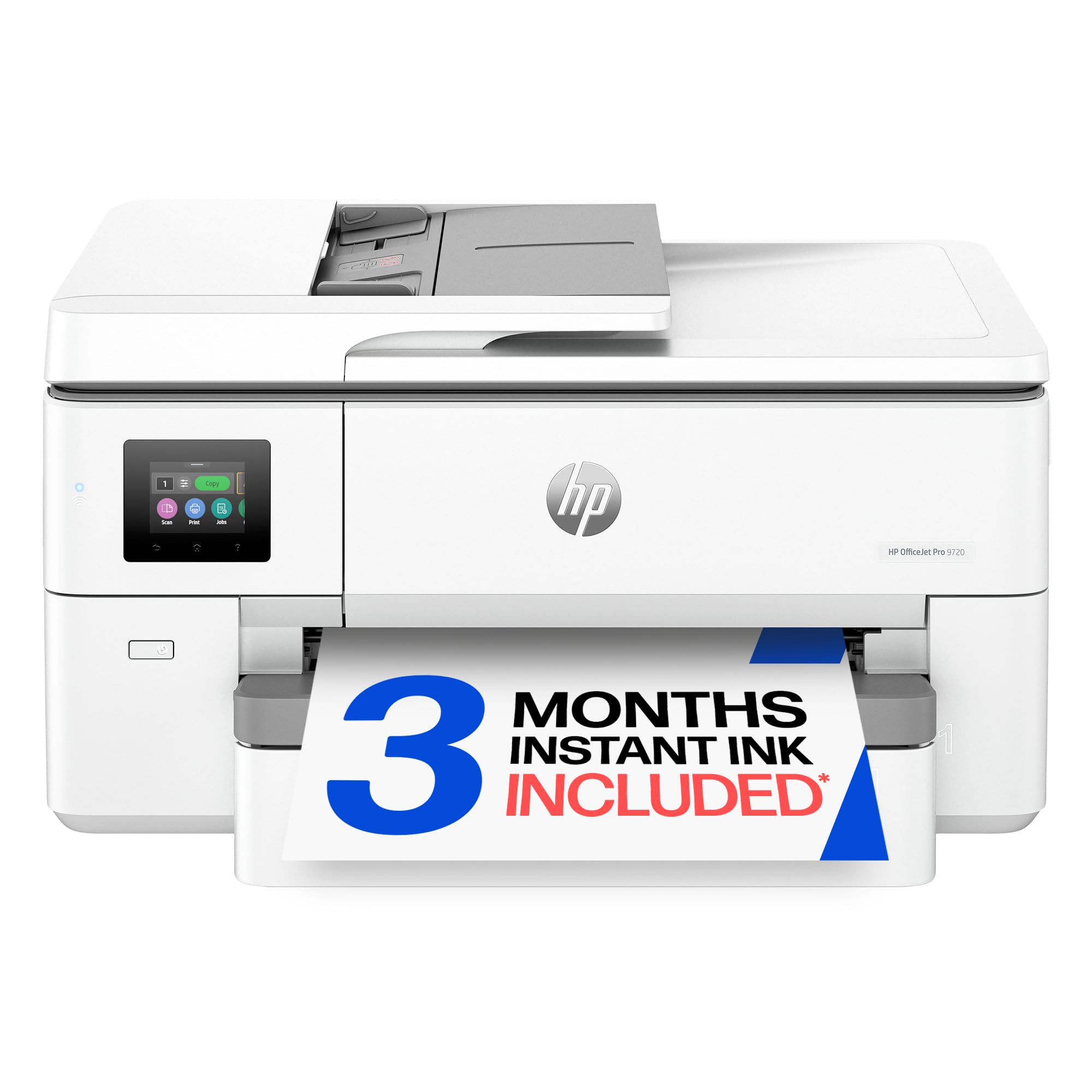
Same HP color engine as its bigger sibling, pared down to a single-tray chassis.
This is the 9730’s leaner twin, and it keeps the parts that matter most for color work. It also prints up to 22 pages per minute in black and 18 pages per minute in color, and it carries the same wide-format P3 color support for screen-accurate output. It handles 11×17 printing, copying, and faxing, with automatic two-sided printing, an auto document feeder, and a single 250-sheet input tray. First page emerges in about 13 seconds, and the 2.7-inch touchscreen keeps navigation simple.
Print quality is the star here, and it shows up reliably. One owner called it “a powerful machine in a small package,” and that phrasing fits — the color output on 20-40lb stock and 11×17 vinyl comes out crisp and accurate, with wireless holding steady. HP’s own wide-format P3 support again means your on-screen colors translate more faithfully. Dual-band Wi-Fi, Ethernet, USB, and the HP app round out the connection options, and the design again uses more than 30% recycled plastic.
Two honest limits stand out. There is no borderless printing, and one owner flagged that the top 1/8-inch margin gets cut off. There is also just one tray, so switching between letter and tabloid means resetting the paper size on the printer itself rather than in your print software — a routine a few buyers describe as fiddly. Reliability feedback is split, so test it thoroughly in the first days.
Reasons it holds up
- Crisp, color-accurate prints on 11×17 vinyl and 20-40lb paper
- P3 wide color gamut for truer screen-to-print color
- Fast for its class — 22 ppm black, 18 ppm color
- 13-second first page and a straightforward 2.7″ touchscreen
Limits worth knowing
- No borderless printing, and the top margin can get trimmed
- Only one tray — you reset paper size on the printer, not in software
- Reliability feedback is mixed
Choose this when: color accuracy on tabloid sheets is your priority and one tray is enough.
skip it if: you regularly switch paper sizes or need edge-to-edge borderless output.
6. Brother INKvestment 6960 Wireless Color Inkjet All-in-One Printer (MFC-J6960DW)

A 500-sheet dual-tray workhorse that outpaces the Epson it was bought to replace.
Medium offices doing mixed tabloid and letter work get the most from this one. It uses the same MAXIDRIVE engine at 31 pages per minute black and 30 pages per minute color as the 6560, but adds capacity: 500 sheets across two trays, a 100-sheet multipurpose tray, and up to 50-page single-pass duplex copy and scan via the ADF. Automatic duplex printing runs up to 11×17, and it ships with an 1,800-page black cartridge plus 750-page color cartridges.
The strongest signal from owners is how it stacks against a well-known rival. Buyers who moved over from an Epson ET-15000 cite a steadier network connection, faster printing and scanning, and a more reliable ADF — with only one jam across a month of heavy use — and lower running cost. Print quality and speed both draw praise, and the 3.5-inch color touchscreen is the largest control panel in this group.
Two practical notes. The advertised 500-sheet capacity can feel tighter in practice — one buyer found the trays hold closer to 200 sheets after fanning and positioning the paper precisely, or the feed balks. And connectivity is the recurring complaint: the printer sometimes refuses to stay connected, so wiring it via Ethernet is the steadier route. Its 22.7-inch width and 14.8-inch height mean it wants a genuine office table.
Where it pulls ahead: dual trays totaling 500 sheets plus a 3.5-inch touchscreen give it more capacity and easier control than the single-tray HP 9720.
The reliable-connection caveat: wireless setup is the weak link, so plan on an Ethernet run for a trouble-light experience.
Go with this if: you want big tray capacity, fast duplex scanning, and bundled high-yield ink for a working office.
Not your pick if: wireless-only placement rules out running a network cable.
7. Canon PIXMA PRO-200S Professional 13″ Wireless Inkjet Photo Printer

An eight-color dye printer built for gallery-grade photos, not paperwork.
Buy this one only if photographs are the point. It runs an 8-color dye-based ink system for vibrant, high-quality prints and handles borderless output from 3.5 x 3.5 inches all the way up to 13 x 19. Speed is deliberately modest — bordered A3+ prints in about 90 seconds, or a bordered 8 x 10 in 53 seconds — which is the exact opposite trade of the business printers above that chase ppm. There is no scanner, no copier, no fax. It prints, and it prints beautifully.
Image quality is what owners celebrate, and it is the reason this machine exists. Colors come out vibrant and near-true on specialty papers, and detail stays sharp across large 13-inch sheets. The 3.0-inch color LCD makes it easy to check ink levels and printer status. It is also quieter and faster than many buyers expect going in, and ink use is reasonable for the caliber of output. Setup connects over Wi-Fi, Ethernet, or USB.
Set expectations on speed and heft. At 2 pages per minute black and 2 pages per minute color, it is far slower than any office model here — that is simply what quality photo printing costs you in time. It weighs 32 pounds and measures 28.7 inches deep by 18.6 inches wide, so it occupies a serious footprint. The recurring gripe is the setup instructions and a WiFi reconnect now and then; the printing itself rarely disappoints. Some owners also note the black cartridge drains quickly on heavy matte runs.
Why photographers choose it
- 8-color dye ink system for vibrant, high-quality photos
- Borderless prints from 3.5×3.5 up to 13×19
- Quieter and faster than expected for a photo printer
- 3.0″ color LCD for ink and status checks
The cost of quality
- Only 2 ppm — far slower than office printers
- No scanner, copier, or fax
- Heavy 32 lb unit with a large 28.7″ depth
- Setup instructions and occasional WiFi reconnects frustrate buyers
Made for: photographers and hobbyists who want large, true-color prints and will trade speed for quality.
Wrong tool if: you need to scan documents or print tabloid reports quickly.
8. Pinckney Cartridge-Free Super-Tank Printer with Sublimation Ink Bundle
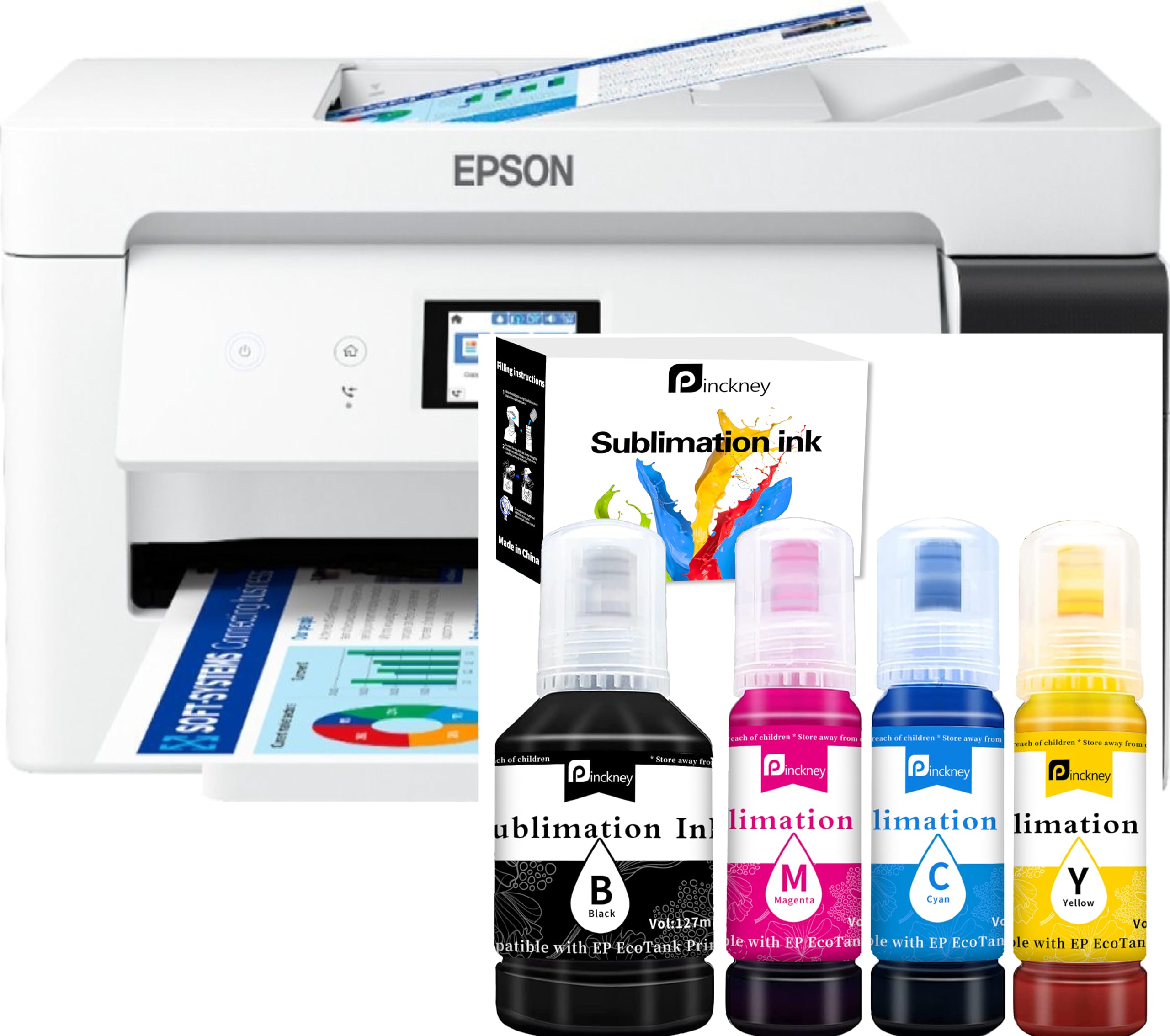
A converted tank printer pre-loaded with sublimation ink for heat-transfer jobs.
This is a specialty tool for people making heat-transfer goods — mugs, shirts, and sublimation blanks. It is a cartridge-free super-tank all-in-one with a built-in scanner and copier, sold with a sublimation ink bundle: Black at 127 mL and Magenta, Cyan, and Yellow at 85 mL each. Because the tanks are built in, you refill from a bottle instead of buying cartridges. It prints up to 13×19, scans through an ADF, and holds a 250-sheet front tray with a 2.7-inch color touchscreen. Black runs at 17 pages per minute and color at 9 pages per minute, and it supports borderless printing to 11×17.
Filling is genuinely clean. The auto-fill nozzle seats against the ink inlet so you pour without a syringe, squeezing, or leakage — a detail that matters when you are handling sublimation ink. Customers note great color quality on their transfer work, and the machine is described as quiet and capable of large sizes. A one-year limited warranty covers it, and the seller provides a customer service team for setup questions. A minor setup snag here or there gets resolved quickly by that support line.
Read the fine print before you commit. This is a converted Epson ET-15000 with third-party sublimation ink, and the critical catch is warranty coverage: the factory warranty is voided once you load that ink. One buyer hit a paper-grabbing feed problem and then faced a repair shipping charge out of pocket. So treat this as a dedicated sublimation machine, test the feed path thoroughly as soon as it arrives, and keep your expectations set on heat-transfer production rather than everyday office printing.
Purpose-built for transfers: the bundled sublimation ink and auto-fill nozzle are set up specifically for heat-transfer work, which no other pick here provides.
The warranty trap: loading the included sublimation ink voids the factory warranty, so buy it understanding you are on your own after the seller’s coverage window.
Ideal for: crafters and small transfer businesses that want an out-of-the-box sublimation setup with big-format output.
Look elsewhere if: you need a general-purpose office printer or want an intact manufacturer warranty.
Understanding the Specs
Pages Per Minute (ppm)
Print speed is quoted in pages per minute (ppm), and it tells you how fast the machine produces pages on a standard test. It is a ranking tool, not a promise — full-color tabloid work always runs slower than the quoted number. The range here swings hard: the Canon photo printer manages 2 ppm, while the Brother models reach 31 ppm black. Match ppm to your actual tabloid workload, not to the highest number in the table.
Ink System: Tank or Cartridge
Tank printers hold ink in built-in reservoirs you refill from bottles; cartridge printers use sealed units you swap out. Tanks usually cost more upfront and far less per page, while cartridges are simpler and often faster. The Epson EcoTank and the Pinckney super-tank represent the tank route; the HP and Brother office models here run cartridges. Above roughly 200 tabloid pages a month, tank refills undercut cartridges.
Resolution and Color Accuracy
Resolution in dots per inch (dpi) measures how finely the print head places ink. The EcoTank ET-15000 reaches 4800 x 2400 dpi, which keeps fine lines on technical drawings sharp. Color depth in bits — 24 bpp or 48 bpp on these models — describes how many color values the printer can represent. Separately, HP’s wide-format P3 support covers a wider color range than the common sRGB standard, so screen colors transfer more faithfully.
Duplex, ADF, and Tray Capacity
Duplex means two-sided printing. Automatic duplex flips the sheet for you; simplex means you re-feed it by hand. An ADF (automatic document feeder) pulls originals through the scanner, and single-pass duplex reads both sides in one trip. Tray capacity — the sheet count a drawer holds — determines how long you print before reloading. Here it ranges from a 250-sheet single tray up to 500 sheets across two trays on the Brother 6960.
FAQ
Can these printers really print 11×17 sheets?
Which is cheaper to run, a tank printer or a cartridge printer?
Do I need an ADF to scan 11×17 documents?
Which of these printers is best for photo printing?
What is sublimation printing and do I need a special printer?
Can these printers do automatic two-sided printing on 11×17?
How much space does an 11×17 printer need on my desk?
Do these wide-format printers work with wireless and wired connections?
Which printer is fastest for printing large color documents?
Is a more expensive 11×17 printer worth it over a cheaper one?
Final Thoughts: The Verdict
For most people hunting an 11×17 printer, the Epson EcoTank ET-15000 is the smartest all-round buy — it handles 13×19 output, scans and copies, and its supertank ink keeps refill costs low enough that heavy tabloid printing never stings. If raw speed on color tabloid work is your priority, grab the Brother INKvestment 6560 and its 31 ppm black engine. And if your workflow is heat-transfer goods rather than paperwork, the Pinckney super-tank arrives pre-loaded with sublimation ink for exactly that job. Count your monthly tabloid pages first — that number alone eliminates most of this list.
How We Picked
We do not accept paid placement. Every pick is matched to a real buyer and a real use-case; we do not hands-on test units.
Sources & Methodology
Specifications: manufacturer listings and product documentation. Review insights: verified customer reviews, as of September 2026. Pricing: not shown on this page (it changes often); check the current price via the retailer link.
As an Amazon Associate, Gadgets Feed earns from qualifying purchases. This does not affect which products we feature.