
Our readers keep the lights on and my morning glass full of iced black tea. As an Amazon Associate, I earn from qualifying purchases.
Specs are compiled from manufacturer listings and verified buyer reviews and can change over time — please confirm the key details on the product page before buying.
If you want the short answer: the UGREEN Nexode 65W is the best 65W charger for most people, with full laptop power, three ports, and a foldable plug. A quick heads-up before you scroll: this list uses flexible, human-like matching for 65-watt output or higher, so not every pick is the exact wattage number you searched — the nearest same-type size and wattage serves the exact same job. Every pick here is a wall charger with a USB-C PD output of 65 watts or more, and nothing on the list is a power bank, a dock, or a phone-only brick.
I’m Min — the founder and writer behind Gadgets Feed. This guide is built by comparing the manufacturers’ published specifications and the patterns across verified customer reviews, so you get each pick’s real strengths and trade-offs instead of marketing spin.
You are about to see which bricks hold their wattage under load, which ones fold flat into a bag pocket, and which ones stay cool after an hour. The charger that quietly earns its place in your bag is usually the one with the fewest surprises, so this list ranks the 65w laptop charger picks by how they actually behave.
Our Picks at a Glance


How To Choose The Best 65W Laptop Charger
Most people buy a 65W brick, plug in a laptop, and wonder why it charges at half speed. The reason is almost never the charger brand. It is usually the connector type, the split of power across ports, or the cable you plugged into it.
Connector Type Comes Before Wattage
The single fastest way to buy the wrong charger is to assume every laptop charges over USB-C. Many older and budget laptops still use a barrel tip — a round plug that pushes into a dedicated power socket. Dell’s 65W Inspiron adapter uses a 4.5mm barrel connector, and it will never charge a USB-C-only machine. USB-C chargers, by contrast, work across laptops, tablets, and phones from many brands. Decide your connector first, then shop wattage.
One Port of 65W Is Not the Same as Three Ports of 65W
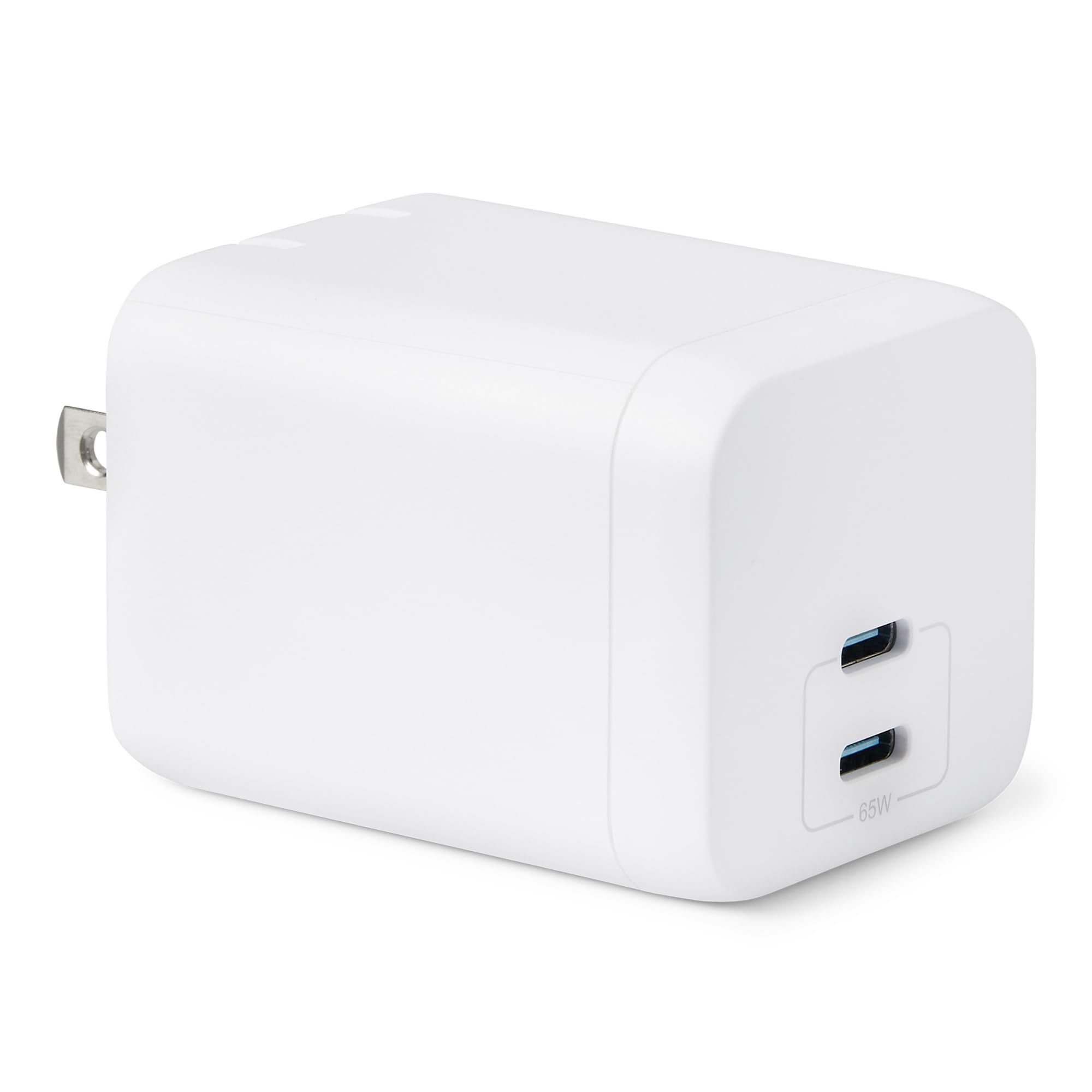
When a charger says “65W,” that figure usually applies to a single device on one port. Plug in a second gadget and the brick splits its output. The UGREEN Nexode, for example, shares 65W across its three ports, so laptop speed drops the moment you add a phone. That is normal and not a fault — it is simply how power budgeting works. If you mostly charge one laptop at a time, a two-port brick with 30W plus 30W split (like the Amazon Basics unit) is plenty.
Why GaN Bricks Run Cooler and Smaller
GaN stands for gallium nitride, a semiconductor material that handles power more efficiently than the older silicon inside traditional power bricks. That efficiency is why a modern GaN charger can be roughly half the size of an older equivalent and stay warm rather than hot. If you travel with a single bag, that size drop is the difference between a brick that lives in a side pocket and one that stays home.
Quick Comparison
| Model | Best For | Output | Ports | Connector | Amazon |
|---|---|---|---|---|---|
| UGREEN Nexode 65W★ Best Overall | Everyday all-rounder | 65W | 2 USB-C + 1 USB-A | USB-C | Amazon |
| Amazon Basics 65W GaNBudget Champion | Budget two-device charging | 65W single / 30W+30W dual | 2 USB-C | USB-C | Amazon |
| Dell Inspiron 65W (4.5mm)OEM Match | Barrel-tip Dell laptops | 65W | Single | 4.5mm barrel | Amazon |
| Dell 65W USB-C Adapter | Latitude / XPS USB-C models | 65W / 45W / 27W / 15W | Single | USB-C | Amazon |
| Anker 735 (Nano II 65W) | Travel and hot-desking | 65W max | 2 USB-C + 1 USB-A | USB-C | Amazon |
| AOHI Youth 65W GaN+ | Visible charging status | 65W / 63W PPS | 3-Port | USB-C | Amazon |
| Lenovo USB-C 65W | Lenovo laptops and long cables | 65W | Single | USB-C | Amazon |
| Lenovo Dual USB-C 65W GaN | Two devices from one small brick | 65W max / 45W + 18W dual | 2 USB-C | USB-C | Amazon |
| HP 65W USB-C Charger | HP owners who want OEM | 15W / 27W / 60W / 65W | Single | USB-C | Amazon |
In‑Depth Reviews
1. UGREEN Nexode 65W USB C Charger Block, 3-Port Wall Charger
Our pick — over 4.5★ from 13,000+ verified ratings; the strongest balance of quality and price.
The do-everything brick that powers a laptop, a phone, and a watch at once — and still folds into a pocket.
This is the pick for anyone who wants one wall brick to replace three, whether that is a desk drawer at home or the bottom of a laptop bag. It pushes 65W of power through a GaN chip, which is a semiconductor that runs cooler and smaller than the older silicon bricks. For you, that means a charger the size of a small snack bar. It runs two USB-C ports plus one USB-A port — so a laptop, a phone, and an older device with a rectangular USB-A plug can all be topped up from a single outlet.
Speed-wise, the maker claims it charges a MacBook Air M3 to 51% in 30 minutes. Owners back up the everyday feel: a buyer reports the brick hit “max 63W laptop, 22W phone” at the same time with all three ports in use. That is the honest catch most listings bury — the 65W is shared across all three ports, not given to each one. So the moment you add a second device, the laptop side slows down. That is normal power budgeting, not a defect.
Where it pulls ahead of the Anker 735 is amperage — 1.8 A versus 3 A — while the Amazon Basics brick manages just 2 ports against these 3, a real 50% more port count. The build holds up as a travel constant: owners who travel for work describe slipping it into everyday carry and charging a phone, a laptop, and spare batteries at once. The foldable prongs matter more than they sound — they keep the brick from snagging your bag lining. What wins people over most is sheer quality, with the charge speed close behind; the one tap on the throttle is heat, which runs warm under hours of load but stays within safe range.
What Earns It First Place
- Three ports (2 USB-C + 1 USB-A) let you top up a laptop, phone, and watch from one outlet.
- GaN build is roughly 50% smaller than the original 61W USB-C charger, per the maker.
- Foldable prongs and narrow width — one owner notes it will not block a duplex receptacle.
- Maker claims a MacBook Air M3 to 51% in 30 minutes on the full 65W.
Where It Pushes Back
- 65W is shared across all three ports, so laptop speed drops once you add devices.
- It sticks out about 2.59″ from the outlet, so tight wall gaps can be awkward.
- A short cable is a common gripe — plan on a longer USB-C cord for laptop use.
Reach for this if: you juggle a laptop, a phone, and one legacy USB-A gadget and want one brick for all three.
Look elsewhere if: you need the full 65W locked to one laptop while charging nothing else — a single-port brick holds its speed better.
2. Amazon Basics 65W Fast Charging GaN USB-C Wall Charger, 2-Port
The lowest-stakes way to get 65W into your bag — two USB-C ports and a plug that folds flat.
For a spare charger you can leave in a work bag without wincing, this Amazon Basics two-port GaN brick covers the basics cleanly. On a single port it pushes the full 65W, and when both USB-C ports run at once it splits to 30W plus 30W of combined output. That split is the number to watch: plug a laptop and a phone in together and the laptop gets 30W, which is fine for a slow top-up but not a fast one. It weighs 3.66 ounces and folds at the plug, so it disappears into a bag pocket. The universal 100-240-volt input also means it works on overseas power without a voltage converter, just a plug adapter.
Buyers report it drains a Samsung S26 Ultra from 30% up to 95% in about 40 minutes on one device. That is real, quick charging. Two habits matter here: the prongs are thick enough that fitting between outlets on a power strip is tight, so plan for an outer socket. And it wants a properly rated USB-C cable — a Lenovo owner found an older 120W cable was not sufficient and needed a 240W cord to charge the laptop at normal speed. The brick itself is small and stays cool in use.
The honest part: with a small number of reviews and a 4.3 rating, this is a newer listing, and the most-discussed theme in owner feedback is reliability over the long haul. Some units are reported to stop working months in, while plenty of others run fine and one buyer notes the equivalent Anker bought first failed in six months instead. That is normal for any budget electronic — treat this as a dependable spare or light-use charger rather than a laptop’s only lifeline. If you want one brick to carry everywhere forever, the UGREEN above has the deeper track record.
The Value Read: at roughly two-device pricing without the multi-port premium, this is the smart second charger — one at the office, one at home, both behaving the same.
Worth Knowing: dual-port use cuts each side to 30W, so keep the laptop solo when you need speed.
Pick it for: a cheap, compact spare that charges a phone fast and a laptop decently when it is alone on the port.
Pass if: you want two devices fast-charging at the same time — the 30W-plus-30W split will feel slow.
3. Dell Inspiron Laptop Charger Genuine 65W 4.5mm Tip AC Power Adapter
The genuine Dell brick for barrel-tip Inspiron laptops that refuse a USB-C plug.
If your Inspiron has a round power socket instead of a USB-C port, this is your lane, and no USB-C brick on this list can help you. It delivers 65W through a 4.5mm barrel connector — that is a 4.5-millimeter round tip that seats into the laptop’s dedicated power jack. It draws from a standard 120V AC wall outlet and ships with a power cord in the box. For an Inspiron 13, 14, or 15 from the 3000, 5000, or 7000 series, this is the factory-faithful replacement. Plugging the wrong tip into the wrong socket is how people bend contacts, so the exact 4.5mm match is the whole point.
What gives this brick its reputation is fit. Owners describe it as an exact match — one long-time user who had been using third-party chargers that “never quite stayed in or made good contact” calls it the genuine part they should have bought first. Another owner notes it runs radio-quiet and does not throw off the electrical interference some cheap bricks emit, which matters if you use wireless peripherals nearby. The barrel fit is snug on most machines, though one owner found it does not stay fully seated and puts that down to the laptop socket rather than the tip. That is the honest edge of barrel connections — they are a physical snugness game.
Another owner describes third-party 65W chargers working only a day or two before the laptop threw a “not a 65W charger” warning and stopped charging the battery. A genuine Dell part avoids that whole guessing game because the laptop recognizes it correctly. Charging performance gets mixed notes overall, but compatibility is the strongest signal in the pool, and that is exactly what a replacement should be judged on.
Why Owners Trust It: genuine Dell routing sidesteps the wattage-recognition errors that trip up generic barrels.
The Trade-Off to Accept: it is a cord-and-brick affair — no foldable prongs, no multi-port flexibility, just a faithful replacement.
Suits: Inspiron owners on a barrel tip who want the charger the laptop was built to accept.
Not your pick if: your Dell charges over USB-C — that is a different charger entirely, and this tip will not fit.
4. Dell Laptop Charger 65W USB Type C AC Power Adapter

A genuine Dell USB-C brick that steps down to 45W, 27W, and 15W — one tip, many devices.
Here is a Dell charger that speaks USB-C instead of the older barrel, which opens it up to Latitude, XPS, and 2-in-1 machines with a USB-C port. It is a smart-output adapter: 65W at 20V for a laptop, then it drops to 45W at 10V, 27W at 9V, and 15W at 5V depending on what you plug in. In plain terms, it negotiates the right amount of power for a small tablet or a phone instead of blasting everything at laptop wattage. The cord is a portable 3 feet, and it ships in non-retail packaging with a power cord included.
What owners consistently like is simplicity — one buyer writes “charges fast / Original / Long cord / Light,” which sums the appeal: it just works without running hot. Another owner pairs it with an Inspiron 16 7620 and reports normal charging and no overheating on arrival. The catch worth knowing: the reliability picture is genuinely mixed here, with some units described as failing within weeks while others run for months without issue. A grounding-prong defect turned up in one instance too. That is the pattern with USB-C power bricks in general — the connector takes real daily wear, and a well-made one lasts and a defective one shows itself fast.
If your priority is a factory-flush fit and you own a Latitude or XPS that expects a Dell-brand charger, the compatibility is why this makes the list. If you simply want one travel brick to rule them all, the UGREEN and Anker picks give you more ports for the same job. Think of this as the option for the person whose laptop is picky about being charged by non-Dell hardware.
Straight to the Point
- Four output levels — 65W, 45W, 27W, 15W — adapt to laptop, tablet, or phone automatically.
- Genuine Dell part fits Latitude and XPS USB-C models without negotiation errors.
- Slim 3-foot cord packs easily into a laptop sleeve.
- Owners describe it as light, cool-running, and charge-fast on arrival.
The Fine Print
- Reliability is mixed — some units are reported to fail within weeks of daily use.
- Single port only, so you cannot charge a phone and laptop together.
- Non-retail packaging, and it takes a properly rated cable to hit full speed.
Best for: Latitude, XPS, and 2-in-1 owners who want a genuine Dell USB-C power source for work travel.
Skip if: you want one brick to feed several gadgets at once — this gives you a single USB-C port.
5. Anker 735 Charger (Nano II 65W), 3-Port USB C Charger Block

The travel brick built for cramped hotel outlets and shared desks, with a size that vanishes in a backpack.
Anker’s 735 delivers 65W on a single device and splits that across three ports when you load it up. The Nano II line runs on second-generation GaN, which Anker says operates at double the switching frequency of the first-gen chip. What that delivers to you is straightforward: a brick roughly the size of an AirPods Pro case that charges a 13-inch laptop and still has ports left. The foldable prongs and a slim profile are the two details frequent flyers lean on — that narrow shape slips into the tight outlets hotels are famous for, the ones a wide brick simply cannot seat into.
Owner experience here leans on trust. The unit gets kept in a surge protector at home, thrown in a backpack, or wedged into a plane seat outlet without drama. Multiple owners describe owning three, one per location, and none failing. “The best” is how one describes Anker generally after switching from other brands. Travel use is the recurring scene: one buyer keeps one in the carry-on, one at the home office, and one in the living room, and reports no overheating while running a phone, watch, and tablet together. That three-location habit is the strongest compliment a travel charger can earn.
Where it differs from the UGREEN is raw port-count parity matched by higher amperage — the Anker runs 3 A against the UGREEN’s 1.8 A, meaning it moves more current per circuit, though both hold the same 65W label. It protrudes a bit more than some rivals, which is the usual shape-vs-slimness trade. Built to 240V input with a 50-60Hz range, it is fine on most international mains. The recurring minor note in owner feedback is the protrusion in tight spaces, not performance.
The Case for It: a load-bearing travel charger you buy in threes and stop thinking about.
One Honest Note: the block sticks out more than flatter rivals, so the skinniest wall gaps can be tight.
Grab it if: you want one trusty brick per bag and value a narrow, foldable shape over everything else.
Look past it if: you need the absolute lowest prong profile for ultra-flush wall sockets.
6. AOHI Youth 65W GaN+ USB C Charger Block, 3-Port PPS
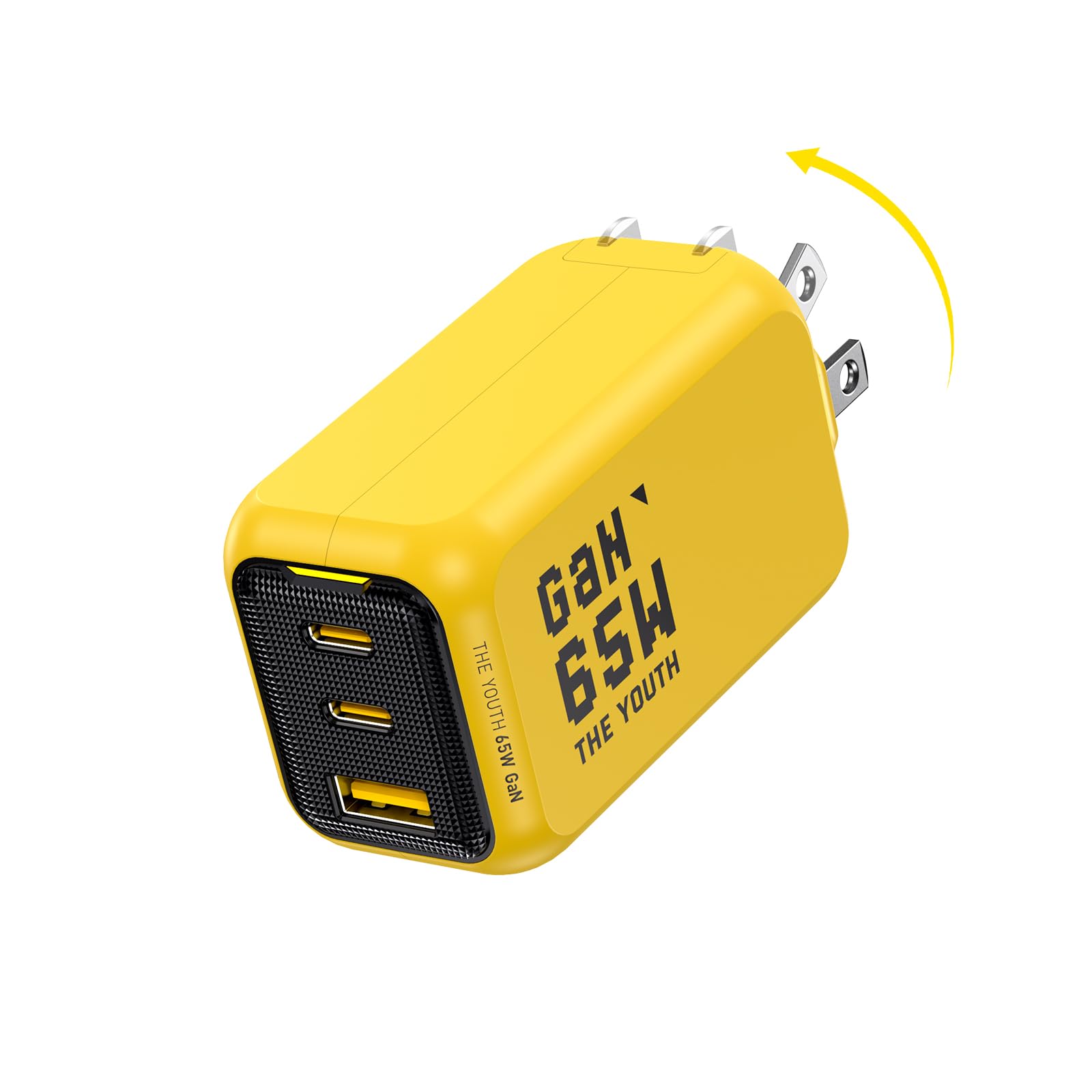
The charger that tells you what it is doing — three colors, three charging stages, zero guesswork.
AOHI takes a different angle on the 65W brick: transparency. A three-stage LED indicator glows amber for fast charging, blue for standard charging, and green for trickle charging — so you know at a glance whether your laptop is pulling full power or just sipping. Both USB-C ports support up to 65W one device at a time, and the maker claims a MacBook Air to 51% in 30 minutes on the full 65W. It also supports up to 63W PPS charging, which is a protocol some Android phones use to charge faster than standard USB-C. The maker rates it roughly 39% smaller than standard 65W chargers, with a foldable plug.
Owners describe it as a travel companion — one calls it “the best travel adapter,” noting the bright color makes it easy to spot in a bag, which is genuinely handy when a black brick disappears into a sea of cables. That owner also reports it holds the full 65W even when it runs hot, unlike some brands that throttle down. It has a genuinely good safety paper trail too: one owner verified it is listed on the Intertek/ETL compliance database, which is a North American electrical safety certification. If an official safety listing matters to you, this one carries it.
The honest edges: owner feedback on reliability is mixed, with one report of a unit giving out after a year. It also runs warm on long sessions, and its actual weight has been measured by an owner at 140g (about 5 oz) versus the lighter figure some listings show. That is real-world, not a flaw — charging bricks generate heat. If you want to watch the charging in real time and value the color status light, this is a genuinely distinct pick that does something the others do not.
What Nobody Else Offers
- Amber, blue, and green LED shows exactly what stage your device is charging at.
- Up to 63W PPS suits Android phones that charge above standard USB-C speed.
- Maker rates it roughly 39% smaller than typical 65W bricks, with a foldable plug.
- Carries a verified Intertek/ETL electrical safety listing.
Keep in Mind
- Runs hot under sustained load.
- Actual weight runs heavier than some listings imply.
- Mixed reliability notes — some units fail after a year of heavy use.
The right pick when: you like seeing charge status at a glance and want a bright, packable brick for travel.
Think twice if: you want the lightest possible brick in your pocket — this one runs heavier in the hand.
7. Lenovo USB-C 65W Wall Charger, PD 3.0, with 5.9 Foot Cable
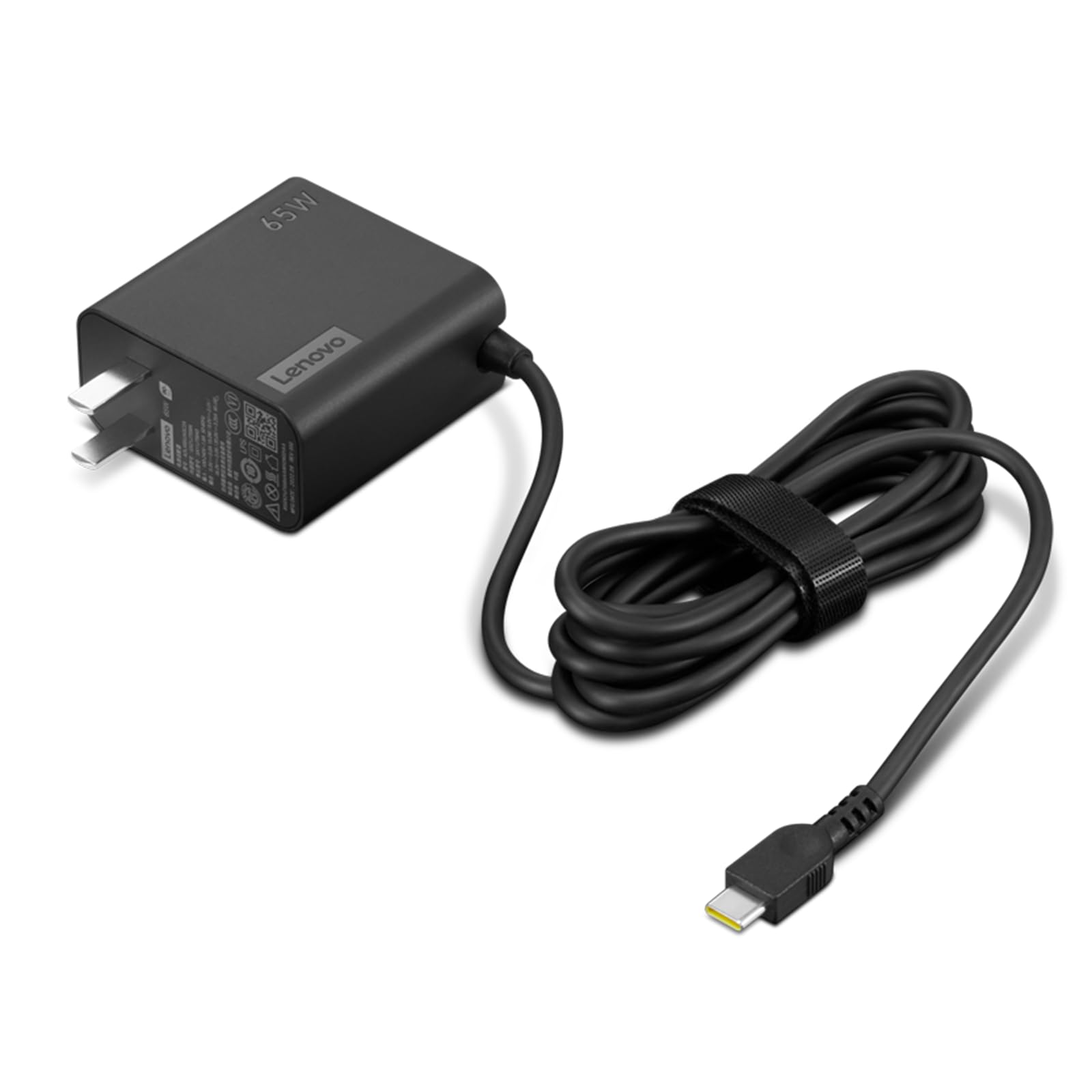
A slim Lenovo brick with a 5.9-foot cable, so you reach the couch instead of crouching by the outlet.
Lenovo’s USB-C 65W charger is built around one comfort: distance. That 1.7-meter (5.9-foot) cable is nearly double what many stock chargers give you, so plugging in does not mean dragging your laptop to the wall. It charges over PD 3.0, which stands for Power Delivery 3.0, the standard most USB-C laptops use to negotiate fast charging. The design is slim and light for a brick. For a Lenovo laptop owner who lost the original, this is a clean OEM replacement — one buyer describes it as an exact match to the charger it replaced, right down to size and specs.
Compatibility is where it shines. Owners mention it works with Lenovo laptops and also supports Super-Fast Charging on recent Samsung phones, so it doubles as a phone brick. It is built to 115V input with a 50/60Hz frequency range, standard for North America. The subtle catch: this is the USB-C version, and its plug design differs slightly from Lenovo’s older originals. One owner whose laptop rejected a different “Lenovo-brand” charger with a “lower wattage than recommended” warning is a specific reminder to match this to a machine that actually accepts a 65W USB-C charge.
Reliability feedback is mixed across the pool — some units run for years, a few fail early — which is the same story as nearly every power brick on this list. The value rating in owner feedback runs low, meaning buyers felt the price ran steep for a single-port charger versus the multi-port rivals here. If you own a Lenovo and want OEM fidelity plus that long cable, the reach is the reason to pick it. If you just want more ports for your money, the Anker and UGREEN bricks cover more ground.
The One Thing It Does Best: the 5.9-foot cable is the longest here, turning a wall outlet into a desk-side reach.
The Catch: single port and a premium price for an OEM-branded charger with no multi-device split.
Pick it if: you own a Lenovo laptop, want the exact replacement, and value cable reach above port count.
Not for you if: you want to charge two devices at once or get the most ports for the money.
8. Lenovo Dual USB-C 65W GaN Charger, CC65, with 1.5m Cable
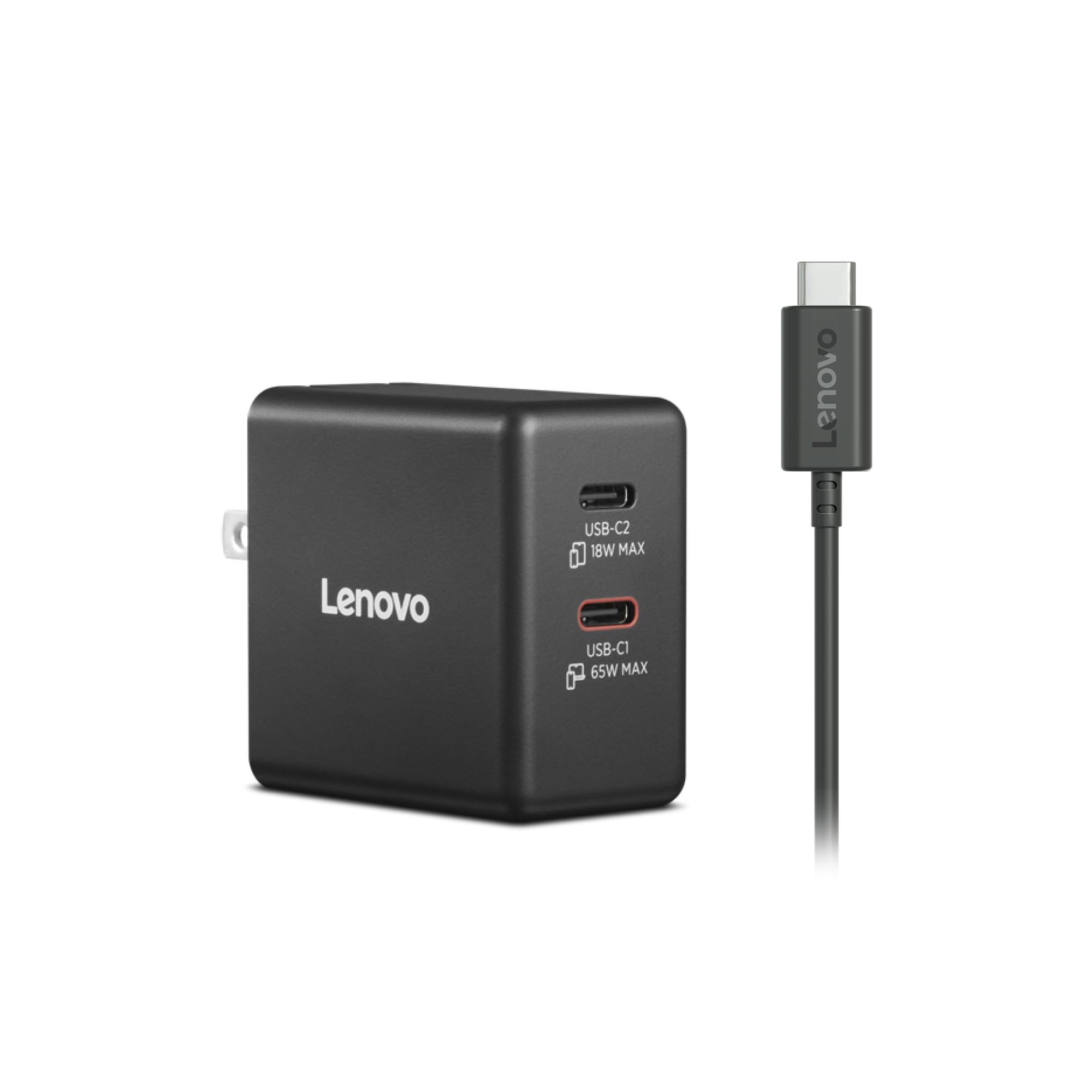
A tiny two-port GaN brick that charges a laptop and a phone at once without breaking a sweat.
This is the smallest two-device option on the list, and it wears that size well. Weighing 3.88 ounces, it delivers 65W to a single device, or splits to 45W plus 18W when you run two at once — enough to fast-charge a laptop on the main port while a phone trickles up on the second. It runs on GaN so it stays cool and light, has a foldable plug for travel, and comes with a 1.5-meter detachable USB-C cable in the box. For a laptop-plus-phone traveler who wants one tiny brick, that 45W-plus-18W split is the number that makes it work.
Owners call it out for exactly that: “excellent tiny charger for laptops” is how one sums it up, noting it slips into any bag. It handles a Lenovo ThinkPad’s 65W USB-C draw, and a Chromebook as well — with the honest detail that the ThinkPad flashed a warning about the charger but ran fine anyway, which is common when a laptop does not recognize a third-party brick’s handshake. The brick itself runs cooler than the plastic-silicon rivals because of the GaN core. It also carries UL, CCC, and CE certification, which is a strong safety signal for a compact power product.
The one knock owners raise is cost — it is one of the pricier single-cable chargers here, and reviewers felt the premium over Anker and UGREEN ran steep for a two-port brick. It is also chunkier than the very smallest bricks on this list, though its footprint stays compact. If you charge two devices and want the leanest brick that manages it, the size pays off. If budget is the deciding factor, the two-port Amazon Basics gives you the same split for less.
The Standout: a 3.88-ounce brick with a 45W-plus-18W split — one of the lightest ways to charge two devices.
The Trade-Off: premium pricing for a two-port brick, and it is a touch larger than the tiniest rivals.
Best fit: a lightweight traveler who charges a laptop and a phone together from one folding brick.
Less ideal if: you are shopping on price — the same two-device split exists for less elsewhere on this list.
9. HP 65W USB-C Laptop Charger

The genuine HP brick that steps between 15W and 65W, with cable management built in for tidy travel.
HP’s own 65W USB-C charger adapts its output automatically — 15W, 27W, 60W, or 65W — depending on what you plug in, so the same brick handles a phone or a laptop without you choosing a mode. A universal USB-C design means it works with most USB-C devices, not just HP laptops. The compact, lightweight body also has built-in cable management, so the attached cord wraps into the brick instead of tangling loose in your bag. It ships with a 39.37-inch (just over 3-foot) USB-C cable attached, and it is genuine HP with a UL listing.
The standout owner note is a hard one: this is a single-port charger with no USB-A accessory port, despite what some product photos suggest — one buyer specifically flagged that the listing images wrongly show a USB-A slot that does not exist. The performance otherwise draws praise; owners describe it as a nice HP original that works as advertised and fits the laptop well. One long-term owner keeps two and reports one has run three solid years. Cord length and easy wrapping earn repeated mentions as a travel convenience. For an HP laptop that expects a genuine power source, compatibility is clean with no rejection messages.
The caveat to weigh: reliability feedback runs mixed, with a handful of owners describing chargers that stopped working within months, and the travel rating suffers because the plug end is bulkier than truly compact rivals. It also wants a higher wattage for PD pass-through hubs that demand 80W. If you own an HP and want OEM certainty with a tidy built-in cable, this does that job. If you want multi-port flexibility or the smallest possible brick, the Anker and UGREEN picks travel lighter.
Where It Shines
- Smart output steps down to 15W, 27W, or 60W for phones and tablets automatically.
- Built-in cable management keeps the attached cord tidy for travel.
- Genuine HP with a UL listing and clean compatibility, no rejection warnings.
- Customers note multi-year service from a good unit.
Honest Drawbacks
- No USB-A port, despite photos that misleadingly imply one.
- Bulkier plug end hurts compactness for travel.
- Mixed reliability — a few units give out within months.
Right for: HP owners who want a genuine brand brick with built-in cable management and smart power levels.
Not ideal if: you need extra ports or the smallest footprint — this is a single-port, slightly bulky charger.
Understanding the Specs
Wattage (W) and Why 65W Matters
A watt is a measure of power flow — how fast energy moves from the wall into your device. At 65 watts, a charger moves enough power to run and refill a typical thin-and-light laptop, which is the whole reason this size exists. Below that, a laptop will often charge slowly or refuse to charge while switched on. It is worth knowing that a charger labeled 65W usually gives that full figure to a single USB-C port. Add more devices and the wattage splits, which is why a three-port brick charges a phone slower in the moment it charges a laptop. Match wattage to what your device actually asks for; a phone rarely pulls the full 65W, while a laptop can.
GaN, Ports, and Connector Types
GaN (gallium nitride) is the chip material inside the newer small bricks. It switches power on and off faster than older silicon, which lets the charger shrink and run cooler for the same wattage. That is why two chargers with the same 65W label can be wildly different sizes. Then check three things: the connector (a USB-C tip fits laptops, tablets, and phones, while a barrel tip like Dell’s 4.5mm fits only the specific socket it was built for), the port count (one, two, or three devices at a time), and whether the brick shares or locks its wattage. A foldable plug is the small detail that saves bag space on every trip.
FAQ
Will a 65W USB-C charger work with my laptop?
What is the difference between 65W on one port and 65W across three ports?
Is GaN better than a regular charger?
Can a 65W charger charge a phone as well as a laptop?
Does the USB-C cable matter for hitting full 65W charging speed?
Why does my laptop show a wattage warning with a third-party charger?
How long does a 65W charger usually last?
Can I use a 65W charger to charge a bigger laptop that wants more power?
Are foldable prongs worth choosing over a fixed plug?
Will a 65W charger charge two devices at once fast?
Why does a bright or colored charger matter?
Final Thoughts: The Verdict
For most people, the 65w laptop charger winner is the UGREEN Nexode 65W because it combines three ports, a foldable GaN body, and a deep record of good owner experience — the crowd favorite at 4.7 stars across 13,000+ ratings. If you want a charger that shows you exactly what stage your device is at and carries an official safety listing, grab the AOHI Youth 65W GaN+. And for a slim travel brick with a genuinely long 5.9-foot cable, the Lenovo USB-C 65W is the one to reach for.
If your laptop still uses a barrel tip like the Dell Inspiron, the Dell Inspiron Genuine 65W is the faithful choice, and for a two-device traveler who wants the lightest brick that manages it, the Lenovo Dual USB-C 65W GaN earns its place. Whatever you pick, buy once for the connector your laptop actually uses and the port count you actually need — the charger you stop thinking about is the one that matches your connector and port count.
How We Picked
We do not accept paid placement. Every pick is matched to a real buyer and a real use-case; we do not hands-on test units.
Sources & Methodology
Specifications: manufacturer listings and product documentation. Review insights: verified customer reviews, as of September 2026. Pricing: not shown on this page (it changes often); check the current price via the retailer link.
As an Amazon Associate, Gadgets Feed earns from qualifying purchases. This does not affect which products we feature.