
Our readers keep the lights on and my morning glass full of iced black tea. As an Amazon Associate, I earn from qualifying purchases.
Specs are compiled from manufacturer listings and verified buyer reviews and can change over time — please confirm the key details on the product page before buying.
The fastest way to fix a cramped, neck-craning triple-screen desk is not a bigger desk — it is getting all three monitors off the surface and onto one sturdy stand. That single change frees up the space your keyboard, notebook and coffee have been fighting over. And because every mount on this list lifts exactly three screens, the real question is narrower: which arm style, which clamp, and how much weight can your desk actually take.
I’m Min — the founder and writer behind Gadgets Feed. This guide is built by comparing the manufacturers’ published specifications and the patterns across verified customer reviews, so you get each pick’s real strengths and trade-offs instead of marketing spin.
Weight limits, VESA hole spacing and clamp thickness decide whether a mount works on your desk at all — so this guide sorts the fit questions first, then the features. Here is the honest breakdown of the 3 monitors with stand options worth your desk space.
Our Picks at a Glance

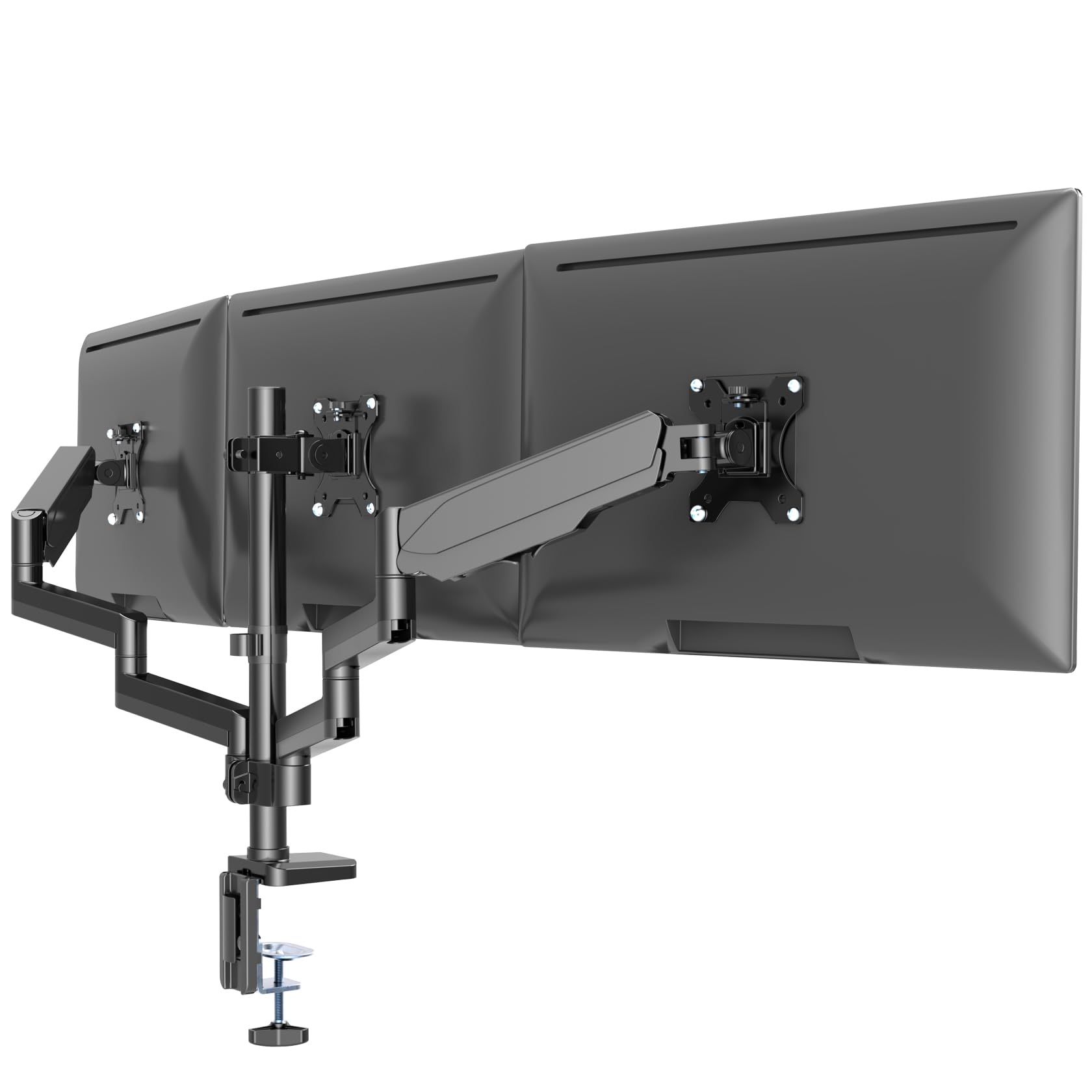
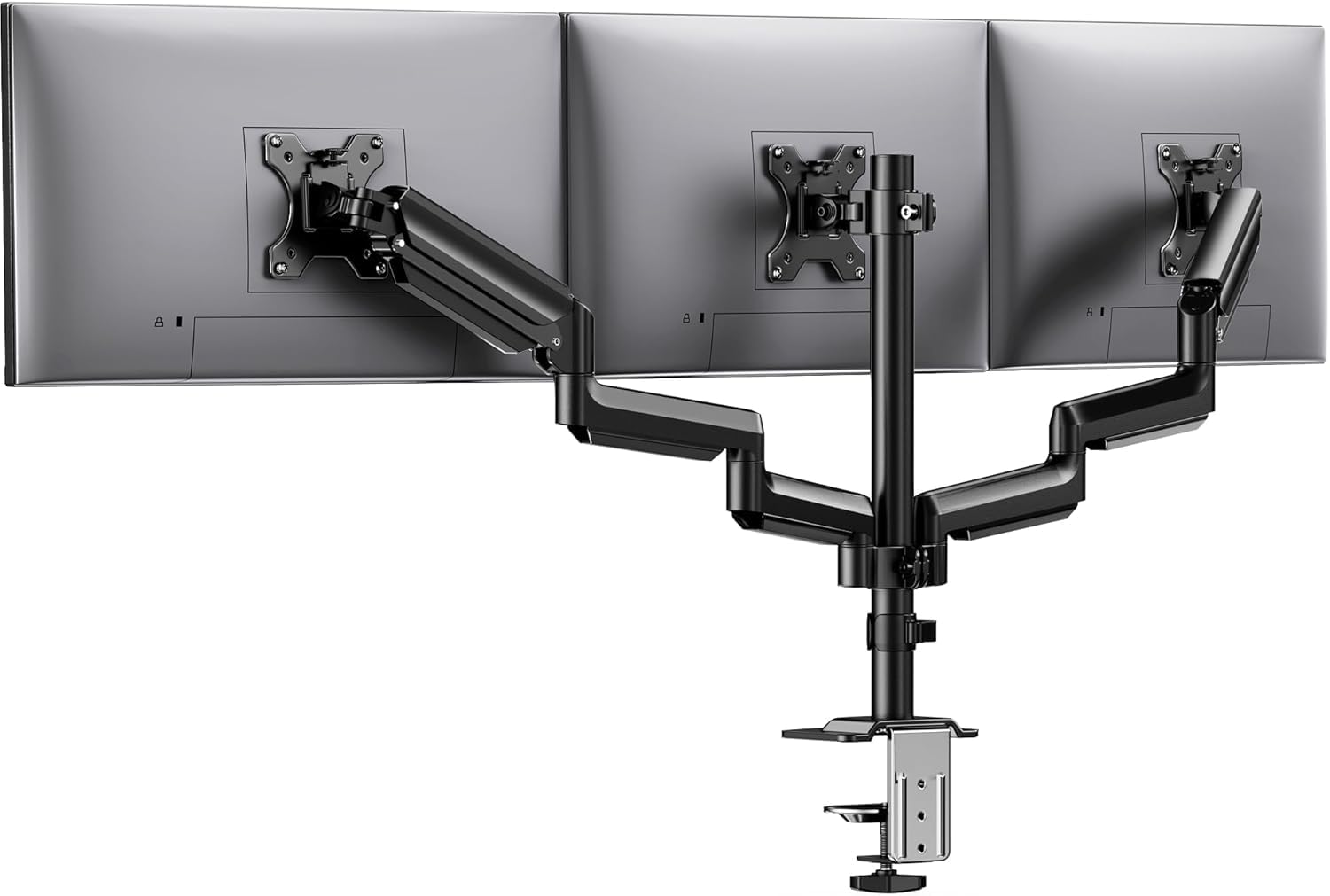
How To Choose The Best 3 Monitors With Stand
A triple monitor stand is really three separate arms sharing one base, so the weakest link decides everything. Get the weight math and the fit math right before you buy, and the rest is preference. Get them wrong and you will be the person returning a box or sliding a book under a sagging screen.
Start with the weight, not the screen size
Each arm has its own load rating, and that is the number that keeps your screens up. A mount rated for 19.8 lbs per arm will happily carry three average 27-inch panels, but a heavier ultrawide can push past it. Weigh one of your monitors before you order, then multiply by three — that rough total is the load your desk and clamp have to survive. The MOUNT PRO here takes 4.4–19.8 lbs per arm, while the Bracwiser goes higher at 24.25 lbs per arm.
Check VESA holes before anything else
VESA is simply the square pattern of screw holes on the back of your monitor. Almost every mount on this list uses the two common sizes, 75x75mm and 100x100mm, which covers the vast majority of modern screens. Flip your monitor around and measure the gap between the holes if you are unsure. If your screen has no VESA holes at all, you need a separate adapter plate before a mount will attach.
Clamp, grommet, or free-standing base
A C-clamp squeezes onto the back edge of your desk, while a grommet mount bolts through a hole drilled in the surface. Both are solid, but the clamp crowds your rear edge and a grommet needs you to commit with a drill. Free-standing models like the WALI sit on their own weighted base and demand zero desk surgery — the trade is that they eat desktop real estate instead of saving it. Measure your desk thickness either way, because each mount only grips within a stated range.
Quick Comparison
| Model | Best For | Screen Range | Weight Limit Per Arm | Mounting | Amazon |
|---|---|---|---|---|---|
| MOUNT PRO Triple Monitor Mount★ Best Overall | Large 27–32″ panels | 13″–32″ | 4.4–19.8 lbs | C-clamp / grommet | Amazon |
| UPGRAVITY Gas Spring Triple MountBest Value | Smaller 17–27″ desks | 17″–27″ | 17.6 lbs | C-clamp / grommet | Amazon |
| HUANUO Triple Monitor MountTop Performer | Tidy, stable office setups | 13″–27″ | 19.8 lbs | C-clamp / grommet | Amazon |
| WALI Free-Standing Triple Stand | Desks you can’t clamp | 13″–27″ | 22 lbs | Free-standing base | Amazon |
| ErGear Triple Monitor Mount | Mixed stacked layouts | 13″–32″ | 19.8 lbs | C-clamp / grommet | Amazon |
| Bracwiser Triple Monitor Mount | Heavy 32–34″ panels | 13″–34″ | 24.25 lbs | C-clamp / grommet | Amazon |
| PUTORSEN Triple Monitor Mount 17–32″ | Wide side-by-side spread | 17″–32″ | 4.4–22 lbs | C-clamp / grommet | Amazon |
| PUTORSEN Ultrawide Triple Mount | One big ultrawide plus two sides | 17″–35″ | 26.4 lbs | C-clamp / grommet | Amazon |
In‑Depth Reviews
1. MOUNT PRO Triple Monitor Mount for Max 32″ Screens
Our pick — 4.5★ from 850+ verified ratings; the strongest balance of quality and price.
A full-motion aluminum triple arm that swings through the widest tilt range of any mount here.
If your screens run large or you want the most range of motion per dollar, this is the mount to start with — 4.5 stars across nearly 900 ratings, and the one owners keep recommending. Three articulating arms cover screens from 13 to 32 inches, with two gas-spring arms that extend, retract and glide up and down on demand. The third is fixed-riser style, letting you stagger a tall center screen above two lower ones.
The headline number is tilt: a full 90 degrees, which beats the 45 degrees you get on the UPGRAVITY below. That extra range is what lets you lean a screen back for a standing desk at full height, or angle a panel out toward a colleague. Each arm carries 4.4 to 19.8 lbs in a standard VESA pattern, and both the C-clamp and grommet methods are included — the clamp handles desks 0.39″–3.15″ thick, the grommet goes 0.39″–1.97″.
The recurring caveat in the reviews is assembly and adjustment: budget an evening for the first build, then a second pass to set arm tension once the monitors are hung. Budget a chunk of an evening for the first build, and plan for a second pass to set arm tension once your monitors are hung. Buyers also report that the setup needs a sturdy base underneath — the mount itself will hold the screens, but bolted to a light folding table it can tip the table. Mount it on a solid desk and the wobble fades to a background hum.
What it gets right
- Widest screen range on the list — fits 13″ up to 32″ panels on every arm
- 90-degree tilt tops the 45 degrees on the UPGRAVITY, so standing-desks get more lean
- Aluminum body resists the rust that iron mounts develop over time
- Detachable cable management keeps the rear of your desk from turning into a nest
Honest trade-offs
- Assembly is the longest of the group — expect tension tweaks on day one
- Needs a solid desk; a lightweight folding table can tip under the load
- Aligning a vertical monitor flush with a horizontal one leaves a small offset
Grab it if: you run 27–32″ panels and want the most movement per arm of anything here.
Look elsewhere if: your desk is a light folding table or you want a mount you can hang in five minutes flat.
2. UPGRAVITY Gas Spring Triple Monitor Desk Mount for Screens up to 27 inch
For mid-size desks and screens you want to swing between work and play without a second thought.
The UPGRAVITY sets your monitors from 17 to 27 inches — a narrower bracket than the MOUNT PRO above, which reaches up from 13 inches. Where it earns its keep is the gas-spring mechanism: three arms that extend, swivel and rotate with a light push, then hold their spot. One developer’s setup sums up the appeal — a 32″ center with a pair of 27″ sides that wrap around for driving games, then rotate to portrait for coding.
Each arm is rated to 17.6 lbs, enough for a firm 27-inch panel. Full motion gives you -45° to +90° tilt, 180° swivel and 360° rotation, so screens flip between landscape and portrait without tools. Install takes most people 30 to 45 minutes, and it plays well with standing desks — buyers on driven sit-stand frames report it moves cleanly. The included cable channels hide the wires, and there is a slot that holds the Allen wrenches so you never dig for one.
Two things to weigh up. First, that 17″ minimum means small or older panels are out. Second, watch your total screen width: the arms barely fit two 32-inch monitors at full extension and three 32-inch panels in a straight line will not fit side by side. The stand also has a tendency to wobble when a desk is nudged, so bolt it to something substantial rather than a glass-topped lightweight table.
Tension tip worth knowing: the base clamp on this mount tightens from inside the pole, which makes reaching the adjustment far easier than bottom-bolt designs — a small thing that pays off on every move. The 17.6 lb ceiling is real, though, so keep your heaviest monitor in mind before you commit.
Worth it for: anyone running 17–27″ panels who wants spring-loaded arms at the lowest commitment on this list.
Skip if: you plan to go 32″ or heavier on all three, or your monitors are smaller than 17″.
3. HUANUO Triple Monitor Mount for 13-27 inch Computer Screens
The alignment perfectionist’s pick — a mount owners genuinely thank for keeping three screens level.
HUANUO built this one around durability, and it shows. The arms are aerospace-grade aluminium, and each one is tested through 20,000 lift cycles to hold firm. Each arm carries up to 19.8 lbs without sag, and the 12.2-inch height adjustment gives you enough vertical travel to line up screens of different sizes.
The motion set is complete — 360° rotation, ±90° swivel, and ±45° tilt — so you can push panels into any working angle. VESA 75×75 and 100×100 both fit, and the clamp handles desk thicknesses of 0.39″ to 3.15″. Buyers praise the stability above all: one owner who has lived with it for months says it lines all three monitors up cleanly, and that they would buy it again without hesitation.
The honest note here is setup, not build: assembly is more involved than the price suggests, and one buyer on the higher-priced version called it frustrating despite the strong result. Assembly is more involved than the price suggests, and one buyer on the higher-priced version called it frustrating despite the strong result. There is also a mild wobble if you lean heavily on a screen, common to every clamped mount. Neither is a dealbreaker — just hang this one, spend ten minutes getting the arms set, and leave them there.
Build you can lean on: the aluminium arms and 20,000-cycle testing put this in a different durability class than the entry-level arms, and the tidy cable clips leave your desk cleaner than you found it.
Buy it for: a permanent office or gaming desk where you set the layout once and want it solid for years.
Hold off if: you want a tool-free build — factor in real assembly time before the first screen goes up.
4. WALI Triple Monitor Stand, Height Adjustable Free-Standing Monitor Desk Mount

No clamp, no drill, no cutting your desk — this one just stands there and holds three screens.
For glass desks, thin desks, or rented furniture you cannot put holes through, the WALI is the answer. It uses a free-standing base instead of a C-clamp or grommet, which makes setup a simple lift-and-place job. Each arm holds up to 22 lbs, and it takes screens from 13 to 27 inches in VESA 75×75 or 100×100 patterns.
The safety design is the smart part: the arms swivel only forward, so the stand cannot tip backward at full extension. The arms on this mount only swivel forward, which prevents the whole stand from tipping backward when the screens are pushed to their limit. The mounting plates are detachable and slide left and right on each arm, so you can nudge mixed-size screens into a neat side-by-side line. Buyers report the base fits perfectly on desk risers and shelf units, and it can carry a heavier-than-advertised load — one owner ran two 26-inch screens and noted it held them with room to spare.
The trade is space and precision. A free-standing base occupies desktop area a clamped mount would not, so you gain setup ease and lose the desk surface you were trying to clear. And fitting the screens edge-to-edge is fiddly — owners mention the monitors lean forward slightly and can be hard to level perfectly. Give yourself a spare afternoon for assembly if you are not used to these brackets.
Choose this if: your desk can’t take a clamp or a grommet hole but you still want your screens raised.
Think twice if: desk real estate is already tight — the base itself is the footprint you are buying.
5. ErGear Triple Monitor Mount for 13-32 Inch Screens
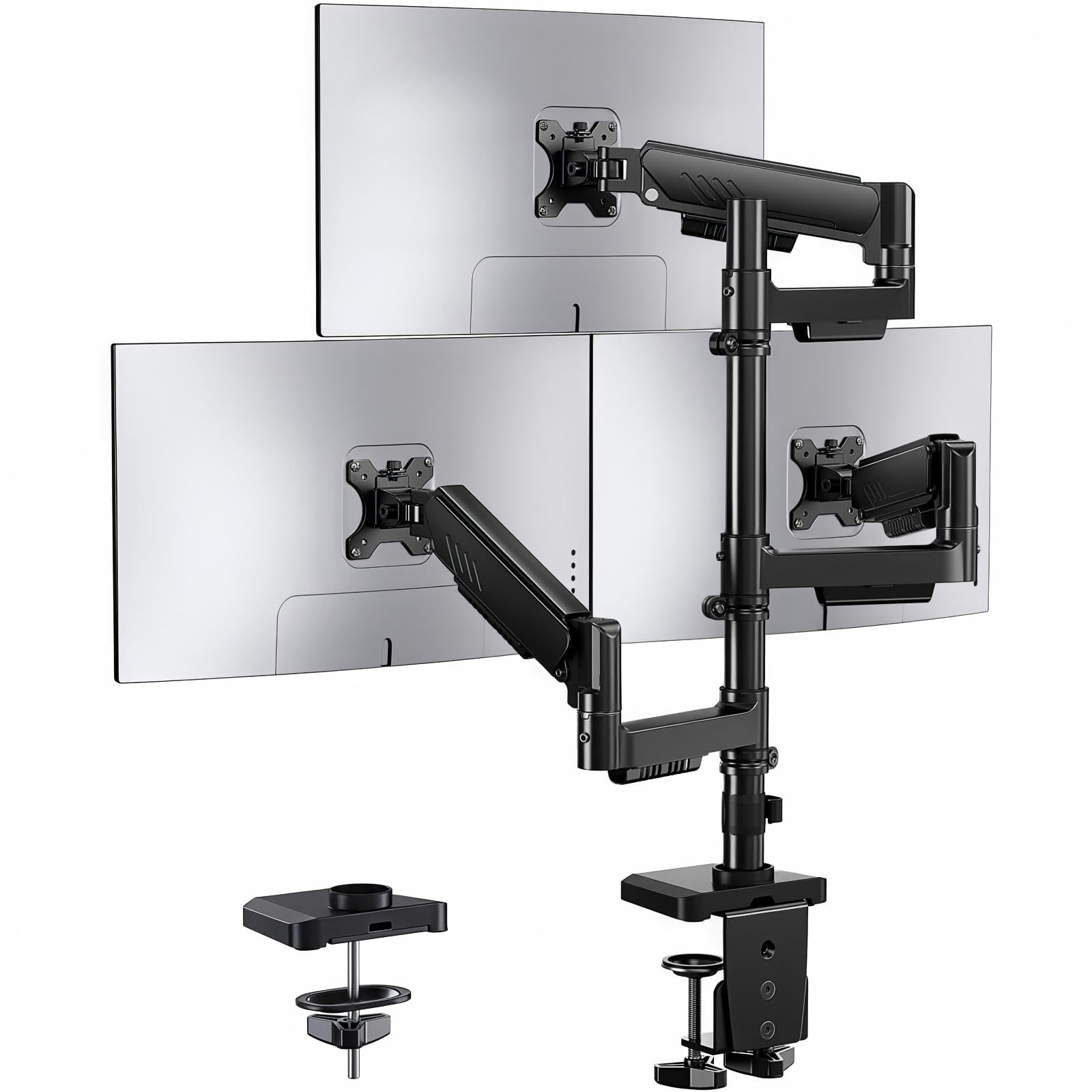
If your screens need to move daily — for presentations, trading or code — this is the arm to own.
ErGear’s selling point is freedom of movement. All three arms adjust independently and slide one-handed, holding their position without repeated tightening. That fits screens from 13 to 32 inches at up to 19.8 lbs each, with +80°/-50° tilt, ±90° swivel and 360° rotation — enough to arrange monitors side by side, stacked, or in a mixed layout.
The dual C-clamp base grips more desk surface than a single clamp, which is why this mount quietens wobble under heavy loads better than most. It raises screens up to 36.6 inches and reaches forward 20.7 inches, so you can dial in distance and height for a long session at the desk. Buyers with carpal tunnel or range-of-motion issues call out how easily the arms move one-handed, with no bolt re-tensioning between positions.
Fit is the one thing to check carefully: the arms suit 24-inch monitors best for angled layouts, and 27-inch side screens usually need a straight-across line rather than an inward curve. Customers note the arms suit 24-inch monitors best for angled layouts — with 27-inch side screens you often need a straight-across line rather than an inward curve. The center bracket also has no front-to-back adjustment, so if you want the middle screen closer to your face, plan for it. Get the geometry right and the mount is an excellent choice for the money.
Why it stands out: the one-hand adjust makes this the most practical pick for anyone who reconfigures screens mid-task, and the reinforced clamp does a lot of the stability work for you.
Mind the geometry: straight-across layouts work with 27-inch panels, but angled setups want smaller sides.
Reach for this if: you live on your desk and move screens throughout the day.
Pass if: you need a curved wrap with big 27-inch sides, or want a center screen you can pull forward.
6. Bracwiser Triple Monitor Mount for Max 34″ Screens

Heavy, tall and built for 34-inch screens — the mount that grows when your setup does.
Bracwiser pushes capacity further than anything else here at 24.25 lbs per arm, enough for a substantial 34-inch panel. Screens run from 13 to 34 inches, and the VESA 75×75 and 100×100 patterns cover the standard fittings. The arms are aluminium and steel, so the whole assembly has a dense, planted feel rather than a hollow one.
Height is the other headline. A 30.11-inch pole puts the top of the stand at 43.3 inches, and the arms reach forward 22.63 inches — a combination that works whether you sit or stand. Tilt runs a full +90° to -90°, with 360° swivel and 360° portrait rotation, so you can stack screens or lay them flat without re-tooling. The C-clamp grips desks 0.39″–3.81″, while the grommet option covers thicker work surfaces at 0.39″–2.75″.
Because this is a new model, it has a smaller review base than the well-established names above — so the track record is shorter. The reports that do exist are positive: owners running a mix of 27 and 32-inch screens say it is stable and easy to adjust. One buyer who expected a flimsier arm was reassured once it was on the desk.
Best match for: anyone with 32–34″ screens who needs a tall pole and heavier per-arm load.
Look at instead: the MOUNT PRO if you want a longer track record and don’t need the extra height.
7. PUTORSEN Triple Monitor Mount for 17-32” Screens

When three screens need real elbow room between them, this is the mount that reaches.
Most triple mounts pull screens tight into a cluster. The PUTORSEN is the opposite — its side arms extend to a total span of up to 55.4 inches, so widescreen units sit with space between them instead of crowding the center. It holds posts from 17 to 32 inches, with a load range of 4.4 to 22 lbs per arm, covering both light and heavy modern panels.
Each side arm swivels, tilts and rotates on its own, so landscape or portrait is a preference rather than a restriction. Both mounting methods are included: the C-clamp suits desks 0.39″ to 1.77″ thick, and the grommet mount fits the same thickness with a hole diameter of 0.39″ to 2.36″. Tension is adjustable — crank it up for heavier monitors, dial it down for lighter ones.
Two fit notes. First, measure your total three-screen width before ordering — 55.4 inches is generous, but triple 32-inch screens can still push past it. Second, the clamp only takes desks up to 1.77 inches thick, which is narrower than most rivals on this list, so check your desk. Do both, and this is a solid, well-priced mount that holds firm with no signs of sagging over time.
The long-reach advantage: a 55.4-inch spread is the widest on the list, and the independent arms mean you can match each screen to its exact angle. Ideal for trading, monitoring or any setup where wide spacing matters.
Built for: three large screens arranged with real spacing — trading desks, control rooms, wide gaming setups.
Reconsider if: your desk is thicker than 1.77 inches, since the clamp won’t close that wide.
8. PUTORSEN Triple Monitor Mount for up to 35’’ Ultrawide Screens

The heavy-lift specialist — every arm takes 26.4 lbs, so a big curved ultrawide stays put.
Ultrawides are where most triple mounts give up, and this PUTORSEN is built specifically for that gap. Each of the three gas-spring arms is rated to 26.4 lbs, the highest per-arm figure on this list, and the stand supports screens from 17 to 35 inches. The recommended configuration is a single 35-inch ultrawide center flanked by two 32-inch sides, though skilled users with strong enough desks can run three 35-inch units.
Because the arms are independent, mixed-size screens are the point rather than a problem. Height, tilt and depth adjust on each arm, which means a 35-inch center and smaller sides can still sit in a balanced line. The gas springs hold that posture — buyers swapping between a 32, a 34 and a couple of 27s report no sag or drift over long sessions, and one notes the arms hold steady even at heavier weights.
This is the heaviest mount here, so it handles thick desks and light screens with the most care. One buyer found the arm would not hold a 34-inch Dell panel at minimum weight, and a few report the cable clips breaking. That tells you the arm wants a screen inside its designed load band, not floating near zero. Mount it on a solid desk surface, check your monitor’s weight first, and it will carry the rest with ease.
Heavy-duty, honestly so: 26.4 lbs per arm is more support than most desks ever need, and the independent gas springs make mixed monitor sizes behave like a matched set. The trade is sensitivity to very light monitors, so match the arm to screens of real heft.
Perfect for: a 35″ ultrawide flanked by two side panels, or any setup where the screens carry good weight.
Not for: very light monitors — the arms want real load to hold their angle.
Understanding the Specs
Weight capacity per arm
The rating that decides whether your screens stay up, or drift. Every arm has its own figure — the Bracwiser takes up to 24.25 lbs, the ultrawide PUTORSEN up to 26.4 lbs, while smaller pickups like the WALI handle 22 lbs. Take your heaviest monitor’s weight and make sure the arm exceeds it with room to spare. Too much headroom is fine at the top; too little means droop.
VESA mounting pattern
VESA is the four-screw square on the back of your monitor, sized in millimetres. Nearly every model here supports both 75x75mm and 100x100mm, so most flat and curved screens attach directly. If your panel lacks these holes entirely, you will need a separate VESA adapter plate before any of these mounts can grip it.
C-clamp versus grommet
A C-clamp tightens onto the rear lip of the desk with no drilling; a grommet mount passes through a hole in the surface. Clamp ranges vary widely — the Bracwiser takes desks up to 3.81 inches, while the PUTORSEN 17–32″ model tops out at 1.77 inches. Always measure your desk thickness first. A grommet hole gives the most secure hold, but you will be drilling, so decide before you commit.
Gas spring versus articulating arms
A gas spring arm counters the monitor’s weight mechanically, so you can reposition a screen with a light push. A plain articulating arm relies on tension bolts you tighten by hand, which means more fussing but is often cheaper and just as strong. If you move your screens daily, gas springs save real effort. If your layout is set once, either type will do.
FAQ
Will any of these triple monitor mounts hold three 32-inch screens?
Do I need a C-clamp or a grommet mount for three screens?
Can a free-standing stand hold three monitors without tipping?
How do I know if my monitors are VESA compatible?
Can a triple monitor mount wobble on a standing desk?
What is the widest triple monitor setup I can build?
How much weight can a typical triple monitor arm carry?
Do I need a reinforcement plate for a triple monitor desk mount?
Can I run a mix of monitor sizes on one triple mount?
Is a curved monitor compatible with these mounts?
Final Thoughts: The Verdict
For most desks, the 3 monitors with stand winner is the MOUNT PRO Triple Monitor Mount because it covers the widest screen range at 13–32 inches with the most tilt travel of any mount here. If you want a lighter, spring-loaded arm for mid-size screens and an easy build, the UPGRAVITY Gas Spring Triple Monitor Desk Mount is the one to reach for. And if your setup centers on a big ultrawide, the PUTORSEN Ultrawide Triple Monitor Mount carries 26.4 lbs on every arm and holds the line without sag. Whatever route you take, match the per-arm weight to your heaviest screen and check the clamp range against your desk thickness first — those two checks settle the whole decision.
How We Picked
We do not accept paid placement. Every pick is matched to a real buyer and a real use-case; we do not hands-on test units.
Sources & Methodology
Specifications: manufacturer listings and product documentation. Review insights: verified customer reviews, as of September 2026. Pricing: not shown on this page (it changes often); check the current price via the retailer link.
As an Amazon Associate, Gadgets Feed earns from qualifying purchases. This does not affect which products we feature.