
Our readers keep the lights on and my morning glass full of iced black tea. As an Amazon Associate, I earn from qualifying purchases.
Specs are compiled from manufacturer listings and verified buyer reviews and can change over time — please confirm the key details on the product page before buying.
If your home internet dies every time the cable goes down, or your RV loses signal the moment you leave the interstate, a cellular modem is the fix — a device that pulls internet straight from a mobile network using a SIM card, then shares it as Wi-Fi or Ethernet. The catch most buyers hit too late: the box is only half the story. Which carrier you use, which bands that carrier runs in your area, and whether your SIM is even allowed in a router decide whether you get 150 Mbps or a blinking red light. The picks below cover that whole spread, from pocket hotspots to business-grade routers with detachable antennas.
I’m Min — the founder and writer behind Gadgets Feed. This guide is built by comparing the manufacturers’ published specifications and the patterns across verified customer reviews, so you get each pick’s real strengths and trade-offs instead of marketing spin.
Start with the carrier you actually have, then match the bands, the SIM type, and if you need a battery. The one that clears all three usually settles it, and this breakdown of the best cellular modem options does exactly that.
Our Picks at a Glance


How To Choose The Best Cellular Modem
The fastest way to waste money here is to buy on speed alone. A modem rated for 3.4 Gbps still crawls if it locks onto a band your carrier barely uses where you live. Work through these four things in order and you will land on the right box.
Start With Your Carrier, Not The Spec Sheet
Your carrier decides what your modem is allowed to do. A router certified for T-Mobile and AT&T, like the GL.iNet GL-X3000, is registering a known device with those networks — an uncertified box may work, or it may be throttled or blocked outright. Check the certification list before anything else.
Band support is the second half of that. A carrier runs its signal on specific frequency bands, and a modem that covers more of them has more chances to find a strong tower. Some routers let you lock to a single band manually, which helps when the modem keeps grabbing a weak one.
Decide If You Need Dual SIM — And Which Kind
Two SIM slots sound like double the coverage, but the two types behave very differently. Failover-only means the modem uses one SIM and switches to the second only when the first drops. True dual-SIM standby lets you pick the stronger signal at any time. One owner of the MoFi6500 learned this the hard way: the failover-only slot is not the same as simultaneous dual SIM, and the maker sells a separate dual model for that.
Pick Power Source And Placement
A battery-powered hotspot goes anywhere and survives an outage. A wall-powered router never needs charging and usually has stronger radios and Ethernet ports. If your modem lives outdoors, an IP65 rating (which means it is sealed against dust and low-pressure water spray) is the difference between a working unit and a dead one after the first storm.
Quick Comparison
| Model | Best For | Network | Wi-Fi Standard | SIM & Power | Amazon |
|---|---|---|---|---|---|
| MOFINETWORK MOFI6500★ Best Overall | Rural homes & business failover | 5G & 4G LTE | Wi-Fi 6, dual-band | Dual SIM (failover), wall power | Amazon |
| GL.iNet GL-X3000 (Spitz AX)RV Workhorse | RV & office 5G gateway | 5G NR (NSA/SA) & LTE | Wi-Fi 6, dual-band | Dual SIM (single standby), wall power | Amazon |
| Cudy 5G NR AX3000 (P5)Wired Backbone | Whole-home 5G with wired ports | 5G NR & LTE | Wi-Fi 6, dual-band | Dual Nano SIM, wall power | Amazon |
| GL.iNet GL-XE3000 (Puli AX) | Construction sites & events with backup power | 5G NR (NSA/SA) & LTE | Wi-Fi 6, dual-band | Dual SIM, 6400mAh battery | Amazon |
| GlocalMe Numen Air 5G | International travel with CloudSIM | 5G & 4G LTE | Dual-band, 2.4 & 5GHz | CloudSIM + SIM slot, battery | Amazon |
| Hitron D60 5G | Certified T-Mobile/AT&T/US Cellular home use | 5G NSA/SA & 4G LTE | AX3000 Wi-Fi 6, mesh | Nano SIM + eSIM, wall power | Amazon |
| TravlFi JourneyGo | RV travel with pay-as-you-go data | LTE | Single-band 2.4GHz | Built-in eSIM, battery | Amazon |
| Cudy LT500 Outdoor | Outdoor surveillance & remote sites | 4G LTE Cat.4 | AC1200 Wi-Fi 5, dual-band | Nano SIM, 24V PoE | Amazon |
| GL.iNet GL-X750V2 (Spitz) | Budget failover backup | 4G LTE Cat.4 | AC750, dual-band | Micro SIM, wall power | Amazon |
In‑Depth Reviews
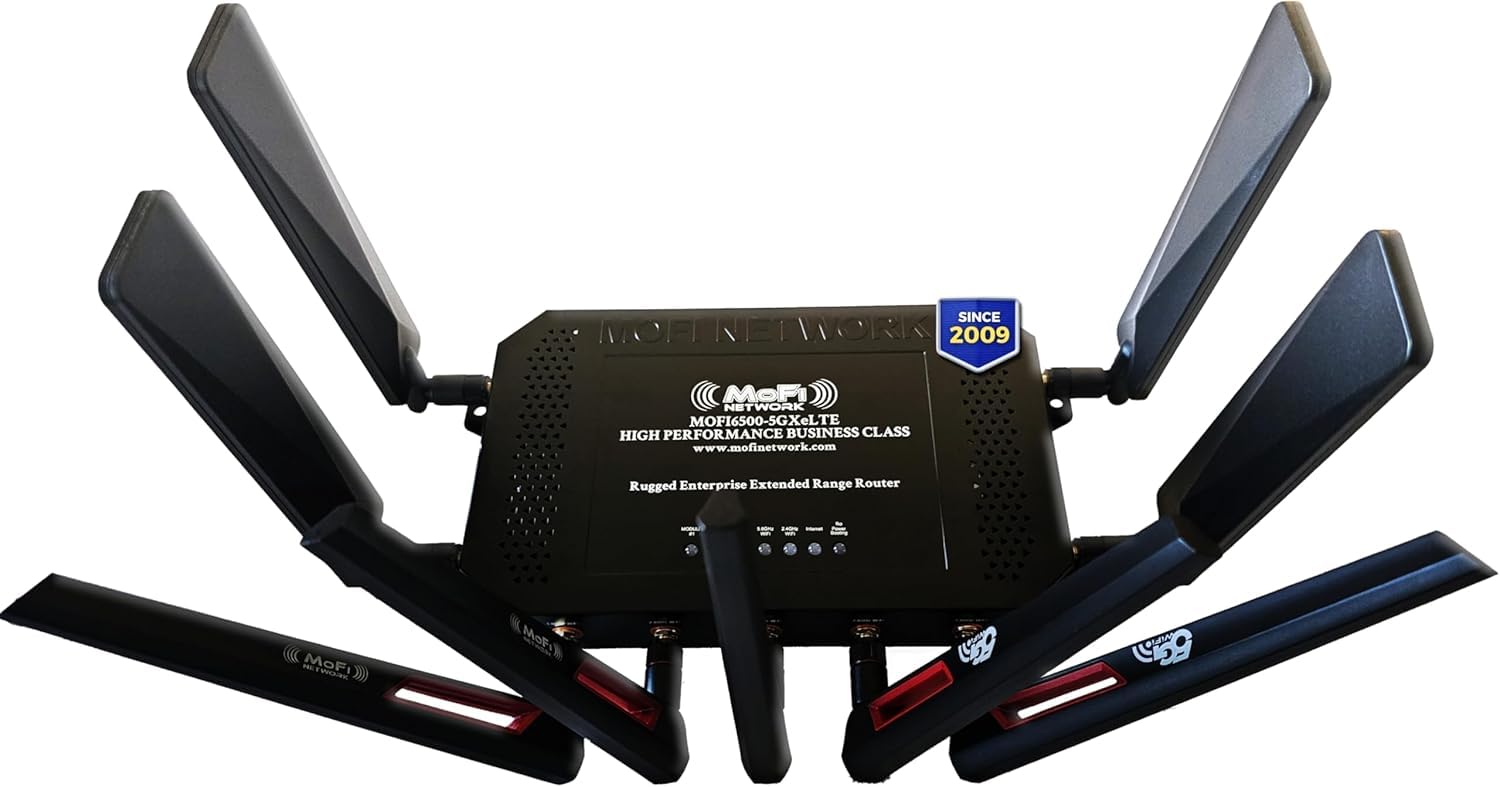
1. MOFINETWORK MOFI6500-5GXeLTE-RM520-HP
Our pick — over 4★ from 850+ verified ratings; the strongest balance of quality and price.
A full metal box that turns one bar into four when you bolt on a directional antenna.
If you live where the cable company never showed up, this is the modem that fixes it. It pulls both 5G and 4G LTE from any of the major carriers, shares that signal as Wi-Fi 6, and the case is built from full metal with detachable antennas — which matters because you can swap in a high-gain directional antenna and point it at the tower. One rural owner did exactly that with a Yagi antenna: the signal went from 1 bar to 4 bars, with strong Wi-Fi reaching across two separate buildings and a stable connection for two weeks.
What wins people over is the hardware itself. It is the most-discussed part of this router, and the setup wizard follows close behind — which is a strange thing to say about a box with IP pass-through, failover support, band lock, VPN compatibility, and ZeroTier certification built in. Fort Worth units were reported up and running in about two minutes through the wizard. Compared with the GL.iNet GL-X750V2 below, you are trading a 4G-only Cat.4 radio for a 5G and LTE radio in a metal case with amplification, and the numbers back it: this one is rated to 3.4 Gbps versus the Spitz’s 750 Mbps.
The honest trade-off is that streaming and signal strength split opinion — some owners get a rock-steady feed, others fight buffering until they add a third-party access point. And the dual SIM slot is failover only: it switches to the second SIM when the first drops, it does not run both at once. If you want simultaneous dual SIM, the maker sells a separate DUAL model. Buy this one to replace satellite or a hotspot, not to game on a PS4 behind a carrier NAT.
What Earns Its Keep
- Full metal case with detachable antennas, so you can upgrade reception instead of accepting it
- Wi-Fi 6 plus built-in amplification pushes coverage across large homes and outbuildings
- IP pass-through, band lock, VPN and ZeroTier support suit small-business and failover duty
Where It Frays
- Dual SIM is failover only — simultaneous dual SIM needs the separate DUAL model
- Streaming performance divides owners; some end up adding a third-party access point
- Strict NAT can break console gaming unless you pay for a public IP
Reach for this if: you need rural or backup internet that survives a weak signal, and you are willing to fit an external antenna.
Think twice if: your plan is console gaming on a strict carrier NAT, or you actually need both SIMs live at once.
2. GL.iNet GL-X3000 (Spitz AX) Cellular Gateway
Six detachable antennas and an OpenWrt brain make this the RV gateway that behaves like real networking gear.
A five-antenna-plus-one 5G gateway with dual SIM slots, Wi-Fi 6, and T-Mobile and AT&T IoT certification — the spec sheet reads like a small-business router, and the coverage in practice follows. Signal quality is the recurring standout, with setup close behind it, and the box runs OpenWrt v21.02 with more than 5,000 ready-made plug-ins for people who want to tinker. One owner ran it off T-Mobile 5G in an SUV as a rolling network and averaged 150 Mbps in the cargo area, calling it better than the dedicated Insego and Netgear hotspots it replaced.
The software is where it pulls ahead of the MOFINETWORK above on flexibility. Full multi-WAN load balancing across Ethernet, repeater, cellular, and tethering, plus DNS over TLS and HTTPS, is more routing control than most people will ever use. For business failover duty, the reputation holds up — one company kept a unit on T-Mobile business service with five bars and found it far faster and more reliable than the Insego and Pepwave gear it had before, and support approved a replacement promptly when a unit eventually failed.
Two things to know going in. Connectivity is the most discussed topic by a wide margin and it splits — some report it works beautifully on both AT&T and T-Mobile, others slam into T-Mobile 5G trouble, so a quick band check before you commit is worth the five minutes. Reliability also draws criticism, with a few units arriving dead or failing after a couple of days. The recurring note is that this is a strong modem wrapped in a decent-but-not-great router, and you should expect to tweak before it sings.
Tinkerer’s payoff: With 5G on both NSA and SA networks, dual-SIM failover, Wi-Fi 6 at up to 574 Mbps on 2.4GHz and 2402 Mbps on 5GHz, and six detachable antennas you can point at a tower, this rewards anyone willing to open the admin panel — and stays out of the way if you are not.
The caveat that matters: It is a 5G NR gateway with a 2-year warranty and a wall mount in the box, but carrier behavior varies by region, so a router that flies on one network can stumble on another.
Best for: RVers and small offices who want a fixed 5G gateway with real routing features and the patience to configure them.
Look elsewhere if: you want zero-touch setup or you need rock-solid performance on a carrier that is not clearly on its certified list.
3. Cudy 5G NR AX3000 Wi-Fi 6 Router, 4X GE, Dual SIM, SA/NSA, P5
Four Ethernet ports and a Qualcomm X62 radio make this the pick when Wi-Fi alone is not enough.
This is the one to choose if your setup involves cables. A Qualcomm X62 modem rated up to 3.4 Gbps on 5G NR sits behind dual Nano SIM slots, and the back panel gives you one configurable WAN/LAN port plus three LAN ports — four wired devices with no adapters needed. An RJ45 cable and power supply come in the box, so a wired home-office setup is a plug-and-go affair. There is also triple failover across WAN, Cellular 1, and Cellular 2, which keeps a connection alive if one path dies.
Functionality is what people talk about most here, with speed close behind. Wired ports get near-perfect numbers with gigabit cable modems, and one owner reported up to 300 Mbits/s without adding any antennas. The Cudy AX-3000 held a T-Mobile business 5G connection for about nine months with no dropouts, and another user running it as backup internet had 5G up in a minute with the built-in band-locking UI doing the heavy lifting. That visual band lock is the feature to lean on in weak coverage — you pick the band instead of letting the modem hunt.
Where reliability is concerned, the picture is mixed and worth reading carefully. A few units hit trouble with T-Mobile business static IP, and one reported that disabling static IP fixed it instantly. The router also runs warm, and the four detachable antennas exist precisely so you can swap in higher-gain models if your area is thin on signal.
Wired where it counts: AX3000 speeds cap at 2402 Mbps on 5GHz and 574 Mbps on 2.4GHz, with the X62 chip and dual SIM slots delivering real carrier redundancy rather than a single-network gamble.
Check your carrier first: Band lock and TTL adjustment are open tools here, but static IP setups have caused genuine headaches, so confirm your plan plays nice before you wire it in.
Choose this one if: you want 5G internet feeding a small network of wired devices — a home office, retail counter, or remote site.
Pass if: you need a silent-running box or your plan depends on static IP routing behaving flawlessly out of the gate.
4. GL.iNet GL-XE3000 (Puli AX) 5G Router with Dual SIM and 6400mAh Battery
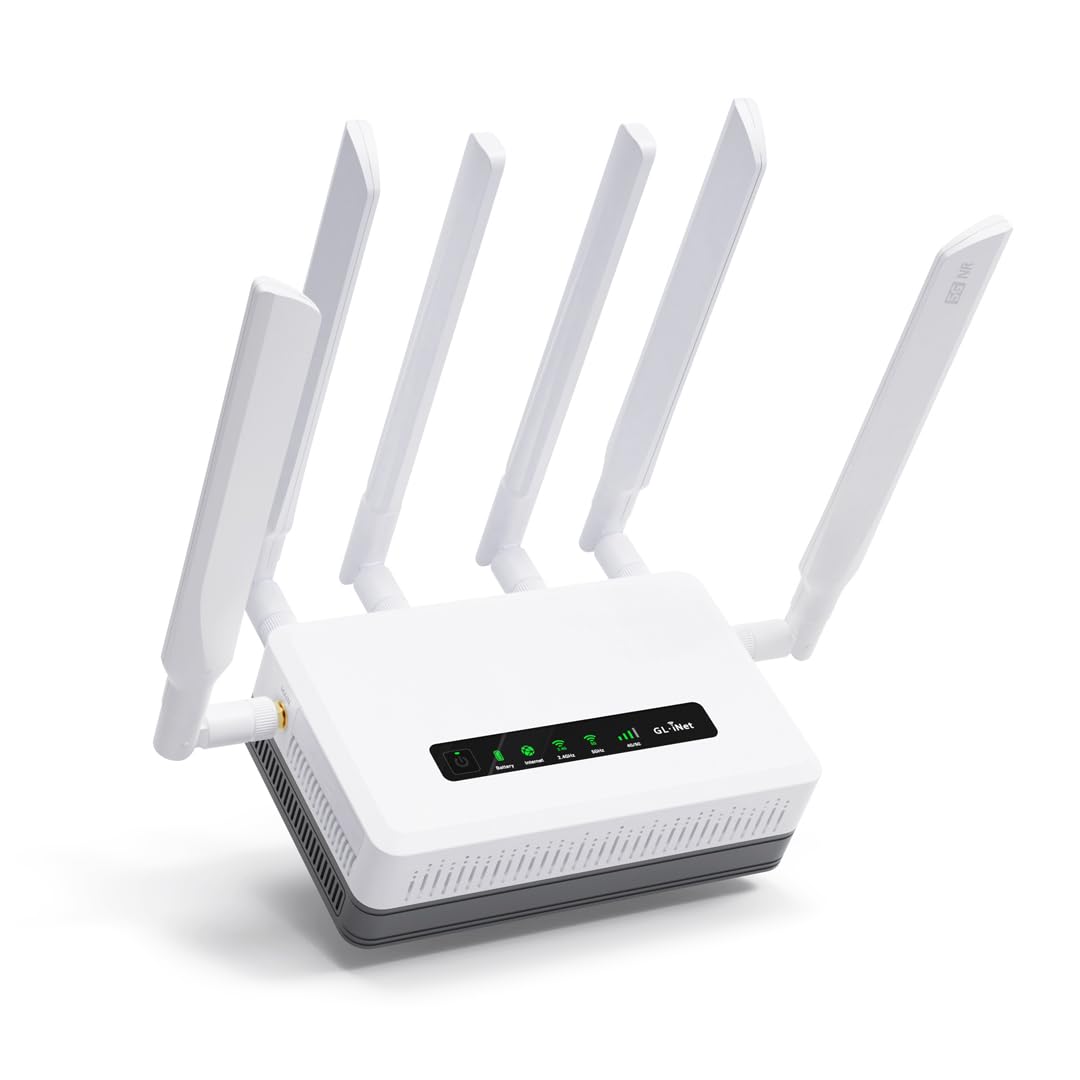
A 5G router that keeps broadcasting when the building power does not.
The defining feature is the built-in 6400mAh battery, rated by the maker at up to 8 hours of uptime — the difference between a dead network and a working one during an outage. Buyers report real-world runs of six to eight hours, and one person kept it on through an actual power cut with the 5GHz range holding up fine. It runs 5G on both NSA and SA, is certified for AT&T and T-Mobile, and shares that connection over Wi-Fi 6 at up to 574 Mbps on 2.4GHz and 2402 Mbps on 5GHz.
Performance is the stand-out theme in owner feedback, backed by speed and range. On a road trip through Arizona, Idaho, Oregon, Nevada, Utah, and Washington, one owner found the Puli AX with a third-party SIM pulled better and faster service than their phone in remote areas. Multi-WAN auto-switching between camp Wi-Fi, 5G, and Starlink lets you slide between sources without reconfiguring, and the wall-mount plate in the box makes it easy to fix in place permanently.
The honest limit is the SIM arrangement. Two SIM slots exist, but they share a single standby setup, and a few owners found the automatic switching between them did not kick in the way they expected. Reliability draws its share of criticism for the same reason — connections that drop and need a nudge. For fixed-location deployments where you set one SIM and leave it, that rarely bites. For setups relying on constant dual-carrier swapping, test it early.
Reasons It Stands Out
- 6400mAh battery rated for up to 8 hours keeps offices, sites, and events online through outages
- Multi-WAN across Ethernet, repeater, cellular, and tethering with load balancing and failover
- OpenWrt firmware with 5,000+ plug-ins, DNS over TLS/HTTPS, and VPN tunnelling pre-installed
Before You Commit
- Dual SIM shares one standby, so simultaneous dual-carrier use is not the game here
- Bulk grows once you add the detachable antennas and the battery into a travel bag
- Auto-switching between the two SIMs did not deliver for some owners
The fit: construction sites, job trailers, and event setups where the lights go out but the work cannot stop.
Not the fit: frequent travelers who want a pocket-sized modem and live swapping between two carriers.
5. GlocalMe Numen Air 5G Mobile Hotspot
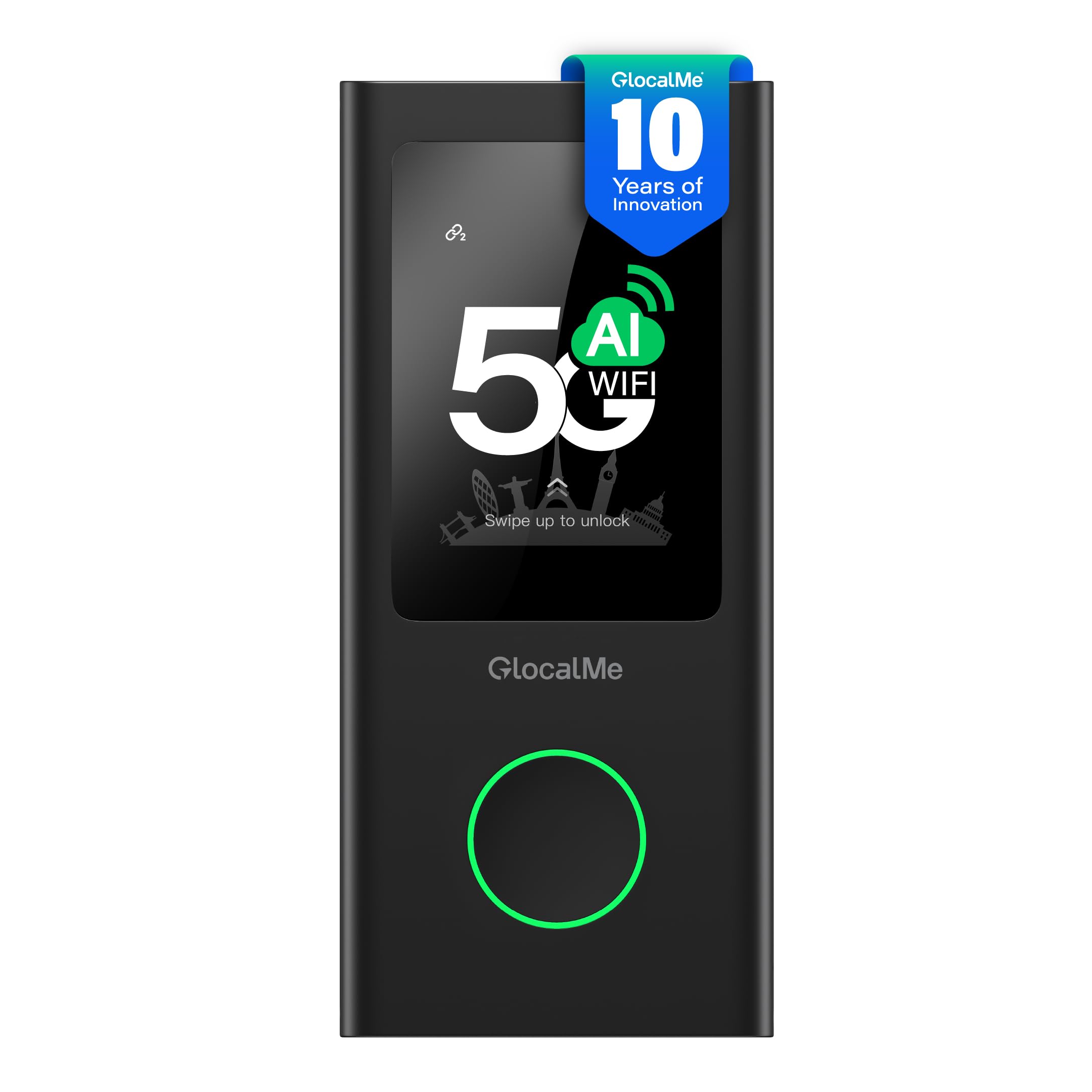
A pocket hotspot that hops between networks in 200-plus countries without you ever touching a SIM.
For anyone who crosses borders, the CloudSIM technology is the whole point: the hotspot picks the strongest network on its own, no SIM card required, and data comes in day, month, region, or gigabyte packages across more than 200 countries. It runs 5G and 4G LTE at maker-rated speeds up to 2.5 Gbps, shares the connection with up to 16 devices, and doubles as a power bank. A physical SIM slot is also there if you would rather use your own plan.
Reliability and performance are the two themes that come through loudest in owner feedback. Setup is straightforward enough that non-technical owners get running quickly, and the strong signal shows up in real numbers — one user on T-Mobile measured roughly 200 Mbps, while another with an unlimited Google Fi SIM saw 25–40 Mbps indoors and 80–110 Mbps outdoors, matching what their phone pulled. The 2.4-inch LCD touchscreen lets you monitor data use and connected devices at a glance, and airplane and Wi-Fi offload modes keep it efficient on the move.
The catch is the data pricing if you rely on GlocalMe’s own packages. The per-gigabyte cost runs noticeably higher than comparable plans, and rollover data adds up, so owners recommend buying their own SIM when they can. Battery longevity is the other watch item — at least one unit died at around the year mark, though charging with a QC 3.x USB-C charger brought it back.
What it does better than a phone hotspot: Up to 16 devices, a 2.4″ touchscreen, dual-band 2.4 and 5GHz Wi-Fi, and coverage across 90-plus 5G countries and 390-plus operator networks is a different league from tethering your phone.
The catch to plan around: The convenience of CloudSIM comes with premium data pricing, so if you travel often on a budget, a physical SIM in the built-in slot is the smarter route.
Made for: frequent international travelers who want instant connectivity without hunting local SIM cards.
skip it if: you are cost-sensitive on data or you would rather just use your phone’s own hotspot.
6. Hitron D60 5G Cellular Router with SIM Card Slot
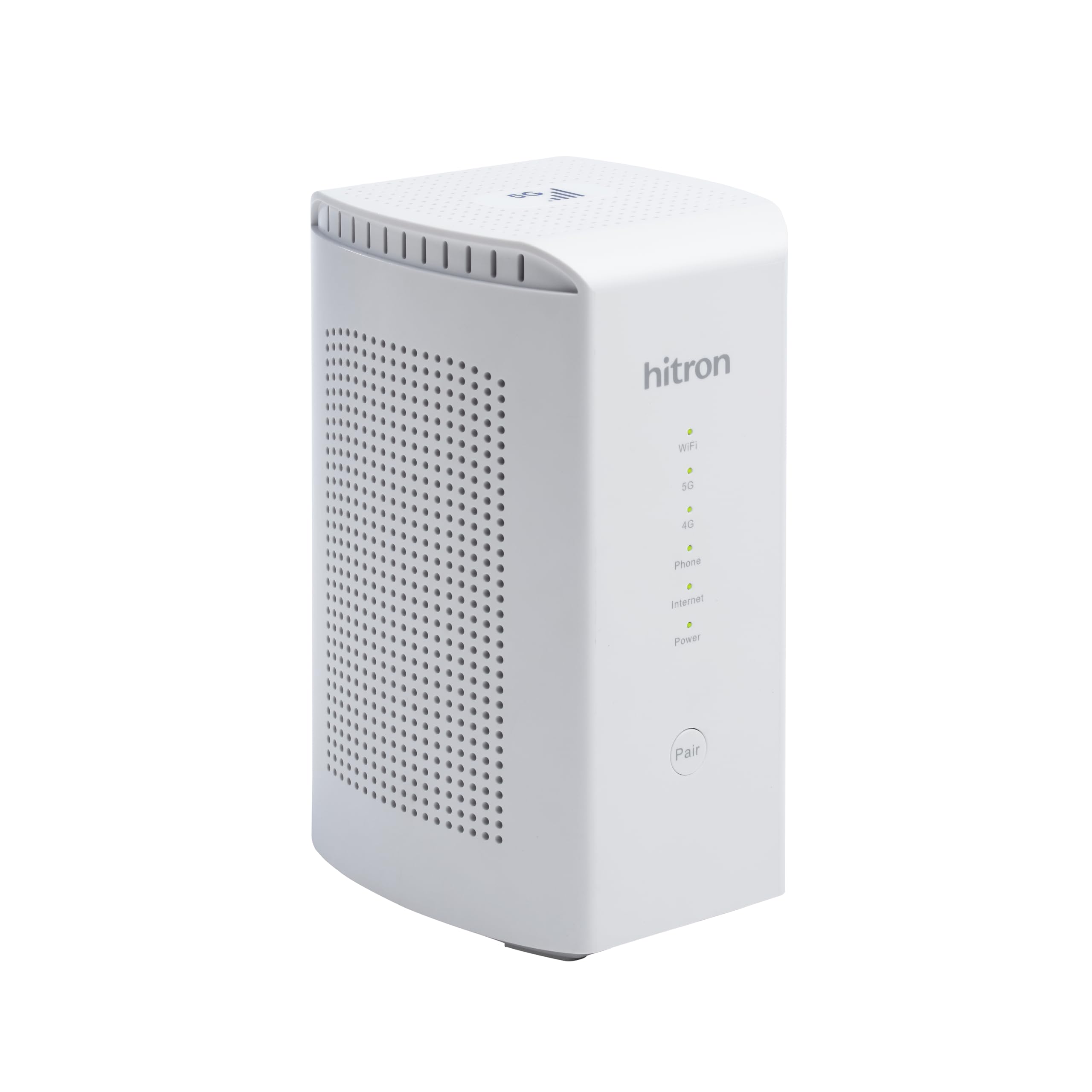
Certified with three carriers and built to hit 3.4 Gbps when the tower cooperates.
Hitron built this for people who want a 5G home router without the guesswork of an uncertified box. It is certified to work with T-Mobile, AT&T, and US Cellular, requires a Nano SIM from one of those three, and supports both NSA and SA 5G plus 4G LTE fallback. Download speeds are rated up to 3.4 Gbps on 5G NSA, and the 4X4 5GHz MIMO radios push Wi-Fi to a claimed 5.4 Gbps — headroom for a busy household. It also includes cellular failover for uninterrupted home or small-office connectivity.
Owners who get it running on the right network tend to be happy — one hit 300 Mbps in a basement on a T-Mobile SIM, and another described it as plug and play with broad LTE, 5G, and 5G SA band coverage. A traveler in Chile reported efficient, stable 5G, and a user who needed an RJ11 phone jack chose the Hitron specifically because of that port. The three-month limited warranty is note up front, as is the fact that this unit weighs a bit over a kilogram, so it sits on a shelf rather than in a bag.
Where it gets tricky is stability over time. A handful of owners mention the router only stays solid on a fresh boot or factory reset, then crashes after anywhere from six hours to two days, and one of those returned it for a slower but steadier Inseego. Firmware updates are also hard to find, and the instructions that come in the box are thin.
Solid hardware, thin support: 4X4 5GHz MIMO radios, backward compatibility with 4G LTE, and a 3.4 Gbps 5G rating make it a capable home unit — as long as your local carrier is on the certified list.
The honest snag: Before buying, confirm your carrier and area support the device; a few units showed stability problems that made long-term owners switch brands.
Worth it for: people on T-Mobile, AT&T, or US Cellular who want a certified 5G home router with a wired fallback ready.
Hold off if: you need frequent firmware updates, or your carrier of choice is not one of the three this is certified for.
7. TravlFi JourneyGo LTE RV WiFi Hotspot
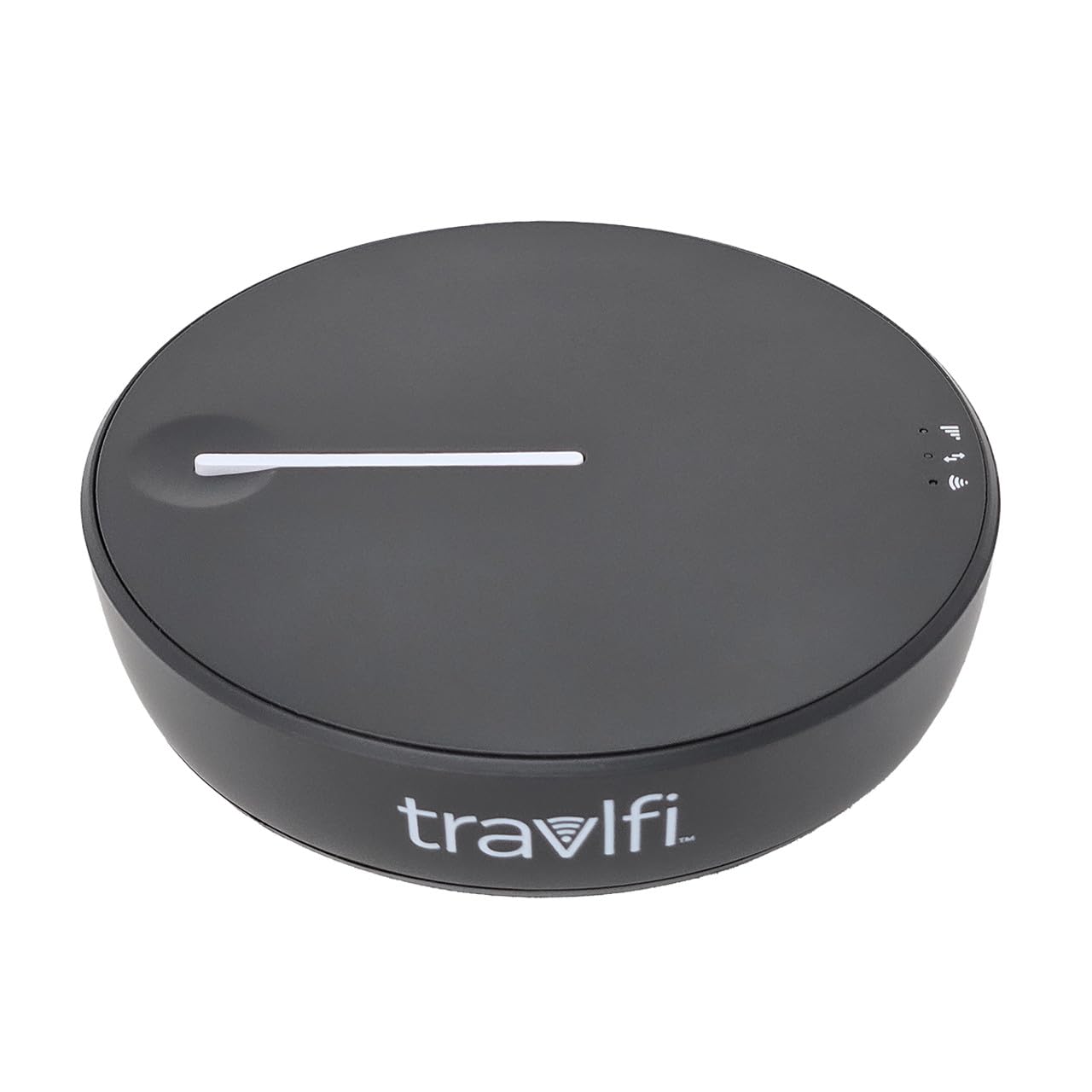
A tiny hotspot that connects to whatever tower is closest, no contract, no SIM card to wrangle.
If you want to be online in two minutes without thinking about carriers, this is the easiest path on the list. It uses eSIM technology, so there is no card to insert — you choose a data plan from as small as 2 GB up to unlimited, prepay by the month, and pause whenever you are not traveling. It connects to any cell service tower, which is why RVers take it on road trips: it stays on the strongest network it can find rather than being locked to one carrier. Its battery is rated for around 16 hours and it supports up to 10 connected devices.
Functionality is the most-discussed strength here, followed closely by performance and setup. One owner ran it through a Florida-to-Virginia trip keeping four kids’ tablets, email, and Wi-Fi calls alive, and another used it as a full replacement for an unreliable cable connection, up and running in about two minutes. For rural camping in central Texas, one reviewer noted never losing connectivity across a full summer at an RV resort, with strong TV streaming on all their apps.
The trade-offs show up on speed and value. Signal quality and speed are the two mixed areas — one traveler in a major metropolitan area measured just over 1 Mbps and returned it after losing the setup fee, so results clearly depend on local tower conditions. Adding or changing your data also means calling the office during business hours rather than doing it in an app, so plan ahead before you run out mid-trip.
Zero-friction connectivity: eSIM means no SIM card, no contract, no roaming fee, and reusable monthly plans you can pause between trips.
Where it can disappoint: Speeds vary sharply by tower and location, and data management requires a phone call — worth checking your local coverage before a long trip.
Best for: RVers and casual travelers who want simple, pausable internet without a carrier contract.
Not for: anyone expecting consistent high-speed streaming in dense urban areas or needing app-based plan control.
8. Cudy 4G AC1200 Fast Port Wi-Fi Router with SIM Slot, IP65, LT500 Outdoor

Built to be bolted to a pole and forgotten, even through rain, dust, and a 65-degree summer.
This is a router you mount outdoors, not one you keep on a desk. The IP65 rating means it is sealed against dust and low-pressure water spray, and Cudy rates it for a minus-40 to 65-degree Celsius range, so weather is not the weak point. It runs 4G LTE Cat.4 at up to 150 Mbps download through a single Nano SIM, shares it over AC1200 dual-band Wi-Fi 5 rated at 867 plus 300 Mbps, and powers over 24V passive PoE — meaning one Ethernet cable handles both data and power, which simplifies any pole or wall install. It serves up to 50 devices and covers outdoor areas up to 100 meters.
Reliability is the top note from owners, and the outdoor placement pays off in real signal gains. One user measured 20dB or better RSRP improvement versus their phone, with another 10dB from mounting it outside, and confirmed PoE working reliably over 50 feet of CAT6. Setup is quick, and the SIM slot is changeable, which matters if you like to use cheap data plans. VPN support covers WireGuard, OpenVPN, IPsec, ZeroTier, PPTP, and L2TP, and the Cudy Mesh system lets you add access points to extend coverage.
The main honest limitation is that this is a Cat.4 LTE unit — 150 Mbps is the ceiling, so it is not a future-proof choice. A few owners also ran into weatherproofing gaps and added their own O-rings and tape, and the included Ethernet cable is on the short side. Range does not always stretch to the full 500 feet some expect; the 100-meter coverage figure is realistic, not optimistic.
Why It Belongs Outdoors
- IP65 sealing plus 4kV surge and 8kV ESD protection handle real weather and electrical noise
- 24V passive PoE means one cable to the pole — no separate power run needed
- Detachable SMA antennas are upgradeable for better reception in thin signal
Where It Falls Short
- Cat.4 tops out at 150 Mbps, so it will feel dated if your carrier pushes faster
- Weatherproofing was not quite complete for some buyers, who added their own seals
- Included Ethernet cable is short for larger outdoor runs
Right call for: outdoor surveillance, campgrounds, and remote work sites that need a modem living permanently outside.
Wrong call for: anyone chasing top-end 5G speeds or wanting a cable-free indoor setup.
9. GL.iNet GL-X750V2 (Spitz) 4G LTE VPN Router

The affordable spare that quietly takes over the moment your main internet drops.
Failover is the reason to buy this one. It sits at the low end on cost but brings OpenWrt/LEDE pre-installed, a micro SIM slot, and dual-band Wi-Fi rated at 300 Mbps on 2.4GHz plus 433 Mbps on 5GHz, all in a body weighing just 86 grams. It runs through a Quectel EC25-AFFA Cat.4 module, is AT&T certified for IoT data plans, and improves rural coverage through redesigned PCBA and tune antennas. For a household that wants an automatic backup connection, this is the least expensive way to add one.
Setup is what owners praise most, with value for money right behind it. As a secondary failover on a TP-Link Omada network with a Google Fi data-only SIM, it switched over smoothly and held a reliable if modest connection. Working as backup for a Unifi UCG-Ultra keeping a camera VLAN online, one user measured roughly 55 Mbps down and 11 Mbps up. The list of features packed in is genuinely long for the price — 128MB RAM, 16MB NOR flash, a TF slot up to 128GB, a USB 2.0 port, dual 10/100M Ethernet ports, and pre-installed OpenVPN and WireGuard working with 30-plus VPN services.
Carrier choice is the make-or-break here. T-Mobile service tends to work plug-and-play, while AT&T takes more effort and has caused compatibility complaints, so verify your carrier before committing. There is also a firmware caution: units from some older stock shipped with firmware that could not be upgraded, and a couple of owners bricked their devices trying, so check the version and update source before you start. The auto setup is easy, but the reboot is slow.
The value proposition: For a failover-only box, this delivers pre-installed VPNs, a microSD slot, and OpenWrt customization that typically costs more, in a package lighter than most phones.
It is an entry-level Cat.4 LTE router with 750 Mbps combined Wi-Fi and a two-year warranty — a cheap automatic backup link.
The honest limits: AT&T compatibility is rough, the reboot is slow, and firmware upgrades demand attention to avoid bricking.
Pick it when: you want a dependable automatic backup connection for your existing network without spending much.
Look past it when: AT&T is your only carrier, or you need 5G speeds as your primary link.
Understanding the Specs
Bands, Carrier Certification
Every carrier broadcasts on specific frequency bands, and a modem has to support the ones your tower uses. That is why a device certified for T-Mobile, AT&T, or US Cellular is a safer bet than an uncertified box — the certification means the network recognizes it and will not treat it as an unknown device. Band lock, which some routers offer, lets you pick a single band by hand when the modem keeps grabbing a weak one.
SIM Type and Dual-SIM Behavior
SIM cards come in full, micro, and nano sizes, and they are not interchangeable without an adapter. More important is how a router treats two SIM slots: failover-only uses one SIM and switches when it drops, while true dual-standby lets you pick the stronger signal at any time. Check which behavior the model offers before you buy — the difference matters if you want redundancy across two carriers.
LTE Category and Real Throughput
The category number, like Cat.4 or Cat.20, is a rating for the maximum download speed a modem can support on LTE. Higher categories support faster carrier aggregation, which is how a modem stitches multiple bands together for more speed. A Cat.4 unit caps around 150 Mbps; higher-category and 5G models go well beyond. Match the category to what your carrier actually delivers where you live.
IP Rating and Power Method
An IP rating like IP65 tells you how well a device is sealed against dust and water — IP65 handles dust and low-pressure spray but not submersion. Power method matters too: PoE runs data and power over one cable, ideal for outdoor mounts, while a built-in battery lets the modem run during an outage but adds weight. Choose based on where the unit will physically live.
FAQ
Will a cellular modem work with my carrier’s SIM card?
Do I need a 5G modem or is 4G LTE enough?
What is the difference between failover and dual SIM standby?
Can a cellular modem power an entire home network?
How long does the battery last on a portable hotspot?
Does an outdoor cellular router need a special power source?
Does an outdoor cellular router need a special power source?
Can I use a cellular modem with a physical SIM instead of eSIM?
What is band lock and why does it matter for rural internet?
Will a cellular modem work for online gaming?
Final Thoughts: The Verdict
For most people chasing reliable rural or backup internet, the cellular modem that earns the top spot is the MOFINETWORK MOFI6500, because its metal case, detachable antennas, and 5G-plus-LTE radio let you pull a usable signal where cable never reached. If you want tinkerer-grade routing with six antennas and OpenWrt flexibility, grab the GL.iNet GL-X3000. For a battery-backed 5G router that keeps a site online through a power cut, the GL.iNet GL-XE3000 Puli AX is the one to reach for. Match the modem to your carrier and bands first, and everything else falls into place.
How We Picked
We do not accept paid placement. Every pick is matched to a real buyer and a real use-case; we do not hands-on test units.
Sources & Methodology
Specifications: manufacturer listings and product documentation. Review insights: verified customer reviews, as of September 2026. Pricing: not shown on this page (it changes often); check the current price via the retailer link.
As an Amazon Associate, Gadgets Feed earns from qualifying purchases. This does not affect which products we feature.