
Our readers keep the lights on and my morning glass full of iced black tea. As an Amazon Associate, I earn from qualifying purchases.
Specs are compiled from manufacturer listings and verified buyer reviews and can change over time — please confirm the key details on the product page before buying.
You want high frame rates in the games you actually play, without paying for a graphics card that will fall behind in two years. The picks below all land in the mid-range and premium prebuilt zone, so the difference between them is graphics card, processor, memory, and cooling rather than sheer spending. Two specs decide whether a prebuilt is worth owning: the graphics card model and the amount of system memory. The processor, storage, and cooling you can upgrade later.
I’m Min — the founder and writer behind Gadgets Feed. This guide is built by comparing the manufacturers’ published specifications and the patterns across verified customer reviews, so you get each pick’s real strengths and trade-offs instead of marketing spin.
Below you will find how cooling and power headroom shape long gaming sessions, which graphics card tier actually fits your monitor, and a comparison table you can scan in thirty seconds. Here are the best gaming PCs under $1500, sorted by what each one does best.
Our Picks at a Glance
How To Choose The Best Gaming PC Under $1500
Shop by the graphics card first. In a prebuilt, the GPU (graphics processing unit — the chip that draws every frame you see) sets your ceiling for years, because swapping it later means opening the case, checking the power supply, and spending again. The processor and memory matter, but a strong CPU with a weak GPU will still stutter in a demanding title.
Match the graphics card to your monitor
A 1080p monitor at 60Hz is easy to feed. A 1440p panel or a high-refresh screen needs more graphics muscle, and that is where an 8GB card with a newer architecture earns its place over an older card with more raw cores. Look at the graphics memory type too — GDDR7 memory moves data faster than GDDR6, which helps when textures get heavy.
Decide how much memory you actually need
16GB of system memory is the practical floor for gaming while a browser, Discord, and a game launcher run in the background. 32GB buys you headroom for video editing, streaming overlays, and keeping dozens of tabs open without the machine slowing down. DDR5 runs faster than DDR4, but a well-chosen DDR4 build still games fine.
Check the power supply before you plan an upgrade
The PSU (power supply unit — the box that feeds power to every part) is the most skipped spec in prebuilts. A unit rated 80 PLUS Gold converts power more efficiently than a Bronze-rated one and usually signals better internal parts. If you plan to drop in a bigger graphics card later, wattage headroom matters as much as the efficiency rating.
Plan for cooling and case airflow
Air cooling with multiple fans is simple and needs no maintenance. A liquid cooler moves heat away from the processor more quietly under sustained load. Either works, but a case with intake and exhaust fans in the right places keeps clock speeds stable during a four-hour session instead of letting them throttle down.
Quick Comparison
| Model | Best For | Graphics Card | System Memory | Storage | Amazon |
|---|---|---|---|---|---|
| HP OMEN 40L (i7-14700F, 32GB DDR5)★ Best Overall | Overall power and multitasking | 6GB dedicated, GDDR6 | 32GB DDR5 | 1TB PCIe Gen4 NVMe SSD | Amazon |
| Prebuilt Gaming Desktop (Ryzen 5 5500, RTX 3050)Budget Champion | Entry 1080p gaming on a budget | RTX 3050 6GB GDDR6 | 16GB DDR4 3200MHz | 1TB NVMe SSD | Amazon |
| Olialia Gaming PC (Ryzen 5 5500, RTX 3060 Ti)Top Performer | 1440p on a tighter budget | RTX 3060 Ti 8GB GDDR6 | 16GB | 512GB SSD | Amazon |
| LXZ Desktop Tower (Ryzen 7 5700X, RTX 5060) | RGB showcase with airflow | RTX 5060 8GB GDDR7 | 16GB DDR4 3200 | 1TB PCIe NVMe SSD | Amazon |
| Skytech Gaming PC Desktop (Ryzen 7 5700, RTX 5060) | Plug-in-and-play with peripherals | RTX 5060 8GB GDDR7 | 16GB DDR4 3200 | 1TB NVMe M.2 SSD | Amazon |
| iBUYPOWER Element SE (Ryzen 5 8400F, RTX 3050) | DDR5 platform on a mid budget | RTX 3050 6GB GDDR6 | 16GB DDR5 4800MHz | 1TB NVMe SSD | Amazon |
| CyberPowerPC (i5-14400F, RTX 5060) | Comfortable daily-driver build | RTX 5060 8GB GDDR7 | 16GB DDR5 | 1TB PCIe 4.0 NVMe SSD | Amazon |
| HP OMEN 45L (i7-12700KF, Liquid Cooled) | Premium case and cooling | GTX 1660 SUPER 6GB GDDR6 | 32GB DDR4 | 1TB PCIe Gen4 NVMe SSD | Amazon |
| YAWYORE Gaming PC (Ryzen 7 5700X, RTX 5060) | Big memory for editing and gaming | RTX 5060 8GB GDDR7 | 32GB DDR4 3200MHz | 1TB M.2 NVMe PCIe | Amazon |
| CyberPowerPC (Ryzen 7 8700F, RTX 5060 Ti) | Fastest graphics in the group | RTX 5060 Ti 8GB GDDR7 | 16GB DDR5 | 1TB PCIe 4.0 NVMe SSD | Amazon |
| KOTIN Gaming PC Desktop (Ryzen 7 8700F, RTX 5060 Ti) | Upgrade-ready platform | RTX 5060 Ti 8GB GDDR7 | 16GB DDR5 | 1TB PCIe Gen4 NVMe SSD | Amazon |
| MSI Codex Z2 (AMD R7-8700F, RTX 5060) | Memory headroom in a known brand | RTX 5060 8GB | 32GB DDR5 | 1TB M.2 NVMe SSD | Amazon |
In‑Depth Reviews
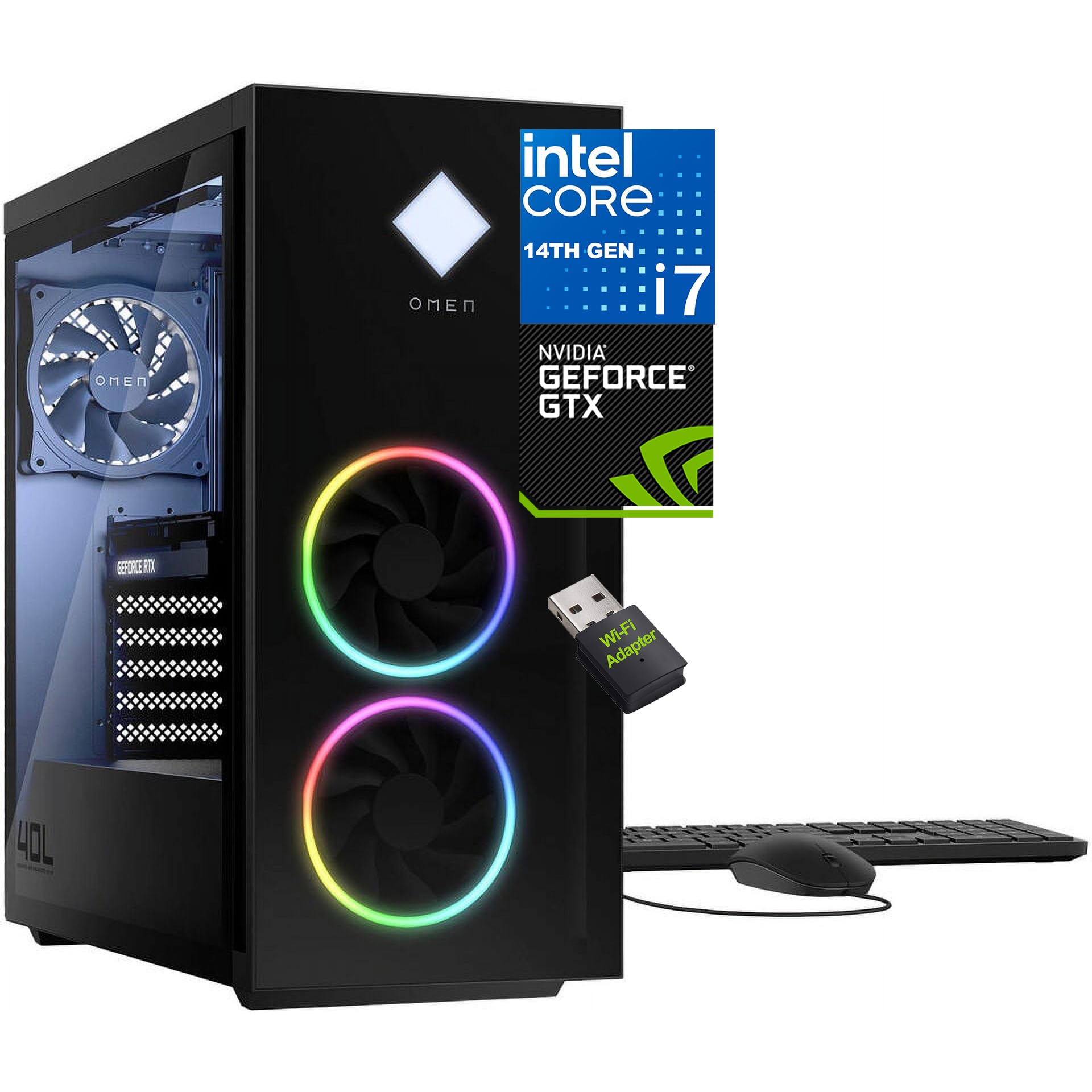
1. HP OMEN 40L Gaming Desktop 2026, Intel 20-Core i7-14700F, 32GB DDR5 1TB SSD
Our pick — 4.5+★ from 150+ verified ratings; the strongest balance of quality and price.
Twenty cores and 32GB of DDR5 — the one that keeps up with streaming, editing, and a game at once.
This is the pick for someone who does not just game. The Intel Core i7-14700F brings 20 cores, 28 threads, and a cache of 33 MB, and the machine pairs it with 32GB of DDR5 memory. In plain terms, that means you can run a game while OBS records, Discord stays open, and a browser full of tabs does not drag the frame rate down. Compare that with the budget Ryzen 5 5500 build down the list: the OMEN has 20 cores against that chip’s 6, and 33 MB of cache against the Ryzen’s 16 MB.
Speed is what wins people over here. Turbo clocks reach 5.4 GHz, and the processor’s 5.3 GHz rated maximum against the 4.2 GHz of the cheaper Ryzen 5 builds. The 1TB PCIe Gen4 NVMe SSD is a solid-state drive that talks to the system over four lanes instead of the older three, so Windows 11 boots in seconds and open-world maps load without a wait. A fan-sink cooling system with 4-pin fan control is there to hold clock speeds during long sessions, and the 600W power supply keeps the whole thing fed.
Here is the honest catch: the graphics card is a 6GB dedicated unit, and gaming performance draws mixed reactions across the review pages. Some buyers report no drop in performance at all, while others hit stability issues and crashes. The value for money and speed both earn solid praise, so this machine is at its best as a fast all-rounder and a strong base for a future graphics card swap rather than a pure 1440p gaming monster. The tempered glass front and the side cover lock round out a chassis built to look good on a desk.
Where it pulls ahead
- 20 cores and 28 threads keep streaming and editing running beside a game
- 32GB DDR5 handles heavy multitasking without slowdown
- 5.4 GHz turbo speed and 33 MB cache make everyday work feel instant
- 1TB PCIe Gen4 NVMe SSD boots Windows 11 in seconds
What to weigh up
- The 6GB dedicated graphics card is the weak link for high-end gaming
- Stability complaints show up in the review mix — check your unit on arrival
Built for: gamers who also stream, edit, or run heavy apps all day and want the processor headroom to prove it.
Think twice if: you want maximum frames at 1440p — spend your budget on a build with a bigger graphics card instead.
2. Prebuilt Gaming Desktop PC, AMD Ryzen 5 5500, GeForce RTX 3050 6GB, 16GB DDR4, 1TB NVMe SSD
The least you can spend and still get a real gaming card, a full terabyte, and Wi-Fi built in.
For a first desktop or a bedroom setup, this is the sensible starting point. The GeForce RTX 3050 with 6GB of GDDR6 memory is a dedicated card rather than an onboard chip, and it handles 1080p gaming with ray tracing turned on. The Ryzen 5 5500 brings 6 cores and 12 threads at up to 4.2 GHz, which is plenty for esports titles, streaming, and everyday multitasking. 16GB of DDR4 at 3200MHz sits alongside a 1TB NVMe SSD, so your game library fits with room to spare.
Setup is the part buyers bring up most favorably. The system arrives ready to use with built-in Wi-Fi, HDMI and DisplayPort outputs, and Windows 11 loading itself in on first boot. ARGB air cooling with multiple fans keeps the noise low during long sessions, and the drive loads games quickly. Against the OMEN 40L above, the 6-core Ryzen and 16 MB cache look modest — but this costs a chunk less and still gets you playing the same night.
The 1080p reality: at 1920×1080, this is a comfortable pairing; push it to a 1440p monitor and the 6GB card starts to feel the strain.
Fair warning: air cooling is quiet, but the tower is a compact mid-tower — measure your desk before you assume it fits.
Pick this one: if you are buying your first gaming PC and want it working the evening it arrives.
Look up the list instead: if you already own a 1440p monitor and want the card to feed it.
3. Gaming PC Prebuilt, RTX 3060 Ti, AMD Ryzen 5 5500, 16GB RAM
An 8GB RTX 3060 Ti squeezed into a glass-panelled tower that still leaves money in your pocket.
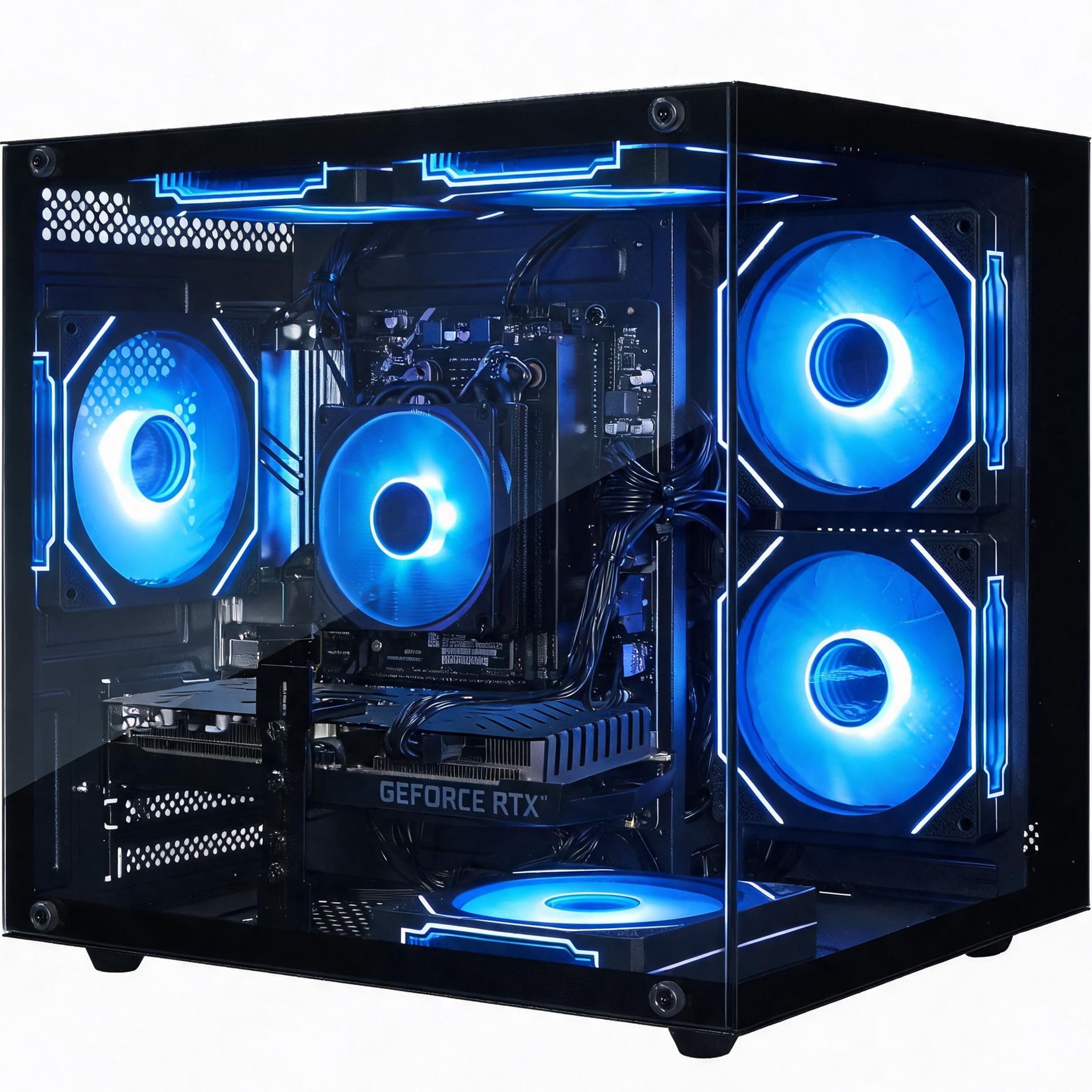
The RTX 3060 Ti with 8GB of GDDR6 memory is the headline, and it is a card built to run 1080p at max settings or hold a steady 60+ FPS at 1440p in heavy AAA titles with DLSS switched on. Inside sits the familiar Ryzen 5 5500 with 6 cores and 12 threads at up to 4.2 GHz, backed by 16GB of brand-new memory. The 2560×1440 maximum display resolution tells you the maker intends this build for a 2K monitor, which is exactly where it earns its place.
The case is the other draw. Dual tempered glass panels, six adjustable RGB fans, and an RGB CPU cooler make it a desk centrepiece, and ventilated top and side panels with built-in dust filters keep airflow moving through the GPU and CPU. Windows 11 comes pre-installed, and there is a one-year manufacturer warranty with service handled in the US.
What buyers talk about most is how it looks — the appearance side of this listing carries the weight. The catch is storage: 512GB fills fast once you install two or three modern AAA games, so plan on adding a drive. It is the pick for someone who wants 1440p capability and a showcase case without stepping into the top tier of the budget.
Why it earns a spot: 8GB of graphics memory and 2K-capable output at a mid-level spend is a genuinely good ratio.
The storage snag: 512GB barely survives a modern game library — budget for a second SSD.
Reach for this if: your monitor is 1440p and the case sits where people will see it.
skip it if: you refuse to open a case — 512GB will not last you a year of new releases.
4. LXZ Gaming PC Desktop Tower, Ryzen 7 5700X RTX 5060
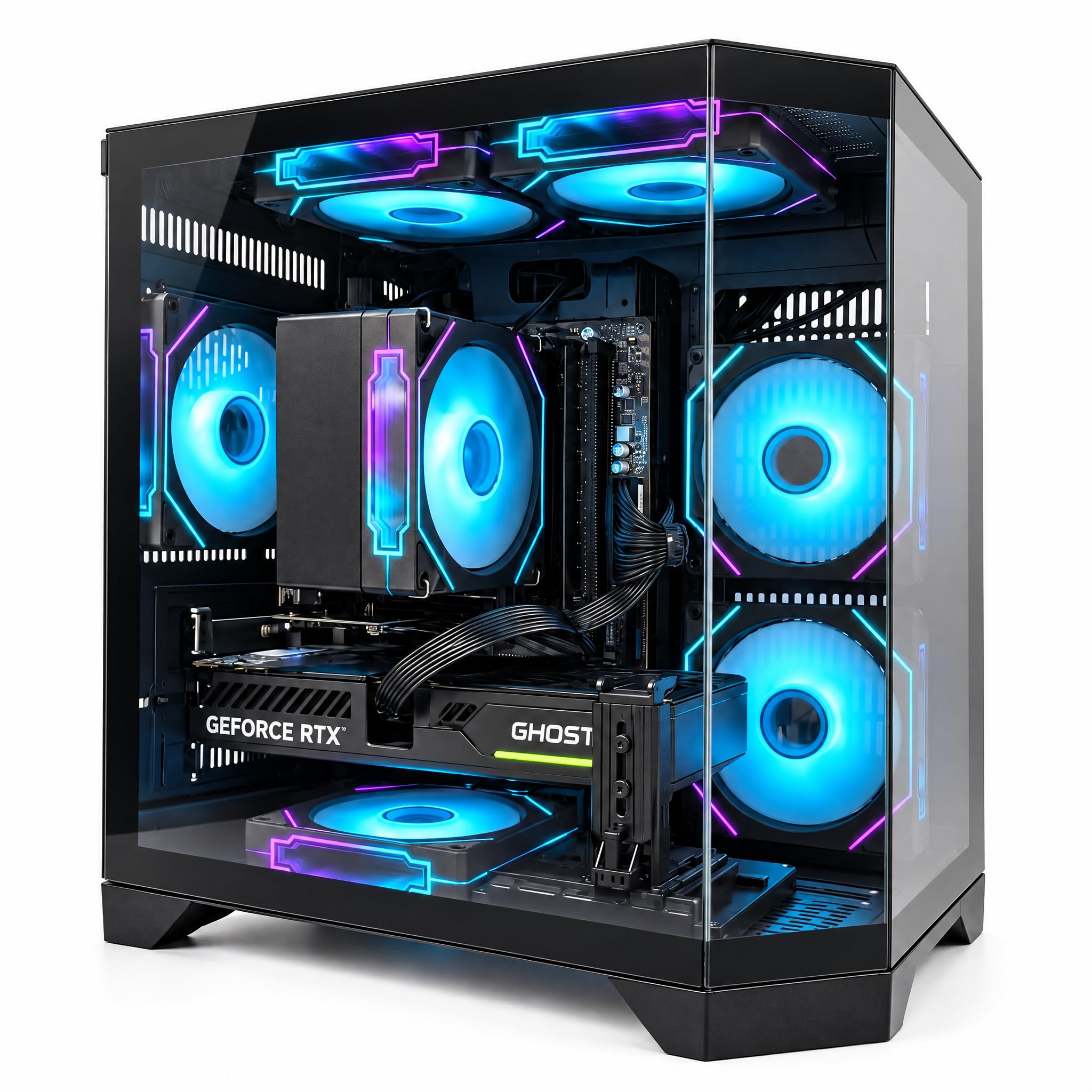
Six ARGB fans and a full glass side turn the airflow into a show.
Cooling is the reason to look here. Six ARGB (addressable RGB — each fan’s lights can be set separately) fans sit in multiple intake and exhaust positions, and a 120mm high-airflow layout with CPU air cooling holds temperatures through long sessions. The Ryzen 7 5700X brings 8 cores and 16 threads with a 4.6 GHz boost and 32MB of L3 cache, and the RTX 5060 with 8GB of GDDR7 memory handles high-refresh 1080p and solid 1440p play — 60+ FPS in many AAA titles and 144+ FPS in popular esports titles at 1080p.
The 650W power supply also beats the OMEN 40L’s 600W unit on raw wattage, which matters if you ever want to add a hungrier graphics card down the road. Storage is a 1TB NVMe drive with up to 3,000MB/s sequential read, quick enough to load games and keep Discord, OBS, and browser tabs running beside them. Wi-Fi 6, three DisplayPort outputs, and an HDMI port cover a multi-monitor setup without a hub.
One thing to know up front: the 16GB of DDR4-3200 memory is the floor for modern gaming, not headroom, so heavy editing work will want more. For a first serious build or a gift that has to look the part on arrival, it is a strong fit.
Best match: anyone who wants a bright, airy tower on the desk and esports-level frame rates.
Second thoughts if: you plan on 4K video editing — 16GB of DDR4 will hold you back.
5. Skytech Gaming PC Desktop, Ryzen 7 5700, RTX 5060, 16GB RAM, 1TB SSD
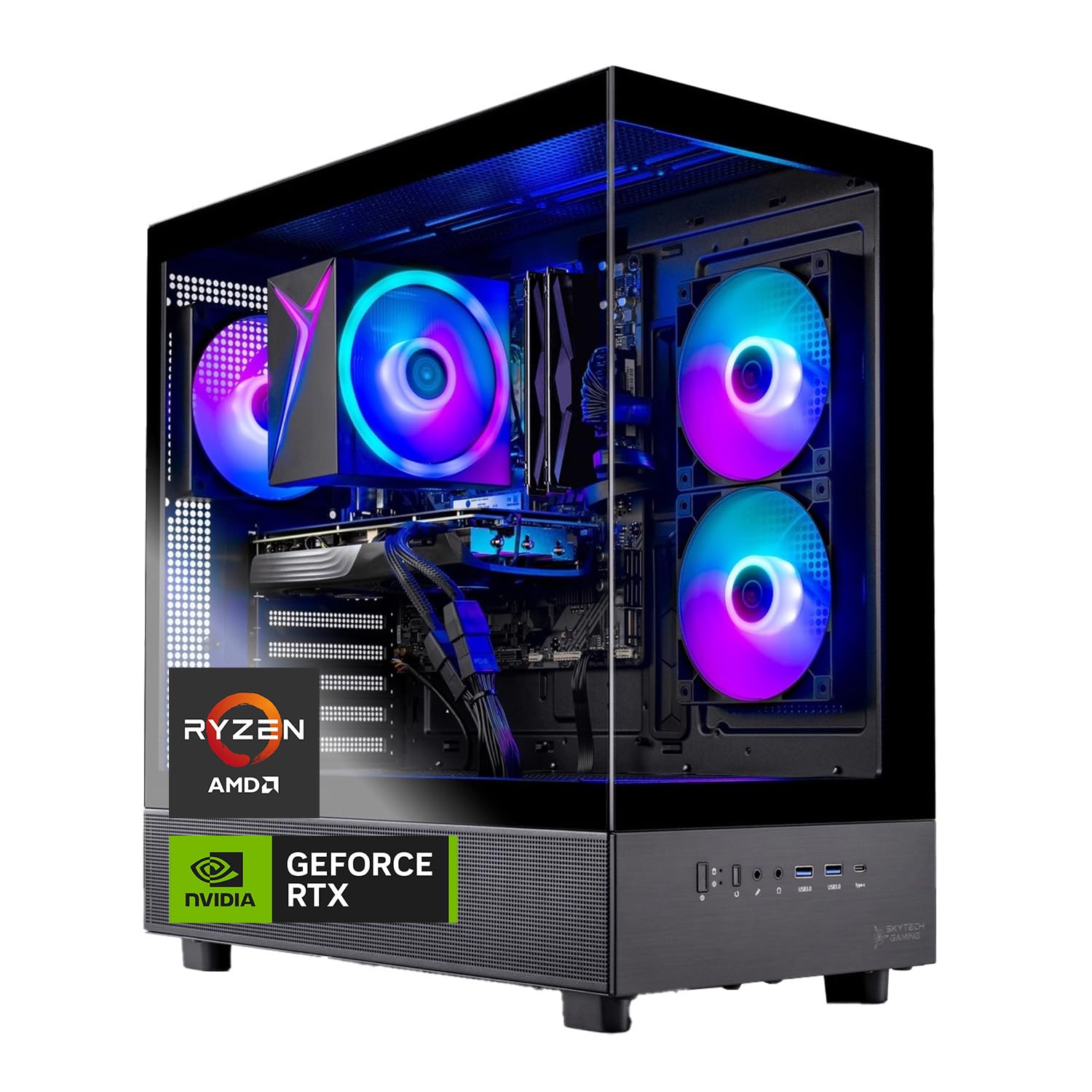
The one with the biggest following — a 1TB drive, a keyboard and mouse, and a 5060 card in the box.
Skytech sits near the top of the pile for sheer buyer volume in this group, and the package explains a lot of it. You get the Ryzen 7 5700 at 3.7GHz with a 4.6GHz turbo, an NVIDIA GeForce RTX 5060 with 8GB of GDDR7 memory, and 16GB of DDR4 3200 RAM with a heat spreader. The 1TB NVMe M.2 SSD loads noticeably faster than a spinning hard drive, and the tower ships with a free gaming keyboard and mouse so you are not buying accessories the same week.
What wins people over is how much they enjoy using it. The glowing appearance and quick drive get steady praise, and the machine handles Elden Ring Nightreign, Baldur’s Gate 3, Cyberpunk 2077, and Helldivers 2 at detailed 1080p. There is a high-performance air cooler with ARGB fans inside the Azure tempered-glass case, plus Wi-Fi 5, USB 3.2 Gen1 ports, and a one-year parts and labor warranty with free technical support.
Now the honest part: performance and value both land in mixed territory across the review pages, with some units arriving that will not boot. Check yours thoroughly in the return window. Graphics memory is where this build separates from the CyberPowerPC 5060 Ti lower down — 8GB on both cards, but the Ti version is the faster chip.
The appeal: a full setup in one box with a 1TB drive and peripherals included.
The follow-up question: returns matter — a few units ship dead on arrival, so test it the day it lands.
Made for: buyers who want the box to contain everything including cables and controllers.
Pass if: you want the fastest graphics card for the money — the Ti build further down beats it there.
6. iBUYPOWER Element SE Gaming PC Desktop, Ryzen 5 8400F, RTX 3050 6GB, 16GB DDR5

DDR5 memory and a newer Ryzen 5 on a build aimed at everyday gaming value.
If you want a machine on the newer memory standard without paying for a flagship graphics card, this is the one. The Ryzen 5 8400F runs at up to 4.7 GHz and pairs with 16GB of DDR5 at 4800MHz, which is a faster memory type than the DDR4 running through most of this list. The NVIDIA GeForce RTX 3050 with 6GB of GDDR6 covers 1080p gaming, and 1TB of NVMe storage leaves room for a sizable library.
What buyers praise most is raw performance — it runs demanding games at maximum settings without lag or stuttering — and the value side follows closely behind. The tempered glass RGB case, 16-colour lighting, Wi-Fi, and the included iBuyPower keyboard and RGB mouse complete the package with no bloatware pre-loaded. Connectivity covers 6 USB 3.1 ports and a gigabit Ethernet jack.
The trade-off you should know about: reliability is the most-discussed topic in the reviews, split between units that work perfectly from the start and some that failed suddenly. Power supply quality also draws criticism. Register the warranty, keep the box, and run a stress test in the first week and this build serves you well.
Right for: gamers who want DDR5 on the newer socket without blowing the budget on graphics.
Know before you buy: reliability feedback is genuinely split, so buy from a seller with a clean return path.
7. CyberPowerPC Gaming PC, Intel Core i5-14400F, GeForce RTX 5060 8GB
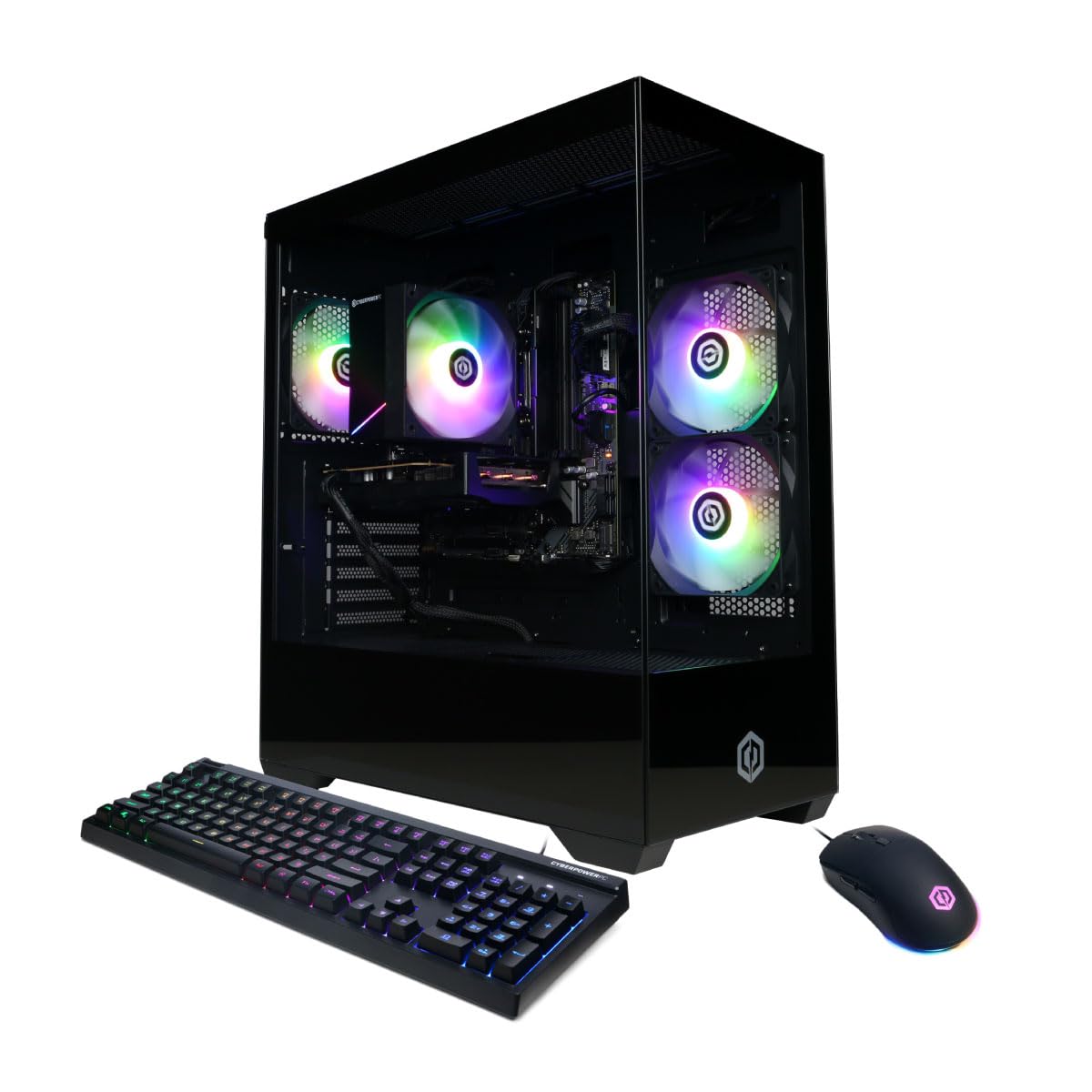
Ten Intel cores, DDR5, and a GDDR7 5060 — the steady everyday build that does not miss.
There is nothing flashy here, and that is why it works. The Intel Core i5-14400F brings 10 cores on the B760 chipset, paired with 16GB of DDR5 and a 1TB PCIe 4.0 NVMe SSD. The NVIDIA GeForce RTX 5060 with 8GB of GDDR7 memory supports a 3840×2160 maximum output, so 4K screens connect without a problem. Wi-Fi 6 and Bluetooth 5.3 handle wireless without dongles.
Buyers rate it on performance above all else — it runs demanding games like Fortnite exceptionally well — and the price-to-value and RGB-lit appearance follow. Setup is straightforward, and the tempered side panel with custom lighting shows the parts off. Outputs cover one HDMI and two DisplayPort, with 7.1 channel audio on board.
The comparison worth making is with the KOTIN and the CyberPowerPC 5060 Ti further down. This build has the same 8GB of GDDR7 graphics memory but the Ti card is the faster chip, and the 8700F builds carry a newer processor. You buy this one for the Intel platform, the DDR5 memory, and a warranty with free lifetime tech support rather than the last few frames of performance.
What you get: a balanced 10-core Intel build with DDR5 and GDDR7 graphics that handles anything you ask day to day.
What you give up: it is not the fastest graphics card in the list — the 5060 Ti builds below outpace it.
Strong buy for: a gamer who wants a reliable everyday tower and does not chase benchmark numbers.
Better elsewhere if: the graphics card is your priority over the platform and warranty.
8. HP OMEN 45L Gaming Desktop, 32GB RAM, 1TB SSD, Intel Core i7, Liquid Cooled

Built like a premium machine, cooled with liquid, and packed with 32GB — with one aged graphics card inside.
Build quality is what this tower is known for, and it shows. The i7-12700KF brings 12 cores and 20 threads with a 4.90 GHz turbo and 25MB cache, and the liquid cooler keeps it quiet through long sessions. 32GB of DDR4 handles multitasking, video editing, and 3D rendering without a stutter, and a 1TB PCIe Gen4 NVMe SSD boots Windows 11 in seconds.
Where this build falls short is the graphics card. The GTX 1660 SUPER with 6GB of GDDR6 plays games like Fortnite, Apex Legends, Valorant, and Overwatch comfortably at 1080p, but it is an older card and it sits below the 8GB GDDR7 5060 units in this list on both memory and generation. The graphics side of the review pages reads mixed for exactly that reason. If you mainly stream, edit, and play esports titles, that card does the job. If you want a modern AAA card for a 1440p screen, it will frustrate you.
The case earns its premium feel. Tempered glass front, paint-finished top and side covers, a chassis lock, an 800W 80 Plus Gold certified supply with 90% efficiency and upgrade headroom, and OMEN Light Studio software for RGB control. Front and rear I/O cover USB-C and USB-A, and gigabit Ethernet handles wired play.
Suits: creators and esports players who value a quiet liquid-cooled machine and a big power supply for future upgrades.
Not for: anyone whose main goal is modern AAA gaming — the graphics card is the weak point here.
9. YAWYORE Gaming PC, AMD Ryzen 7 5700X, GeForce RTX 5060 Desktop Computer
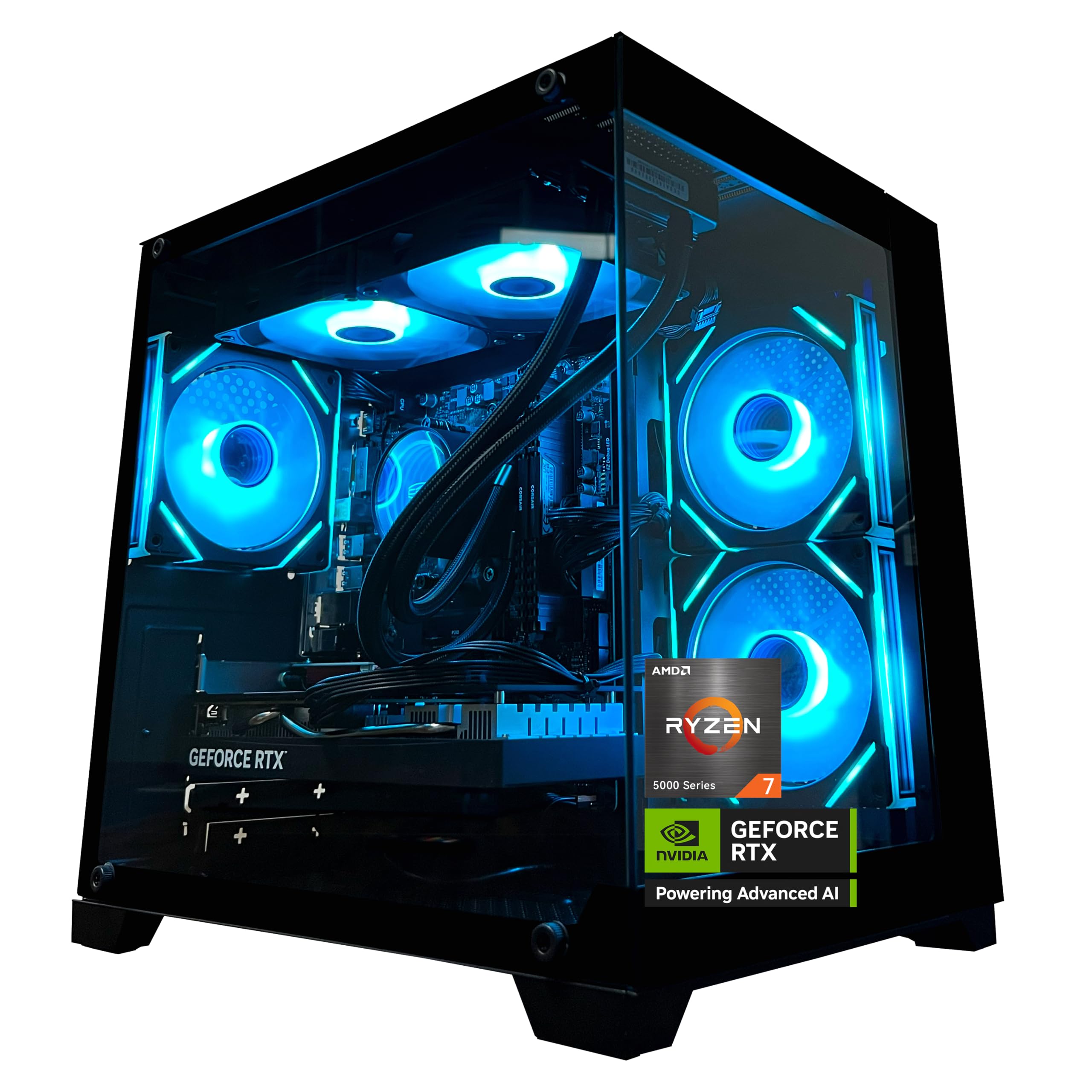
Thirty-two gigabytes and eight cores for the gamer who also renders, streams, or edits after the match.
This is the pick for work and play on one desk. The AMD Ryzen 7 5700X gives 8 cores and 16 threads up to 4.6 GHz, and the 32GB of DDR4 3200 memory in two sticks matches the OMEN 40L’s figure for a lot less spend. An MSI B550M-A PRO motherboard handles the platform, and the GeForce RTX 5060 with 8GB of GDDR7 memory supports DLSS 4, ray tracing, and Reflex 2 delay optimisation.
Performance is what earns the reviews here. Owners mention it runs smoothly, exceeds expectations straight from the start, and handles AAA games at high and medium settings. The design with a liquid cooler, ARGB fans, and remote control draws its own attention for the colours and finish. A 1TB M.2 NVMe PCIe drive and a 650W 80 PLUS Bronze certified supply complete the build, with built-in Wi-Fi and Bluetooth for cables-free peripherals.
One detail worth noting: the chassis ships with shock-absorbing foam inside, so you need to open the case and pull it out before first boot. Bronze efficiency on the power supply is a step below the Gold units elsewhere in this list, which means slightly more power converted to heat rather than frames.
Why it fits a creator: 32GB of memory and 8 cores mean editing, streaming, and gaming can share the machine.
Before you power it on: lift out the shipping foam inside the case — the instructions call it out for a reason.
Choose this: when your PC has to edit yesterday’s footage and play tonight’s match on the same drive.
Look at the Gold-rated builds if: power efficiency and a future graphics card upgrade are your priorities.
10. CyberPowerPC Gaming PC, AMD Ryzen 7 8700F, GeForce RTX 5060 Ti 8GB
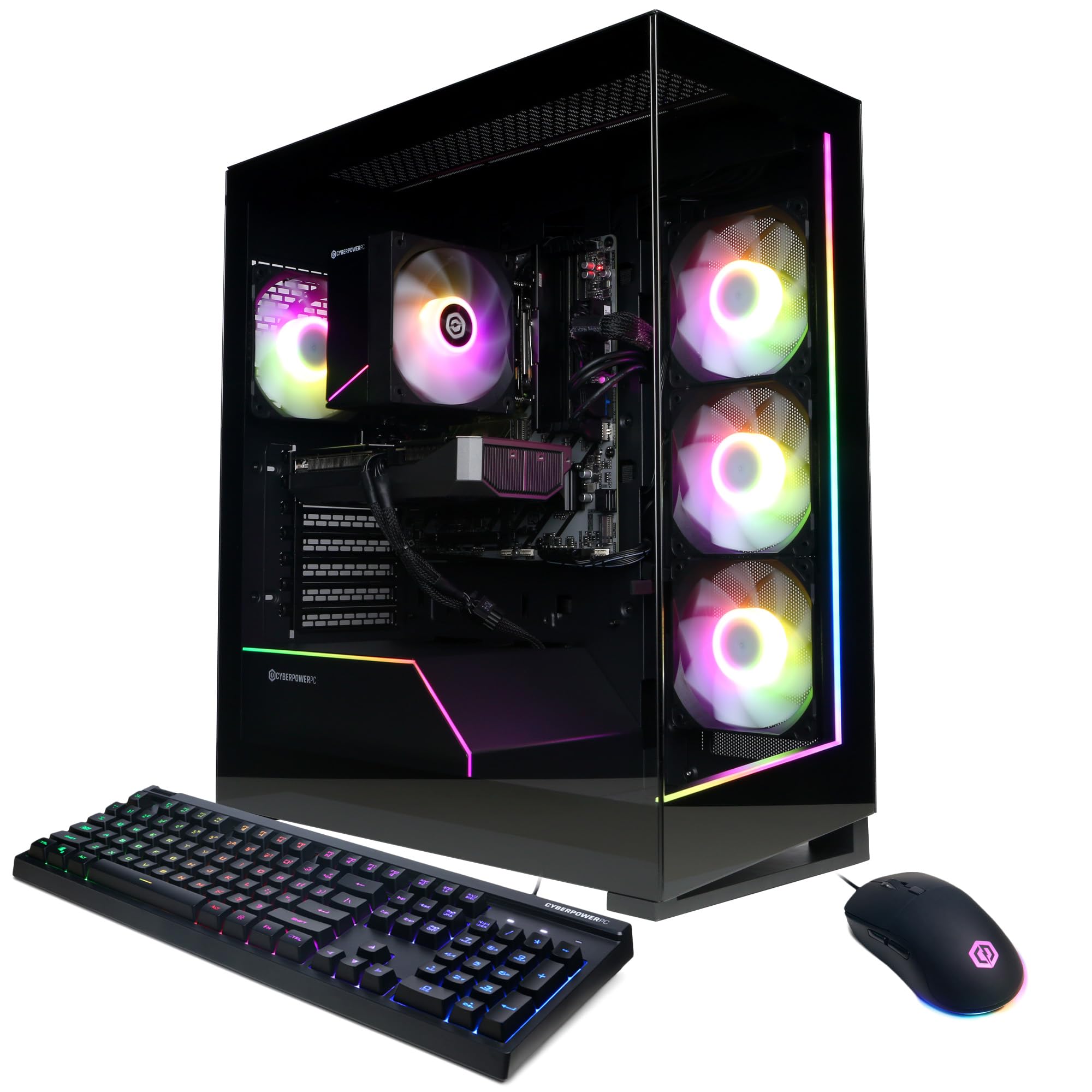
The fastest graphics card in the group, and the one with the most owners behind it.
The RTX 5060 Ti with 8GB of GDDR7 memory is the strongest GPU on this list, and the Ryzen 7 8700F at 4.1GHz with 8 cores pairs with it cleanly on the AMD B850 chipset. 16GB of DDR5 and a 1TB PCIe 4.0 NVMe SSD round out the internals, and Windows 11 Home is already installed. In raw gaming terms, this is the build to pick if a smooth 1440p image matters more to you than anything else on the page.
That confidence is reflected in the owner experience. Players report it runs modern games smoothly without stuttering, and the build quality is treated as something meant to last. The tempered glass side panel shows off the custom RGB, and the connect options are generous: 2 USB-C 3.2 ports, 4 USB-A 3.2, 2 USB-A 2.0, WiFi 6, and Bluetooth 5.3.
The comparison to make: this and the KOTIN below both run the 5060 Ti with 8GB of GDDR7, but this one adds a 1-year parts and labor warranty with free lifetime tech support. Where it is not the loudest deal is memory — 16GB of DDR5 against the MSI Codex Z2’s 32GB, so heavy editing will feel the difference.
Graphics first: the 5060 Ti is the strongest card here, and the owners back that up with a long record of smooth play.
The compromise: 16GB of DDR5 is the floor for gaming and the ceiling for heavy editing.
Top choice for: pure frame rate and a card that stays current longer.
Try another pick if: your second job is video editing on the same machine.
11. KOTIN Gaming PC Desktop, Ryzen 7 8700F, RTX 5060 Ti 8GB, 16GB DDR5, 1TB SSD
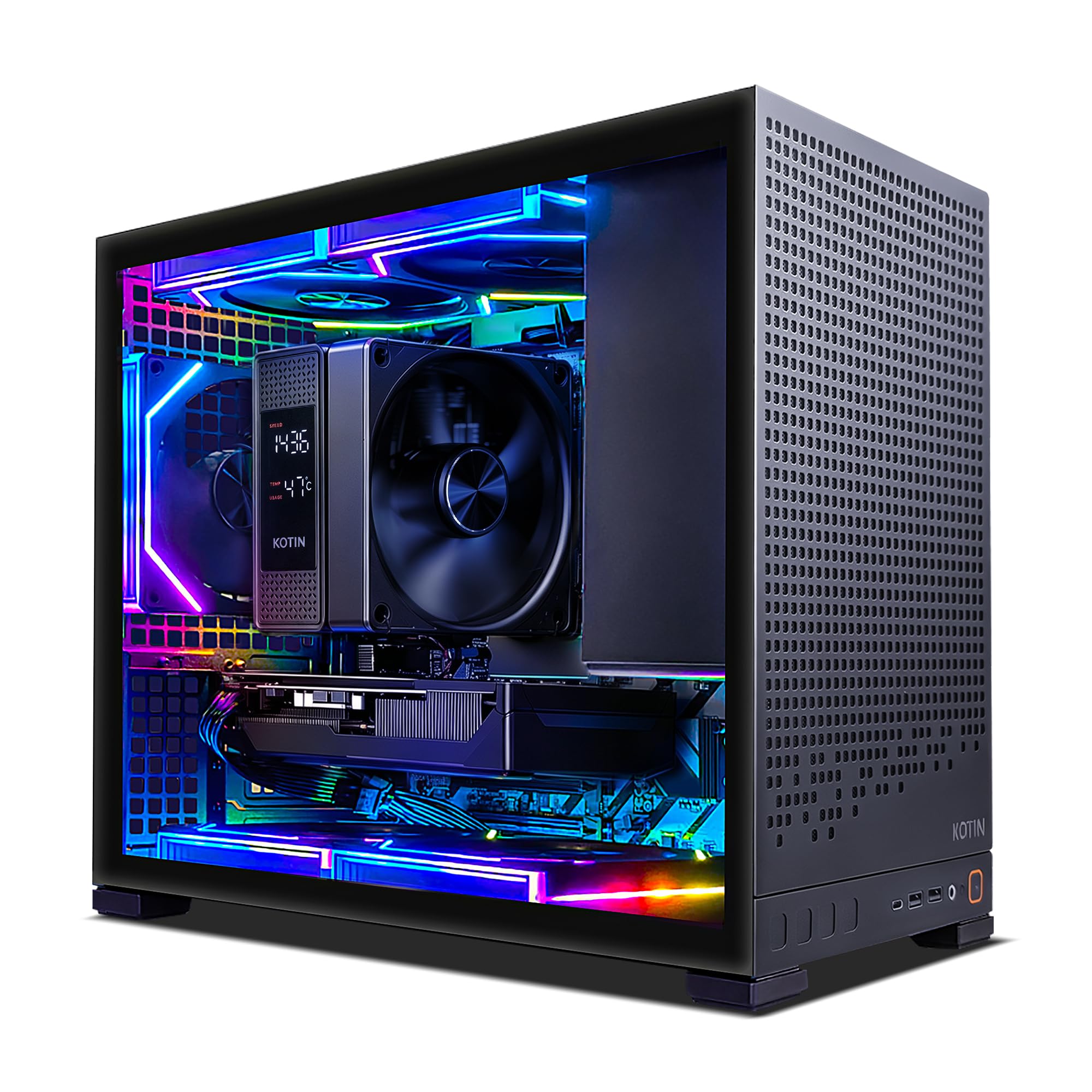
Built with room to grow — four memory slots, three drive slots, and WiFi 7 from the start.
What separates this tower is the room inside it. Four DDR5 DIMM slots and three M.2 SSD slots give this prebuilt more expansion points than most of the list, so future memory and storage upgrades are a screwdriver job rather than a new machine. The Ryzen 7 8700F with 8 cores and the RTX 5060 Ti with 8GB of GDDR7 deliver responsive 1080p and 1440p gaming, with DLSS 4 and ray tracing support for smoother visuals in AAA titles.
Cooling is well thought out: a CPU air cooler with six copper heat pipes and a digital temperature display works with five 120mm ARGB fans to keep air moving through long sessions. WiFi 7 and Bluetooth handle low-latency online play, and the 650W 80 PLUS Gold supply is a step up in efficiency over the Bronze-rated units here.
Buyers describe it running GTA V and World of Warcraft smoothly and setting up easily. It is a matching value play to the CyberPowerPC 5060 Ti above, with expansion slots on its side instead of the longer track record.
Goes to: tinkerers who want to add memory and drives themselves without replacing the tower.
Be aware: a newer listing with a shorter review history than the other 5060 Ti build.
12. MSI Codex Z2 Gaming Desktop, AMD R7-8700F, GeForce RTX 5060, 32GB DDR5, 1TB NVMe SSD

Thirty-two gigabytes of DDR5 from a name you already trust, with a quad-fan case doing the heavy lifting.
Memory is the headline here, and it is the fastest kind. 32GB of DDR5 sits with the Ryzen R7-8700F and the NVIDIA GeForce RTX 5060 with 8GB of graphics memory, plus a 1TB M.2 NVMe SSD. That combination means running a game, a streaming app, and a browser without the machine slowing down, and it supports a 3840×2160 maximum display output for a 4K monitor. VR-Ready in the listing means it is built to drive a headset.
Cooling is handled by an ARGB fan air cooler plus four system fans — three in the front pulling cool air in, one in the rear pushing heat out. The built-in RGB cycles through lighting options with the MSI LED button, and MSI Center software lets you customise further. USB Type-C is onthe panel alongside Wi-Fi, Ethernet, Bluetooth, HDMI, and USB ports, and Windows 11 Home is pre-installed.
The trade-off is graphics tier. The 5060 here is the non-Ti card, so the CyberPowerPC and KOTIN builds with the 5060 Ti will outrun it in frame rate despite matching its 8GB of GDDR7 memory. You are trading a step of graphics speed for the biggest memory pool and the newest processor platform in this group.
The case for it: 32GB of DDR5 plus an 8-core 8700F makes light work of streaming and heavy multitasking.
The honest gap: the non-Ti 5060 card sits a tier below the Ti builds on raw frames.
Worth picking: if brand support, extra memory, and a four-fan case top your list ahead of benchmark numbers.
Look elsewhere if: every last frame at 1440p is the goal — the 5060 Ti builds lead there.
Understanding the Specs
Graphics Card and Graphics Memory
The graphics card draws every frame, so its model matters more than any other spec for gaming. The number beside it is the graphics memory — 6GB or 8GB on these builds — and it holds the textures the card is working with right now. 8GB of GDDR7 memory handles modern AAA titles more comfortably than 6GB of GDDR6, especially at 1440p where texture size climbs. An RTX 5060 Ti and an RTX 5060 both carry 8GB here, but the Ti is the faster chip, so the letter suffix matters as much as the number.
Processor Cores and Clock Speed
Cores are the individual workers inside the processor, and threads are the tasks they can juggle at once. A 20-core chip like the i7-14700F handles streaming, editing, and gaming side by side, while a 6-core Ryzen 5 5500 is fine for gaming alone. Turbo speed is the maximum clock the chip can hit for short bursts, and it shows up here from 4.2 GHz up to 5.4 GHz. More cores and higher clocks cost more, so pick the chip for your streaming, editing, or rendering workload, not just gaming.
System Memory: DDR4 vs DDR5
System memory holds everything open at once — your game, your browser, your chat apps. 16GB is the practical floor for gaming, and 32GB keeps heavy multitasking smooth. DDR5 moves data faster than DDR4 and is the newer standard, while DDR4 remains plentiful and proven. Speed figures like 3200MHz or 4800MHz describe how fast the memory cycles, and higher is better within the same generation.
Storage Type and Speed
An NVMe SSD plugs straight into the board instead of routing through a slower controller, so games and Windows load far quicker than on an older drive. Capacity matters as much as the type — 1TB fits a comfortable library, while 512GB fills after a handful of modern releases. PCIe Gen4 drives move data in more lanes than Gen3, which shortens load screens further.
Power Supply Wattage and Rating
The power supply feeds every component, and its wattage tells you how much headroom you have for a future graphics card. The builds here run from 600W to 800W. The 80 PLUS rating — Bronze, Gold — describes how efficiently that power is converted, with Gold wasting less as heat. A Gold-rated unit usually means better internals and steadier voltage under load.
Cooling: Air vs Liquid
Air cooling uses heatsinks and fans to push heat off the processor, and it needs no maintenance. Liquid cooling circulates fluid to move heat away more quietly under sustained load. Either way, case fans do the real work — intake fans pull cool air in, exhaust fans push warm air out. A case with both, like the six-fan and five-fan layouts here, holds clock speeds steady through a long session.
FAQ
Is 8GB of graphics memory enough for 1440p gaming?
Should I pick DDR5 memory or is DDR4 still fine for gaming?
Do I need 32GB of RAM or is 16GB enough?
Will a prebuilt gaming PC let me upgrade the graphics card later?
What is the difference between the RTX 5060 and the RTX 5060 Ti?
How do I connect my monitor so the graphics card actually works?
Is liquid cooling worth it over air cooling in a prebuilt?
Does the 80 PLUS Gold power supply rating actually matter?
Will these prebuilts run the newest AAA games at high settings?
How long does a prebuilt gaming PC stay current before I need to upgrade?
Final Thoughts: The Verdict
For most gamers, the gaming pc under $1500 winner is the HP OMEN 40L because its 20-core i7-14700F, 32GB of DDR5, and 1TB Gen4 SSD give you the widest headroom for gaming, streaming, and editing on one desk. If your priority is the fastest graphics card in the group, grab the CyberPowerPC RTX 5060 Ti, whose 8GB GDDR7 card outruns every other pick here. And for a build you can grow into with four memory slots and three drive slots, the KOTIN is the one to reach for.
The one honest nudge: if you are torn between the OMEN 40L and a cheaper 6-core build, remember the OMEN’s processor carries 33 MB of cache against the budget Ryzen 5’s 16 MB and 20 cores against its 6 — that gap is what keeps a machine comfortable three years from now. Whichever you choose, plug your monitor into the graphics card, not the motherboard, and test the machine inside its return window.
How We Picked
We do not accept paid placement. Every pick is matched to a real buyer and a real use-case; we do not hands-on test units.
Sources & Methodology
Specifications: manufacturer listings and product documentation. Review insights: verified customer reviews, as of November 2026. Pricing: not shown on this page (it changes often); check the current price via the retailer link.
As an Amazon Associate, Gadgets Feed earns from qualifying purchases. This does not affect which products we feature.