
Our readers keep the lights on and my morning glass full of iced black tea. As an Amazon Associate, I earn from qualifying purchases.
Specs are compiled from manufacturer listings and verified buyer reviews and can change over time — please confirm the key details on the product page before buying.
Printing a phone case is a different job from printing a keychain. The case is a thin, curved shell that has to flex onto your phone without cracking, so you need a printer that lays down smooth layers, holds tight tolerances, and can handle a flexible filament like TPU. The short answer: a fast CoreXY-style machine with automatic bed leveling gets you there with the fewest failed attempts. Everything below is organized around that reality.
I’m Min — the founder and writer behind Gadgets Feed. This guide is built by comparing the manufacturers’ published specifications and the patterns across verified customer reviews, so you get each pick’s real strengths and trade-offs instead of marketing spin.
You will see how build volume, nozzle temperature, and multi-color systems change what a case print actually costs you in time and wasted filament. The picks that follow are the strongest options for a 3d phone case printer, chosen for smooth walls, flexible-filament support, and repeatable first layers.
Our Picks at a Glance

How To Choose The Best 3D Phone Case Printer
A phone case is a thin shell with rounded corners and camera cutouts. That shape punishes a badly tuned printer faster than any figurine will. You get curling corners, stringy walls, or a case that snaps when you peel it off the plate. A printer with automatic bed leveling and a direct-drive extruder removes most of those failure points before you slice a file.
Does it actually run flexible filament?
A rigid case in PLA feels like a plastic brick in your hand and cracks at the corners. Most people want TPU, a rubbery filament that bends and absorbs a drop. So the first spec to check is nozzle temperature. The Anycubic Kobra X lists a nozzle temperature of 300℃ and names TPU among supported materials. The Snapmaker U1 lists PLA, PVA, TPU, PETG, PCTG, ABS, ASA, PA, and PC as compatible. A direct-drive extruder, which sits right on the print head and pushes filament a short distance, handles soft TPU far more reliably than a long remote feed path.
Will the case fit on the plate?
A typical phone case footprint is bigger than a coin but far smaller than a shoebox. Almost any modern printer covers it. That said, you may want to print several cases or a case plus a stand in one batch, and a larger plate like the QIDI Max4 Combo’s 390×390×340mm build area lets you do that. The Flashforge Adventurer 5M uses an 8.7″x8.7″x8.7″ PEI build plate, which is roomy enough for a phone case printed flat.
What makes the first layer stick
A thin, wide case lives or dies on first-layer adhesion. Automatic bed leveling removes the guesswork. The Flashforge Adventurer 5M runs 25-point detecting with pressure-sensor compensation at 0.01mm precision. The Anycubic Kobra X uses LeviQ 3.0 with a 49-point calibration. A PEI build plate, a textured metal surface you can flex to pop prints loose, also helps. The Flashforge MagSwitch PEI plate is listed as removable in 3s.
How much speed do you really need?
Speed matters because a case can take a couple of hours per print. Higher flow and acceleration cut that down. The Flashforge Adventurer 5M lists 600mm/s with 20,000mm/s² acceleration and a 32mm³/s high-flow nozzle. The QIDI Max4 Combo reaches 800mm/s with 30,000mm/s² acceleration. Faster machines help when you are iterating on a fit and reprinting the same shell several times.
Quick Comparison
| Model | Best For | Build Volume | Max Speed | Multi-Color | Amazon |
|---|---|---|---|---|---|
| Bambu Lab P2S Combo★ Best Overall | Best Overall | — | 600 mm/s | AMS 2 Pro, 4-slot | Amazon |
| Flashforge Adventurer 5MBeginner Pick | Beginner pick | 8.7″x8.7″x8.7″ | 600 mm/s | — | Amazon |
| Anycubic Kobra XBest Value Multi-Color | Value multi-color | 260×260×260mm | 600 mm/s | 4 built-in, up to 19 | Amazon |
| Flashforge AD5X | Compact multi-color | — | 600 mm/s | 4-color IFS | Amazon |
| Bambu Lab P1S Combo | Enclosed all-rounder | — | 500 mm/s | AMS, up to 16 | Amazon |
| Snapmaker U1 | Toolchanger pick | 270×270×270mm | 500 mm/s | 4 toolheads | Amazon |
| Creality K2 Pro Combo | Heated chamber | 300×300×300mm | 600 mm/s | CFS, up to 16 | Amazon |
| Creality K2 Plus Combo | Large-format flagship | 350×350×350mm | 600 mm/s | CFS, up to 16 | Amazon |
| QIDI Max4 Combo | Biggest build area | 390×390×340mm | 800 mm/s | Via QIDI BOX, up to 16 | Amazon |
In‑Depth Reviews
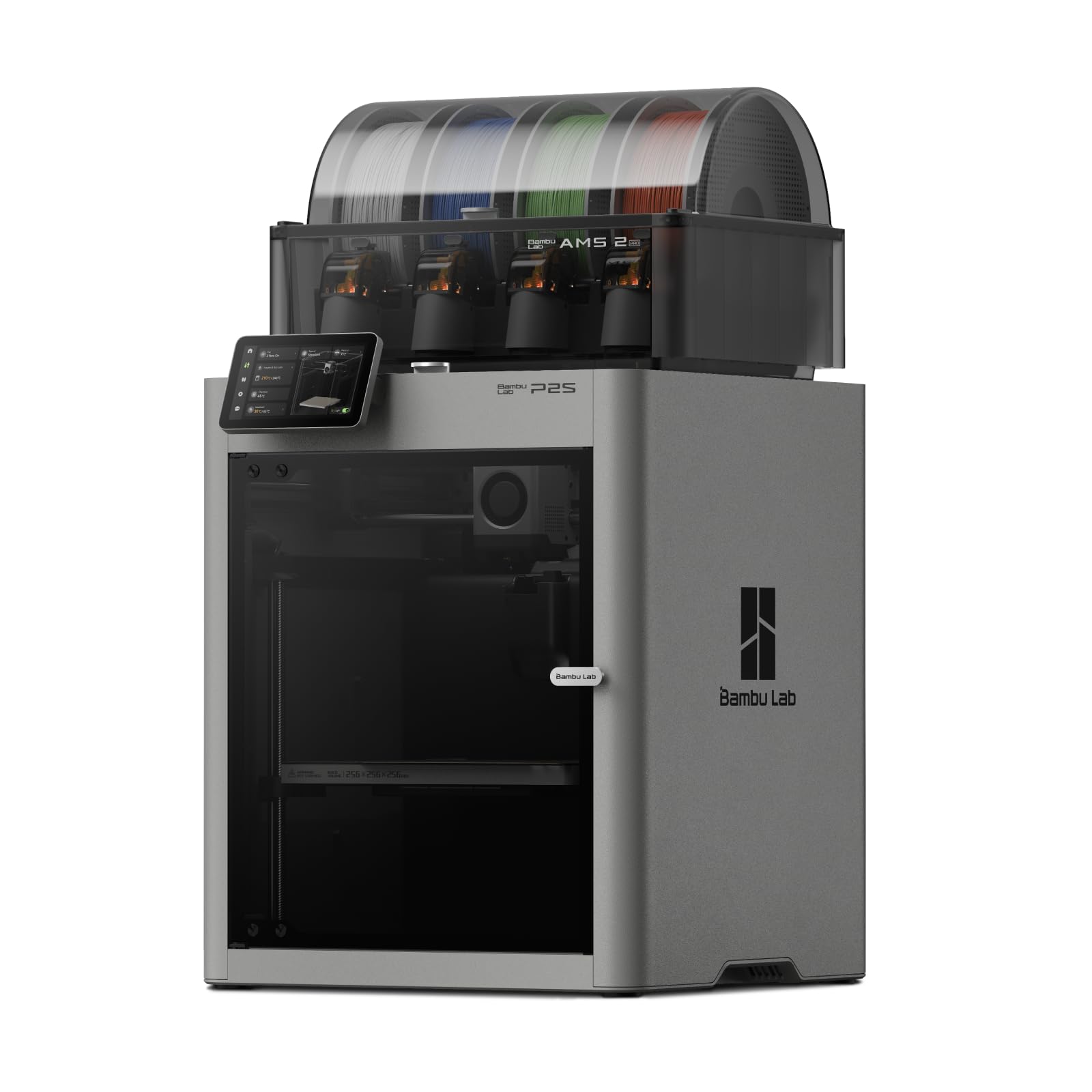
1. Bambu Lab P2S Combo with AMS 2 Pro
Our pick — 4.5+★ from 300+ verified ratings; the strongest balance of quality and price.
A 15-minute setup and a drying multi-color feeder that keeps every spool ready for the next case.
The number worth leading with is 15 minutes. That is how long Bambu Lab says the P2S takes to set up and start printing, which matters because the biggest cost when you are dialing in a phone-case fit is failed attempts. Fewer failed attempts means faster iteration on case fit. The machine also runs automatic calibration and quick-swap nozzles, so switching to a different nozzle size for a finer case wall is a job you can do without a toolbox.
For case work the speed figure is the one to watch: up to 600 mm/s with the PMSM Servo Extruder and Active Flowrate Compensation. In plain terms, the printer measures how much plastic is actually flowing and adjusts live, so walls stay even instead of thinning out on one side. Uneven walls are exactly what makes a case feel cheap in the hand. The Adaptive Airflow System is a further plus — it balances cooling and heat retention, and it can hold a 50 °C chamber for engineering-grade materials, with a carbon filter to keep the air clean while you print.
The AMS 2 Pro is the multi-color feeder, and it adds built-in filament drying at up to 65 °C. Damp filament is a common cause of stringy, bubbly prints, so drying each spool before a print is a real advantage for a case you intend to show off. Be clear on one point, though: the listing states plainly that the P2S printer itself does not support multi-color printing — the Combo version is required. This is a 46.3-pound machine versus the 20.9-pound Anycubic Kobra X, so plan for a sturdy table rather than a flimsy shelf. It is the crowd favorite here at 4.5+ stars across 340+ ratings, and the ownership experience reads as almost zero learning curve.
What earns it the top slot
- Ready to print in 15 minutes, with automatic calibration doing the fiddly part for you
- Up to 600 mm/s with live flow compensation for smoother, more even case walls
- AMS 2 Pro dries filament at up to 65 °C so spools stay print-ready
- AI failure detection and quick-swap nozzles keep downtime short
Where it asks something of you
- At 46.3 pounds it needs a solid, dedicated surface
- Multi-color only works with the Combo; the bare printer does not do it
- Reliability shows up as a mixed theme in owner feedback rather than a uniform rave
Worth it for: anyone who wants the shortest path from box to a finished case, with drying and multi-color built in.
Think twice if: you only ever print single-color and would rather not pay for the AMS feeder.
2. Flashforge Adventurer 5M
An entry machine that treats first-layer adhesion as its whole personality.
If your past attempts at a case ended with a curled corner peeling off the plate, the Adventurer 5M was built to answer that specific problem. It runs 25-point detecting with pressure-sensor compensation at 0.01mm precision, which means the printer probes the plate at 25 spots and corrects the nozzle height before the first line of plastic goes down. That is the difference between a case that sticks flat and one that lifts at the edges.
It is no slouch on speed either: 600 mm/s with 20,000mm/s² acceleration, a 32mm³/s high-flow nozzle, and a 50W ceramic heater that reaches 200 °C in 35s. The 8.7″x8.7″x8.7″ PEI build plate is roomy enough to lay a phone case flat, and the MagSwitch design is listed as removable in 3s, so popping a finished shell loose is quick. Nozzle swaps are listed at under 15s via the Nozzle X quick-change system, and the listing offers 0.25-0.8mm nozzle options if you want a finer wall.
Quality is the theme that carries this one in owner feedback, and the machine reads as a favorite among people buying their first printer. The honest catch is setup — it splits opinion, with part of the crowd finding it quick and part finding it a chore. Connectivity also draws more grumbles than praise, so plan on loading files off a USB stick or the app rather than expecting a flawless wireless handoff. If you print only PLA and TPU cases and do not need multi-color, this is the low-friction way in.
Best at this tier: a CoreXY frame with dual linear rails and an aluminium body that the maker says cuts resonance by 63% versus bed-slinger designs — less ringing on tall, thin walls.
One thing to know: enclosure panels are not included; the listing describes adding your own hardware and printed panels as a separate upgrade path.
Reach for this if: you want a level plate and a fast first print without paying for color systems you will not use.
Look elsewhere if: a reliable wireless workflow is non-negotiable for you.
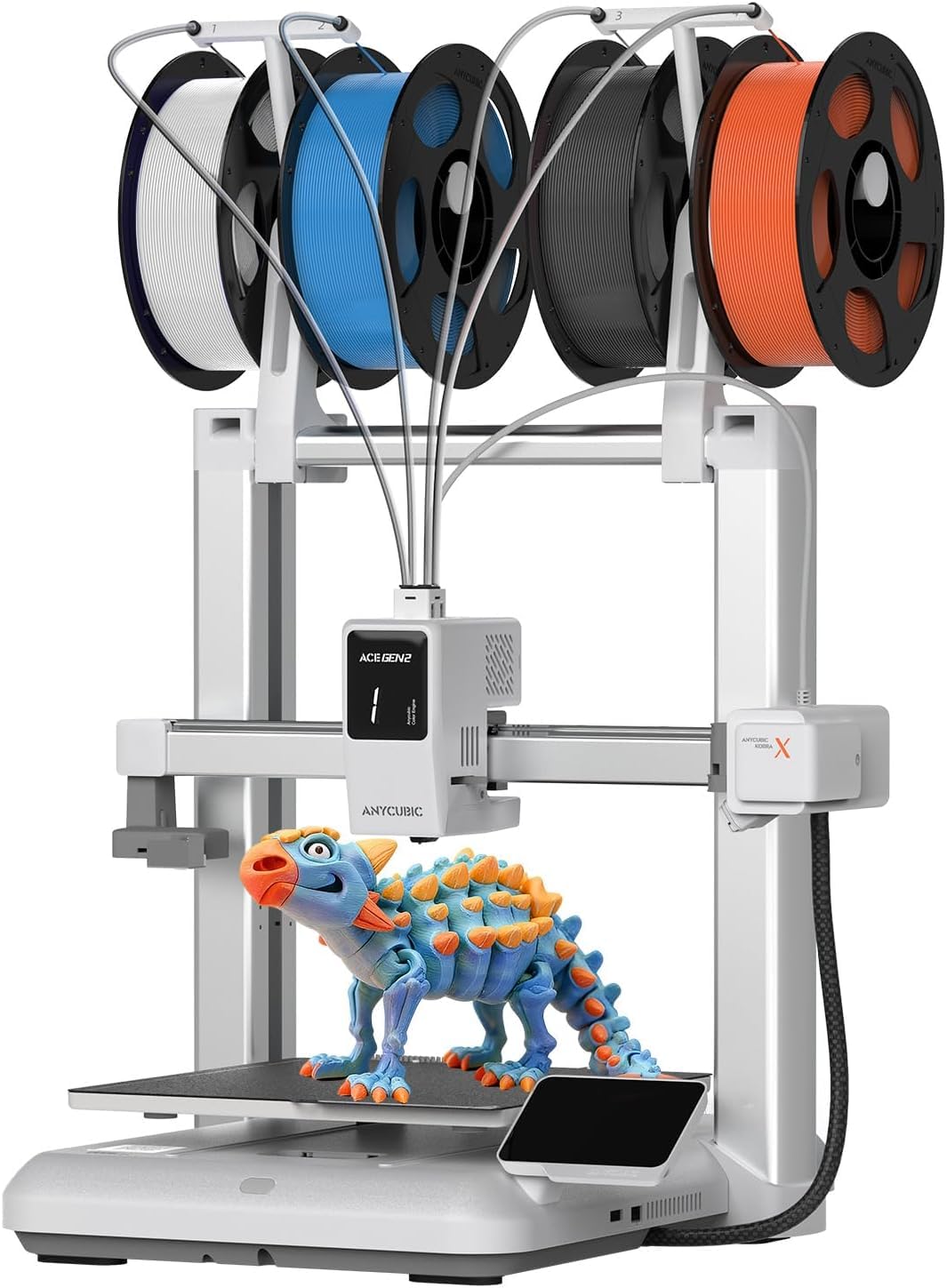
3. Anycubic Kobra X
Four colors in the box, a 260mm cube to work in, and TPU on the supported list.
The Kobra X arrives able to print four colors without add-ons, and it can climb to 19 colors if you add four ACE 2 Pro units. The listing notes plainly that the ACE 2 Pro and the older ACE Pro do not work together, so check which unit you have before expanding. For a two-tone case — say a black shell with a colored bumper — four native colors is more than enough out of the gate.
The spec that should matter most is the 300℃ nozzle temperature. That headroom is what lets the machine list TPU, PETG, PLA, PVA, and ASA among supported materials, and TPU is the filament most people want for a flexible case. Speed reaches 600 mm/s, and the maker says the design cuts filament and machine travel by 81.25%, which it frames as double the speed and half the material cost. Bed leveling runs through LeviQ 3.0 with a 49-point calibration, and the machine is listed as ready to print 15 minutes after unboxing.
Print quality is the aspect buyers talk about most, and the multi-color transitions draw steady appreciation. Set against that, adhesion and clogging each come up as mixed themes in owner feedback — not a red flag, but a reminder that a brim or a fresh PEI wipe is cheap insurance on a thin case. One practical note the listing is upfront about: filament is not included, so budget for spools separately. At 20.9 pounds it is far lighter than the 46.3-pound Bambu Lab P2S Combo, which makes it easier to move between rooms.
The multicolor math: four colors built in and 19 with expansion, all inside a 260mm x 260mm x 260mm build size.
Watch the spool bill: no filament ships in the box, so the first print needs a separate purchase.
Reach for this if: you want colored cases without buying a separate feeder unit.
Look elsewhere if: clog-free running on the first try is your top priority and you would rather not tune anything.
4. Flashforge AD5X

Four spools side by side in a footprint that fits a desktop corner.
The AD5X earns its spot on desk space. Four filament spools sit side by side in what the listing calls a lightweight, modular design, and its footprint is 14.8 x 16.26 x 14.29 inches — far smaller than the Anycubic Kobra X at 23 x 13 x 22 inches. If your printer shares a desk with a monitor, that 14.8 x 16.26 x 14.29-inch footprint decides whether it fits at all.
You get flexible cases because the Intelligent Filament System (the multi-color feeder) supports TPU, a rubbery filament that bends. The supported list is broad: PLA, TPU, PETG, SILK, PLA-CF, PETG-CF, and more. It prints up to 600 mm/s with acceleration up to 20000mm/s², and the all-metal CoreXY structure (a rigid frame that moves the toolhead in two axes) pairs with vibration suppression algorithms to keep layers aligned — helpful when a case wall is only a couple of layers thick in places.
Quality is by far what buyers praise here, and the multicolor results earn consistent good words. The trade-off is reliability, which reads as genuinely split — some machines run flawlessly, others falter. Clogging and durability also come up on the negative side, and connectivity draws its share of complaints. None of that makes it a bad machine, but it makes it a machine worth buying from a seller with a straightforward return path while you confirm yours is a good unit. If it is, the compact four-color setup is a lot of capability for the money.
Worth it for: tight desks where a four-color printer has to earn its square footage.
Think twice if: you want a set-and-ignore machine and would rather not deal with the occasional clog.
5. Bambu Lab P1S Combo
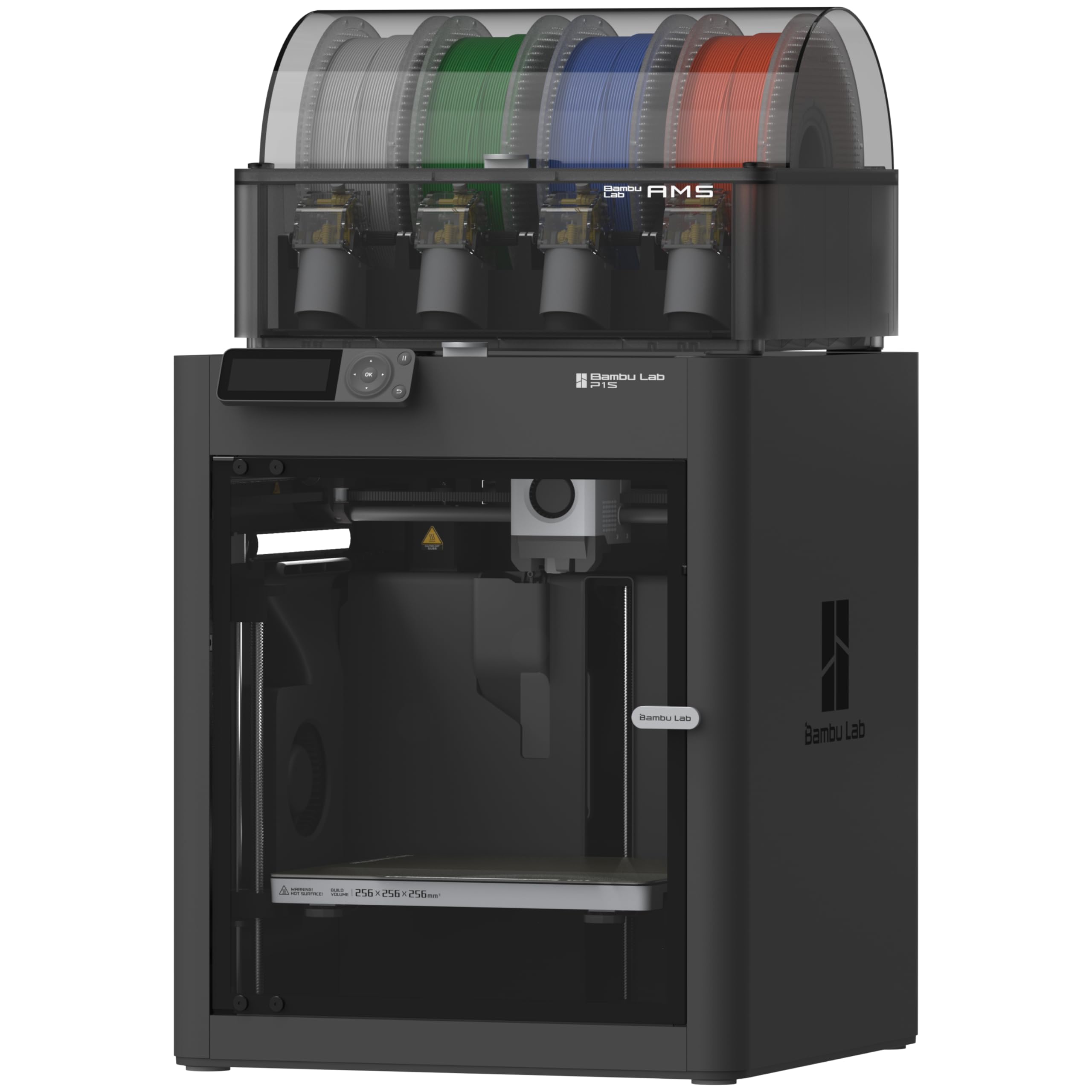
The enclosed body that turns warping-prone materials into a non-event.
Temperature swings are the quiet enemy of a large, flat print like a phone case. The P1S addresses that with a fully enclosed body, which the listing says improves print performance for advanced filaments by holding heat around the build. If you have ever watched a corner lift on a wide print in a drafty room, the P1S’s fully enclosed body is the fix. Automatic bed leveling handles the first-layer side of the equation, and setup is listed at 15 minutes.
Speed runs at 500 mm/s with 20000 mm/s² acceleration. Multi-color reaches up to 16 colors, though the listing is explicit that connecting the Bambu Lab AMS is required to get there — the base printer alone will not do it. Material support is spelled out clearly: ideal for PLA, PETG, TPU, PVA, PET, ABS, and ASA; capable with PA and PC; not recommended for carbon or glass fiber reinforced polymer. TPU sitting on the ideal list is what you want for a case.
Quality is the overwhelming strength here, and value lands right behind it, with a large body of owners calling it money well spent. Durability and connectivity are the two places feedback splits — some machines are sturdy and connect easily, others report wireless trouble or a front handle that arrives broken. It is a 47.5-pound machine, so it needs a dedicated spot. Against the lighter P2S Combo it gives up a little speed, but the enclosure earns it back on warp-prone jobs.
Why the enclosure matters: heat stays around the part, so wide flat shapes hold their shape without a room-temperature draft deciding the outcome.
The honest caveat: carbon and glass fiber reinforced filaments are listed as not recommended, so this is not the machine for abrasive engineering blends.
Reach for this if: you want an enclosed build and multi-color together, on a proven, widely owned platform.
Look elsewhere if: you plan to run carbon-fiber-filled filament regularly.
6. Snapmaker U1

Four preheated toolheads that swap in five seconds and leave almost no purge waste.
Most multi-color printers switch colors by cutting filament, retracting it, and purging the old color out. That purge is where your material and your hours go. The U1 takes the other route: four independent toolheads, each with filament preloaded and preheated, and a changer the maker says cuts tool change time from around two minutes to just 5 seconds. It also says the locking mechanism was validated through over 1,000,000 swaps with zero failures. Less purge means less waste on a two-tone case where you only need a stripe of color.
A 270 X 270 X 270 mm build volume lets you print a case with room to spare, driven by a rigid CoreXY motion system with lightweight carbon fiber X-axis rails at speeds up to 500 mm/s. Material support covers PLA, PVA, TPU, PETG, PCTG, ABS, ASA, PA, and PC, and the listing notes it can combine rigid and flexible materials in one print — useful if you want a stiff back panel with a soft edge on the same case. Calibration is automatic for toolhead offset, with vibration compensation and first-layer tuning handled for you.
Reliability is the standout in owner feedback — it works right from the start and beats expectations, and setups read as smooth thanks to a detailed instruction booklet. Speed also wins converts: the listing frames it as turning 10-hour prints into 6-7 hours. The catch is weight. At 57.9 pounds it is heavier than the 46.3-pound Bambu Lab P2S Combo, so it wants a substantial bench. It also comes in a one-year warranty, which is worth knowing for a four-toolhead machine.
What the toolchanger buys you: color changes without purge towers, so a small colored detail on a case does not cost a block of wasted filament.
The real limiter: it is a bench-anchored machine at 57.9 pounds, not something you move around.
Worth it for: anyone printing color accents and wanting minimal material thrown away.
Think twice if: your workspace cannot support a machine this heavy.
7. Creality K2 Pro Combo

A 300mm cube with active chamber heat and two cameras watching the print.
The K2 Pro holds a stable chamber temperature up to 60°C, which the listing says prevents corner warping with filaments like ASA and PPA. For a case printed in ASA or PPA, that 60°C chamber is what keeps the shell true. It also supports PLA, ABS, ASA, PPA-CF, and PET-CF, so you have room to experiment beyond TPU.
You can batch a case plus a stand in one run thanks to the 300×300×300mm build volume. Speed runs up to 600 mm/s with 20,000 mm/s² acceleration, driven by FOC step-servo motors (motors that hold position precisely) and linear rails. The dual AI cameras are the other headline: one in the chamber watches for print failure, checks the build plate, and films time-lapses, while a nozzle camera tunes flow rate in real time with pressure advance and waste-chute blockage detection. The CFS filament system handles up to 16 colors and multi-material, with auto filament identification and moisture-proof storage.
Quality is the strength people name first, and setup plus print speed both get good words — the speed in particular draws surprise. The trade-offs are mixed: reliability and durability split feedback, with extruder breakage mentioned by some, and noise runs louder than expected for part of the crowd. Connectivity is the weakest thread. Leveling is done by probing only the areas your model will actually print on, which trims setup time when you are reprinting the same case repeatedly.
Reach for this if: you want chamber heat and camera monitoring at a mid-tier footprint.
Look elsewhere if: you need a dead-quiet machine in a shared room.
8. Creality K2 Plus Combo
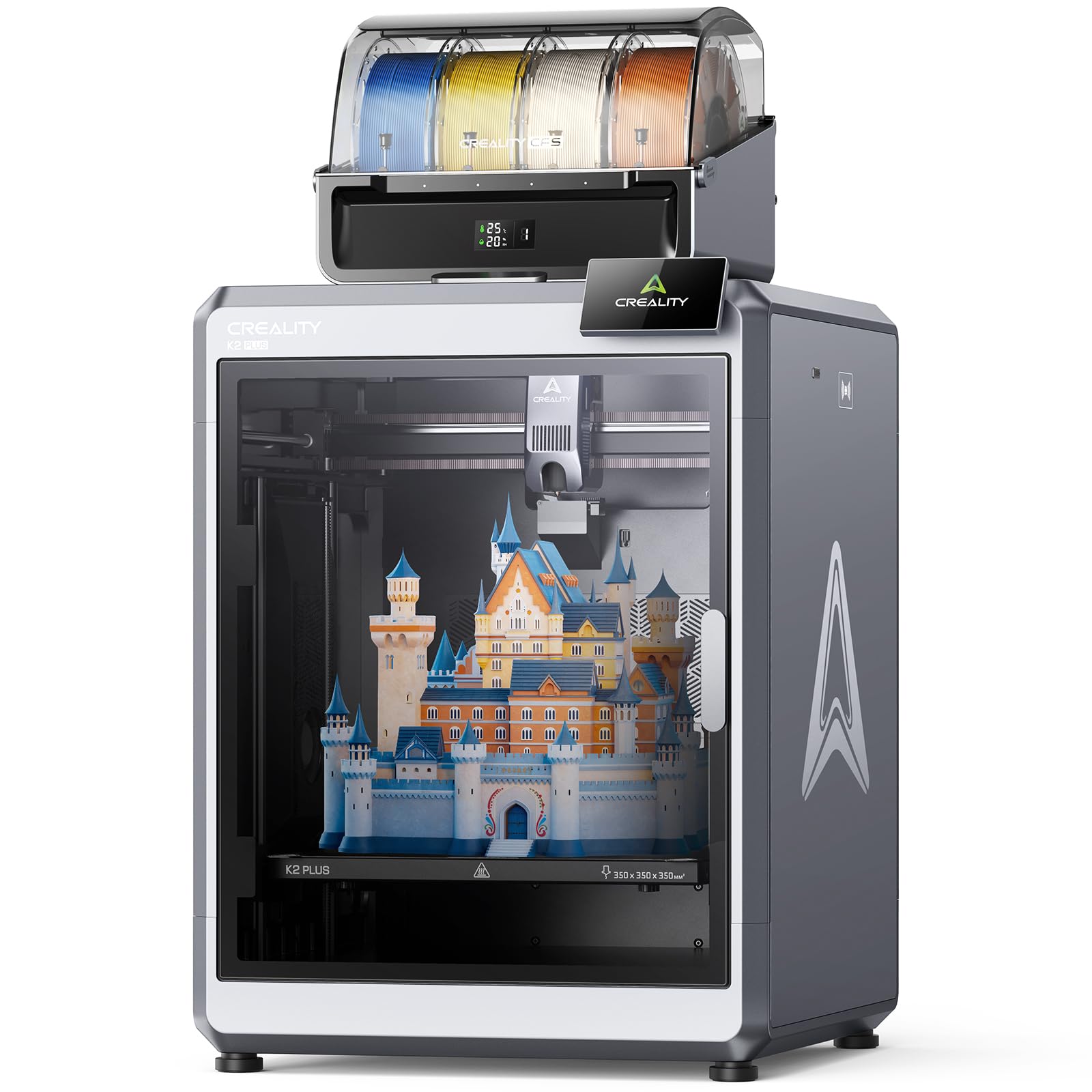
A 350mm cube built to print a whole batch of cases without stopping.
If your plan is to sell cases rather than print one for yourself, the K2 Plus is the version built for throughput. The 350×350×350mm build volume dwarfs the 260×260×260mm of the Anycubic Kobra X, which means a whole plate of case shells in one run instead of a single shell at a time. It is the largest build in this list short of the QIDI Max4 Combo.
Speed reaches 600 mm/s, and the maker lists a step-servo motor system with 30000mm/s² acceleration and 40mm³/s high flow. The chamber holds a constant temperature up to 60°C so ASA and PPA cases resist warping, and the hardened steel nozzle supports operating temperatures up to 350°C for high-melting-point engineering filaments. Eighteen smart sensors and two AI cameras handle monitoring: one in the chamber watches for spaghetti failure and idling, one on the toolhead tunes flow rate so you are not over- or under-feeding.
Printer quality is what buyers praise most by a wide margin, with print quality right behind it, and it reads as friendly to newcomers despite the size. The friction points are real but manageable: assembly and instructions draw the most complaints, so set aside a calm afternoon for the build. It is also a 70.4-pound machine, the heaviest enclosed unit here, so it needs its own table. For a large-format flagship at 4.0+ stars across thousands of owners, that is a fair trade.
Worth it for: batch production where plate size directly translates to output per day.
Think twice if: you want a printer that arrives assembled and ready in minutes.
9. QIDI Max4 Combo
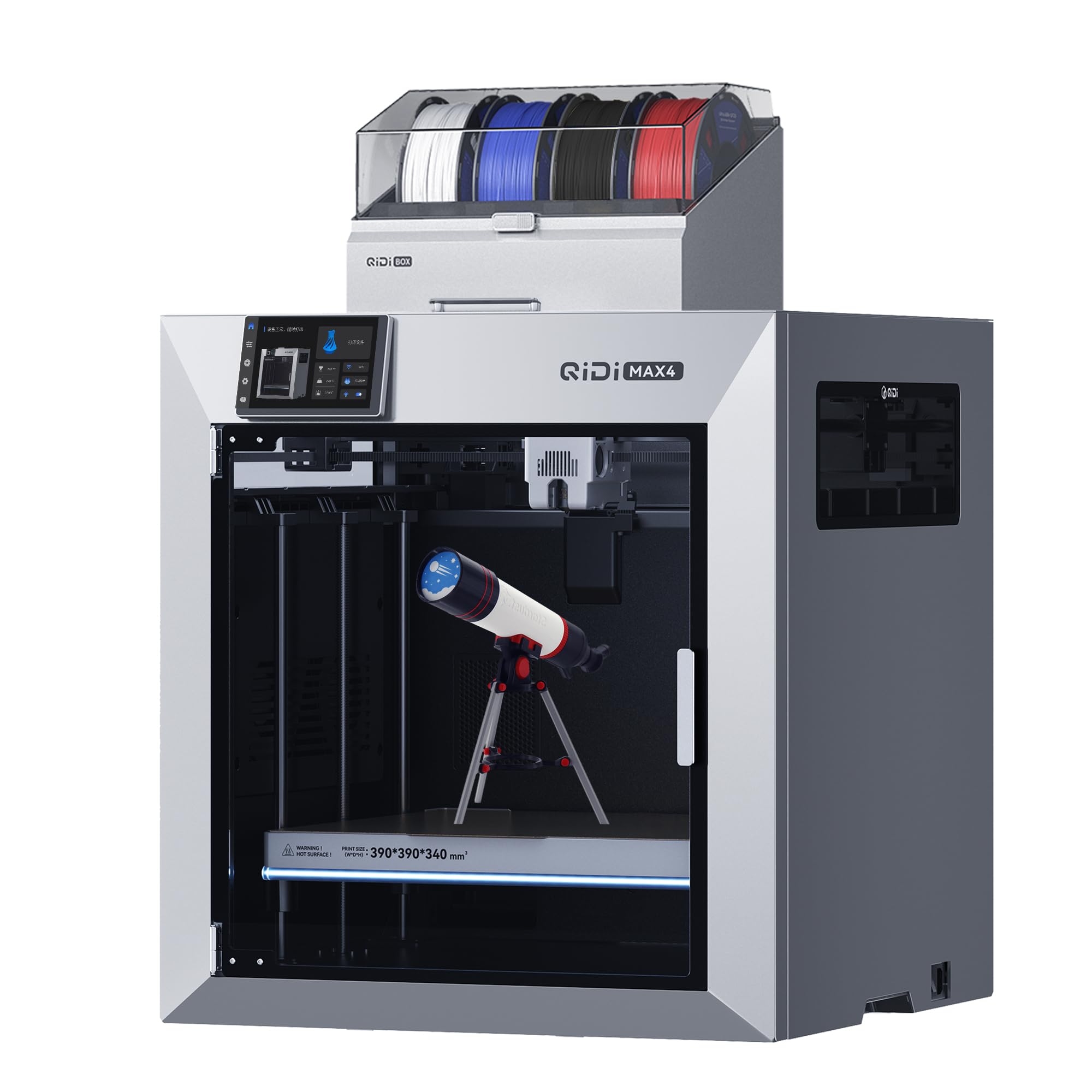
The biggest plate here, a 390×390×340mm bed, with heat up to 65℃.
The Max4 wins when plate size is the deciding factor. Its 390×390×340mm build area is the largest in this guide, and the maker claims it is 55% larger than the earlier MAX3 — enough to print large industrial parts and custom prototypes in one go without splitting. For phone cases the payoff is running a dozen shells at once. A full-surface silicone heated bed keeps temperature even and helps first layers stick.
Speed tops out at 800mm/s with 30,000mm/s² acceleration, the highest listed speed here, using closed-loop motors on the X and Y axes. A 65℃ active heated chamber and a 40mm³/s high-flow hotend with hardened steel nozzle support both standard PLA and ABS and industrial abrasive materials like carbon fiber-reinforced nylon, plus ABS-CF, PC, and PPS-CF. A built-in AI camera detects printing abnormalities and pauses the job to save material. Note that the Polar Cooler must be bought separately — it is not in the box.
Setup and build quality are what buyers like most, and the software reads as easy to understand. Large prints come off with ease, and PLA, PETG, and ASA all run successfully. Multi-color needs the QIDI BOX add-on to reach 16 colors, so color is an add-on rather than built in. At 120 pounds it is the heaviest machine in the list by a wide margin and wants a permanent spot with a solid floor under it. This one is the pick for volume, not for someone who moves the printer around.
Where it wins: the 390×390×340mm plate and 65℃ chamber, a combination aimed at batch runs and high-temperature materials.
Where it asks: 16-color printing requires the separate QIDI BOX, and the Polar Cooler is sold separately too.
Reach for this if: you need maximum plate area and want heat for engineering filaments.
Look elsewhere if: you want color from the start or a printer you can shift between rooms.
Understanding the Specs
Nozzle Temperature
This is how hot the print head gets, and it decides which filament you can melt. A flexible TPU case needs a nozzle that can reach the material’s melting range; the Anycubic Kobra X lists 300℃. A hardened steel nozzle on the Creality K2 Plus supports operating temperatures up to 350°C for engineering blends. If the nozzle cannot hit the number, the filament will not flow, and the print fails.
Build Volume
Build volume is the size of the largest object the printer can make in one pass. A phone case is small, but a bigger plate like the QIDI Max4 Combo’s 390×390×340mm lets you print several at once. A small plate like the Flashforge Adventurer 5M’s 8.7″x8.7″x8.7″ works fine for one case at a time.
Auto Bed Leveling
Leveling is how the printer sets the gap between the nozzle and the plate for that crucial first layer. A thin case curls if the gap is off. Systems like the Flashforge Adventurer 5M’s 25-point detecting or the Anycubic Kobra X’s LeviQ 3.0 49-point calibration probe the plate and correct before the print starts, so you do not have to fiddle with a sheet of paper.
Multi-Color Systems
A multi-color system feeds several filaments to one nozzle. The Bambu Lab P2S Combo’s AMS 2 Pro dries filament at up to 65 °C; the Creality K2 Pro Combo’s CFS system handles up to 16 colors. The Snapmaker U1 switches between four independent toolheads, cutting purge waste. For a two-tone case, four colors is plenty.
FAQ
Can these printers actually print a flexible TPU phone case?
Do I need multi-color printing for a phone case?
How do I stop a thin case from warping at the corners?
What build size do I need for a phone case?
Is a closed printer better than an open one for case printing?
How fast can one of these print a case?
Do I need a hardened steel nozzle for phone cases?
What maintenance does a phone-case printer need?
Is a CoreXY printer better than a bed-slinger for case work?
Final Thoughts: The Verdict
For most people printing a phone case, the 3d phone case printer that fits best is the Bambu Lab P2S Combo, because its 15-minute setup, automatic calibration, and AMS 2 Pro drying at up to 65 °C cut the friction of dialing in a fit. If you want an enclosed body and proven multi-color without the top-end output, the Bambu Lab P1S Combo covers it with up to 16 colors and a 500 mm/s top speed. For a case in flexible TPU on a multi-color budget, the Anycubic Kobra X lists a 300℃ nozzle and four built-in colors, and it is the one to reach for when you want color without an add-on feeder.
Start with the material you plan to print and work backward. If it is TPU, check the nozzle temperature and the supported-material list before anything else. If it is a batch of shells, check the build volume. Everything else is convenience layered on top of those two decisions.
How We Picked
We do not accept paid placement. Every pick is matched to a real buyer and a real use-case; we do not hands-on test units.
Sources & Methodology
Specifications: manufacturer listings and product documentation. Review insights: verified customer reviews, as of November 2026. Pricing: not shown on this page (it changes often); check the current price via the retailer link.
As an Amazon Associate, Gadgets Feed earns from qualifying purchases. This does not affect which products we feature.