
Three spreadsheets, a Slack window, and a 4K video timeline — all visible without alt-tabbing. The affordable ultrawide market has shifted: sub- panels now deliver 3440×1440 resolution, 100Hz+ refresh rates, and USB-C charging that used to cost double.
I’m Min — the co-founder and writer behind Gadgets Feed. I’ve spent countless hours parsing spec sheets for the 34-inch 21:9 segment, cross-referencing real customer feedback on backlight bleed, dead pixels, and stand wobble to separate the genuine value plays from the budget traps.
After analyzing refresh rate ceilings, color gamut coverage, and connectivity trade-offs across nine models, I’ve built a definitive ranking of the best affordable ultrawide monitor options that balance visible performance with a realistic price-to-spec ratio for 2024 and beyond.
How To Choose The Best Affordable Ultrawide Monitor
Not all 34-inch panels are created equal. A difference in price often hides a downgrade from a 180Hz VA panel with HDR400 to a 100Hz panel with a wobbly stand and terrible built-in speakers. Focus on these three decision points to avoid buyer’s remorse.
Resolution and Pixel Density
Every monitor on this list is 3440×1440 (UWQHD). That’s non-negotiable for an affordable ultrawide — 2560×1080 panels look fuzzy on a 34-inch diagonal because the pixel density drops below 82 PPI. At 3440×1440, you get roughly 110 PPI, which makes text crisp enough for long coding or writing sessions. Avoid any 34-inch ultrawide that advertises “Full HD” width — it is almost certainly 2560×1080 and will disappoint for productivity.
Refresh Rate and Adaptive Sync
An affordable ultrawide today should hit at least 100Hz. Many budget models still ship with 75Hz or 60Hz, which feels sluggish when scrolling dense web pages or dragging windows across the 21:9 canvas. For gamers, 144Hz to 180Hz is the sweet spot in this price tier — you get fluid motion without the GPU demands of 4K. FreeSync Premium or G-Sync Compatible certification ensures the refresh rate matches your frame rate, eliminating tearing without the stutter penalty of V-Sync.
Connectivity and USB-C Power Delivery
One USB-C cable that carries video, data, and up to 65W laptop charging transforms an ultrawide from a desk ornament into a true docking hub. Monitors that lack USB-C force you to buy a separate hub or use two cables (HDMI + power). If you use a modern laptop as your primary machine, prioritize a model with USB-C PD. Also, check for HDMI 2.1 bandwidth — many budget panels only include HDMI 2.0, which limits refresh rate to 100Hz at 3440×1440.
Quick Comparison
On smaller screens, swipe sideways to see the full table.
| Model | Category | Best For | Key Spec | Amazon |
|---|---|---|---|---|
| ASUS TUF VG34WQML5A | Premium | High-FPS Gaming | 250Hz, 0.5ms, DisplayHDR400 | Amazon |
| Dell S3425DW | Mid-Range | Productivity & Casual Gaming | 120Hz, USB-C 65W PD, 95% DCI-P3 | Amazon |
| ASUS TUF VG34VQ3B | Mid-Range | Console & PC Gaming | 180Hz, 1ms, FreeSync Premium | Amazon |
| KOORUI G3441XC | Budget | Value-First 240Hz Gaming | 240Hz, PIP/PBP, HDR400 | Amazon |
| ViewSonic VX3418C-2K | Budget | Budget Gaming | 180Hz, 1ms, FreeSync Premium | Amazon |
| Philips 346E2CUAE | Mid-Range | USB-C Productivity | 100Hz, USB-C PD, Height Adjust | Amazon |
| Samsung ViewFinity S50GC | Budget | Office Work & Media | 100Hz, Auto Brightness, HDR10 | Amazon |
| LG 34SR63QA-W | Premium | All-in-One Smart Monitor | 100Hz, webOS, USB-C 65W PD | Amazon |
| Samsung CH890 | Premium | Business & Productivity | 100Hz, USB-C, 3yr Warranty | Amazon |
In‑Depth Reviews
1. ASUS TUF Gaming VG34WQML5A
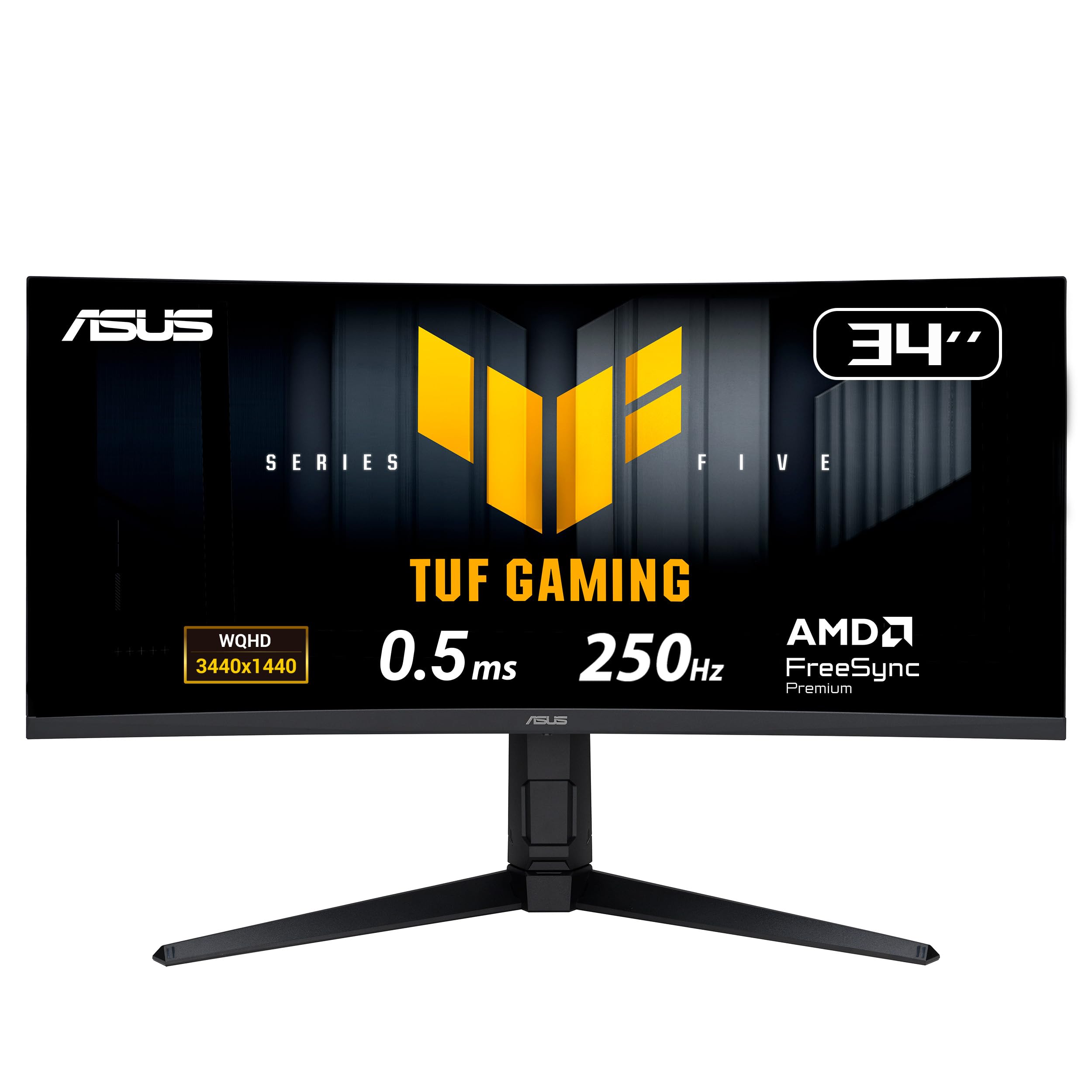
The ASUS TUF Gaming VG34WQML5A pushes the refresh rate ceiling to 250Hz — an overclocked speed that few ultrawides in any price tier achieve. That 0.5ms MPRT response time paired with ELMB SYNC technology virtually eliminates ghosting, making fast-paced shooters feel almost CRT-smooth. The DisplayHDR400 certification and 95% DCI-P3 coverage deliver noticeably punchier highlights than the 250-nit panels common at this price point.
Beyond pure speed, the matte screen surface reduces glare without diffusing text sharpness — a detail that matters for anyone mixing gaming with office work. The included DisplayWidget Center software lets you tweak OSD settings via mouse, which beats hunting for joystick buttons on the rear bezel. Build quality feels solid, though the stand is short and lacks height adjustment out of the box.
Connectivity covers the essentials: two HDMI 2.1 ports, one DisplayPort 1.4, and a USB hub with four Type-A ports. The 250Hz mode requires the DisplayPort connection and a compatible graphics card; HDMI 2.1 caps at 144Hz. Some users report that the “AI Gaming” features are gimmicky and the on-screen sharpness slider is missing, but for raw motion clarity in a 34-inch 1440p package, this ASUS is unmatched in the affordable segment.
Why it’s great
- 250Hz refresh rate with 0.5ms response sets a category high bar
- DisplayHDR400 and wide DCI-P3 gamut improve contrast and vibrancy
- ELMB SYNC eliminates ghosting without disabling variable refresh rate
Good to know
- Short, non-adjustable stand requires a monitor arm for ergonomic setup
- 240Hz native — 250Hz only via overclock in OSD
- AI features add little practical value for most users
2. Dell S3425DW

The Dell S3425DW strikes an almost perfect balance between productivity features and gaming capability. Its 120Hz VA panel with FreeSync Premium delivers fluid desktop navigation and smooth 60–100 FPS gaming, while the 3000:1 native contrast ratio produces deep blacks that IPS panels struggle to match. The single USB-C cable handles video, data, and up to 65W laptop charging — enough to power a MacBook Pro or Dell XPS without a separate power brick.
Color accuracy is a strong point: 99% sRGB and 95% DCI-P3 coverage out of the box means photo editing and design work won’t require a calibration tool. The ComfortView Plus mode drops blue light below 35% without the yellow tint that plagues software-based night modes. Dell even redesigned the integrated speakers for this generation, delivering fuller sound than the typical 2W monitor drivers, though they still lack bass for music playback.
The Ash White finish and slim bezels make it a clean desktop centerpiece, but the recessed VESA mount (roughly 1/4 inch deep) requires spacers for standard aftermarket arms — an annoying oversight. Port selection is minimal: one USB-C, one HDMI, and one USB-A upstream. No DisplayPort means you lose a direct connection option for desktop GPUs that lack USB-C output.
Why it’s great
- USB-C with 65W power delivery simplifies desk cable management
- 95% DCI-P3 coverage delivers vibrant, accurate color
- 120Hz FreeSync Premium offers smooth performance for work and play
Good to know
- Recessed VESA mount requires spacers or bracket assembly for arm mounting
- Limited to HDMI and USB-C inputs — no DisplayPort
- Ash White finish may show smudges more than darker options
3. ASUS TUF Gaming VG34VQ3B

The ASUS TUF Gaming VG34VQ3B hits the 180Hz refresh rate sweet spot — fast enough for competitive titles without requiring a flagship GPU to maintain 250 FPS. The 1ms MPRT response time and Extreme Low Motion Blur SYNC technology work together to clean up fast motion artifacts while keeping variable refresh rate active, a combination that eludes many budget-focused panels. The 1500R curvature wraps the 34-inch screen into your peripheral vision, creating a genuinely immersive cockpit feel in driving and flight sims.
Color performance is solid for a VA panel: 90% DCI-P3 coverage and a 4000:1 static contrast ratio produce rich, saturated colors and inky blacks that make HDR content look punchier than the 300-nit brightness ceiling suggests. The built-in DisplayWidget Center software gives you mouse-controlled access to crosshairs, timer, and FPS counter without fumbling with the rear joystick. Setup takes about three minutes — the DisplayPort cable and L-shaped screwdriver are included in the box.
The major complaint across buyer feedback is the stand: it’s short, non-adjustable, and takes up significant desk depth. Plan on a VESA arm from day one. The integrated speakers are tinny and nearly inaudible at lower volumes, so external speakers or a headset are mandatory. For the asking price, however, the combination of 180Hz, ELMB Sync, and solid VA contrast is hard to beat in the affordable ultrawide space.
Why it’s great
- 180Hz refresh rate with ELMB Sync delivers tear-free, blur-free motion
- 4000:1 contrast ratio produces deep blacks typical of premium VA panels
- DisplayWidget Center allows mouse-based OSD adjustments
Good to know
- Short, non-adjustable stand demands a separate monitor arm
- Built-in speakers are weak — external audio is essential
- Limited to 144Hz over HDMI 2.0; full 180Hz requires DisplayPort
4. KOORUI G3441XC

The KOORUI G3441XC is a disruptive entry in the affordable ultrawide category — a 240Hz 34-inch VA panel that undercuts most 144Hz models on price. The 3440×1440 resolution, 1500R curve, and HDR400 support combine to create a cinematic gaming experience that rivals monitors costing twice as much. The inclusion of Picture-in-Picture and Picture-by-Picture modes is a rare bonus at this price point, allowing you to view two input sources simultaneously — useful for monitoring a stream while gaming on a second PC.
Color performance punches above its weight class: 99% sRGB and 90% DCI-P3 coverage with a 4000:1 contrast ratio. The Adaptive Sync support works with both FreeSync and G-Sync Compatible GPUs, covering the vast majority of modern graphics cards. The dual HDMI 2.1 ports are another surprising inclusion — most budget monitors skimp on HDMI bandwidth, but here you can hit 240Hz over HDMI with compatible consoles or cards.
The trade-offs are typical for the price tier: build quality feels less premium than ASUS or Dell offerings, with a plastic chassis that flexes under pressure. Customer reviews report a small but real risk of dead pixels or early panel failure — a lottery that comes with aggressive cost cutting. The 240Hz spec also requires DisplayPort 1.4 to reach full speed; older cables may bottleneck at 144Hz. For buyers who prioritize raw refresh rate and feature density over long-term reliability guarantees, the KOORUI is a compelling gamble.
Why it’s great
- 240Hz refresh rate at a price point that usually maxes out at 144Hz
- PIP/PBP support enables dual-source workflows
- Dual HDMI 2.1 ports offer high-bandwidth connectivity
Good to know
- Build quality is average — plastic chassis with some flex
- Moderate risk of dead pixels or early failure based on user reports
- Full 240Hz requires DisplayPort 1.4; older cables will limit performance
5. ViewSonic VX3418C-2K
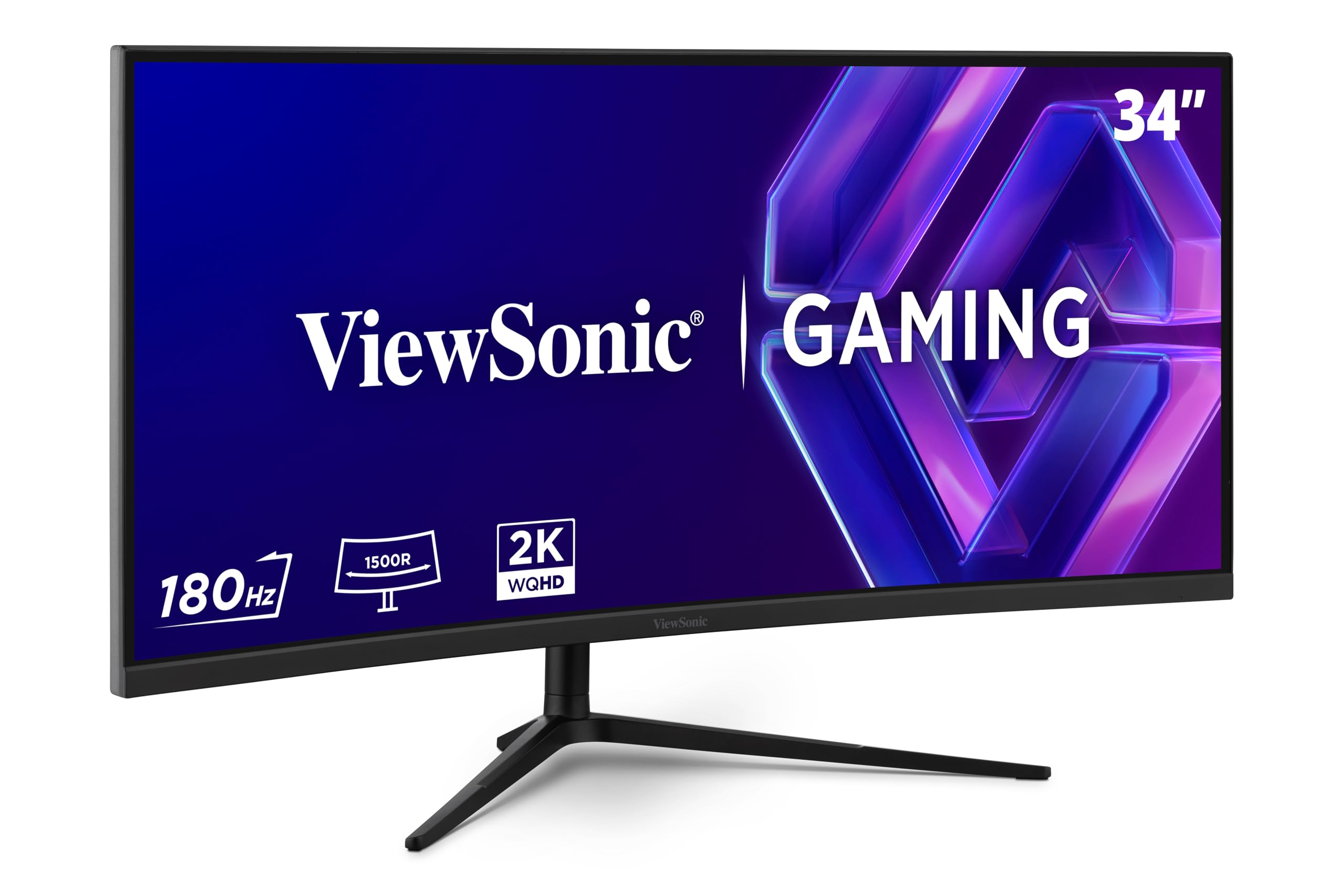
The ViewSonic VX3418C-2K delivers a 180Hz VA panel with FreeSync Premium at a price point that forces you to double-check the spec sheet. The 3440×1440 resolution and 1500R curvature match the same immersive formula as pricier competitors, while the 1ms MPRT response time keeps motion blur in check during fast-paced gaming sessions. ViewSonic includes a suite of pre-calibrated visual modes for FPS, RTS, and MOBA genres, each tweaking gamma and saturation for better target visibility.
The anti-glare coating is effective without creating a distracting grainy texture — a common complaint on cheaper matte panels. The on-screen display is controlled by a responsive joystick, and the menu layout is intuitive enough that you won’t need the manual. A USB hub with two downstream ports adds convenience for connecting a mouse dongle or headset receiver, though the lack of USB-C limits modern laptop connectivity without an adapter.
Two recurring criticisms emerge from owner feedback: the included stand is serviceable but wobbly, and the built-in speakers are borderline unusable for anything beyond system notification sounds. The 250-nit brightness is adequate for indoor use but washes out in brightly lit rooms, especially compared to HDR400-capable alternatives. Buyers on a tight budget who can supply their own monitor arm and external speakers will find the VX3418C-2K a strong value proposition for 180Hz gaming.
Why it’s great
- 180Hz VA panel with FreeSync Premium at an entry-level price
- Effective anti-glare coating doesn’t introduce graininess
- Pre-calibrated visual modes for different game genres
Good to know
- Stand is wobbly — plan for a monitor arm upgrade
- Speakers are very weak; external audio is essential
- 250-nit brightness struggles in rooms with direct sunlight
6. Philips 346E2CUAE

The Philips 346E2CUAE demonstrates that a mature product — this monitor has been on the market for several years — can still compete with newer entries on value. The headline feature is USB-C with power delivery up to 65W, enabling a single-cable connection for compatible laptops that simultaneously charges, transmits video, and provides USB hub access. The 121% sRGB and 99.5% NTSC color gamut coverage is exceptionally wide for this price bracket, producing vibrant, lifelike colors that benefit design work and media consumption alike.
The VA panel’s 3000:1 contrast ratio ensures deep blacks, while the 1500R curvature adds immersion without distorting straight lines in productivity apps. The height-adjustable stand with tilt and swivel functionality is a rare luxury at this price — most competitors force you into a fixed position or require a third-party arm. The built-in speakers are adequate for YouTube and system sounds, though they lack the fullness for critical movie watching.
The 100Hz refresh rate and Adaptive-Sync support provide smooth desktop scrolling and casual gaming, but competitive players will want faster. The aging design lacks HDMI 2.1, so you’re limited to 100Hz over HDMI 2.0 — still fine for most use cases but a notable omission against 180Hz+ rivals. Customer feedback highlights the simple setup and sturdy build, though some report cable management tabs feel flimsy. For professionals who prioritize connectivity and color accuracy over raw speed, this Philips remains a compelling option.
Why it’s great
- USB-C with 65W PD simplifies laptop desk setup to one cable
- Wide 121% sRGB color gamut suitable for photo and design work
- Fully adjustable stand (height, tilt, swivel) included in the box
Good to know
- 100Hz refresh rate is modest compared to 180Hz+ gaming monitors
- No HDMI 2.1 — refresh rate limited to 100Hz over HDMI
- Aging design with plastic cable management tabs
7. Samsung ViewFinity S50GC

The Samsung ViewFinity S50GC targets the productivity buyer with a feature set optimized for all-day comfort. The ambient light sensor automatically adjusts screen brightness based on room lighting, reducing the need for manual OSD tweaks as the sun shifts through your window. The 100Hz refresh rate is a step above the 60Hz office standard, making cursor movement and window dragging feel noticeably smoother without the premium of a gaming monitor. HDR10 support pushes over a billion colors, though the 300-nit peak brightness limits HDR impact to subtle improvements in shadow detail.
The 21:9 aspect ratio with PIP and PBP support allows you to view two PC sources simultaneously — one over HDMI, another over DisplayPort — without a separate KVM switch. The virtually bezel-free design looks clean in dual-monitor configurations, and the Eye Saver Mode with Flicker Free certification makes long coding or writing sessions less fatiguing. The included HDMI cable is a nice touch, though you’ll need to supply your own DisplayPort cable if that’s your preferred connection.
Two recurring weak points emerge from user feedback: the built-in speakers are terrible, even by monitor standards, producing tinny, hollow audio; and the included stand has a noticeable wobble that transmits desk vibrations to the screen. The 100Hz refresh rate is capped at 50Hz over some Mac configurations, requiring third-party tools like BetterDisplay to unlock full performance — a frustrating quirk for Apple users. At its entry-level price, the ViewFinity S50GC is a solid ultrawide for document-heavy workflows, but gamers and creative professionals should look elsewhere.
Why it’s great
- Auto brightness adjustment reduces eye strain across changing room lighting
- 100Hz refresh rate improves desktop smoothness over standard 60Hz monitors
- PIP/PBP support enables dual-PC workflows without extra hardware
Good to know
- Built-in speakers are very poor — external audio is mandatory
- Stand is wobbly and transmits desk vibrations
- Mac compatibility issues may limit refresh rate to 50Hz without third-party tools
8. LG 34SR63QA-W
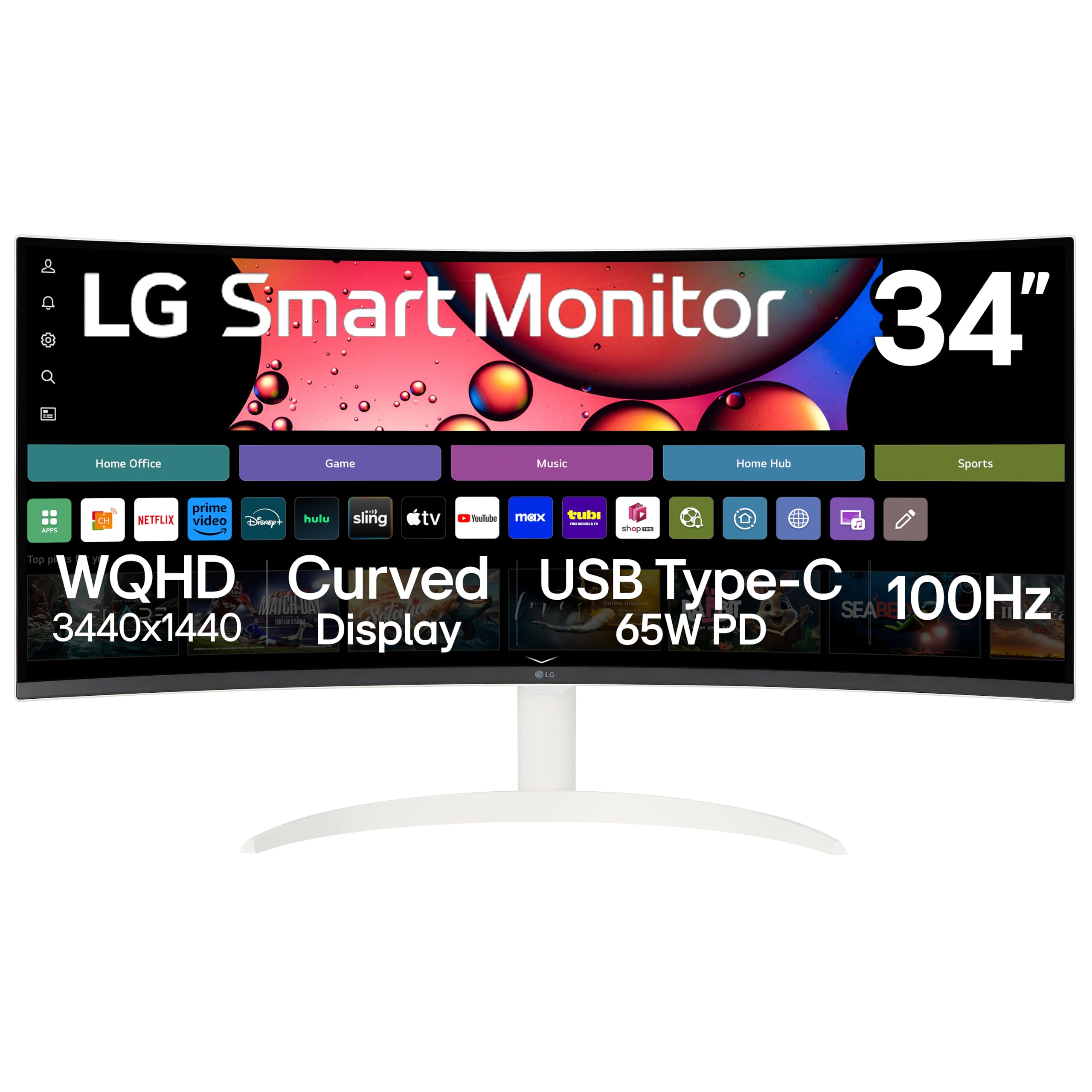
The LG 34SR63QA-W is a hybrid monitor that doubles as a standalone smart TV — a unique proposition in the affordable ultrawide space. The 34-inch 3440×1440 VA panel with 1800R curvature delivers the same immersive multitasking experience as productivity-focused ultrawides, while the built-in webOS23 platform gives you direct access to Netflix, Prime Video, Disney+, and over 300 free LG Channels without needing a connected PC. The included remote control and Magic Remote compatibility make navigation feel like a living room TV experience.
Productivity features are well-considered: USB-C with 65W power delivery charges your laptop while carrying video signal, and the AirPlay 2 support allows wireless mirroring from Apple devices — perfect for quick presentations or sharing photos. The 99% sRGB coverage produces accurate colors for office work, and the HDR10 support enhances streaming content. The white chassis and virtually bezel-less design make it a style-forward choice for modern home offices and dorms.
The compromises are real for pure gaming: the 100Hz refresh rate and VA response times fall short of the 180–240Hz standards set by dedicated gaming monitors at similar price points. Some users report that streaming apps display content with black bars (pillarboxing) because many TV shows are produced in 16:9 format, not 21:9. The small desk stand requires a stable surface, and the white finish shows scuffs more readily than darker alternatives. For users who want a single device that handles work, streaming, and casual gaming, the LG 34SR63QA-W is a clever space-saver.
Why it’s great
- Built-in webOS TV eliminates need for streaming devices or PC for media
- USB-C with 65W PD powers laptops through a single cable
- AirPlay 2 support enables wireless content mirroring from Apple devices
Good to know
- 100Hz refresh rate limits competitive gaming potential
- 21:9 aspect ratio causes black bars on most standard 16:9 TV content
- White finish is prone to visible scuffs and smudges
9. Samsung Business CH890

The Samsung Business CH890 is designed for professional environments where uptime and ergonomics matter more than raw gaming specs. The 3440×1440 VA panel with 3000:1 contrast ratio delivers crisp text and deep blacks, while the 100Hz refresh rate with FreeSync support provides smooth scrolling and media playback. The standout feature is the highly adjustable stand — height, tilt, and swivel adjustments with a wide range of motion — paired with VESA mounting compatibility for custom ergonomic setups.
Connectivity is business-friendly: USB-C handles video, data, and power delivery in a single cable, supplemented by HDMI and DisplayPort inputs for legacy devices. The split-screen and Picture-by-Picture modes are well-implemented, allowing side-by-side comparison of documents from two different source computers. The 3-year business warranty with TAA compliance makes it suitable for government and enterprise deployments where support contracts are mandatory.
The price premium is the main barrier — this monitor costs significantly more than similar-spec consumer models from competitors. The 100Hz refresh rate feels dated next to the 180Hz and 240Hz options available for less money, and the 4ms response time is noticeably slower in fast-moving content. Some units ship with finicky USB-C ports that fail within the first week, though Samsung’s warranty process handles replacements efficiently. For IT managers and productivity professionals who value ergonomics and reliability above frame rates, the CH890 justifies its higher price.
Why it’s great
- Full ergonomic stand with height, tilt, and swivel adjustments
- USB-C connectivity with power delivery for single-cable laptop setups
- 3-year business warranty with TAA compliance for enterprise use
Good to know
- Premium price for 100Hz performance — faster monitors cost less
- 4ms response time is slow for competitive gaming or fast-moving content
- Some units have reported USB-C port failures requiring warranty service
FAQ
Can I use a 3440×1440 ultrawide with a laptop that only has HDMI 2.0?
Why do many affordable ultrawide monitors have poor built-in speakers?
Is a 100Hz ultrawide a bad choice for gaming?
Final Thoughts: The Verdict
For most users, the best affordable ultrawide monitor winner is the ASUS TUF Gaming VG34VQ3B because it nails the critical 180Hz refresh rate, delivers excellent VA contrast at a realistic price, and includes ELMB Sync for blur-free motion. If you want USB-C power delivery and better color accuracy for productivity work, grab the Dell S3425DW. And for the absolute best refresh rate ceiling in the budget tier, nothing beats the KOORUI G3441XC.