
Our readers keep the lights on and my morning glass full of iced black tea. As an Amazon Associate, I earn from qualifying purchases.
Specs are compiled from manufacturer listings and verified buyer reviews and can change over time — please confirm the key details on the product page before buying.
If you are drowning in paperwork, the fix is not a better flatbed — it is a scanner that swallows a whole stack at once and flips both sides without you touching it. That is exactly what an automatic document feeder does, and it is the difference between an afternoon of copying and a two-minute job. Below you will find the models that actually feed paper reliably, which ones handle receipts and ID cards, and which ones keep a network full of people scanning without a computer attached.
I’m Min — the founder and writer behind Gadgets Feed. This guide is built by comparing the manufacturers’ published specifications and the patterns across verified customer reviews, so you get each pick’s real strengths and trade-offs instead of marketing spin.
A 50-sheet feeder with duplex scanning turns a shoebox of invoices into searchable PDFs in one pass. These picks cover the range of what a good adf scanner should do, from double-sided speed to feeder capacity.
Our Picks at a Glance


How To Choose The Best ADF Scanner
An ADF scanner (an automatic document feeder scanner) pulls sheets from a stack and runs them past the sensor for you, so a hundred-page batch does not need a hundred lifts of a lid. Four things decide which one you buy: how many sheets the feeder holds, how fast it moves them (measured in ppm, or pages per minute), whether it captures both sides in one pass, and how it connects to your computer or network.
Sheet capacity decides how often you stop
A feeder rated for 100 sheets lets you load a thick report and walk away, while a 30-sheet feeder means you reload three times on the same job. If you scan a few pages a day, a 30-sheet feeder is fine. If you clear out filing cabinets, an 80- to 100-sheet feeder saves you the most reloading.
Duplex and single-pass speed
Duplex means the scanner reads the front and back of a sheet in the same trip through the feeder. On a single-pass duplex machine, a 40 ppm rating applies to both sides together, so double-sided paperwork does not take twice as long. Look for single-pass in the spec sheet rather than assuming it.
Sheetfed versus flatbed combo
A sheetfed unit only feeds loose pages, while a combo pairs the feeder with a glass flatbed for books and bound documents. Choose the combo if you scan passports, photos, or anything stapled. Choose sheetfed if you only scan loose pages and want 40 ppm in a smaller footprint.
Connection type sets who can use it
USB ties the scanner to one computer. Wi-Fi and Ethernet let a whole office send scans without a laptop plugged in, which matters when several people share the machine.
Quick Comparison
| Model | Best For | Feeder Capacity | Duplex Speed | Connection | Amazon |
|---|---|---|---|---|---|
| Doxie Pro★ Best Overall | Home office desk space | Collapsible feeder | Automatic duplex | USB | Amazon |
| Visioneer Xerox Duplex ComboBest Combo Pick | Books and mixed media | ADF plus flatbed | 25 ppm / 50 ipm | USB | Amazon |
| Epson Workforce ES-500W IIWireless Workhorse | Shared wireless scanning | 50 sheets | 35 ppm / 70 ipm | Wi-Fi | Amazon |
| ScanSnap iX2500 | Touchscreen automation | 100 sheets | 45 ppm | Wi-Fi 6 / USB-C | Amazon |
| RICOH SP-2240N | Networked shared office | 80 sheets | 40 ppm / 80 ipm | Ethernet / USB-C | Amazon |
| Brother ADS-4300N | Busy workgroups | 80 sheets | 40 ppm | Ethernet / USB | Amazon |
| Epson RapidReceipt RR-620W | Receipt and finance workflows | 100 sheets | 45 ppm | USB / Wi-Fi | Amazon |
| ScanSnap iX1600 Receipt Edition | Invoice and receipt capture | — | — | USB / Wi-Fi | Amazon |
| Canon imageFORMULA R30 | No-install plug-and-scan | 60 sheets | 25 ppm | USB | Amazon |
| Canon imageFORMULA DR-C225 II | Small upright footprint | 30 sheets | 25 ppm | USB | Amazon |
| Brother ADS-3100 | Home office batch scanning | 60 sheets | 40 ppm | USB 3.0 | Amazon |
In‑Depth Reviews
1. Doxie Pro Duplex Document and Receipt Scanner
Our pick — 4.5+★ from 650+ verified ratings; the strongest balance of quality and price.
A feeder that collapses flat and swallows two-sided paper in one pass
The reason this takes the top slot is simple: it does the thing most people actually buy an ADF scanner for, and it does it on a desk that is already crowded. Paper feeds in, both sides get captured automatically, and the collapsible document feeder folds down when the job is done. It measures 11.75 by 4 by 3 inches at just over 3 pounds, so it earns its space on a small home-office desk instead of demanding a shelf of its own.
Where it pulls ahead of the crowd is what happens after the scan. Text recognition, automatic cropping, rotation, and a contrast boost clean up the file before you ever open it, so a crooked stack of invoices comes out looking squared away. Dropbox, Evernote, OneNote, and iCloud are all built into the software, and Doxie’s setup skips the driver-install headache that trips up so many office scanners. Buyers report the software turns out professional-looking results, and the overall scan quality is clearly the star of the show here.
You give up a stated speed. Doxie does not publish a ppm rating on this page, so if you clear hundreds of pages a day and need a number to plan around, a machine with a stated 40 or 45 ppm figure gives you more to work with. For a home office with a drawer of receipts and a stack of statements, its collapsible feeder and automatic duplex scanning clear the pile in one pass.
What earns it the crown
- Automatic duplex captures both sides in one pass
- Collapsible feeder keeps the footprint at 11.75 by 4 by 3 inches
- Software sends scans straight to Dropbox, Evernote, OneNote, and iCloud
- Text recognition and contrast boost clean up files automatically
Where it asks patience
- No published ppm speed rating to plan a big batch around
- USB only, so it is tied to one computer
- 1-year warranty is the shortest on this list
Made for the home desk: anyone clearing receipts, statements, and classwork who wants a small feeder that cleans up files on its own.
Think twice if: you need a networked machine several people share or a quoted page-per-minute figure before you buy.
2. Visioneer Xerox Duplex Combo Flatbed Scanner with ADF
The only pick here that feeds a stack and lifts a lid for books
Most ADF scanners cannot touch a bound document, and most flatbeds cannot swallow a 60-page batch. This one does both. The automatic document feeder handles max paper sizes up to 8.5 by 118 inches and min sizes down to 3 by 5.9 inches, so it takes everything from a business card to a long scroll. The flatbed underneath takes books, photos, and anything that cannot bend through a feed slot.
When it runs a batch, it moves at up to 25 ppm single-sided or 50 ipm double-sided at 300 dpi — the 50 ipm figure being the two-sided number, since ipm counts images rather than sheets. The duplex feed captures both sides without a second pass. It measures 15.8 by 13 by 5 inches and weighs 5.94 pounds, which is smaller than a full office copier but bigger than the compact sheetfed units on this list.
Functionality and setup get a mixed reception, which makes sense for a unit with more moving parts. Best used as a household and small-office scanner that has to cover receipts, contracts, and the odd textbook, this is the versatile pick rather than the pure speed pick.
Why reach for it: the ADF covers mixed batches of letters, IDs, and long documents at 8.5 by 118 inches max, while the glass handles books and photos the feeder cannot take.
The honest limit: setup and overall functionality get mixed feedback, so expect to spend an evening getting drivers and shortcuts dialed in before it runs smooth.
Your pick if: you scan a mix of loose stacks and bound materials and want one machine on the desk.
Not the one if: you never touch a book and would rather buy pure batch speed.
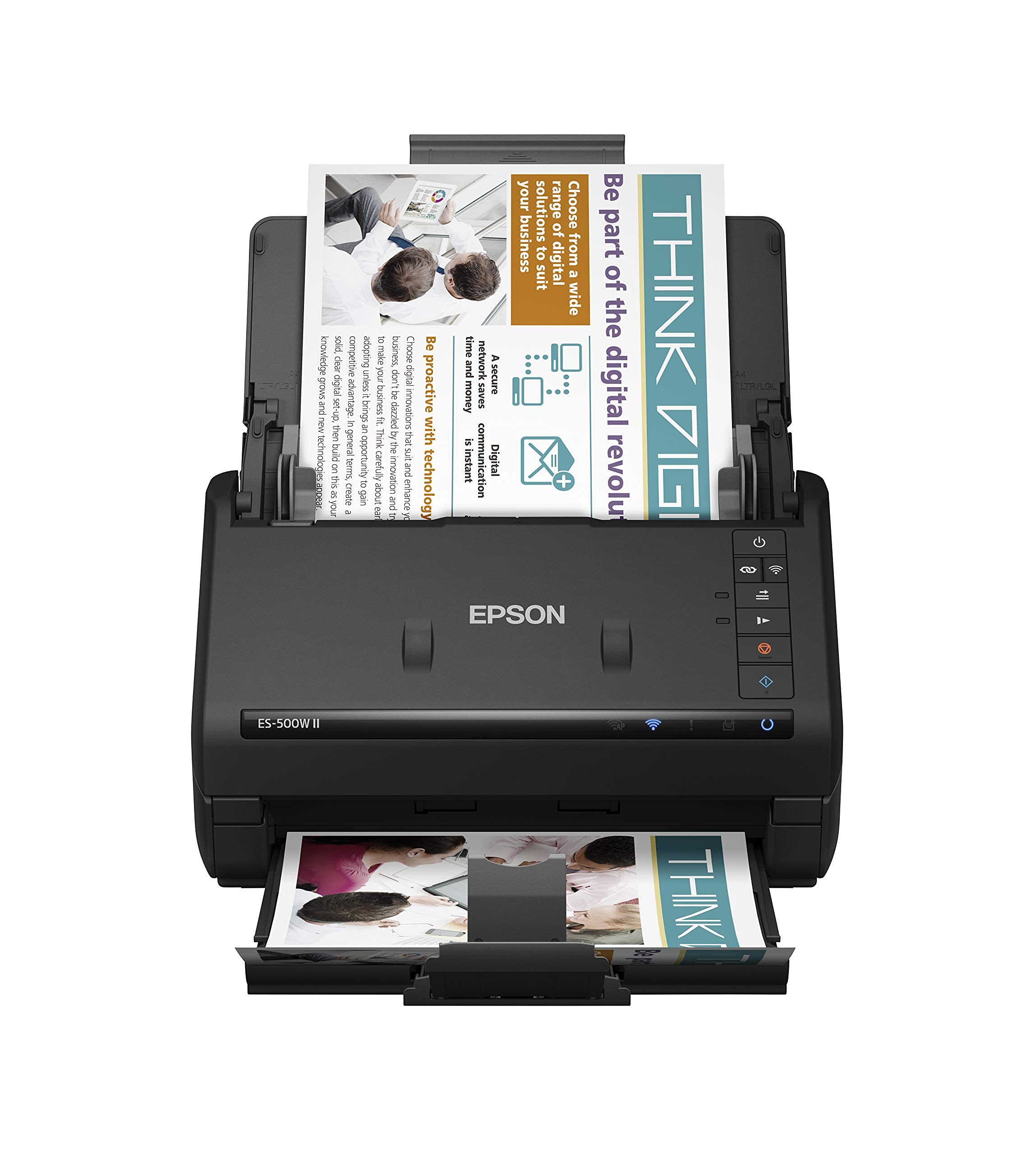
3. Epson Workforce ES-500W II Wireless Duplex Scanner
Sends scans to your phone and the cloud with no cable in sight
Scanning at up to 35 ppm single-sided or 70 ipm double-sided, this Epson is the fastest machine on this list under the 40 ppm tier, and it does it over Wi-Fi. That wireless connection is the real point: you can send a scan to a phone, tablet, or cloud account from the Epson Smart Panel app without walking over to a computer. The 50-sheet feeder swallows mixed paper types and sizes in a single batch, and Single-Step Technology captures both sides in one pass.
The paper handling has some thought behind it. Ultrasonic Double Feed Detection flags pages stuck together so a batch does not come out with pages missing, and it also warns before a staple damages the feed path. Extra-long pages scan up to 240 inches, which covers receipts, contracts, and business cards as well as standard letter. Searchable PDFs come out of the included OCR, and you can convert a scan to an editable Word or Excel file without retyping it.
Where it weighs in on the wrong side is size. At 8.1 pounds and 11.6 by 6.6 by 6.9 inches, it reads as a desktop fixture — and next to the Doxie Pro at just over 3 pounds, it is the heavier of the two. Epson’s ScanSmart software is simple to navigate, and the dual-sided scanning gets steady praise. This is the pick for the desk that has room and wants wireless scanning.
Fastest thing at this tier: 35 ppm and 70 ipm double-sided put it ahead of the 25 ppm Canon imageFORMULA units on raw speed, while the 240-inch long-document support handles what a standard feeder would choke on.
Where it sits on the desk: at 8.1 pounds it is one of the heaviest machines here, alongside the Epson RapidReceipt at 8.2 pounds, so plan for a permanent home rather than a pick-up-and-move device.
Suited to: a home office or small team that wants to scan to phones and clouds without a cable tying anyone down.
Look past it if: desktop space is tight and you need something that tucks into a drawer or shelf.
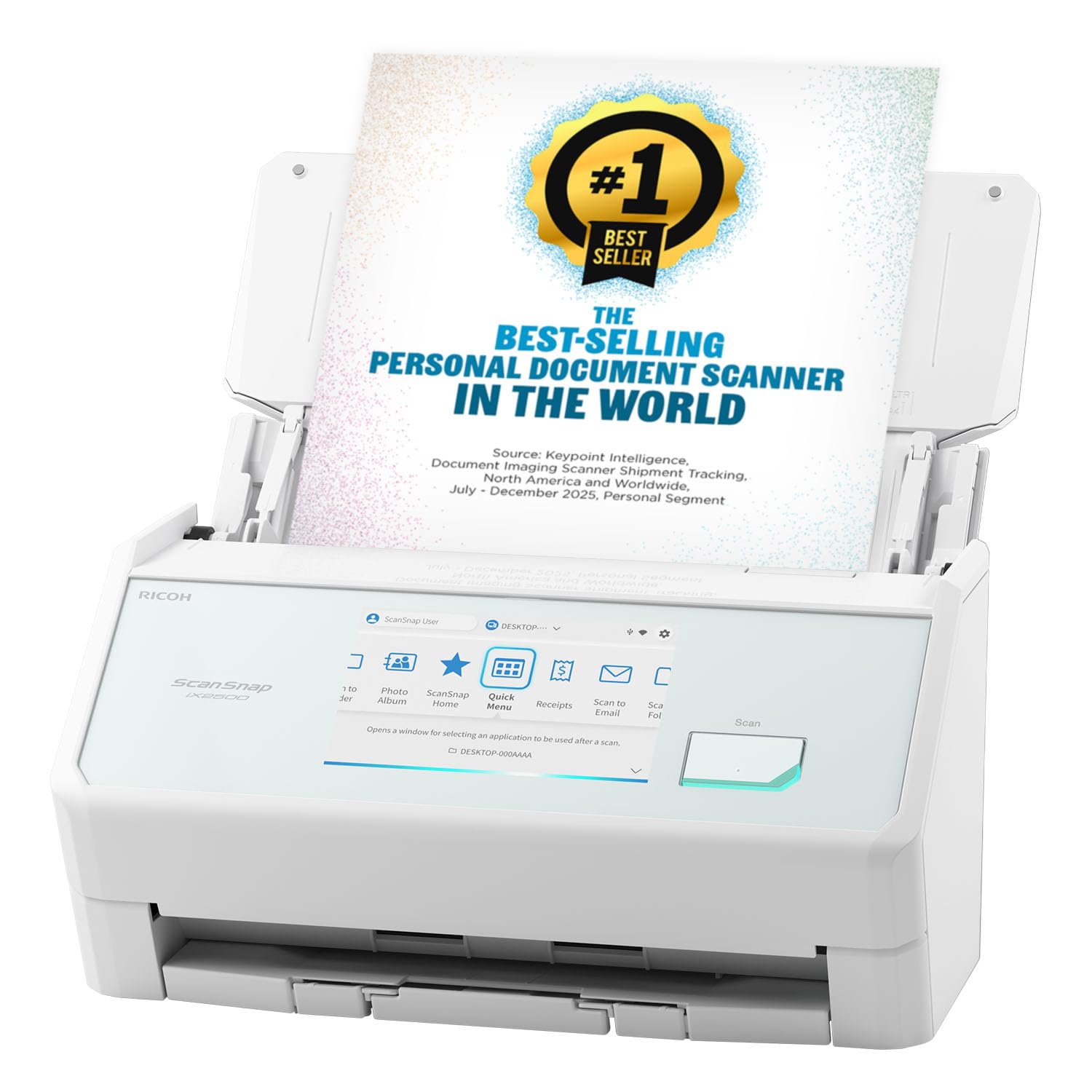
4. ScanSnap iX2500 Wireless High-Speed Scanner
A 100-sheet feeder, a touchscreen, and 45 ppm of double-sided scanning
The sheet count is the number that changes your day here. With a 100-sheet document feeder and 45 ppm double-sided scanning, you can load a full ream-adjacent stack, punch a profile on the touchscreen, and walk off. Profiles are personalized — you pick one on the screen and send the scan to a PC, Mac, mobile device, or cloud service, or drag it into a desktop app through the QUICK MENU.
The connectivity is a step up from most. Built-in Wi-Fi 6 is the newer, faster, and more secure wireless standard, and a USB-C connection is there as a fallback. It avoids the jam that ruins a batch in two ways: a brake roller system feeds paper smoothly, and a multi-feed sensor detects pages stuck together. Skew detection catches a crooked sheet before it scans badly and damages the paper.
Connectivity gets some mixed feedback — plenty of people scan wirelessly without trouble, but a few find it will not hold a consistent wireless link. If your workflow lives on Wi-Fi, know that going in. It measures 6.26 by 11.5 by 6.34 inches at 7.7 pounds, which is planted but not massive. Photographs scan to 600 dpi, and the file cleanup at that speed is why this sits at the top of the automation tier.
What the touchscreen buys you
- 100-sheet feeder takes a full batch in one load
- 45 ppm double-sided scanning with automatic optimization
- Wi-Fi 6 plus USB-C, so it works with or without a cable
- Multi-feed and skew detection guard the batch
The catch worth knowing
- Wireless link does not always hold steady
- Photo scans cap at 600 dpi
- Profile setup takes some initial tuning
Pick it for: an office that scans high volumes and wants one-touch profiles rather than a software dialog every time.
Leave it if: dependable wireless is your only priority — the wired USB-C route is the steadier option here.
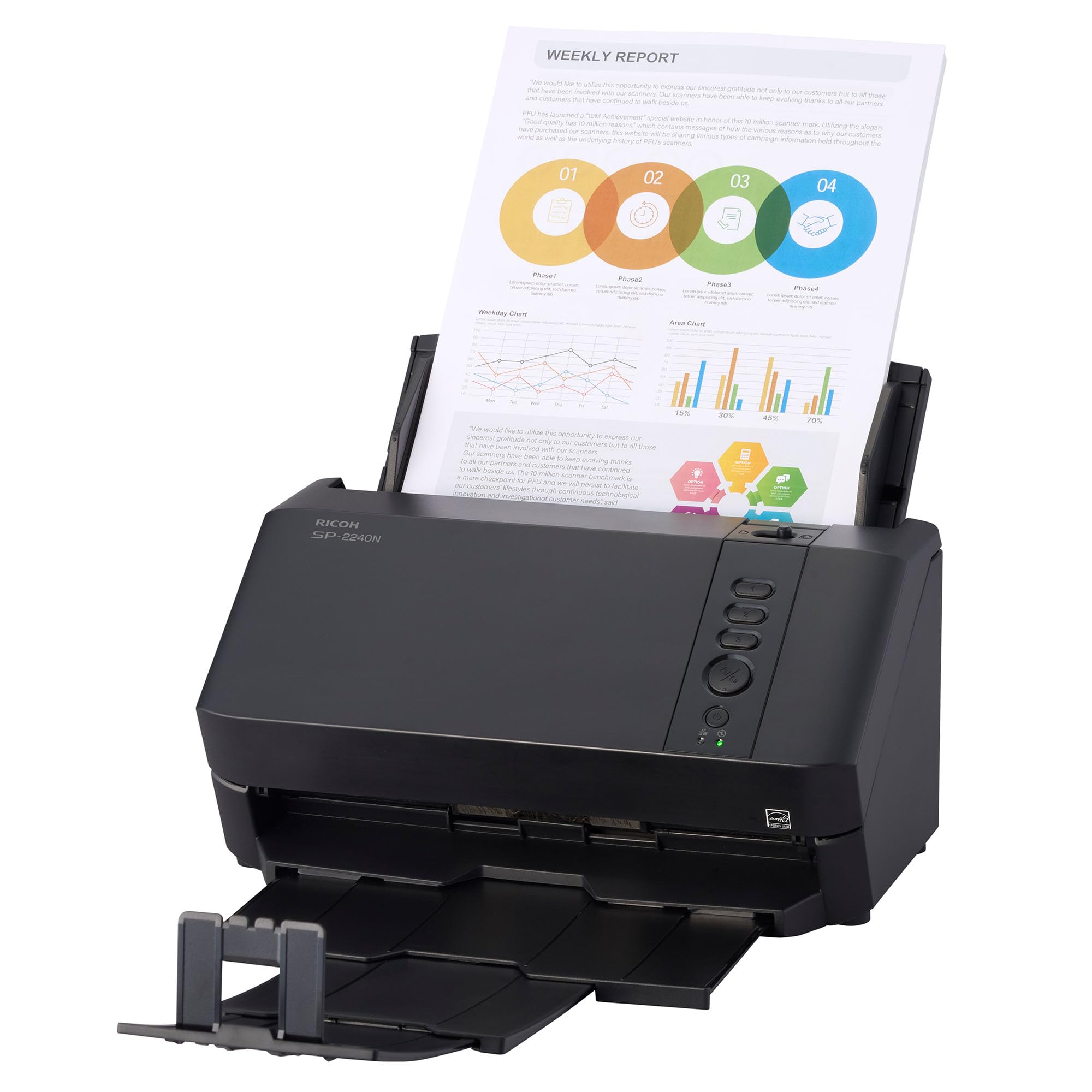
5. RICOH SP-2240N Compact Duplex Document Scanner
An 80-sheet feeder that can scan folded 11×17 sheets without a PC
Batch capacity is the headline: an 80-sheet automatic document feeder, paired with 40 ppm single-sided or 80 ipm double-sided scanning at 300 dpi. That means a full day’s paperwork goes in as one stack and comes out as digitized files. It handles the awkward stuff too — receipts, plastic ID cards, envelopes, and folded 11×17 documents all feed through.
DirectScan is what separates it from the USB-only picks. That feature lets someone scan straight from the device and send the file without connecting to a computer, which is exactly what a shared office needs. Gigabit Ethernet (a fast wired network connection) and USB-C both connect, so you can put it on the network once and let everyone use it. Clear Image Capture does the cleanup: automatic size detection, rotation, and blank page removal, all of which improve OCR (optical character recognition, which turns a scan into searchable text) accuracy and cut down on manual corrections.
Because this model is newer to the shelf, the owner track record here is thinner than the established picks. If you want a long review history to lean on, the ScanSnap and Epson units have been around longer. If you want an 80-sheet feeder on the network at a compact 7.3 pounds and 5.91 by 11.5 by 6.42 inches, this is a strong fit.
The network angle: DirectScan plus Gigabit Ethernet means a shared office can digitize documents without a computer tethered to the scanner.
On the record: it is the newest machine on this list, so there is less real-world use to check against before you commit.
Reach for this if: you need a shared, networked feeder that handles IDs and folded sheets as readily as plain paper.
Pass on it if: you want a long owner track record before spending at the premium tier.
6. Brother ADS-4300N Professional Desktop Scanner

Built for workgroups, with wide driver support and an 80-page feeder
The software compatibility is the story with this Brother. It supports TWAIN, WIA, ISIS, and SANE drivers, which means it slots into existing document management systems rather than forcing a new one. Scan-to destinations cover email, cloud services, SharePoint, SSH Server, and a USB memory stick. An 80-page automatic document feeder with continuous scanning mode means you feed the next sheaf in as the last one finishes.
On speed, it scans single- and double-sided material in a single pass, in color or black and white, at up to 40 ppm. The built-in Ethernet interface lets you set it up on the network and share it with a workgroup, and AirPrint and Brother Mobile Connect handle scanning to a phone or tablet. Triple Layer Security is also there to help safeguard sensitive documents and secure the network connection.
Scan quality is what stands out in owner feedback, and speed beats a lot of the older models. Jamming shows up as a recurring complaint, though, and reliability splits between people who call it a workhorse and those who got a bad unit. Set expectations on the feed path and keep the rollers clean, and this is a solid business machine. It weighs 6.1 pounds at 11.7 by 11.7 by 7.5 inches.
Built for busy desks: four driver standards plus scan-to SharePoint, SSH Server, and email make it easy to drop into a real office workflow without new software.
One thing to watch: paper jams come up often enough in owner feedback that cleaning and loading carefully is worth the habit.
Best fit for: workgroups that already run a document management system and need wide driver support on the network.
Look elsewhere if: you want a feeder with an untarnished reliability record — the jamming reports give pause.
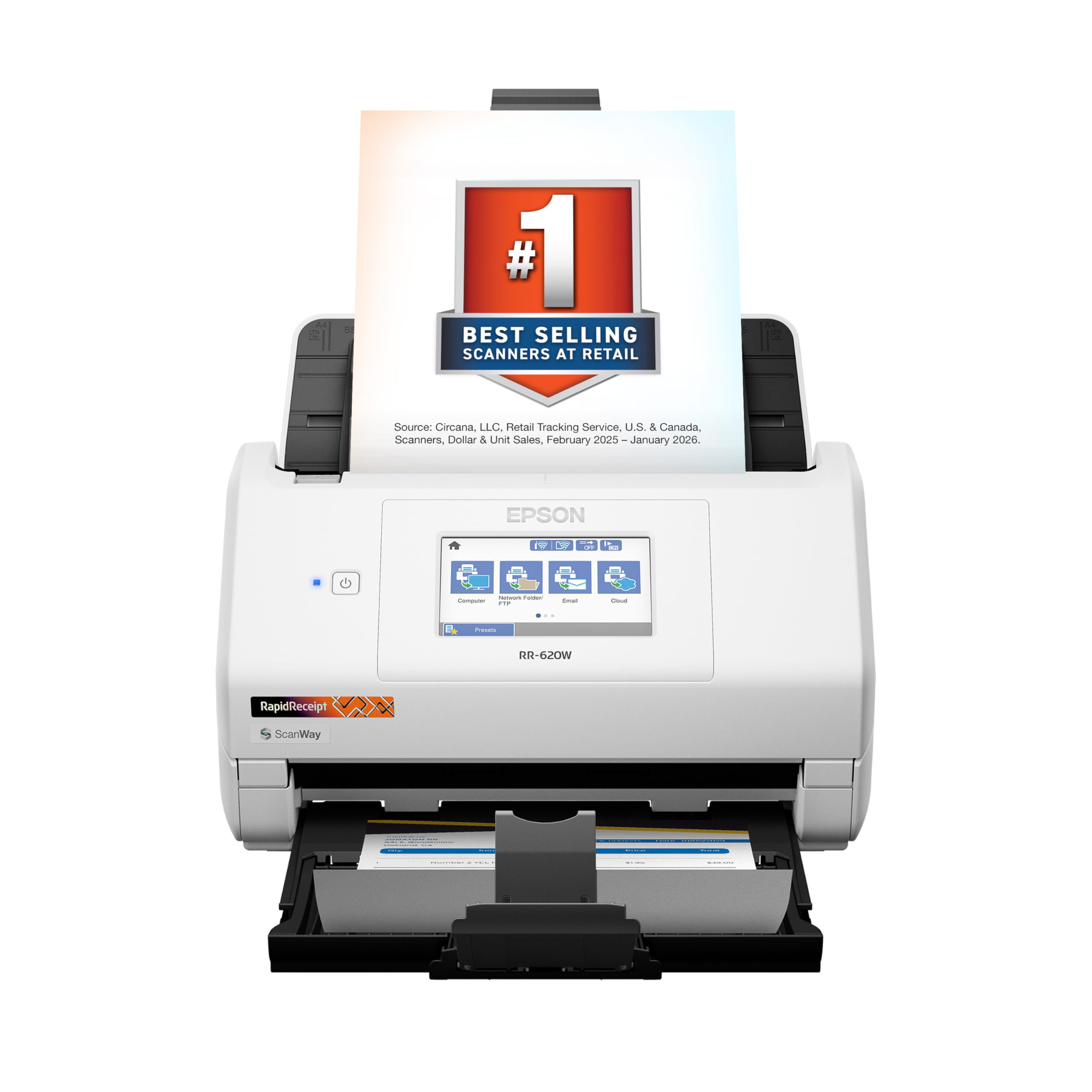
7. Epson RapidReceipt RR-620W Receipt and Document Scanner
Turns a shoebox of receipts into categorized data that syncs to QuickBooks
Most scanners on this list digitize paper. This one also understands it. ScanSmart AI PRO Technology extracts and converts receipts and documents into AI-ready data, and the results categorize and sync directly into QuickBooks, TurboTax, and Excel. The 100-sheet auto document feeder feeds the batch, and double-sided scanning runs at up to 45 ppm so a stack clears fast. Single-step technology captures both sides in one pass.
The 4.3-inch color touchscreen is the control center. It lets you use ScanWay to scan without a computer, straight to an email account, cloud storage, or a connected USB flash drive. Resolution runs to 600 dpi, and it connects by both USB and Wi-Fi. It measures 6.7 by 11.6 by 6.6 inches at 8.2 pounds, so it is in the same class as the Workforce on the desk.
This is where the honesty comes in: functionality gets mixed feedback. Some users find it works exactly as advertised, while others say it does not deliver everything promised. Setup splits the same way — straightforward for some, hard for others. If your priority is catching receipts for tax season and having them land in QuickBooks without retyping, the financial integration earns its keep.
The receipt-heavy advantage
- AI-ready extraction syncs to QuickBooks, TurboTax, and Excel
- 4.3-inch touchscreen scans without a PC to email, cloud, or USB
- 100-sheet feeder clears a full batch at 45 ppm
Set expectations here
- Functionality gets mixed feedback against the marketing claims
- Setup is uneven — some find it hard
- At 8.2 pounds it is a fixed desk fixture
The one for: freelancers and small businesses that need receipts and invoices flowing into accounting software without manual entry.
Skip if: you want a scanner that stays a plain scanner and never asks you to set up a financial workflow.
8. Brother ADS-3100 High-Speed Desktop Scanner

The fastest scan speed this side of the premium tier, minus the networking
If page volume is your measure, this clean white unit hits it: single and dual-sided scanning at up to 40 ppm, with a 60-page capacity. Compare that to the 25 ppm Canon and Visioneer picks and it leads on raw throughput. It lives firmly in the sheetfed class, so it scans documents, receipts, photos, business cards, and ID cards rather than books, and USB 3.0 connectivity keeps the data moving fast to a computer or flash drive.
The bundle is a value play. Seven applications ship with it to tune, enhance, and customize documents and workflows, and Triple Layer Security helps safeguard sensitive documents and secure connections. It weighs 6.1 pounds and takes up 11.7 by 11.7 by 7.5 inches on the desk, which is a footprint that fits a home office corner without complaint.
The catch here is reliability. Quality is the most-discussed topic and it comes back mixed, and several people report the unit does not work properly from the start. That is not the case for everyone, but it is a real pattern to weigh before you commit. Buy it expecting to test it hard in the first weeks, and the 40 ppm speed is worth it.
Prints pages past the price: 40 ppm beats the 25 ppm scanners on this list while bundling seven workflow applications to keep processing organized.
Test it first: reliability is uneven across buyers, so run a heavy batch early to make sure your unit holds up.
The smart pick for: buyers who want 40 ppm speed and aren’t afraid of returning a unit if it doesn’t hold up.
Better elsewhere if: you want the brand’s full workhorse reputation — the ADS-4300N with networking is the safer office bet.
9. Canon imageFORMULA R30 Office Document Scanner
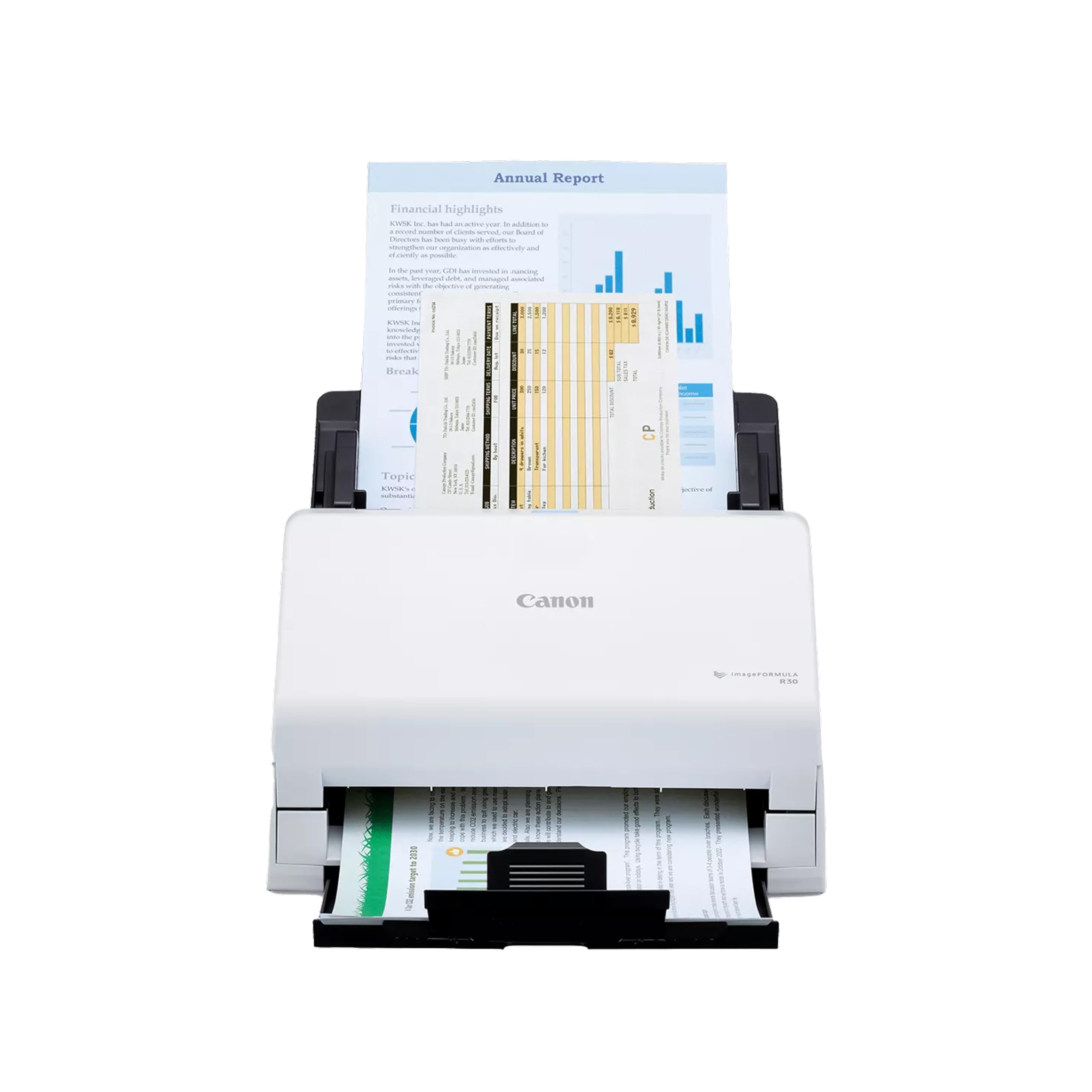
Software lives inside the machine, so setup is one cable and nothing to install
The pitch here is simplicity. The scanning software is embedded right in the device, which means no install and no TWAIN or ISIS drivers to hunt down, and it updates itself automatically. You connect the supplied USB cable and scan. For someone who dreads opening up a PC to fight with scan software, that is a genuine relief.
Paper handling is respectable: a 60-sheet automatic feeder, duplex scanning up to 25 ppm, and reliable feeding of documents, invoices, contracts, and business cards even in mixed batches. Resolution runs to 600 dpi and color depth is 24 bits, so color documents come out clean. It is a dedicated document scanner built for paper, not a photo machine.
Where it asks something in return is speed. At 25 ppm it is the same as the Canon DR-C225 II below and slower than the 40 ppm models for the same money bracket. It measures 9.88 by 11.54 by 9.65 inches and weighs 6.6 pounds, so it holds a solid chunk of desk. If zero-install setup is the thing you care about most, this is the one. If throughput wins, look to the faster models.
What you gain with no-install
- Software is embedded in the device — no install needed
- 60-sheet feeder takes a mixed batch in one pass
- 600 dpi duplex scanning with 24-bit color depth
- No TWAIN or ISIS drivers to configure
The trade-off
- 25 ppm is slower than the 40 ppm feeders
- No TWAIN/ISIS support limits advanced workflows
- 9.65 inches tall on the desk
The straightforward choice for: anyone who wants to scan on day one without a driver install, on a single desk.
Not the best fit for: a workgroup needing network provisioning or those who need TWAIN drivers for existing software.
10. Canon imageFORMULA DR-C225 II Office Document Scanner

Stands upright on a cramped desk, but leaves less room in the feeder
The compact footprint is the first thing you notice — it stands upright rather than lying flat, with top feed and top eject plus a built-in cable organization system. It works so tightly in a corner that it is the right pick for a desk short on surface space. Bundled software covers scanning plus a business card organizer and PDF tools, and it scans color both sides at up to 25 ppm with a 30-sheet feeder and one-touch operation.
It handles a range of media, including receipts, photos, business cards, plastic and embossed cards, contracts, and long documents. Scans can go straight to Dropbox, Google Drive, OneDrive, Box, QuickBooks Online, Evernote, or SharePoint, and TWAIN drivers are included. It is backed by a three-year warranty with US-based technical support, which is the longest coverage on this list.
Performance is well regarded, and ease of use gets positive attention, but the feeder capacity sits at 30 sheets — well behind the 80- and 100-sheet machines here. Paper jams and driver compatibility split owners too, with some finding the driver setup fussy. It weighs 6 pounds, and the whole point of the shape is that it takes up very little of your desk.
The desk-space winner: upright top-feed design and built-in cable organization means it fits a cramped home office without eating real estate.
Heads up on capacity: the 30-sheet feeder reloads fast on big jobs, and a few find the TWAIN driver fussy.
Great for: small-footprint scanning at a single desk, backed by the longest warranty here.
Look further if: you need a feeder that takes 60+ sheets without reloading.
11. ScanSnap iX1600 Receipt Edition Invoice Scanner

The receipt edition that pours invoices straight into QuickBooks Online
This version of the iX1600 comes preconfigured for accounting. The touch panel is set up to scan invoices and receipts into QuickBooks Online without extra steps, and the processing pulls data into reviewable and editable fields so you fix anything the software misread rather than retyping from scratch. It is a very specific tool built around a very specific job, and for bookkeeping that specificity is the value.
The interface is a 4.3-inch touchscreen, and up to 30 customizable profiles are available, each with its own name, color, icon, or letter so you pick the workflow with one tap. Wi-Fi connects it directly to smart devices or cloud services without a PC, so you can place it wherever the receipts pile up. It handles paper, business cards, ID cards, invoices, and receipts at 600 dpi.
What this unit does not do is chase maximum intake volume. It does not publish a sheet capacity or ppm rating in its listed specs, so if you scan huge stacks daily, a 100-sheet machine is easier to plan around. It weighs 7.5 pounds at 11.5 by 6 by 6.3 inches. For a small business whose pain is bookkeeping, not paper volume, this is the pick that earns its place.
The accounting-first pick: preconfigured QuickBooks Online directing plus intelligent field extraction mean invoices arrive as editable data, not just image files.
The limitation: no published feeder capacity or ppm rating makes it harder to size for pure volume.
The right buy for: small-business owners who want receipts and invoices flowing into QuickBooks with minimal hand entry.
Reconsider if: you need a feeder and speed spec to plan high-volume daily scanning.
Understanding the Specs
Feeder capacity (sheets)
This is how many sheets the automatic feeder holds in one load. A 100-sheet feeder clears a thick batch without stopping, while a 30-sheet feeder needs reloading mid-job. For home use, 30 to 60 sheets is usually enough; for shared offices, 80 to 100 reduces interruptions.
Pages per minute (ppm) and images per minute (ipm)
PPM counts sheets, while IPM counts sides. When you see a duplex number like 40 ppm/80 ipm, the higher number is the two-sided scan, because each sheet now holds two images. A single-pass duplex machine captures both sides in one trip, so double-sided paperwork takes roughly the same time per sheet as single-sided.
Duplex scanning
Duplex means the scanner reads both sides of a sheet. On automatic duplex, you load a two-sided stack and let the machine flip it; no second pass by hand. It matters most when the paperwork is two-sided — contracts, statements, and printed reports all double up. Check the listing says automatic rather than manual.
Resolution (dpi) and color depth
DPI is dots per inch, the detail the scan captures; 600 dpi is the common point in this category and handles text and receipts well. Color depth in bits describes how many colors the scan can capture — 24 bits is standard color. Higher isn’t always better for text, and the file gets bigger.
Connection type
USB keeps the scanner tied to a single computer. Wi-Fi and Ethernet let a whole office send scans without a laptop attached. If several people share the machine, Ethernet or Wi-Fi lets them scan without a tethered laptop.
OCR and file output
Optical Character Recognition turns a scan into searchable text. It lets you find a word inside a PDF and convert scans to editable Word or Excel files. If you need to look up a paragraph later, make sure the software includes OCR for searchable PDFs.
FAQ
What is an ADF scanner and how is it different from a flatbed?
Do ADF scanners scan both sides of a page?
Can an ADF scanner handle receipts and business cards?
How many pages per minute should I look for in an ADF scanner?
What is the difference between ppm and ipm on a scanner spec sheet?
Can I scan without connecting the scanner to a computer?
Will an ADF scanner scan books or bound documents?
How do I stop an ADF scanner from jamming or pulling two pages at once?
Does an ADF scanner come with software for searchable PDFs?
Is a wireless ADF scanner as reliable as a USB one?
Which ADF scanner is best for syncing receipts into QuickBooks?
Final Thoughts: The Verdict
The winner for most people is the Doxie Pro, because it pairs automatic duplex scanning with a collapsible feeder that fits a crowded home desk — and its software cleans up files on its own. If you want more speed and wireless freedom, grab the Epson Workforce ES-500W II at 35 ppm/70 ipm. And if you need the feeder to handle books alongside paper stacks, the Visioneer Xerox Duplex Combo is the one to reach for.
One honest nudge: the ScanSnap iX1600 Receipt Edition is the highest-rated machine here at 4.5+ stars, but its receipt-and-bookkeeping focus means it suits a specific workflow rather than a general desk. Match the feeder capacity and ppm rating to your paper volume, and the rest follows.
How We Picked
We do not accept paid placement. Every pick is matched to a real buyer and a real use-case; we do not hands-on test units.
Sources & Methodology
Specifications: manufacturer listings and product documentation. Review insights: verified customer reviews, as of November 2026. Pricing: not shown on this page (it changes often); check the current price via the retailer link.
As an Amazon Associate, Gadgets Feed earns from qualifying purchases. This does not affect which products we feature.