
Our readers keep the lights on and my morning glass full of iced black tea. As an Amazon Associate, I earn from qualifying purchases.
Specs are compiled from manufacturer listings and verified buyer reviews and can change over time — please confirm the key details on the product page before buying.
If you want the short answer: the Wyze Auto-Lock Bolt v2 is the one most bedroom owners should buy. It reads a fingerprint in half a second, it runs on eight AA batteries for months, and it gives you an app, a keypad and a physical key when you want them. A bedroom lock has a different job from a front-door lock: quiet night entry, not forced-entry defence. You are not defending against burglars at 3 a.m. — you are getting into your own room without waking the house, without hunting for a key in the dark, and without a beeping keypad ruining a sleeping baby’s night.
I’m Min — the founder and writer behind Gadgets Feed. This guide is built by comparing the manufacturers’ published specifications and the patterns across verified customer reviews, so you get each pick’s real strengths and trade-offs instead of marketing spin.
You can fit some bedroom locks in ten minutes with one screwdriver if you choose a keypad-only model. Others add Wi-Fi (wireless internet), fingerprints or a matching handle. Below are nine options that owners have tested, sorted by what they do well. The list starts with the crowd favorite — 4.5+ stars across 700+ ratings — and runs through the quiet keypad, the battery sipper and the app-controlled outlier. That range lets you match a bedroom electronic door locks pick to your door in one pass. Most people shop on the keypad alone and end up replacing a lock that beeps too loud or drains batteries too fast.
Our Picks at a Glance
How To Choose The Best Bedroom Electronic Door Locks
A bedroom lock lives a softer life than a front-door lock, but it has its own demands. You need it quiet at night, simple for the people who live there, and forgiving when the battery gets low. These are the specs that actually change your nightly routine.
Decide if you want a deadbolt or a knob
A deadbolt replaces the bolt above your handle and gives you the strongest lock. A knob or lever lock replaces the whole handle, which is easier to swap on an interior door and looks like a normal handle from the hallway. If your bedroom door already has a keyed knob, the Veise KS03 or the eufy C32 slot straight in. If it has a separate deadbolt, go with a deadbolt model instead.
Silent mode matters more than you think
Every electronic keypad beeps when you press a number. On a bedroom door, that beep can wake a sleeping partner or a baby. Some models here have a dedicated silent mode that mutes the keypad entirely, and others beep at full volume with no way to stop it. Check before you buy — it is the single most common regret in bedroom lock reviews.
Decide if you want an app at all
Wi-Fi and Bluetooth sounds impressive, but a bedroom lock does not need remote control. A keypad-only lock has nothing to disconnect, nothing to update, and no app to open. App control earns its place when you rent the room out, share it with guests, or want a log of who came and went. If none of that applies, skip the app and save the setup headache.
Match the lock to your door thickness and handing
Almost every lock here fits a standard door between 1-3/8 and 2 inches thick, and most handle left- and right-handed doors without a special order. Measure your door before buying anyway — a lock that does not fit is the most expensive mistake in this category.
Quick Comparison
| Model | Best For | open up Methods | App / Wi-Fi | Battery | Amazon |
|---|---|---|---|---|---|
| WYZE Auto-Lock Bolt v2★ Best Overall | Best overall | Fingerprint, keypad, app, backup key | Built-in Wi-Fi | 8 AA, up to 8 months | Amazon |
| Veise KS03 Keypad Door KnobBest Value | Best value | Keypad, 2 spare keys | None | Up to 365 days | Amazon |
| Veise VE018 Fingerprint KnobMost open up Options | Most open up options | Fingerprint, keypad, app, fob, key | Bluetooth; Wi-Fi via gateway | 4 AA, up to 16 months | Amazon |
| Philips DDL210X Fingerprint Deadbolt | Best for guest codes | Fingerprint, keypad, key | None | 4 AA alkaline | Amazon |
| Kwikset SmartCode 260 | Best security rating | Keypad, 2 keys | None | 4 AA, 12 months | Amazon |
| Yale Keypad Deadbolt | Best no-app pick | Keypad, backup key | None | 4 AA | Amazon |
| eufy Smart Lock FamiLock C32 | Best interior-door fit | Fingerprint, keypad, app, key | Built-in Wi-Fi | 4 AA, over 5 months | Amazon |
| eufy Smart Lock C33 | Best handle set with Wi-Fi | Fingerprint, keypad, app | Built-in Wi-Fi | 8 AA | Amazon |
| Philips 4200 Series Wi-Fi Lock | Best app control | Fingerprint, keypad, app, voice | Built-in Wi-Fi | Up to 6 months | Amazon |
In‑Depth Reviews
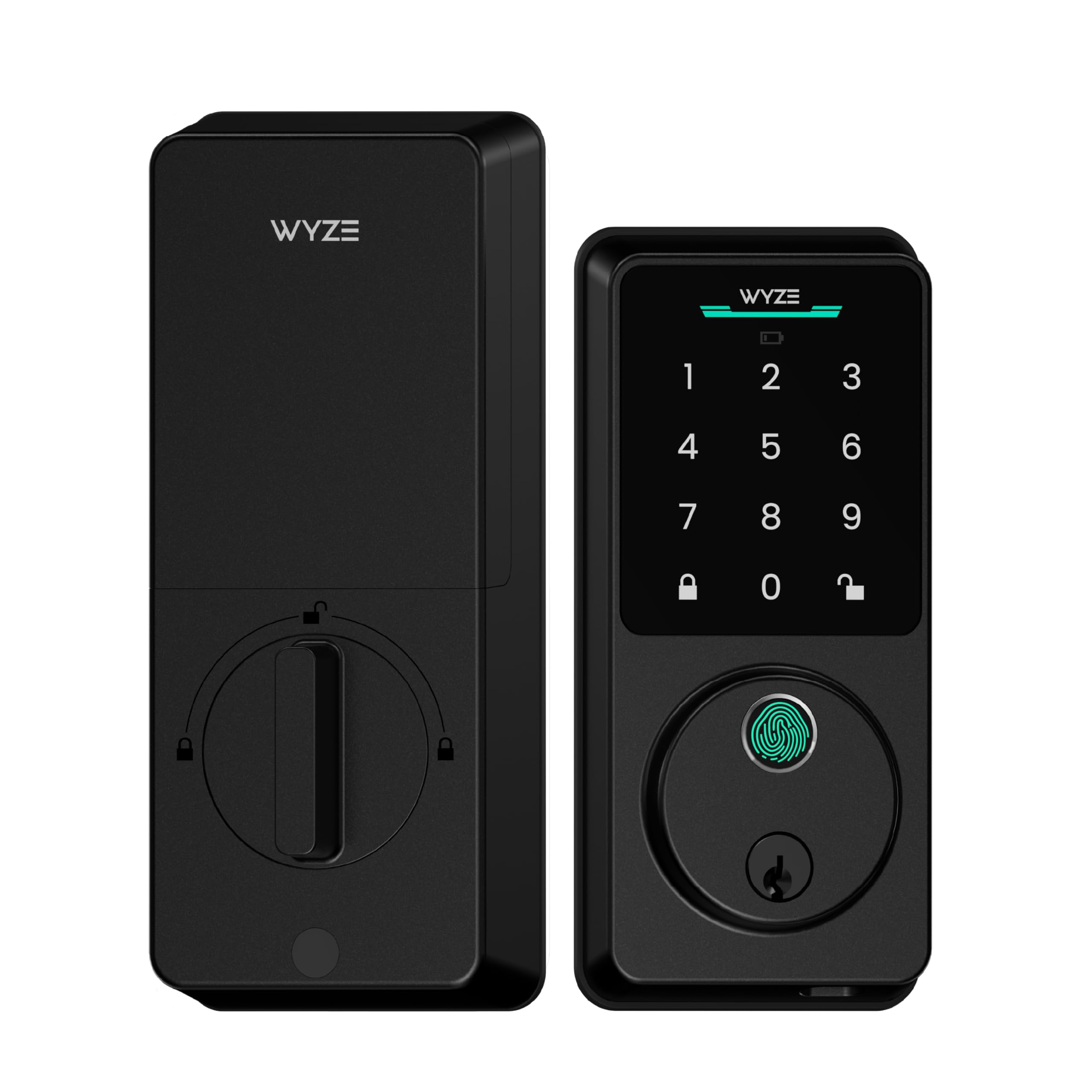
1. WYZE Auto-Lock Bolt v2, Wi-Fi Fingerprint Smart Deadbolt
Our pick — 4.5+★ from 700+ verified ratings; the strongest balance of quality and price.
Half a second of thumb, and your bedroom door gives way before you have decided to be awake.
You get four ways in: a fingerprint scanner that reads in 0.5 seconds, the keypad, the Wyze app, or the physical keys in the box. The tempered glass face over that scanner is scratch and smudge resistant, so the surface stays readable instead of turning into a greasy smudge field after a few weeks. Wyze says the scan gets faster and more accurate the more you use it, which the owner feedback backs up — people describe being let in on the first press, not the third.
The battery pitch is the honest headline. Eight AA batteries are included and Wyze rates them for up to 8 months, versus up to 16 months for the Veise VE018. That makes the Veise the longer runner of the two by a wide margin. When the Wyze does die, the USB-C port lets you hold a power bank to it and open up the door, so you are not standing in a hallway at midnight with a dead lock.
What wins people over is simply that it works the way you expect on the first try. open up, re-locking, adding a fingerprint — owners talk about the function far more than any single feature. The catch is the wire-free side: Wi-Fi and responsiveness draw the most divided feedback of anything on this lock. If your router sits at the far end of the house, budget for a mesh node before you expect reliable remote open up. And the auto-lock timer fires soon after you open up, so a slow entry with an armful of laundry can get cut short.
What earns its keep
- 0.5-second fingerprint entry with a scratch and smudge-resistant tempered glass face
- Built-in Wi-Fi means no hub or bridge to buy alongside it
- 8 AA batteries included, with USB-C power-bank backup if they run flat
- Four ways in — fingerprint, keypad, app, physical key
- Rated IP53 against dust and light spray
Where it tests your patience
- Wi-Fi range and remote responsiveness draw divided feedback
- Auto-lock fires quickly after open up, which can cut a slow entry short
- Heavier than the Veise KS03 knob-style lock at 1.47 kg
Buy this if: you want one lock that covers fingerprint, code, app and key without buying a hub.
Look elsewhere if: your bedroom sits far from the router or you never want an app in the loop — the Yale is the simpler pick.
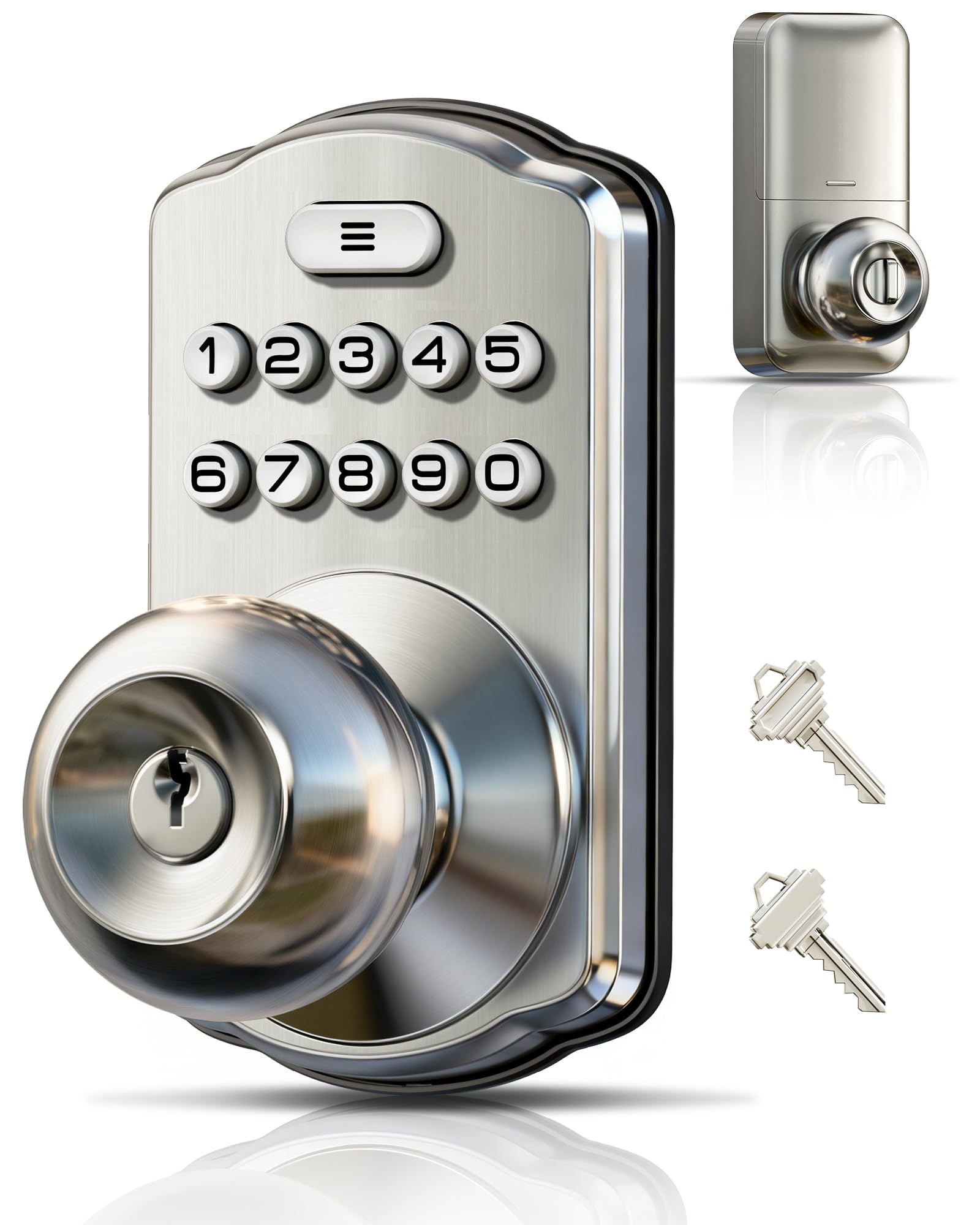
2. Veise KS03 Keypad Door Knob, Keyless Entry Lock with Handle, Satin Nickel
A backlit keypad that stays legible in a pitch-dark hallway, for the price of a decent handle alone.
This is the lock for the person who wants the keyless part and nothing else. No app, no phone, no Wi-Fi pairing screen. Twenty user codes of 4 to 10 digits, one one-time code for a guest, and two spare keys in the box. Veise rates the battery at up to 365 days, one of the longest figures in this entire group.
Installation is a screwdriver job rated at 10 minutes, and it fits American standard left- and right-handed doors from 1-3/8 to 2 inches thick. The unit measures 6.2 x 3.2 x 3.6 inches, which keeps it compact enough for an interior door that already feels busy. Two modes earn their place specifically in a bedroom: Silent Mode kills every keypad beep for late entry, and Passage Mode disables auto-lock when you are carrying laundry in and out.
The honest part: the keypad entry is genuinely convenient, but the mechanism is the weak link. A small number of owners hit a lock that sticks halfway through the throw or refuses to open from the inside. Quality and functionality carry the most weight in the feedback overall, and installation in particular gets very few complaints — so the failure pattern is mechanical, not setup. Note this is a knob, not a deadbolt, so it is a bedroom or office lock rather than a front-door defence.
What buyers praise most: the build and the fit. It is a well-made piece of satin nickel hardware that installs cleanly and feels solid in the hand, which is why the quality talk outweighs every other topic.
The one to think about: it is a knob. If your door has a deadbolt hole above a plain handle, this is not the swap for you — go deadbolt instead.
Reach for this if: you want keyless entry on a bedroom or office door with zero app setup and a year between battery changes.
skip it if: you need remote access or a deadbolt-grade bolt — consider the Wyze or the Philips DDL210X instead.
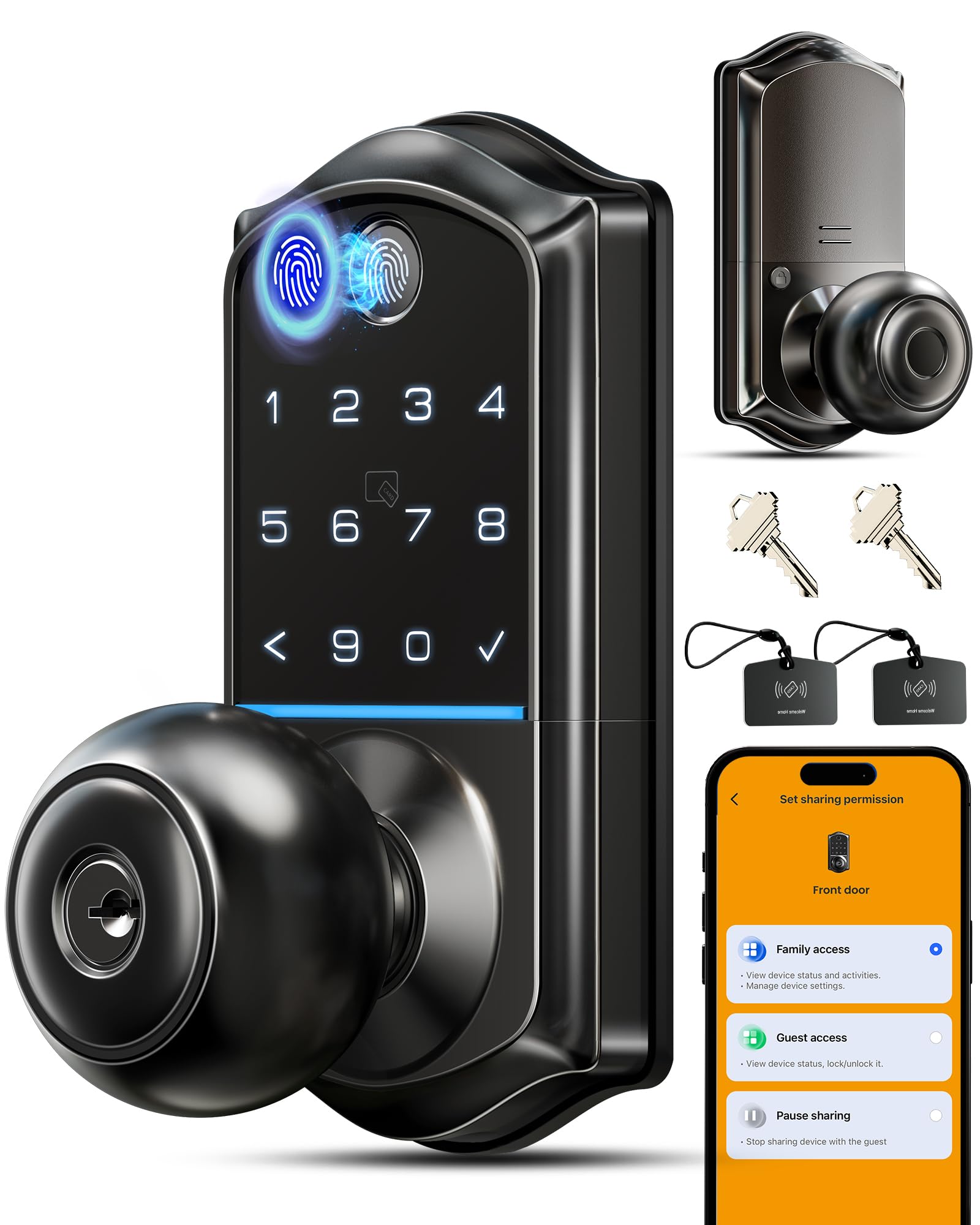
3. Veise VE018 Fingerprint Keypad Smart Door Knob Handle Lock, Matte Black
The lock that runs a year and a third on four batteries and remembers twenty thumbs.
The battery number is the real story here. Four AA batteries give you up to 16 months, and that is the longest sustained rating in this group, versus up to 8 months for the Wyze Bolt v2.
open up is as flexible as it gets: a 0.2-second fingerprint scan (with an FPC sensor rated at 99%+ accuracy), the touchscreen keypad, the app over Bluetooth, one of two included key fobs, or a physical key. You can store up to 20 fingerprints and 100+ codes, and the app lets you name prints and see which one opened the door last. That log is the feature that quietly matters if you share the room — a cleaner’s code and a family member’s print do not look the same in the history.
Two things keep it from the top spot. The auto-lock is on the aggressive side: 10 to 180 seconds is settable, but Amazon’s own read of the reviews flags that owners regularly find the door has already locked behind them. Set the timer long before you enable it. The fingerprint reader also draws divided feedback despite the speed claim — some prints register instantly, some need a second shot. Voicing Alexa or Google control needs the Veise G1 gateway, which is sold separately, so do not count that as included.
Why it earns third: you get two key fobs (small wireless remotes), 20 fingerprint slots, 100+ entry codes and a battery rated to last 16 months — a combination that is class-leading at this level. If you rent a room or share a house, that access log pays off fast.
What to set up carefully: the auto-lock timer and the Wi-Fi gateway. Get the timer long enough and buy the gateway only if you actually want voice control.
Suits you if: battery changes annoy you and you want fob or fingerprint entry without pulling out a phone.
Not the fit if: you need true remote open up — the gateway is an extra purchase, unlike the built-in Wi-Fi on the Wyze.
4. Philips Fingerprint Keyless Entry Door Lock, Electronic Door Lock with Touchscreen

Generate a code, hand it out, and let it die at the door — with no app on either end.
Philips gives you something the other keypad locks here do not: unlimited one-time PIN codes. You make a code for a house sitter, a cleaner or a delivery, and it works once and never again. No deleting afterwards, no forgotten code lingering for a year. The biometric scanner is rated for up to 99.99% accuracy and a 0.3-second read, and the keypad is a real touchscreen rather than push buttons.
Setup is friendlier than most because the lock talks you through it out loud. Voice guidance covers English, French or Spanish, so you can programme the auto-lock timer (30 to 180 seconds) and your codes without holding a manual in one hand. One caveat worth knowing before you enable auto-lock: the lock does not sense whether the door is actually shut. If the door stands open, the bolt still extends. That is normal behaviour, not a fault — but it means you should not rely on auto-lock alone if the door is prone to being left ajar.
The fingerprint reader gets mixed reviews. It is quick when it reads, but it can struggle at the edges of the finger. Philips notes the reader may struggle with children under six and adults over sixty-five, and dry or dusty fingers can drop a scan. What owners consistently like is the fit and finish; the matte black and zinc body looks a step above its bracket on the door. A few hit reliability snags with the reader over time, which is why this sits below the Wyze rather than at the top.
Standout strengths
- Unlimited one-time PIN codes — generate one, hand it out, let it expire
- Voice-guided programming in English, French or Spanish
- 0.3-second fingerprint scan rated at up to 99.99% accuracy
- Touchscreen keypad instead of push buttons
Things to know first
- Fingerprint reads are mixed — children under 6 and adults over 65 may struggle
- Auto-lock does not detect whether the door is actually closed
- No app and no Wi-Fi — codes are managed at the keypad
Best for: a spare bedroom or rental room where guests come and go and you want codes that expire on their own.
Not for you if: you rely on fingerprint entry with young kids or older parents — the keypad is the more dependable route here.
5. Kwikset SmartCode 260 Keyless Entry Electronic Keypad Deadbolt

Grade 2 hardware in a category where most locks quietly settle for Grade 3.
This is the only lock in this group carrying a BHMA Grade 2 rating, and the gap is meaningful. Kwikset states Grade 2 is up to 2.5x stronger than Grade 3 certified lock sets, which puts it well ahead of the Yale and the Veise VE018 on pure door-strength terms. If your bedroom door opens onto a shared hallway or a rented house, that extra resistance is the reason to pay attention.
Code management is genuinely generous: 50 permanent user codes, 10 one-time codes, and one programming code. Auto-lock can be set to fire at 30 seconds, 1 minute, 3 minutes, 5 minutes or 10 minutes. There is a real intrusion alert too — three wrong codes in a row and the lock sounds an alarm and shuts the keypad for a minute. Vacation Mode disables the keypad entirely while you are away.
Battery life is rated at least 12 months on four AA alkalines, which is not the 16 months the Veise VE018 claims, but sits comfortably ahead of the 8-month Wyze. One thing to size correctly: the sample of feedback on this model is smaller than on most picks here, so treat individual gripes with proportion. The odd unit fails early, but that is not the pattern most buyers report. The bigger practical point is that there is no app and no remote access — this is a keypad-and-key lock only.
The security case: Grade 2 BHMA certification plus SmartKey re-keying, so you can re-key the lock yourself to any KW1 key in seconds after a move or a lost key.
The trade-off: no fingerprint and no app. If you want to open up with a thumb or check who came in, this is not the lock for that.
Pick this one if: the door needs to feel like real security hardware and you want to re-key it yourself.
Pass if: you want fingerprint or app entry — the Wyze covers both.
6. Yale Digital Keypad Deadbolt, Keyless Entry Door Lock, Black Suede

No app, no Wi-Fi, no phone — just a keypad, twenty codes, and a bolt that closes behind you.
Yale built this one for people who do not want their door in the cloud. There is no app, no phone setup, and no Wi-Fi pairing. You install it, create your codes at the keypad, and go. That is the entire feature set, and in a bedroom it is also the entire point — nothing to disconnect, nothing to update, nothing that stops working when your internet does.
You get up to 20 unique entry codes, which is plenty for a family, a dog walker and the neighbour who waters your plants. Auto-Lock closes the deadbolt behind you, so the “did I lock it?” walk-back disappears from your evening. The keypad is backlit for night entry, there is a backup key in the box, and the weather rating covers -22°F to 140°F, which matters if the bedroom door opens onto a garage or a porch.
The honest trade-off is battery. Low-power alerts will tell you when it is time, but owner experience runs both ways — some get long stretches, others find the AA cells go faster than expected. Grade 3 BHMA certification puts it one step below the Kwikset’s Grade 2 on door strength. Installation is the thing most people talk about, and almost all of it is positive: clear instructions and a straightforward screwdriver job.
The crowd reaction: installation and everyday use are what owners praise most, and this is one of the simplest setups here. If you dread a project, the Yale is kind about it.
Worth knowing: no auto-lock timer options are listed beyond the fixed auto-lock, so if you want a 5-minute or 10-minute window, the Kwikset gives you that control.
Right for you if: you want keyless entry for family and guests without a single app on your phone.
Reconsider if: you want longer battery life or a Grade 2 bolt — the Veise KS03 and Kwikset cover those better.
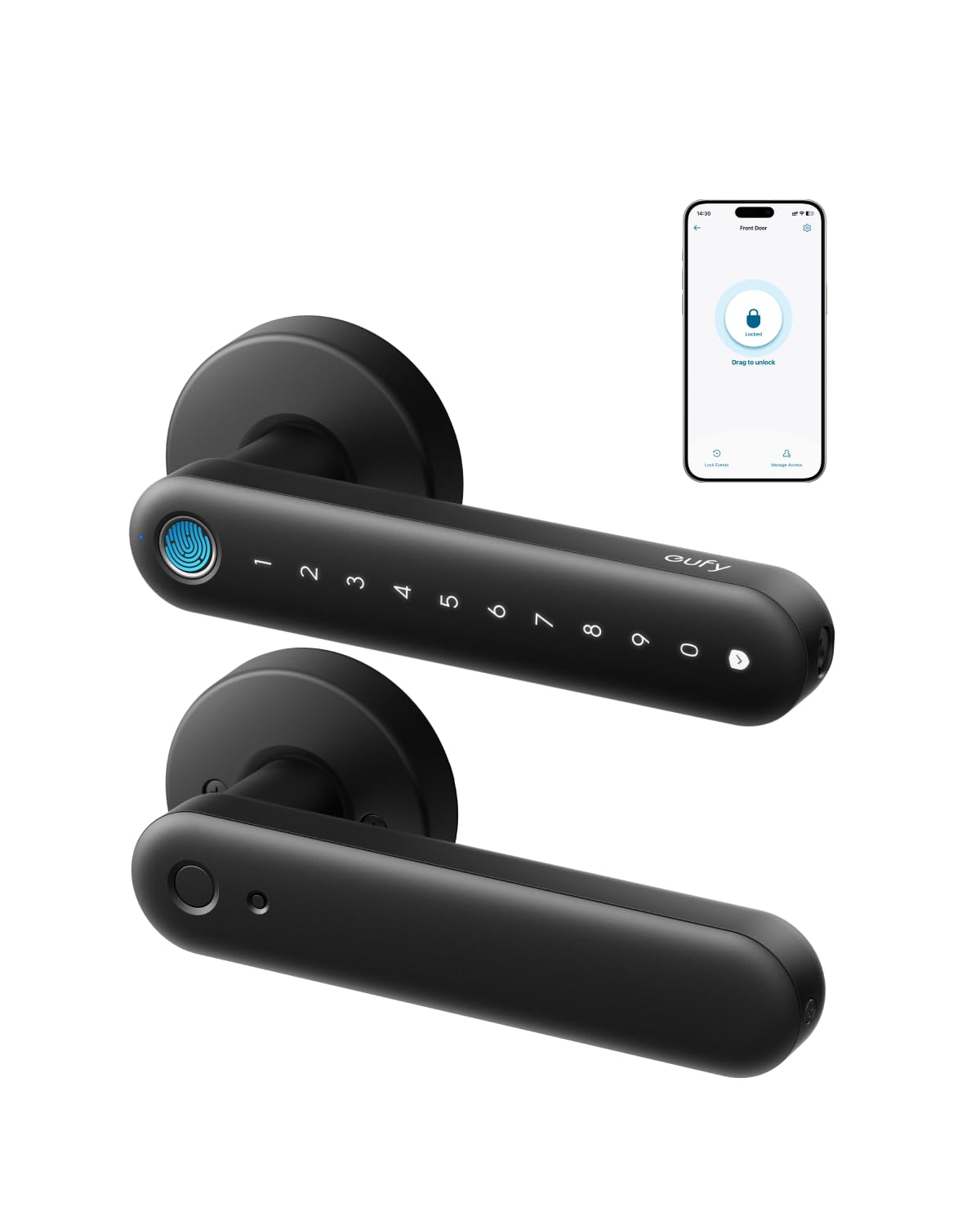
7. eufy Security Smart Lock FamiLock C32, Fingerprint Keyless Lock with Handle
Built for the inside door — eufy says outright that it does not want the front-door job.
Here is the rare lock that is designed specifically for the room you are locking. The FamiLock C32 fits standard interior doors, installs in 15 minutes with a screwdriver, and eufy notes it is not recommended for front doors. For a bedroom, home office or storeroom, that is exactly the honest framing most locks here avoid.
The fingerprint reader is the standout. A large-area sensor array reads in 0.3 seconds with 360-degree recognition, so it works whether your thumb lands straight or sideways. That matters most for the hands in the house that struggle with small sensors — eufy calls out children and seniors by name as the people it works for. The self-learning algorithm keeps improving on the prints you actually use. Four AA batteries are included and rated for over five months, with a USB-C port for a power bank if they die at the wrong moment.
Wi-Fi is built in at 2.4 GHz, so remote authorisation works without a hub, and it pairs with Alexa and Google Assistant. The matte anodised finish is fingerprint-resistant, which is a small thing until you have watched a glossy black handle collect every print in the house. The app connection is the one part that splits opinion — the hardware earns far more praise than the connectivity does. If your Wi-Fi is patchy in the bedroom, expect the app side to feel less reliable than the keypad.
Where it delivers
- Designed for interior doors — bedroom, office, storeroom, garage entry
- 0.3-second fingerprint with 360-degree recognition for kids and seniors
- 15-minute screwdriver install, fits standard interior doors
- Built-in 2.4 GHz Wi-Fi with Alexa and Google Assistant
Before you commit
- Over five months of battery — shorter than the Veise VE018’s 16-month rating
- Not recommended for front doors, so it cannot move with you to a main entry
- App connectivity draws divided feedback
Choose it when: the door is firmly an inside door and you want the fastest fingerprint read for every hand in the house.
Choose otherwise if: you need one lock that could one day guard the front door — this one will not.
8. eufy Security Smart Lock C33, Keypad Door Lock with Handle, Built-in Wi-Fi
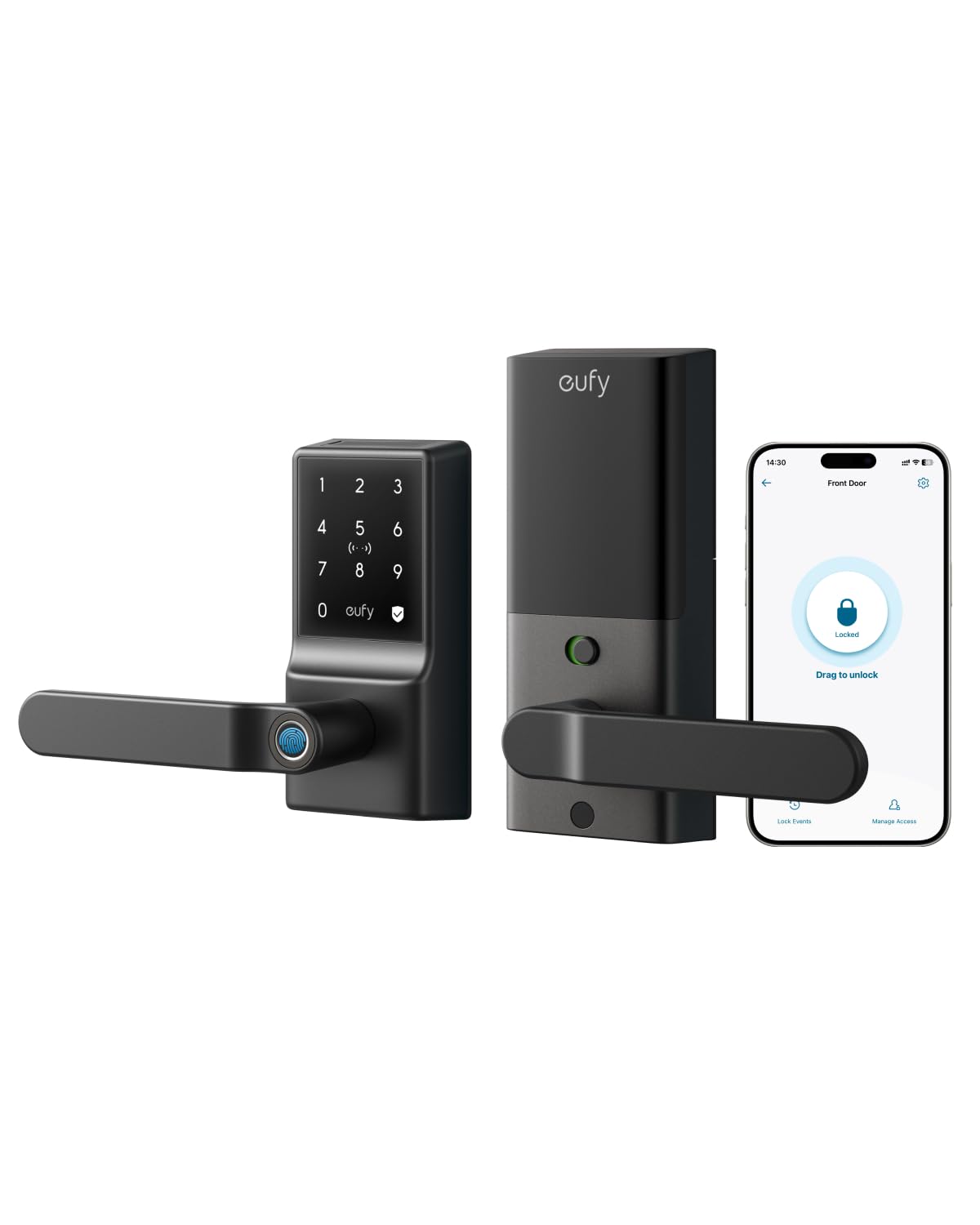
A full handle-and-lock set with Wi-Fi, but the batteries are the conversation you will keep having.
eufy puts the fingerprint reader into the grip itself, so your hand open up the door as it closes around the handle. The lock installs in 15 minutes with no drilling, works with left- and right-hand doors, and suits a garage, side door, office or basement as readily as a bedroom. Wi-Fi is built in, which gives you access management, real-time notifications and a full event history through the app.
It runs on 8 AA batteries, and this is where the honesty has to come in. Battery life is the loudest complaint in the feedback by a wide margin — the reviews describe going through a set of 8 AA cells every 2 to 3 months. That is a real running cost and a real chore, and it is the single biggest reason this lock sits at number eight despite strong looks and a clever grip.
Reliability and the fingerprint reader both draw divided feedback across the board. The reader works well from a range of angles for some owners and misses for others, and the durability picture is mixed in a way the top picks here do not show. What does hold up is the design: the appearance is the second most-praised thing about it, and for a bedroom door where looks actually matter, that counts for something. 18-month coverage and 24/7 support back it up.
The strong case: a complete handle and lock set with in-grip fingerprint entry and built-in Wi-Fi, installed in 15 minutes without a drill. It looks the part on a nice interior door.
The catch you should plan for: 8 AA batteries every 2 to 3 months. Keep a spare set in the drawer, or pick the Veise VE018 for a 16-month rating instead.
Fits the buyer who: wants a matching handle and deadbolt look with app control, and does not mind feeding it batteries.
Look past it if: you want to set a lock and forget it — the battery cadence will not let you.
9. Philips WiFi Keypad Deadbolt with Handle, Built-in WiFi, APP Remote Control
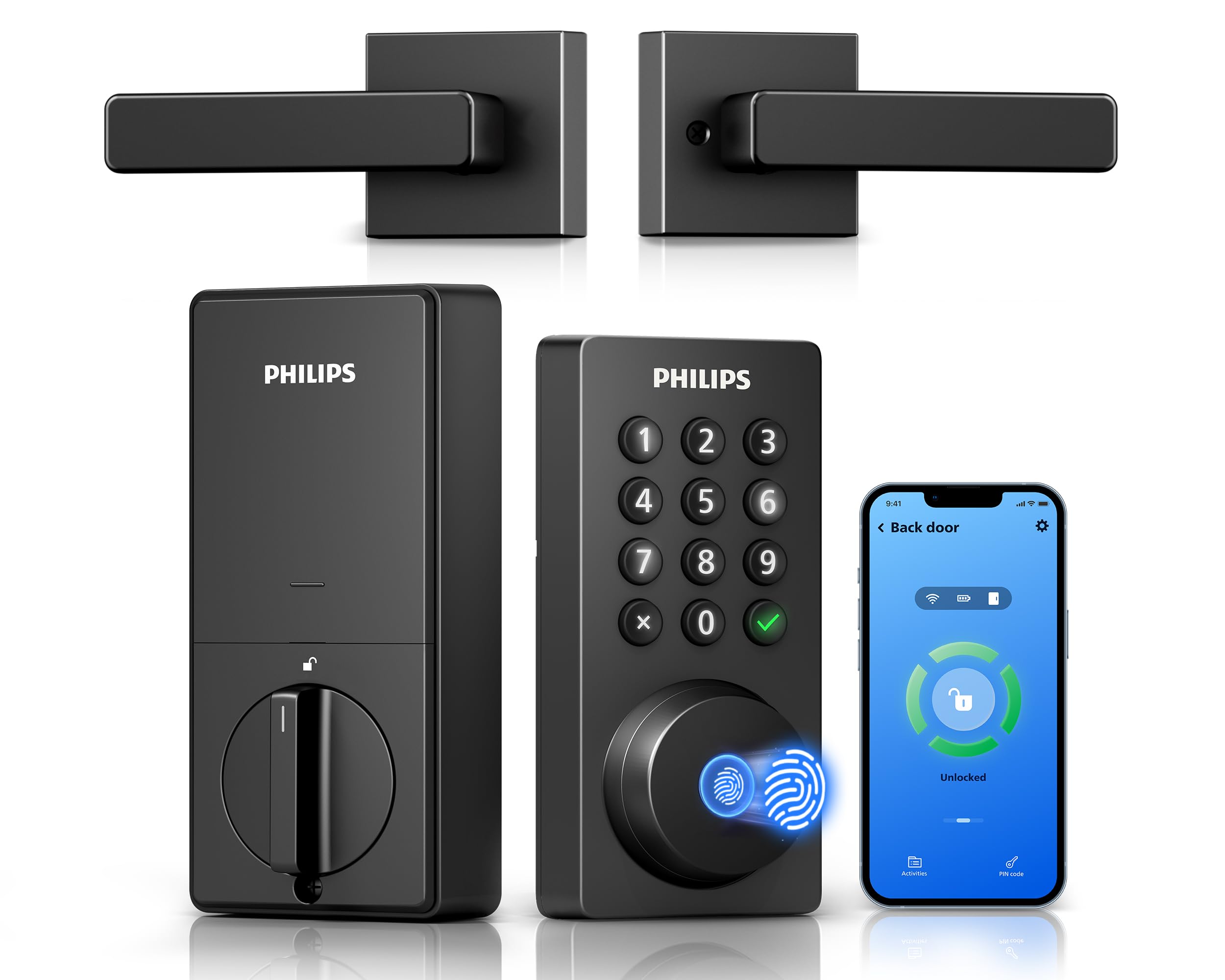
The fullest app toolkit here — remote open up, access history, and a matching lever in the box.
This is the pick for the bedroom that gets rented, shared or visited. The lock connects straight to your 2.4 GHz Wi-Fi with no hub or bridge to buy and no gateway to hide in a cupboard. Through the Philips Home Access app you can lock and open up from anywhere, manage user codes and fingerprints, check whether the door is actually locked, and read the access history. If you have ever driven back to check a door, that status line is worth the upgrade on its own.
Codes are unusually flexible: permanent, one-time, periodic and recurring PINs. That covers a family code, a one-off for a delivery, and a schedule for a housekeeper without any of them colliding. The fingerprint reader is fast at 0.3 seconds, and Alexa and Google Assistant will lock the door or report its status hands-free.
Two limits to plan around. Battery life is rated up to 6 months, which is shorter than the Veise VE018’s 16-month figure, so put a reminder in your calendar. And the lock needs to stay within 33 ft (about 10 m) of the router, with as few walls and metal objects between as possible — a bedroom at the far end of a long house is exactly where that distance gets tested. Auto-lock is off by default and has to be switched on in the app, so do that on day one or you will assume it failed.
What makes it the app pick
- Direct 2.4 GHz Wi-Fi — no hub or bridge required
- Remote lock, status check and full access history in the app
- Permanent, one-time, periodic and recurring PIN codes
- 0.3-second fingerprint plus Alexa and Google Assistant voice control
- Matching lever included, so it is a complete door set
Where it asks more of you
- Needs to stay within 33 ft of the router for a stable connection
- Battery rated up to 6 months, shorter than the longest pick here
- Auto-lock is off by default and must be enabled manually
Worth it for: rental rooms, guest rooms and shared homes where remote access and an audit trail matter.
Overkill if: the door is your own private bedroom and nobody else needs a code — the Yale does the same job with fewer moving parts.
Understanding the Specs
BHMA Grades, Explained Plainly
BHMA is the trade body that grades door hardware, and the number tells you how much abuse the lock was built to take. Grade 3 is the basic residential rating. Grade 2 sits above it — Kwikset states its Grade 2 lock is up to 2.5x stronger than Grade 3 certified sets. For a bedroom door, Grade 3 covers most people. If the door opens onto a shared hall or a rental, Grade 2 is the safer buy.
Battery Life in Months, Not Marketing
The figure a maker prints is for average use, so treat it as an upper limit. In this group the claims run from over 5 months on the eufy C32 to 16 months on the Veise VE018, with most others sitting around 6 to 12 months. Wi-Fi radios, app polling and frequent auto-lock firing all pull the number down. Four AA alkalines are the standard fuel; use the 1.5V alkaline type the manufacturer specifies and skip rechargeables.
Silent Mode and Passage Mode
Silent mode mutes the keypad beeps, which is the difference between a lock you can use at 2 a.m. and one you cannot. Passage mode disables auto-lock for a set window, handy when you are carrying things through the door repeatedly. Both are simple settings, but not every lock here has them — check the listing before you buy if either matters to you.
Fingerprint Speed and Accuracy Claims
Read times are quoted in fractions of a second — 0.2 seconds on the Veise VE018, 0.3 seconds on the Philips and eufy models, 0.5 seconds on the Wyze. Those numbers describe a clean, dry, well-placed finger. Damp hands, dusty skin and very young or very old fingers are where readers struggle, and Philips says so directly about children under six and adults over sixty-five. Treat the keypad as the reliable backup and the print as the convenience.