
Our readers keep the lights on and my morning glass full of iced black tea. As an Amazon Associate, I earn from qualifying purchases.
Specs are compiled from manufacturer listings and verified buyer reviews and can change over time — please confirm the key details on the product page before buying.
If you want a doodle that stands up off the page, the SCRIB3D P1 bundle includes 30 feet of filament plus a 328-foot refill pack, so you can draw for months before reordering. Everything else on this list is a different trade: cooler nozzles for small hands, a temperature screen for detail work, or a lighter body for long sessions. Below you will find which one actually fits how you plan to draw.
I’m Min — the founder and writer behind Gadgets Feed. This guide is built by comparing the manufacturers’ published specifications and the patterns across verified customer reviews, so you get each pick’s real strengths and trade-offs instead of marketing spin.
A 3D pen works like a hot glue gun that draws: you feed a plastic strand in, it melts, and it hardens in the air almost the moment you lift off. That means your first week hinges on two things: how quickly the nozzle clogs and how much filament ships in the box. This breakdown of the 3d doodle pen covers both, plus which pencils suit kids and which suit adults.
Our Picks at a Glance

How To Choose The Best 3D Doodle Pen
The first decision is not the pen at all — it is who is holding it. A pen that runs a hot nozzle is a tool for an adult or a supervised older kid. A pen built with no hot parts is the only kind you hand to a six-year-old and walk away from.
Start with the plastic, not the pen
A 3D pen melts a plastic strand called filament, and that strand has a fixed thickness. The common size is 1.75mm, roughly the width of a thick mechanical pencil lead. Some pens run 3mm, which is chunkier and gives you fatter lines. The catch is that a pen only accepts the sizes it was built for, so you are choosing your refill aisle at the same moment you choose the pen.
Filament types behave differently too. PLA is the beginner plastic — it melts at a lower temperature and stays fairly stiff when cool. ABS needs more heat and gives off more smell as it melts. If a pen lists both, it means you can shop either refill type, which matters when one is out of stock.
Clogs are the whole game
The failure you will actually meet is a clog: melted plastic hardening inside the nozzle until no filament feeds through. Every maker on this list claims something about it, from an ultrasonic sealed nozzle to anti-clogging design. Treat those as design intentions, not guarantees, and know that the first few sessions are when a factory-fresh motor either proves itself or does not.
Speed control and heat control do different jobs
A speed slider changes how fast plastic comes out, which changes your line thickness. A temperature setting changes how runny the plastic is when it lands. Speed control alone is plenty for outlines and filling shapes. Temperature control in fine steps is what you want if you plan to draw thin detail lines and then switch to laying down broad fill on the same project.
Quick Comparison
| Model | Best For | Filament Type | Heat Control | Weight | Amazon |
|---|---|---|---|---|---|
| SCRIB3D P1★ Best Overall | Long-stretch drawing with refills included | PLA | Stepless speed slider | — | Amazon |
| MYNT3D SuperCrowd Favourite | First-timers who want a proven, simple pen | 1.75mm ABS and PLA | Stepless speed slider | 7.7 ounces | Amazon |
| 3Doodler Start+ Essentials | Supervised kids aged 6 and up | 3Doodler Start plastic | No hot parts | 10.72 ounces | Amazon |
| MYNT3D Professional | Detail work with precise temperature | PLA | 140 to 230 C in 1-degree steps | 12 ounces | Amazon |
| SCRIB3D Advanced | Hand comfort over long drawing sessions | PLA | LCD screen with 8 speed options | 11.7 ounces | Amazon |
| 3Doodler Create+ Juku | Switching between fast fill and fine detail | 3Doodler PLA, ABS and FLEXY | Dual-drive fast and slow | 1.3 pounds | Amazon |
| 3Doodler Flow | Teens and adults drawing on the go | 1.75mm PLA, ABS and wood | LCD temperature monitoring | 15.8 ounces | Amazon |
In‑Depth Reviews
1. SCRIB3D P1 3D Printing Pen with 3 Starter Colors and PLA Refill Pack
Our pick — 4.5+★ from 450+ verified ratings; the strongest balance of quality and price.
The one that keeps feeding the pen, not just the box it came in.
Most pens sell you the tool and a starter spool, then leave you buying refills a week later. This bundle does the opposite — 30 feet of filament in three colors for the first session, plus an extra 328 feet of assorted PLA in blue, green, red, yellow and more sitting behind it. If you are the sort of person who will draw for a month straight, that refill stash is the real reason this one wins.
The workhorse spec is a ceramic nozzle working with a premium motor and an anti-clogging design. In plain terms: ceramic handles heat without warping, and the anti-clog internals are aimed at the exact failure that kills these pens first. Drawing experience backs it up — people finish real projects on it rather than testing it once and shelving it. One mother had to physically take it away from her daughter after hours of play, which tells you more about engagement than any spec list.
The honest wrinkle is the learning curve. Owners split hard on usability — plenty say it clicks in minutes, others call it genuinely difficult, and a share of them end up feeling the bundle was not worth what they paid. That usually reads as a person expecting a marker and getting a hot glue gun. Go in expecting to waste your first 10 inches of filament on nonsense doodles and the pen rewards you.
The case for it
- 328 feet of assorted PLA means you are not reordering filament immediately
- Ceramic nozzle and anti-clogging design target the most common pen failure
- Stepless speed slider gives you a smooth dial rather than fixed notches
- Consistently reported as effective at actually building 3D shapes
Where it gets awkward
- Usability feedback splits between “easy” and “really hard to use”
- Some buyers conclude it does not deliver enough for the money
- Lumping 30 feet plus a big refill box means a larger package to store
Buy this one if: you already know you will draw regularly and want the filament supplied instead of sold separately.
Think twice if: you want a zero-effort first session — the usability curve here is steeper than the slider suggests.
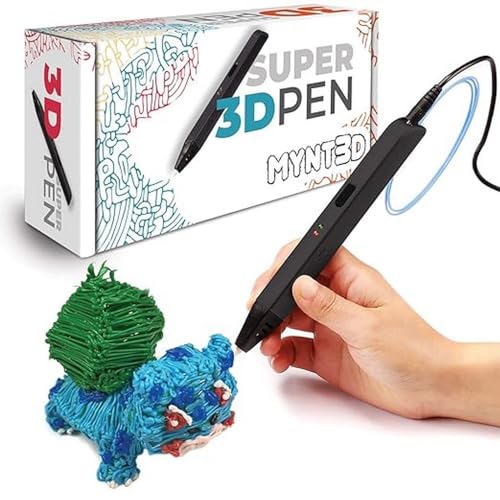
2. MYNT3D Super 3D Pen, 1.75mm ABS and PLA Compatible
The pen almost everyone has already tried — and it weighs 7.7 ounces.
Two numbers decide the feel of this pen in your hand. It weighs 7.7 ounces, and it measures 3.98 x 8.31 x 2.32 inches; the MYNT3D Professional is listed at 12 ounces and 7.99 x 5.2 x 2.6 inches.
The headline spec is an ultrasonic sealed nozzle, which the maker describes as nearly clog-proof. That is the specific headache a 3D pen gives you, so it is the right thing to engineer around. It runs on 1.75mm filament in both ABS and PLA, so refills are easy to find and you are not locked to one plastic. A stepless speed slider gives you a continuous dial for flow, and the kit lands with three colors of PLA, an A/C adapter, and a one-year limited warranty.
Turning a flat sketch into something that stands up is the hook, and that is what carries this pen. But reliability and durability are the recurring mixed notes — a certain number of units develop feed problems over time, and the pen runs warm during long sessions. Not every pen does this, but it is the trade you accept for the simplicity and the price.
What buyers actually do with it: parents hand it to kids around eight and it becomes the gift that gets used, not shelved. Drawings, small sculptures, and quick repairs are all reported.
The longer-term caution: this is a pen to buy with realistic expectations about lifespan, not as an heirloom tool. Keep the nozzle clean and unload filament when you finish and it treats you well.
Start here if: you want the safest known quantity with easy refills — MYNT3D has been selling 3D pens since the Professional model launched in February 2016, and the volume of owners reflects it.
Look elsewhere if: you need a pen that runs cool and survives heavy continuous use; the MYNT3D Professional adds a 140 to 230 C temperature dial, though its own housing also warms during long sessions.
3. 3Doodler Start+ Essentials 3D Pen Set for Kids
The only pen here you can hand a six-year-old without hovering.
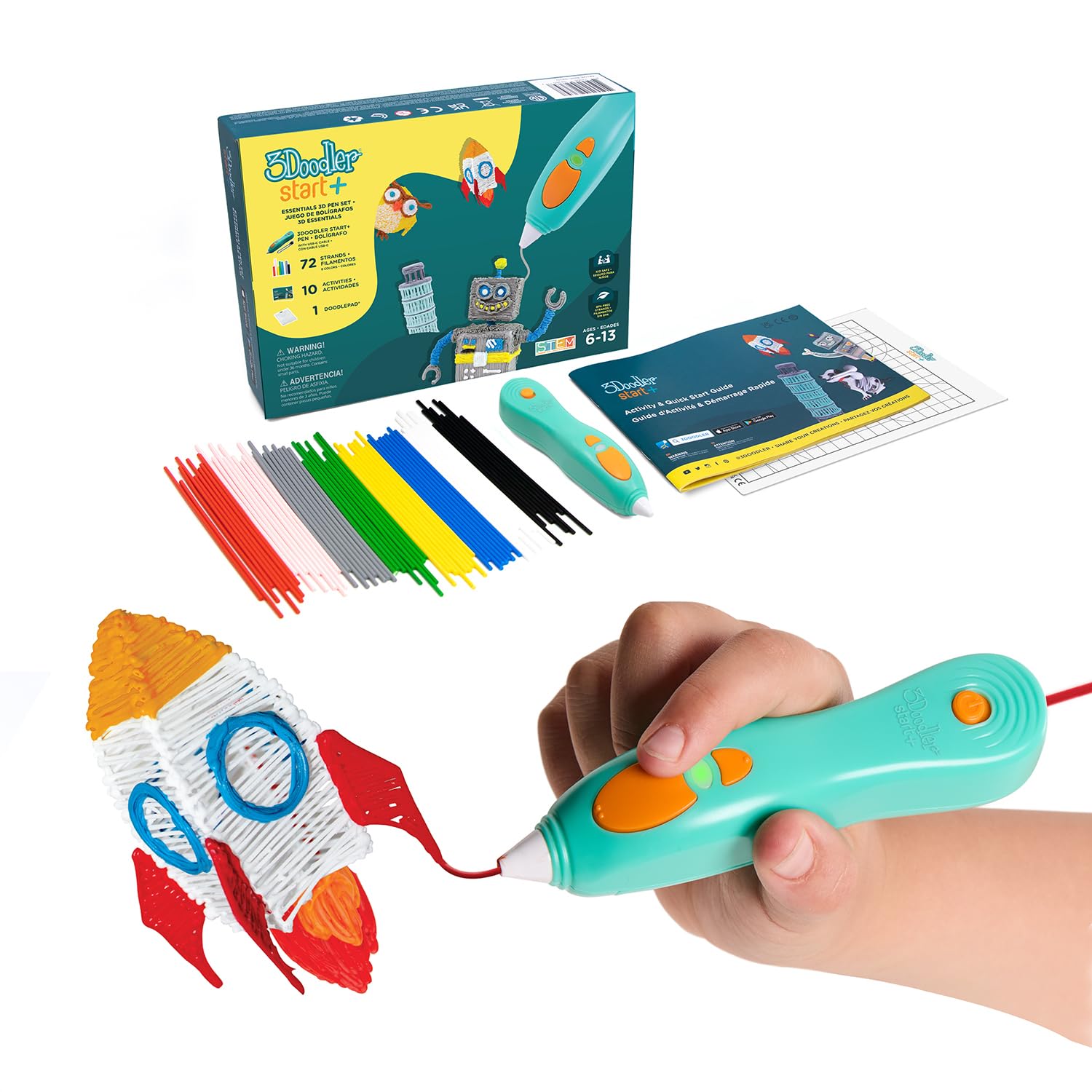
Every other pick on this list has a nozzle that gets hot enough to sting. This one is built with no hot parts at all — the nozzle and the plastic can both be touched without burn risk. That single design choice is the whole product, and it is why it earns a spot even at a mid-range price.
The Start+ version packs real upgrades over the original. It charges 50% faster, comes with 50% more 3Doodler Start filament, adds 10 new stencils, and includes a safety stand-by mode that idles the pen. In the box you get the pen, a DoodlePad, 72 mixed-color strands, a USB-C cable, and an activity guide. It is a complete kit, not a pen you then have to furnish. Setup is quicker than most: this one packs into 9.06 x 6.02 x 2.56 inches, small enough to live on a shelf between sessions.
The catch nobody prints on the front of the box: this pen only takes 3Doodler Start plastic — you cannot buy generic 1.75mm refills and expect them to work. That means refills come from one maker. It also means a kid who outgrows it will want a hot-tip pen next, which is a step up in supervision. Neither is a defect; both are things to know before you buy.
The safety arithmetic: a no-hot-parts pen at ages 6+ is the only configuration where independent play is realistic. If you are buying for a younger child and want them to use it solo, this is the answer.
The honest limit: the trade for safety is a softer, more limited drawing experience than a hot-tip pen delivers. It teaches shape-building; it will not sculpt fine detail.
Reach for it when: the buyer is a kid aged six or up and the priority is that nothing in the box can burn them.
Hold off when: the user is a teenager or adult chasing fine detail — a temperature-controlled pen serves that far better.
4. MYNT3D Professional Printing 3D Pen with OLED Display
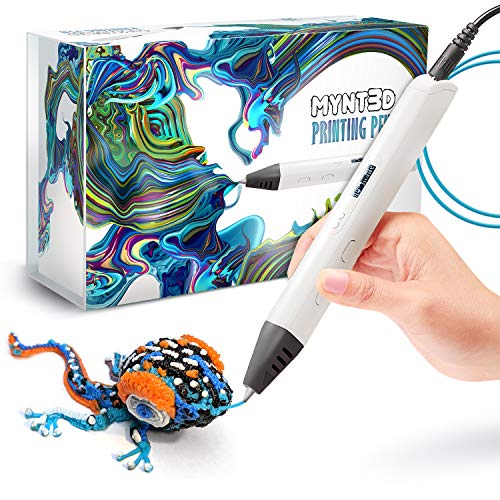
A temperature dial that moves one degree at a time, and a screen that tells you exactly where it is.
If you have ever wondered why two people using the same pen get wildly different results, temperature is usually the answer. This pen lets you set it anywhere from 140 to 230 C, adjustable in single-degree increments, with a large OLED display showing you live where the heat sits. That is the difference between guessing and knowing, and it is what turns this into a detail pen.
The feed is adjustable too, so you can regulate speed and flow while you draw, which changes line thickness on the fly. The kit arrives with three colors of PLA, an A/C adapter, and a one-year limited warranty. It has been on sale since February 2016, so the design has had a long life in the field.
Weighing 12 ounces versus the MYNT3D Super at 7.7 ounces, the extra mass is something you feel during a long session, and the pen is best used with the cable slack enough to rest your arm. The other honest note is durability: the feeder motor is the component that draws the complaints on this model, and some units fail under heavy use. Heat management is a mixed point too, since the housing warms while it works. None of that makes it a bad pen. It makes it a pen you treat as a precision instrument rather than a kid’s toy.
What makes it precise
- Temperature set in single-degree steps from 140 to 230 C
- OLED display shows material temperature in real time
- Adjustable feed for control over line thickness mid-draw
- Long-standing model with a one-year limited warranty
The trade-offs to know
- At 12 ounces it sits among the heavier pens in this lineup
- Feeder motor failures are the recurring durability complaint
- Housing warms up during long drawing sessions
For the draw-hard crowd: anyone who wants to switch from broad fill to a thin detail line without changing pens.
Pass it by if: a child will be the primary user — the hot nozzle and the weight both point away from that.
5. SCRIB3D Advanced 3D Printing Pen with Stencil Book and Project Guide
Shaped around your hand instead of around the electronics.
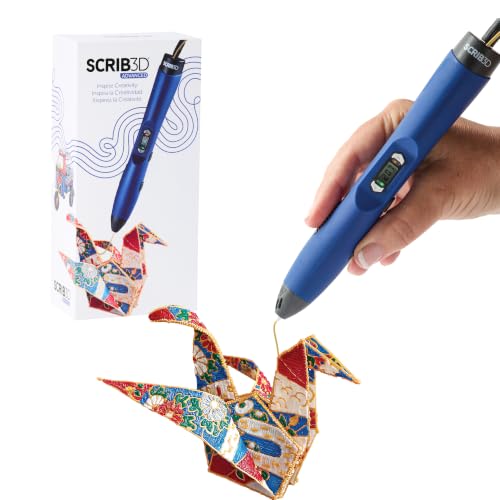
A 3D pen is a grip problem disguised as a gadget: you hold it like a pen for an hour, and any awkwardness in the body becomes a cramp. You hold it like a pen for an hour, and any awkwardness in the body turns into a cramp. SCRIB3D built this one around that — a curved body with a soft-touch surface meant to sit in the hand comfortably, and an LCD screen with buttons for loading, unloading, temperature and speed right where you can see them.
You get 8 speed options, which is more granularity than a plain slider and means you can step down to a tight line for detail then up for filling area. It warms in about 2 to 3 minutes, and the button logic is simple: double-click forward to feed, click once to start, click once to stop, hold reverse to pull the filament back. The kit includes 5 colors totaling 15 meters — around 50 feet — of PLA, a power adapter, a step-by-step manual, and a stencil guide, plus a one-year guarantee.
The thing to weigh honestly is reliability. Quality and durability come up on both sides, and a share of owners describe a unit that simply stops working before long. That is the risk of any hot-tool gadget at this tier, and here it is paired with genuinely enthusiastic reports from people watching their kids and grandkids build things for hours. So: great comfort, decent kit, variable long-term odds.
Where it wins: hand fatigue. If you already know you will draw for an hour at a stretch, the ergonomic shell and soft-touch finish are the reason to pick this over flatter-bodied pens.
The risk to accept: some units develop problems early. Buying from a seller with a clean return path protects you here more than any spec does.
Worth it for: long drawing sessions where comfort outranks everything else on the sheet.
Less compelling if: you want the simplest possible pen — the 8-speed button layout adds steps a basic slider does not.
6. Juku 3Doodler Create+ 3D Printing Pen, Steel Blue

Three plastics, two draw speeds, and 15 colors in the box.
The reason to look at this one is flexibility you cannot get from a single-plastic pen. It runs 3Doodler PLA, ABS and FLEXY — that last one is a bendy plastic, so a finished piece can flex instead of cracking when you press it. If you want to make jewelry, repair a small plastic part, or build a model that survives being handled, having a rubbery option changes what is possible.
Dual-drive technology gives you two flow settings: fast mode for covering large surface areas, slow mode for detail work. That is a simpler version of adjustable feed than a full dial, but it covers the two jobs most people actually do. The box includes 2 packs of ABS and PLA in 3 mm plastic across 15 colors, a power adapter, and a set of tools. The included Ultimate Guide to Doodling walks you through 5 projects, which is more structured than a bare starter sheet.
Note the plastic size — this runs 3 mm filament, not the 1.75 mm most pens use. That is thicker, gives chunkier lines, and means your refills come from the 3Doodler 3 mm range. It also weighs 1.3 pounds, which is the heavy end of this list, so it is a desk pen rather than something you carry around. The optimizer speed control helps keep projects looking how you pictured them, but the weight is a real thing to feel out first.
The unusual capability: FLEXY plastic compatibility is the standout — a bendable finished piece is a different craft outcome, not a different colour.
The thing to check first: 3 mm refills are a smaller aisle than 1.75 mm. Confirm your local supply before committing.
Pairs well with: makers who want to try multiple plastics and do not mind a heavier pen that lives on a desk.
Skip it for: travel or kid use — 1.3 pounds gets tiring and 3 mm lines leave less room for small detail.
7. 3Doodler Flow 3D Printing Pen for Teens, Adults and Creators

The biggest filament bundle on the list, aimed squarely at grown-up makers.
Eight colours of plastic spools totalling 80 feet, plus a proper activity guide book — that is the pitch, and it is the most generous starter kit here. The pen runs 1.75 mm plastic in PLA, ABS and wood, an integrated LCD gives you real-time temperature monitoring, and there is no software or setup to wrestle: plug in, insert the plastic, wait for heat, draw.
It is pitched at teens, adults and creators rather than kids, and the tactile, screen-free angle is the honest selling point — hand-building with hardening plastic is a genuinely different activity from tapping a tablet. At 15.8 ounces it is on the heavy side, which is the trade for a body that holds a full spool setup and a display.
Here is the caveat that deserves real weight. Reliability is the recurring complaint on this model — some units simply refuse to work, and durability reports include failures within days. That is a meaningful concern at this price, not a footnote. The people who get a good one love the activity; the ones who get a faulty unit are rightly annoyed. If you buy, buy where returns are easy and test it thoroughly in the first week.
What it brings to the desk
- 80 feet of plastic across 8 colors in the box
- Accepts 1.75mm PLA, ABS and wood filaments
- LCD shows temperature in real time while you draw
- No software or hardware setup before first use
The honest concerns
- Reliability is the most reported problem — some units do not run at all
- Durability failures are reported within days on a portion of units
- Value is questioned by buyers who hit a defective pen
- 15.8 ounces makes it a heavier handhold than smaller pens
The premium bet: best if you want the widest filament variety — wood and ABS included — and will test the pen hard in week one.
Best avoided if: you want the least risk for the outlay; a proven pen with a longer track record is the calmer buy.
Understanding the Specs
Filament diameter and type
Filament is the plastic strand the pen melts, and it comes in set widths. 1.75mm is the thin, widely-stocked size; 3mm is thicker and makes fatter lines. A pen built for one size will not accept the other, so this is the first thing to check before you buy refills. Type matters too — PLA is the beginner plastic and melts cooler, ABS needs more heat, and FLEXY is a bendy plastic for parts that need to flex.
Temperature control
Heat decides how runny the melted plastic is when it lands. A pen with fixed heat gives you one consistency. A pen adjustable in fine steps — like 140 to 230 C in single-degree moves — lets you run hotter for fast fill and cooler for controlled detail. An OLED or LCD readout means you can see the number instead of guessing at it.
Speed and flow control
Speed changes how fast plastic comes out, and that changes line thickness. A stepless slider is a continuous dial, while a stepped control gives you a handful of fixed settings — one pen here offers 8. Fast is for covering area, slow is for detail. Neither is better; a dial suits people who fine-tune by feel, steps suit people who want repeatable settings.
Nozzle and clog resistance
The nozzle is the hot tip the plastic exits from, and a clog means melted plastic jams inside it. Makers fight this with sealed nozzles, anti-clog internals and ceramic tips that resist warping. These help, but they are design intentions rather than promises. Feeding clean filament, unloading when you finish, and never forcing a stuck strand are what actually keep a pen drawing.
FAQ
Can a 3D pen be used safely by a young child?
Will 1.75mm filament fit in a 3mm pen?
Why does my 3D pen keep clogging?
Is PLA or ABS better for a 3D pen?
How long does a 3D pen take to heat up?
Do I need a temperature screen on a 3D pen?
How much filament comes in a starter 3D pen kit?
Can a 3D pen repair a broken plastic part?
What is the difference between a 3D pen and a 3D printer?
Should I unload the filament after every session?
Final Thoughts: The Verdict
For most people, the best 3d doodle pen buy is the SCRIB3D P1, because it hands you 30 feet of starter filament and a 328-foot refill pack in one box — the pen is only half the cost of this hobby, and this bundle pays that forward.
If you want the pen most people already trust, pick the MYNT3D Super — it weighs 7.7 ounces, takes 1.75mm ABS and PLA, and comes with a sealed nozzle and a one-year limited warranty. And if a six-year-old is the one drawing, the 3Doodler Start+ is the only pick here with no hot parts to worry about.
If you are undecided between two, start with the SCRIB3D P1 bundle: its 328-foot refill pack means you can draw for weeks before committing to a second pen.
How We Picked
We do not accept paid placement. Every pick is matched to a real buyer and a real use-case; we do not hands-on test units.
Sources & Methodology
Specifications: manufacturer listings and product documentation. Review insights: verified customer reviews, as of November 2026. Pricing: not shown on this page (it changes often); check the current price via the retailer link.
As an Amazon Associate, Gadgets Feed earns from qualifying purchases. This does not affect which products we feature.