
Finding a 14-inch touchscreen Chromebook that handles your daily workflow without stuttering or forcing you to squint at a dim display is a surprisingly delicate balance. The market is flooded with models that look identical on paper but differ wildly in processor real-world speed, touch responsiveness, and hinge durability — and the wrong pick can turn a portable productivity tool into a frustrating paperweight within months.
I’m Min — the co-founder and writer behind Gadgets Feed. I’ve spent dozens of hours cross-referencing processor benchmarks, display panel specifications, battery runtimes, and real user feedback across the entire 14-inch Chromebook touchscreen landscape to separate the genuine daily drivers from the spec-sheet traps.
Whether you need a convertible for notetaking, a budget-friendly clamshell for classes, or a premium Chromebook Plus for heavy multitasking, this guide cuts through the noise to help you find the best 14 inch touchscreen chromebook for your exact needs and budget.
How To Choose The Best 14 Inch Touchscreen Chromebook
14-inch touchscreen Chromebooks sit in a sweet spot between portability and usable screen real estate. But with processors spanning from Celeron to Core i3, storage options from 64GB eMMC to 512GB SSD, and displays that range from basic HD to crisp FHD IPS, making the right choice requires knowing which specs actually matter for your workflow.
Processor and RAM — The Real Performance Engine
The processor is the single biggest determinant of day-to-day responsiveness on a Chromebook. For basic browsing, email, and document editing, an Intel N100 or Celeron N4020 paired with 4GB RAM is adequate but will stutter when you push beyond 10 tabs. Upgrading to a Core i3-N305 or Core i3-1315U with 8GB RAM transforms the experience — you get smooth multitasking, snappy Android app performance, and the ability to edit photos or run Linux applications without frustration. Always prioritize 8GB RAM if your usage dips into gaming, design, or heavy spreadsheet work.
Display Quality — Touch Responsiveness and Visual Fidelity
Not all touchscreens are equal. A basic 1366×768 LED panel delivers a soft, pixelated image that feels cramped for split-screen work. A 1920×1080 IPS display (or the slightly taller 1920×1200 WUXGA panel) offers dramatically sharper text, wider viewing angles, and better color accuracy. For outdoor use, look for anti-glare coating and at least 250 nits of brightness. Convertible hinges add flexibility for tent, stand, and tablet modes — but check hinge reviews carefully, as loose hinges are a common failure point on budget 2-in-1s.
Storage — eMMC, UFS, or SSD?
Entry-level Chromebooks use 64GB eMMC storage — it’s slow but fine for a device that leans on cloud storage. UFS (Universal Flash Storage) offers faster read/write speeds for around the same capacity, while a full NVMe SSD (found on Chromebook Plus models) delivers desktop-class responsiveness for app launches and file transfers. If you plan to download Android games, store local media, or run Linux apps, aim for at least 128GB of storage and prefer UFS or SSD over eMMC. External microSD expansion is a useful fallback on most models.
Quick Comparison
On smaller screens, swipe sideways to see the full table.
| Model | Category | Best For | Key Spec | Amazon |
|---|---|---|---|---|
| Lenovo IdeaPad Flex 5i Chromebook Plus | Chromebook Plus | Power users & creatives | Intel Core i3-1315U, 8GB RAM, 256GB SSD | Amazon |
| Acer Chromebook Plus 514 | Chromebook Plus | AI-powered productivity | Intel i3-N305, 8GB RAM, 512GB SSD | Amazon |
| ASUS Chromebook Flip C434 | Premium Convertible | Build quality & portability | Intel Core m3-8100Y, 4GB RAM, 64GB eMMC | Amazon |
| ASUS Chromebook Flip CX1 | Convertible | Versatile 2-in-1 value | Intel Celeron N4500, 8GB RAM, 128GB eMMC | Amazon |
| Acer Chromebook (2024) | Clamshell | Long battery & basic tasks | Intel Celeron N4020, 4GB RAM, 64GB eMMC | Amazon |
| Lenovo Chromebook 14 (Touch) | Clamshell | All-day battery & media | MediaTek Kompanio 520, 4GB RAM, 128GB combo | Amazon |
| HP Chromebook 14 (N100) | Clamshell | Budget value & speed | Intel N100, 8GB RAM, 128GB UFS | Amazon |
| HP x360 Chromebook (Renewed) | Renewed Convertible | Convertible on a budget | Intel Processor 3.39GHz, 4GB RAM, 64GB storage | Amazon |
| HP 14 Flagship (Windows) | Windows Laptop | Windows users needing Office | Intel N150, 16GB RAM, 628GB storage | Amazon |
In‑Depth Reviews
1. Lenovo IdeaPad Flex 5i Chromebook Plus
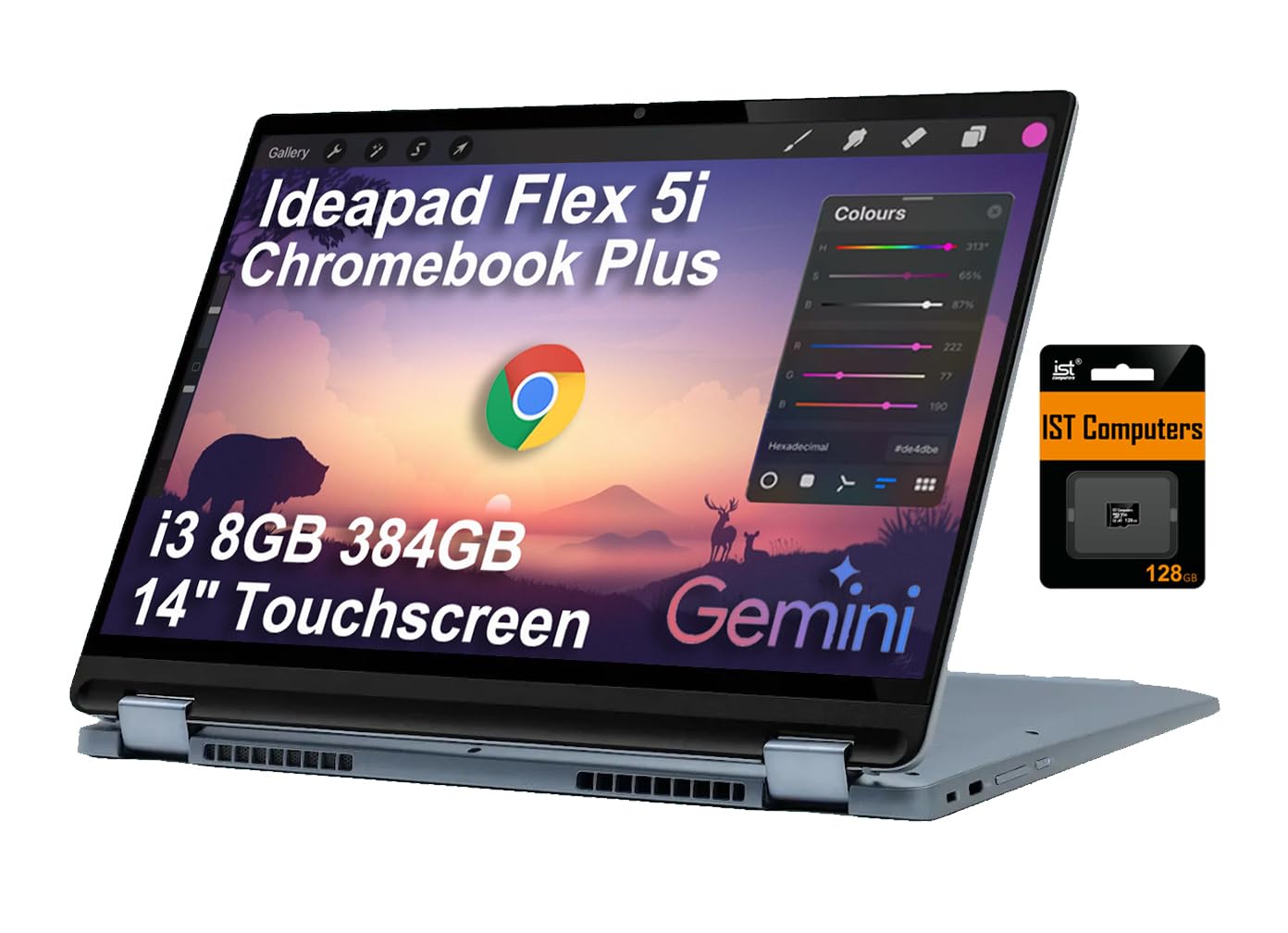
The Lenovo IdeaPad Flex 5i Chromebook Plus earns the top spot because it delivers genuine desktop-class performance in a convertible chassis. The Intel Core i3-1315U (6 cores, up to 4.5 GHz) paired with 8GB DDR4 RAM and a 256GB SSD makes this the snappiest Chromebook on this list — you can run a dozen tabs, stream 4K video, and edit Google Docs simultaneously without a hint of lag. The 14-inch WUXGA (1920×1200) IPS touchscreen is a standout, offering a taller 16:10 aspect ratio that shows more vertical content in documents and web pages compared to standard 1920×1080 panels.
The 360-degree hinge is robust and allows smooth transitions between laptop, tent, stand, and tablet modes. At around 3.5 pounds, it’s light enough for daily backpack carry, and the backlit keyboard is a genuine productivity booster for late-night work. Battery life consistently hits 9–10 hours in mixed use, which covers a full workday. The built-in Google AI features with Gemini and the included 12-month Google One AI Premium plan add real value for students and professionals who rely on Gmail, Docs, and cloud storage.
Connectivity is well-rounded with two USB-C ports (one supports power delivery and display output), a USB-A port, a microSD card reader, Wi-Fi 6E, and Bluetooth 5.3. For anyone who needs a powerful, versatile 14-inch touchscreen Chromebook that handles serious multitasking without breaking stride, this is the clear winner.
Why it’s great
- Core i3-1315U delivers desktop-level speed for heavy multitasking
- WUXGA 16:10 touchscreen offers extra vertical space for docs
- Backlit keyboard and 10-hour battery support all-day productivity
- Includes 12-month Google One AI Premium plan
Good to know
- Glossy screen can be reflective under bright office lights
- Included stylus is cheap and may malfunction quickly
- Slightly heavier than some clamshell competitors
2. Acer Chromebook Plus 514
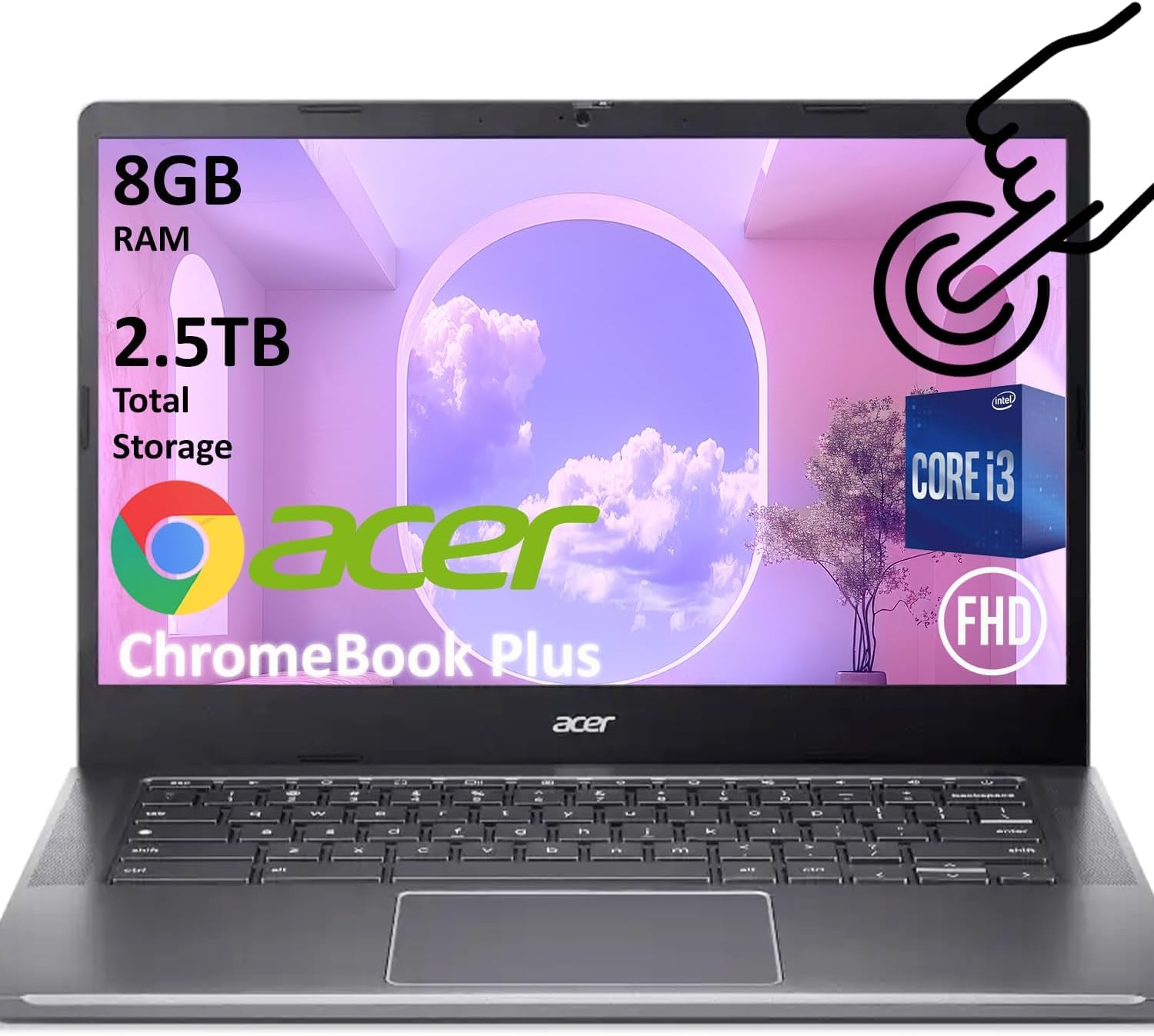
The Acer Chromebook Plus 514 is the storage king of this roundup, pairing a capable 8-core Intel i3-N305 processor with a massive 512GB SSD and 8GB LPDDR5 RAM. That SSD storage is a rarity at this price tier and makes app launches, file transfers, and local media playback feel instantaneous. The 14-inch FHD IPS touchscreen delivers vivid colors and wide viewing angles, though the 45% NTSC color gamut means it’s not ideal for professional photo editing. The 1080p webcam with temporal noise reduction produces clear video for Zoom and Google Meet calls — a noticeable step up from the 720p cameras on most budget Chromebooks.
Battery life is rated at 11 hours, and in real-world testing it comfortably lasts a full school or work day with mixed browsing, document editing, and streaming. The Chromebook Plus designation brings AI-enhanced Google Photos features like Magic Eraser and 12 months of Google One AI Premium, which adds real utility for creative users. The build quality is solid with MIL-STD 810H certification, meaning it can survive bumps and drops that would crack lesser machines.
The trade-off is a clamshell form factor — this isn’t a convertible, so you can’t flip the screen into tablet or tent mode. Connectivity is generous with two USB-C ports, two USB-A ports, an SD card reader, Wi-Fi 6E, and Bluetooth 5.1. If you prioritize raw storage, snappy performance, and a premium clamshell experience over 2-in-1 flexibility, the Chromebook Plus 514 is a fantastic investment.
Why it’s great
- 512GB SSD offers class-leading local storage for apps and media
- 8-core i3-N305 handles multitasking with ease
- 1080p webcam delivers sharp video calls
- MIL-STD 810H durability rating
Good to know
- Clamshell design lacks convertible flexibility
- Display color gamut limited to 45% NTSC
- No backlit keyboard option
3. ASUS Chromebook Flip C434

The ASUS Chromebook Flip C434 remains a benchmark for build quality in the 14-inch touchscreen Chromebook space. Its all-aluminum unibody chassis feels substantially more premium than the plastic shells of budget competitors, and the 4-way NanoEdge display with ultra-narrow 5mm bezels allows a 14-inch screen to fit in a footprint typically reserved for 13-inch laptops. At just 3 pounds, it’s the lightest convertible on this list, making it exceptionally travel-friendly. The 360-degree hinge is smooth and holds its position well in tent and tablet modes, though a small number of users report hinge looseness developing after extended use.
The Intel Core m3-8100Y processor (up to 3.4 GHz) was a strong performer at launch but now shows its age against newer N100 and Core i3 chips. Paired with 4GB DDR3 RAM and 64GB eMMC storage, it handles basic browsing, streaming, and document work smoothly, but heavy multitasking with 15+ tabs or Android gaming will reveal slowdowns. The 14-inch FHD IPS touchscreen is sharp and bright, and the backlit keyboard with gray-on-aluminum lettering is comfortable to type on, though the low contrast between keycaps and backlighting can make it hard to read in bright environments.
Battery life remains impressive at 8–10 hours of real-world use, and the USB-C ports support fast charging and display output. The matte screen finish effectively cuts glare for outdoor use. The primary concerns are the limited 4GB RAM, which restricts future-proofing, and the eMMC storage, which is slower than UFS or SSD alternatives. For users who value premium materials, featherlight portability, and a backlit keyboard above raw processing power, the C434 is still a compelling choice.
Why it’s great
- Beautiful all-aluminum build at just 3 pounds
- Ultra-narrow bezels make the screen feel immersive
- Backlit keyboard and matte display for travel use
- Solid 8-10 hour battery life
Good to know
- 4GB RAM limits heavy multitasking potential
- Keyboard lettering hard to see in bright light
- Some reported hinge loosening over time
4. ASUS Chromebook Flip CX1

The ASUS Chromebook Flip CX1 strikes an excellent balance between affordability and convertible functionality. For a mid-range price, you get a 14-inch FHD NanoEdge touchscreen with a 360-degree hinge, 8GB RAM, and 128GB eMMC storage — a configuration that handles multitasking far better than the 4GB RAM models common at this price point. The Intel Celeron N4500 processor (up to 2.8 GHz) is adequate for web browsing, streaming, document editing, and light Android app use, though it will struggle with demanding Linux applications or high-end Android games.
The display is the CX1’s strong suit: the FHD IPS panel delivers vibrant colors and wide viewing angles, and the anti-glare coating makes it usable in bright rooms and outdoors. The 360-degree hinge feels sturdy and supports the four standard modes (clamshell, tent, stand, tablet) without wobble. At 3.59 pounds, it’s slightly heavier than the C434 but still comfortable for daily carry. The MIL-STD 810H military-grade certification adds peace of mind for students and travelers who need a durable daily driver.
Battery life is rated at up to 11 hours, and real-world use nets around 7–8 hours with continuous browsing and video streaming. Connectivity is generous with two USB-C ports, two USB-A ports, a microSD card reader, Wi-Fi 6, and Bluetooth 5.2. The main downsides are the Celeron processor, which limits peak performance compared to Core i3 alternatives, and the eMMC storage, which is slower than the SSD found on Chromebook Plus models. For budget-conscious buyers who want a convertible with sufficient RAM and a good screen, the CX1 is a smart choice.
Why it’s great
- 8GB RAM at a mid-range price point is rare and valuable
- FHD IPS anti-glare touchscreen looks great indoors and out
- MIL-STD 810H durability for student and travel use
- Solid port selection with dual USB-C and USB-A
Good to know
- Celeron N4500 lags behind Core i3 in heavy workloads
- eMMC storage is slower than SSD alternatives
- No backlit keyboard option
5. Acer Chromebook (2024)
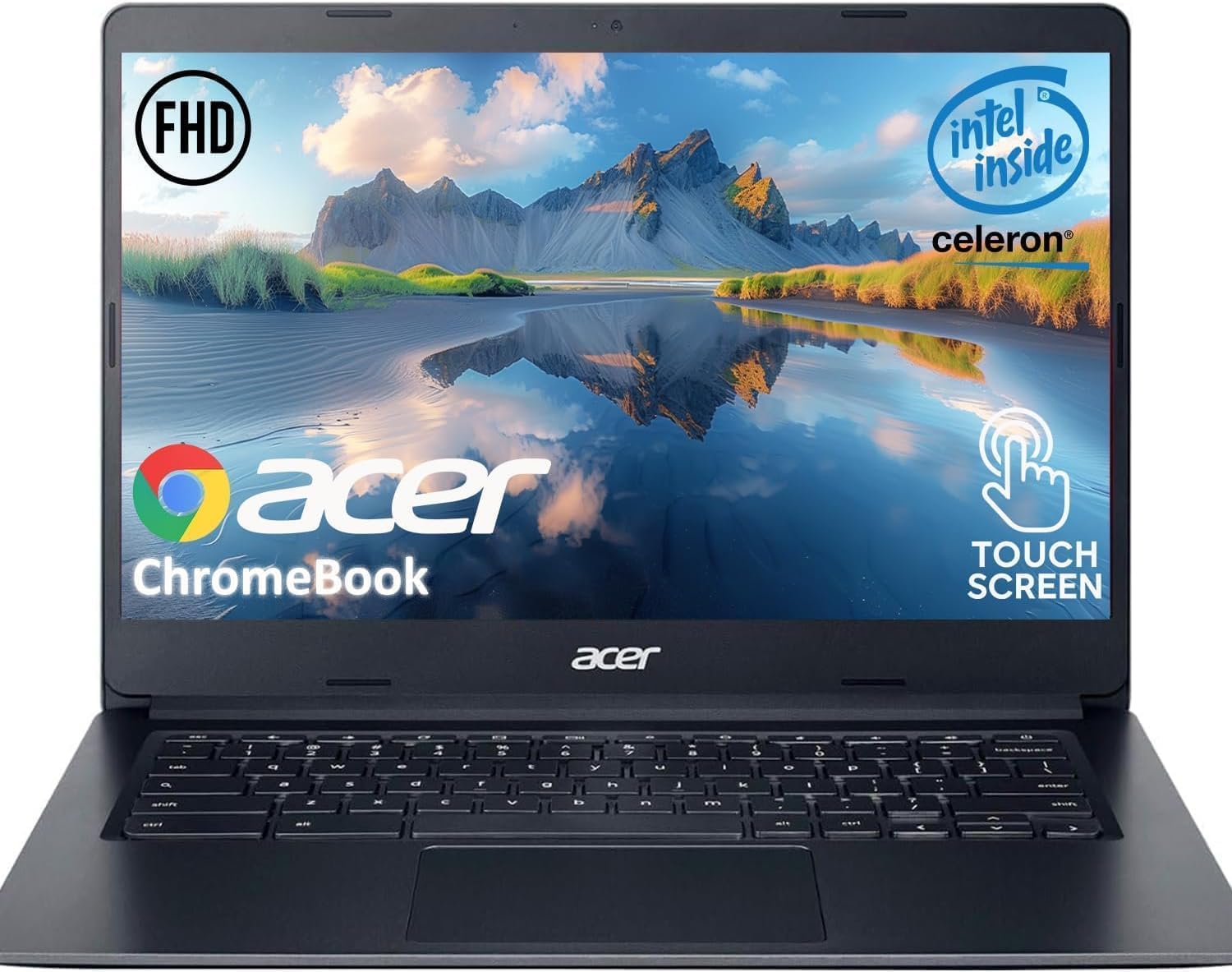
The Acer Chromebook (2024) is built for users who value battery endurance above all else. With up to 12.5 hours of real-world battery life, this machine easily outlasts a full day of classes, shifts, or travel without needing a charger. The 14-inch FHD IPS touchscreen is a highlight at this price tier — most budget competitors settle for lower-resolution panels, but Acer delivers sharp 1920×1080 visuals with anti-glare coating that minimizes reflections. The touch response is accurate and fluid, making navigation in tablet mode surprisingly pleasant despite the clamshell form factor.
Performance is adequate for basic workflows thanks to the Intel Celeron N4020 dual-core processor (up to 2.8 GHz) and 4GB LPDDR4 RAM. It boots quickly, handles 5–8 browser tabs without complaint, and streams 1080p video smoothly. However, pushing into double-digit tabs, Android gaming, or photo editing will introduce noticeable stuttering. The 64GB eMMC storage is typical for entry-level Chromebooks and is sufficient for cloud-first users, but power users will want external storage via the microSD slot.
The build quality is decent for the price — the plastic chassis is lightweight at 3.31 pounds and feels sturdy enough for daily commuting. The 720p webcam with privacy shutter is a welcome privacy feature. Port selection is solid with two USB-C and two USB-A ports. The lack of a backlit keyboard and the 4GB RAM ceiling are the main limitations. This is an excellent pick for students, seniors, or anyone whose workflow stays within the bounds of web apps and streaming.
Why it’s great
- 12.5-hour battery life leads the category
- FHD IPS touchscreen at a budget price is rare
- Anti-glare coating improves outdoor visibility
- Privacy shutter on webcam
Good to know
- 4GB RAM limits multitasking to light use
- Celeron N4020 stutters with many tabs open
- No backlit keyboard or SSD storage
6. Lenovo Chromebook 14 (Touch)
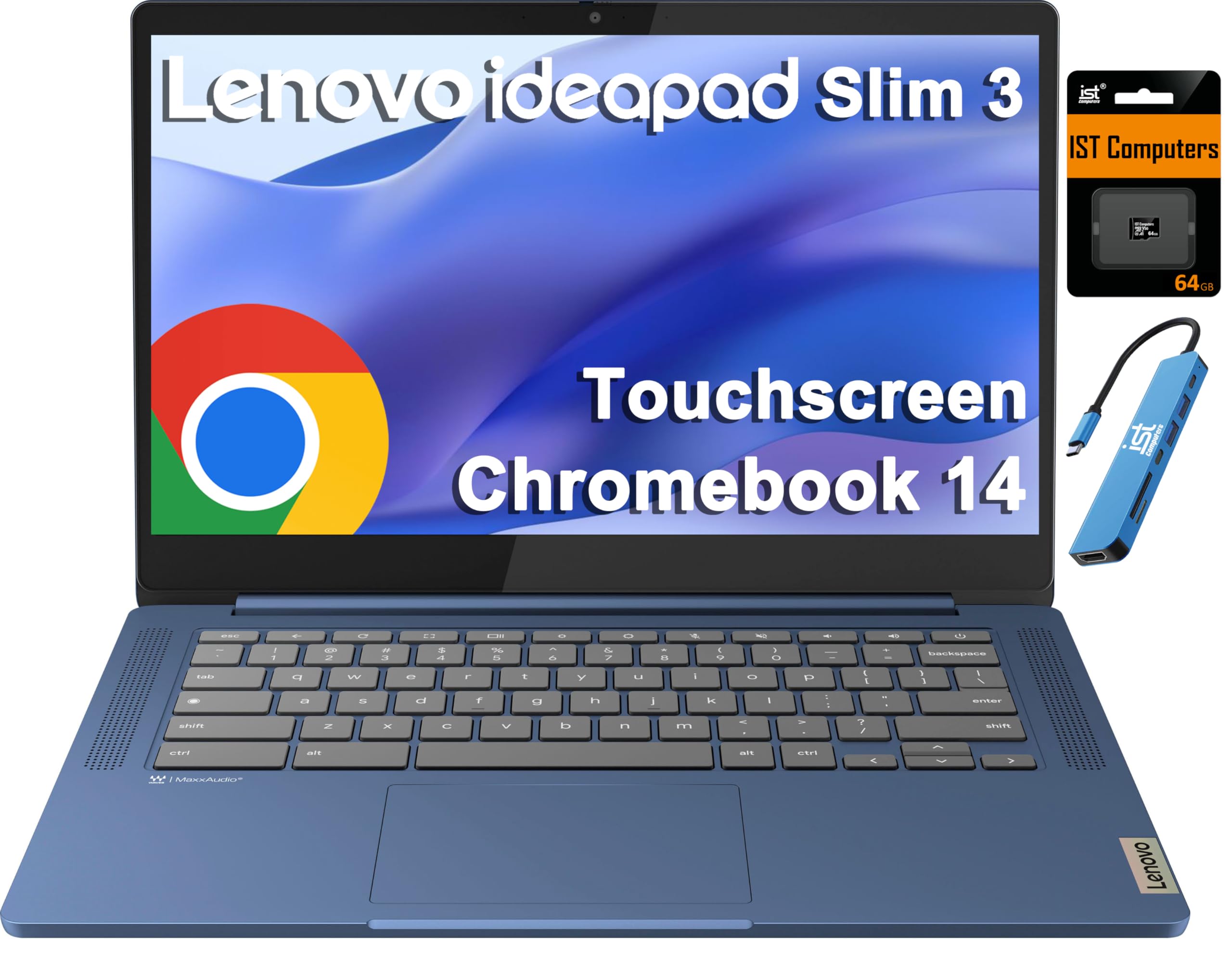
The Lenovo Chromebook 14 (Touch) is designed for marathon work sessions and media consumption. Its MediaTek Kompanio 520 8-core processor is power-efficient, enabling a claimed 13-hour battery life that easily covers a full day of classes, video calls, and streaming. The 14-inch FHD IPS touchscreen with 300 nits brightness and anti-glare coating delivers crisp, colorful visuals that stay readable in bright environments. The 100% sRGB color gamut is a bonus for this price tier, making photos and videos look richer than on typical budget screens.
The package includes a 7-in-1 USB-C hub with HDMI (4K@30Hz), extra USB ports, and SD/TF card reader, which significantly expands connectivity beyond the Chromebook’s built-in ports (one USB-C, one USB-A, microSD, and audio jack). The bundled expansion is thoughtful, but the base 4GB RAM and 64GB eMMC storage are limiting — you’ll need to rely on cloud storage and avoid running more than 6–8 tabs simultaneously. The included 64GB SD card helps with local storage but won’t improve RAM-limited performance.
The Chromebook runs Chrome OS with an AUE date of June 2032, offering long-term software support. Wi-Fi 6 and Bluetooth 5.3 provide fast and reliable wireless connectivity. The Abyss Blue color finish is attractive, and the build quality is solid for a plastic chassis. The main caveats are the 4GB RAM ceiling, which prevents future-proofing, and the bundled hub, while useful, adds bulk. For users who prioritize screen quality and battery life above raw processing power, this Lenovo is a strong contender.
Why it’s great
- 13-hour battery life is class-leading
- FHD IPS touchscreen with 100% sRGB and anti-glare
- Includes a 7-in-1 USB-C hub for expanded ports
- Wi-Fi 6 and Bluetooth 5.3 for fast wireless
Good to know
- 4GB RAM limits multitasking capacity
- 64GB eMMC storage fills up quickly with local files
- Processor struggles with heavy Android apps
7. HP Chromebook 14 (N100)

The HP Chromebook 14 (N100) punches well above its price class by pairing a modern Intel Processor N100 (12th Gen Alder Lake-N) with 8GB LPDDR5 RAM and 128GB UFS storage. This combination delivers noticeably snappier performance than the Celeron-based alternatives at similar price points — boot times are faster, app launches are quicker, and you can comfortably run 10–12 browser tabs without the system bogging down. The 128GB UFS storage is also a meaningful upgrade over eMMC, providing faster read/write speeds for local file operations.
The 14-inch HD (1366×768) anti-glare display is the Achilles’ heel here. While the anti-glare coating is effective outdoors, the lower resolution means text and images look soft and pixelated compared to FHD panels. The lack of touchscreen input also disqualifies this model for users who specifically want a touch-enabled Chromebook. The plastic chassis is lightweight and feels durable enough for casual use, but it lacks the premium feel of metal alternatives.
Battery life is solid at around 8 hours of mixed use. Port selection is minimal — one USB-A, one USB-C, and a headphone jack — so you’ll need a hub for connecting multiple peripherals. The keyboard is responsive and comfortable for extended typing sessions, though there’s no backlighting. This is the best pick for budget-focused buyers who prioritize raw processing speed and RAM over screen resolution and touch capability. If you can live without the touchscreen, the N100’s performance punch is unbeatable at this price.
Why it’s great
- Intel N100 + 8GB RAM offers premium-level speed on a budget
- 128GB UFS storage is faster than eMMC alternatives
- Anti-glare display works well outdoors
- Responsive keyboard for comfortable typing
Good to know
- 1366×768 display lacks sharpness for detailed work
- No touchscreen — clamshell only
- Limited to one USB-A and one USB-C port
- No backlit keyboard
8. HP x360 Chromebook (Renewed)

The HP x360 Chromebook (Renewed) offers a convertible 14-inch FHD IPS touchscreen at a price that undercuts most new 2-in-1s. The 360-degree hinge allows full flexibility into tent, stand, and tablet modes, and the 1920×1080 IPS panel delivers sharp visuals and wide viewing angles that make media consumption and note-taking enjoyable. The Intel Processor (up to 3.39 GHz) paired with 4GB DDR4 RAM and 64GB storage handles basic browsing, streaming, and document work without major complaints, though it will slow down under heavier multitasking loads.
Being a renewed unit, condition can vary — most buyers report units in excellent cosmetic and functional condition, but a small subset mention keyboard lag or other quirks that may stem from refurbishment processes. The 6th Gen WiFi and Bluetooth 5.2 provide modern wireless connectivity. The port selection is minimal with one USB-C, one USB-A, and a headphone jack, so plan for a hub if you need to connect multiple peripherals.
Battery life is decent at around 6–7 hours in real-world use, which is shorter than newer Chromebooks but acceptable for light daily use. The Dale Blue color is a nice aesthetic touch. The main risk is the variability of renewed units — you may get a perfectly functional device or one with subtle issues. For budget-constrained buyers who absolutely need a convertible touchscreen Chromebook and are comfortable with the renewed condition, this is a viable option.
Why it’s great
- FHD IPS touchscreen with 360-degree hinge at a low price
- Intel processor offers adequate speed for basic tasks
- Bloetooth 5.2 and modern WiFi included
Good to know
- 4GB RAM limits multitasking potential
- Renewed condition carries some quality risk
- Limited port selection — one USB-C and one USB-A
- Battery life is shorter than newer models
9. HP 14 Flagship (Windows 11 Pro)

The HP 14 Flagship is not a Chromebook — it runs Windows 11 Pro and is included here for buyers who want a 14-inch touch-capable laptop but need native Microsoft Office or Windows-specific software. The Intel N150 processor (13th Gen, up to 3.6 GHz) paired with 16GB DDR4 RAM provides ample headroom for multitasking, and the combined 128GB UFS + 500GB external drive offers generous storage for files, photos, and documents. The included lifetime Microsoft Office 2024 license is a genuine value-add that eliminates ongoing subscription costs.
The 14-inch HD (1366×768) anti-glare display is the weak link — it’s not a touchscreen, and the resolution is noticeably lower than the FHD panels found on similarly priced Chromebooks. The Honey Lavender color is attractive, and the build quality is typical of HP’s budget lineup: functional plastic construction that feels durable enough for home and student use. The 720p webcam with dual-array microphones is adequate for video calls.
The included HubxcelAccessory bundle adds wireless earbuds, a wireless mouse, an HDMI cable, and other peripherals, which improves the overall value proposition. Battery life is around 8–9 hours. The main trade-offs are the non-touch display, the lower resolution, and the fact that this is a Windows machine rather than a Chrome OS device. For users who need Office compatibility and don’t require a touchscreen, this is a solid budget-friendly Windows alternative to the Chromebook options above.
Why it’s great
- 16GB RAM handles heavy multitasking with ease
- Includes lifetime Microsoft Office 2024 license
- Ample storage with 128GB UFS + 500GB external drive
- Comes with useful accessory bundle
Good to know
- 1366×768 display is not touch-enabled and lacks sharpness
- Not a Chromebook — runs Windows 11 Pro
- No backlit keyboard
- Performance okay but not class-leading for intensive apps
FAQ
Is 4GB RAM enough for a 14-inch touchscreen Chromebook in 2025?
What is the difference between a Chromebook Plus and a standard Chromebook?
Can I use Android apps and Linux on any 14-inch Chromebook?
How important is the 360-degree hinge on a convertible Chromebook?
What does the AUE (Auto Update Expiration) date mean for Chromebooks?
Final Thoughts: The Verdict
For most users, the best 14 inch touchscreen chromebook winner is the Lenovo IdeaPad Flex 5i Chromebook Plus because its Core i3-1315U processor, 8GB RAM, 256GB SSD, and bright WUXGA touchscreen combine for desktop-class performance in a durable 2-in-1 chassis. If you want the most storage and a premium clamshell experience with AI-powered features, grab the Acer Chromebook Plus 514. And for a budget-friendly convertible that still offers 8GB RAM and a crisp FHD touchscreen, nothing beats the ASUS Chromebook Flip CX1.