
Our readers keep the lights on and my morning glass full of iced black tea. As an Amazon Associate, I earn from qualifying purchases.
Specs are compiled from manufacturer listings and verified buyer reviews and can change over time — please confirm the key details on the product page before buying.
If you are shopping for an advanced personal computer, the honest answer up front is this: match the machine to the work you actually do, not to the biggest number on the box. A 32GB mini PC suits a coder or video editor better than a tower whose loud graphics card sits idle. And a mid-range gaming tower will beat a tiny workstation for anyone whose evenings are spent in AAA titles.
I’m Min — the founder and writer behind Gadgets Feed. This guide is built by comparing the manufacturers’ published specifications and the patterns across verified customer reviews, so you get each pick’s real strengths and trade-offs instead of marketing spin.
Below you will find eleven desktops and mini workstations split by what they genuinely do best — quiet multi-monitor productivity, local AI work, or high-frame gaming. Every pick is judged on memory, storage, cooling, and the port count you will actually plug into. Here is the practical read on the advanced personal computer that fits your desk and your workload.
Our Picks at a Glance
How To Choose The Best Advanced Personal Computer
Decide the shape first — mini PC, tower, or all-in-one — before brand or budget. A mini PC the size of a paperback book sits on your desk and disappears. A tower takes floor or desk space but opens up to bigger graphics cards and more drives. Pick the shape that fits your room, then compare memory, graphics, and ports.
Start with memory, not megahertz
Memory — the RAM, measured in gigabytes — decides how many heavy programs you can keep open at once. 32GB is the comfortable floor for video editing, coding with virtual machines, and local AI models. If you plan to run large language models on the machine itself, more memory beats a faster chip almost every time. Several picks here ship with 32GB DDR5 (the current generation of memory) from the start, and one goes all the way to 128GB.
Decide if you need a dedicated graphics card
Integrated graphics live on the same chip as the processor and share its memory. They handle office work, photo editing, streaming, and casual games well. A dedicated graphics card has its own video memory (called VRAM) and is what you want for AAA gaming, 3D rendering, or heavy CAD. The trade-off is heat and fan noise, which is why tower builds give those cards more room to breathe.
Count the ports before you commit
Think about your actual desk: two monitors, a webcam, a mic, an external drive, maybe a wired network line. Mini PCs often give you dual HDMI and USB4 (a fast connector that also carries video and power), which can drive several screens at once. Towers usually hand you a stack of USB-A ports plus a wired Ethernet jack. Write your port list down, then check it against each spec sheet.
Weigh cooling and upgrade room
Small machines pack serious heat into a tiny box, so the cooler design matters. Look for named cooling systems, multiple heat pipes, or liquid cooling if you plan long sessions. Upgrade room matters too: slotted memory and spare M.2 slots let you add capacity later instead of replacing the whole machine.
Quick Comparison
| Model | Best For | Memory | Storage | Graphics | Amazon |
|---|---|---|---|---|---|
| GEEKOM GT15 Max AI Mini PC★ Best Overall | Local AI and creative work | 32GB DDR5 | 1TB SSD | Intel Arc 140T | Amazon |
| YAWYORE Ryzen 7 5700X Gaming PCBest Gaming Value | Gaming on a mid-range budget | 32GB DDR4 | 1TB NVMe | GeForce RTX 5060 8GB | Amazon |
| GEEKOM IT15 AI Mini PCQuietest Compact | Quiet compact all-rounder | 32GB DDR5 | 1TB Gen4 SSD | Intel Arc 140T | Amazon |
| HP OMEN 40L Gaming Desktop | High-core productivity and gaming | 32GB DDR5 | 1TB Gen4 SSD | Dedicated 6GB GDDR6 | Amazon |
| Dell Tower Desktop | Business and office multitasking | 32GB RAM | — | Integrated | Amazon |
| HP OMEN 45L Gaming Desktop | Memory-heavy gaming and editing | 64GB DDR4 | 1TB Gen4 SSD | GTX 1660 SUPER 6GB | Amazon |
| MINISFORUM MS-02 Ultra | Engineering and GPU expansion | 32GB (up to 256GB) | 1TB SSD | Integrated + PCIe x16 slot | Amazon |
| MSI Codex Z2 Gaming Desktop | Next-gen gaming and streaming | 32GB DDR5 | 2TB SSD | GeForce RTX 5070 12GB | Amazon |
| Alienware Aurora Gaming Desktop | Quiet high-refresh gaming | — | — | GeForce RTX 5070 | Amazon |
| Lenovo Yoga AIO 32i | All-in-one creative studio | — | — | GeForce RTX 4050 6GB | Amazon |
| MINISFORUM MS-S1 MAX | Serious local AI workloads | 128GB LPDDR5x | 2TB SSD | AMD Radeon RDNA 3.5 | Amazon |
In‑Depth Reviews
1. GEEKOM GT15 Max AI Mini PC
Our pick — 4.5+★ from 250+ verified ratings; the strongest balance of quality and price.
A book-sized box that quietly runs local AI and four screens at once
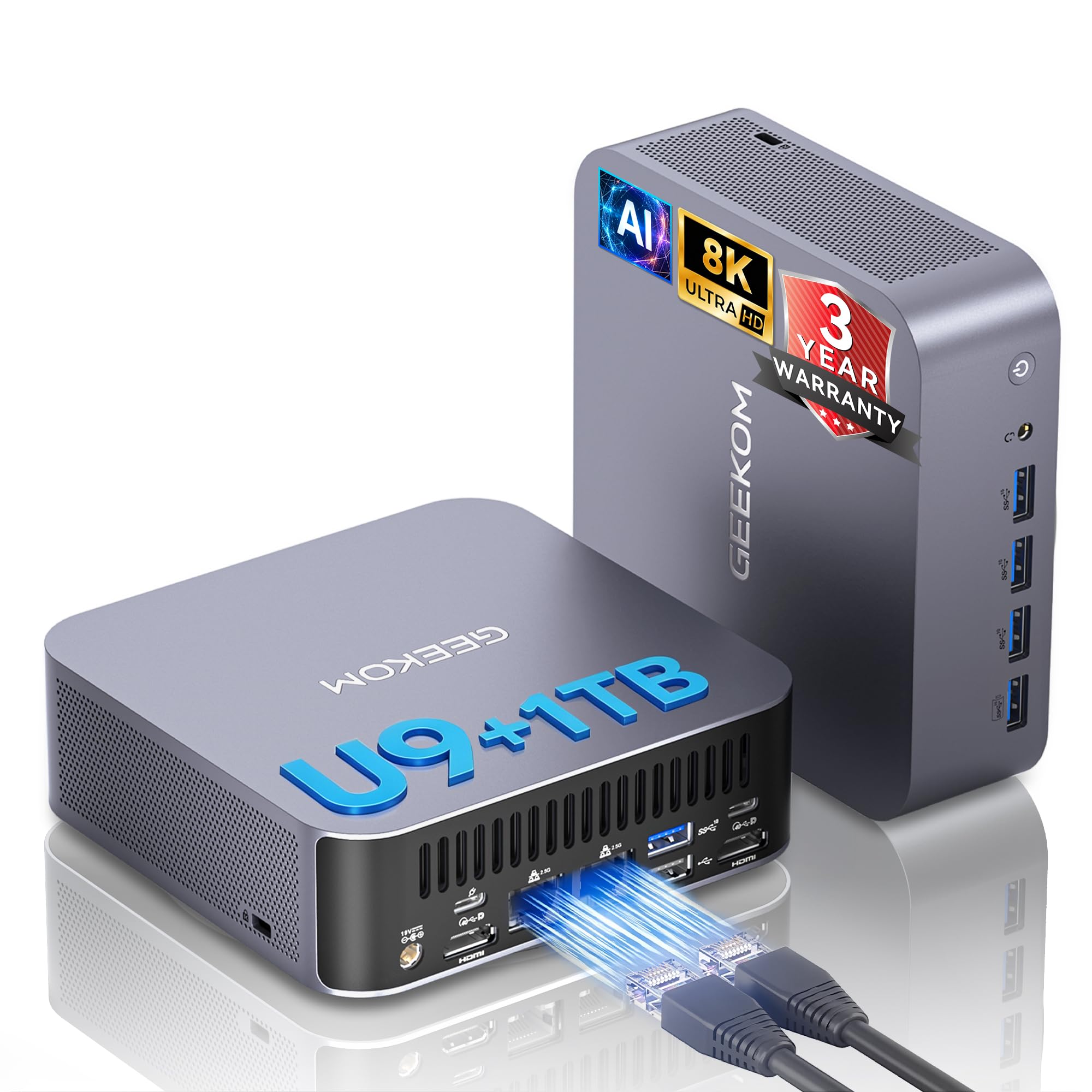
The reason this takes the top slot is the amount of machine squeezed into a footprint you can hide behind a monitor. Inside sits an Intel Core Ultra 9 285H processor with 16 cores running up to 5.4GHz, a 24MB cache, and up to 115W of turbo power. Wire that to 32GB of DDR5 memory and a 1TB SSD, and you get a desktop that keeps up with coding, data analysis, virtualization, and content creation without a tower under the desk.
Memory here is not soldered down, so it can grow to 128GB later — that keeps the machine useful for years rather than forcing a whole replacement. Storage is equally open: two NVMe slots (one M.2 2280, one M.2 2242) can hold up to 6TB total, which is plenty for large video projects or raw datasets. On the back you get dual USB4 ports at 40Gbps, dual HDMI 2.0, Mini DisplayPort 1.4, and dual 2.5G LAN, enough to drive up to four displays at once (two at 8K, two at 4K) with a resolution ceiling of 7680×4320.
The AI side is the headline. The processor, graphics, and NPU (a neural processing unit — a chip built for AI math) combine for up to 99 TOPS of platform AI performance, which lets compatible local language models, OCR, and image generation run on your own desk. Business features are covered too: TPM 2.0 (a security chip that stores encryption keys), a Kensington lock slot, and a 3-year limited warranty that outlasts the 1-year coverage many brands offer. What wins people over is raw performance — it is the most-praised quality by a wide margin — and owners do put it to playful use, with buyers reporting “one customer noting it runs Geometry Dash at 240 FPS.”
Where it pulls ahead
- Up to 99 TOPS of combined AI compute keeps local model work on your own machine
- Non-soldered DDR5 expandable to 128GB and two NVMe slots good for up to 6TB
- Dual USB4 at 40Gbps and dual 2.5G LAN drive four monitors or fast external storage
- 3-year limited warranty versus the 1-year terms common on rivals
What to plan around
- Long-term reliability and heat management split opinion among owners
- The integrated Arc 140T graphics will not match a dedicated card in a full tower
- Small chassis means the IceBlast 2.0 cooler works hard under sustained AI loads
Strongest all-rounder: buy this if you want serious local AI and multi-monitor productivity from a desk-clearing mini PC.
Think twice if: you need max sustained graphics grunt for AAA gaming, where a tower with a dedicated card pulls ahead.
2. YAWYORE Gaming PC, AMD Ryzen 7 5700X, GeForce RTX 5060
A dedicated graphics tower that handles AAA titles without a flagship bill
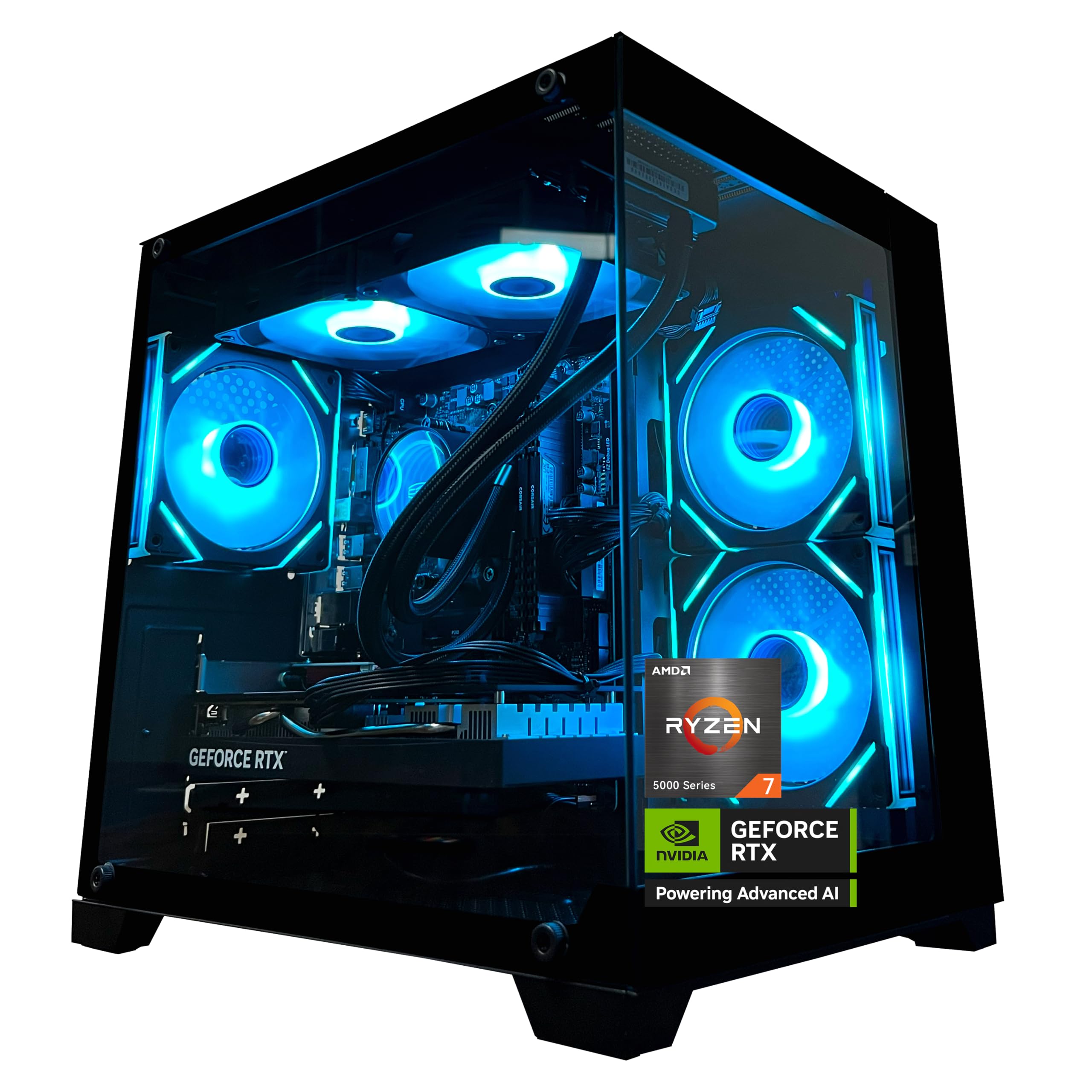
For pure gaming per dollar, this is the pick to beat. The GeForce RTX 5060 with 8GB of GDDR7 video memory (the card’s own fast memory) supports DLSS 4 multi-frame generation, ray tracing, and Reflex 2 latency optimization — the features that keep demanding titles smooth. Around it sits an AMD Ryzen 7 5700X with 8 cores and 16 threads, boosting to 4.6GHz, paired with 32GB of DDR4 3200MHz memory and a 1TB M.2 NVMe drive.
This is where the tower shape earns its place. The MSI B550M-A PRO motherboard and 650W 80 Plus Bronze power supply give you headroom a mini PC cannot offer, and the liquid cooler with ARGB fans (adjustable addressable RGB lighting you control with a remote) keeps temperatures in check. Built-in Wi-Fi and Bluetooth mean no dongle hunt for your headset or printer. Owners talk about performance first — it outranks every other praise point — and the recurring theme is that it can handle triple-A games at high and medium settings while staying easy to set up.
Compared with the HP OMEN 40L above, this CPU tops out at 4.6GHz against the OMEN’s 5.4GHz, so the HP leads on raw processor speed for heavy multitasking. But the dedicated RTX 5060 is the part that matters for frame rates, and it drives the 1920×1080 maximum resolution the spec sheet lists — a 1080p-and-up display is the natural match. One practical note before you power on: the chassis ships with shock-absorbing foam inside, and you must remove it before use.
The honest read: a strong frame-rate machine for the money, with a liquid cooler and RGB thrown in — but the DDR4 memory is the previous generation, not the DDR5 fitted to pricier picks.
Brings the frames: the right build for a 1080p gamer who wants ray tracing and DLSS without paying flagship money.
Look elsewhere if: your work is CPU-heavy rendering or virtual machines — the higher-clocked OMEN 40L leads there.
3. GEEKOM IT15 AI Mini PC
The near-silent mini desktop built to sit on a studio desk all day
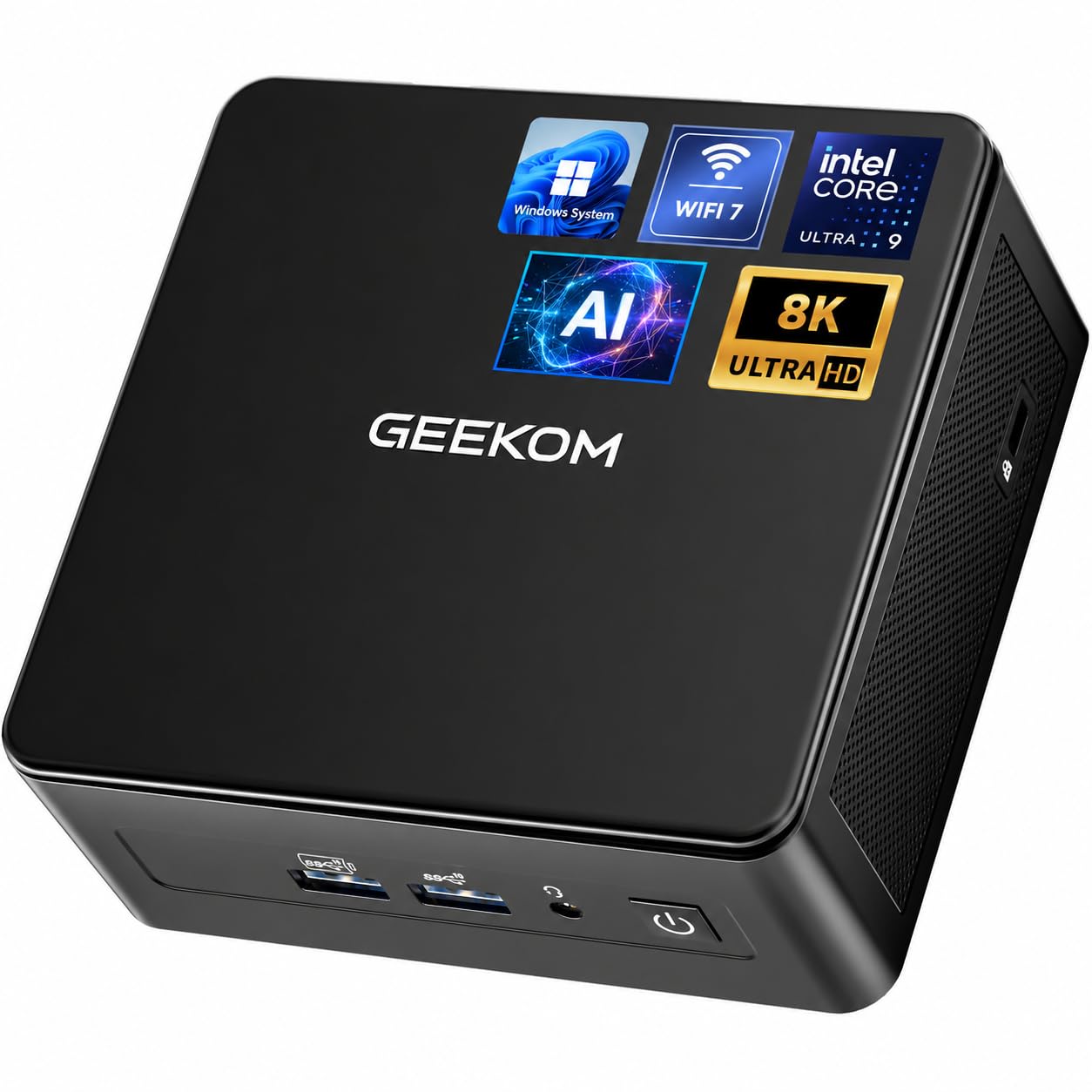
The standout quality of the IT15 is how little you notice it. Compact form and quiet operation are two of its most-praised traits, and the reinforced chassis with tune cooling is designed for extended work sessions rather than short bursts. Inside runs an Intel Core Ultra 9 285H with Intel Arc 140T graphics and a dedicated NPU, combining for up to 99 TOPS of AI compute — the same platform ceiling as the GT15 Max above, in a different body.
Memory and storage follow the same pattern: 32GB of DDR5 and a 1TB PCIe 4.0 NVMe SSD handle coding apps, design tools, and video calls with headroom to expand memory and storage later. Connectivity is a step ahead on the wireless side, with Wi-Fi 7 and Bluetooth 5.4 plus a 2.5GbE wired jack. Dual USB4 (40Gbps) and dual HDMI let you connect up to four displays, and USB4 even supports compatible external storage and eGPU setups.
Here is the fair caveat, sized honestly against a mostly happy customer base: long-term reliability is the one point where owner experiences split, with several reporting that their units died after two years of use. That tension sits against what is otherwise a strong record on performance. The 3-year limited warranty is what softens the risk — it extends coverage well past the typical single year, so a failure inside that window is covered.
Desk-friendly winner: if quiet operation and a small footprint matter as much as speed, this delivers both without giving up AI horsepower.
The one to weigh: plan on the warranty doing real work — a small handful of owners have hit failures down the line, so back up anything critical.
Pick it for: a quiet, compact workstation for video editing, coding, and everyday creative tasks.
Weigh the odds: if you want zero long-term reliability doubt, a tower with fewer moving parts may sit easier.
4. HP OMEN 40L Gaming Desktop
Twenty cores and a 33MB cache for people who run everything at once
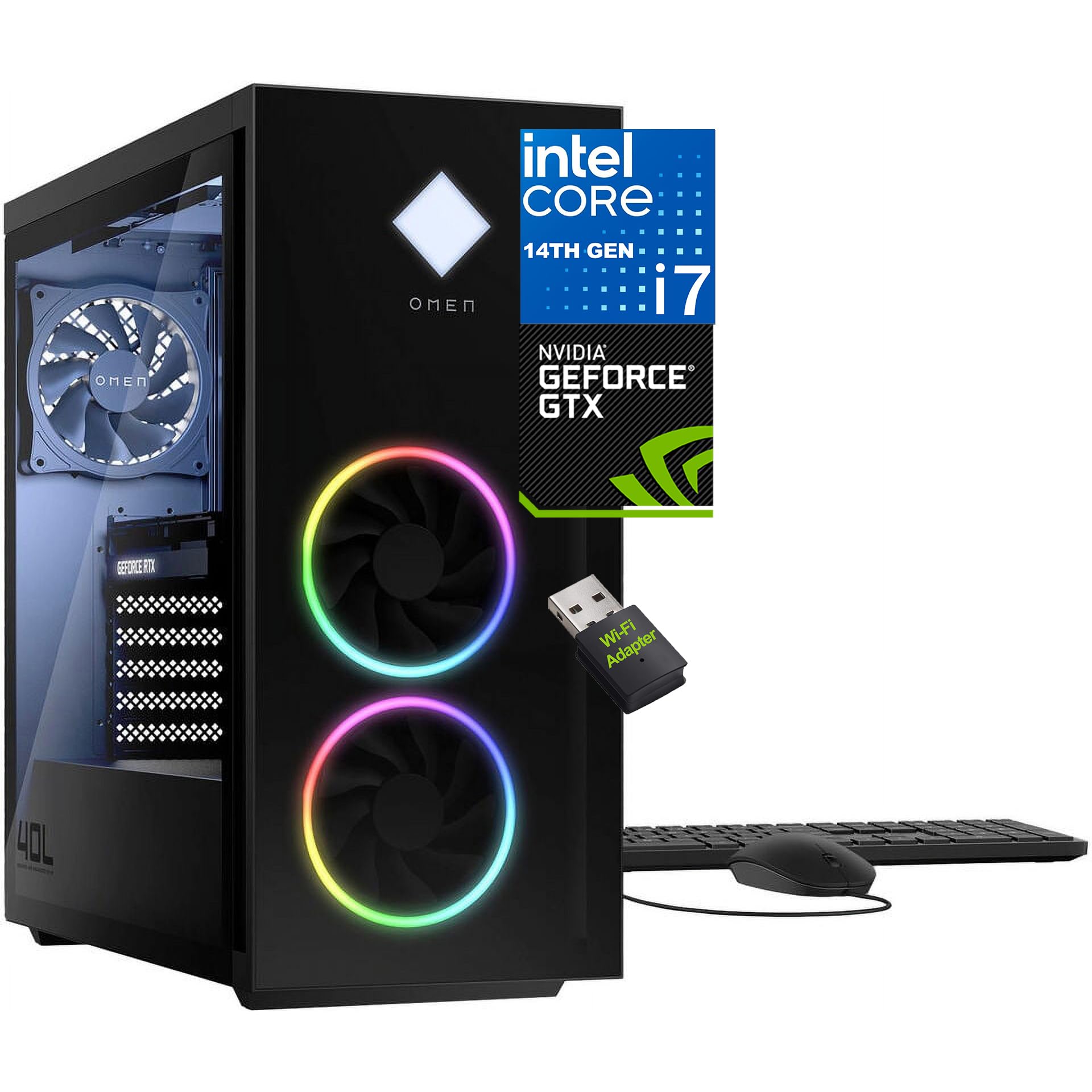
Core count is the reason to look here. The Intel Core i7-14700F packs 20 cores and 28 threads, with turbo speeds up to 5.4GHz and a 33MB L3 cache — and that cache tops the 24MB in the GEEKOM GT15 Max’s Intel Core Ultra 9 285H. More cache means the processor spends less time fetching data from slower memory, which is exactly what helps when you are juggling a live stream, a game, and a browser full of tabs. It also tops out at 5.4GHz versus the 4.6GHz Ryzen 7 5700X in the YAWYORE tower.
Around the chip sits 32GB of DDR5 memory, the current memory generation, plus a 1TB PCIe Gen4 NVMe SSD that boots Windows in seconds. Cooling is handled by an active fan-sink with 4-pin fan control, and the Intel Z790H chipset with a MicroATX layout keeps the build stable. The 600W power supply carries you through long sessions with EPEAT-registered energy efficiency in the mix.
Ports are generous in a way that matters for multi-monitor setups: on the front you get two USB 3.2 Gen 1 Type-A at 5Gbps with Sleep and Charge, two USB 2.0, and a headphone/mic combo. The rear adds six USB 3.2 Gen 2 Type-A at 10Gbps, two USB 3.2 Gen 1 Type-C, RJ-45 Gigabit Ethernet, and three audio ports with 5.1 surround support via DTS:X Ultra. A wireless USB Wi-Fi adapter is included. The tempered glass front shows off the internals, and a side-cover lock secures them.
Why it earns its place
- 20 cores and a 33MB L3 cache for streaming, gaming, and 4K editing side by side
- Ten USB-A ports plus two Type-C make peripheral crowding a non-issue
- Value and speed are the two qualities owners praise most often
Before you commit
- Stability is the recurring gripe — some buyers report crashes, so keep your warranty handy
- The listed 5.3GHz spec sits just below the 5.4GHz turbo in the product description
- Wi-Fi arrives as a USB adapter rather than built into the board
For the multitasker: a high-core tower built for creators and streamers who want many heavy apps open at once.
Skip if: rock-solid stability is your top priority — the crash reports here are the trade-off to weigh.
5. Dell Tower Desktop, Intel Core Ultra 7-265

A business tower you can open without a screwdriver and secure with a lock
Few desktops are this easy to live inside. The tool-less entry and removable side panel let you reach the components in seconds, which turns a memory or drive upgrade into a five-minute job rather than a project. It runs an Intel Core Ultra 7-265 processor boosting to 5.3GHz with a 30MB cache and 32GB of RAM, and it comes with a keyboard and mouse in the box — a full working setup from one purchase.
Display options suit a serious workstation. You can drive up to four FHD monitors through DisplayPort and daisy-chaining, or two 4K displays through the HDMI 2.1 port and DisplayPort. The maximum resolution listed is 3840×2160. For security there is a hardware TPM chip (a trusted platform module that stores encryption keys on the machine), plus a built-in lock slot and padlock loop if you step away from the desk. The chassis is built from recycled materials, and one year of onsite service means Dell comes to you when a covered issue cannot be fixed remotely.
Quality is the trait owners rate highest, and performance follows close behind, with reports of games running over 100 fps and setup that works perfectly from the start. Plenty of owners note you would struggle to build a comparable system yourself for the same outlay. The honest follow-up question is ports — USB coverage draws a negative lean in owner feedback, while general connectivity splits. If your desk is packed with older USB-A peripherals, count your needs first.
Built to be serviced: offices and home workers who want a quiet, easily upgraded tower with onsite support will feel at home here.
Check the ports: the USB layout is the one spec worth mapping against your gear before ordering.
Buy for: business work, spreadsheets, and multi-monitor office setups where easy upgrades and quiet operation count.
Not for: gaming-first buyers — there is no dedicated graphics card here.
6. HP OMEN 45L Gaming Desktop

Sixty-four gigabytes of memory for editing marathons and hungry game sessions
The memory is the story. 64GB of DDR4 tops the 32GB most gaming towers ship with, and it means you can keep a video editor, a browser with dozens of tabs, and a game all running at once without the machine pausing to swap. Behind it sits an Intel Core i7-12700KF with 12 cores, 20 threads, turbo up to 4.90GHz, and a 25MB cache. A 1TB PCIe Gen4 NVMe SSD loads the operating system and games quickly.
Graphics come from an NVIDIA GeForce GTX 1660 SUPER with 6GB of video memory — a card aimed at smooth 1080p play in titles like Fortnite, Apex Legends, Valorant, and Overwatch, with DVI, HDMI, and DisplayPort outputs for multiple monitors. Power comes from an 800W 80 Plus Gold supply rated at 90% efficiency, with room for future upgrades. The chassis carries a tempered glass front and a side-cover lock, and cooling is liquid-based to hold temperatures under long sessions.
Owners speak warmly about build quality before anything else, then performance, with Valorant reported running above 144 fps. Setup is a breeze and the machine outclasses average prebuilt starters. The thing to get right is expectations on the card: the GTX 1660 SUPER is the most modest graphics chip among the towers here, so a buyer chasing the newest games on high settings should look at the RTX 5070 builds instead. For esports and 1080p play, it holds its own.
Memory-first pick: reach for this if you edit, stream, and game in the same session and want the RAM headroom to prove it.
skip it if: you want the newest graphics architecture — the older GTX 1660 SUPER trades that away for the 64GB memory and 800W headroom.
7. MINISFORUM MS-02 Ultra Workstation Mini PC
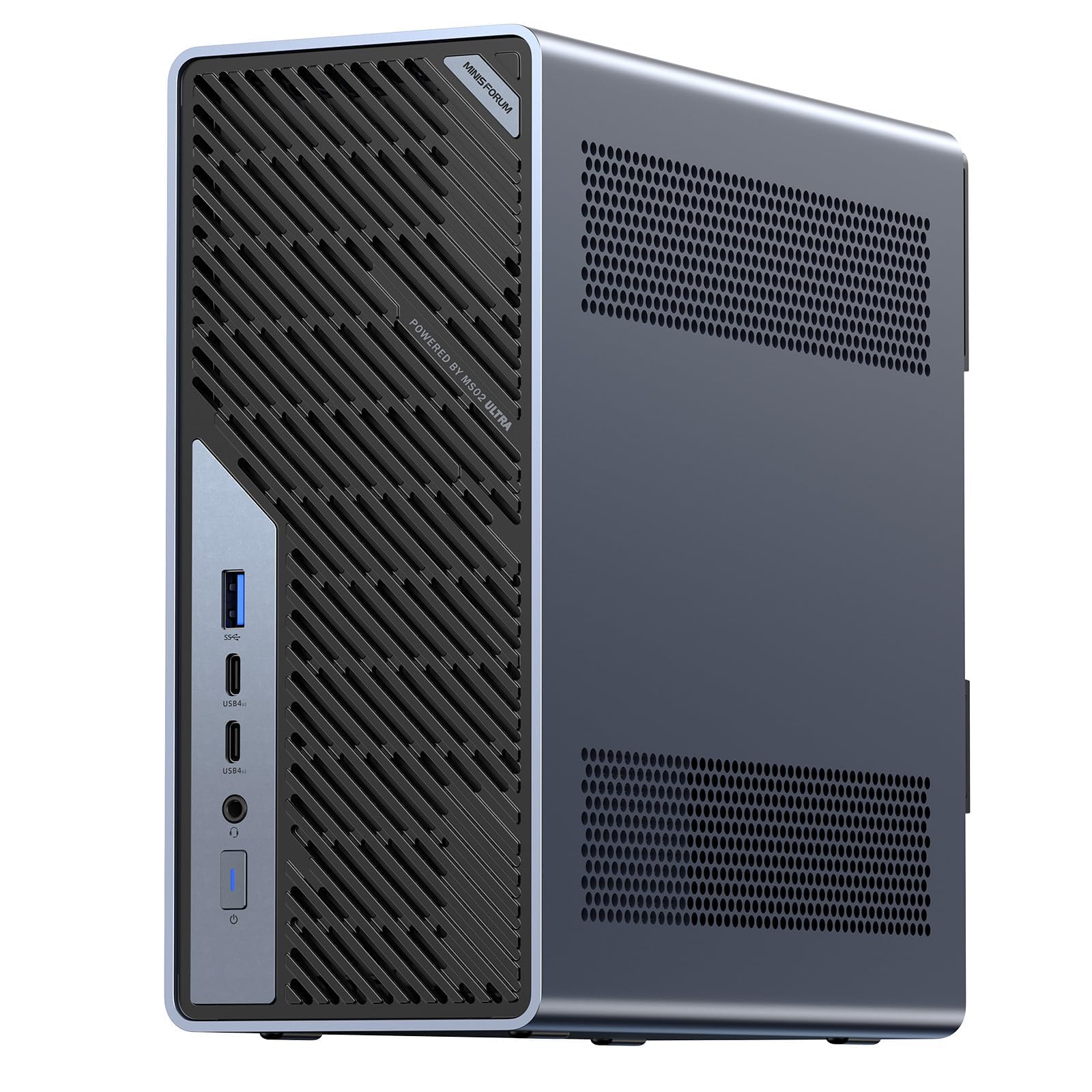
A mini workstation with room to bolt in a full desktop graphics card
This is the pick for engineers and media teams who need a small box that can still grow. An Intel Core Ultra 9 285HX with 24 cores and 24 threads runs up to 5.5GHz, backed by a 13 TOPS NPU and a 36MB cache. The component that changes everything is the PCIe 5.0 x16 expansion slot: you can fit a desktop-class graphics card into a machine that sits on your desk. Storage goes deep too, with four PCIe 4.0 M.2 slots supporting up to 24TB and RAID 0/1/5/10 configurations.
Memory is where the ceiling lifts. Four DDR5 SODIMM slots hold up to 256GB, with ECC (error-correcting memory that catches data errors) for work where a corrupted result is not acceptable. Networking is enterprise-grade: dual 25GbE ports move large files at server speeds, plus 10GbE and 2.5GbE ports with Intel vPro support for remote management and BIOS-level KVM. Wi-Fi 7 and USB4 v2 at 80Gbps round out the connections. Cooling comes from a 6-pipe dual-fan design rated as quiet as 36 dB, feeding a 350W power supply.
Owners prize reliability first, then performance, and the ports are a standout — one machine can take four NVMe drives. The genuine caution is setup, which is where owner feedback splits: the memory installation guide warns that a half-inserted module in the wrong slot can stop the system booting, so fit memory from the official compatibility list and seat it carefully. The compactness also draws mixed notes. That is a serviceable build, not a fragile one — the MS-02 Ultra is designed to be opened and upgraded.
Where it dominates
- PCIe 5.0 x16 slot lets you add a desktop-class GPU later
- Up to 256GB across four DDR5 SODIMM slots with ECC protection
- Dual 25GbE plus 10GbE and 2.5GbE for serious file movement
- Quiet as 36 dB while holding up to 140W turbo power
Worth knowing
- Memory must be seated in specific slots or the system will fail to boot
- Setup and compactness split opinion in owner feedback
- No dedicated graphics card from the start — you add one yourself
For the tinkerer-engineer: the right call if you want a small machine with real PCIe upgrade room and fast networking.
Pick something else if: you want a plug-in-and-go box — this one rewards careful setup and a parts list.
8. MSI Codex Z2 Gaming Desktop

Blackwell graphics and a 2TB drive for people who install everything
Storage and graphics are the two reasons this earns a spot. An NVIDIA GeForce RTX 5070 with 12GB of video memory sits at the heart, built on the Blackwell architecture for a big jump in rasterization and ray-tracing performance. Around it runs an AMD Ryzen 7 8700F with 8 cores and 16 threads, boosting up to 5.0GHz, paired with 32GB of DDR5 and a full 2TB SSD — where most picks here carry 1TB, so you stop deleting games to fit new ones.
Cooling is worked out: an ARGB fan air cooler (RGB lighting you cycle with the MSI LED button or fine-tune in MSI Center software) joins four system fans — three up front pulling cool air in and one at the rear pushing heat out. Built-in RGB lighting and Windows 11 Home round out the package. Owners find it performs flawlessly with their games, runs quietly, and looks the part on a desk, with setup just as easy.
The real question is reliability versus the savings. Performance and value are the strengths owners praise most, but the day-one-failure experience shows up for a minority, so test the machine thoroughly inside the return window. Given the 12GB card and the 2TB drive, that early check is the sensible move before you settle in. Compare it with the Alienware further down and the RTX 5070 class lands in both — here you get more storage for the compromise.
Best for game hoarders: a large-library gamer who wants next-gen graphics and 2TB of space without going top-tier.
Be wary if: you want first-week confidence — do a full stress test as soon as it arrives.
9. Alienware Aurora Gaming Desktop
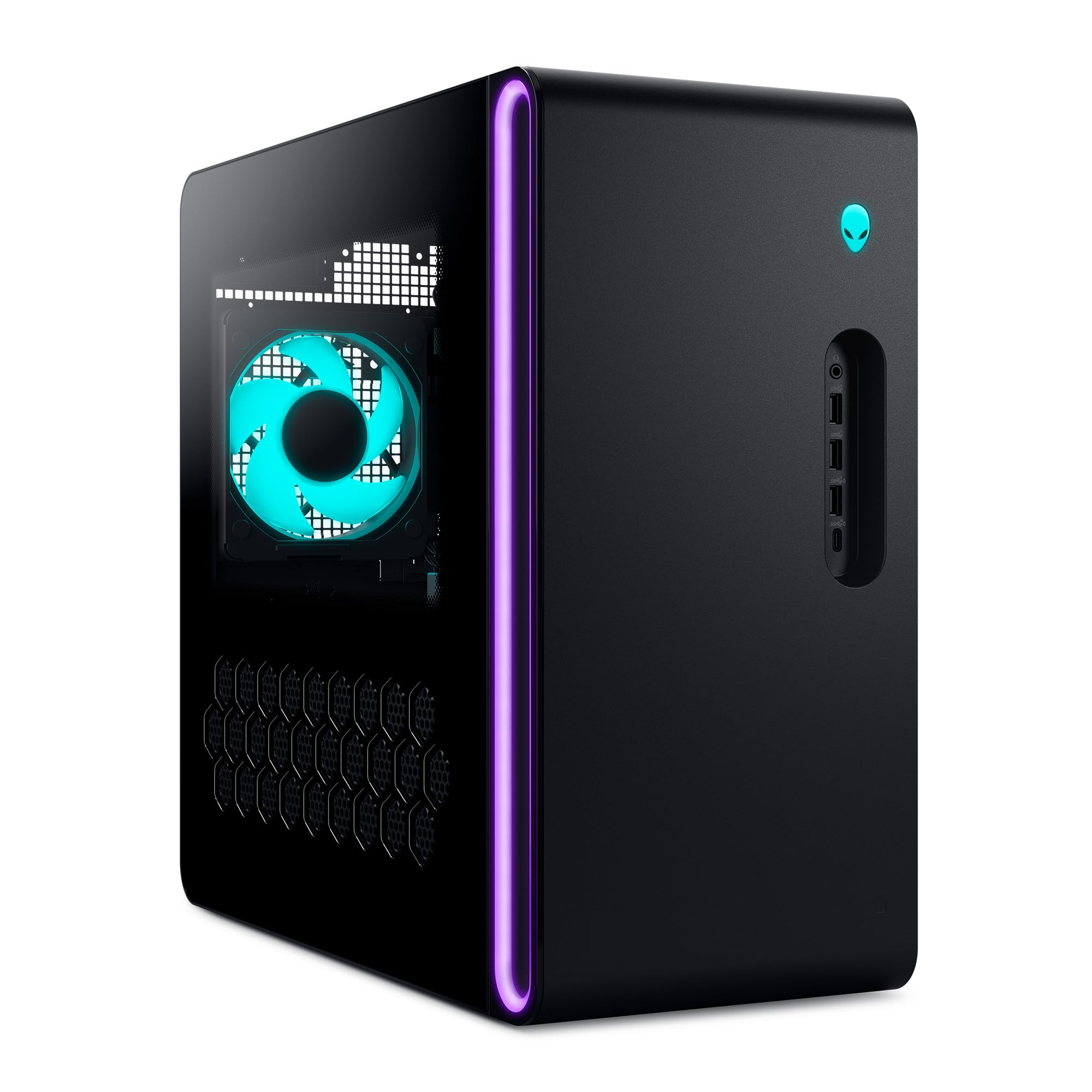
Stadium lighting and Blackwell graphics in a chassis built to show off
For a tower you want to display, this is the one. The matte basalt black finish sits in an tune chassis with customizable AlienFX lighting zones, including the striking stadium lighting. The NVIDIA GeForce RTX 5070 runs on Blackwell architecture, and the Intel Core Ultra 7 265F boosts to 5.3GHz with a 66MB cache — by far the largest cache among the towers here, which helps when you are livestreaming while gaming.
Alienware Command Center ties it together: build and edit AlienFX lighting across the ecosystem, switch and monitor performance modes across power states, and save custom profiles for your whole game library. Air cooling keeps it comfortable under load, and one year of onsite service means Dell comes to you if a covered hardware issue cannot be solved remotely. Owners mention that it stays cool and quiet through long sessions, which matters when the card is working hard.
Two things deserve a closer look before you buy. The specification listing draws criticism for being inaccurate, so confirm the exact configuration on the listing rather than assuming. Storage capacity also draws mixed feedback, with several wishing for more RAM slots down the line. Neither hurts performance — the Aurora runs well and looks the part — but confirming the exact configuration and RAM slot layout before ordering is what separates a good purchase from a great one.
Looks and cooling: a slick, quiet RTX 5070 tower with the deepest cache here, built for long streaming and gaming sessions.
Verify specs first: the listed configuration has been questioned, so read the spec sheet line by line before ordering.
Buy for: gamers who want a showpiece tower with custom lighting and dependable cooling.
Check first if: you plan heavy upgrades — the RAM slot layout is the one complaint to weigh.
10. Lenovo Yoga AIO 32i All-in-One Desktop
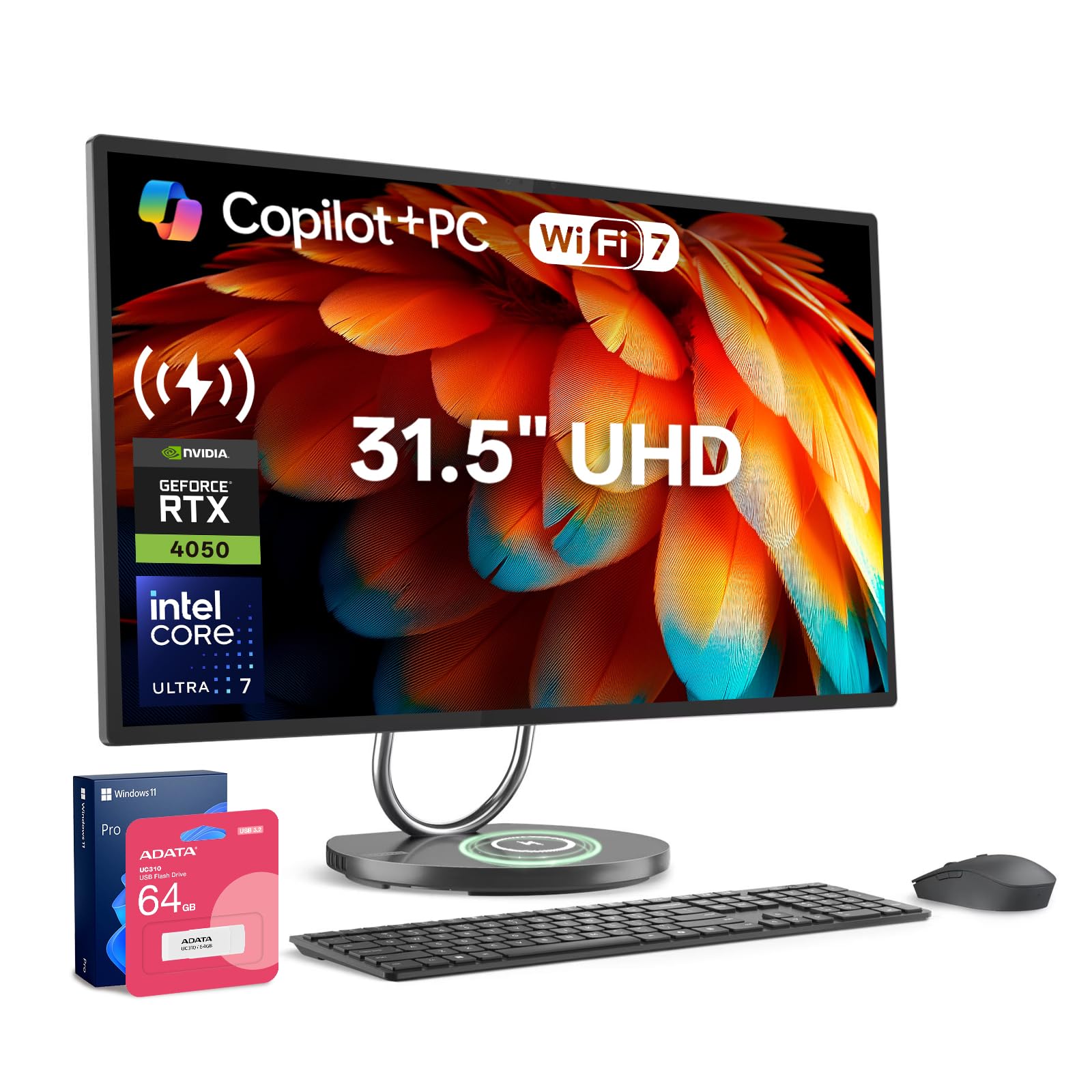
One screen, one cable, a full creative studio on a single desk
This is the machine for people who want a computer and a display as one piece of furniture. The Yoga AIO packs an Intel Core Ultra 7 258V processor boosting to 4.8GHz with integrated AI acceleration, plus an NVIDIA GeForce RTX 4050 with 6GB of dedicated video memory for creative work. The display reaches 3840×2160, and a built-in webcam means video calls need nothing extra.
Connectivity is set up for a modern desk: two USB 3.0 Type-A ports, two USB Type-C ports, one HDMI port, and Wi-Fi 7 with Bluetooth. The RTX 4050’s 6GB of dedicated memory handles photo and video editing, design work, and lighter 3D tasks without leaning on system memory. Windows brings business-grade security and management tools, which suits a home office that handles sensitive work.
One practical detail worth knowing before you order: the original seal has been opened solely for upgrading purposes, and the upgraded RAM/SSD carries a 1-year coverage from PCOnline US while the remaining components keep the original 1-year manufacturer coverage. That is a fair arrangement, but it means you are buying a system that has been opened once. The all-in-one shape is the clear draw — fewer boxes, fewer cables — but it also means a dedicated graphics upgrade later is not on the table the way it is with a tower.
For the tidy desk: a great fit for a creative professional who wants a 4K all-in-one with real graphics muscle and no cable spaghetti.
Skip if: you want to swap graphics cards or run the newest AAA titles on high settings.
11. MINISFORUM MS-S1 MAX Mini AI Workstation
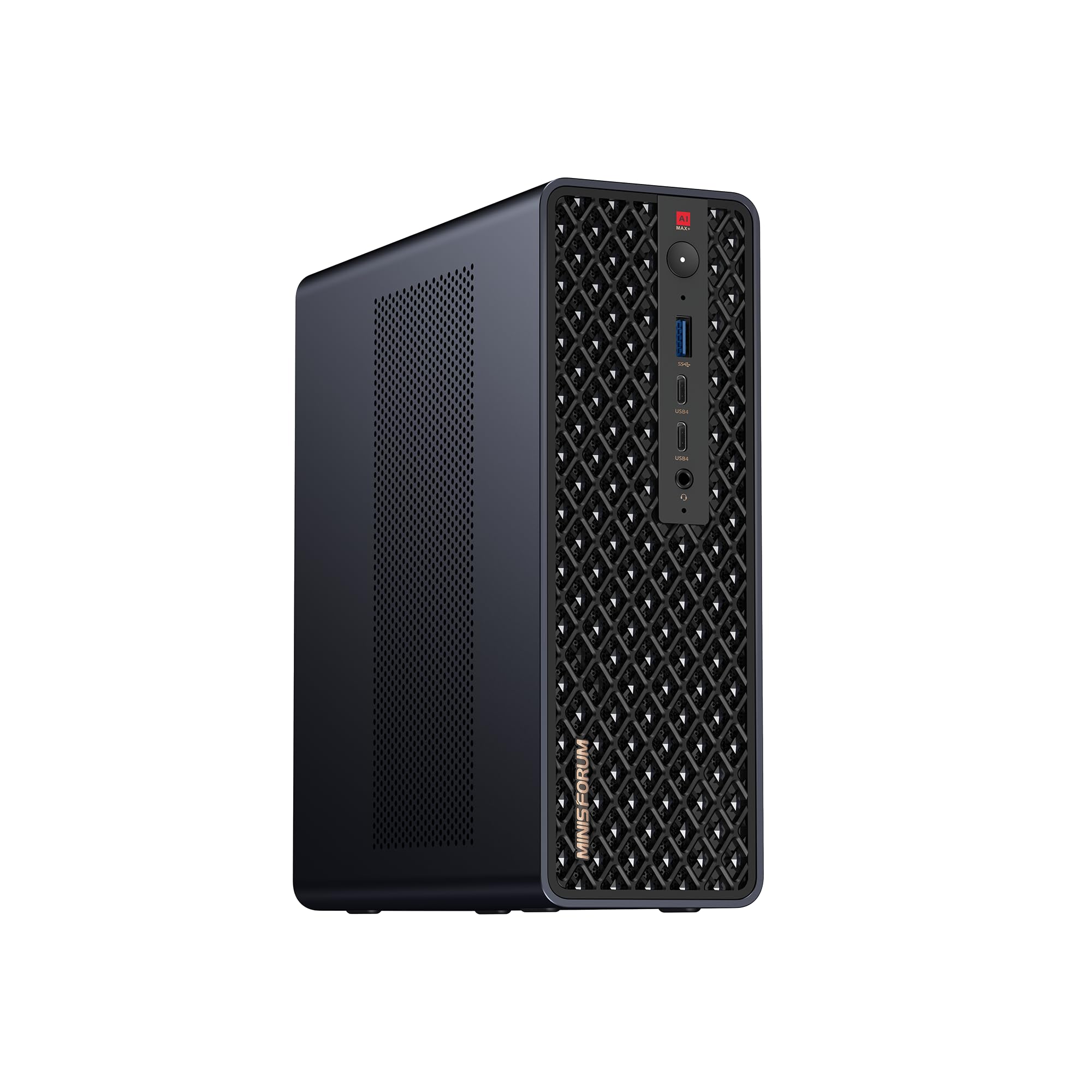
A 128GB memory monster for running large AI models on one desk
Memory is the whole argument for this machine. The AMD Ryzen AI Max+ 395 APU pairs a Zen 5 processor (16 cores, 32 threads, up to 5.1GHz, 64MB L3 cache) with an RDNA 3.5 graphics engine and a 50 TOPS NPU, for 126 TOPS of total system AI output. Fitting 128GB of LPDDR5x on board is what lets it run local large language models and multimodal tasks that would choke a smaller box — the memory capacity that owners single out as the enabling feature.
The expansion story runs deep: USB4 v2 at 80Gbps, dual 10GbE networking, HDMI 2.1 up to 8K60, a full-length PCIe x16 slot, and dual M.2 slots supporting up to 16TB in RAID 0/1. Wi-Fi 7 and a slide-out design for upgrades keep it practical. Cooling uses an aerospace-grade aluminum alloy chassis with a copper base plate, six heat pipes, dual turbine fans, and PCM thermal material, holding 130W continuous and 160W peak power from a 320W supply. Cluster support lets two units run a large 235B Q4 model locally.
Owners describe the performance in raw terms — “absolute beast of a computer” is how one buyer framed it — and the unified memory is what makes large models feasible. The catch to understand is that its strength is AI and creative work, not a dedicated gaming card; the graphics are integrated RDNA 3.5. For local model work on a single desk, there is little that pairs 128GB with this much cooling headroom.
What this machine is built for
- 128GB LPDDR5x lets large local AI models load and run on one unit
- 126 TOPS total system output from 50 TOPS NPU plus CPU and GPU
- Full-length PCIe x16 slot and dual M.2 up to 16TB RAID 0/1
- Dual 10GbE and USB4 v2 at 80Gbps keep large-model pipelines moving
Set your expectations
- Graphics are integrated RDNA 3.5, not a dedicated gaming card
- Memory capacity divides opinion for the very largest AI models
- Positioned at the top of the range, with fewer owners in the field so far
For AI researchers: the pick if you run local large language modelsand need 128GB of memory on one desk.
Skip if: gaming is your main goal — the integrated graphics trail the dedicated RTX cards.
Understanding the Specs
Memory (RAM) in gigabytes
RAM is your computer’s short-term workspace — the desk where open programs sit while you use them. More gigabytes means more heavy apps at once without slowdown. 32GB is the comfortable floor for video editing, coding with virtual machines, and local AI work. One pick here goes to 128GB, which is what allows large AI models to load at all. Look for DDR5, the current generation, and check whether the memory is soldered down or in slots — slotted memory can be upgraded later.
Dedicated versus integrated graphics
Integrated graphics share the processor’s memory and handle office work, photo editing, and casual games. A dedicated graphics card has its own video memory — the 8GB, 12GB, and 6GB figures you see in the specs — and is what drives AAA gaming, 3D rendering, and CAD. The trade-off is heat and fan noise, which is exactly why towers with dedicated cards leave more room for cooling than mini PCs.
TOPS and the NPU
TOPS stands for trillions of operations per second — a rough measure of AI math throughput. The NPU (neural processing unit) is a chip built for that math, and the combined CPU, GPU, and NPU figure tells you how much local AI work the platform can handle. A higher TOPS number supports larger local language models and faster AI-assisted tasks. It says nothing about gaming frame rates, so weigh it only if AI work is on your list.
Storage type and slots
An SSD (solid-state drive) stores files with no moving parts, which is why a Gen4 NVMe drive boots Windows in seconds. PCIe Gen4 is the current mainstream speed tier, and Gen5 is faster still. What matters for buyers is slot count: two M.2 slots let you add a second drive later, and one pick supports up to four PCIe 4.0 M.2 slots with RAID for data protection. Capacity in terabytes decides how many games and project files fit.
FAQ
Is a mini PC powerful enough to replace a full desktop tower?
How much RAM do I need for local AI models?
Do I need a dedicated graphics card or is integrated enough?
Can these desktops drive multiple monitors at once?
What does the 3-year warranty on some mini PCs cover?
Is an all-in-one like the Lenovo Yoga a good choice over a tower?
Does more CPU cores or higher clock speed matter more?
How do I expand storage or memory after buying?
Will an RTX 5060 or RTX 5070 desktop handle the newest games?
Is a liquid cooler better than air cooling for a gaming desktop?
Final Thoughts: The Verdict
For most people shopping an advanced personal computer, the GEEKOM GT15 Max AI Mini PC is the pick that covers the widest range of work — 32GB of expandable DDR5, up to 99 TOPS of AI compute, four-display output, and a 3-year warranty in a box you can hide behind a monitor. If gaming is the goal, reach for the YAWYORE Ryzen 7 5700X tower with its RTX 5060. And if you are running large AI models on your own desk, the MINISFORUM MS-S1 MAX and its 128GB of LPDDR5x is the one built for that job. Match the machine to your real workload — memory first, graphics second — and the right pick will last years on your desk.
How We Picked
We do not accept paid placement. Every pick is matched to a real buyer and a real use-case; we do not hands-on test units.
Sources & Methodology
Specifications: manufacturer listings and product documentation. Review insights: verified customer reviews, as of November 2026. Pricing: not shown on this page (it changes often); check the current price via the retailer link.
As an Amazon Associate, Gadgets Feed earns from qualifying purchases. This does not affect which products we feature.