
Our readers keep the lights on and my morning glass full of iced black tea. As an Amazon Associate, I earn from qualifying purchases.
Specs are compiled from manufacturer listings and verified buyer reviews and can change over time — please confirm the key details on the product page before buying.
Here is the honest answer first: if you want a true 6 inch tablet, almost nothing is sold at exactly that size. What you will actually buy is a 7 inch mini tablet, which is the closest size that still fits a coat pocket, a kid’s backpack, or a bedside table. Every pick below sits in that 7 inch zone, so you are comparing real, buyable options rather than chasing a number that barely exists on shelves. Which of these 7 inch slates is worth your money depends on how much slow-chip lag and short battery life you are willing to tolerate.
I’m Min — the founder and writer behind Gadgets Feed. This guide is built by comparing the manufacturers’ published specifications and the patterns across verified customer reviews, so you get each pick’s real strengths and trade-offs instead of marketing spin.
The mini-tablet shelf is crowded with near-identical listings, so the differences that actually matter are screen resolution, RAM, battery capacity, and how the software behaves after a few months. Below you will find the practical breakdown that turns a confusing wall of lookalike listings into a shortlist you can act on, which is exactly what a good guide to the 6 inch tablet should do for you.
Quick Picks
- Kids Tablet 7 inch 3-9 for Kids — Best Overall
- Android 14 Tablet 7 inch with Case — Top Performer
- IWEGGO Android 14 Tablet with Case — Best Connectivity
- HNVHNV Android Tablet 7 Inch — Best for Kids Space
- PRITOM 7 inch Tablet 32GB — Travel Companion
- PEICHENG Android 14.0 Tablet 7″ — Lightest Pick
How To Choose The Best 6 Inch Tablet
At 7 inches, budget hardware sets the ceiling, so judge each pick by what it does well rather than by flagship standards. A 7 inch slab is small enough to hold in one hand for an hour, but it is also small enough that the chip inside has to work harder to keep up. Four specs decide most of the experience: physical RAM, screen resolution, battery capacity, and Android version.
Read the RAM claim carefully
Many listings advertise 8GB of RAM, but the fine print often reveals something like “3GB + 5GB expansion” — meaning 3GB of physical memory and 5GB of virtual memory borrowed from storage. Virtual RAM helps a little when you switch between apps, but it is not the same as real memory chips. If you plan to run several apps at once, treat the physical number as the one that matters, and treat the bigger headline number as a bonus rather than a guarantee.
Screen resolution and what it means for your eyes
Nearly every tablet in this size class uses a 1024 x 600 panel, and at 7 inches that gives you a workable but not razor-sharp picture. Text in a book app stays readable; fine print in a spreadsheet does not. If you plan to read for long stretches, look for a model that mentions an eye-care or blue-light mode, which shifts the backlight warmer and reduces the strain of a bright white page at night.
Battery capacity versus claimed hours
A 3000 mAh battery (milliamp-hours, the standard measure of how much charge a cell holds) is the common baseline here, and several listings pair it with a claim of around 6 hours of mixed use. Real numbers vary with screen brightness and Wi-Fi, so treat any hour figure as a best case. A bigger battery number does not always mean longer runtime either — the chip’s efficiency matters just as much as the cell.
Quick Comparison
| Model | Best For | Screen | Memory | Battery | Amazon |
|---|---|---|---|---|---|
| Kids Tablet 7 inch 3-9 (Pink) | Young children | 7 in, 1024 x 600 | 4GB RAM (2+2), 32GB ROM | 3000 mAh | Amazon |
| Android 14 Tablet 7 inch (Aheadlink) | Fastest chip of the group | 7 in, 1024 x 600 | 8GB RAM (3+5), 32GB ROM | 3000 mAh, 6 hrs | Amazon |
| IWEGGO Android 14 Tablet (Pink) | WiFi 6 and a 5MP camera | 7 in, 1024 x 600 | 8GB RAM (3+5), 32GB ROM | 3000 mAh | Amazon |
| HNVHNV Android Tablet (Pink) | Kids Space and parental control | 7 in, 1024 x 600 | 6GB RAM (2+4), 32GB ROM | 3000 mAh, 4 hrs | Amazon |
| PRITOM 7 inch Tablet | Handy carry-around size | 7 in, 1024 x 600 | 32GB ROM | 2432 mAh, 6 hrs | Amazon |
| PEICHENG Android 14.0 Tablet | Lightest travel companion | 7 in, 1024 x 600 | 8GB RAM (3+5), 32GB ROM | — | Amazon |
In‑Depth Reviews
1. Kids Tablet 7 inch 3-9 for Kids, 32GB ROM Toddler with Shockproof Case (Pink)
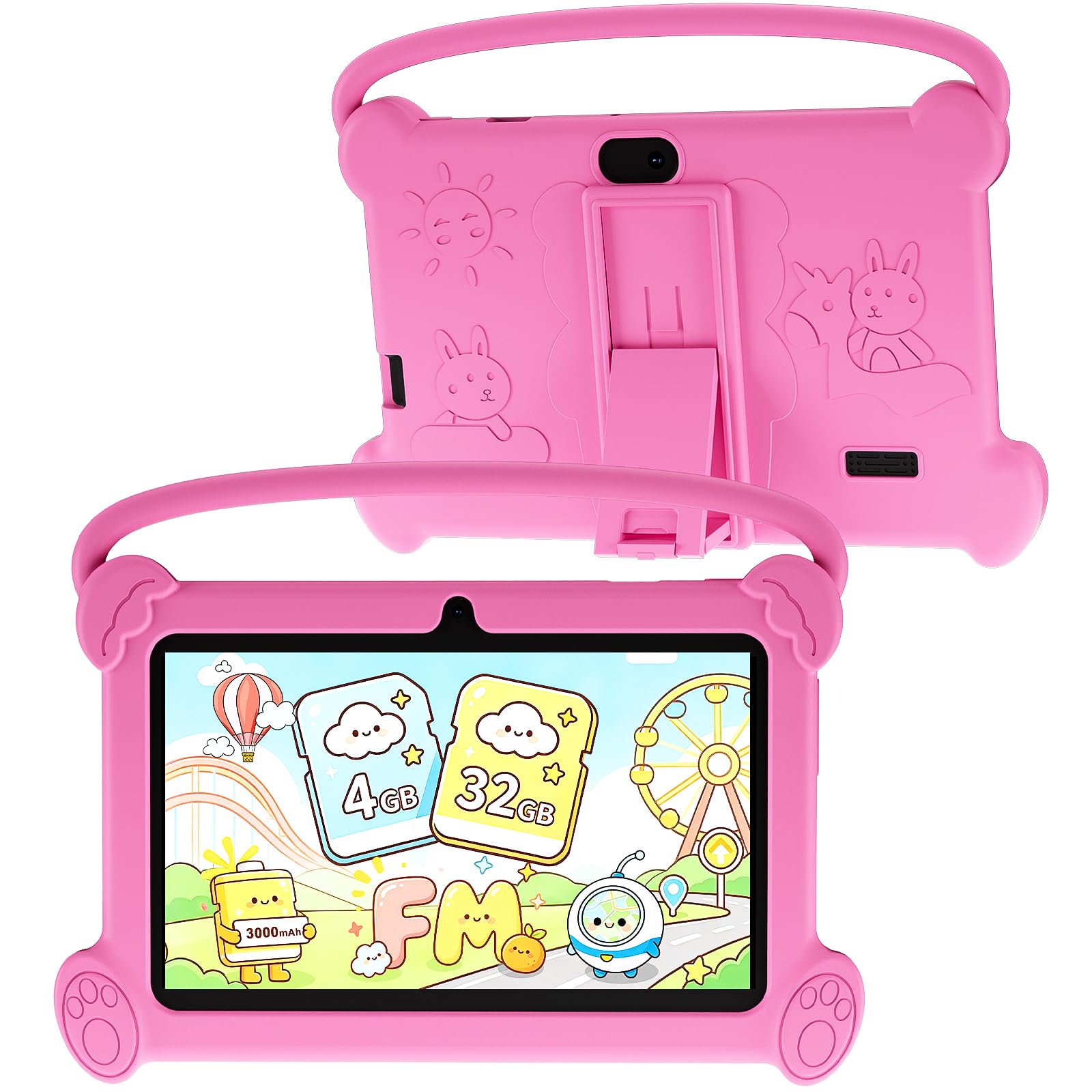
The only pick here that arrives ready for small, clumsy hands
This is the one you hand to a four-year-old without flinching. It ships with a shockproof case and an adjustable plastic stand already attached, so the tablet survives being dropped and propped on a kitchen table without you buying a single extra. That packaging is the reason it earns the top spot here: for the parent-shopper, “works from the start and survives a tumble” beats a faster chip every time. It also comes with a 3000 mAh battery — the joint-largest cell in this group alongside the Aheadlink and the IWEGGO — which matters when a child leaves a video running for an hour.
Under the hood it runs Android 12 on a quad-core processor, with 4GB of RAM (that is 2GB of physical memory plus 2GB of virtual expansion) and 32GB of storage you can push to 512GB with a microSD card. On a 1024 x 600 IPS screen at 60Hz, cartoons and picture books look fine. The tablet is GMS certified and supports Widevine L1, which is the license that lets Netflix and similar apps play at their normal resolution rather than a soft, pixelated version. In practice that means bedtime streaming actually looks the way it should.
The parental side is where this earns its keep. You can cap screen time, set a password, build a separate profile for each child, block specific apps, and filter unsafe web pages — all standard parental-control tools, but genuinely useful when two kids share one device. The trade-off is speed: this is the slowest-feeling tablet in the group in daily use, and background apps take a visible beat to open. Treat it as a streaming-and-reading device for a child, not a multitasker for an adult.
Where it stumbles is battery consistency — many buyers report it holds a charge well, while others find it drains faster than expected, and that split shows up across the reviews. It is a fair caveat rather than a failure, but it does mean you should not plan a full day away from a charger.
What parents will appreciate
- Shockproof case and adjustable stand included, so no separate accessories to buy
- Per-child profiles with screen-time limits and web filtering
- Widevine L1 support so Netflix streams at proper resolution
- 3000 mAh battery and 512GB microSD expansion
Where it asks patience
- Quad-core chip feels slow when several apps are open
- Battery experience varies — some units drain faster than others
- 1024 x 600 screen is serviceable but not sharp
Made for: parents buying a first real tablet for a child aged three to nine, where drop protection and parental controls matter more than speed.
Think twice if: you want a smooth adult device for browsing and multitasking — the processor here is the weakest of the six.
2. Android 14 Tablet 7 inch with Case, 8GB RAM 32GB ROM, 1.8 GHz Quad-Core (Black)

The quickest chip on this shelf, and it shows in everyday taps
Its 1.8 GHz quad-core chip opens menus and switches apps without the usual budget-tablet pause. Its processor tops out at 1.8 GHz, which is meaningfully ahead of the 1.6 GHz chip in the IWEGGO below — a difference you feel most when switching between a browser and a video app. It is still a budget chip, but it is the fastest quad-core in this lineup, and that single fact is why it sits second rather than first.
Memory is listed as 8GB, and the fine print is honest about it: 3GB of physical RAM plus 5GB of virtual expansion. That physical figure is double what the kids tablet offers in real memory, and it shows when you keep a reading app and a messaging app open at once. Storage is 32GB, expandable to 1TB via microSD. The tablet runs Android 14 — the newest system of the six — and it is GMS certified with Google Play, so you are not locked out of the usual apps.
The 7 inch 1024 x 600 IPS panel hits 60Hz, and there is Widevine L1 support so streaming apps serve high-resolution video instead of the foggy alternative. A free leather case is in the box. Battery is the interesting part: a 3000 mAh cell paired with a low-power chip and Type-C fast charging, rated for around 6 hours of use. In plain terms, that is enough for a flight or an evening of video, not a full weekend away.
Here is the catch, and it is the dominant theme in its customer feedback: quality control is uneven. Some buyers get a clean unit that performs exactly as advertised, while others run into slowdowns or a battery that will not take a full charge. You are buying a very cheap device with very good paper specs, so go in expecting to test it thoroughly in the first week.
The realistic read: on paper this is the best-balanced mini tablet of the six — newest Android version, biggest real RAM, fastest chip, and a leather case included. If you get a good unit, it is the one to beat in this price band.
Worth grabbing if: you want the most responsive everyday experience at this size and you are comfortable checking the device thoroughly as soon as it arrives.
Look elsewhere if: you need guaranteed consistency from the first unboxing — the reported spread in quality makes this a slightly more of a gamble.
3. IWEGGO Android 14 Tablet with Case, 7 Inch, 5MP Camera, WiFi 6 (Pink)

WiFi 6 on a budget slate is rarer than you would think
Most tablets this cheap settle for plain older WiFi, so the WiFi 6 support here stands out. In practice it means a steadier connection when several devices share the same router — useful if you are streaming in a house where someone else is gaming. It also bundles a 5MP rear camera alongside a 2MP front one, which is the sharpest rear sensor in this group: the kids tablet and the PEICHENG both sit well below that figure. For snapping a page of notes or a quick photo, it is the most capable of the six.
The rest of the spec sheet is familiar: Android 14, a quad-core processor, 8GB of RAM split as 3GB physical plus 5GB virtual, 32GB of storage expandable by microSD, and a 7 inch 1024 x 600 IPS screen. The listing quotes 8 hours of battery life from a 3000 mAh cell, which is the most optimistic runtime claim in the lineup — believable for light reading with the screen dimmed, less so with video running at full brightness. There is an automatic eye-comfort mode, plus Bluetooth, a speaker, and a 3.5mm headphone jack, all of which matter if you want to plug in wired earphones on a plane.
This is also the pick with the largest crowd behind it — the listing carries a 3.5+ star average from a big pool of buyers, so the feedback is well spread rather than dominated by a handful of voices. The recurring note is reliability: some units run exactly as expected, others develop problems and connectivity wobbles. Durability is the other weak point, with a portion of buyers reporting early failures.
The honest framing: this is an everyday-use tablet with a genuinely good connectivity spec and a camera that beats its stablemates, wrapped in QA that is not consistent. Buy it for the WiFi 6 and the camera, and treat the 8 hour claim as a best case.
Why it earns third place: WiFi 6 and a 5MP rear camera are two real advantages no other pick here matches. Those matter if you plan to move around the house with it or take quick photos.
What to plan around: the 8 hour battery figure assumes gentle use, and the build is not the toughest of the six.
Reach for this if: a stable WiFi connection and a usable rear camera matter to you — it is the only pick with WiFi 6 and a 5MP sensor in the same box.
Skip if: you need a device that stays rock-solid for years — reliability is the most-discussed concern in its feedback.
4. HNVHNV Android Tablet 7 Inch, 6GB RAM 32GB ROM, E-Reader, Parental Control (Pink)
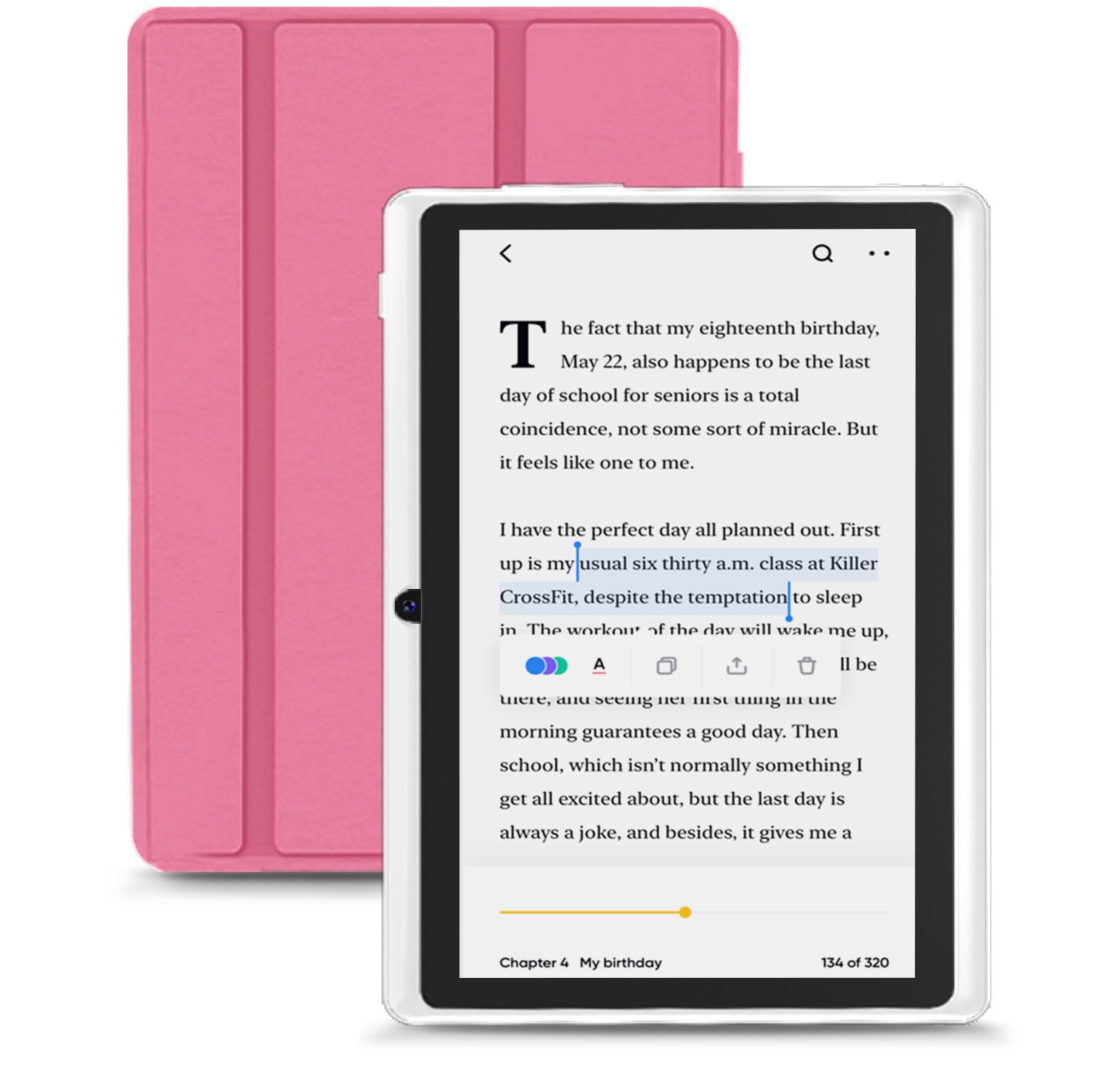
One device that switches between a child’s playroom and an adult’s reading nook
It is the only pick here built to serve a child and an adult reader on the same device. It is pitched as a kids’ tablet and an e-reader at once, shipping with Google Kids Space installed for age-appropriate content, and a parental mode that filters content, sets learning goals, and manages screen time. But the size and weight work just as well for an adult who wants a small reader for the commute. Its customer feedback lands on both sides, with size and suitability for adults both showing up as genuine positives.
The spec sheet is the most modest in many ways, and one detail deserves attention: the Unisoc SC7731E chip tops out at 1.4 GHz, which is below the 1.8 GHz of the Aheadlink and the 1.6 GHz of the IWEGGO. RAM is listed as 6GB, but that is 2GB of physical memory plus 4GB virtual — the smallest physical pool here. Storage is 32GB with 1TB microSD expansion. The 1024 x 600 IPS screen does its job for e-books and video.
Its strongest practical feature is connectivity depth: 5G and 2.4G dual-band WiFi, Bluetooth, FM radio, a speaker, and a 3.5mm headphone jack. Dual-band WiFi is the useful one — the 5G band (that is the faster, shorter-range WiFi band, not a phone network) keeps streaming steadier in crowded airwaves. The 2MP front and 5MP rear cameras mirror the IWEGGO’s rear sensor, and the bundled protective case adds drop protection without extra spend. Battery is rated at 4 hours from a 3000 mAh cell, which is the shortest runtime claim of the six.
Performance is the thing to size honestly: it earns the title of the smoothest of the budget tier on paper, but the 2GB physical memory is genuinely thin, so heavy app switching will feel laboured. If your plan is one app at a time — a book, a video, a video call — it holds up.
The split personality, in a good way: Google Kids Space for the child, and a comfortable 7 inch reader for you. Few tablets at this size make that handoff so easy.
The one limit that matters: 2GB of physical RAM. It runs one thing well, not five.
An easy yes if: one tablet has to serve a child and an adult, and reading plus light video is the main use.
A no if: you expect to juggle several apps at once — the physical memory is the smallest in the lineup.
5. PRITOM 7 inch Tablet 32GB, Android 13, HD IPS, WiFi (Black)

The slimmest, easiest-to-pocket pick — if you accept modest power
At 2432 mAh it has the smallest battery here, but the slim body and pre-installed screen film make it the easiest to carry. The listing describes a slim body that slips into a bag or a pocket, which is the whole point of a small tablet. It ships with a case and a protective screen film already applied, so the screen is protected from day one without a fiddly installation. For a device that lives in a backpack or a kitchen drawer, that pre-installed film is a small but real convenience.
Its battery is the smallest here: 2432 mAh, versus the 3000 mAh cells in the kids tablet, the Aheadlink, the IWEGGO, and the HNVHNV. The listing counters that with a quoted 6 hours of mixed use and a low-power CPU, which is the sensible pairing — a smaller cell with a chip that sips rather than gulps. Expect it to be fine for an evening of reading or a flight, and plan to top it up overnight. Storage is 32GB with microSD expansion up to 512GB, and it runs Android 13 on a quad-core processor.
The screen is a 1024 x 600 HD IPS panel with an Eye Health mode that filters blue light, which genuinely changes how a night-time reading session feels. There is a “BOX speaker” described as louder and clearer than typical, a dual camera, and full GMS access to the Play Store for Netflix, YouTube, and the usual apps.
Where it falls short is speed. Its customer feedback is the least flattering in this group — the device is frequently called slow, and the battery frequently called weak, with durability also questioned. Note the split between the listing’s own quoted battery life and the buyer experience; the runtime claim is the optimistic end of the spectrum. Treat this as an inexpensive convenience device, not a performer.
Get it for: a genuinely pocketable reader and light video device where the pre-installed screen film and slim body are the draw.
Leave it if: speed is non-negotiable — this is the slowest-feeling pick of the six on real feedback.
6. PEICHENG Android 14.0 Tablet 7″, 8GB RAM 32GB ROM, 1TB Expand (Black)

Built around the idea that the best tablet is the one you actually carry
Its pitch is one-handed carry: a light 7 inch body that slips into a coat pocket or a small bag. That portability is why owners praise its size more than any other feature. Memory is listed at 8GB, split as 3GB physical plus 5GB virtual, with 32GB of storage and microSD expansion up to 1TB — the same generous ceiling as several others here, enough for a whole library of e-books and a stash of video downloads.
The 1024 x 600 IPS touchscreen refreshes at 60Hz, and it runs Android 14 on a quad-core chip. Its size is what wins people over most — the seven-inch footprint and light weight come up far more often than anything else in what owners say. It supports WiFi and Bluetooth, ships with a case, and the listing pitches it for travel, reading, and video. For a second-screen device to leave in a bag, that is the right blend.
Two honest notes complete the picture. First, the listing’s own spec sheet does not quote a battery capacity, so ignore any runtime promises you see elsewhere and assume you are charging most nights. Second, its customer feedback is balanced at best: the size is consistently praised, while performance and battery draw are the recurring grumbles, and connectivity is a mixed bag with some units dropping from WiFi. It is a fine pocket reader, not a dependable workhorse.
The carry-anywhere case
- Light, pocketable 7 inch body that is easy to hold one-handed
- 32GB storage with microSD expansion up to 1TB
- Android 14 and a 60Hz 1024 x 600 IPS touchscreen
The honest caveats
- No battery capacity quoted in the spec sheet
- Performance and battery life draw the most criticism
- WiFi connection can be unreliable on some units
Ideal for: the reader or traveller who wants the lightest possible slate for e-books, browsing, and the odd video in a café.
Not for: anyone who needs a device that stays connected and powered through a long work day.
Understanding the Specs
RAM: Physical vs Virtual
A RAM listing like “8GB (3GB + 5GB expansion)” is describing two different things. The first figure is real memory chips inside the tablet; the second is storage borrowed to act like memory when you need extra room. Real RAM runs faster, so the physical number tells you more about how smoothly apps will switch. On a 7 inch tablet, 2GB to 4GB of physical RAM is the usual range, and it dictates whether you can keep a browser and a video app open at the same time.
Display Resolution and Refresh Rate
A 1024 x 600 screen is the standard in this small, budget-friendly tier — it is sharp enough for text and video at 7 inches, but not for detailed spreadsheets. A 60Hz refresh rate means the image redraws 60 times a second, which is the normal baseline and perfectly fine for reading and streaming. Higher resolutions and refresh rates matter more on larger screens; at this size, the panel’s brightness and colour handling make a bigger difference than the raw pixel count.
Battery Capacity and Runtime Claims
Battery capacity is measured in milliamp-hours (mAh), and 3000 mAh is the common baseline for 7 inch tablets. Runtime claims — often quoted as around 6 hours — assume light use with the screen dimmed, so treat them as best case. A larger cell does not guarantee longer life, because a more efficient chip can stretch a smaller battery further. When a listing omits capacity entirely, that is your cue to be cautious about any hours figure advertised elsewhere.
Android Version and Widevine L1
Newer Android versions tend to mean longer app support and smoother performance, which is why Android 13 and 14 models appear here. Widevine L1 is a streaming license that lets apps like Netflix play at their full resolution; without it, video can look soft. The presence of Widevine L1 and GMS certification together tells you the device can access the Play Store and run mainstream streaming apps properly.
FAQ
Is there actually a true 6 inch tablet for sale?
Will a 7 inch tablet fit in my pocket?
What does 8GB RAM mean on a budget tablet?
How long does a 3000 mAh tablet battery really last?
Can I expand storage with a microSD card?
Is a 7 inch tablet good for reading e-books?
What does Widevine L1 support actually do?
Can I set parental controls on these tablets?
Is WiFi 6 worth having on a small tablet?
Why do these tablets feel slow after a few months?
Final Thoughts: The Verdict
How We Picked
We do not accept paid placement. Every pick is matched to a real buyer and a real use-case; we do not hands-on test units.
Sources & Methodology
Specifications: manufacturer listings and product documentation. Review insights: verified customer reviews, as of November 2026. Pricing: not shown on this page (it changes often); check the current price via the retailer link.
As an Amazon Associate, Gadgets Feed earns from qualifying purchases. This does not affect which products we feature.