
Our readers keep the lights on and my morning glass full of iced black tea. As an Amazon Associate, I earn from qualifying purchases.
Specs are compiled from manufacturer listings and verified buyer reviews and can change over time — please confirm the key details on the product page before buying.
You want a sharp picture on your wall, not a spec sheet that oversells. A projector that only “accepts” a 1080p signal can still push a softer 720p or 480p image onto your wall. Brightness figures also get printed in ways that leave your room dimmer than you expected. What you want is a genuinely native 1080p panel (a chip that actually shows 1080p, not just accepts it), an honest light output number, and an input lag (the delay between a button press and the screen reacting) low enough that a football pass or a game controller does not feel behind. Be aware up front that this list uses flexible, human-like matching for native/true 1080p resolution. So not every pick is the exact model you typed into the search bar — the nearest same-type match serves the same purpose, and every one of them is a real 1080p machine.
I’m Min — the founder and writer behind Gadgets Feed. This guide is built by comparing the manufacturers’ published specifications and the patterns across verified customer reviews, so you get each pick’s real strengths and trade-offs instead of marketing spin.
Native 1080p resolution, throw ratio, and ANSI or ISO lumens decide a purchase far more than any logo.
Our Picks at a Glance

How To Choose The Best 1080P Home Theater Projector
Measure your wall and seating distance before you read a single spec sheet. The distance between your seating and your screen decides the throw ratio you need, and that single number rules out more projectors than any other. If your room is short and your wall wide, a long-throw unit forces you to sit almost against the screen to fill it.
Match Lumens To Your Room’s Ambient Light
Lumens are a light-output figure, and the honest ones are listed as ANSI or ISO lumens — measured the same way across brands. A low-lumen machine looks fine in a dark basement and washes out near a window. A high-lumen machine survives a lamp-lit living room but can push colors hotter if you are watching in the dark, so dim it if the image looks overexposed.
Native Resolution Beats “Supported” Resolution Every Time
A native 1080p chip has 1920 x 1080 physical pixels that all render your movie. A “supports 4K” label often means the projector accepts a 4K signal and then shrinks it down — that is fine, but it is not a 4K picture. Read the display resolution maximum line, not the marketing line.
Smart Apps Are Convenient Until They Are Not
Built-in Google TV or Roku TV removes the streaming stick and the second remote, which many buyers value more than they expect. The trade-off is that streaming apps on any projector can fail to mirror certain services, so keep an HDMI port free for a dedicated stick if a specific app refuses to cast.
Quick Comparison
| Model | Best For | Brightness | Contrast Ratio | Light Source | Amazon |
|---|---|---|---|---|---|
| Aurzen Roku TV D1R Cube★ Best Overall | Roku lovers who want zero dongles | 330 lm | 1500:1 | LCD | Amazon |
| HAPPRUN Native 1080P Google TVBest Value | Portable streaming on a budget | 400 lm | 2000:1 | LCD | Amazon |
| NexiGo PJ40 ProTop Performer | Gamers who also stream | 800 ANSI lm | 3000:1 | LCD | Amazon |
| Epson EpiqVision Flex CO-FH02 | Bright rooms and presentations | 3,000 lm | greater than 10000:1 | 3-chip 3LCD | Amazon |
| Epson EF-30 | Compact lifestyle streaming | 350 lm | — | LED | Amazon |
| XGIMI Elfin Flip Laser | Portable laser cinema | 1600 ISO lm | 10000:1 | RGB Triple Laser | Amazon |
| Optoma HD30LV | Lights-on living rooms | 4,500 lm | 22000:1 | Lamp | Amazon |
| ViewSonic PA503HD | Fast-motion and classrooms | 4,000 ANSI lm | 22000:1 | DLP | Amazon |
| BenQ TH671ST | Small rooms, short throw | 3000 lm | 10000:1 | DLP | Amazon |
| ViewSonic LS740HD | Golf sims and big venues | 5,500 ANSI lm | 3000000:1 | Laser phosphor | Amazon |
| Optoma HD28HDR | Low-lag console gaming | 3,600 lm | 50000:1 | DLP | Amazon |
In‑Depth Reviews
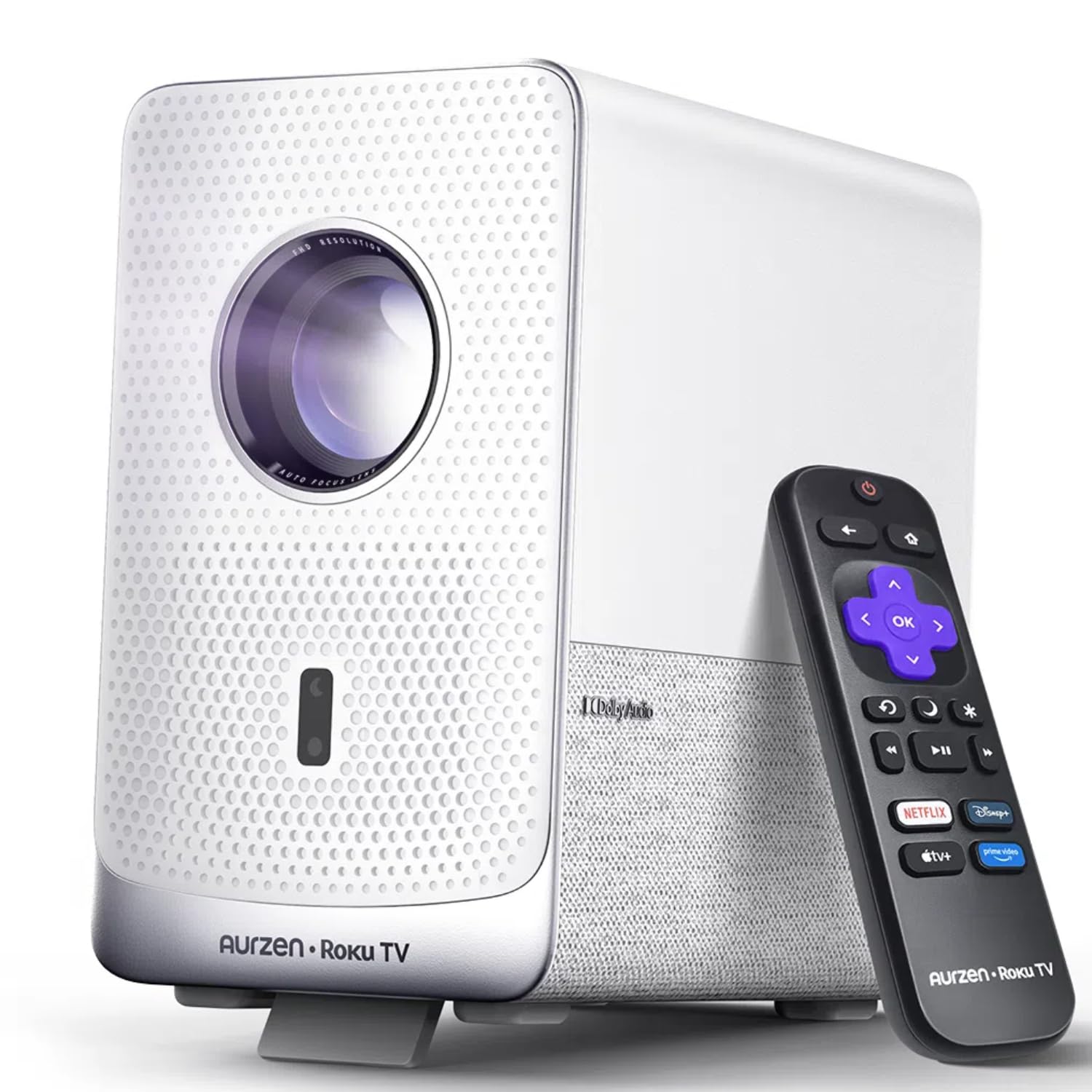
1. Aurzen Roku TV D1R Cube 1080P FHD Smart Projector
Our pick — 4.5+★ from 600+ verified ratings; the strongest balance of quality and price.
Roku drops straight into the chassis, so movie night starts with one remote instead of three.
This is the pick for the household that already lives inside Roku and wants the projector to disappear into that routine. Streaming apps sit on the machine itself — no dongle, no extra remote, no HDMI handshake dance. Setup is genuinely hands-off thanks to auto focus and auto keystone correction, which align the image the moment you power it on. Buyers report being genuinely happy with picture quality from 25 to 30 feet back, which is a realistic living-room distance rather than a spec-sheet one.
You skip the dust-spot cleaning chore because the optical engine is sealed. Dust cannot settle on the internal optics, so you never deal with the blurry spots that plague open designs after a year of use. Cooling stays library-quiet and light leakage is contained. The 1500:1 contrast ratio (the difference between the darkest and brightest parts of the image) falls short of the NexiGo PJ40 Pro’s 3000:1, but for a Roku-first buyer the app experience outweighs that gap. The 330 lm (lumens, the measure of light output) brightness is the honest weak point — the HAPPRUN’s 400 lm is actually brighter, so think of this as a dim-room and evening projector rather than a daytime one. Do not expect it to fight a sunlit living room.
Sound gets more credit than the spec sheet implies. The 10W Dolby speakers handle a movie without an external bar, Bluetooth 5.2 lets you push audio to headphones for a private session, and dual-band WiFi keeps streaming smooth on the 5G band. Voice control spans Apple HomeKit, Siri, Alexa, and Google Assistant, and AirPlay casting works straight from an iPhone with no extra app. The recurring honest caveat is brightness — buyers who set it up near windows noticed it needs the blinds closed to look its best.
What earns the top spot
- Sealed optical engine keeps the image clean without routine dust cleaning
- Roku TV built in — Netflix, Hulu, Prime Video and live TV with no dongle
- Auto focus and auto keystone align the picture the second it powers on
- AirPlay, HomeKit, Alexa and Google Assistant all work from the start
What to know before ordering
- 330 lm means it wants a dim room, not a sunlit one
- A free Roku account and internet connection are required for activation
Settle here if: you want a Roku-first smart projector with a clean, low-maintenance sealed lens and no add-on streaming stick.
Think twice if: your wall faces a bright window at midday — 330 lm will struggle without shades.
2. HAPPRUN Native 1080P Google TV Projector
A licensed Google TV box shrunk into a backpack-sized body, with voice search you actually use.
You get Netflix, Prime Video, YouTube and Hulu built into the projector, thanks to licensed Google TV in a mini frame. A long press on the voice button opens a title without hunting through menus. Wi-Fi 6 (the newer wireless standard that keeps a steadier stream on a crowded home network) is a real upgrade here — it is the piece that stops buffering mid-scene when everyone else in the house is downloading. At 400 lm (lumens, the measure of light output) it is the brighter of the two most affordable picks here, which is not saying much in daylight, but it does edge past the Aurzen D1R’s 330 lm.
Picture quality punches above what the price tag suggests, especially once the room goes dark. The 2000:1 contrast ratio is a step up from the Aurzen’s 1500:1 and handles dark scenes without turning everything to mud. Owners consistently point to setup being painless and streaming working right away on the built-in apps. The catch worth knowing: the audio is only a 5W speaker, so it is fine for a sitcom and thin for a blockbuster. Plan on pairing a Bluetooth bar through the 5.2 connection if movie night is the point.
Three mounting options — ceiling, desktop, and tripod — mean the same unit can move from bedroom shelf to backyard in one evening. It handles 300-inch projection at maximum, though at 400 lm you will not want to push the size that far in anything but total darkness. For the price of an entry-level machine you get a genuine Google TV interface, and that is the part buyers notice first.
Streaming without a stick: the official Google TV license is the differentiator, and voice control through Google Assistant means nobody is learning a remote layout.
Budget sound: a 5W speaker is the honest limit — budget for a Bluetooth bar if dialogue-in-space movies matter.
Buy it for: a portable, officially licensed Google TV projector that travels between rooms without needing a Fire Stick.
Look elsewhere for: living-room cinema audio — a 5W speaker is the single spec that will disappoint a movie purist.
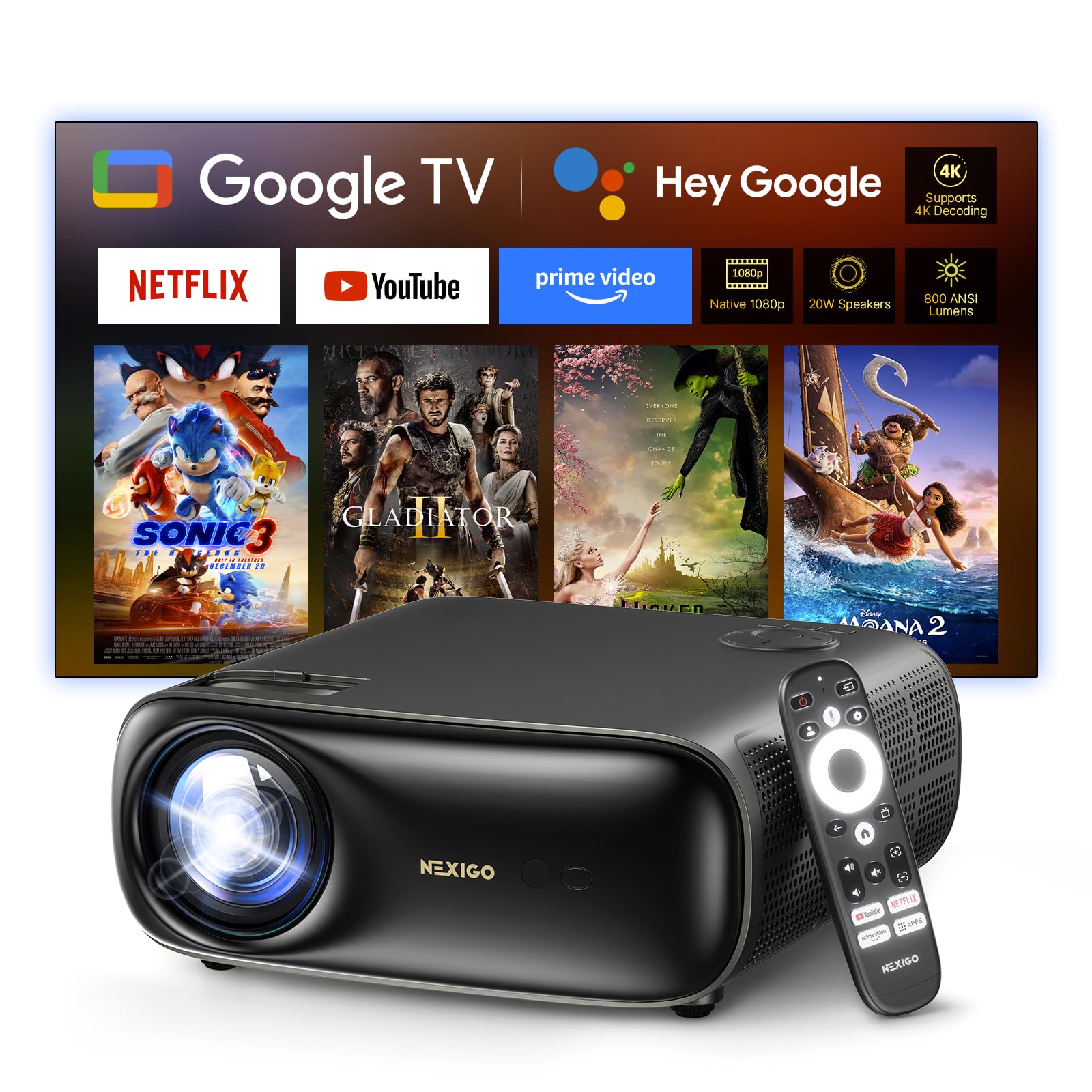
3. NexiGo PJ40 Pro Google TV Projector
800 ANSI lumens and 10 ms lag — the rare budget-adjacent projector that takes gaming as seriously as movies.
If the room has a console in it, this is the pick. Input lag of 10 ms at a 60 Hz refresh rate is fast enough that the controller in your hand feels connected to the character on the wall. The 800 ANSI lumens also does more work than the label suggests — ANSI lumens are measured to a consistent standard, so 800 here is a real step above the entry-level machines. Add a 3000:1 contrast ratio and D65 calibration to the picture and you get deep blacks that survive a dim, not pitch-black, room.
Google TV rides along with Google Assistant and Google Cast, so streaming works without a stick and casting from a phone works without a cable. Two USB ports, two HDMI inputs, an AV port and a 3.5 mm jack mean a console, a soundbar and a streaming box can all stay plugged in simultaneously. The 60-100% zoom is the practical detail people miss — you can resize the projected image without physically moving the unit, which matters if the projector is already mounted.
The honest trade-off is the fan and the sound together. Backed by 20W speakers with DSP decoding, music and movies sound full, but the cooling system is audible when the room goes quiet and the fan speed can be adjusted to help. It is also the heaviest unit in the running at 3.59 kg, so ceiling mounting needs real hardware rather than a light shelf. Auto vertical keystone corrects distortion, though that is vertical only — a slight off-angle placement from the side needs a manual nudge.
Why gamers gravitate here
- 10 ms response time at 60 Hz keeps a controller feeling wired
- 800 ANSI lumens is a measurably honest step above entry-level output
- 60-100% zoom resizes the image without moving the projector
- 20W speakers with DSP decoding save a soundbar purchase
The honest fine print
- 3.59 kg is heavy — plan ceiling mounting properly
- Fan noise is audible in a quiet room, though speed is adjustable
- Keystone correction is vertical only
Perfect for: a mixed household where the same wall hosts movie night and a game controller.
Not your pick if: you need side-angle placement — vertical-only keystone will leave the image skewed.
4. Epson EpiqVision Flex CO-FH02

Three thousand lumens and a 3-chip engine that ends the rainbow-fringing argument for good.
This is the projector for a room where nobody wants to close the blinds. Epson quotes 3,000 lumens of color and white brightness, and the 3-chip 3LCD (three separate LCD panels, one per primary color, working together) displays 100% of the RGB color signal on every frame. In plain terms, you get full color at full brightness rather than the dimmer, rainbow-edged picture single-chip DLP designs can produce during fast motion. Owners mention the image staying visible even in a fully-lit room, which is the whole point of this pick.
The contrast ratio is listed as greater than 10,000:1, and the Android TV interface with Google Assistant voice search puts Netflix, Disney+, HBO Max and YouTube on the machine itself. Chromecast is included, so an iPhone or Android phone casts without extra hardware. Epson’s advanced scene-adaptive color correction adjusts the picture per scene, which stops a dark thriller from looking washed next to a bright sports broadcast.
Set expectations on sound. The built-in bass reflex speaker is tuned for presentations and casual viewing, not a theater, and the 5W output is the weakest link in an otherwise strong chain. The fan stays quiet, so the noise is not the problem — the volume ceiling is. A dedicated soundbar through the HDMI connection fixes it. It is also a renewed unit, so the outer box arrives plain and you should confirm the included Android TV player and cables are all present on arrival.
Color that holds up in daylight: the 3-chip 3LCD design is why this one stays readable near a window, and the greater-than-10,000:1 contrast keeps dark scenes from graying out.
Speaker reality check: 5W handles a Zoom call and a sitcom, not a superhero film — plan a soundbar into the setup.
Choose this for: a bright living room or conference space where closing the curtains is not an option.
Pass if: you want everything in one box at full volume — the 5W speaker is built for presentations, not bass.
5. Epson EF-30 Full HD Personal Lifestyle Projector
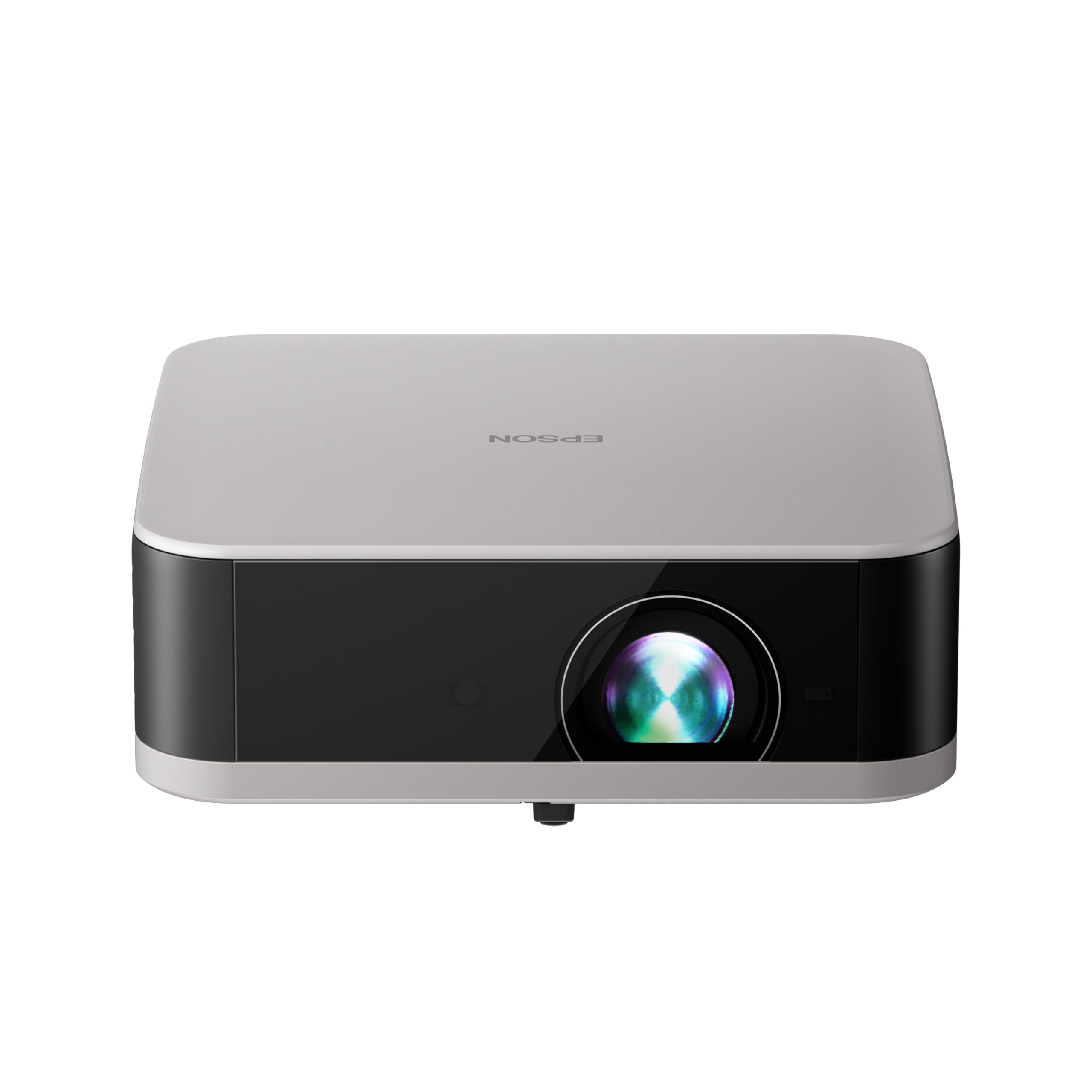
A slim LED lifestyle unit that gets the picture square before you have found the remote.
Epson aimed this one at the bedroom and the casual game night, not the dedicated theater room. The LED light source rates 350 lumens of color brightness (IDMS rated) and 350 lumens of white brightness (ISO rated), sized for an image up to 100 inches. That is a modest output — it wants a dim room — but the LED panel structure means a compact body, and the unit measures just 7.8 by 7.5 by 2.7 inches. It slides onto a shelf or into a bag without a second thought.
Google TV is built in, so Netflix, Disney+ and YouTube are on the machine with no stick. What makes the EF-30 pleasant day to day is EpiqSense 2.0 auto-setup, which handles focus, color and alignment in seconds without you touching a dial. Stereo speakers with Dolby Audio give it more presence than the single-speaker competition, and the Epson Projection Studio app turns your phone into the remote for volume and playback.
You get a personal, dark-room projector here, not a room-filling cinema. With 350 lumens (the measure of light output), it is one of the dimmer picks in this guide, well under Epson’s own CO-FH02 at 3,000 lumens — a gap that tells you exactly who each one is for. It also has the smallest review base of any pick here, so buyer feedback is thin and you are leaning more on the published Epson specs. Epson backs it with a 1-year limited warranty.
Fits best in: a bedroom or a dim den where an auto-aligning, phone-controlled projector is worth more than raw light output.
Skip it for: a bright living room — 350 lumens is built for evenings and closed curtains.
6. XGIMI Elfin Flip Laser 1080P Portable Projector

An RGB triple-laser engine in a book-sized frame, with 1600 ISO lumens to push through ambient light.
The RGB triple-laser source outlasts a lamp and holds its color without a bulb swap. The Elfin Flip uses an RGB triple-laser light source quoting 1600 ISO lumens, and combined with a 10,000:1 dynamic contrast ratio (EBL on) it holds a punchy image even with the lights up. The 110% BT.2020 color gamut is a wide color standard — sport and animated films look saturated in a way LED panels of the same output struggle to match. It is genuinely a daytime-capable 1080p picture, which is a real differentiator among the portables here.
Google TV and Harman Kardon audio arrive together, which means no streaming stick and no soundbar. The speaker output gets more praise than you would expect from an integrated driver, and the noise level stays low enough that you forget the projector is running. Portability is the killer feature: it measures roughly 9.7 inches square and 3 inches thick, so it slides into a backpack for camping, the bedroom, or the backyard without protective wrapping.
Brightness is the one aspect where buyers split. Some find 1600 ISO lumens enough to power through daytime ambient light, others expect more from a laser at this price point and keep the room darker. The software is the other trade-off — the operating system is not as deep as a dedicated set-top streaming device, and you will notice that trade if you are a power user. Auto focus and a low-latency mode keep gaming comfortable.
Where it pulls ahead
- 1600 ISO lumens is the highest output among the compact portables here
- RGB triple-laser source holds color without lamp replacements
- Google TV plus Harman Kardon means no add-on stick or soundbar
- Book-sized frame travels easily to camp or backyard
Worth weighing up
- Some buyers want more from 1600 lumens in full daylight
- Smart interface runs shallower than a dedicated streaming box
Built for: the buyer who wants a laser-lit picture that travels and sounds good without extra boxes.
Not ideal for: full daylight on a huge wall — push to a bigger screen and the 1600 ISO lumens spreads thinner.
7. Optoma HD30LV 1080p Full HD Home Projector
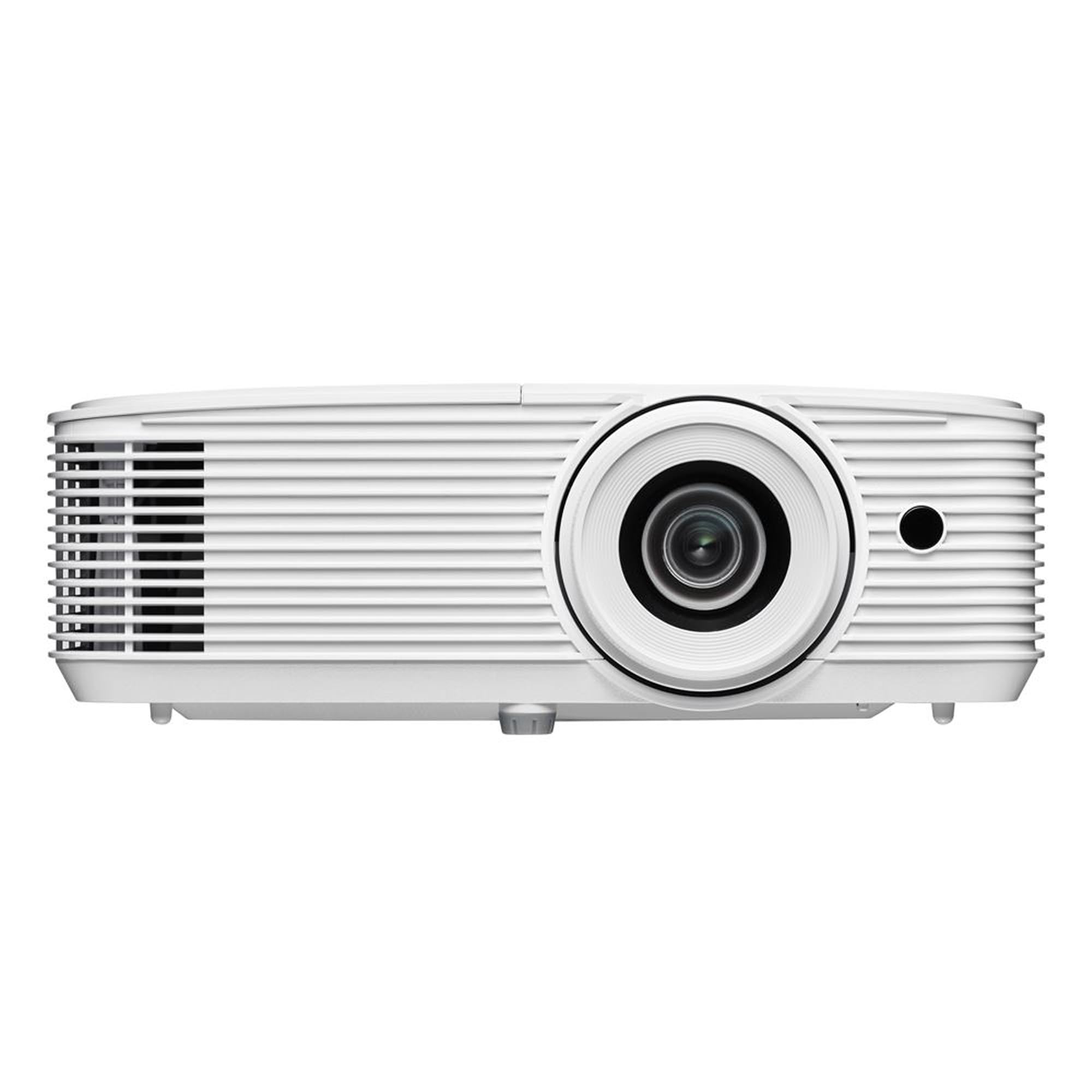
4,500 lumens means the family room lights can stay on and the picture still wins.
You can watch with the lights on, because Optoma rates the HD30LV at 4,500 lumens (the measure of light output). That is more light than any other 1080p pick in this guide except the ViewSonic LS740HD. The 22,000:1 contrast ratio (the difference between the darkest and brightest parts of the image) gives it real depth. Customers note it performing reliably during daytime use, which is the specific scenario most projectors fail. It is also compact and light in the hand for a lamp unit, so carrying it to a friend’s place or a backyard is realistic.
The HDMI connection is your gateway to everything here. Plug in a streaming stick or a console — PS5, Xbox Series X, Switch, Steam Deck all listed — and that is the whole setup. HDR and 4K UHD are listed as compatible, meaning it takes a higher-resolution input and renders it at native 1080p. That is a fine arrangement for streaming services, which send 4K signals even when the panel is 1080p.
The audio is the honest limit. The built-in speaker is weak — several buyers described it as barely present — so a soundbar or a set of speakers through the audio-out is a fair assumption, not an option. The lamp light source also means the bulb has a finite life compared with laser and LED, though that is the usual trade for this much brightness. Once calibrated, it holds a usable picture with the family-room lights on.
Lights-on picture: 4,500 lumens is the headline and it is genuinely usable in a lit room — the main reason to pick this over a dim portable.
Audio is a project, not a feature: the built-in speaker is the weak point and worth budgeting around.
Reach for it when: the room has windows and you refuse to darken it — 4,500 lumens delivers where dim projectors fail.
Consider another pick if: you want an all-in-one box — a lamp-fed 1080p projector still needs external sound.
8. ViewSonic PA503HD 4000 Lumens 1080p Full HD DLP Projector
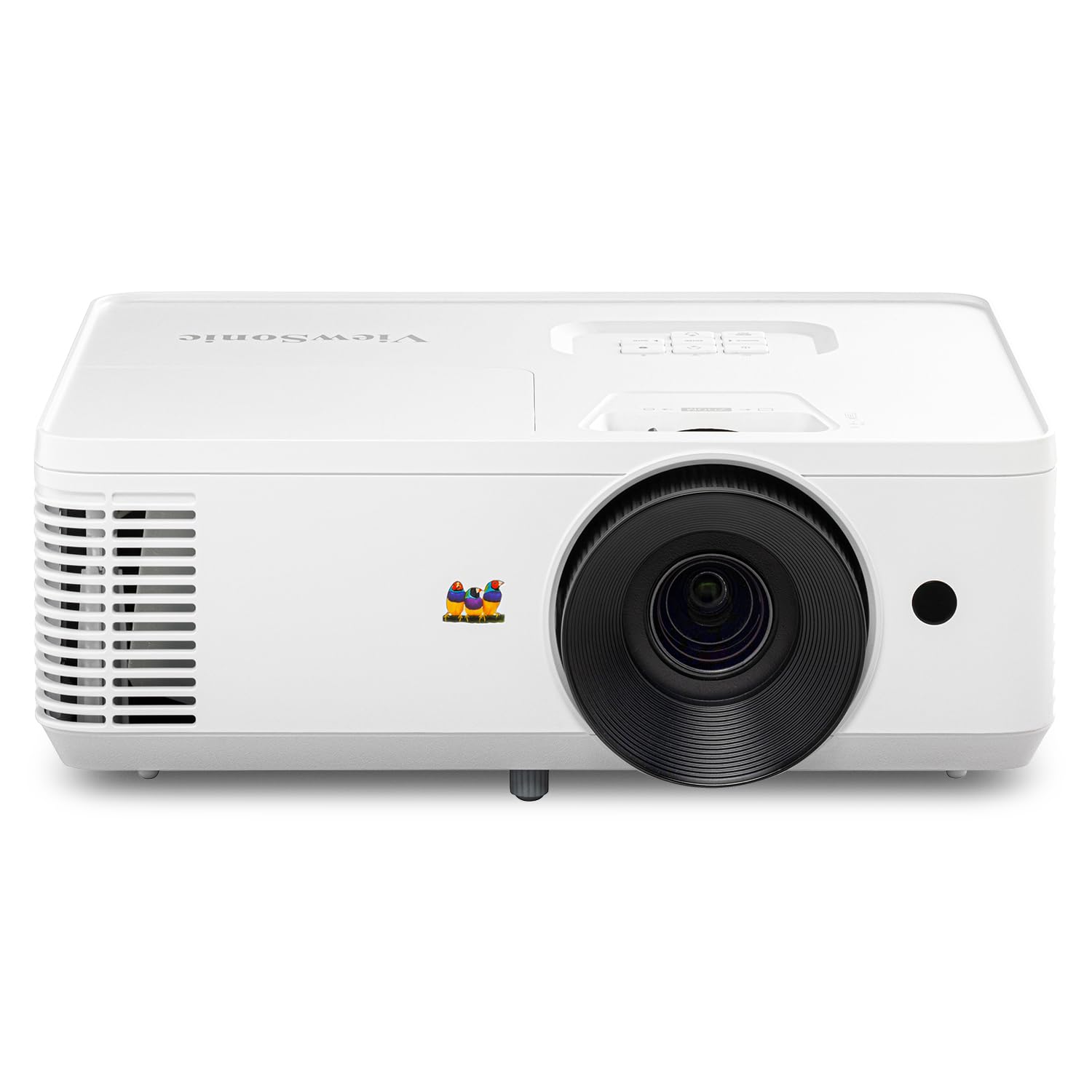
Four thousand lumens and a 120Hz panel tuned for sport, presentations, and anything that moves fast.
ViewSonic built this around motion and light. A 120 Hz refresh rate paired with 16 ms input latency keeps fast-moving content — a football pass, a racing game, a presentation video — smooth with minimal blur. The 4,000 ANSI lumens keeps the image readable in a meeting room with moderate ambient lighting, and the 1.4-1.6 throw ratio means a 100-inch image at 10.8 feet of distance. For a room where the projector sits on a credenza, that distance works without a ladder.
Installation flexibility is the real selling point. A 1.1x optical zoom and vertical auto-keystone correction align the picture quickly, and the unit supports the ViewSonic PJ-WMK-007 ceiling mount for a permanent setup. Screen sizes run 80 to 150 inches, so a classroom or a living room gets the same machine. The 22,000:1 contrast ratio gives dark scenes definition, and the DLP engine keeps text crisp for a spreadsheet on the wall.
The honest catch is adjustability. The vertical keystone handles up-and-down skew, but buyers noted the vertical and tilt travel is limited — a shelf that needs a steep upward angle leaves you shimming the unit by hand. The speaker is also not the part you buy it for. HDMI, USB, and 3.5 mm audio cover the connectivity you need, and the 16 ms lag at 120 Hz is where the money goes.
Great match for: a classroom or a racing-game setup where smooth motion and 4,000 ANSI lumens matter more than smart apps.
Look elsewhere if: your placement needs a steep upward tilt — the limited tilt travel forces manual shimming.
9. BenQ TH671ST 3000 Lumens 1080p Short Throw Projector

A hundred-inch image from five feet away — the solution for a small room with a big wall.
Short throw is the feature that saves an awkward room. The TH671ST projects a 100-inch screen from just 5 feet of distance and can go up to 300 inches at maximum. If your sofa is close to the screen wall and a long-throw unit would force you to sit against the glass, this is the machine that fixes the geometry instead of the furniture. The 3,000 lumens keeps a footprint on a lit room, and 92% Rec. 709 color accuracy (a professional color standard) means the image looks like the director intended rather than oversaturated.
You get smooth game motion, because BenQ tuned the refresh rate (how many times per second the image updates) to match the maximum output of the Xbox One X and PS4 Pro. The low input lag (the delay between a button press and the screen reacting) keeps motion blur away from fast pans. This unit also carries a 3-year limited parts-and-labor warranty, which is the longest coverage in this guide and a real consideration for a durable-goods purchase. The large pool of owner reviews and generally positive picture-quality feedback is consistent with a projector that does what it says.
Two specs need your attention before ordering. The display resolution maximum is listed as 1920×1200, so it will run a desktop signal wider than 1080p — handy for a laptop presentation, fine for movies. Contrast sits at 10,000:1, short of the Optoma HD28HDR’s 50,000:1, so deep-space scenes lean slightly gray in a fully dark room. The built-in speaker is present but modest for a dedicated theater; plan external audio for movie nights.
The short-throw advantage: 100 inches from 5 feet is the single reason to choose this — it fits rooms where no other pick will.
Contrast is the compromise: 10,000:1 against the Optoma HD28HDR’s 50,000:1 means dark scenes are decent, not demo-grade, in total darkness.
Made for: compact rooms, gaming setups, and anyone who cannot back a projector up far enough for a big screen.
Rather not if: you watch in a pitch-black room and want the deepest blacks — rivals here beat its 10,000:1 contrast.
10. ViewSonic LS740HD 1080P Laser Projector, 5500 Lumens
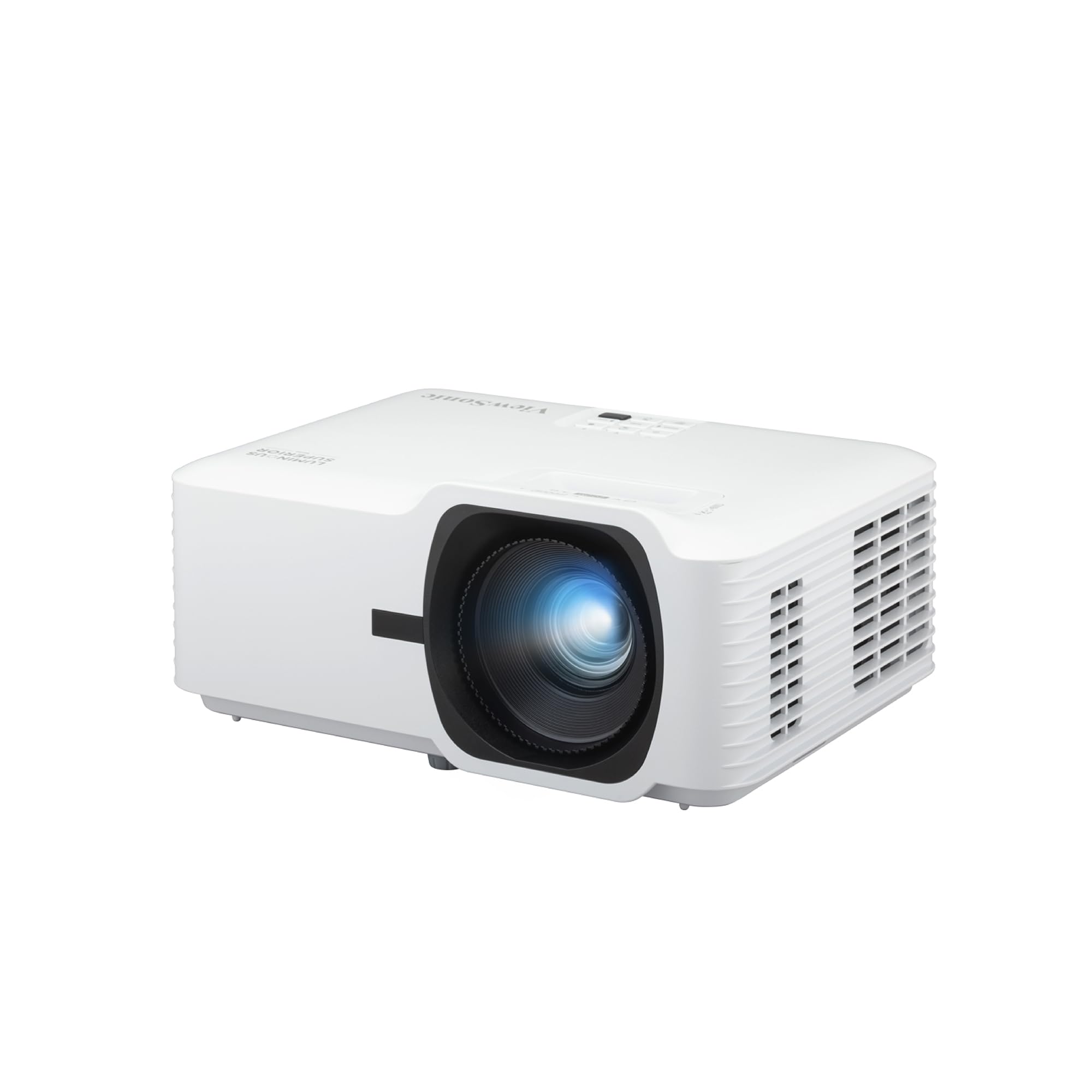
5,500 ANSI lumens and a laser source rated for 30,000 hours in Dynamic Eco mode.
You can run a golf simulator in a bright hall, because 5,500 ANSI lumens (a standard measure of light output) is the highest in this guide. That is enough to hold the image in a bright hall or golf bay with lights on. The laser phosphor light source (a laser hitting a phosphor wheel to make light) is rated up to 30,000 hours of operation in Dynamic Eco mode — the practical piece that matters if the unit will be mounted in a basement and run for hours every weekend. The 3000000:1 contrast figure is the listed dynamic ratio (the difference between darkest and brightest, measured in the projector’s dynamic mode), effective in that mode rather than a static number.
Placement is where the installer gets value. Horizontal and vertical keystone, 4-corner adjustment, portrait mode, and 360-degree projection cover challenging rooms — a ceiling mount with an offset angle, a ceiling-facing floor setup, a golf bay with a high screen. A 1.3x optical zoom adapts the image between 30 and 300 inches, and dual HDMI 1.4 inputs plus RS232 control make it fit an installed AV system rather than a coffee table.
Color is the aspect where feedback splits. Buyers run into the occasional orange flash during long sessions — not enough to ruin the image, but worth knowing if color-critical work matters. Focus has also been called out as occasionally needing a nudge. For golf-sim duty and public venue signage, neither is a dealbreaker; for color-grading, a different pick fits better. The built-in 15W speaker covers speech but not cinema.
The installation case
- 5,500 ANSI lumens holds up in a bright hall
- Laser phosphor source rated up to 30,000 hours in Dynamic Eco mode
- 4-corner adjustment, portrait, and 360-degree projection cover tough rooms
- Dual HDMI plus RS232 for installed AV systems
Real-world considerations
- Occasional orange flashes reported during long sessions
- Focus occasionally needs a manual nudge
Sized for: golf bays, lecture halls, and mounted installations where brightness and placement flexibility are the whole job.
Not for: color-critical editing — the reported orange flashes make it a risky pick for that work.
11. Optoma HD28HDR 1080p Home Theater Projector

A 120Hz panel, 8.4 ms in Enhanced Gaming Mode, and 50,000:1 contrast for the console crowd.
This is the deep-black, high-refresh pick for gamers who watch movies on the same wall. A 50,000:1 contrast ratio is the highest static contrast in the guide, and Dynamic Black pumps lamp output to deepen shadow detail — dark scenes in a thriller keep their detail instead of turning to mush. HDR10 support (with 4K input) lifts whites and blacks, a 6-segment color wheel (RYGCWB) with sRGB and Rec. 709 profiles keeps color accurate, and Enhanced Gaming Mode reports 8.4 ms response time when you enable it.
Brightness is 3,600 lumens, which supports lights-on viewing in a family room without washing out. The 15,000-hour lamp life is long for a lamp projector — about four hours a day for well over a decade. HDMI-CEC lets one remote turn on the projector and a connected player together, and the backlit remote works in a dark room. Standard throw puts a 100-inch image at about 11 feet, moving to 120 inches at roughly 13 feet.
Two honest notes. Fan noise sits at a rated 26 dB, which is lower than a whisper, but a console session keeps the fan working and buyers noticed it in quiet moments — normal for DLP. Reliability is the split aspect, with some owners reporting the unit stopping after a while, so buying from a seller with a clear return window is the sensible move on any lamp projector. The 120 Hz refresh keeps 3D and fast movement smooth, though 3D glasses are not included.
Contrast and speed together: a 50,000:1 contrast ratio (the difference between the darkest and brightest parts of the image) plus 8.4 ms (milliseconds) of input lag in gaming mode is the combination that separates it from portable LED picks in this guide.
Lamp reality: 15,000 hours is long for a lamp, but a lamp projector still carries a finite light-source lifespan that laser picks here do not.
Pick it for: deep black contrast, 120 Hz, and a 15,000-hour lamp that suits a daily movie-and-console routine.
Choose differently if: you want a light source that never needs replacing — a laser or LED unit in this list fits that need better.
Understandingthe Specs
Brightness: ANSI and ISO Lumens
Lumens measure how much light the projector throws at the wall. ANSI lumens and ISO lumens are the two honest standards, because both measure output in a controlled setup rather than the maximum a lamp can spike to. A low-lumen unit near a window washes out to a pale gray rectangle. A high-lumen unit in a dark room can look hot and need dimming. Match the figure to your room: dim bedrooms favor lower outputs, sunlit living rooms and golf bays favor much higher ones.
Contrast Ratio
Contrast ratio is the gap between the brightest white and the darkest black the projector can produce, written as one number against one. A 3000:1 projector separates shadow detail noticeably better than a 1500:1 one. Very large ratios, such as the millions-to-one figures on some laser units, are usually dynamic ratios — the projector dims the lamp or laser to fake deeper blacks — while smaller numbers are often static. Read both, but trust the static figure more for dark-room viewing.
Throw Ratio and Throw Distance
Throw ratio decides how far back the unit must sit to fill your wall. A short-throw projector like the BenQ TH671ST fills 100 inches from 5 feet, which suits tight rooms. A standard-throw unit needs roughly 11 feet for the same 100 inches. Measure the distance from your shelf or ceiling mount to the screen before you buy, and check the ratio on the spec sheet — a beautiful projector that cannot fill your wall is a waste of a purchase.
Input Lag and Refresh Rate
Input lag is the delay between pressing a button and seeing the result, measured in milliseconds. Anything under roughly 20 ms feels immediate on a game controller. Refresh rate is how many times per second the image redraws, shown in hertz; 60 Hz is fine for movies and casual play, while 120 Hz keeps fast pans smooth. Movie watching barely notices input lag, but a fighting game or a racing game absolutely does.
Light Source: Lamp, LED, or Laser
Lamp projectors give you brightness at a lower cost, but the bulb has a finite life and needs a replacement eventually. LED is compact and long-lived but usually dimmer. Laser phosphor and RGB triple-laser units run longest and stay stable in color, which is why they cost more. In this guide, laser and LED units suit mounted installations, while lamp units trade lifespan for higher brightness.
Native Resolution and Keystone Correction
Native resolution is the actual pixel grid of the panel. 1920 x 1080 means every one of those pixels defines your movie image. “Supports 4K” only means the projector accepts a bigger signal and shrinks it. Keystone correction is the digital squaring of the image when the projector is off-axis; auto keystone handles this for you. Vertical-only keystone leaves side placement skewed, so check the axis before ordering.
FAQ
Does a 1080p home theater projector actually look sharp on a 100-inch screen?
Can I use a 1080p projector in a room with the lights on?
Will a projector with built-in Roku or Google TV need a streaming stick?
How far away should a 1080p projector sit from the screen?
Is a projector bright enough for outdoor movie nights?
What input lag do I need for gaming on a projector?
How long does the light source last before I need a replacement?
Does a 1080p projector need a separate soundbar?
Is a sealed optical engine worth paying more for?
Can I ceiling-mount a 1080p home theater projector myself?
Final Thoughts: The Verdict
You get the smoothest ride from the 1080p home theater projector that most people should buy: the Aurzen Roku TV D1R Cube. A sealed light engine, auto focus and auto keystone (automatic image straightening) strip out the two chores that ruin projector ownership — cleaning dust spots and straightening the image by hand. If your room has a console in it, grab the NexiGo PJ40 Pro, whose 10 ms (milliseconds) lag and 800 ANSI lumens (a standard measure of light output) make it the gamer’s pick. And for a bright room that refuses to go dark, the Epson EpiqVision Flex CO-FH02 wins on pure 3,000-lumen color brightness. One nudge: the HAPPRUN carries more owner ratings than the Aurzen does, but the Aurzen holds the higher score — and either way, matching the lumen figure to your actual room matters more than any single spec.
How We Picked
We do not accept paid placement. Every pick is matched to a real buyer and a real use-case; we do not hands-on test units.
Sources & Methodology
Specifications: manufacturer listings and product documentation. Review insights: verified customer reviews, as of November 2026. Pricing: not shown on this page (it changes often); check the current price via the retailer link.
As an Amazon Associate, Gadgets Feed earns from qualifying purchases. This does not affect which products we feature.