
Our readers keep the lights on and my morning glass full of iced black tea. As an Amazon Associate, I earn from qualifying purchases.
Specs are compiled from manufacturer listings and verified buyer reviews and can change over time — please confirm the key details on the product page before buying.
If you want one answer fast, buy the Satechi Slim EX: it connects wirelessly to two devices over Bluetooth plus a third through a 2.4GHz receiver (a small USB plug that talks to the mouse), and it still slides into a laptop sleeve at 90 g. The rest of this list exists because “travel mouse” means different things to different bags. Some travellers want a mouse that folds completely flat, some need three-device switching for a laptop-plus-tablet day, and some just want silent clicks on a quiet train carriage. Below, each pick is matched to the situation it actually suits.
I’m Min — the founder and writer behind Gadgets Feed. This guide is built by comparing the manufacturers’ published specifications and the patterns across verified customer reviews, so you get each pick’s real strengths and trade-offs instead of marketing spin.
Three things decide a travel mouse: packed flatness, reconnect reliability, and battery life over a trip. The picks below are ordered by the problem each solves, not by price. Every option here is a genuine travel Bluetooth mouse, so the real work is matching one to your bag and device mix.
Our Picks at a Glance

How To Choose The Best Bluetooth Mouse For Travel
The common mistake is assuming a smaller mouse always packs better. A tiny mouse that sits high in the hand can be more awkward to use for a full workday than a flat one that disappears into a pocket. Portability depends on packed shape first, weight second, and wake-and-reconnect speed third.
Packed shape beats raw size
A mouse that folds or twists flat takes up a thin slice of a laptop sleeve instead of a lump. The Microsoft Surface Arc and the Logitech Mobi Fold both snap or fold flat, which is why they suit tight bags better than a fixed-curve mouse of similar footprint. In a full bag, a flat fold saves more room than shaving a few grams.
How many devices you actually switch between
Two Bluetooth channels covers a laptop plus a phone or tablet for most travellers. Three-device switching is the step up, and it is worth paying for only if you genuinely move between a work laptop, a personal machine and a tablet in the same day. A mouse that stays paired across reboots saves the most setup time on the road.
Sensor sensitivity in plain terms
DPI (dots per inch) sets how far the cursor travels per inch of physical movement. A 1000 DPI setting feels calm and precise for documents and spreadsheets. A 4000 DPI ceiling lets you cross a large external monitor with a short hand movement, which is handy on a hotel desk but unnecessary on a 13-inch laptop screen.
Quick Comparison
| Model | Best For | Weight | DPI Range | Battery | Amazon |
|---|---|---|---|---|---|
| Satechi Slim EX★ Best Overall | Two Bluetooth devices plus a receiver | 90 g | — | Rechargeable | Amazon |
| TECKNET Bluetooth Wireless MouseBudget Champion | Budget three-device control | 3.2 oz | 800–4800 | 60 days per charge | Amazon |
| Lenovo 350Battery Marathoner | Forget-the-batteries marathon use | 58 g | 1000–2400 | 36 months (1 x AA) | Amazon |
| HP 400 Quiet | Silent clicks and a soft-touch shell | — | Up to 6000 | 24 months (1 x AA) | Amazon |
| NYIEFADA Bluetooth Arc Travel Mouse | Folding arc shape on a mid-range budget | — | — | Up to 30 days per charge | Amazon |
| Dell Bluetooth Travel Mouse MS700 | Twist-to-stow three-device pairing | — | Up to 4000 | 2 x AAA | Amazon |
| Logitech MX Anywhere 2S | Tracking on glass and odd surfaces | 6.4 oz | 4000 | 2 months | Amazon |
| Microsoft Surface Arc | Flattest pack in the list | 5.44 oz | — | 2 x AAA | Amazon |
| Logitech Mobi Fold | Fold-to-power pocket carry | 79 g | 4000 | 1 month | Amazon |
In‑Depth Reviews
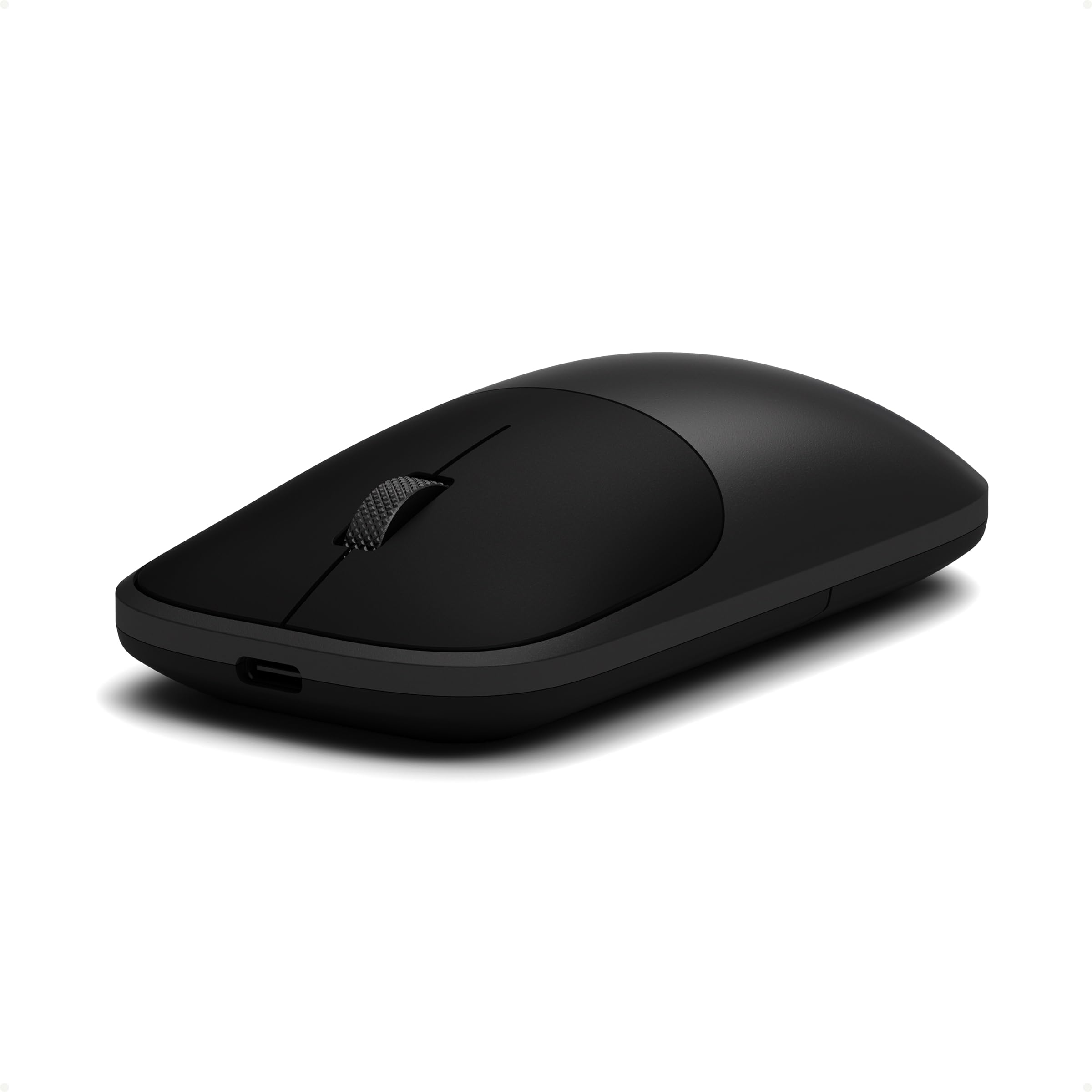
1. Satechi Slim EX Wireless Mouse, Bluetooth & 2.4 GHz, Space Black
Our pick — 4.5+★ from 500+ verified ratings; the strongest balance of quality and price.
Three ways to connect and no re-pairing dance when you swap machines.
This is the travel mouse for the person juggling a work laptop and a personal one. You get two Bluetooth 5.3 channels plus a 2.4GHz USB-C receiver, and you switch between all three without pairing again. That matters at an airport gate when you close the work machine and open your own tablet — one press and the cursor moves with you.
Buyers praise the build most, by a clear margin, and the details show why: a precision-machined scroll wheel and discreet click switches that stay quiet in a shared seat row. At 90 g it is heavier than the Lenovo 350’s 58 g, so it is not the featherweight of the list — but its slim, ambidextrous 4.09″ x 2.28″ body (shaped for left or right hand) still slips into a sleeve pocket without a bulge.
The one honest catch: this mouse has 2 buttons, versus 6 on the TECKNET. If you lean on side buttons and DPI shortcuts (buttons that change cursor speed) mid-task, the Satechi feels sparse. Buyers report 4.5+ stars across 500+ ratings anyway, and the 2-year limited warranty covers defects in materials and workmanship under normal use — a real comfort for something that rides in a bag all week.
What earns the top slot
- Two Bluetooth 5.3 channels plus a 2.4GHz receiver, all switchable without re-pairing
- 90 g and a 4.09″ x 2.28″ footprint that pockets easily
- Quiet click switches and a precision-machined wheel
- Backed by a 2-year limited warranty
Where it asks you to compromise
- Only 2 buttons, so no side-button shortcuts
- Heavier than the Lenovo 350 — 90 g against 58 g
- Recharging means remembering a cable; no AA fallback
Reach for it if: you rotate between a Mac, a Windows machine and a tablet and want the connection to just follow you.
Think twice if: your workflow depends on extra buttons for shortcuts — the 6-button TECKNET gives you more to press.
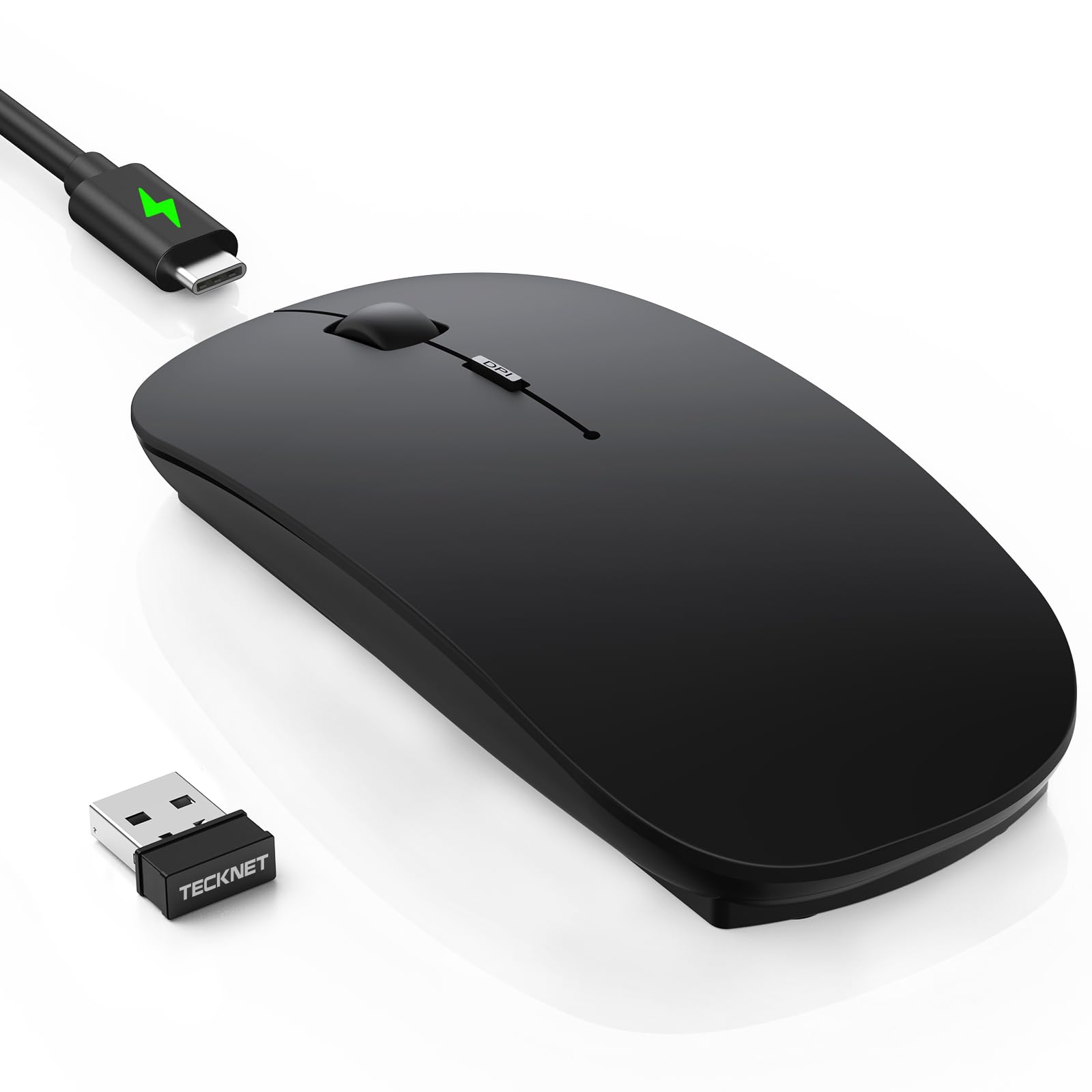
2. TECKNET Bluetooth Wireless Mouse for Laptop, Rechargeable Silent Computer Mouse
An ultra-thin slab that drives three devices and sips power for two months.
Six DPI steps between 800 and 4800 headline this one. Drop to 1200 for spreadsheets on a plane tray, push to 4800 when you plug into a big hotel monitor. That range is wider than the Lenovo 350’s three steps from 1000 to 2400, so if you move between tiny and large screens on the same trip, the TECKNET adapts further.
Performance is what buyers talk about most, and it holds up in the specs: Bluetooth 5.2 and 3.0 alongside a 2.4G USB receiver, with a claimed 15m range on 2.4G and 10m on Bluetooth. The rechargeable cell takes 2.5 hours to fill and then runs 60 days at two hours of daily use. A 30-minute auto-sleep keeps it from draining in your bag between meetings.
At 2.26 inches wide it is the narrowest body here — the HP 400 measures 3.35 inches across, so this packs into a tighter sleeve slot. The trade-off is the finish: the black version has a matte coating that can pick up grime on a sweaty-handed day. That is a cosmetic note, not a function problem, and at 4.0+ stars it clearly does not bother most buyers.
Where the money goes: a wide 800–4800 DPI ladder, six buttons and three-device switching — the kind of spec sheet usually reserved for pricier gear.
The honest note: the matte black shell shows fingerprints; a wipe now and then keeps it looking new.
Buy this one when: you want the widest sensitivity range and the most buttons for the least outlay.
Pass if: you refuse to carry a charging cable — the Lenovo and HP below both run on a single AA for months.
3. Lenovo 350 Wireless Bluetooth Mouse, Silent Click, 3 Level DPI, Meta Grape
One AA battery outlasts most travel bags, and it weighs barely anything.
Thirty-six months. That is the number that makes this mouse a travel pick rather than a desk mouse — one AA cell, swapped rarely enough that you will forget where you put the spare. The HP 400 runs 24 months on the same battery type. For a mouse that lives in a rucksack and gets used in bursts, that is the whole pitch.
It is also the lightest thing on this list at 58 g. Against the Satechi’s 90 g that is a noticeable difference when you are weighing down a carry-on, and it sits in an ambidextrous 4.52″ x 2.43″ shell. Bluetooth 5.3 pairs it to two devices, and it stays paired through machine reboots — a small thing that saves real minutes at a hotel desk.
Functionality is the trait it is known for, and the quiet clicks get plenty of love too on long calls. The size, though, is the recurring gripe: several describe it as small, so if you have larger hands this may feel like a pinch over a long session. The 4.0+ star score says the majority get on fine with it, and the 5-million-click rating on the left and right buttons suggests it is built to take the mileage.
The trade-off to weigh: small enough to pack anywhere, which is also the reason large-handed users might want a wider body for desk-bound days.
Made for: the traveller who hates chargers and wants a mouse that runs for years on a single battery.
Look elsewhere if: your hands are on the larger side — the small shell crops up as the main complaint.
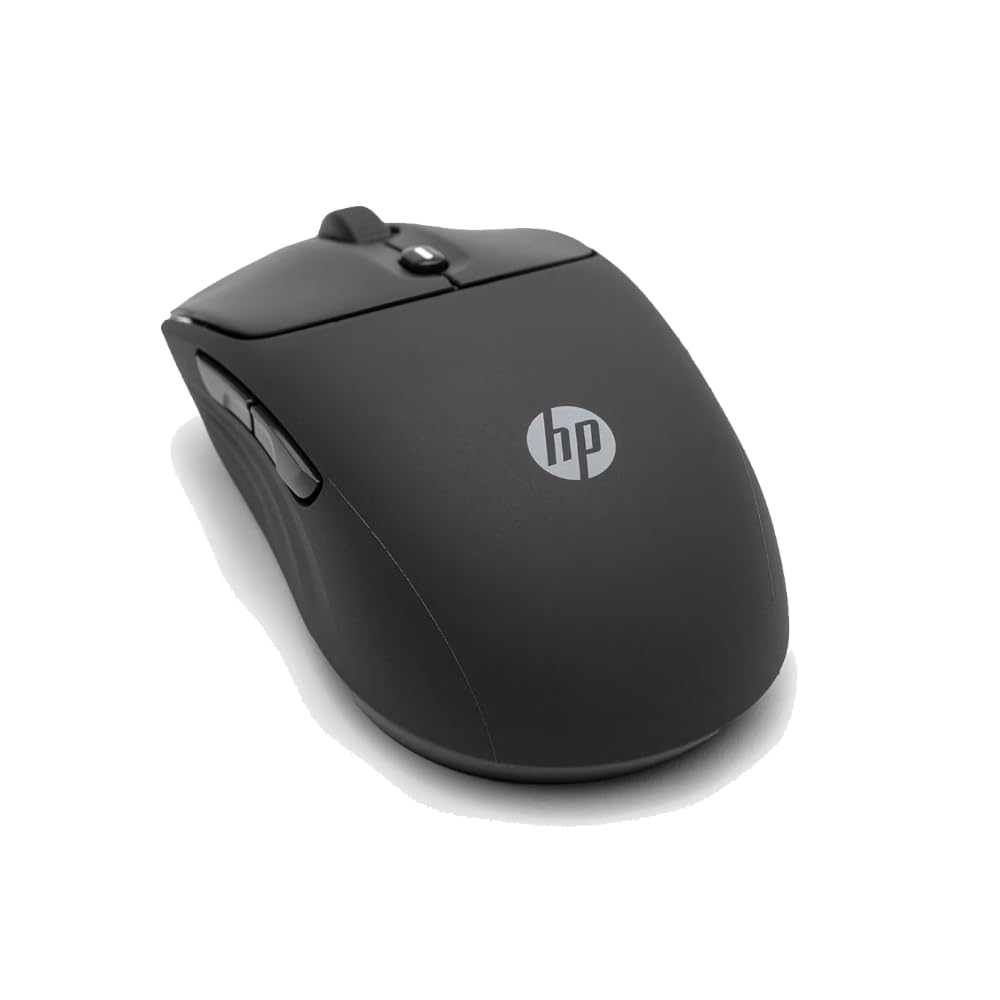
4. HP 400 Quiet Wireless Mouse, Dual Bluetooth & 2.4GHz, Soft Silicone
The one with the widest sensitivity ceiling and a soft-touch shell you can wipe clean.
Up to 6000 adjustable DPI is the highest ceiling in this lineup — well past the Lenovo 350’s 2400 top end. On a borrowed conference-room monitor, that headroom lets the cursor cross the screen without lifting your wrist. It is arguably more sensitivity than a travel mouse strictly needs, but it costs you nothing to have it sitting there.
The shell is the other draw. It is wrapped in silicone rubber — easy to sanitise, ambidextrous, and available in five colours, with the purple option drawing particular affection from buyers. Silent clicks plus vertical and horizontal scrolling round out the day-to-day feel, and the Microsoft Wheel shortcut opens handy shortcuts from a single press of the centre button.
At 4.5+ stars it matches the Satechi’s score, and the maker points to at least 40% post-consumer recycled materials plus FSC-certified packaging if that matters to you. The catch: at 3.35 inches wide it is the broadest body in the top half of this list, so it fills a sleeve pocket rather than vanishing into one.
The case for the HP
- Up to 6000 DPI, the highest adjustable ceiling here
- Soft silicone rubber shell that is easy to sanitise
- Quiet clicks with vertical and horizontal scrolling
- Made with at least 40% post-consumer recycled materials
What gives you pause
- 24-month battery falls short of the Lenovo’s 36 months
- At 3.35 inches wide it is a chunky body for a slim bag
Best fit for: shared workspaces and video calls where a loud click lands right in the microphone.
Not for: minimal packers who want the smallest possible footprint in a crowded sleeve.
5. NYIEFADA Bluetooth Wireless Arc Travel Mouse, Tri-Mode, Rotating Foldable

Curves up for a full workday, then rotates flat for the bottom of your bag.
This mouse takes the arc idea further than the rest: it rotates a full 360 degrees and snaps flat, so it slides into a pocket instead of a dedicated pouch. That flat travel mode is the whole reason it is here. When you unfold it, you get a right-handed curve that sits higher under the palm than a flat slab, which is kinder on a full afternoon of spreadsheet work.
Portability and ergonomics are the two traits it is loved for, and both show in the design. Bluetooth 5.0 handles two devices while a 2.4GHz dongle takes a third, so a laptop, a tablet and a desktop can all live on one mouse. The built-in rechargeable battery is rated for up to about 30 days per charge — fewer days than the TECKNET’s 60, but short trips will not trouble it.
Quiet and soft clicks keep it discreet on a business trip, and the Chromebook, Windows and Mac compatibility covers most travel kits. It is a right-handed shape, so left-handed travellers should look at the ambidextrous Satechi or HP instead. A few reviewers find the value less compelling than they hoped, which is the main thing to weigh before committing.
Why it earns a spot: a genuine rotating arc that folds flat, plus three-device tri-mode pairing in one compact body.
It clicks if: you want an arched palm rest during the day and a flat puck in the bag at night.
skip it if: you are left-handed — the shape is built for right-hand use only.
6. Dell Bluetooth Travel Mouse MS700, 4000 DPI, 2 Buttons

Twist it and it powers down and packs flat in one motion.
The twist-to-off-and-stow trick is the defining move here. One turn shuts the mouse down and flattens it, which means you never leave it awake draining batteries in a bag. It connects to up to three devices over Bluetooth 5.0, and the Dell Pair tool links it with a single click on supported machines. At 4000 DPI, it matches the Logitech MX Anywhere 2S’s ceiling.
Where this one stumbles is the scroll experience. The touch-scroll strip has become the recurring complaint — reviewers describe the wheel moving barely any distance per swipe, so long documents take more effort than they should. That is a real daily annoyance worth knowing about before you buy. Its ergonomics also draw mixed reactions, with some finding the flat twist design awkward for long sessions.
The parts that do impress are reliability and portability, and with 4.0+ stars the twist mechanism has clearly won over its share of travellers. It runs on 2 x AAA batteries, so pack a spare pair for long trips. Those who just want a compact mouse that folds flat for travel tend to be content; those who live in long spreadsheets should weigh that scroll strip carefully.
The scroll caveat: the touch scroll strip travels a short distance per swipe, which slows long-page navigation.
Why it still sells: the twist-to-stow design is genuinely clever for travel, and reliability is what people praise most.
Choose it if: you want a mouse that powers off and goes flat with one twist and pairs to three computers.
Look past it if: precise, fast scrolling is central to your work — the touch strip is the weak point.
7. Logitech MX Anywhere 2S Bluetooth Edition Compact Wireless Mouse

Tracks on glass, granite and hotel desks that defeat ordinary optical mice.
Darkfield tracking is the reason this mouse belongs on a travel list. It is a sensor built to read surfaces a normal optical mouse slides over — shiny café tables, glass meeting-room desks — so you are not hunting for a mousepad in a strange office. Pair that with a 33 ft wireless range and a 4000 DPI resolution, and you get a mouse that works wherever the trip drops you.
Battery life is the other strong suit, with many buyers going three or four months between charges. Against the HP 400’s 24-month AA figure, that is the more frequent top-up, but it is rechargeable rather than battery-fed. Quality is what it is most admired for, and the 7-button layout gives you far more to configure than the 2-button Satechi or Dell.
Honesty time: the MX Anywhere 2S has a split reputation on Bluetooth. Plenty report solid performance, while others hit random disconnections and slow cursor movement. The scrolling and value-for-money scores land somewhere in the middle too. At 4.0+ stars across nearly a thousand owners it is clearly a good mouse, but if rock-solid wireless is your one non-negotiable, the Satechi or Lenovo stick to a connection more reliably.
Why frequent flyers like it
- Darkfield sensor tracks on glass and other hard-to-read surfaces
- 33 ft wireless range covers a whole hotel room
- 7 buttons give plenty of customisation
- Months of use between charges
What to keep in mind
- Bluetooth reports are mixed — some hit disconnects
- Heavier at 6.4 oz than most of this list
- Right-handed shape only
Worth it when: your trips land you on glass-top desks and glossy café counters where ordinary sensors stutter.
Hesitate if: your top priority is a Bluetooth link that never drops across a long workday.
8. Microsoft Surface Arc Bluetooth Mouse, Ultra-Slim, Snaps Flat, Violet

Folds fully flat, then curves back up when you are ready to work.
This is the packaging champion of the list. It collapses flat enough to slide into a pocket or the narrowest laptop-sleeve gap, then arcs back up when you need to click. Microsoft’s full scroll plane works in both directions — vertical and horizontal — which is genuinely handy for wide spreadsheets and side-scrolling web pages, something a standard scroll wheel cannot do.
The surface itself is smooth and refined, pairing instantly over Bluetooth with any Windows 11 or Windows 10 device and running on 2 x AAA batteries that come in the box. At 5.44 oz it is a substantial weight compared with the 79 g Logitech Mobi Fold, but the flat fold more than compensates in a packed bag. Four finishes give you a colour choice, with violet being the standout.
It also holds the highest score in this entire list at 4.5+ stars, though that figure comes from a smaller pool of owners than most here — a fraction of the nearly thousand behind the Logitech MX Anywhere 2S. That is not a knock; it simply means the track record is newer. The bigger practical question is that curved arc that collapses — it is comfortable for casual use but not for marathon sessions, and the flat fold prioritises packed size over hand support.
Why it packs so well
- Folds fully flat for pockets and tight sleeves
- Full scroll plane works vertically and horizontally
- Pairs instantly over Bluetooth with Windows 11 and 10
- Comes with 2 x AAA batteries included
Where it asks more of you
- Heavier than the Logitech Mobi Fold — 5.44 oz vs 79 g
- The flat arc gives less palm support for long sessions
- Operates on an arc that needs to be re-curved each time
Pick it when: space in your bag is the true constraint and you want the thinnest possible packed profile.
Trade-off to accept: a flat arc suits short to medium tasks better than a full day of solid clicking.
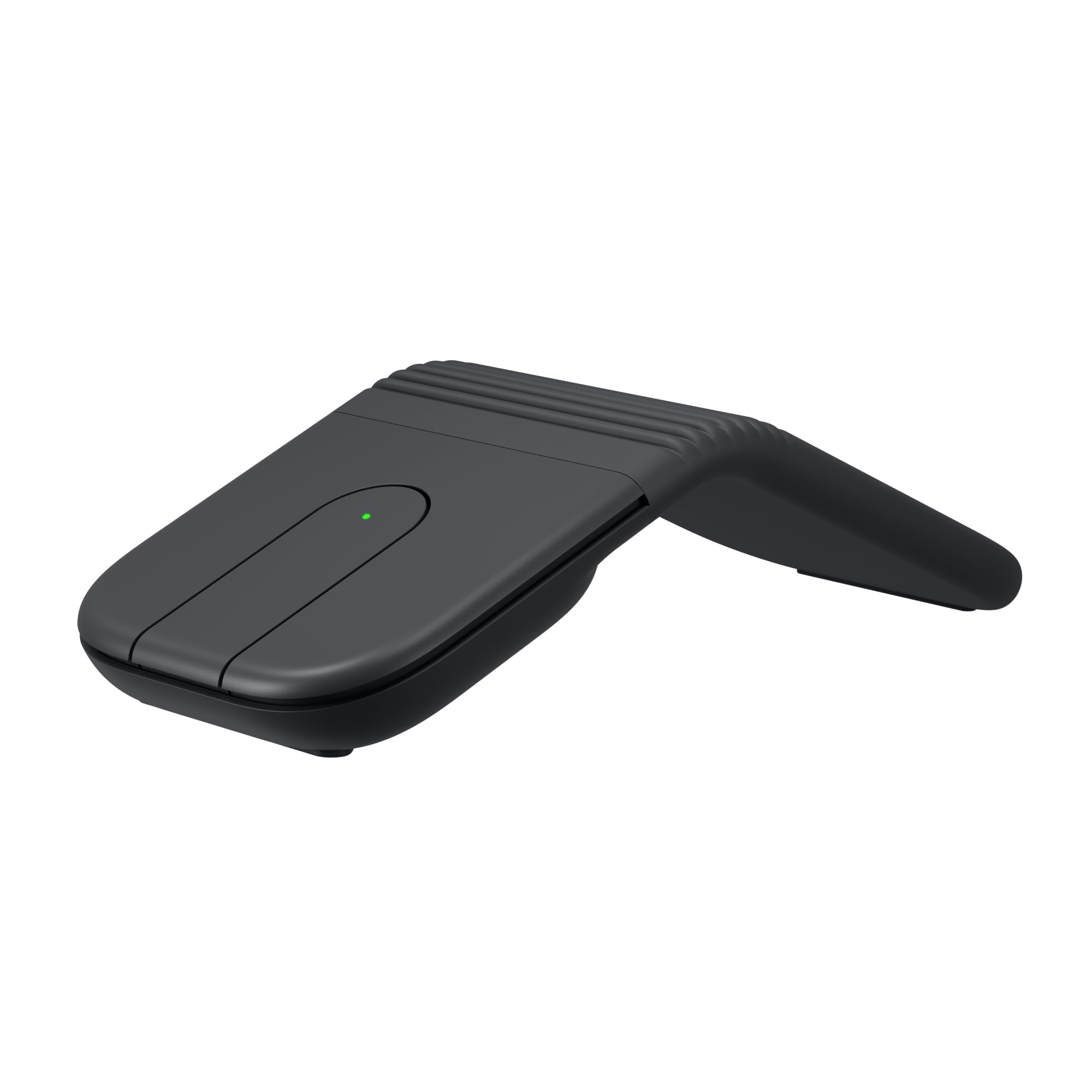
9. Logitech Mobi Fold Foldable Wireless Mouse with Quiet Click, Graphite
Unfold it and it wakes up; fold it and it sleeps. No switch to hunt for.
That fold-to-power-on trick is the smartest detail in this whole round-up. There is no on/off switch to remember, so a mouse that gets tossed between meetings never dies because you forgot to switch it off. It is 79 g and folds ultra-thin, and it can hop between three devices with Easy-Switch, covering Windows, macOS, Chrome OS, Android, iPadOS and Googlebook OS.
The comfort claim is a specific one: 22% less muscle strain compared with a laptop’s trackpad, according to the maker. Trackpad-fatigue travellers will appreciate that pitch. Inside, 4K DPI tracking pairs with Adaptive Touch Scrolling for line-by-line precision or fast jumps, and quiet clicks keep it civil in shared spaces and public queues. The plastic parts are made from certified post-consumer recycled plastic.
Its quick-charge numbers are useful to plan around: up to one month on a full charge, and up to 22 hours from a one-minute charge. That last figure is the rescue for a forgotten cable. Portability is what buyers rave about most, with the foldable design close behind. The moving part is the catch — the fold mechanism is the thing you must trust, and responsiveness draws mixed reactions. Also note the USB-C charging cable is not in the box.
The standout feature: folding the mouse is the power switch, so it recharges itself by going to sleep every time you pack up.
The question you will ask: how does the fold hold up long-term? Treat the hinge with care and keep a USB-C cable nearby, because one is not included.
Suits you if: you want a pocket-sized mouse that switches itself off, works across three devices and charges back up in a minute flat.
Could disappoint if: you want the confidence of a non-moving body — the fold hinge is the part that needs looking after.
Understanding the Specs
DPI (Dots Per Inch)
DPI sets how far the cursor travels per inch of your hand movement — the higher the figure, the faster the pointer. A low setting like the Lenovo’s 1000 keeps the cursor calm for document work, while the HP 400’s 6000 ceiling zips across a borrowed conference monitor. For a travel mouse on a small laptop screen, anything in the 1000–4000 range is usually enough, and you can dial the higher figures down when precision matters.
Multi-Device Bluetooth Channels
A Bluetooth channel is one saved pairing, so two channels mean two devices you can flip between by pressing a button. Three-device models like the TECKNET, Dell MS700 and Logitech Mobi Fold add another saved slot, useful if you carry a work machine and a personal one. More channels is not automatically better — it only pays off if you actually use all three and want to avoid pairing again on each device.
Battery Life Quoted in Months
A month figure assumes the mouse sleeps when unused, so a 36-month rating like the Lenovo’s reflects occasional daily use rather than constant clicking. Rechargeable models quote days or months per charge and need a cable now and then; AA models like the Lenovo, HP 400, Dell MS700 and Microsoft Surface Arc just want a fresh battery. Either style works for travel — the rechargeable saves buying cells, and the AA version spares you packing a cable.
Foldable Versus Flat Body
A foldable or twisting mouse reduces to a thin shape so it packs into a pocket, while a standard slim body simply stays a low lump. The folding approach wins on packed size, as with the Microsoft Surface Arc and Logitech Mobi Fold, but it introduces a moving part and often a less supported palm. A flat, fixed body is simpler and more rigid, at the cost of a thicker slot in your bag.
FAQ
Will a Bluetooth travel mouse connect to my MacBook and iPad at the same time?
Do I need a USB receiver for a Bluetooth travel mouse?
Is a foldable mouse comfortable enough for a full workday?
Which travel mouse has the longest battery life?
Can I use a travel mouse on a glass hotel desk?
How quiet are silent-click travel mice in a meeting room?
Does a rechargeable mouse beat an AA-powered one for travel?
Can a right-handed travel mouse suit a left-handed user?
Will a compact travel mouse track accurately on a small laptop screen?
What is the lightest mouse in this round-up?
Final Thoughts: The Verdict
For most travellers, the bluetooth mouse for travel winner is the Satechi Slim EX: two Bluetooth 5.3 channels (a wireless standard that pairs without a dongle) plus a 2.4GHz receiver let you swap between a work laptop and a personal device without re-pairing, and it still packs into a sleeve at 90 g. If battery length is your obsession, the Lenovo 350 runs 36 months on a single AA and weighs just 58 g. And for anyone whose bag space is the real limit, the Microsoft Surface Arc folds fully flat into a pocket. Whichever you pick, weigh packed flatness and device switching — those two traits decide long-term satisfaction.
How We Picked
We do not accept paid placement. Every pick is matched to a real buyer and a real use-case; we do not hands-on test units.
Sources & Methodology
Specifications: manufacturer listings and product documentation. Review insights: verified customer reviews, as of November 2026. Pricing: not shown on this page (it changes often); check the current price via the retailer link.
As an Amazon Associate, Gadgets Feed earns from qualifying purchases. This does not affect which products we feature.