
Our readers keep the lights on and my morning glass full of iced black tea. As an Amazon Associate, I earn from qualifying purchases.
Specs are compiled from manufacturer listings and verified buyer reviews and can change over time — please confirm the key details on the product page before buying.
Here is the short answer: the AOC 10 Inch Tablet earns the top spot, and it does it without charging a premium-brand price. If you want the smoothest scrolling for the least money, go there first. What actually decides whether a cheap Android tablet feels good in daily use is rarely the processor headline. It is the screen, the storage, and the weight in your bag. Get those three right and the rest follows.
I’m Min — the founder and writer behind Gadgets Feed. This guide is built by comparing the manufacturers’ published specifications and the patterns across verified customer reviews, so you get each pick’s real strengths and trade-offs instead of marketing spin.
Everything below is grouped by what you will actually do with the tablet — streaming, reading, note-taking, or handing it to a child — rather than by brand loyalty. Each pick lists its real screen size, storage, and battery figure so you can line them up side by side, and every claim traces back to the maker’s own published numbers. Here is the honest breakdown of the most sensible affordable android tablet options.
Our Picks at a Glance
How To Choose The Best Affordable Android Tablet
Budget tablets all look similar in the product photos. The differences that matter show up after a week of daily use, and almost all of them come down to a handful of specifications you can check before you buy. Focus on the screen, the storage, the battery, and the weight — in roughly that order.
The screen is the part you stare at all day
The refresh rate is how many times per second the panel redraws an image. A 60Hz screen (60 redraws per second) looks fine, but a 120Hz panel makes scrolling and page turns feel noticeably silkier. Brightness matters just as much: a dim panel becomes a mirror outdoors, while a brighter one stays readable on a café patio. Look for an IPS panel (a screen type with wide viewing angles) so the picture does not wash out when you tilt the tablet.
Storage and “virtual RAM” numbers deserve skepticism
Internal storage is where your apps, photos, and downloaded movies live. A microSD card slot lets you add more later, and on these tablets the ceiling is often very high. Watch out for RAM figures that combine physical memory with virtual memory — the “expanded” portion borrows space from storage and does not perform like real chips. A 128GB base is comfortable; 64GB fills fast once you download a few seasons of a show.
Battery, weight, and the size trade-off
Capacity is measured in mAh (milliamp-hours — think of it as the size of the fuel tank). A larger number generally means longer runtime, though the screen and processor draw it down at different rates. Then consider the size: an 8.7-inch tablet drops into a purse, while an 11-inch or 13.4-inch panel is lovely for movies but asks for a backpack. Pick the size that matches where the tablet will actually travel.
Quick Comparison
| Model | Best For | Display | Storage | Battery | Amazon |
|---|---|---|---|---|---|
| AOC 10 Inch Tablet (Android 16)★ Best Overall | Smoothest screen for the money | 10.1″ IPS, 120Hz | 128GB | 6000 mAh | Amazon |
| TECLAST P30TBest With Stylus | Stylus included, portable notes | 10.1″ IPS, 16:10 | 128GB | 6000 mAh | Amazon |
| Paaxoo Android 16 TabletBest Bundle | Full bundle with keyboard | 10.1″ IPS, 60Hz | 128GB | 8000 mAh | Amazon |
| Samsung Galaxy Tab A11 | Long software support | 8.7″ TFT, 90Hz | 64GB | 5100 mAh | Amazon |
| TECLAST T65 | Large screen for media | 13.4″ IPS, 120Hz | 128GB | 8000 mAh | Amazon |
| Lenovo Tab One | Compact travel companion | 8.7″ LCD, 60Hz | 64GB | Up to 12.5 hrs YouTube | Amazon |
| TCL TAB A1 | Sharp panel with AI tools | 11″ 2.1K, 90Hz | 128GB | 8000 mAh | Amazon |
| Lenovo Idea Tab | Students and note-takers | 11″ 2.5K, 90Hz | 128GB | Up to 12 hrs YouTube | Amazon |
In‑Depth Reviews
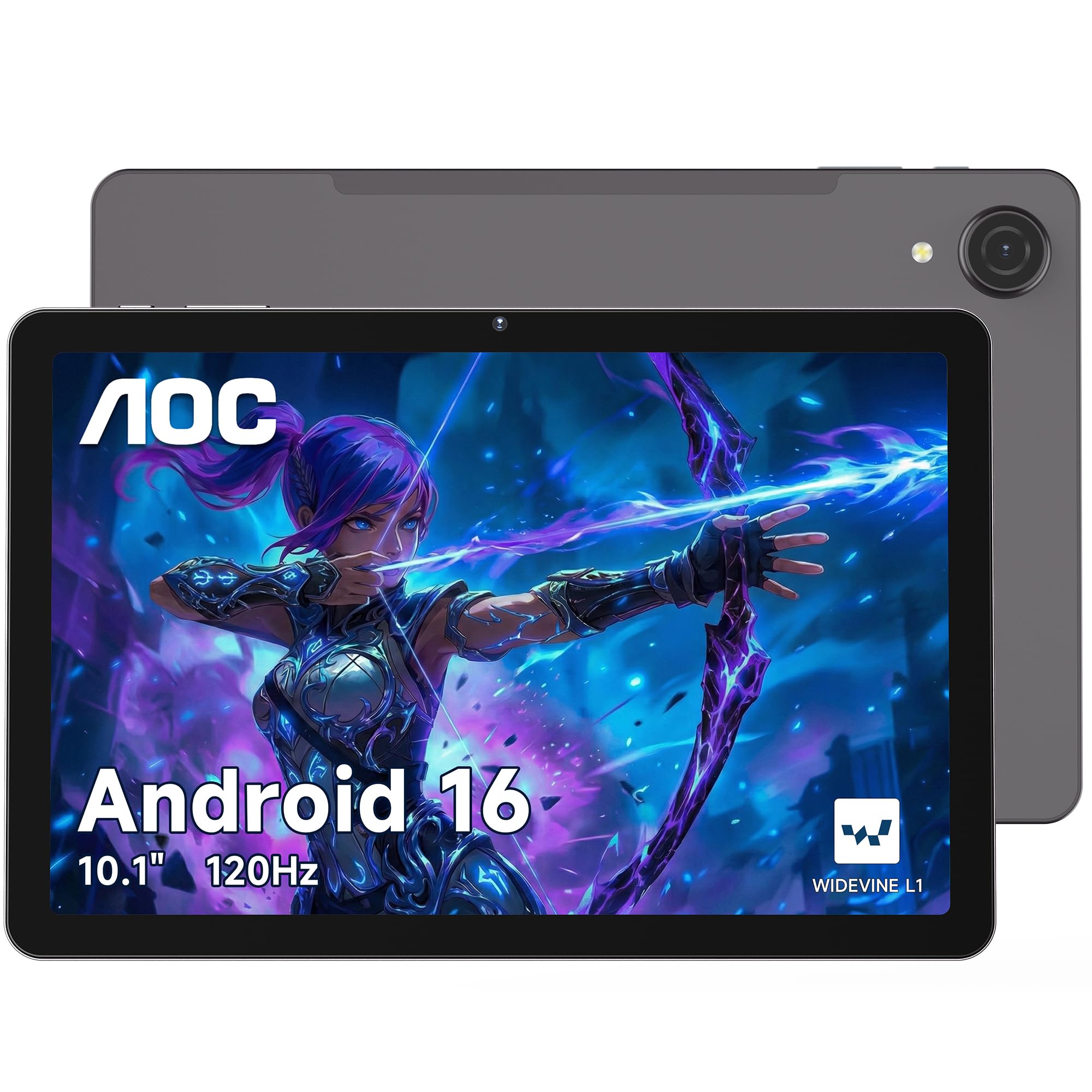
1. AOC 10 Inch Tablet Android 16
Our pick — 4.5+★ from 1,500+ verified ratings; the strongest balance of quality and price.
Smooth 120Hz scrolling in a metal body, without the premium-brand premium
The AOC is the pick that makes the least sense on paper and the most sense in your hands. Its 10.1-inch IPS panel runs at 120Hz — twice the 60Hz refresh rate of the Paaxoo tablet in this list — so swiping through a feed or flicking through a comic feels fluid rather than syrupy. AOC rates that panel as high-brightness, which is the difference between reading outdoors and squinting at a mirror.
Inside, you get 128GB of storage with a microSD slot that accepts cards up to 1TB, and 4GB of physical memory that AOC says can expand up to 16GB total for smoother multitasking. Treat that expanded figure as a convenience, not a substitute for real RAM. Widevine L1 certification is the genuinely useful part: it is the DRM tier that open up high-definition 1080P playback on streaming services, so your Netflix show arrives at full resolution instead of a soft, stretched image.
The 6000mAh battery sits in an “ultra-slim, lightweight metal body,” and AOC pitches the whole package as a backpack companion for flights and road trips. It also carries AI Face open up, front and rear cameras, and multi-system GPS for car travel. As a crowd-pleaser it has clearly landed: this is the highest-scoring pick here at 4.5+ stars across 1,900+ ratings, which is a heavier body of evidence than most budget tablets ever collect.
What earns it the crown
- 120Hz IPS panel — smooth motion at a budget-tier position
- 128GB storage plus a microSD slot rated to 1TB
- Widevine L1 means full 1080P streaming, not a downgraded picture
- Slim metal chassis and Face ID open up
Where it asks a little patience
- The “up to 16GB” figure leans on virtual memory, so do not expect flagship-multitasking behaviour
- 6000mAh is smaller than the 8000mAh cells on the TCL and TECLAST T65
Reach for this if: you want the nicest-feeling screen on the list and you split your time between streaming and reading.
Think twice if: marathon battery life outranks display smoothness for you — the larger cells live elsewhere in this list.
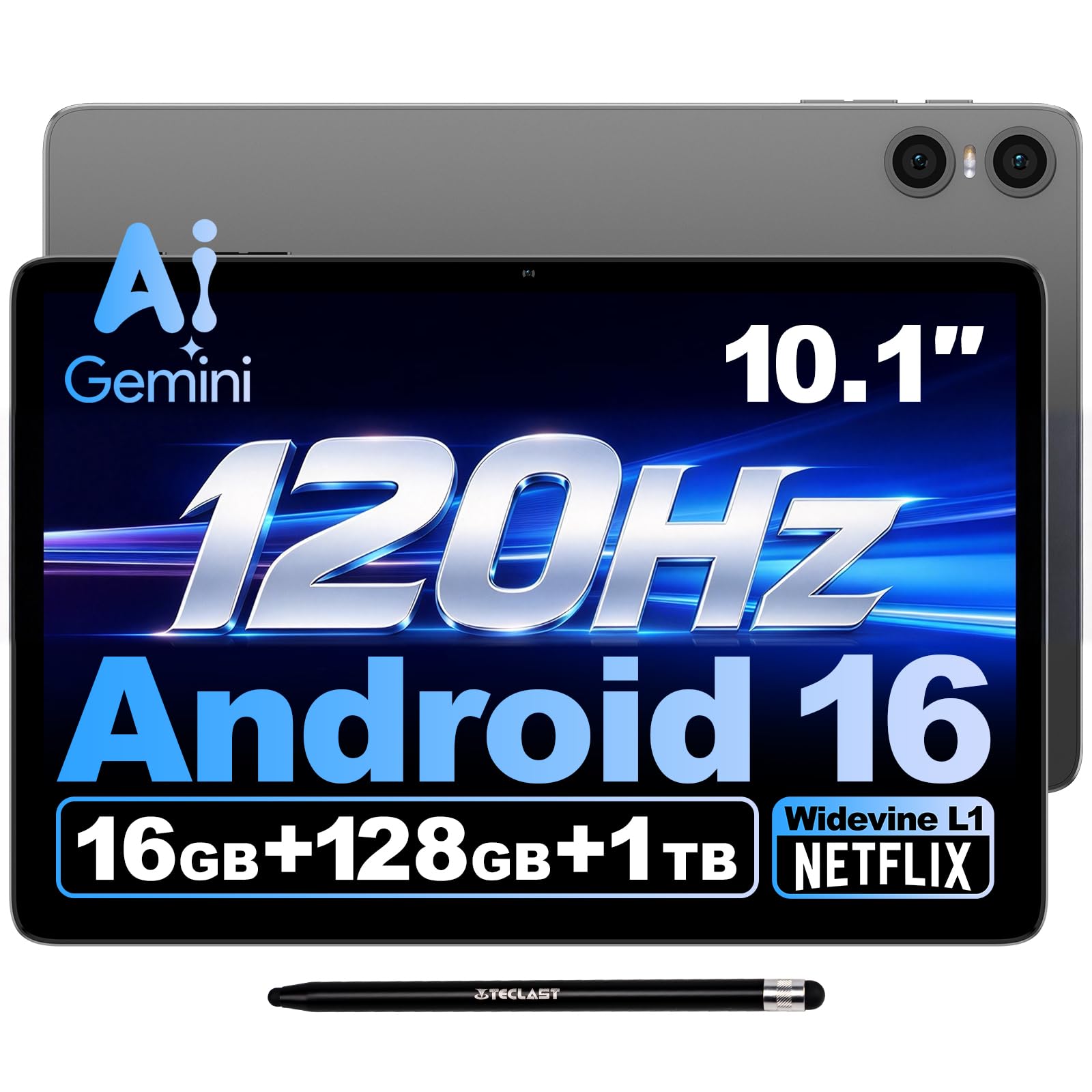
2. TECLAST 10.1″ P30T Android 16 Tablet
A stylus in the box and a metal body that weighs less than a paperback
If sketching, annotating PDFs, or jotting lecture notes is the whole reason you are shopping, the P30T removes a purchase. A dedicated stylus pen ships in the box — no extra order, no compatibility gamble. Its 16:10 in-cell screen is tuned for vivid colour and fine detail, and at 446g with an 8.8mm metal body it is genuinely comfortable to hold one-handed while you write.
The memory setup is the trickiest part to read fairly: TECLAST lists 3GB of physical RAM plus 13GB of virtual expansion, reaching a max of 16GB. That is a real convenience for keeping streaming video, social apps, and study software open together — but it is not the same as having 16GB of physical chips. On the storage side you get 128GB built in and a microSD slot for up to 1TB, plus OTG support so a USB drive or keyboard can plug straight in for light office work.
Battery is a documented 6000mAh, which TECLAST pins to 10-hour video playback and 12-hour music playback, and it charges over 5V/2A. Proprietary device quality is what wins people over here — it is the most-praised trait in the review pages — and owners routinely place it above bigger-name models for daily work and media. The catch worth knowing: battery life lands in mixed territory, so a heavy streaming day will still send you hunting for a cable.
The value equation: a stylus, 128GB, expandable storage, and Widevine L1 for full-HD streaming — bundled, not bolted on as extras.
Set expectations on speed: the octa-core T7250 tops out at 1.8GHz, so it is built for browsing, notes, and video rather than heavy gaming.
Good fit for: students and sketchers who would otherwise buy a stylus separately.
Look elsewhere if: you need a screen that stays silky at high refresh — this panel is not rated for it the way the AOC is.
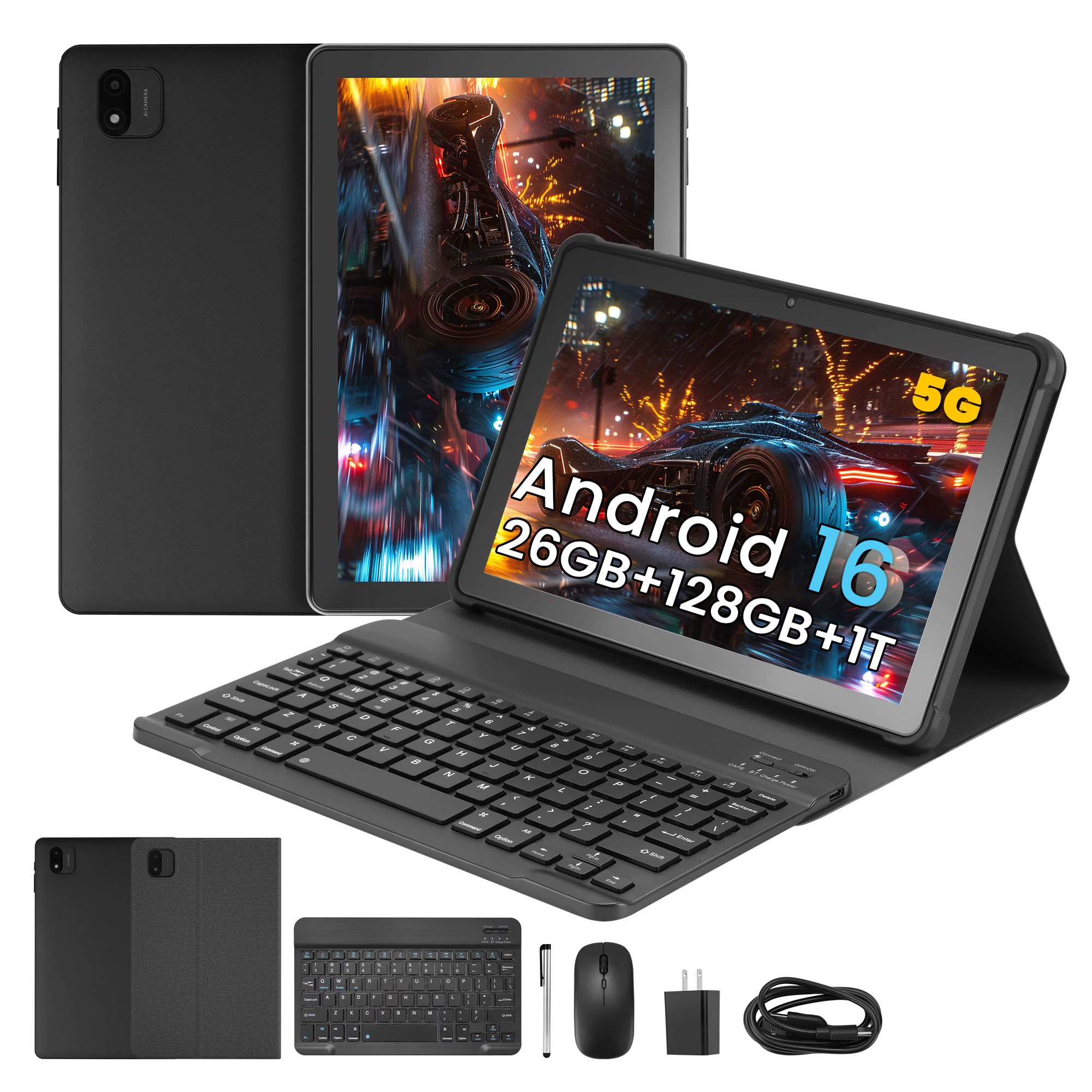
3. Paaxoo Android 16 Tablet 10.1″ with Keyboard
Arrives as a tiny laptop: keyboard, mouse, stylus, and case in one box
The Paaxoo sells itself as a 2-in-1, and the claim holds up — the box includes a Bluetooth keyboard, a wireless mouse, a stylus, and a foldable protective case. Clip it together and the 10.1-inch tablet becomes a laptop-shaped thing you can type an essay on. For a student or someone answering email on the sofa, that is a lot of kit resolved in a single order.
Underneath it runs Android 16 with Google Mobile Services and Play pre-installed, and the configuration reads 6GB of RAM with 128GB of ROM, expandable up to 18GB of total memory. The display is a 1280×800 IPS panel at 60Hz — the resolution and refresh here are the practical floor, not a highlight, and the AOC’s 120Hz panel is the sharper, faster option of the two. Connectivity covers dual-band Wi-Fi, Bluetooth 5.0, and GPS, and the cameras are an 8.0MP rear with a 2MP front.
Battery capacity is the standout number: 8000mAh, which is a bigger tank than the 5100mAh cell in the Samsung Galaxy Tab A11. That pairs well with the low-power CPU, which Paaxoo leans on to stretch runtime across commutes and long reading sessions. The honest note is performance — the review pages split on whether it handles anything beyond basics like YouTube and social apps gracefully. Buy it for typing, reading, and streaming, and it makes sense.
Bundle math wins: keyboard, mouse, stylus, and case included — nothing else to buy to start working.
Know the ceiling: mixed reports on heavier apps mean this is a basics-first machine, not a gaming tablet.
Pick it when: you want to sit down and type on day one without adding accessories to the cart.
Skip the bundle if: smooth 90Hz-plus scrolling and a high-resolution panel are non-negotiable for you.
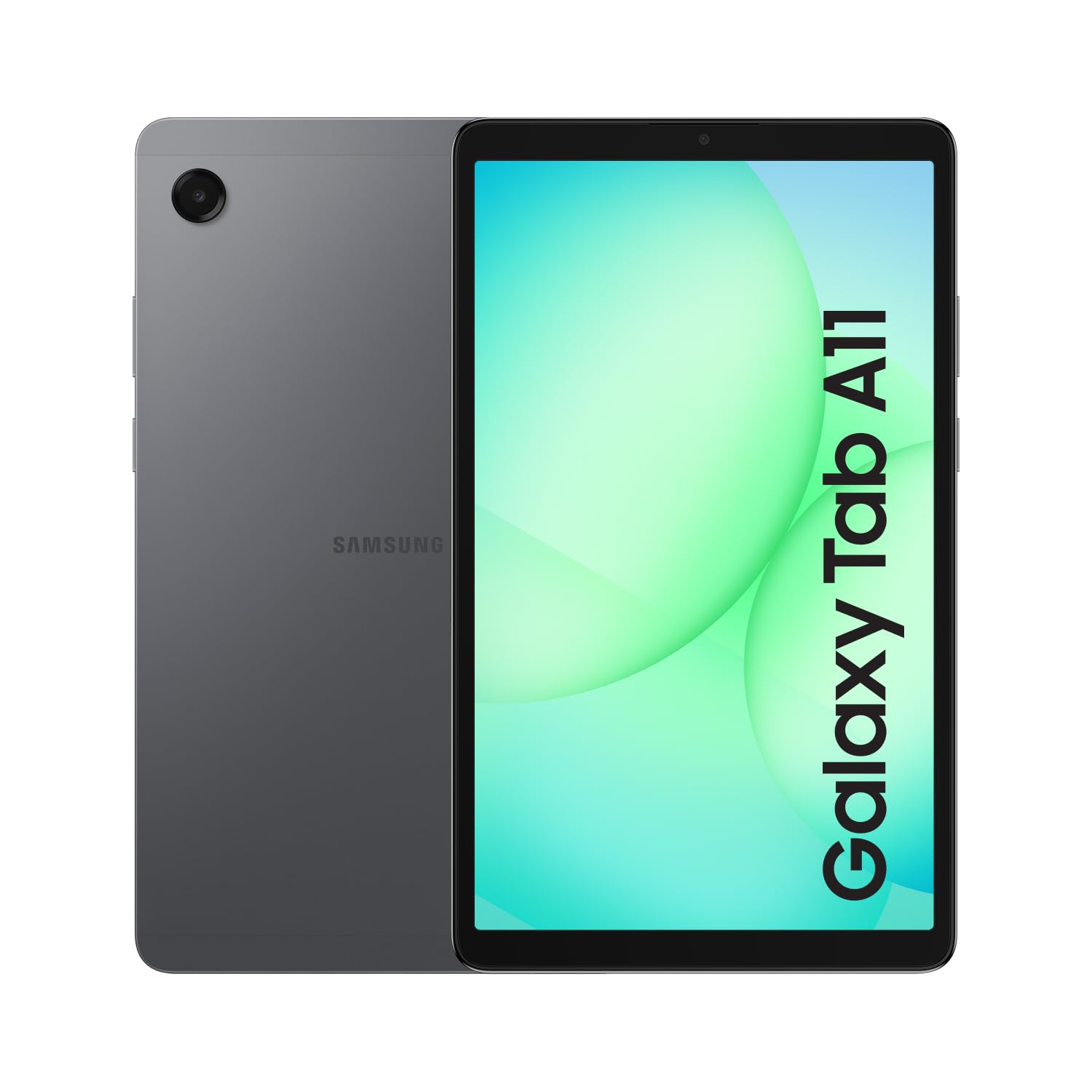
4. Samsung Galaxy Tab A11 (Wi-Fi, 64GB)
The 8.7-inch pocketable one that keeps getting updates long after rivals stop
Software longevity is the reason to look at the Galaxy Tab A11. Samsung commits to up to 5 major Android upgrades on this model, which is the sort of promise that determines whether a tablet still feels current three winters from now. Five OS upgrades is the difference between a tablet you keep and one you replace.
The 8.7-inch TFT panel runs at 90Hz with a 1340×800 WXGA+ resolution across 16M colours. Small and light enough to hold one-handed in bed, it is the most portable shape here alongside the Lenovo Tab One. Inside sits a MediaTek Helio G99 on a 6nm process with an octa-core CPU and Mali-G57 MC2 graphics, paired with 4GB of RAM and 64GB of storage. That 64GB is half the 128GB you get on the AOC — but the microSD slot takes cards up to 2TB, which is double the 1TB ceiling on the TECLAST T65.
The 5100mAh battery is the smallest capacity in this group of eight, so heavy streaming will want a charger nearby. Device quality is the trait that wins people over, with battery life also drawing praise. One functionality quirk shows up around specific apps rather than the system itself, so check that the apps you rely on behave before you commit. Note too that this is an international model with no warranty, sold as Wi-Fi only with no SIM slot.
The long game: up to 5 major Android upgrades is the single strongest reason to buy this over a cheaper rival.
Read the fine print: international model, no warranty, Wi-Fi only — and you select a country during setup before connecting to Wi-Fi.
Best for: buyers who want a compact tablet that stays secure and supported for years.
Not ideal if: you need maximum battery capacity — the 5100mAh cell is the smallest in this lineup.
5. TECLAST T65 13.4″ Android 16 Tablet
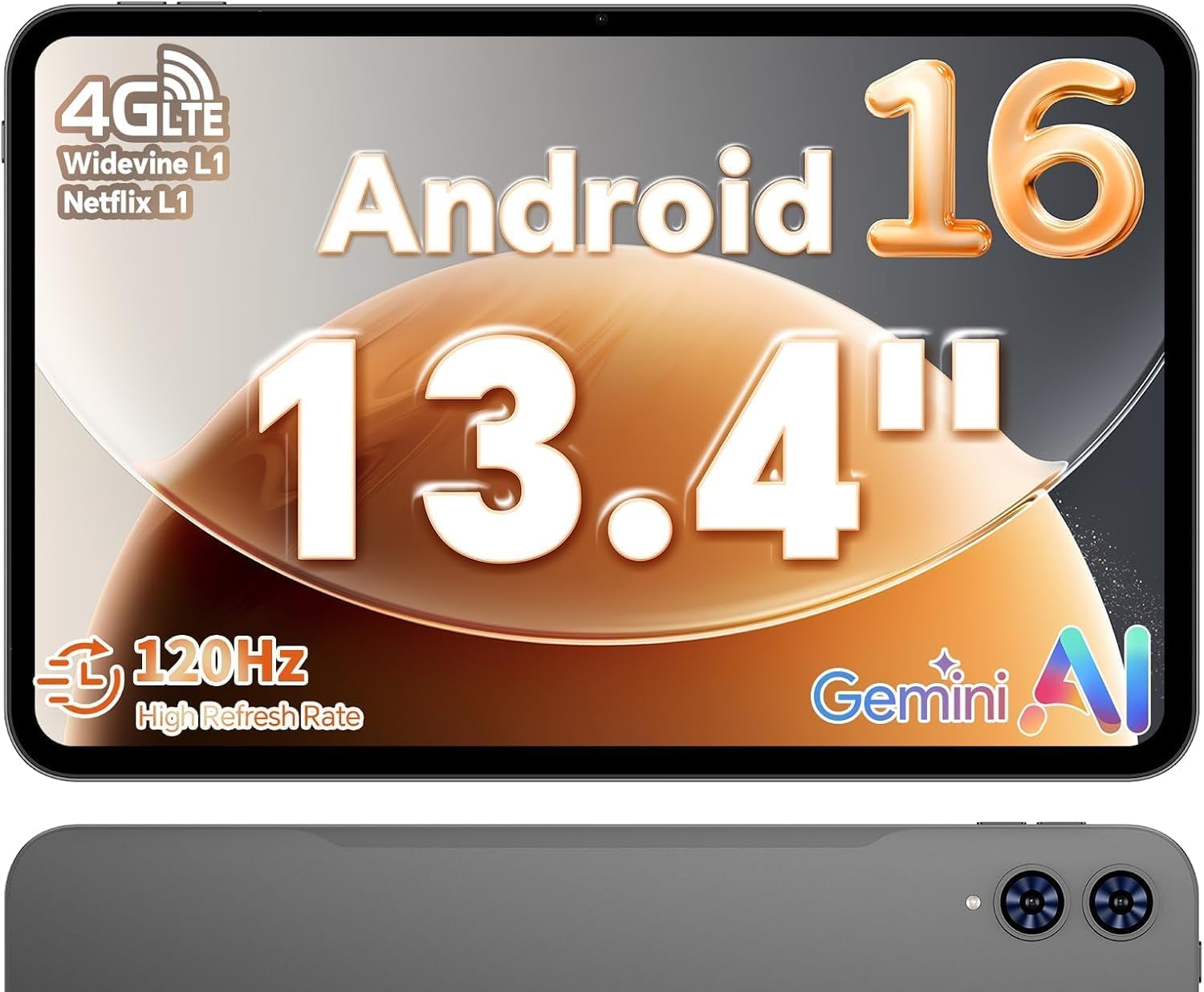
A near-laptop canvas for sheet music, comics, and PDFs that refuse to shrink
Screen size is the whole argument for the T65. The 13.4-inch 1920×1200 TDDI IPS panel is a 16:10 widescreen with narrow bezels, and TDDI tech (which cuts touch layers to let more light through) keeps it bright and sharp. A full page of sheet music fits in near full size; a comic page reads without pinching and zooming. For anyone whose tablet is really a document reader, that changes the experience completely.
It pairs that canvas with a 120Hz refresh rate — TECLAST points out the market commonly sits at 90Hz, so motion here is smoother and touch response snappier. The T7280 octa-core chip (two A75 cores up to 2.2GHz plus six A55 cores at 1.8GHz, with Mali-G57 MP1 graphics) is an upgrade over the older T610/T615 generation. Widevine L1 means 1080P streaming on Netflix, YouTube, and Prime Video, and tempered glass comes pre-installed to spare you a screen-protector purchase.
Buyers praise the screen size more than almost anything else — reviewers rank it the second-most-praised trait — with display quality and speed close behind. At 4.0+ stars, it ties the AOC as the highest-rated tablet in this lineup. The 8000mAh battery (a high-capacity cell) is rated for 11 hours, enough for a full day of streaming, though battery life is the mixed note in its reviews. The 4G support (cellular data) carries a real caveat: US cellular service is limited and not guaranteed, so check your carrier’s bands before you rely on LTE.
Why it earns a spot
- 13.4-inch 1920×1200 120Hz panel — the largest, most rich screen in this list
- 8000mAh battery rated to 11 hours, with Widevine L1 for HD streaming
- Tempered glass installed at the factory
The trade-offs to weigh
- Battery life draws mixed feedback in real use
- US LTE bands are partial — B4/B12/B13/B66 unsupported
- A 13.4-inch tablet lives in a backpack, not a purse
Go large if: reading scores, comics, or PDFs is the main job and you want a big canvas.
Pass if: you expect the cellular connection to replace your phone’s hotspot — the band list is limited in the US.
6. Lenovo Tab One 8.7″ Tablet with Folio Case
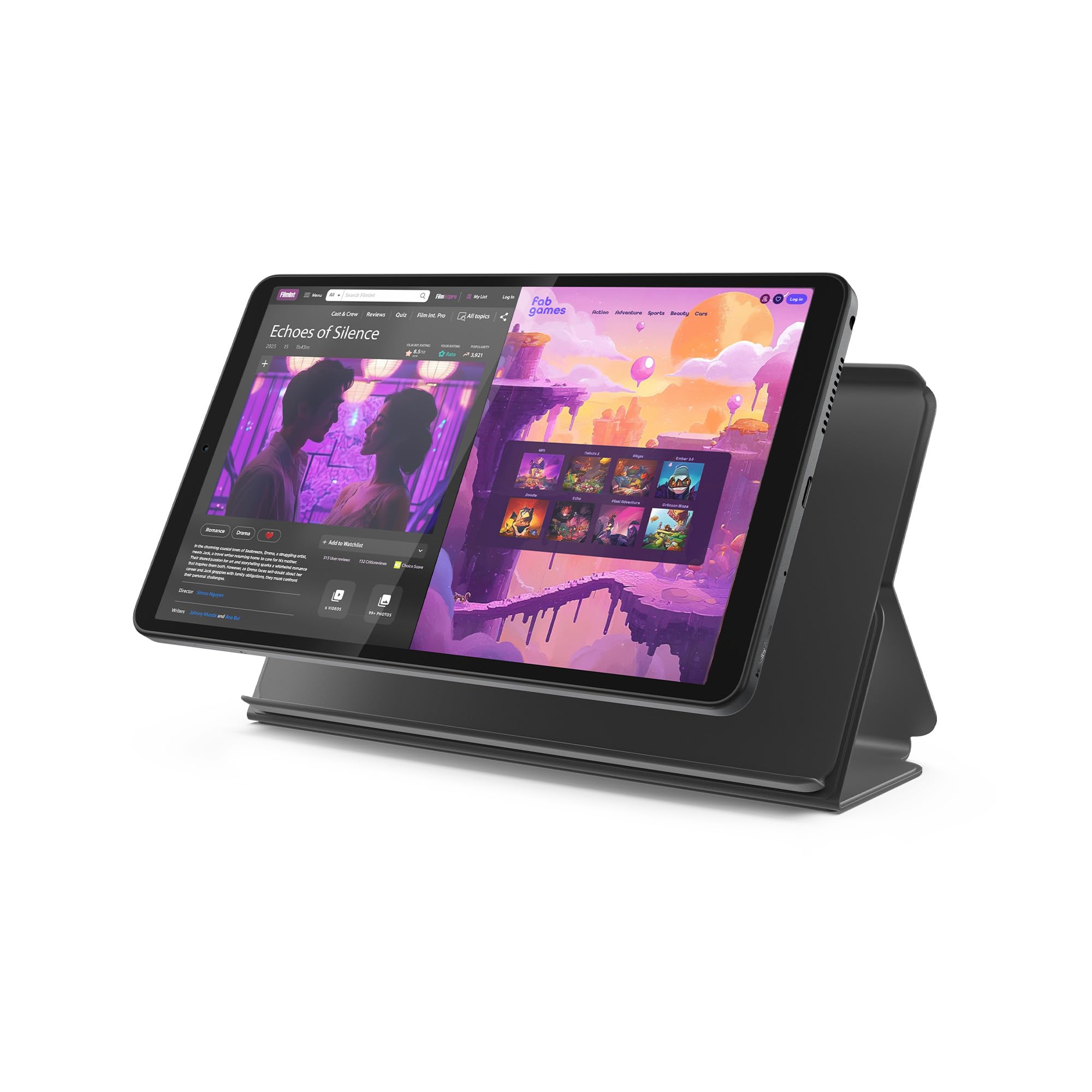
Weighs less than a pound and slips into a purse without a second thought
The Tab One is built around one idea: it should disappear into your bag. It weighs under a pound and carries an 8.7-inch display that tucks into a purse or backpack, with a folio case included so the front glass is protected from day one. The screen is rated at 480 nits (a brightness measure), which keeps it legible without being a battery hog.
Runtime is the headline claim — up to 12.5 hours of YouTube streaming unplugged. It also charges at 15W, which Lenovo notes is faster than previous models, so you are not tethered as long. Sound comes from dual Dolby Atmos speakers, and the MediaTek Helio G85 processor runs with a 60Hz refresh rate for browsing, streaming, and light gaming. That 60Hz is the same as the Paaxoo, and the AOC’s 120Hz panel is the smoother option if motion is your priority.
Value is clearly landing — it is the second-most-praised quality in the reviews — and owners consistently describe it as an easy-to-set-up little device with a genuinely good screen for its size. What needs sizing honestly is speed: performance reviews split sharply between “fantastic” and “extremely slow,” so treat it as a media and light-task machine. Storage is 64GB with a microSD slot, and it ships with Android 14 plus 2 years of security patches.
The everyday win: under a pound, dual speakers, and up to 12.5 hours of video — a carry-anywhere streamer.
The honest caveat: performance opinions diverge widely, so demanding apps are a gamble on this chip.
Fits best: commuters and travellers who want a light second screen for video and reading.
Better to choose another: if you plan to run heavy apps or need more than 64GB of built-in room.
7. TCL TAB A1 11″ 2.1K Tablet

A matte, 650-nit 2.1K panel that stays readable in a bright café
The TCL TAB A1 leads with its display, and it earns the attention. An 11-inch 2.1K panel at 2112 x 1320 pixels pairs a 90Hz refresh rate with 650 nits of brightness, so it stays crisp in bright rooms and eases eye strain during long reading sessions. NXTVISION processing adds more vivid, natural colour, and the matte finish is a real comfort upgrade over glossy glass.
Performance is the trait that wins people over here — it is the most-praised quality in the review pages — and the MediaTek Helio G100 octa-core with NXTURBO tuning is the reason. The configuration lists up to 16GB of RAM (6GB physical plus 10GB virtual) alongside 128GB of storage and microSD expansion to 2TB. That 2TB ceiling matches the Samsung Galaxy Tab A11 and doubles the 1TB limit on the TECLAST T65.
It also carries Gemini AI and Writing Assist for drafting and summarising, Circle to Search for on-screen lookups, and a Smart Translator that removes language barriers in real time. Battery is an 8000mAh cell with 20W fast charging — though note the charging block is not included, so factor in a charger. The body is a metal unibody just 0.24 inches thin and 0.95 lbs, with IP54-rated protection against dust and splashes and quad speakers with a Sound Booster.
Display-first buy: a 2112 x 1320 matte panel at 650 nits is the most comfortable screen for reading here.
Mind the extras: no charger in the box, and reliability draws negative sentiment in the reviews — buy with returns in mind.
Pick it if: you read and stream in bright rooms and want built-in AI writing tools.
Look elsewhere if: you want a proven reliability record — the mixed feedback argues for buying from a seller with easy returns.
8. Lenovo Idea Tab 11″ 2.5K with Pen and Folio Case

The highest-resolution screen and a pen for note-takers
The Idea Tab is the sharpest picture in this group. Its 11-inch 2.5K IPS touchscreen runs at 2560 x 1600 pixels and a 90Hz refresh rate, with TÜV Rheinland Low Blue Light hardware to ease eye strain during long study sessions. Colour coverage is rated at 72% NTSC, and quad Dolby Atmos-tuned speakers handle the audio side. Paired with the included Tab Pen and folio case, it is a genuinely complete study kit.
The MediaTek Dimensity 6300 processor runs the show, with 4GB of memory and 128GB of storage plus a microSD slot. Lenovo builds in four learning apps — Lenovo AI Note, Squid, Nebo, and MyScript Calculator — for writing, organising, sketching, and calculating. Circle to Search works with either the pen or your fingertip, and Smart Connect moves tasks across your devices.
Runtime is listed at up to 12 hours of YouTube, and a 20W charger gets you back up quickly. Quality is what wins people over — the most-praised trait in the review pages, with value following closely, and it is rated for school and college use specifically. Two honest caveats: performance splits between praise for speed and reports of slow app launches, and battery life is similarly mixed. That is the profile of a study and streaming tablet, not a gaming rig.
Where it shines
- 2560 x 1600 2.5K panel — the highest resolution on this list
- Tab Pen and folio case included
- Four built-in study apps plus Low Blue Light hardware
What to be realistic about
- Mixed reports on app launch speed
- Battery life opinions split between good and needing frequent charges
- Only 4GB of physical memory
Ideal for: students who want a pen, a case, and the crispest screen for class notes.
Consider a rival if: raw performance and battery certainty matter more than resolution.
Understanding the Specs
Refresh Rate in Hz
Refresh rate is how many times per second the screen redraws, measured in hertz (Hz). A 60Hz panel redraws 60 times a second and looks fine for reading. A 120Hz panel redraws twice as often, which makes scrolling and page turns feel noticeably smoother. Refresh rate changes how a budget tablet feels day to day more than the processor does.
Battery Capacity in mAh
Battery capacity is measured in mAh (milliamp-hours) — think of it as the size of the fuel tank. A 8000mAh cell holds more than a 5100mAh one, so it generally lasts longer between charges. Runtime also depends on the screen and chip, which is why the manufacturer’s stated hours are a better guide than capacity alone.
Widevine L1 Certification
Widevine L1 is the highest DRM tier for streaming apps. It is the difference between watching a show in full 1080P and watching a softer, scaled-down version. If Netflix and Prime Video are why you are buying, make sure the tablet lists it.
Virtual RAM vs Physical RAM
Physical RAM is the real memory chips a tablet uses to keep apps open. Virtual RAM is space borrowed from storage to mimic more memory. It helps, but it does not perform like a bigger physical chip. When a spec sheet says “up to XGB,” check how much is physical first.
FAQ
Is a 120Hz tablet worth it on a budget?
Do these tablets support Netflix in HD?
Can I add a microSD card to expand storage?
Is virtual RAM the same as real RAM?
Will a bigger screen tablet still fit in my bag?
Can these tablets make phone calls or use a SIM?
How long does an 8000mAh tablet battery last?
Do I need a stylus and is it included?
Which tablet gets Android updates the longest?
Should I buy a tablet with a pre-installed screen protector?
Final Thoughts: The Verdict
For most people, the winner here is the AOC 10 Inch Tablet because it pairs a 120Hz screen with 128GB storage and Widevine L1 streaming — the three specs that most shape daily use. If you want a stylus included without adding accessories, the TECLAST P30T is the practical pick. And for reading sheet music, comics, or PDFs at full size, the TECLAST T65 gives you the biggest canvas in this list.
The AOC is also the crowd favourite, holding the highest rating here at 4.5+ stars across 1,900+ ratings — and with 1900 reviews, that is a settled verdict, not a first-impression guess. Whatever you choose, spend on the screen and the storage. You look at the screen and fill the storage every day.
How We Picked
We do not accept paid placement. Every pick is matched to a real buyer and a real use-case; we do not hands-on test units.
Sources & Methodology
Specifications: manufacturer listings and product documentation. Review insights: verified customer reviews, as of November 2026. Pricing: not shown on this page (it changes often); check the current price via the retailer link.
As an Amazon Associate, Gadgets Feed earns from qualifying purchases. This does not affect which products we feature.