
Our readers keep the lights on and my morning glass full of iced black tea. As an Amazon Associate, I earn from qualifying purchases.
Specs are compiled from manufacturer listings and verified buyer reviews and can change over time — please confirm the key details on the product page before buying.
You do not need to replace a switch just because its SFP+ cage is empty. A transceiver module, or a media converter if you are moving between fiber and copper, slides into the port you already own and changes what plugs into it. The short answer: for a 20km singlemode fiber run, the 10Gtek converter two-pack in the top slot is the safest all-round buy — but the right pick depends on whether your gear has an empty SFP+ cage or needs a standalone fiber-to-copper box.
I’m Min — the founder and writer behind Gadgets Feed. This guide is built by comparing the manufacturers’ published specifications and the patterns across verified customer reviews, so you get each pick’s real strengths and trade-offs instead of marketing spin.
These nine picks split into two jobs: copper modules that turn an SFP+ cage into an RJ45 jack, and converters that bridge fiber to copper. The real filter is matching the port you already own, and this list of alternatives to network transceivers covers both jobs with reach and wattage listed per model.
Our Picks at a Glance


How To Choose The Best Alternatives To Network Transceivers
The first decision is not brand or speed — it is what you are plugging into. A transceiver module slides into an SFP or SFP+ cage on a switch, router, or network card and presents a new connector at the other end. A media converter is a standalone box with its own power supply that turns one cable type into another. Pick the wrong type and the module will not seat or the converter will not link, no matter how good the specs look.
Match the cage, not the marketing
Count the ports on your switch and note whether they are labeled SFP (1-gigabit) or SFP+ (10-gigabit). A copper module in a 10GBase-T form goes into an SFP+ slot and gives you a standard RJ45 jack for Cat6a or Cat7 cable. That reach is short by design — the Uscf module and the 6COM module both cap at 30 meters over copper, which suits a rack, a home lab, or a run across one floor. If your cable run leaves the building, you want a fiber pick instead.
Check vendor lock before you buy
Some switch makers code their firmware to reject modules that are not their own. The listing text for these modules names the platforms they have been tested against — Cisco, Ubiquiti UniFi, MikroTik, Netgear, TP-Link, Fortinet — and that list is your best guide. Note which models are explicitly excluded, because a single “not compatible with” line saves you a return. The ipolex module, for example, is not compatible with Ubiquiti US-48-500W, and the QINIYEK module is not built for Cisco Nexus or Meraki series.
Plan for heat
A 10-gigabit copper module works harder than a fiber one and warms up in normal use. Look at the stated power draw — the Uscf module and the 6COM module both sit around 2.5 watts, while the TP-Link MC200CM fiber converter draws 1.66 watts. In a closed closet, that difference matters. Give any copper module airflow, and do not stack them shoulder to shoulder without ventilation.
Quick Comparison
| Model | Best For | Type | Max Reach | Power Draw | Amazon |
|---|---|---|---|---|---|
| 10Gtek Gigabit SingleMode Fiber to Ethernet Media Converter (2-Pack)★ Best Overall | Long fiber runs on a budget | Fiber-to-copper converter | 20km | — | Amazon |
| TP-Link MC200CMThe Steady Standard | Solid gigabit fiber bridging | Fiber-to-copper converter | 550m | 1.66W | Amazon |
| Uscf 10GBase-T SFP+ to RJ45 TransceiverUniFi Match | UDM Pro owners going 10G copper | Copper SFP+ module | 30m | ~2.5W | Amazon |
| QINIYEK 1.25/2.5/5/10G-T SFP+ to RJ45 | Multi-rate copper on open switches | Copper SFP+ module | 30m | — | Amazon |
| 6COM 1.25G/2.5G/5G/10GBase-T SFP+ | Reliability with mixed-speed gear | Copper SFP+ module | 30m | 2.5W | Amazon |
| ipolex SFP+ to RJ45 10Gb Module | Widest platform compatibility | Copper SFP+ module | 30m | <2.5W | Amazon |
| Cable Matters 2-Pack 10GBASE-SR SFP+ LC | Short-reach fiber 10G | Fiber SFP+ transceiver | 300m | <1.0W | Amazon |
| TP-Link Omada SM5310-T | 10G copper with long 2.5G fallback | Copper SFP+ module | 30m (10G) / 100m (2.5G) | — | Amazon |
| 10Gtek Gigabit Ethernet Media Converter (2-Pack) | 550m multimode fiber pairing | Fiber-to-copper converter | 550m | — | Amazon |
In‑Depth Reviews
1. 10Gtek Gigabit SingleMode Fiber to Ethernet Media Converter, Dual SC Fiber (2-Pack)
Our pick — 4.5+★ from 150+ verified ratings; the strongest balance of quality and price.
Twenty kilometers of singlemode reach in a box you can power from a wall wart.
If your fiber already leaves the building — between two buildings on a campus, or down a long driveway — this is the pick that does it without an SFP+ cage. The fiber port runs at 1.25G over SC connectors at 1310-nm (a wavelength suited to singlemode glass), and the listed reach is 20km. At 20km it outruns every other pick here by a wide margin, and the two-pack covers both ends of the link in one order.
The copper side is a single RJ45 port that auto-negotiates 10M/100M/1000Mbps in full or half duplex, with MDI/MDIX auto-crossover, which means you never have to hunt for a crossover cable. Cat.5e cable is rated for 100 meters on that end. The power brick is a 5V-1A unit and it carries UL certification, a detail note when the box is going to sit powered in a wall closet for years.
What owners describe most is how little there is to do. Owners consistently describe a plug-in-and-go install — no software, no management page, and full gigabit throughput once linked. One owner reports higher throughput after swapping to this converter. The catch is that this is a gigabit converter, not a 10-gigabit one, so if your backbone is 10GBase-T you want a copper module instead. It also ships as a pair, which is a fine fit for a point-to-point link and a bit of waste if you only need one end.
Where it earns its keep
- 20km of singlemode reach on an SC fiber port running 1.25G at 1310-nm — enough for building-to-building runs.
- No software install or configuration step; owners consistently report it just works once powered.
- UL-certified 5V-1A power supply with a two-pack bundled, so both link ends are covered.
- Auto MDI/MDIX on the RJ45 port kills crossover-cable guesswork.
What to weigh first
- Gigabit only — it will not give you a 10GBase-T link.
- Singlemode SC fiber is a specific cable type; duplex LC multimode gear will not mate with it.
- The two-pack is more than a single-ended install needs.
Go this route if: your fiber is singlemode SC and the run is measured in kilometers, not meters.
Choose a copper module instead if: your switch has an SFP+ cage and your cable is Cat6a in the same room.
2. TP-Link MC200CM, Gigabit SFP to RJ45 Fiber Media Converter
A gigabit fiber bridge that has been on shelves since 2005 and still does the job.
This is the converter to reach for when your fiber is multimode and your run is a few hundred feet — a link between two racks, a run across a warehouse, a fiber drop that stops short of where the copper starts. The reach figures are spelled out by cable type: up to 550m (1,800 feet) using 50/125µm multimode, and 220m (720 feet) using 62.5/125µm multimode. Both ports run at 1000Mbps in full duplex.
Compare that reach to the Uscf copper module’s 30-meter ceiling and the difference is stark — this is a converter built for distance, not a rack. It draws 1.66 watts at maximum, which is modest for a powered box and stays well under what a 10-gigabit copper module pulls. The LED indicators are on the front where you can read link and activity at a glance, and the FX port offers a switch between Force and Auto transfer mode, which is useful when a link partner does not negotiate cleanly.
The honest caveats are worth hearing. Some buyers report a unit that failed inside six months, and others note the Ethernet side port did not negotiate its speed as expected. Both gripes are real but sit against a long record of reliability, so treat them as the risk of a value-tier powered converter rather than a reason to skip it. This is also a 1000BASE-SX device, so 10/100Mbps gear will not play with it — that is a cable-standard mismatch, not a fault.
What people notice: the build and the “it just works” install are the two things that come up most, and the reach figures back that up — 550m on 50/125µm multimode is a serious amount of distance for a value-tier converter.
The trade-off to size: a small number of units fail early and a handful of Ethernet ports do not auto-negotiate cleanly. In a mission-critical link, keep a spare.
Built for: multimode fiber runs in the 200–550m range where a 30-meter copper module cannot reach.
Think twice if: your cable is singlemode — this module is designed around 850nm multimode optics.
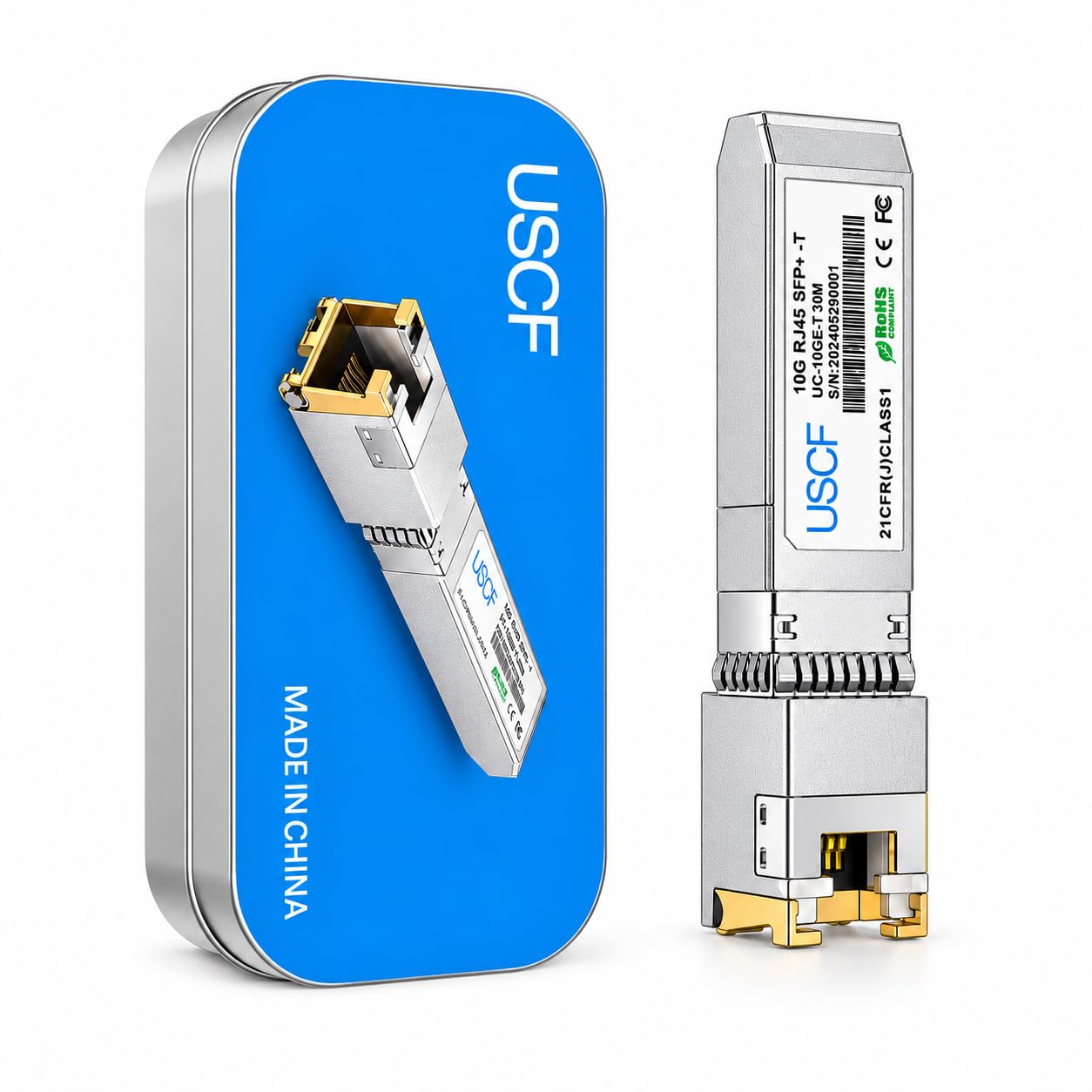
3. Uscf 10GBase-T SFP+ to RJ45 Transceiver, 10GbE Copper Module
The module that turns an empty SFP+ cage on a UDM Pro into a working 10-gig jack.
You bought a switch with SFP+ ports and now you want to plug regular Cat6a into one of them. That is exactly this job: an SFP+ to RJ45 transceiver that presents a standard copper jack at up to 10Gbps over Cat6a or Cat7, with a stated ceiling of 30 meters. The reach gap against the 10Gtek fiber converter is enormous by design — 30 meters versus that unit’s 550m — because copper 10GBase-T simply cannot go further.
Where this module earns its place is device compatibility. The listing names Cisco, Ubiquiti UniFi, MikroTik, TP-Link, Fortinet, Meraki, and Supermicro among the platforms it is built for, and it is explicitly pointed at UDM Pro setups. Owners confirm that focus: it works well with UDM Pro hardware. Power draw is quoted at roughly 2.5 watts, and the metal housing is there to spread heat during continuous operation rather than trap it.
Two things to know before you click buy. First, the quality feedback is mixed — some describe it as a good product, some are less persuaded — which in practice means verify your exact port and firmware before ordering. Second, 30 meters is a hard stop; a run to another floor over copper is not what this is for. If your gear is UniFi and your cabinet is one hop away, it is a clean fit.
Why it fits the rack
- 10Gbps over Cat6a or Cat7 with a manageable 30m ceiling — no fiber cabling needed.
- Built around UDM Pro and UniFi gear, where owners mention it working well.
- Hot-swappable plug-and-play — no replacement switch required to add a copper jack.
- Roughly 2.5W draw and a metal housing that helps move heat away.
Where it stops
- 30m over copper is the limit — anything longer needs fiber.
- Quality feedback is mixed, so confirm your specific port and firmware first.
Right call for: UDM Pro and UniFi owners adding a copper 10G port in the same rack or room.
Look to fiber instead if: your cable run crosses 30 meters or leaves the building.
4. QINIYEK 1.25/2.5/5/10G-T SFP+ to RJ45 Transceiver

Settles onto whatever speed the other end speaks, from 1.25G up to 10G.
Mixed-speed networks are where this module fits. It auto-negotiates across 10G, 5G, 2.5G, and 1.25G over an RJ45 connector, so you can drop it into a 2.5G switch today and a 10G switch later without buying a second module. Cable ceiling is 30 meters on Cat6a or Cat7. Note that the pack contains exactly one module — no spare in the box.
The compatibility list is where the fine print lives. It names Cisco SFP-10G-T-S, Ubiquiti UF-RJ45-10G, Netgear AXM765, D-Link DEM-440XT, Supermicro, MikroTik, and Fortinet, but explicitly excludes Cisco Nexus and Cisco Meraki series. Owners confirm it works with the Mikrotik CSS610-8P-2S+, and the other end of the story is a UniFi US-48-750W that did not cooperate. Read that pair of outcomes as a compatibility lottery: right switch, fine; wrong one, dead in the water.
Heat is disclosed openly — working range is 0 to 70°C, and the listing says heat is chip-generated and normal, with the suggestion to move it somewhere cooler or add a small fan if it runs hot. The ring latch pulls down to 90 degrees for removal, which is a fiddly but standard move. Backing it up is a 30-day return window, a 3-year warranty, and lifetime technical support.
The real value: multi-rate auto-negotiation at this tier lets one module serve several switch generations, and the 3-year warranty is generous for the category.
What to plan around: compatibility is the whole story. The QINIYEK works on some UniFi and MikroTik ports and fails on others, so check your exact model before ordering, not after.
Snap it up if: you are running an open MikroTik or Cisco box that takes a 10G-T module and you want future-proof multi-rate.
Steer clear if: your switch is a Cisco Nexus or Meraki — this one is explicitly not built for either.
5. 6COM 1.25G/2.5G/5G/10GBase-T SFP+ Transceiver
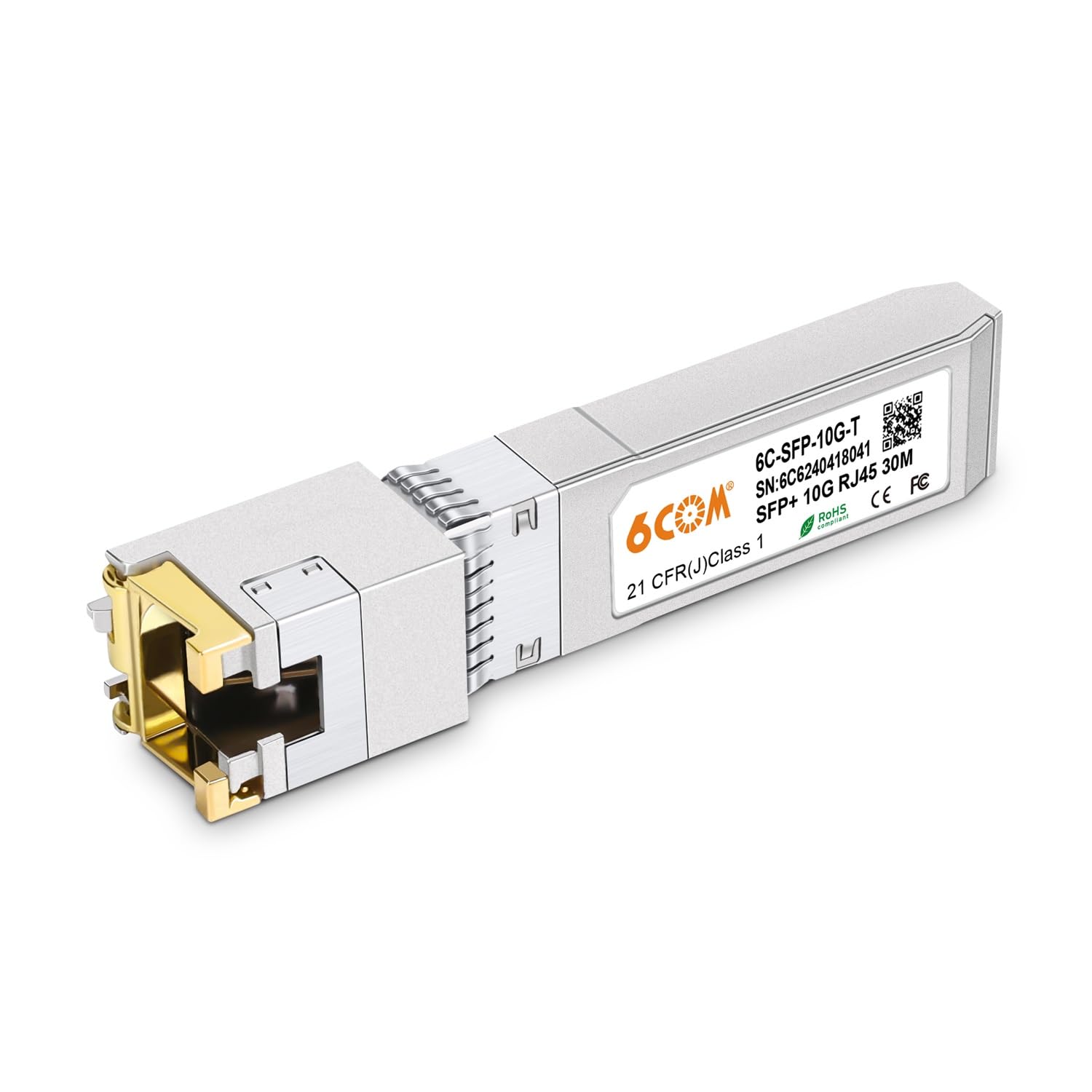
Every module is tested on real switches before it ships, and owners notice the difference.
The claim that carries this module is process: the listing says every unit is tested one by one on different switches before it ships. Owner feedback backs that up: reliability is the trait reviewers mention most, followed by willingness to recommend it. If you have been burned by a module that refused to link, this is the pick that lowers that risk.
Feature-wise it is a full multi-rate copper module: 1.25G, 2.5G, 5G, and 10G over an RJ45 connector on Cat6a or Cat7, up to 30 meters. It is plug-and-play and hot-pluggable. The ring latch rotates down 90 degrees to open up, then the transceiver slides out — the same removal dance as every other SFP+ copper module here, so no surprises. Power draw is listed at 2.5 watts.
Compatibility covers Cisco SFP-10G-T-S, Ubiquiti, D-Link, Supermicro, Netgear, and MikroTik S+RJ10 among others, and customers note it working across Unifi, Dlink, and Netgear hardware. On data transfer, the consensus is that large files and high-quality video streams move without incident. The honest caveat is heat: it runs warm, which is normal for a 10G copper module but worth planning airflow for. As with every copper module in this list, past 30 meters you are on your own.
What wins people over
- Unit-by-unit testing before shipping is the reason reliability leads the feedback.
- Multi-rate 1.25G through 10G auto-negotiation suits mixed-speed switches.
- Plug-and-play, hot-pluggable, with the standard 90-degree ring latch.
- 2.5W draw, and it works across Unifi, Dlink, and Netgear hardware in practice.
The part to plan for
- It runs warm — give it airflow in a closed cabinet.
- 30-meter copper ceiling; longer runs need a fiber pick.
The pick for: anyone who values a module that shows up tested and links on the first try.
Not the pick for: runs beyond 30 meters or a switch that needs fiber optics.
6. ipolex SFP+ to RJ45 10Gb Module
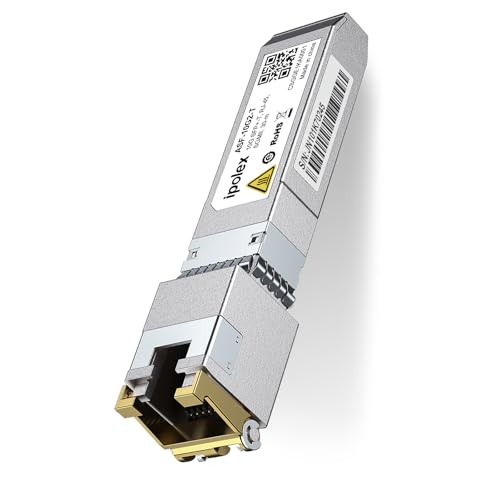
One module, a long list of named switches, and about 3.2 ounces in your hand.
If your network is a patchwork — a Cisco here, a UniFi there, an old Netgear in the closet — this is the module most likely to find a home. The compatibility list is unusually specific: Cisco C9200CX-12P-2X2G, Cisco 2960, UniFi US-16-XG, UniFi USW-PRO24-POE, UniFi UDM SE, MikroTik CRS305-1G-4S, plus Netgear, D-Link, Qnap, TP-Link ER707-M2, Supermicro, and Broadcom. That specificity is the point — you can check your exact model against a name, not a vague “works with many brands.”
Under the hood it auto-negotiates 1.25G, 2.5G, 5G, and 10G over Cat6a or Cat7, up to 30 meters. Power consumption is under 2.5 watts. It is hot-pluggable and MSA-compliant (a shared industry standard that tells a switch how to talk to a third-party module), with IEEE 802.3an, 802.3az, SFF-8431, and SFF-8432 compliance listed alongside RoHS. The operating range is 0 to 70°C. One practical note from the listing: cool the module indoors for 10 minutes before bagging it, or the warm housing can do damage.
Two honest limits. The listing itself warns that some vendor compatibility is complex and influenced by IOS version and platform differences — so a module that works on one switch may not on the next even within the same brand. It is also explicitly not compatible with the Ubiquiti US-48-500W, and it will not interconnect two Cisco Catalyst 1200/1300 switches. Owners’ own split on speed — decent downloads for some, poor uploads for others — suggests a mix of hardware and configuration at play. Buy it for the compatibility breadth, not as a guaranteed universal fit.
Where it shines: quality and value for money are what owners praise most, and the named-model compatibility list backs that up better than a generic “universal” claim.
Read the fine print: speed feedback is genuinely split, so treat it as a fit question — check your exact model against the list before you buy.
Choose it when: your switch model appears by name on the compatibility list and you want the broadest coverage.
skip it if: you run a US-48-500W or a pair of Cisco Catalyst 1200/1300 units — this module explicitly will not work there.
7. Cable Matters 2-Pack 10GBASE-SR SFP+ LC Fiber Transceiver

Two fiber transceivers that push 10-gig 300 meters while sipping under a watt.
Here is the pick for a 10-gigabit link that needs to leave the rack but does not need to cross a campus. This is a 10GBASE-SR SFP+ LC transceiver — SR meaning short-reach, LC meaning the small fiber connector — and it reaches 300 meters over multimode fiber. That is 300 meters versus the 30-meter copper ceiling of every RJ45 module in this list, with two modules in the box for both ends of the link.
The efficiency is the standout number. Power draw is stated at under 1.0 watt, versus around 2.5 watts for a typical copper module, and produces far less heat as a result. It carries DDM/DOM support (a diagnostics standard that lets the switch report on the module’s health in real time), and uses an 850nm VCSEL light source. Line rate is up to 11.3 Gb/s multirate, and it runs over OM1, OM2, OM3, or OM4 fiber cable.
The fine print is the part casual buyers miss: this is not a copper module. There is no RJ45 jack, so it will not get you a 10GBase-T copper port, and it will not work in a vendor-locked SFP+ port. You need actual multimode fiber cable with LC connectors to use it. The field report is reassuring where it counts — owners describe it working reliably, picking up immediately after booting the switch, and linking with Ubiquiti hardware, MikroTek switches, and Mellanox NICs.
The case for the two-pack
- 300m of 10GBASE-SR reach over multimode fiber — far beyond copper’s 30m.
- Under 1.0W and minimal EMI, so the switch closet stays cooler.
- DDM/DOM diagnostics and 850nm VCSEL optics in a two-pack.
- Hot-pluggable with ESD protection — installs without a screwdriver.
Don’t overlook
- No RJ45 jack — it cannot create a copper port.
- Multimode fiber with LC connectors is required.
Ideal for: a 10-gig fiber run across a building where you have multimode cable already in the wall.
Not the fit for: a copper-only port or a vendor-coded SFP+ cage that rejects third-party modules.
8. Omada 10G Base-T SFP+ to RJ45 Module (SM5310-T)

Runs 10-gig for 30 meters, then stretches to 100 meters if you drop to 2.5G.
Most copper modules give you one reach figure. This one gives you two: 30 meters at 10Gbps over UTP Cat6a or above, and 100 meters at 2.5G, 1G, or 100Mbps over Cat5e or above. That second number is the practical one — it means an older Cat5e run to the far corner of the building can still work, just at a slower speed, instead of needing fiber pulled through the walls.
The module is a TP-Link Omada part, so if you are already running an Omada controller it slots into that world cleanly. The listing is broad about compatibility too — most fiber switches, media converters, routers, and other equipment with 10G SFP+ ports are named as supported. It is plug-and-play with no configuration, hot-pluggable so you can swap modules without shutting the network down, and built in a metal casing for durability.
Owners describe it working flawlessly with Ubiquiti Dream Machine SE gear and 2.5G/10G switches, hitting 10 Gbps. Network performance is the trait that gets the most attention, with speed close behind. The one honest note is heat — some say it does not get hot, some say it gets warm in use. That is a mixed trait, not a flaw, and it is normal for 10G copper. Give it breathing room in a tight cabinet.
Why it’s worth it: the dual reach spec — 30m at 10G, 100m at 2.5G — makes it the flexible pick if your cabling is mixed-vintage, and the plug-and-play claim holds up in owner reports across Dream Machine SE and 2.5G/10G switches.
One caution: it gets warm, as 10G copper modules do. Plan airflow if it lives in a sealed enclosure.
Made for: networks with a mix of Cat5e and Cat6a runs where you want each to work at its best speed.
Look elsewhere if: your run exceeds 100 meters even at the slower 2.5G rate — that is fiber territory.
9. 10Gtek Gigabit Ethernet Media Converter, MultiMode Dual LC (2-Pack)
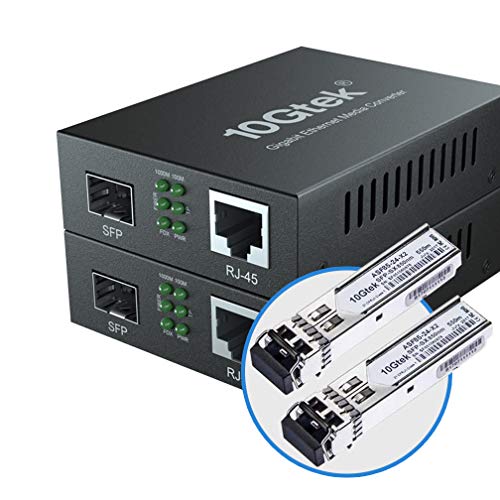
A fiber module is already in the box — you just add power and copper cable.
Two 10Gtek converters, and each one ships with a 550-meter SFP module already installed: a 1.25G multimode unit at 850nm with a dual LC connector. You do not have to source a separate SFP module and hope it plays nice with the converter. It is matched to the box at the factory and lands at the door as a complete unit.
The copper side is a single RJ45 at 10M/100M/1000Mbps with full or half duplex auto-negotiation and MDI/MDIX auto-crossover, rated to 100 meters on Cat.5e. Each unit takes a 5V-1A supply and the power supply is UL certified. The 550-meter fiber ceiling makes it the same reach class as the TP-Link MC200CM, but here you get two boxes and two included SFP modules instead of two bare converters.
Setup is what buyers highlight — the process is described as easy, with fiber-to-copper conversion working cleanly and full gigabit speeds confirmed on the other end. Quality gets strong reviews too. The honest caveat is physical: it is a powered box, not a slot-in module, so it needs an outlet and a little shelf or wall space at each end. And it is gigabit, not 10G — the same restriction that applies to every converter here.
What you’re getting
- Includes the 550m multimode 850nm SFP module in each unit — no separate sourcing.
- Two converters per order covers both ends of a fiber run.
- Auto MDI/MDIX RJ45 port and auto-negotiation across 10M/100M/1000Mbps.
- UL-certified 5V-1A power supply and gigabit speeds confirmed in use.
The honest caveats
- Gigabit speeds only — no 10G.
- Powered standalone boxes require an outlet and shelf space.
Worth it if: you want a complete fiber-to-copper link with the SFP module already included, both ends supplied.
Hold off if: you need 10-gigabit throughput or you are slotting into a switch SFP cage rather than running standalone.
Understanding the Specs
Reach (Meters and Kilometers)
Reach is the longest cable run the module or converter will carry a clean signal. Copper modules top out at 30 meters because 10GBase-T over twisted-pair copper loses signal over distance; the Omada module stretches to 100 meters if you drop to 2.5G. Fiber reaches far further — the Cable Matters transceiver does 300 meters, the TP-Link MC200CM does 550 meters, and the 10Gtek singlemode converter does 20km. Match the reach figure to your physical run before anything else. If your cable leaves the building, you want fiber, not copper.
Power Draw (Watts)
Power draw is how much electricity the module pulls from the switch or its own supply, and it directly predicts how warm it runs. Copper 10G modules typically sit around 2.5 watts — the QINIYEK, 6COM, Uscf, and ipolex units all cluster there. Fiber modules run cooler; the Cable Matters unit states under 1.0 watt. If your switch closet is tight or sealed, lower wattage means less heat buildup and steadier long-term operation. Plan airflow for any copper module that runs continuously.
FAQ
Will a copper SFP+ module work in an older SFP only switch?
How far can a copper SFP+ module actually run?
Will a third party module work in my Ubiquiti or Cisco switch?
Why does my SFP+ copper module get so hot?
Can a media converter replace an SFP+ module?
Does a 10G module use the same cable as a gigabit one?
What is the difference between 10GBASE-SR and 10GBase-T?
Is a two-pack transceiver worth it for a single link?
Do these modules need drivers or software?
Final Thoughts: The Verdict
For the majority of shoppers, the alternatives to network transceivers winner is the 10Gtek Gigabit SingleMode Fiber to Ethernet Media Converter because it covers a 20km singlemode run in a two-pack with no configuration and a UL-certified supply. If you want a 10-gig copper port in your existing rack, grab the ipolex SFP+ to RJ45 Module for its named-model compatibility list. And for a short-reach 10-gig fiber link at under a watt, the Cable Matters 10GBASE-SR 2-Pack is the one to reach for.
One last nudge worth acting on: the 6COM copper module and the Cable Matters fiber pair both put real weight behind reliability, and that is the trait that saves you a return trip to the switch closet. Check your port type and your switch model against the compatibility list first, then buy the reach that matches your cable.
How We Picked
We do not accept paid placement. Every pick is matched to a real buyer and a real use-case; we do not hands-on test units.
Sources & Methodology
Specifications: manufacturer listings and product documentation. Review insights: verified customer reviews, as of November 2026. Pricing: not shown on this page (it changes often); check the current price via the retailer link.
As an Amazon Associate, Gadgets Feed earns from qualifying purchases. This does not affect which products we feature.