
Our readers keep the lights on and my morning glass full of iced black tea. As an Amazon Associate, I earn from qualifying purchases.
Specs are compiled from manufacturer listings and verified buyer reviews and can change over time — please confirm the key details on the product page before buying.
If your monitor sits on its own factory stand, your neck is paying for it. An adjustable monitor mount clamps to your desk and lifts the screen to eye level, so you can push the stock stand aside and reclaim the desk underneath. The number that matters most before you buy is not screen size but the weight range the arm is rated to hold. A mount rated for the wrong weight sags, drifts, or fights you every time you move it. Match the arm to your monitor’s weight first, then worry about inches.
I’m Min — the founder and writer behind Gadgets Feed. This guide is built by comparing the manufacturers’ published specifications and the patterns across verified customer reviews, so you get each pick’s real strengths and trade-offs instead of marketing spin.
Below you will find the weight limits, VESA patterns, and desk-clamp sizes that actually decide whether a mount works in your room. Every pick here has been sorted by how it holds a screen in real use, not by how it looks in a listing photo. Here is the honest shortlist of the adjustable monitor mount options worth clamping to your desk.
Our Picks at a Glance


How To Choose The Best Adjustable Monitor Mount
A good mount frees the desk under your screen and holds the panel at eye level. You move the screen with one hand, it stays where you leave it, and the desk under it is suddenly free for a keyboard, a notebook, or nothing at all. Getting there means checking four things before you click buy.
Match the arm’s weight range to your monitor’s actual weight
A gas-spring arm balances your screen’s weight against its internal spring tension. The arm’s spring tension has to roughly match the weight of the screen hanging off it. Too light a screen on a stiff arm and it floats up on its own. Too heavy a screen and the arm droops no matter how hard you crank the bolt. Manufacturers publish a weight range for this reason, and you want your monitor’s actual weight to sit comfortably inside it rather than at the very edge. The HUANUO FlowLift covers 4.4 to 19.8 lbs, while the HUANUO TitanLift is built for the other end of the market at 6.6 to 44 lbs.
Confirm your monitor’s VESA hole pattern (75x75mm or 100x100mm)
VESA is just the standard grid of screw holes on the back of your monitor. Almost every screen uses either a 75x75mm or 100x100mm square pattern, and every mount on this list supports both. Look at the back of your monitor — four threaded holes in a square is what you need to see. If your screen has no VESA holes at all, no arm on this list will attach to it directly.
Choose a C-clamp or a grommet mount based on your desk
The clamp grabs the front and back edge of your desktop and tightens like a giant screw. The grommet mount drops a bolt through a hole drilled in the desk instead, which is useful when the desk has a lip or frame that blocks a clamp. Most mounts here include both options. Before buying, though, run your hand under the desk. Cross beams, drawers, or a fully enclosed back panel can stop a clamp from seating flat, and a clamp that only half grips is a wobble waiting to happen.
Quick Comparison
| Model | Best For | Weight Capacity | Screen Range | Max Tilt | Amazon |
|---|---|---|---|---|---|
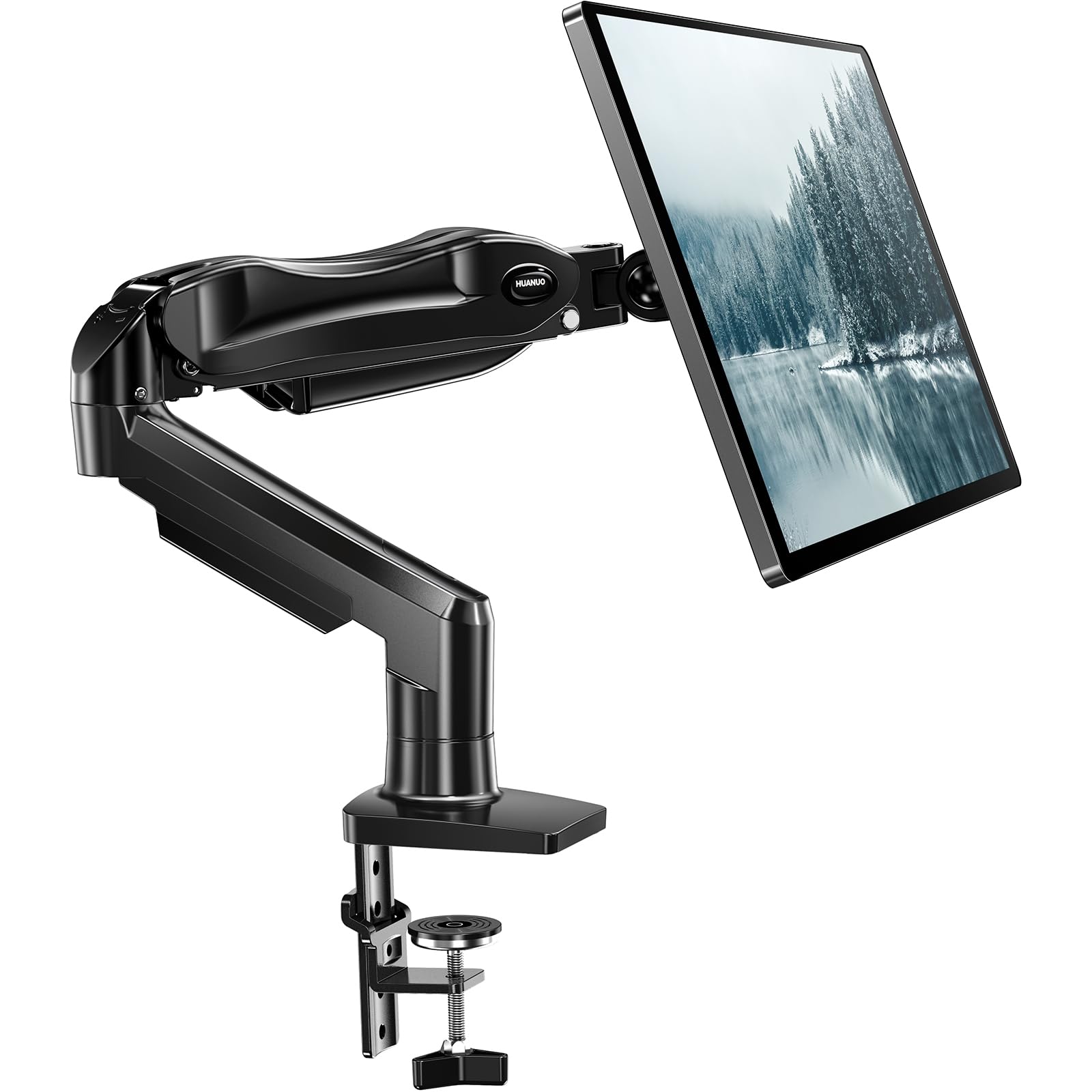
| HUANUO FlowLift™ Single Monitor Mount★ Best Overall | Everyday desks | 4.4–19.8 lbs | 13–32 inches | 85 degrees | Amazon |
| WALI Single Monitor MountBest Value | Glass desks | Up to 22 lbs | 13–32 inches | 45 degrees | Amazon |
| Amazon Basics Single Monitor StandBudget Champion | Budget setup | Up to 22 lbs | 13–30 inches | 85 degrees | Amazon |
| NB SmooVex™ Monitor Arm | Leak-free spring | — | 17–32 inches | 90 degrees | Amazon |
| VIVO Single Monitor Desk Mount | Ultrawide reach | Up to 22 lbs | 13–38 inches | 90 degrees | Amazon |
| Acer Single Monitor Mount | Standing desks | 4.4–19.8 lbs | 17–34 inches | 90 degrees | Amazon |
| MSI MAG MT101G | Quick swaps | Up to 22 lbs | 17–32 inches | 80 degrees | Amazon |
| VIVO Premium Aluminum Single Monitor Mount | Clean desk look | 2.2–20 lbs | 17–32 inches | 90 degrees | Amazon |
| HUANUO TitanLift Heavy Duty Monitor Arm | 49-inch ultrawides | 6.6–44 lbs | 17–49 inches | 50 degrees | Amazon |
In‑Depth Reviews
1. HUANUO FlowLift™ Single Monitor Mount, 13 to 32 Inch Monitor Arm
Our pick — 4.5+★ from 16,500+ verified ratings; the strongest balance of quality and price.
The one most desks should start with — a one-piece arm that lifts a 32-inch screen with a single hand.
Here is a mount that solves the most common complaint before you even notice it. Set the tension once and the whole arm becomes a counterweight: you push the screen up, it stays up; you tilt it forward, it holds that angle. The tilt range runs from -50° to +85°, with ±90° swivel and 360° rotation on top. That is a wider tilt arc than the WALI Single Monitor Mount, which stops at 45 degrees, so you can angle the panel much further forward when you stand at the desk or lean back in the chair.
The screen range starts at 17 inches, which is a touch narrow at the bottom — the WALI mount below takes 13-inch screens, so a small secondary display may not fit here. From 17 up to 32 inches and from 4.4 to 19.8 lbs, though, the fit is broad. The VESA plate takes both 75x75mm and 100x100mm patterns, so the standard screw grid on the back of your monitor is covered either way.
What wins people over is how planted the whole thing feels. The frame runs on automotive-grade components and the arm is rated through 20,000 motion tests, which is the maker’s way of saying it should keep holding position through years of daily nudging. Owners talk about the value as much as the build — a lot of mount for the middle of the price field. Setup is a three-step job: clamp the base to the desk, hang the monitor on the VESA plate, then dial the tension screw to your screen’s weight. The catch is the desk itself — the clamp and grommet both want a wooden surface, and the tabletop thickness runs 0.59″ to 3.54″. A glass desk or a thick frame under the top can rule this one out.
What earns it the top spot
- Wide -50° to +85° tilt plus ±90° swivel and full 360° rotation
- Holds up to 19.8 lbs and covers 17-32 inch screens
- Both C-clamp and grommet options in the box
- Screen lifts up to 39.6cm off the desktop with one hand
Where it asks you to check first
- Won’t take a 13-inch screen — the range starts at 17 inches
- Wants a wooden desk; glass and thick-framed tops are a no
Reach for this if: you run one 17-32 inch screen on a wooden desk and want it to move like a proper ergonomic arm.
Look elsewhere if: your monitor is a 13-inch panel or your desk is glass — the WALI handles the small-screen fit instead.
2. WALI Single Monitor Mount, Vesa Monitor Arm for 13-32 inch
Holds the heaviest everyday screens here — 22 lbs on a two-stage clamp that grips glass desks too.
If your monitor is on the chunky side, start with the weight rating. The detachable mounting plates adapt to both 75x75mm and 100x100mm hole patterns, so a wider spread of monitors fits than the FlowLift’s 17-inch floor allows.
The two-stage locking system is the quiet hero. It clamps desks via a 3.5″ C-clamp or a 3″ grommet base, and the design holds firm on glass — something plenty of clamp mounts struggle with. What buyers praise most is the build quality itself: the arm feels solid rather than plasticky where it counts. Height runs along a 16″ center pole, and the screen tilts ±15° with ±90° swivel plus 360° rotation for portrait mode.
That tilt figure is the trade-off. ±15° is a modest arc, and compared with the FlowLift’s 85-degree range it is only about half as much movement — fine for nudging the viewing angle, less so if you want to lean the panel well forward. A few owners also find the arm not entirely wobble-proof, and vertical adjustment is limited by the pole rather than a gas spring. Assembly is straightforward enough that it is named among the easiest setups here, which is the main thing for a first-time mount buyer.
Built for glass and heavier panels: a 22 lb capacity and a locking clamp that actually holds on glass desktops put this ahead of lighter-duty arms for mixed-surface setups.
The honest limit: the ±15° tilt keeps you close to level, so it suits a screen you mostly leave in place rather than one you reposition all day.
Suits you if: you have a glass desk or a monitor near 22 lbs and want simple, sturdy holding power.
Skip if you need: a deep tilt swing for standing and sitting at different angles.
3. Amazon Basics Single Computer Monitor Stand with Cable Management
The entry-level pick that still lifts, tilts, and swivels — and hides your cables while it does.
Steel construction at the bottom of the price field is a fair summary. This Amazon Basics arm takes screens 13 to 30 inches and up to 22 lbs, and it clamps to desks from 0.8 to 3.9 inches thick. The horizontal arm adjusts from 7.9 to 14.2 inches high, so it suits a standard seated desk position rather than a full standing-height lift.
The tilt arc runs from -15 to +85 degrees, which is generous for the tier — more range than the WALI’s 45-degree maximum. Rotation hits 360 degrees for portrait mode, and a cable-management channel keeps power and display cords tucked along the arm instead of dangling. The detachable VESA plate takes 100x100mm and 75x75mm, and all the tools and hardware ship in the box.
What buyers value most is the solidity of the steel — the stand sits still and holds a 27-inch Dell screen without bounce or flex. The recurring gripe is height: as a pole-and-arm design rather than a gas spring, raising the screen means adjusting the mount rather than gliding it with a finger. If your monitor is smaller and your budget is tight, this is a sensible first arm; it is backed by an Amazon Basics limited 1-year warranty, which is a rare thing to see at this level.
Best for the first-time buyer: a small-to-mid screen, a wooden desk, and a wish to keep the spend modest without losing tilt range.
Think twice if: you want fingertip height changes — this arm sets height by adjustment, not a spring.
4. NB SmooVex™ Monitor Arm, Mechanical Spring Mount
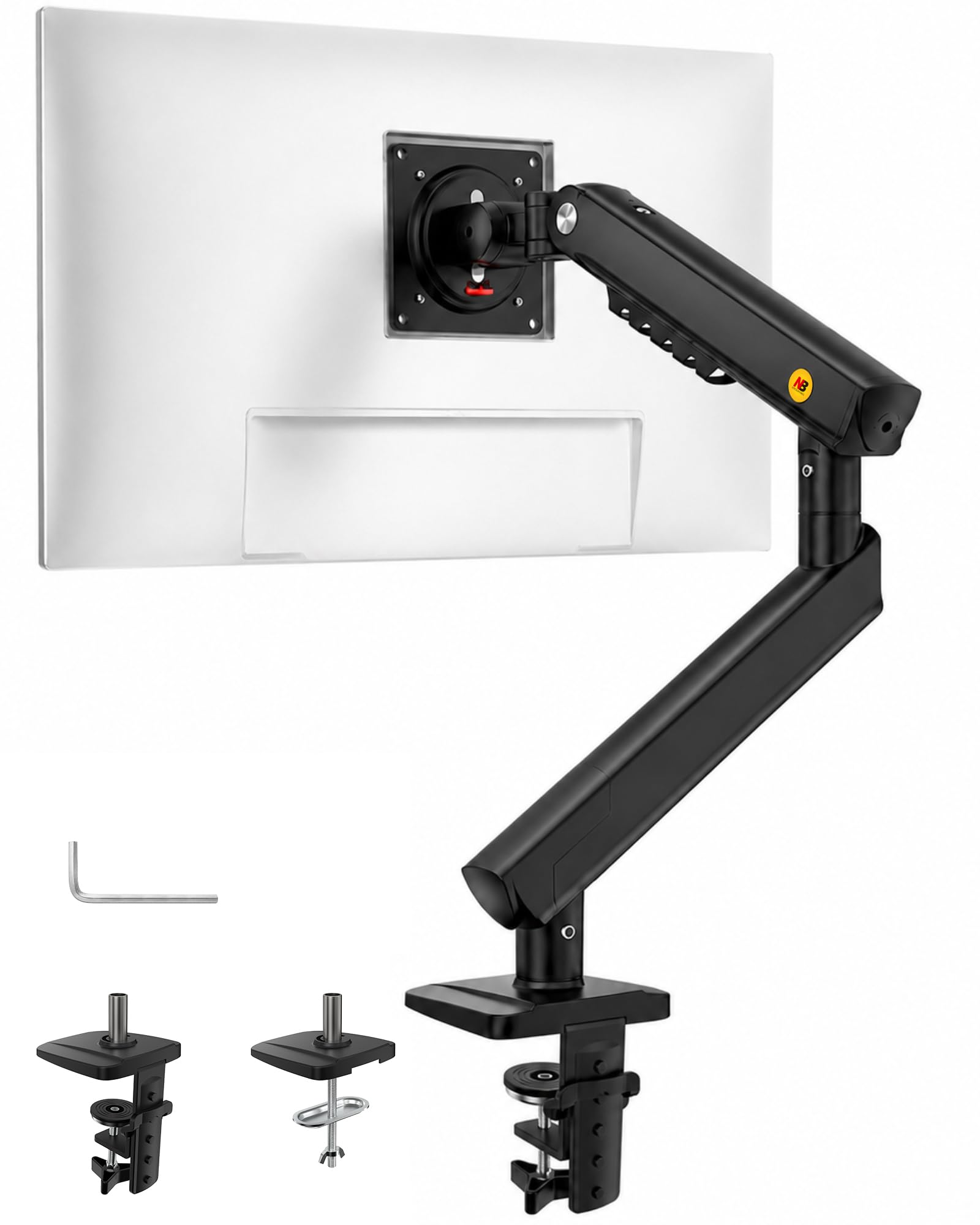
No gas to leak, no sag to fight — a mechanical spring arm that holds its line over years of use.
Most arms here run on a gas spring: a sealed cylinder that balances the weight of your screen. This one swaps that for a precision mechanical spring, which removes the gas-leak worry entirely and resists sagging as the years pass. The body is aluminum, the arm is deliberately slim to save desk space, and the tilt range reaches 90 degrees — double the WALI’s 45-degree figure, so you have far more freedom to angle the panel forward or back.
Screen support runs 17 to 32 inches on both 75x75mm and 100x100mm VESA patterns. Fine adjustment covers ±90° rotation, -25° to 90° tilt, swivel, and 230mm of height travel, which is enough to get the top of the monitor up to eye level for seated work. Installation is a documented 3-step job using the included C-clamp or grommet base, and buyers consistently finish it inside ten minutes with the clear instructions.
The thing you notice in daily use is the finish — owners describe it as incredibly solid with a sleek, clean look, and the arm frees up the desk in the same breath. What it gives up is sheer lifting height: 230mm of travel sits below the taller gas-spring arms like the Acer, so a very tall standing setup is not its zone. For a fixed-to-moderate standing desk and a screen in the mid-weight range, it is the arm that will feel least fussy over time.
Why the mechanical spring matters: no sealed gas cylinder means nothing to leak and less drift downward — a real advantage if you keep a single arm in the same spot for years.
Where it stops short: 230mm of travel tops out lower than the tall gas arms, so check your standing height before committing.
Worth it for: long-haul desk setups where you want one arm that stays put without spring maintenance.
Pass if: your screen needs to rise well above 230mm of travel for a tall standing posture.
5. VIVO Single Monitor Desk Mount, Up to 38″ Ultrawides
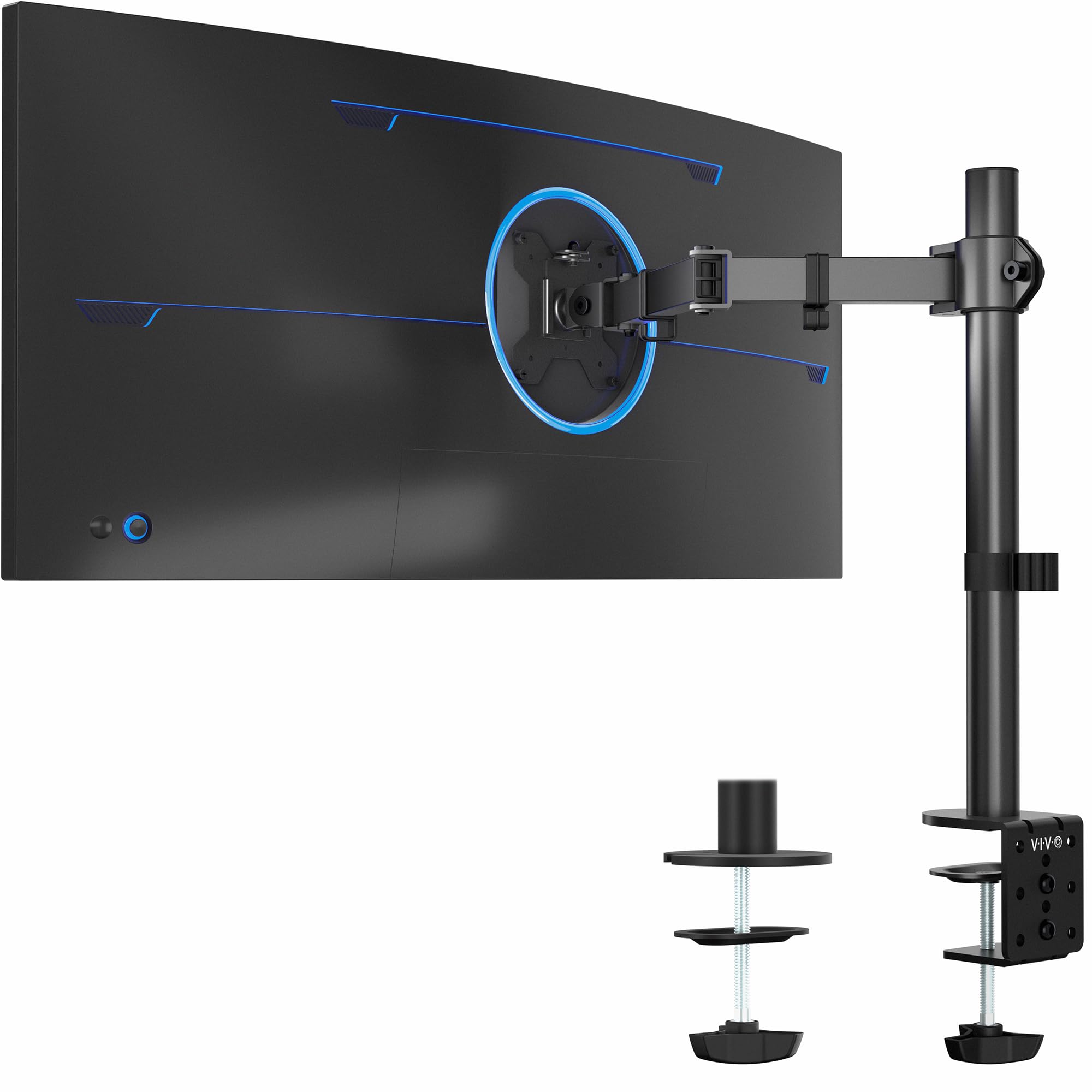
For the wide screen the others won’t hold — 38 inches of ultrawide on a steel and aluminum arm.
The number that separates this VIVO from most of the list is 38 inches. It takes monitors 13 to 32 inches as well as ultrawide panels up to 38, all on a 22 lb weight limit. Set that against the FlowLift’s 32-inch ceiling and this is the pick for a wider curved screen that the standard arms top out on. Just verify the VESA pattern on the back of your ultrawide first — 75x75mm or 100x100mm — because a few widescreens use non-standard mounting.
Adjustment is broad. Tilt runs +90° to -90°, swivel a full 360°, rotation 360° for portrait, and the arm rises up to 16″ along the center pole. A heavy-duty desk clamp grips desktops up to 3.25″ thick and tightens by hand with no tools, plus an optional grommet mount ships alongside for desks that need the bolt-through route. Cable clips on the arms and pole keep power and display cords organized instead of trailing.
Build quality is where the confidence comes from — steel and aluminum, and owners describe the construction as excellent, which is why it holds a bigger panel without drama. Section that honestly: the range of motion gets mixed feedback. Some find it moves well and tilts and swivels fine; others find the vertical tilt loose and the overall adjustability fiddly to dial in. The upside is that once set, it holds. A first-time ultrawide buyer who wants a widescreen lifted off the stock foot should start here.
The ultrawide case
- Takes ultrawide screens up to 38 inches — beyond most arms on this list
- Full ±90° tilt plus 360° swivel and 360° rotation
- Toolless hand-tightening clamp for desks up to 3.25″ thick
- Detachable cable clips on arms and pole
Before you clamp it on
- Tilt and adjustability feel loose to some owners before you tune them
- You must confirm your ultrawide’s VESA pattern first
Made for: a 34-38 inch ultrawide that needs lifting off the desk on a sturdy steel-and-aluminum arm.
Not your arm if: you want a spring-balanced feel with fingertip glide — this is a pole-and-tilt design.
6. Acer Single Monitor Mount, Fully Adjustable Monitor Arm
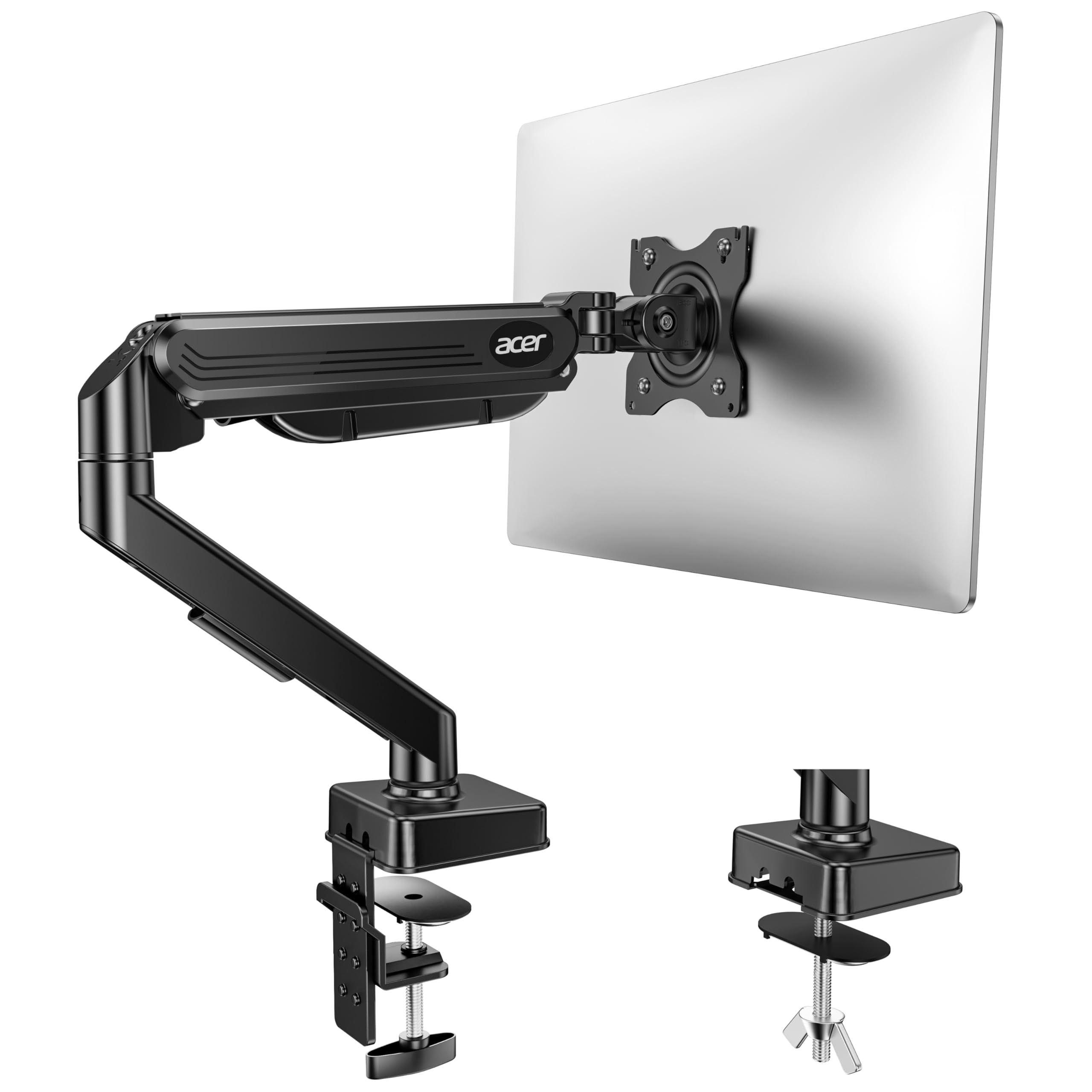
The arm that rises highest — 18.1 inches off the desk so it follows you from sitting to standing.
Height is the whole point of this Acer. The arm lifts your screen up to 18.1 inches off the desk, more travel than most single arms here, and it does it on a gas spring you can move with one hand. The tilt range runs -60° to +90°, with ±90° swivel and 360° rotation. That beats the WALI’s 45-degree tilt and lands close to the FlowLift’s 85-degree figure, so you get plenty of forward lean when you stand.
Screen support is 17 to 34 inches at 4.4 to 19.8 lbs, on both 75x75mm and 100x100mm VESA patterns. The gas spring is tuned with a tension screw — tighten it for heavier monitors, loosen it for lighter ones — which is the honest trade-off: it rewards a couple of minutes of setup with smooth, stable positioning, but it is not a set-and-forget balance. The maker reports 20,000 motion tests on the pneumatic spring core and designed it to resist sagging under larger panels.
Desk compatibility is 0.59″ to 3.15″ thick via C-clamp or grommet, with wood recommended and curved edges or enclosed back panels ruled out because the clamp can’t fully grip. Installation is a documented 5-minute, one-piece job. Owners rate the value and adjustability well, with the main quibble being alignment and slight wobble on some desks — worth a careful clamp placement and a proper tension tune before you judge it.
The standing-desk advantage: 18.1 inches of arm height means the screen can go high enough for a tall standing posture, something the shorter pole arms can’t match.
The catch: the gas spring needs a tension tweak for your monitor’s weight, and a clamp on a curved desk edge may not seat cleanly.
Pick this when: you raise the desk to stand and want the screen to rise with you on a one-hand gas spring.
Avoid if: your desk top is curved at the edge or fully enclosed underneath — the clamp needs a flat, accessible grip.
7. MSI MAG MT101G Gas Spring Single Monitor Stand Arm
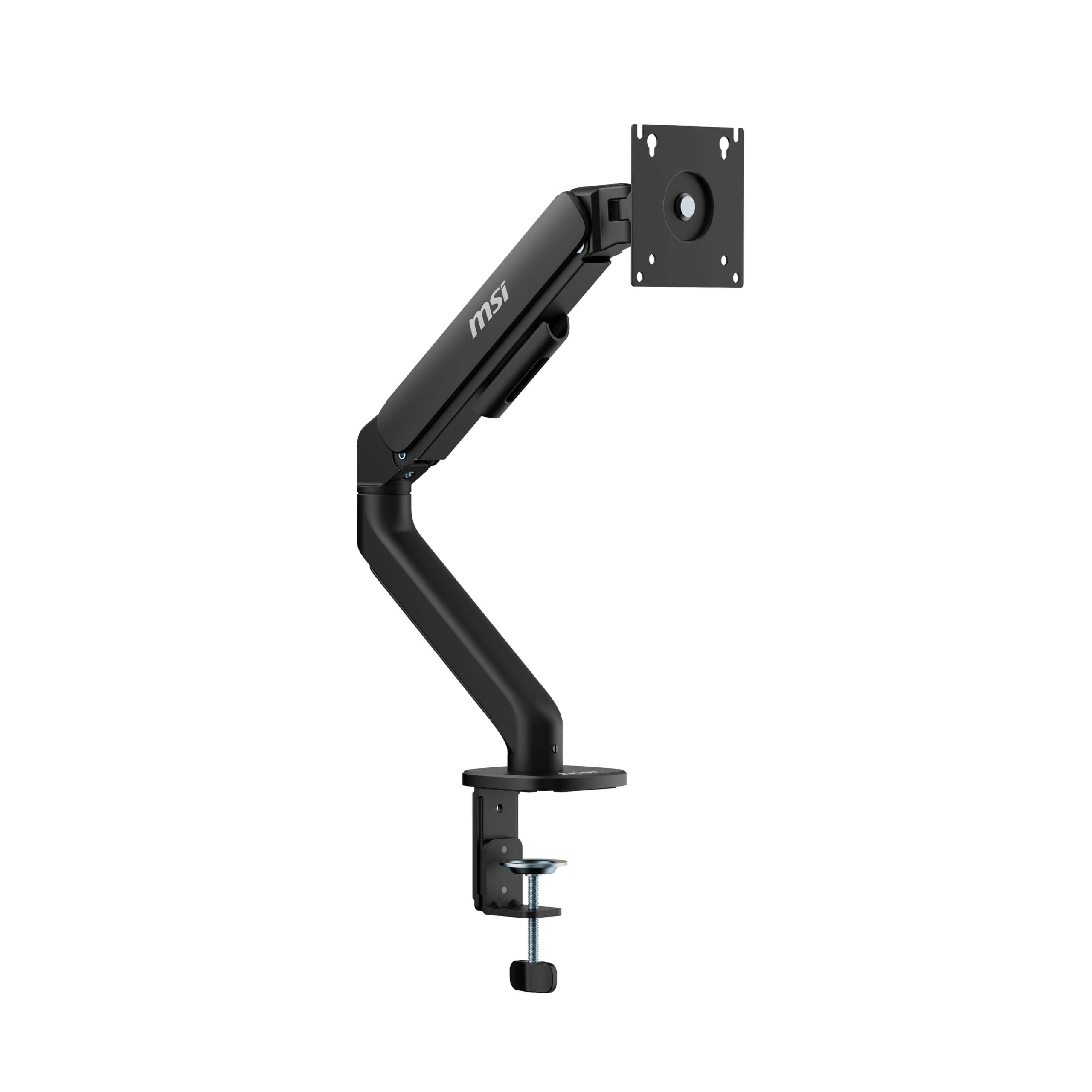
Swap screens without fighting screws — the quick-release plate makes changing monitors a one-minute job.
The quick-release VESA plate is the reason to look here. Instead of unbolting four screws from a fixed plate when you swap a monitor, this arm lets the plate click off and back on. If you switch screens — or move one between two desks — that single feature saves real time. The clamp and grommet base options fit desk thicknesses from 10 to 75 mm (clamp) or 10 to 45 mm (grommet), so you have flexibility on mounting.
Adjustment is full-motion. Tilt runs up to +80°/-45°, swivel +90°/-90°, and screen rotation a full +180°/-180° for portrait work. It takes monitors 17 to 32 inches up to 22 lbs, with 75x75mm and 100x100mm VESA patterns. The metal build and clean appearance keep a desk tidy, and cable management keeps the wires routed out of sight.
Where buyers land is stability — this arm handles large, heavy ultrawide panels without sagging or drifting, and the rotation adjusts with precision rather than fighting back. It is a smaller review base than the big-volume arms, so the track record is shorter, but the feedback is consistent on one point: it is worth the money as a gaming-desk mount that holds its position. The caveat is that a manual tension tune is still part of setup, so budget a few minutes to get the spring matched to your screen’s weight.
The feature that sells it: a quick-release VESA plate turns screen swaps into a click, useful for anyone who upgrades monitors often or runs two desks.
Where it asks patience: the gas spring needs tuning to your specific monitor, so the first setup isn’t fully plug-and-play.
Built for swapping: gamers and desk tinkerers who change monitors or move a screen between setups and want a fast-release plate.
Less compelling if: you set one screen and never touch it — a fixed-plate arm covers that need for less.
8. VIVO Premium Aluminum Single Monitor Desk Mount

An aluminum premium arm with a tool-less gas spring — a screen that moves like it weighs nothing.
Aluminum body, gas spring arm, tool-less placement. That trio is what separates this premium VIVO from the steel budget arms. The spring counterbalances the screen in all directions, so a mid-weight monitor moves with a fingertip and stays where you leave it. The arm tilts 90°, swivels 90°, and rotates the screen to portrait or landscape, clamping to the back of the desk via a heavy-duty C-clamp for desktops 0.5″ to 3″ thick.
Screen support is 17 to 32 inches with 75x75mm and 100x100mm VESA patterns. There is an important weight note: the mount wants a screen of at least 2.2 lbs and no more than 20 lbs. That lower floor means a very light, small panel might float — the gas spring is balanced for something with a bit of mass behind it. Above that, the detachable VESA face plate keeps installation simple, and the matte black finish gives the arm a clean, understated look on the desk.
The trade-off is honestly a tuning one. Some owners find the arm holds a screen in position perfectly; others run into tilt tension and sagging that need adjustment before the spring settles. It suits owners who want an aluminum premium finish and a gas-spring glide and are willing to spend a few minutes balancing it. Where it clearly performs is keeping a Sceptre 30-inch ultrawide or similar panel steady once properly set.
For the finish-conscious: you want an aluminum, tool-less, gas-spring arm and a 2.2-20 lb screen that settles into place with a light touch.
Skip it when: you have a very light small monitor below 2.2 lbs — the spring has nothing to balance.
9. HUANUO TitanLift Heavy Duty Monitor Arm for Screens up to 49″
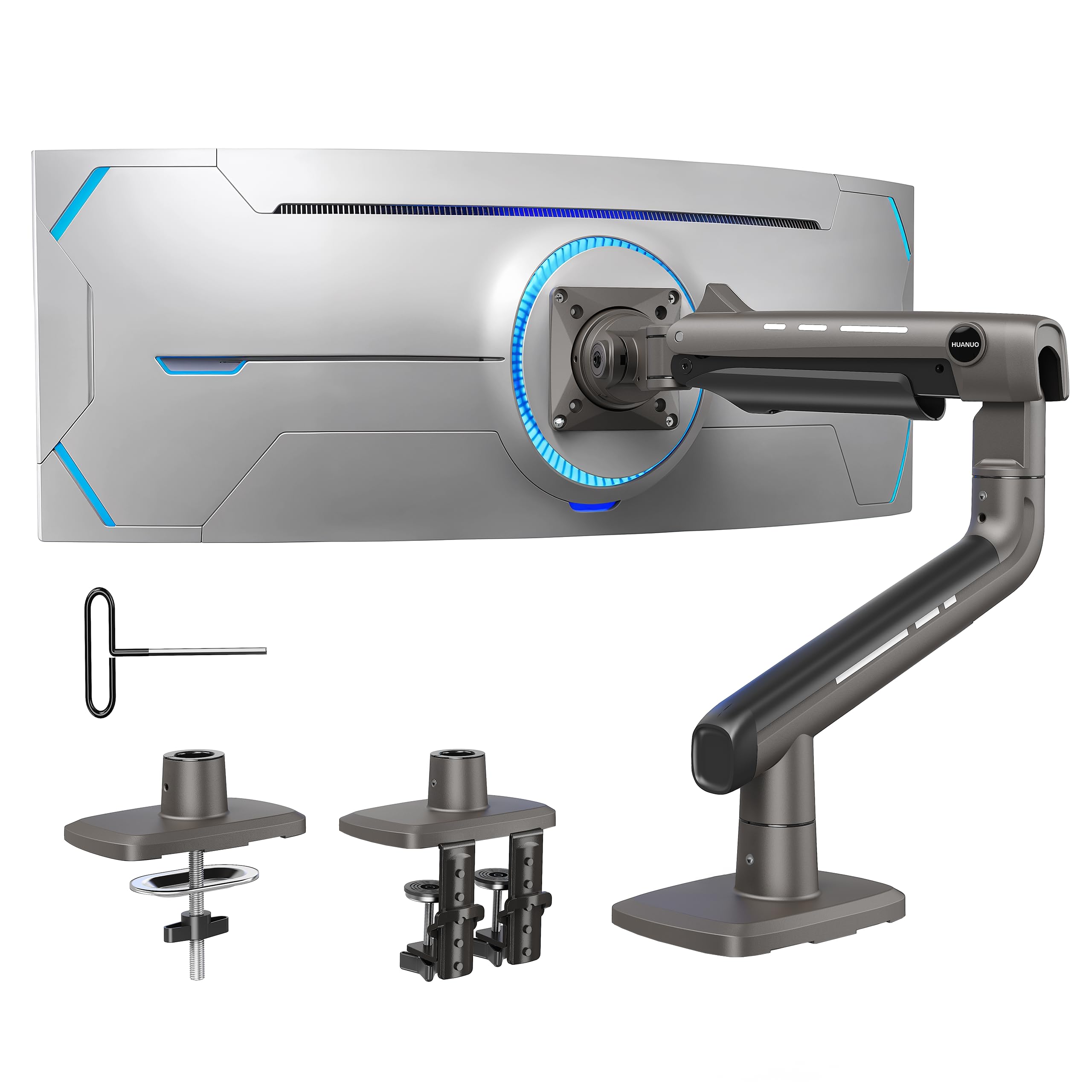
The beast of the bunch — built to hang a 49-inch ultrawide that would snap a normal arm.
When your monitor is a big curved ultrawide, most arms simply aren’t rated for it. This TitanLift takes screens 17 to 49 inches and holds up to 44 lbs — literally twice the weight capacity of the FlowLift’s 19.8 lbs, for the panels that need it. The VESA head is reinforced with 20% thicker arms and a 30% wider base in high-strength aluminum alloy, and it has passed 50,000 cycle motion tests plus a 3X load test to back the claim.
Adjustment covers tilt +50° to -50°, swivel 180° each way, and 360° rotation for screens up to 35 inches, with the arm extending up to 22.5 inches. Height adjusts up to 19.6 inches measured from the desk to the center of the VESA mount, so a tall screen can sit at proper eye level. A quick-install VESA head makes getting a 49-inch panel mounted a seconds-long job, and one-hand tension tuning via the included Allen key keeps the arm balanced.
Sturdiness is what carries this arm — it holds up 49-inch panels like the Samsung G9 with no sag or shake, and owners consistently call it a high-end mount worth the money for the capability. The catch is the desk rules: only wooden desks, 0.8″ to 3.5″ thick, with no cross beams or panels underneath. Plastic and glass are ruled out. Check all three conditions before you commit, because a clamp on the wrong desk undermines everything this arm gets right.
Where it carries the weight
- 44 lb capacity and support up to 49 inches — the heaviest screen on this list
- Height adjusts up to 19.6″ from the desk for eye-level placement
- Reinforced VESA head with 50,000 motion cycles tested
- One-hand Allen-key tension tuning keeps a big panel balanced
The desk arithmetic first
- Wooden desks only — no plastic or glass
- No cross beams or panels under the top, and 0.8″ to 3.5″ thickness
The right call for: a 49-inch ultrawide on a solid wooden desk that needs a mount built for 44 lbs of screen.
Not for you if: you have a glass or plastic desk — the maker rules those out, and the clamp won’t seat.
Understanding the Specs
Weight capacity
This is the single most important number on the box. The arm’s spring or gas cylinder balances a range of screen weights — the FlowLift at 4.4 to 19.8 lbs, the TitanLift at 6.6 to 44 lbs. A screen outside that range either floats up on its own or droops no matter how much you tighten it. Check your monitor’s weight before the size.
VESA pattern
VESA is the square grid of screw holes on the back of your monitor. The two standard patterns are 75x75mm and 100x100mm, and every mount here supports both. If the back of your screen has four threaded holes in a square, you’re set. Verify the size because a non-standard pattern needs an adapter, not just a different arm.
Tilt, swivel, and rotation
Tilt leans the screen forward or back, swivel turns it left or right, and rotation flips it into portrait. The ranges vary widely — the WALI tops out at a 45-degree tilt while several arms reach 85 or 90 degrees. If you stand part of the day and want the panel to lean toward your eyeline, a wider tilt arc matters.
Clamp versus grommet
The clamp grips the desk edge like a giant screw. The grommet mount bolts through a hole in the desk instead, useful when a frame or lip blocks a clamp. Most arms ship both. Whatever you choose, run a hand under the desk first — cross beams or an enclosed back panel can stop the clamp from seating flat, and a half-grip is a wobble waiting to appear.
FAQ
Will an adjustable monitor mount fit my 32-inch monitor?
How do I know if my monitor is VESA compatible?
Can I use a monitor mount on a glass desk?
What is the difference between a gas spring and a mechanical spring arm?
How much weight can a single monitor arm hold?
Can a monitor mount hold an ultrawide screen?
Do I need a grommet mount or a C-clamp?
Will a monitor arm make my screen wobble?
Can I move an adjustable monitor arm up and down for standing work?
What desk thickness does a monitor clamp support?
Final Thoughts: The Verdict
For most desks, the adjustable monitor mount winner is the HUANUO FlowLift because its one-piece arm gives you a wide -50° to +85° tilt and one-hand lift to 39.6cm on a broad 4.4-19.8 lb range. If you’re clamping to a glass desk or running a heavier panel, grab the WALI Single Monitor Mount with its 22 lb capacity and firm two-stage clamp. And for a 49-inch ultrawide that needs real muscle, the HUANUO TitanLift is the one to reach for at 44 lbs — just confirm your wooden desk meets its three conditions first. Match the arm to your screen’s weight and VESA pattern, tune the tension once, and your neck and your desk space will both thank you.
How We Picked
We do not accept paid placement. Every pick is matched to a real buyer and a real use-case; we do not hands-on test units.
Sources & Methodology
Specifications: manufacturer listings and product documentation. Review insights: verified customer reviews, as of November 2026. Pricing: not shown on this page (it changes often); check the current price via the retailer link.
As an Amazon Associate, Gadgets Feed earns from qualifying purchases. This does not affect which products we feature.