
Our readers keep the lights on and my morning glass full of iced black tea. As an Amazon Associate, I earn from qualifying purchases.
Specs are compiled from manufacturer listings and verified buyer reviews and can change over time — please confirm the key details on the product page before buying.
Your laptop is crawling along on a weak cable, and you want one that finally keeps up. A 14-inch or 16-inch MacBook Pro on a low-wattage cable will trickle along while you work, so the cable you pick quietly decides whether your machine is full by lunch. The short answer before the details: a cable rated 240W is only a promise — it delivers that power only when the charger on the other end can supply it. Every pick here has an E-Marker chip in the plug that negotiates current and watches for overheating. Below you get the picks that actually hold up.
I’m Min — the founder and writer behind Gadgets Feed. This guide is built by comparing the manufacturers’ published specifications and the patterns across verified customer reviews, so you get each pick’s real strengths and trade-offs instead of marketing spin.
Every pick below is checked against the spec that actually matters when you shop for a 240W USB-C charging cable: real power handling, build and honest reach.
Our Picks at a Glance


How To Choose The Best 240W USB-C Charging Cable
Buying a 240W USB-C charging cable is less about the wattage printed on the box and more about whether the cable can pass that power from your charger to your laptop without cooking itself. Here is what actually decides whether you are happy with the purchase.
Wattage Is Nothing Without a Matching Charger
A cable rated 240W is built to carry the current, not to create it. If your wall charger tops out at 100W, that is all you will get, no matter what the cable promises. That is why the INIU listing spells out that a C-port fast charger with the right power is required. Before you buy any cable here, check the wattage on your existing charger — the bottleneck almost always lives there.
The E-Marker Chip Is the Part Nobody Sees
Inside the plug sits a small chip called the E-Marker (short for electronic marker), which acts like a handshake between charger and device. It tells the charger how much current the cable can safely carry and watches for overcharging and overheating. A 240W cable without one can overheat, because nothing tells the charger to back off. Every genuine pick here includes it.
Length Changes How You Actually Use It
Short cables are tidier; long ones reach across a desk or from a floor outlet to a bed. A 3.3ft cable is ideal for a plug right beside your laptop, while a 6.6ft or 10ft run saves you from crawling behind furniture. Match the length to where your outlet sits, not to the number that looks most impressive on the page.
Bend Ratings and Plug Cycles Tell You About Real Life
The junction where the wire meets the plug is where most cables die. A bend rating (how many times the cable can flex before the wire fails) and a plug-in rating (how many times the connector can be inserted) are the closest thing to a lifespan you can read. Higher numbers mean the cable is built to survive tight bag corners and daily unplugging.
Quick Comparison
| Model | Best For | Power Rating | Length | Data Speed | Amazon |
|---|---|---|---|---|---|
| INIU 240W USB C to USB C★ Best Overall | Two long cables for bedside and desk | 240W | 6.6ft (two cables) | 480 Mbps | Amazon |
| NOCO XGrid XC1Best Build | Long-flex certified short cable | 240W PD 3.1 | 3ft | 480 Mbps | Amazon |
| Belkin BoostCharge BraidedMost Tested | Heavy daily plugging at a desk | 240W | 3.3ft | 480 Mbps | Amazon |
| Baseus 240W PD 5A | Furniture-friendly long run | 240W PD3.1 | 79.2 inches | 480 Mbps | Amazon |
| Yievis 10ft Two-Pack | Bedside and couch charging | 240W PD 3.1 | 10ft | 480 Mbps | Amazon |
| DreemTeam 240W Two-Pack | Fast charging across two devices | 240W | 6.6ft (two cables) | 0.48 Gbps | Amazon |
| UGREEN Nexode Smart Display | Watching live charge speed | 240W (48V/5A) | 3.3ft | 480 Mbps | Amazon |
| SOOPII LED Display 2-Pack | Transparent shell with wattage readout | 240W (48V/5A) | 4ft (two cables) | 480 Mbps | Amazon |
| Anker Prime Thunderbolt 5 | Fast data and dual 8K displays | 240W | 3.3ft | 80 Gbps | Amazon |
In‑Depth Reviews
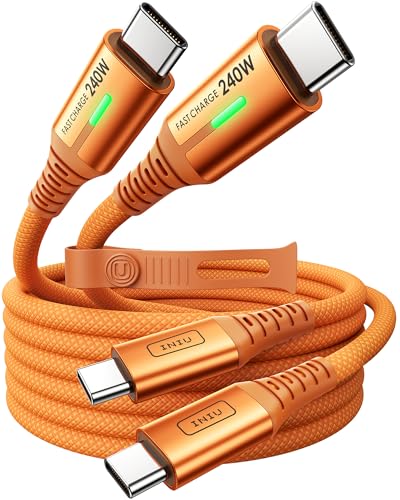
1. INIU 240W USB C to USB C Cable, [6.6ft+6.6ft]
Our pick — 4.5+★ from 17,000+ verified ratings; the strongest balance of quality and price.
Two six-and-a-half-foot cables that turn one outlet into charging for the whole desk.
What you get here is the thing buyers of this category actually want: reach without giving up power. The INIU pair gives you two 6.6ft cables, so you can leave one plugged in by the bed and one at the desk and never unplug again. It carries the full 240W, and the manufacturer says a MacBook Pro reaches 88% in 30 minutes with the right charger. That figure is the maker’s own claim, and it only holds if your wall adapter can supply enough power — a 100W brick will still be a 100W brick.
Owners consistently sing its praises for exactly this everyday reliability. What wins people over is the build — the jacket and connectors feel like they will not fray next month — and the charging speed follows close behind in the same breath. The detail worth knowing is a small one: with the right gear, as owners put it, a charge session can move very quickly (“took 5 minutes to go from 41% to 58%”). It is also one of the crowd favourites here, sitting at 4.5+ stars across 17,000+ ratings, which is about as much buyer confirmation as a cable ever gets.
The safe-charge side is backed by INIU’s own EMARK2.0 chip, which the company says monitors temperature over 3.2 million times a day and guards against overcharging. The trade-off is that a two-pack of long cables is more cable than a single-laptop owner strictly needs — if you want one cable and nothing spare, this is more than you asked for. The orange colour is also a love-it-or-not detail; it is easy to spot in a bag, and impossible to lose in a black cable drawer.
Solid on the essentials
- Two 6.6ft cables, so home and work both get a full run
- Full 240W with the maker’s own fast-charge numbers attached
- EMARK2.0 chip for temperature and overcharge monitoring
Worth weighing first
- You need a 240W-capable charger to see the headline speeds
- A two-pack is more than a single-device buyer needs
Made for: anyone with two regular charging spots who is tired of carrying one cable between them.
Think twice if: you only ever charge one laptop in one place and want the least cable possible.
2. NOCO XGrid XC1
A short cable with certification and flexible silicon that survives a bag’s worst days.
NOCO does something most of this category skips: it carries USB-IF certification, which is an independent standards body’s mark that the cable meets the safety and compatibility rules for USB-C. In plain terms, that means fewer mystery charging failures. It supports 240W Power Delivery 3.1 with Extended Power Range, the highest USB-C standard currently used, and the built-in E-Marker makes that digital handshake with your charger before it pushes power through.
Where it stands apart is the physical side. The woven silicone and nylon jacket is rated for 10,000+ bends — the company’s stated figure for how many flexes the cable survives — and it feels soft in the hand rather than rigid. At 3ft it is the shortest pick in this list, which is a conscious choice: a short cable lives on the desk and never becomes a nest of loops.
Data transfer runs at 480 Mbps, enough for Apple CarPlay, Android Auto and everyday file moves, though not for pushing a monitor. Laser-etched markings on each cable spell out its power and data rating right on the jacket, so when you dig it out of a drawer in six months you know what you are holding. If you want a single tidy desk cable with a proper safety certificate, this is the cleanest buy here.
Certification, honestly explained: the USB-IF badge is the strongest safety signal in this whole roundup. It means an outside body has checked the cable, not just the brand itself.
The catch: 3ft is short. If your outlet is far from your laptop, this cable will not reach, and you would be better served by a longer pick below.
Pick it when: your charger and laptop share a desk and you want the cable that stands up best to a daily unplug.
Leave it when: you need the cable to stretch across a room — 3ft will not get you there.
3. Belkin USB C to USB C 240W Braided Cable
The cable built like a brick: aluminum plugs, double braid, and a two-year cover behind it.
Belkin leans hard into durability, and the numbers are on the box. The anodized aluminum cable head (a metal plug shell instead of plastic) and double-braided nylon are tested to survive over 30,000 bends and 10,000 plug-ins. That is the kind of construction you want if your cable sees daily plugging into a laptop and a phone. USB-IF certification backs the safety claim, and dual E-marker chips with OTP (over-temperature protection) watch the heat during charging.
Charging is full 240W, and Belkin states a MacBook Pro 14-inch reaches 50% in 31 minutes. That is the same ballpark as the other fast picks here, so the real difference is the build. At 3.3ft it sits in the short-cable camp, which is right for a desk plug but tight if you want to charge from across the room. It charges phones quickly and is well regarded for value. Owners do report an occasional weak connection and a rare one that gave out after a few months, so it is not indestructible — the bend ratings just stack the odds in your favour.
Built like a brick: the 30,000-bend and 10,000 plug-in figures are the strongest durability story in this list, and the aluminum head is the part that usually breaks on cheaper cables.
Not literally unbreakable: a handful of owners have had a connection fail early, so treat the two-year coverage as your safety net rather than a guarantee it will never let you down.
Go with this one if: you unplug and replug constantly and want a metal-headed cable that can take the abuse.
Better to skip if: you need length — at 3.3ft it only helps when the outlet is already close.
4. Baseus USB C Cable, 240W PD 5A

A long reach dressed in mirrored zinc alloy, for when the outlet is nowhere near the desk.
The number that stands out on the Baseus is the length: 79.2 inches, which is nearly 6.6 feet of run from wall outlet to laptop. That is the answer to the plugged-in-laptop-kept-on-the-floor problem. It supports PD3.1 with up to 240W and remains backward compatible with 140W, 100W and 60W, so older chargers still work at their own speed.
The plugs are where Baseus spent the budget. The zinc alloy connectors have a mirror finish and feel substantial in the hand, and the nylon braided jacket adds protection against wear. The E-marker tech inside manages current and voltage, which is the thing keeping a 240W push from damaging the battery. Data moves at 480 Mbps, standard for this class.
It is a mid-length pick rather than a short one, so it suits a desk setup where the outlet sits low or behind the monitor. Compared with the NOCO’s 3ft or the Belkin’s 3.3ft, you get roughly double the reach without stepping up to a 10ft cable that snags on everything. Keep in mind the plug body is heavier than a plastic connector, so in a tight bag it takes a little more room.
Where it earns its place: 79.2 inches of reach means you can finally stop moving furniture to charge a laptop.
The honest limit: longer, metal-plugged cables are bulkier to coil and carry; this one lives better on a desk than in a pocket.
Reach for it when: your outlet is low or behind furniture and 3ft cables leave your laptop dangling.
Reconsider if: you want a pocketable cable — the zinc alloy plugs and 79.2-inch run take up more room.
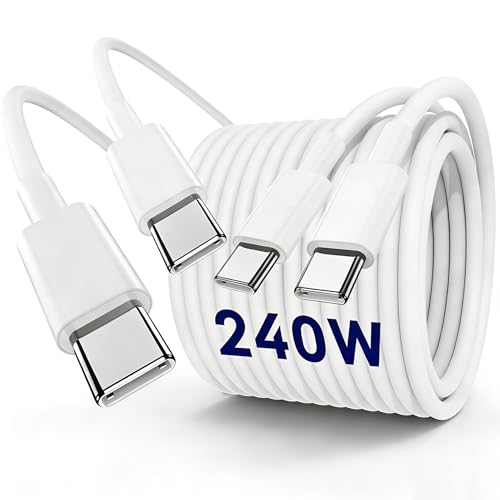
5. Yievis 240W USB C to C Charger Cable 10ft, 2-Pack
Ten feet long and two of them, for charging from the couch without moving a muscle.
If the cable is meant to follow you rather than the other way round, the Yievis delivers: two cables, each 10 feet long, so the socket on the far wall finally reaches your bed or sofa. It supports PD 3.1 at up to 240W and is backward compatible with 140W, 100W and 60W chargers. It is built with pure copper conductors (the metal inside that carries current) and a tangle-resistant TPE jacket, and the maker says it survived 15,000+ bending cycles in testing.
Length is exactly what buyers prize here, and it is the reason this pick exists. The flexible, light feel of the TPE jacket helps too, since a 10ft cable that behaves like a rope would be a nuisance. The E-Marker chip inside monitors current and guards against overcharging and heat, and there is a version matched to MacBook Pros, iPads and newer iPhones.
The honest edge is speed consistency. While plenty of buyers report fast charging, some found theirs charged extremely slowly, and a few had compatibility niggles — so this is the pick to choose for reach, not the one to bet your fastest-charge hopes on. If your main need is a bedroom and living-room cable that comfortably crosses the room, it is the right tool.
What buyers come for
- A full 10ft of reach, twice over
- Light, flexible TPE jacket that coils without fighting back
- Pure copper core for steady current
Where it can stumble
- Some units charged slowly for buyers, so speed is not this cable’s strong suit
- A few compatibility complaints across devices
Best for: anyone who lives on the sofa or in bed and wants charging to come to them.
Look elsewhere if: you need guaranteed maximum speed on a demanding laptop — reach, not pace, is this pick’s job.
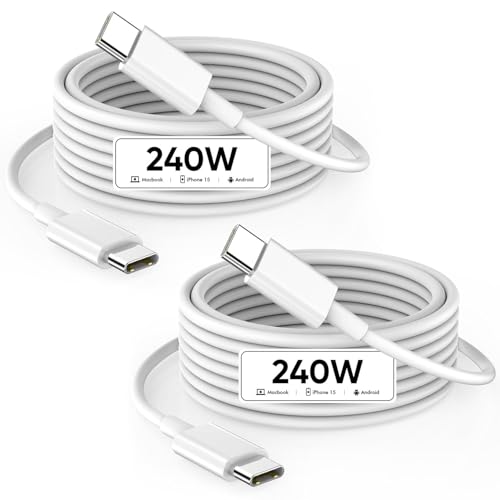
6. DreemTeam 240W USB C to USB C Cable, 2-Pack
Two cables that reviewers describe as plain reliable, which is the highest praise a cable gets.
DreemTeam packages two 6.6ft cables that each handle 240W, and it is the everyday-reliability pick of the group. The special SR joint (the reinforced section where the wire meets the plug) is built to withstand 20,000+ bends, and the maker says it lasts far longer than ordinary cables. The built-in smart chip negotiates the maximum current your device supports, so a phone and a laptop each get what they can take without harm.
The maker states the fast-charge figures outright: a MacBook Pro 14 or 16-inch (M3) reaching 56% in 30 minutes, and a MacBook Air 13-inch (M2) reaching 50% in 26 minutes. Those depend on a matching charger, as always. Owners like its reliability and fast charging, and the length is a good fit for a desk with outlets set back from the laptop. The unit is also described as handling multiple high-powered devices without getting hot.
Two cables in the box means one can stay at home and one travel, which is why it is a sensible default for a household with more than one 240W device. The flexibility is less satisfying than the build — a few note it feels stiffer than expected — but that is a minor quibble against an otherwise solid pair.
Why it rates as reliable: the SR joint and smart chip are the two parts that most often fail or misbehave on cheaper cables, and both are addressed here.
Minor snag: the cables are stiffer than some owners expected, so expect a little more effort when wrapping them up.
Choose it if: you want two dependable 6.6ft cables that behave the same at home and on the road.
Pass if: you prefer a softer, floppier cable for tight packing — this one holds its shape more.
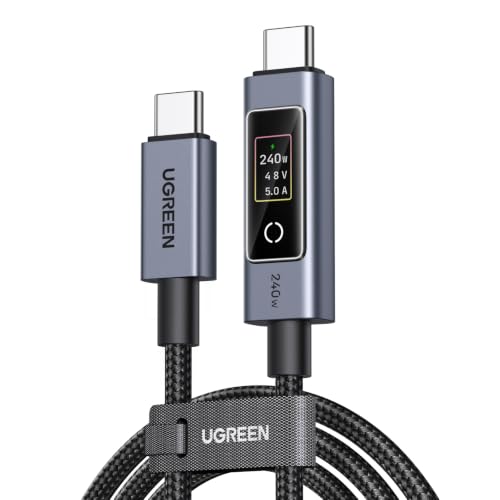
7. UGREEN Nexode 240W USB-C to USB-C Cable with TFT Smart Display
The cable that shows you your charging speed, live, on a tiny touchscreen.
UGREEN puts a display on the plug — a feature no other pick in this list offers. Once you connect it, the screen shows voltage, current and wattage in real time, so you can see exactly what is flowing to your laptop. A light touch rotates the display; a long press over two seconds turns it off. For anyone who has ever wondered whether a charger was really delivering what it promised, it takes the guesswork out of the equation. The E-Marker chip supports PD 3.1 at 240W (48V/5A), backward compatible with 100W, 87W, 61W, 45W, 30W and 18W.
The build is rugged nylon braid with an aluminum alloy connector housing, rated for 10,000+ insertion and removal cycles. Data moves at 480 Mbps, fine for files but not for video output — that is spelled out by the maker. Quality is what buyers notice most, followed by functionality, and the live readout earns strong praise in its own right.
At 3.3ft it is a short-cable pick, best kept on a desk where you can glance at the screen while working. A few owners found the display rotation awkward, so if you set your laptop at an angle, expect to fiddle with the screen orientation. For anyone who wants to see their charging in numbers, there is nothing else like it here.
Why the display earns its keep
- Real-time volts, amps and watts on the plug
- 240W PD 3.1 with E-Marker handling the negotiation
- Aluminum housing and 10,000+ plug-in rating
What to be aware of
- Display rotation can be fiddly to get right
- No video output, so it will not drive a monitor
Built for: the buyer who wants to see their wattage in black and white before trusting a charger.
Skip if: you want a cable to run a monitor as well — this one carries power and data, not video.
8. SOOPII 240W USB C to USB C Cable, 4ft 2-Pack

A transparent-shelled pair that shows the wattage moving, not just the power.
SOOPII makes the cable you notice. The transparent shell on the plug is unusual in a category of black and white, and the LED display shows real-time wattage while charging, so you can spot which port on your hub is actually doing the work. Each cable handles up to 240W (48V 5A) and moves data at 480 Mbps, and Super Fast Charging for Galaxy S23 and S22 works when paired with a matching original charger.
Durability claims are specific: 36,000+ bends tested on the rugged nylon braid, plus E-marker tech to manage current and voltage so nothing gets overcharged. You get two 4ft cables, a middle length that suits a desk-to-outlet distance without becoming a tangle. They also fit phone cases without trouble, which owners call out as a small but appreciated detail.
Quality and functionality are what buyers praise most, and the wattage readout is close behind. The honest note is on durability and the display itself — a few found the shell felt fragile and the screen less bright than expected. Warranty is 24 months. It is also worth knowing it does not support video output, so it is a charging and data cable, not a docking one.
What makes it different: the transparent shell and LED readout turn a plain cable into something you can watch working, and the 4ft length is the most comfortable middle ground in this roundup.
The fair caveat: some buyers found the shell less rugged than the braid suggests, so treat the 24-month warranty as cover, not a promise of indestructibility.
Worth it for: the buyer who likes seeing evidence — the display tells you if a port is slow or strong.
Look past it if: you want a low-key cable with no lights to distract you in a dark room.
9. Anker Prime Thunderbolt 5 Cable
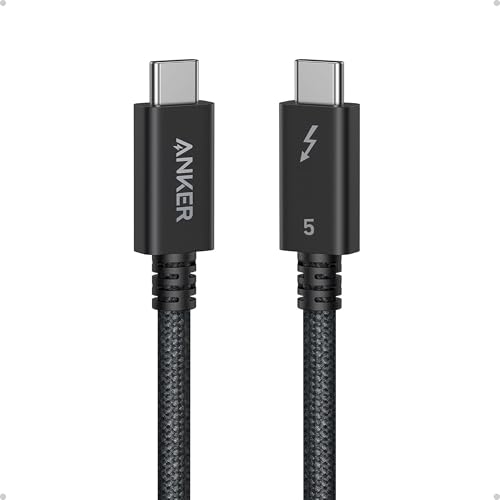
The cable for the desk that has to move huge files and feed two 8K screens.
This is the only pick here that goes beyond charging. It is a Thunderbolt 5 cable, which is a much faster standard than plain USB-C: it pushes 80Gbps of data, and it can drive dual 8K displays at 60Hz with up to 120Gbps of bandwidth. In everyday terms, a 5GB file moves in about 1 second. That is a different world from the 480 Mbps you get on every other pick in this roundup, and it is the reason this cable carries a premium-tier price.
Charging is still full 240W, and Anker states a 16-inch MacBook Pro (M3 Pro) reaches 50% in 26 minutes. It handles laptops, tablets and phones, and owners mention strong data speeds and reliable performance straight from the start. Compatibility with charging stations and durability both come in for praise.
The realistic question is if you need Thunderbolt 5 (a fast connection standard that carries power and data together) at all. If all you ever do is charge a phone and a laptop, most of this cable’s capability sits unused. But if you plug a MacBook Pro into a multi-monitor setup and shuttle large files, it is the only pick here that carries both jobs at once. At 3.3ft, it is designed for a dock or a desk, not for reaching across a room.
Why it sits at the top tier: 80Gbps and dual 8K support put it in a different category from a charging-only cable, and the 240W charging is not compromised for it.
Who should not bother: if your rig tops out at one screen and daily files, you are paying for capability you will never touch.
The right buy if: your setup demands fast file transfers and more than one display from a single cable.
The wrong buy if: you only charge — a simpler 240W cable does the same job for far less.
Understanding the Specs
Power Rating (240W)
The 240W figure is the maximum power the cable is built to carry, and it only becomes real when your charger and device both support it. A 240W cable plugged into a 100W charger charges at 100W. That is why every fast-charge figure in this article comes with the same caveat: the wall adapter on the other end sets the ceiling. Look for PD 3.1 (Power Delivery version 3.1, the standard that made 240W possible over USB-C) if you want the top end.
E-Marker Chip
The E-Marker is a chip in the plug that reports the cable’s safe current limit to the charger. Without it, a high-wattage charger has no idea of the cable’s limit and can push more current than the wire handles. At 240W it is the safety mechanism, and every pick here includes one.
Data Speed and Video
Most 240W USB-C cables here move data at 480 Mbps, which is fine for files, Android Auto and CarPlay but not for driving a monitor. Only the Anker Prime Thunderbolt 5 goes further, at 80Gbps with dual 8K display support. If you plan to connect a screen, check the data rating before you buy; if you only charge, 480 Mbps is plenty.
Length and Bend Ratings
Length sets where the cable lives: 3ft for a desk, 6.6ft for a plug set back from the laptop, 10ft for a bed or couch. Bend ratings (for example 10,000+ or 30,000+ bends) and plug-in ratings (for example 10,000 cycles) are the closest thing to a lifespan you can read. Higher numbers mean the weak point where wire meets plug is built to survive more daily flexing.
FAQ
Will a 240W USB-C cable charge my iPhone faster than the cable in the box?
Do I need a special charger to get 240W out of these cables?
What is an E-Marker chip and why does it matter in a 240W cable?
Can these cables transfer data or only charge?
Is a 10ft 240W cable as fast as a shorter one?
How long should a 240W USB-C cable last?
Will a 240W cable damage an older phone that does not support it?
What is the difference between Thunderbolt 5 and a normal 240W USB-C cable?
Can I use a 240W cable with a 100W charger without problems?
Do these cables work with Android Auto and CarPlay?
Final Thoughts: The Verdict
For most people hunting for the 240w usb-c charging cable, the INIU two-pack is the one to grab. You get two 6.6ft cables, so one lives at your desk and one stays in your bag. It carries the full 240W, with fast-charge numbers the maker claims, and an E-Marker chip (a small chip that negotiates power and watches heat) — all at a budget-friendly tier. If safety certification is what settles it for you, the NOCO XGrid XC1 is the only USB-IF certified cable here (USB-IF is the group that sets the USB standard), though its 3ft run keeps it at the desk. And if you shuttle big files or run more than one screen, the Anker Prime Thunderbolt 5 carries charging and 80Gbps data (80 gigabits per second, fast enough to move large files quickly) in one cable. The INIU holds a 4.5+ rating across 17,000+ ratings, and its broad device list covers laptops, tablets and handhelds. That makes it the safest default for a first 240W cable.
How We Picked
We do not accept paid placement. Every pick is matched to a real buyer and a real use-case; we do not hands-on test units.
Sources & Methodology
Specifications: manufacturer listings and product documentation. Review insights: verified customer reviews, as of November 2026. Pricing: not shown on this page (it changes often); check the current price via the retailer link.
As an Amazon Associate, Gadgets Feed earns from qualifying purchases. This does not affect which products we feature.