
Our readers keep the lights on and my morning glass full of iced black tea. As an Amazon Associate, I earn from qualifying purchases.
Specs are compiled from manufacturer listings and verified buyer reviews and can change over time — please confirm the key details on the product page before buying.
If your laptop charger Just Died the night before a trip, or the brick in your bag is heavier than the laptop itself, you do not need to buy a whole new computer. You need one replacement adapter that matches your laptop’s wattage and its port type. That is the whole decision, and getting it wrong is how people end up with a charger that trickles power or a tip that never fits. This guide lines up seven real adapters, sorts them by what each one actually does well, and tells you which ones suit a dead-charger emergency, which suit a multi-machine household, and which suit a high-power workstation.
I’m Min — the founder and writer behind Gadgets Feed. This guide is built by comparing the manufacturers’ published specifications and the patterns across verified customer reviews, so you get each pick’s real strengths and trade-offs instead of marketing spin.
You will learn how wattage, connector type, and cable length change your day, and how to avoid buying a brick that charges your machine painfully slowly. Use this list as a filter before you buy any laptop adapter, whether you are replacing a dead brick or adding a spare one for the office.
Our Picks at a Glance

How To Choose The Best Laptop Adapter
Buying a replacement charger is a two-step check: match the wattage, then match the plug. Everything else — cable length, foldable prongs, how many tips come in the box — is comfort on top of those two basics. Get the first two wrong and the charger either will not fit or will charge slower than you expect.
Match the wattage, not just the plug
Every laptop lists its own required power in watts, and a charger rated for that number or higher can run it. A 100W charger can serve a machine that wants 65W, but a 65W adapter asked to feed a 100W laptop may struggle under heavy load. Pick a charger at or above your laptop’s rating and you avoid that.
Check whether your laptop uses USB-C or a barrel tip
A USB-C charger (a small oval plug that fits either way round) works with any laptop that has that port, and it can also top up a phone or tablet. A barrel tip is a round plug sized to one laptop family, so it only fits that model. If your older Inspiron or Latitude uses a round 4.5mm tip, a universal tip kit is often the practical route.
Decide how portable it has to be
A foldable plug (prongs that fold flat into the body) saves real space in a bag, and a longer cable keeps the outlet within reach on trains and in cafés. An 11 ft cable lets you plug in across a room; a 3 ft cable is fine at a desk where the outlet is close.
Quick Comparison
| Model | Best For | Wattage | Connector | Cable Length | Amazon |
|---|---|---|---|---|---|
| Anker 317 100W USB-C Charger★ Best Overall | Everyday all-rounder | 100W | USB-C | 6 ft | Amazon |
| heesky 100W USB-C ChargerLongest Reach | Long-reach cable | 100W | USB-C | 11 ft | Amazon |
| Belker 90W Universal USB-C Charger | Tip-kit flexibility | 90W | USB-C plus 20 tips | — | Amazon |
| Dell 65W USB-C Charger (HA65NM190) | Dell Latitude owners | 65W | USB-C | 3 ft | Amazon |
| Dell Inspiron 65W Charger (4.5mm) | Dell Inspiron owners | 65W | 4.5mm barrel | — | Amazon |
| Ruilezyo 135W USB-C Charger | High-power ThinkPads | 135W | USB-C | — | Amazon |
| GreBed 90W Universal Adapter with 15 Tips | Tight budgets | 90W | Barrel plus 15 tips | — | Amazon |
In‑Depth Reviews
1. Anker Laptop Charger, Compact Foldable 100W USB C Charger With 6FT Cable
Our pick — 4.5+★ from 6,000+ verified ratings; the strongest balance of quality and price.
The do-it-all brick that folds flat, so your bag stops bulging on the way to work.
The one number that anchors this pick is 100W, delivered through a single USB-C port (the small oval connector that fits either way round). According to Anker, that refills a 16-inch MacBook Pro in 1 hour and 20 minutes, so a lunchtime top-up lasts the rest of the workday. It pushes 5 A of current, which is why phones, tablets, and handhelds like a Steam Deck or Nintendo Switch also charge from it.
It holds 4.5+ stars across 6,000+ owners, the strongest score-and-volume pairing in this list. What wins people over is the combination of size and output: this is a smaller brick than the OEM charger it replaces, and it still feeds a gaming laptop without complaint. The foldable plug and the free-standing 6 ft USB-C to USB-C cable mean you are not hunting for a spare cord at the airport.
Here is the honest trade-off. Durability draws mixed notes in the review pages, so treat the cable and the port gently rather than yanking the plug by the wire. Also worth knowing: 100W is generous for most ultrabooks, so if your machine only ever asks for 65W you are paying for headroom you may not use. Anker covers it with an 18-month warranty and its ActiveShield monitoring, which watches temperature while you charge.
Where it wins
- 100W output refills a large laptop fast and still charges phones and handhelds
- Foldable plug and a smaller body than a stock OEM brick
- Ships with a 6 ft USB-C to USB-C cable in the box
The fine print
- Cable and port durability reads mixed, so handle it with a little care
- More wattage than a small ultrabook actually needs
Reach for this if: you want one charger for a big laptop plus your phone and handheld devices.
Look elsewhere if: you need a round barrel tip — this one is USB-C only.
2. 100W USB C Laptop Charger Universal Compatible with Lenovo Thinkpad Yoga Chromebook
Eleven feet of cord, so the outlet is never the reason you stop working.
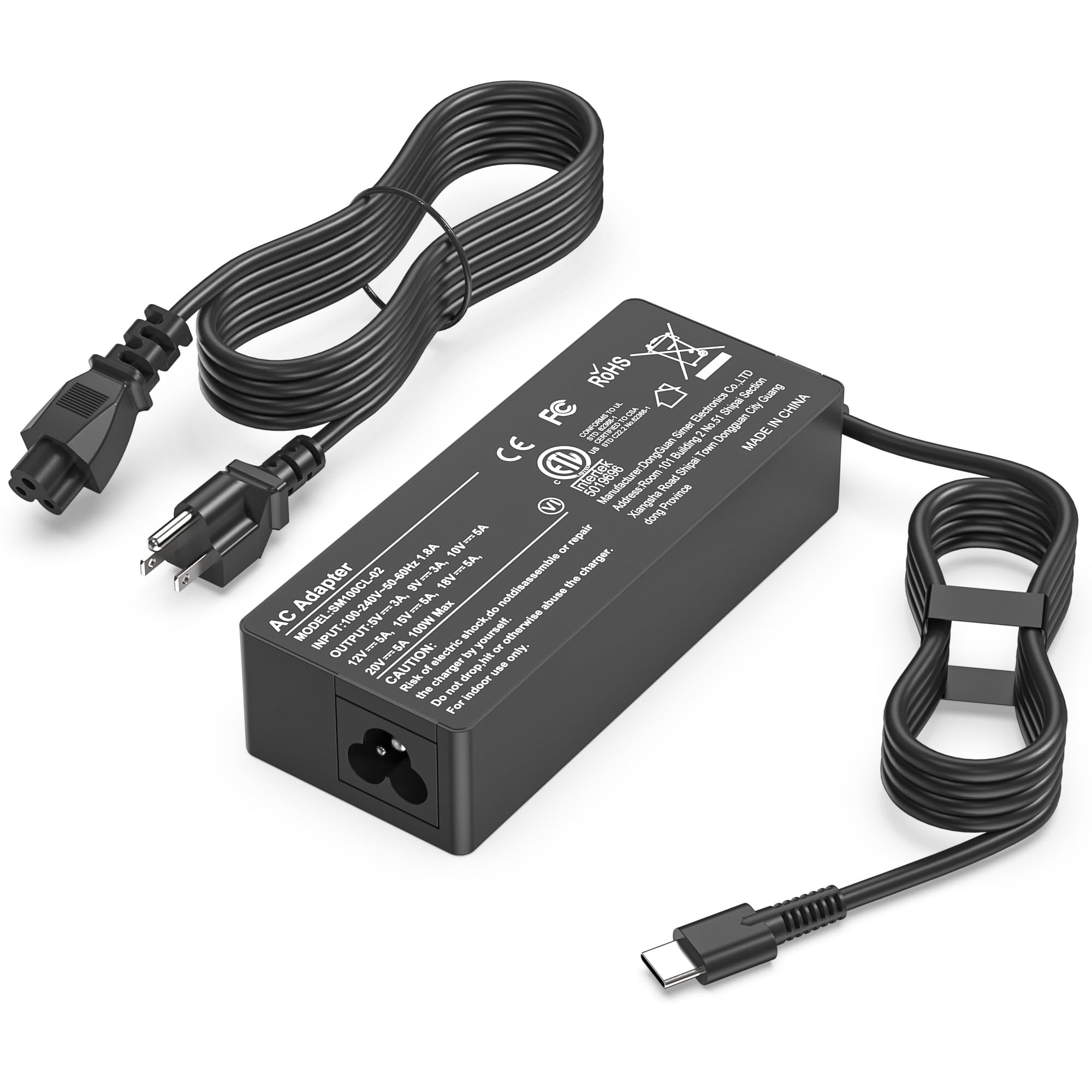
Cable length is the whole story with this heesky unit, and it is a runaway winner on that measure. Its 11 ft power cord is the longest here by a wide margin — the Dell 65W USB-C adapter next in this list runs just 3 ft. On a train seat, a shared café table, or a hotel room with the socket behind the desk, that extra reach is the difference between charging and not.
Under the hood it is a 100W USB-C charger pushing 20V at 5 A, and it is rated to work with 100W, 90W, 65W, and 45W USB-C machines down the line. It carries CE and ROHS safety certificates, with over-current, over-voltage, overheating, and short-circuit protection built in. Quality is the thing owners praise most, and the value read is just as warm — this is a lot of reach and safety wiring for a mid-range outlay.
The catch is longevity. Some buyers report units failing after about four months of steady use, and overheating recurs in the reviews. Treat it as a capable daily driver rather than a forever charger, and keep the receipt. Charging speed itself is quick, with owners noting a full battery staying topped off through a session.
Reach and safety: An 11 ft cord plus CE and ROHS certification and four protection circuits make this a strong pick for anyone whose outlet is far from their seat.
What to watch: Reports of units failing after several months mean this is better bought as a known spare than as your only charger for years.
Suits you when: cable length is the reason your current charger is annoying.
Not the one for: anyone who wants proven long-term durability above all else.
3. Belker 90W 65W Universal USB C Laptop Charger with 20 Tips
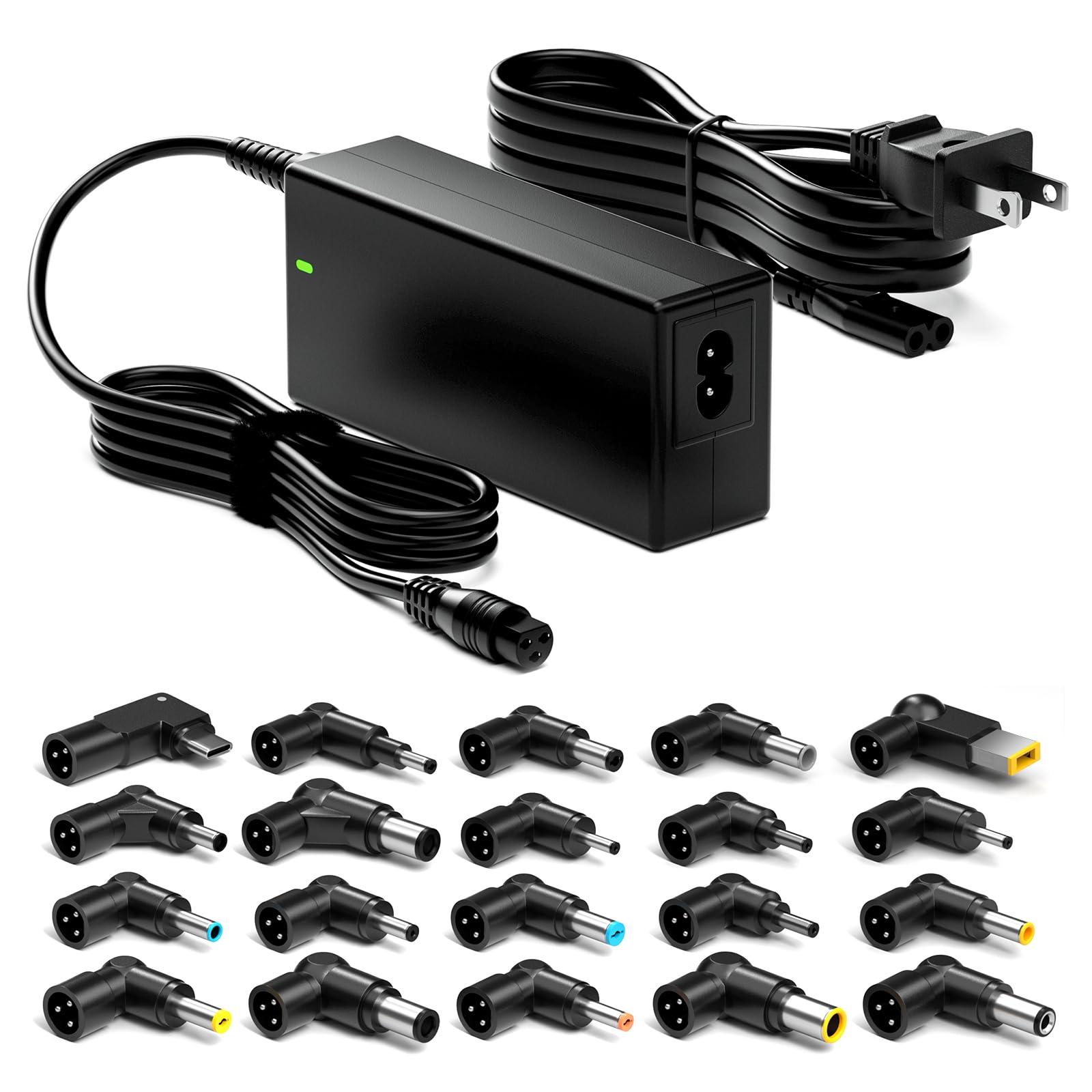
A charger with a drawer of plugs, built for the household that owns five different laptops.
Twenty connectors is the reason this Belker earns its spot. The main output is a USB-C plug at a maximum 90W, and it steps down cleanly for 65W and 45W machines. But the 20-piece tip set is what makes it useful if you fix, lend, or share laptops across brands — Sony, HP, Dell, Lenovo, Asus, Acer, Toshiba, and Samsung families all get coverage.
Reliability is what owners praise most here, and the build quality backs it up. It is rated for input from 100V to 240V at 50-60Hz, and it ships with a US power cord and a 12-month warranty.
The catch is a jitter. Some owners mention it pausing charging for about 5 seconds at a time — a hiccup, not a failure, but one that recurs in charging-performance reviews. If you need an uninterrupted single-machine charger, this one has a small flaw. If you need one brick that can serve a shelf full of different laptops, it is the smart buy.
Kit-bag logic: A 90W USB-C output plus 20 interchangeable tips means one charger covers a mixed fleet of laptop brands, with a 12-month warranty as a safety net.
The blink to expect: Occasional brief charging interruptions are the trade-off, so keep this in the shared-tools drawer rather than as the single charger on your desk.
Best match for: a multi-laptop home, a repair bench, or anyone lending chargers around.
Think twice if: a single reliable machine charger is all you want.
4. 135W USB C Laptop Charger Compatible with Lenovo ThinkPad Z16 P16s P15s P14s E16 E15 E14
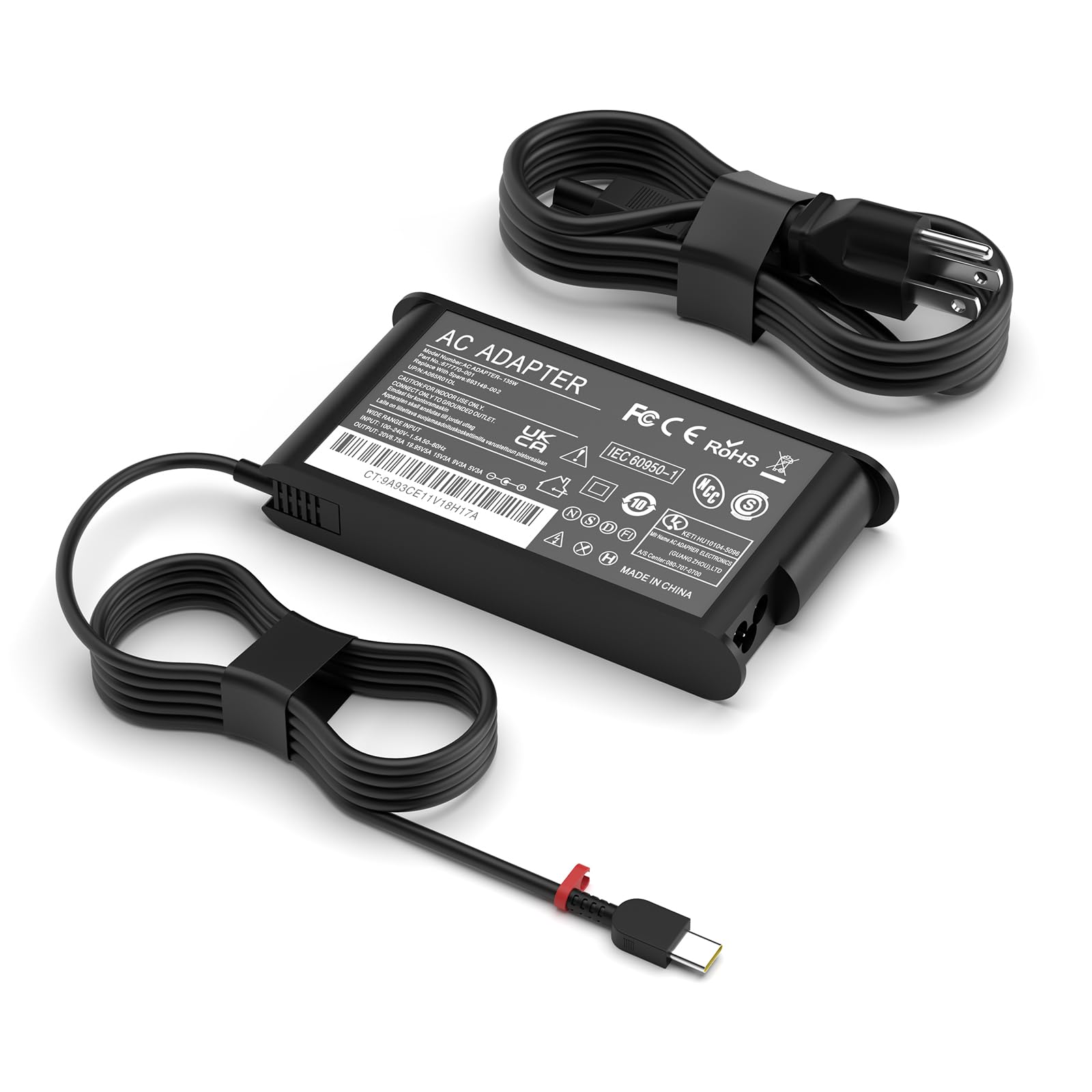
For a ThinkPad that drinks power, here is the brick that keeps up.
If you run a high-speculation ThinkPad or Yoga, a 65W adapter is a slow drip, and that is where this Ruilezyo fits. It outputs 20V at 6.75A — that is 135W — and it steps down for 100W, 95W, 65W, and 45W chargers, so lower-power laptops get the right amount automatically. For the listed ThinkPad Z16, P16s, and Yoga Pro families, this is the honest match.
The build detail that stands out is the cable. The port is laser-soldered, the strain relief is longer, and the double-braided nylon cable is rated to 40,000 bends. For a charger you will coil and uncoil every single day, that is the part that usually dies first, so the extra engineering is not just decoration.
Here is what to keep in mind. This is a brand-new listing with a short track record, so it leans on the spec sheet rather than a long review history. The warranty terms are generous — a 1-year coverage with 120 days of free exchange and round-the-clock customer service — but treat the durability claims as the maker’s promise until the owner base grows.
Built for heavy hours: 135W at 6.75A gives high-power Lenovo machines the headroom a smaller brick cannot, and the braided cable is rated to 40,000 bends.
The unknown: With only a handful of early ratings, there is not yet enough owner history to gauge long-term reliability, so the 1-year warranty is doing the heavy lifting.
Get this one if: your Lenovo workstation or Yoga Pro needs more than a 65W brick can give.
Hold off if: you want a long, proven track record before you buy.
5. Dell 65W USB-C Laptop Charger, Latitude 5400 5410 5420 5430 5440 5450

The OEM-style replacement that matches your Latitude watt for watt.
This is the pick for the Latitude owner who wants the original-fit charger, not a universal kit. It outputs 65W at 3.25A through a USB-C tip and steps down cleanly for 45W, 27W, and 15W devices. Because it is listed as a genuine Dell adapter, it follows the factory part numbers — 0WMDHR, 0VT148, 0CJG9W, and the rest — so you can confirm the match before you order.
The cable is where this one falls short of the heesky pick above. It runs just 3 ft, versus 11 ft on the universal option, so it is best parked at a desk with the outlet close by. On output it is the smaller sibling too, at 65W against the heesky’s 100W. For a Latitude 5400 through 5450 that wants 65W, that is exactly enough, and no more.
The honest trade-off lives in the reliability notes. Reliability is the most-discussed topic in the reviews, and it cuts both ways — some owners find it works perfectly, while others report it quitting within a couple of weeks to a month. That is not a reason to avoid it, but it is a reason to keep the buyer window open and test it on arrival. The 3 ft cord also keeps this firmly a desk charger rather than a travel one.
Exactly fit for a Latitude: 65W at 3.25A through USB-C, with factory part-number compatibility so you can verify before you buy.
Desk-only reach: A 3 ft cable and a mixed reliability record make this a stay-at-the-desk replacement rather than a commuting charger.
The right call for: a Latitude 5400-5450 that wants an OEM-spec replacement at your desk.
Skip it for: travel, where you would rather have more cable and more wattage.
6. Dell Inspiron Laptop Charger Genuine 65W 4.5mm Tip AC Power Adapter

For the older Inspiron with a round port, this is the plug that actually fits.
The defining spec here is the 4.5mm barrel connector — the round plug that slots into older Inspiron 13, 14, and 15 models across the 3000, 5000, and 7000 series. Almost nothing else in this list speaks that language, so if your laptop has a round hole rather than a USB-C oval, this is the adapter built for it. Output is 65W at 3.33A, enough to charge the machine through a full day at the desk.
Value for money is the thing buyers praise most, and the fit follows close behind — the cable seats firmly and clicks into the round port. It is a compact, carry-friendly brick, so it sits easily in a laptop bag. Matching by tip size and model number is the whole game, and getting that right is what keeps this a clean replacement.
Two honest notes. Some Inspiron 7000 customers note it does not work for their specific machine, so match your exact model number before ordering — the tip is right for the family, not every sub-model. And a few buyers question whether the unit is truly a Dell-branded part, so buy from a source that backs it and test it the day it arrives.
Round-port lifeline: A 4.5mm tip at 65W and 3.33A is the specific fix for older Inspiron laptops that USB-C chargers cannot touch.
Match your model: Because some 7000-series reviewers point out misfits, confirm your exact sub-model before you buy rather than assuming the family fits all.
Pick it when: your Inspiron charges through a round 4.5mm port and you want a compact replacement brick.
Not for: Inspiron 7000 sub-models that the tip does not sit in cleanly.
7. 90W Universal Laptop Charger AC Adapter with 15 Tips

The spare-brick bargain, with a tip drawer wide enough to fit most older laptops.
This GreBed kit leads with 15 swappable tips and a smart chip that adjusts the voltage automatically, so you match a physical tip to your laptop rather than dialing settings. It outputs up to 90W at 4.74A across selectable voltages from 18.5V to 20V, and the input spans 100-240V at 50-60Hz — so it works on the road abroad with the right plug adapter.
Build quality is what owners praise most, and that is a fair read for the money. The tip spread covers a long list of older machines — Aspire, Inspiron, ThinkPad, ENVY, and VAIO families all get a match. It is a natural fit as a second charger for a household full of round-tip laptops, or a cheap replacement for a discontinued brick.
The catch is speed and fit. Charging speed draws mixed notes, with some owners describing it as slow on their machine, and a few report it does not work with their particular model at all. It cannot push past 90W, so it is not for a high-power workstation. And it uses barrel tips only — a USB-C laptop needs a different adapter entirely.
Value tip kit: Fifteen tips, a 90W ceiling, and a 100-240V input make this a low-risk spare for older laptops with round ports.
Speed and fit caveats: Charging is slow on some machines, and a few tips miss their target model, so verify your exact laptop against the tip diagram first.
Best if: you want a cheap backup brick for an older round-tip laptop.
Wrong pick for: a USB-C laptop or a high-power machine that needs fast charging.
Understanding the Specs
Wattage and Amperage
Watts measure the power a charger can deliver, and amps (A) measure the current flowing at a set voltage. Your laptop lists its own wattage; pick a charger at or above that number so it does not struggle under load. A 100W adapter can serve a 65W laptop, but the reverse pushes the charger to its limit. The Anker charges at 5 A and the Ruilezyo at 6.75 A — more current means more power for hungry machines.
Connector Type and Tips
USB-C is the small oval plug you can insert either way, and it works with any laptop that has that port plus phones and tablets. Barrel tips are round plugs sized to one laptop family — a 4.5mm tip fits certain Inspirons only. A universal kit like the GreBed with 15 tips or the Belker with 20 tips lets one brick serve many older machines, but you must match the tip to your exact model before you rely on it.
Cable Length
Cable length decides where you can sit. An 11 ft cord keeps charging within reach on a train or across a hotel room, while a 3 ft cord is fine at a desk with a nearby outlet. If you travel light, a short cord packs easier; when the socket is across the room, the extra feet earn their place.
Safety Certifications
Look for protection against over-current, over-voltage, overheating, and short circuits — the built-in safety checks that guard your laptop while it charges. Certifications like CE and ROHS signal a charger has met published standards. A temperature-monitoring design, like Anker’s ActiveShield, adds another layer by watching heat during long sessions.
FAQ
Will a 100W USB-C charger work with my 65W laptop?
How do I know if my laptop needs a USB-C or a barrel tip charger?
Can one universal adapter replace all my laptop chargers?
Why does my laptop charge slowly with an adapter?
Is a longer cable worth choosing over a shorter one?
Can I use a laptop adapter to charge my phone or tablet?
What does 135W get me over a 65W charger?
How long should a laptop charger last?
Are universal tip kits safe for my laptop?
Do I need a foldable plug in my charger?
Final Thoughts: The Verdict
The laptop adapter that suits most people is the Anker 317 100W USB-C Charger, because 100W output, a foldable plug, and a 6 ft cable in the box cover laptops, phones, and handhelds in one go. If the outlet in your life is never close, the heesky 100W charger and its 11 ft cord are the practical fix. For the multi-laptop household and older machines, the tip kits — the Belker 90W with 20 tips leading on reliability and the GreBed 90W with 15 tips leading on budget — cover what a single USB-C brick cannot. Match your laptop’s wattage and port first, and the right pick follows.
How We Picked
We do not accept paid placement. Every pick is matched to a real buyer and a real use-case; we do not hands-on test units.
Sources & Methodology
Specifications: manufacturer listings and product documentation. Review insights: verified customer reviews, as of November 2026. Pricing: not shown on this page (it changes often); check the current price via the retailer link.
As an Amazon Associate, Gadgets Feed earns from qualifying purchases. This does not affect which products we feature.