
Your retro PlayStation 2, original Xbox, or Wii still has life in it, but modern televisions have abandoned the five-color component jacks those consoles need. A Component to HDMI adapter bridges that gap, converting the analog YPbPr video and stereo audio signal into a clean digital HDMI output your new TV can display. The catch is that not all adapters handle the conversion the same way — some introduce lag, crush black levels, or fail entirely with certain consoles.
I’m Min — the co-founder and writer behind Gadgets Feed. After analyzing hundreds of user reports, technical datasheets, and real-world compatibility tests across seven of the most popular adapters on the market, I have mapped out exactly which units actually deliver stable 1080p output without signal dropout or color distortion.
Whether you are hooking up a PS2 for a nostalgia session or integrating an old DVD player into a modern home theater, you need a reliable bridge that does not degrade the picture. This guide breaks down the seven best models to help you find the right component to hdmi adapter for your specific setup.
How To Choose The Best Component To HDMI Adapter
Choosing the right adapter comes down to matching the unit’s capabilities with the specific source device you plan to connect. A generic unit might handle a DVD player just fine but introduce nasty artifacts on a PS2 running at 480i. You need to consider resolution handling, scaler quality, and audio output options before you click buy.
Direction Matters: Component to HDMI vs. HDMI to Component
This is the most common mistake. A Component to HDMI adapter takes analog YPbPr video and outputs digital HDMI. An HDMI to Component converter does the reverse. They are not bidirectional. Plugging a console’s component cables into an HDMI-to-Component unit will yield zero signal. Always verify the product title specifies the correct direction for your gear.
Built-in Scaler vs. Pass-Through
Many older game consoles output at 480i or 480p. Without a scaler, a basic pass-through adapter sends that low resolution directly to your TV, which may display a tiny, windowed image or fail to show anything at all. A unit with a built-in scaler lets you upscale to 720p or 1080p, filling the screen and often producing a much cleaner picture. Budget models often lack this feature entirely.
Resolution and Zoom Flexibility
If you plan to use the adapter with a CRT monitor or an older projection TV, you need a model that supports multiple output resolutions—common options include 800×600, 1024×768, 1280×1024, 720p, and 1080p. Zoom functions are also valuable for cropping 16:9 sources down to 4:3 displays without stretching the image.
Quick Comparison
On smaller screens, swipe sideways to see the full table.
| Model | Category | Best For | Key Spec | Amazon |
|---|---|---|---|---|
| Sedytetoc 4K HDMI to Component | Premium | 4K Input to 480i CRT Output | 4K/60Hz input, 480i/576i output | Amazon |
| Portta Component to HDMI | Mid-Range | PS2/Xbox 360 to HDTV | 1080p 60Hz, no scaler | Amazon |
| Bcrokory HDMI to Component Scaler | Mid-Range | HDMI Sources to CRT TVs | Built-in scaler, 1080p input | Amazon |
| Anber-Tech YPbPr to HDMI Scaler | Mid-Range | DVD Players with Component Out | Scaler + Zoom, 1080p output | Amazon |
| Component to HDMI Upscaler | Premium | Retro Console Image Quality | 5 resolutions, 7 zoom modes | Amazon |
| Component to HDMI Converter (Aluminum) | Premium | Upscaling to PC Monitor | Aluminum shell, 5 output resolutions | Amazon |
| Anber-Tech HDMI to Component | Budget | Basic STB to Old TV | OSD display, 1080p 60Hz | Amazon |
In‑Depth Reviews
1. Sedytetoc 4K HDMI to Component Converter with Scaling

This is the most versatile unit in the roundup because it accepts HDMI 2.0 input up to 4K/60Hz and downscales to component output as low as 480i for older CRT televisions. The built-in scaler handles the conversion seamlessly, and users consistently report superior signal stability compared to cheaper alternatives. The solid aluminum build dissipates heat well during extended gaming sessions.
For retro gamers connecting a modern console like a PS5 to a classic Trinitron, the zoom function and OSD resolution switching are invaluable. The unit supports five zoom modes for adjusting the picture to fill a 4:3 screen without distortion. It also works in reverse for users who need to upscale component sources to HDMI, though the primary advertised direction is HDMI to component.
Some users note that the 4:3 scaling is not perfect for all content — 16:9 sources may appear slightly squashed. Additionally, the price reflects its premium feature set, making it overkill if you only need to connect a single DVD player. But for those juggling multiple devices and display types, it is the most future-proof option available.
Why it’s great
- Accepts 4K input and downscales to 480i component output
- Solid aluminum housing with excellent heat dissipation
- Built-in scaler and zoom functions for display flexibility
Good to know
- 16:9 to 4:3 scaling is not flawless for all content
- Higher price point than basic converters
2. Portta Component to HDMI Converter

The Portta converter is a straightforward, no-frills solution for taking a component source like an Xbox 360 or PS3 and outputting HDMI at up to 1080p 60Hz. It supports all common resolutions from 480i up to 1080p and handles stereo audio conversion without noticeable delay. Users specifically praise its compatibility with the Xbox 360 when powered via USB from the console itself, which eliminates ground loop noise.
It is important to note this unit does not include a scaler — it passes the input resolution through directly. If your source outputs 480i, your TV will receive 480i. For modern HDTVs that handle upscaling internally, this is not a problem. The 5-year warranty provided by Portta is also a strong vote of confidence at this price point.
A small number of users report receiving defective units that fail to output any signal, though this appears to be an outlier given the majority of positive reviews. The lack of zoom or resolution switching means it is less flexible than premium models, but for a simple, reliable conversion from a known-good source, it delivers exactly what it promises.
Why it’s great
- Reliable 1080p 60Hz conversion with no audio delay
- 5-year warranty provides long-term peace of mind
- USB power option eliminates ground loop noise from consoles
Good to know
- No built-in scaler — passes source resolution directly
- A small batch of units arrived with no signal output
3. Bcrokory HDMI to Component Converter with Scaler
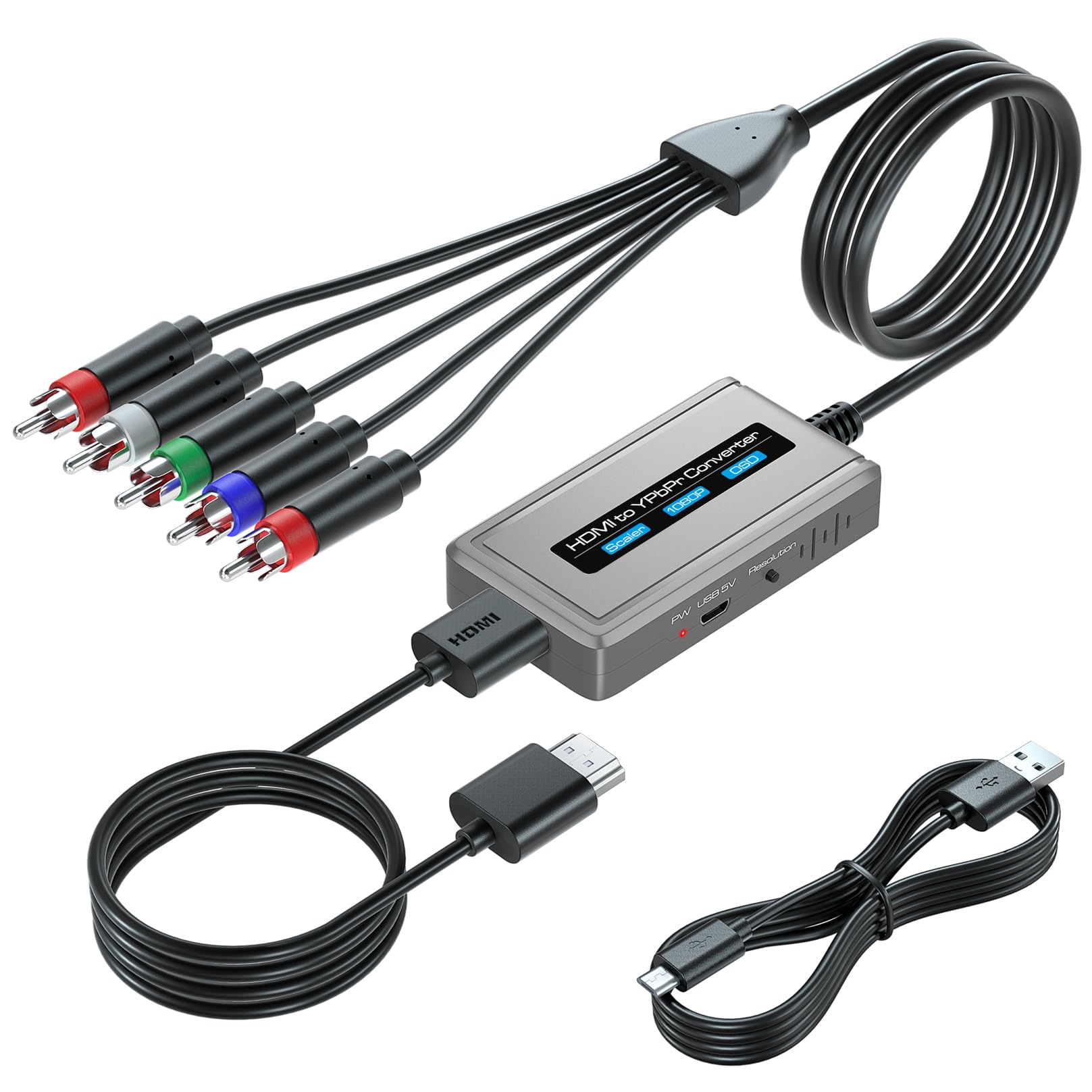
This converter takes HDMI input and outputs to component, making it ideal for modern streaming devices like a Fire TV Stick or Roku that need to feed an older CRT television. The built-in scaler is the headline feature — using a front-panel button you can switch between multiple output resolutions, including 480i for CRTs that cannot accept progressive scan.
Cable management is simplified because the unit ships with both an HDMI cable and an integrated component cable. The OSD displays the current input and output resolution on screen, which is particularly helpful when troubleshooting compatibility issues. Users connecting to Sony Wega and Trinitron CRTs report excellent color reproduction and negligible lag for casual gaming.
It requires a USB power source (not included) and does not come with a wall adapter. Some retro gamers have noted a slight 1-2 frame lag when using it with Raspberry Pi emulation setups, though this is acceptable for most use cases. It also will not work if you accidentally try to use it in the reverse Component-to-HDMI direction.
Why it’s great
- Built-in scaler handles upscaling and downscaling seamlessly
- Comes with both HDMI and component cables in the box
- OSD shows input and output resolution in real time
Good to know
- No power supply included — requires USB power
- ~1-2 frames of lag, noticeable for competitive retro gaming
4. Anber-Tech YPbPr to HDMI Converter with Scaler
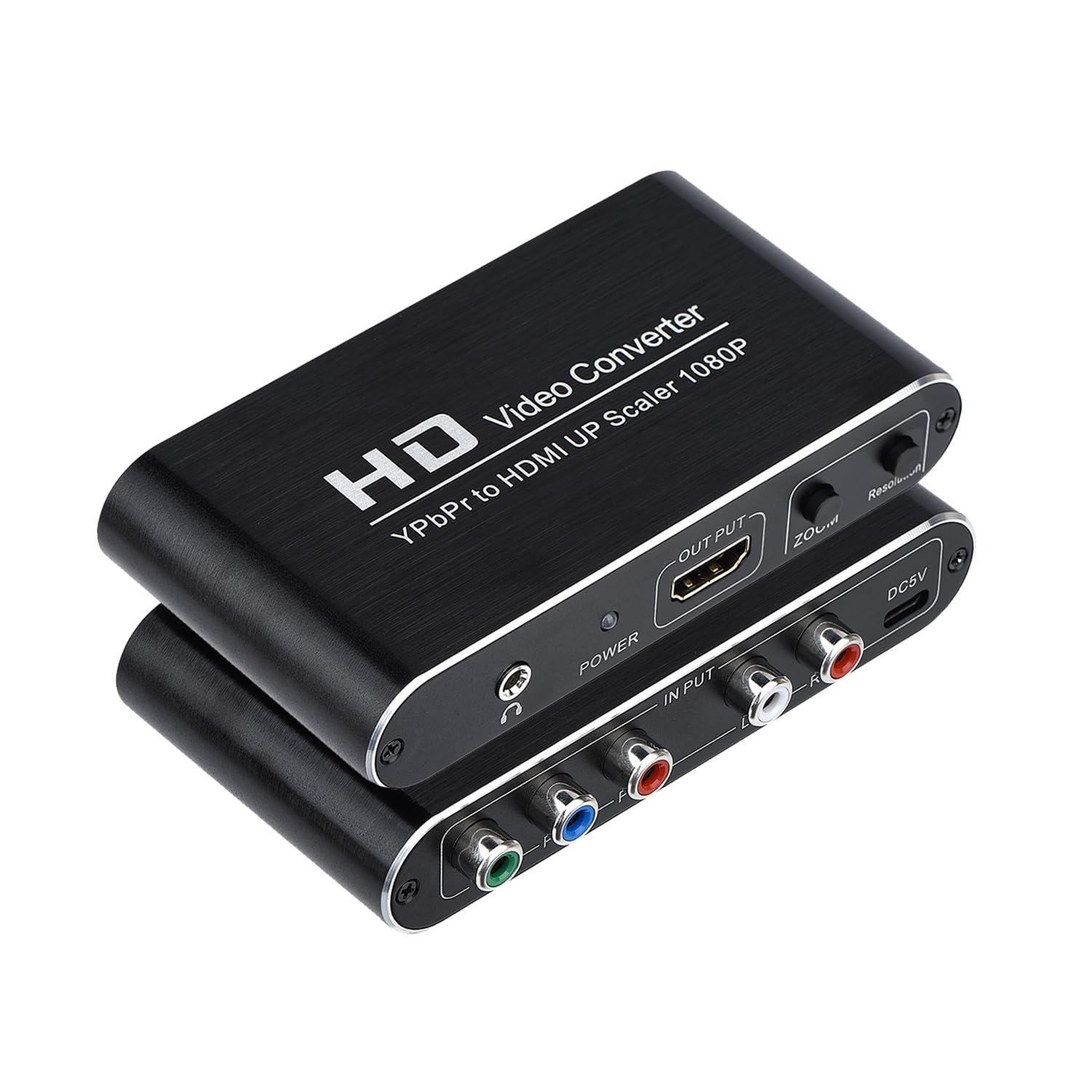
This unit converts component video and analog audio into HDMI with the added benefit of a scaler engine that can upscale or downscale the signal to a range of output resolutions up to 1080p 60Hz. The zoom function is a notable differentiator — five different picture enlargement modes let you fine-tune how the image fills the display, which is useful when feeding a modern TV that crops or stretches the incoming signal.
Compatibility extends to PS2, Xbox 360, and older DVD players. Users report clear image quality with the PS2 on modern Samsung TVs when output is set to 720p instead of 1080p, as the 1080p setting can cause intermittent cutouts. The unit also includes a 3.5mm audio output for connecting external speakers if your display lacks audio inputs.
The proprietary power supply is a real downside — unlike many competitors that run off standard USB power, this unit uses a dedicated DC adapter. If you lose the original power brick, replacement is not trivial. Also, one user reported unstable video with copy-protected DVD discs, so it may not be ideal for movie playback from commercial discs with aggressive DRM.
Why it’s great
- Scaler engine upscales 480i component sources to 1080p HDMI
- Five zoom modes for flexible image size adjustment
- 3.5mm audio output for external speaker setup
Good to know
- Non-USB power supply is easy to lose and hard to replace
- 1080p output may cut out intermittently with some PS2 games
5. Component to HDMI Upscaler for Wii, PS2, Xbox 360

This adapter is purpose-built for retro console enthusiasts who need high-quality upscaling from the Wii, PS2, PS3, and Xbox 360. It offers five selectable HDMI output resolutions (up to 1080p) and seven zoom adjustment modes, giving you significant control over how the image appears on modern flat panels. The dedicated image quality compensation technology specifically targets the quirks of these older consoles, with noise reduction and motion optimization chips.
Users who have paired it with a PS2 using OPL (Open PS2 Loader) report excellent results on CRT monitors via a secondary HDMI-to-VGA adapter. The image quality improvement over a direct composite connection is dramatic, with colors appearing more vibrant and edges sharper. For the price, it competes favorably with much more expensive dedicated retro gaming scalers like the RetroTINK 5x.
The black crush issue reported by a few users is the main drawback — shadow details can be completely swallowed in dark scenes, making some games look overly dark. This appears to be unit-specific, as other users report excellent contrast. Additionally, the unit does not include a power supply, requiring a USB cable which may introduce noise depending on the source.
Why it’s great
- Console-specific image optimization for Wii, PS2, and Xbox 360
- Seven zoom modes give comprehensive display control
- Excellent value compared to premium retro scalers
Good to know
- Some units exhibit noticeable black crush in shadow areas
- No power supply included; relies on USB power
6. Component to HDMI Converter with Scaler (Aluminum)

The all-aluminum enclosure sets this converter apart from the plastic competition, offering superior heat dissipation and a more durable feel. It accepts component input and outputs HDMI at five selectable resolutions: 800×600, 1024×768, 1280×1024, 720p, and 1080p, all at 60Hz. The scaler engine is designed to resolve common compatibility issues like black-and-white picture, distorted image, or signal dropout on certain DVD players.
Users have had success using it with Nintendo Wii consoles for upscaling to PC monitors, and the picture quality is generally bright and punchy. However, more discerning users note that compared to higher-end solutions, the unit introduces additional grain noise and a slight overscan artifact — a thin white line at the edge of the image. For casual use this is acceptable, but purists may find it distracting.
The biggest red flag is inconsistent compatibility with certain DVD players — multiple users report the unit failing to display any picture at all when connected to some brands. It also struggles with PS2 in 240p mode for PS1 games, dropping the signal entirely. For dedicated retro gaming use, the console-optimized option above is a safer bet.
Why it’s great
- Durable aluminum casing with excellent thermal management
- Five output resolutions for flexible display matching
- Bright and punchy picture quality for casual use
Good to know
- Inconsistent compatibility with some DVD player brands
- Grain noise and overscan artifacts visible on larger screens
7. Anber-Tech HDMI to Component Converter

If you need to send a modern HDMI source — like a laptop, Roku, or PS4 — to an older TV that only has component inputs, this budget-friendly converter gets the job done. It supports input resolutions from 480i up to 1080p 60Hz and includes an OSD that shows the current input and output resolutions. The compact 2.6-inch body is easy to tuck behind a TV stand.
Setup is genuinely plug-and-play: users report it works immediately with Nintendo Switch, Xbox 360, and Blu-ray players without any driver installation or configuration. The stereo audio output is clean, and there is no perceptible lip-sync delay for movies or gaming. For its price, the value proposition is strong.
The main limitation is its lack of support for newer HDMI 2.0 sources. Users with Android-based cable boxes that output HDMI 2.0 have reported zero signal from this converter. It also does not support 4K input at all, so it is strictly for 1080p or lower sources. If your source device uses a modern HDMI standard, you will need to step up to a more capable unit.
Why it’s great
- Genuine plug-and-play setup with most 1080p sources
- Compact chassis fits easily in tight entertainment center spaces
- Clean stereo audio with no sync delay
Good to know
- Does not work with HDMI 2.0 sources or 4K input
- Plastic build feels less durable than premium alternatives
FAQ
Can I use a Component to HDMI adapter in reverse to convert HDMI to component?
Why does my PS2 look worse through the adapter than on a CRT?
What is the difference between 480i, 480p, and 1080p in this context?
Final Thoughts: The Verdict
For most users, the component to hdmi adapter winner is the Portta Component to HDMI Converter because it delivers reliable 1080p conversion at a fair price backed by a long warranty. If you need scaler capabilities for low-resolution retro consoles, grab the Component to HDMI Upscaler. And for driving 480i CRT displays from modern HDMI sources, nothing beats the Sedytetoc 4K HDMI to Component Converter.