
Staring at a “low disk space” warning while your subscription fees pile up for cloud storage that never feels truly yours… that’s the pain driving the shift to a local 4-bay NAS. This is not a USB drive you plug in and forget — it’s a private server engineered to hold decades of family photos, 4K media libraries, and critical business files with redundancy built in. The right unit separates a frustrating network slowdown from a seamless, always-on data haven.
I’m Min — the co-founder and writer behind Gadgets Feed. I’ve spent dozens of hours dissecting the chipset generations, RAID controllers, and networking hardware that define how a 4-bay NAS actually performs under load, so you don’t end up with a paperweight that can’t keep up with your workflow.
Whether you are migrating from an external drive or building your first private cloud, this guide cuts through the spec sheets to highlight the best 4 bay nas storage options that deliver real-world speed, data safety, and quiet operation for your home or small office.
How To Choose The Best 4 Bay NAS Storage
Selecting the right 4-bay NAS involves more than just picking the cheapest box. You need to match the processor architecture to your media needs, the networking speed to your file size, and the RAID flexibility to your risk tolerance. Here are the key decision points.
Processor & RAM: The Performance Backbone
The CPU determines whether your NAS can handle real-time 4K video transcoding. Intel Celeron chips with Quick Sync Video (like the N5105 or N5095) are the gold standard for Plex or Jellyfin — they offload video encoding from the main CPU, allowing multiple simultaneous streams. Lower-end ARM processors may struggle with transcoding but suffice for basic file storage. RAM is equally critical: 4GB is the bare minimum, 8GB is comfortable for Docker containers, and 16GB opens the door for running full virtual machines.
Networking: 1GbE vs 2.5GbE
A single Gigabit Ethernet port caps your transfer speed at roughly 125 MB/s. This is fine for backing up documents or streaming a single 4K movie, but becomes a bottleneck if you move large media files or have multiple users pulling data simultaneously. Dual 2.5GbE ports (like those on the QNAP TS-464 and Asustor AS5404T) provide 2.5x the throughput with standard Cat5e cables, dramatically reducing transfer times for 4K video projects or large photo libraries.
RAID Flexibility & Expandability
RAID 1 (mirroring) gives you simple drive failure protection but cuts capacity in half. RAID 5 offers a better balance of space and safety — you lose just one drive’s worth of capacity to redundancy. Synology’s SHR (Synology Hybrid RAID) adds another layer of flexibility, allowing you to mix different drive sizes without wasting capacity. If you plan to use M.2 NVMe SSDs for caching, ensure your chosen NAS has at least two dedicated slots, as this can dramatically speed up frequently accessed files like photo catalogs or database files.
Quick Comparison
On smaller screens, swipe sideways to see the full table.
| Model | Category | Best For | Key Spec | Amazon |
|---|---|---|---|---|
| Synology DS425+ | Premium | Business backup & team sharing | 278 MB/s read speed, 30 camera support | Amazon |
| QNAP TS-464-8G-US | Premium | High-speed media & Docker workloads | Intel N5105, dual 2.5GbE, dual M.2 | Amazon |
| Asustor AS5404T | Premium | NVMe caching & gaming/streaming | 4x M.2 slots, 10nm Intel N5105 | Amazon |
| Synology DS423 | Mid-Range | Reliable SHR storage & family photo vault | Synology DSM, 2x 1GbE ports | Amazon |
| UGREEN DH4300 Plus | Mid-Range | Beginner-friendly private cloud | 8GB LPDDR4X, 2.5GbE, AI photo album | Amazon |
| TERRAMASTER F4-425 | Mid-Range | Home media server & 4K Plex | Intel x86 quad-core, 2.5GbE, 21 dB | Amazon |
| TERRAMASTER D4-320U | DAS | Expanding NAS capacity via USB | USB 3.2 Gen2 10Gbps, 1U rackmount | Amazon |
| BUFFALO TeraStation 24TB | Budget | Out-of-box storage with drives included | 24TB (4x6TB) in RAID 5, 2.5GbE | Amazon |
| BUFFALO TeraStation 32TB | Budget | Larger pre-configured NAS with drives | 32TB (4x8TB) in RAID 5, 2.5GbE | Amazon |
In‑Depth Reviews
1. Synology DS425+
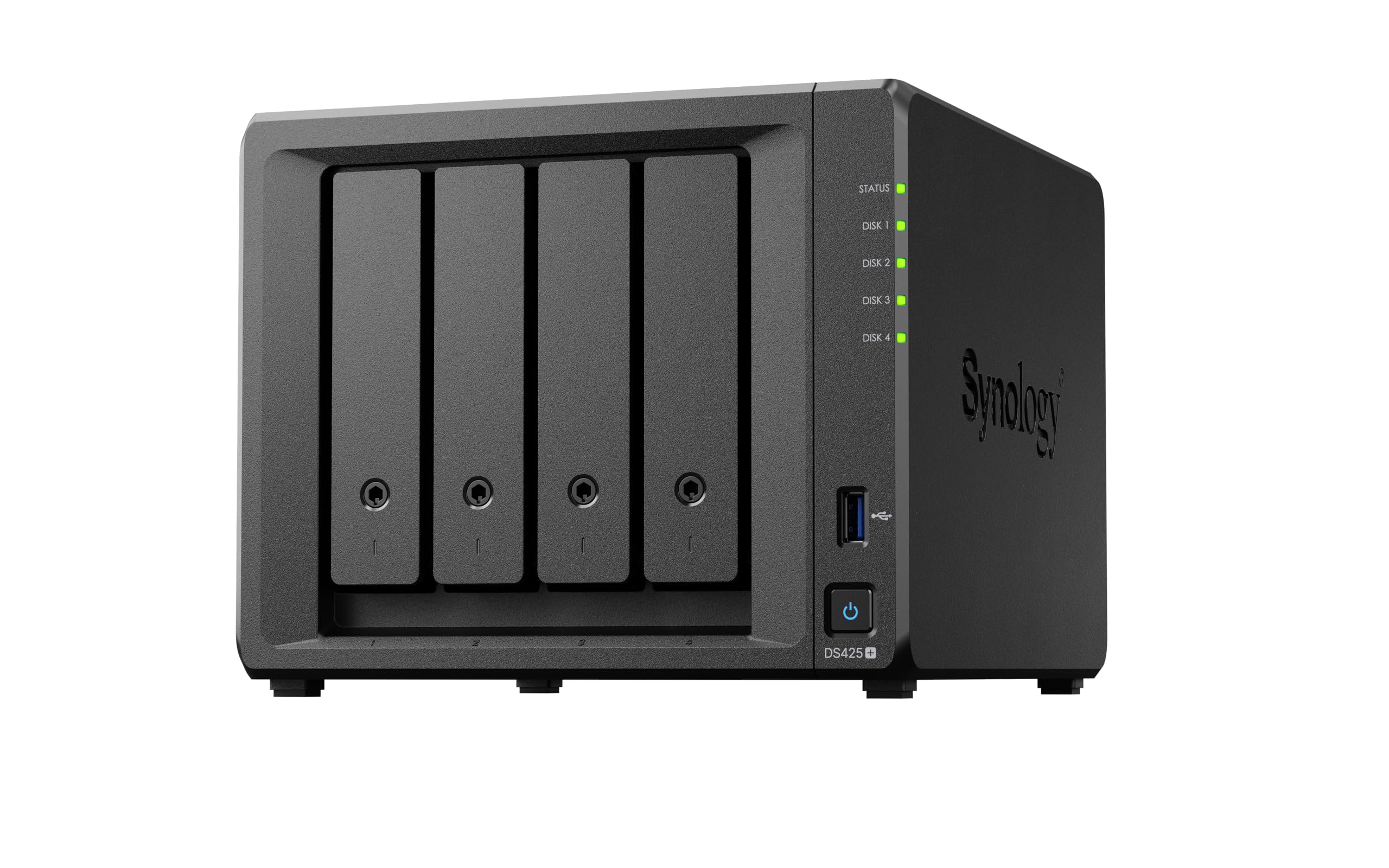
The DS425+ is the sweet spot for professionals and serious home users who need a reliable workhorse. Its read speed of 278 MB/s ensures that even when multiple users are pulling files simultaneously, the bottleneck stays at your network, not the NAS. The DSM operating system remains the most polished in the industry, with intuitive tools for photo management (Synology Photos), centralized backup (Active Backup Suite), and a comprehensive surveillance station supporting up to 30 IP cameras with motion detection.
Under the hood, the Intel-based processor provides enough muscle for 4K media transcoding and running Docker containers, though the base 2GB RAM feels lean — upgrading to 8GB is recommended if you plan to run multiple server apps. The dual 1GbE ports support link aggregation, effectively doubling your throughput when paired with a managed switch. The build quality is excellent, with a metal enclosure that keeps drives cool and noise levels low even during extended parity checks.
One caveat: Synology’s recent firmware has added restrictions on third-party drives for certain models, though most users report that standard NAS drives like Seagate IronWolf or WD Red Plus work without issues. The 3-year warranty and enterprise-level support make this a safe long-term investment for a small office or a data-hoarding enthusiast.
Why it’s great
- Best-in-class DSM software with rich app ecosystem
- Strong RAID flexibility with SHR for mixed drive sizes
- Supports up to 30 IP cameras and snapshot protection
Good to know
- Base RAM is low (2GB); upgrade is advisable for heavy use
- Third-party drive compatibility can be tricky
- No 2.5GbE port out of the box
2. QNAP TS-464-8G-US

The QNAP TS-464 is built for speed. It ships with a quad-core Intel Celeron N5105 processor and 8GB of DDR4 RAM, which is plenty for running multiple Docker containers, a Plex Media Server, and file syncing services simultaneously without stuttering. The dual 2.5GbE ports are the standout feature here — they allow you to saturate a 2.5Gbps network connection without needing a separate NIC, making large file transfers a breeze.
Two M.2 PCIe Gen3x2 NVMe slots are included for SSD caching or even creating a dedicated SSD storage pool. This can dramatically accelerate frequently accessed data like photo catalogs or virtual machine disks. The QTS operating system is feature-rich, with a full app center, built-in backup tools, and support for the QuTS hero ZFS operating system for users who want advanced data integrity features like block-level snapshots.
Some users note that the front plastic cover can vibrate and create noise under load, and the power brick is surprisingly bulky. But these are minor trade-offs for the raw performance on offer. If you need to move large video files, run multiple server apps, and want the fastest possible network speeds without stepping up to 10GbE hardware, this is the NAS to buy.
Why it’s great
- Dual 2.5GbE ports enable high-speed networking out of the box
- Two M.2 NVMe slots for SSD caching or storage pools
- 8GB RAM ready for Docker and virtualization work
Good to know
- Front cover can vibrate and cause noise under load
- Power adapter is large and feels clunky
- RAM is not upgradeable on the -8G-US model
3. Asustor AS5404T

The Asustor AS5404T is a performance-focused NAS that differentiates itself with four dedicated M.2 NVMe SSD slots. This is a significant advantage over competitors that offer only one or two — it allows you to run high-speed cache pools across multiple SSDs, or create a pure-SSD storage volume for your most demanding applications. The 10nm Intel Celeron N5105 processor is efficient and powerful, delivering excellent performance per watt.
With two 2.5GbE ports and three USB 3.2 Gen 2 (10 Gbps) ports, this NAS is designed for a fast, modern workflow. The gaming-inspired design is a bit of a novelty, but the practical benefit is excellent ventilation. The ADM operating system is clean and responsive, with a full app store that includes all the usual suspects: Plex, Emby, Docker, and a solid backup suite.
The main drawback is that the four M.2 slots are positioned very close together, making it difficult to install SSDs with thick heatsinks. Users needing four NVMe drives often have to use slim, heatsink-less models. Additionally, some units have reported quality control issues with screws stripping. If you can work around the M.2 spacing, the AS5404T offers unrivaled SSD speed for a 4-bay chassis.
Why it’s great
- Four M.2 NVMe slots for massive SSD caching or storage pools
- Intel N5105 processor is powerful and power-efficient
- Three USB 3.2 Gen 2 ports for fast external transfers
Good to know
- M.2 slots too close for drives with heatsinks
- Build quality complaints on some units
- NIC pairing is reportedly buggy
4. Synology DS423

The Synology DS423 is the entry point into the Synology ecosystem for users who want the reliability of DSM without the premium price. It supports Synology Hybrid RAID (SHR), which allows you to mix and match drive sizes (e.g., a 4TB with an 8TB) while still maintaining data protection — a feature that saves real money when upgrading drives over time. The two built-in Gigabit Ethernet ports support link aggregation for increased bandwidth.
This is a file server and backup target first. The processor is sufficient for basic file sharing, Time Machine backups, and running Synology Photos, but you should not expect it to handle 4K video transcoding for Plex. It will happily serve files to a home network and run up to 30 IP cameras when paired with the Surveillance Station app. The metal chassis is sturdy, and the drive trays are tool-free for easy installation.
The DS423 is best for families or small offices that prioritize data safety and ease of use over raw performance. The lack of 2.5GbE and a weaker CPU mean it is not ideal for heavy media streaming or virtualization. But for secure, private file storage and backup, it is an excellent value.
Why it’s great
- Synology Hybrid RAID (SHR) offers flexible drive mixing
- Rock-solid DSM software with extensive app ecosystem
- Supports up to 30 IP cameras for surveillance
Good to know
- Only 1GbE ports (no 2.5GbE)
- Weak CPU cannot handle 4K transcoding
- Requires some networking knowledge for setup
5. UGREEN DH4300 Plus

The UGREEN DH4300 Plus is specifically designed for users migrating from cloud storage subscriptions. It comes with 8GB of LPDDR4X RAM and a 2.5GbE port right in the box — specs that usually belong to much more expensive units. The Ugos Pro operating system is visually modern and intuitive, with a strong focus on photo management via AI-based recognition that can identify faces, objects, and even pets.
Setup is designed to be effortless: NFC pairing with the mobile app gets you online quickly, and the built-in tutorials guide you through the basics. Performance is snappy for file transfers, with read speeds around 312 MB/s over the 2.5GbE link. The DH4300 Plus supports Docker but not virtual machines, which keeps things simple for home users who just want to run a few services like Plex or a download manager.
The main trade-off is noise: the chassis can amplify hard drive vibrations. Some users have added acoustic foam to quiet it down. Also, while it supports Docker, running Plex requires manual sideloading rather than a one-click install from an app store. However, for the price and the hardware included, it offers an exceptional value for a newcomer to NAS.
Why it’s great
- 8GB RAM and 2.5GbE are excellent specs for the tier
- AI photo album with face and object recognition
- NFC-assisted setup for beginners
Good to know
- Chassis amplifies hard drive noise
- Plex requires manual Docker setup, not one-click
- No support for virtual machines
6. TERRAMASTER F4-425
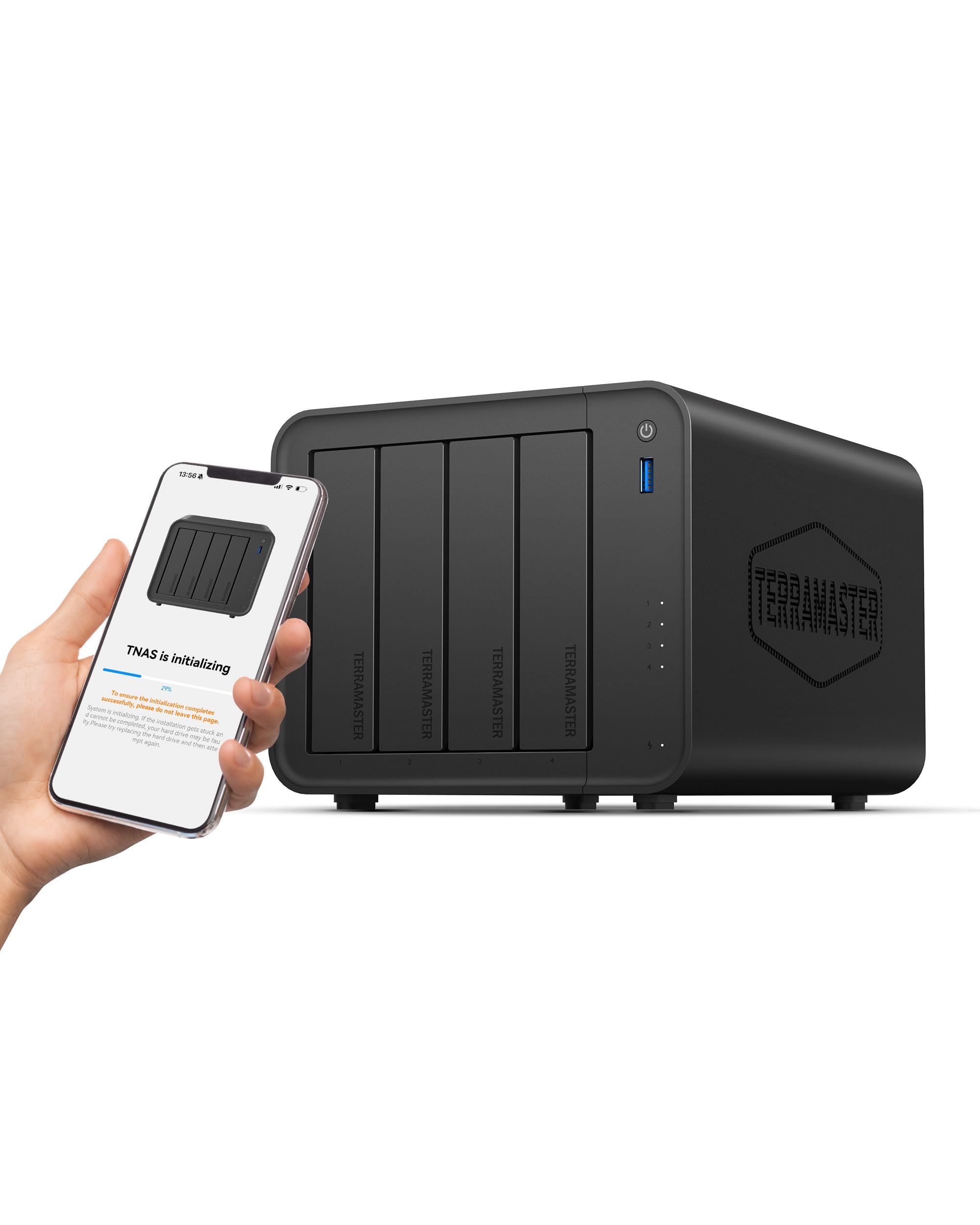
The TERRAMASTER F4-425 stakes its claim as a quiet home media server, operating at just 21 dB(A) — quieter than a whisper. This makes it the ideal choice for a living room or bedroom setup where noise pollution is a real concern. The Intel x86 quad-core processor with 4GB of RAM is strong enough for hardware-accelerated 4K H.265 transcoding, meaning you can stream your media library to mobile devices without the NAS breaking a sweat.
The tool-free Push-Lock HDD trays are a genuine convenience, letting you install drives in seconds without screws. The TNAS mobile app allows full setup and management from a smartphone, covering initialization, backups, and real-time sync. The unit supports flexible TRAID and TRAID+ arrays, which can provide up to 30% more usable storage compared to traditional RAID 5 with the same drives.
Performance is solid for a unit in this segment, but some users report slow boot times (up to 20 minutes) and occasional issues with remote access persistence. The plastic enclosure feels less premium than the metal-clad competition. But for a budget-conscious media consumer who prioritizes a silent operation and seamless 4K streaming, the F4-425 delivers where it counts.
Why it’s great
- Extremely quiet operation at 21 dB(A)
- Intel QuickSync for smooth 4K H.265 transcoding
- Tool-free drive trays for easy installation
Good to know
- Slow boot times reported (15-20 minutes)
- Remote access can be unreliable
- Plastic chassis feels less premium
7. TERRAMASTER D4-320U
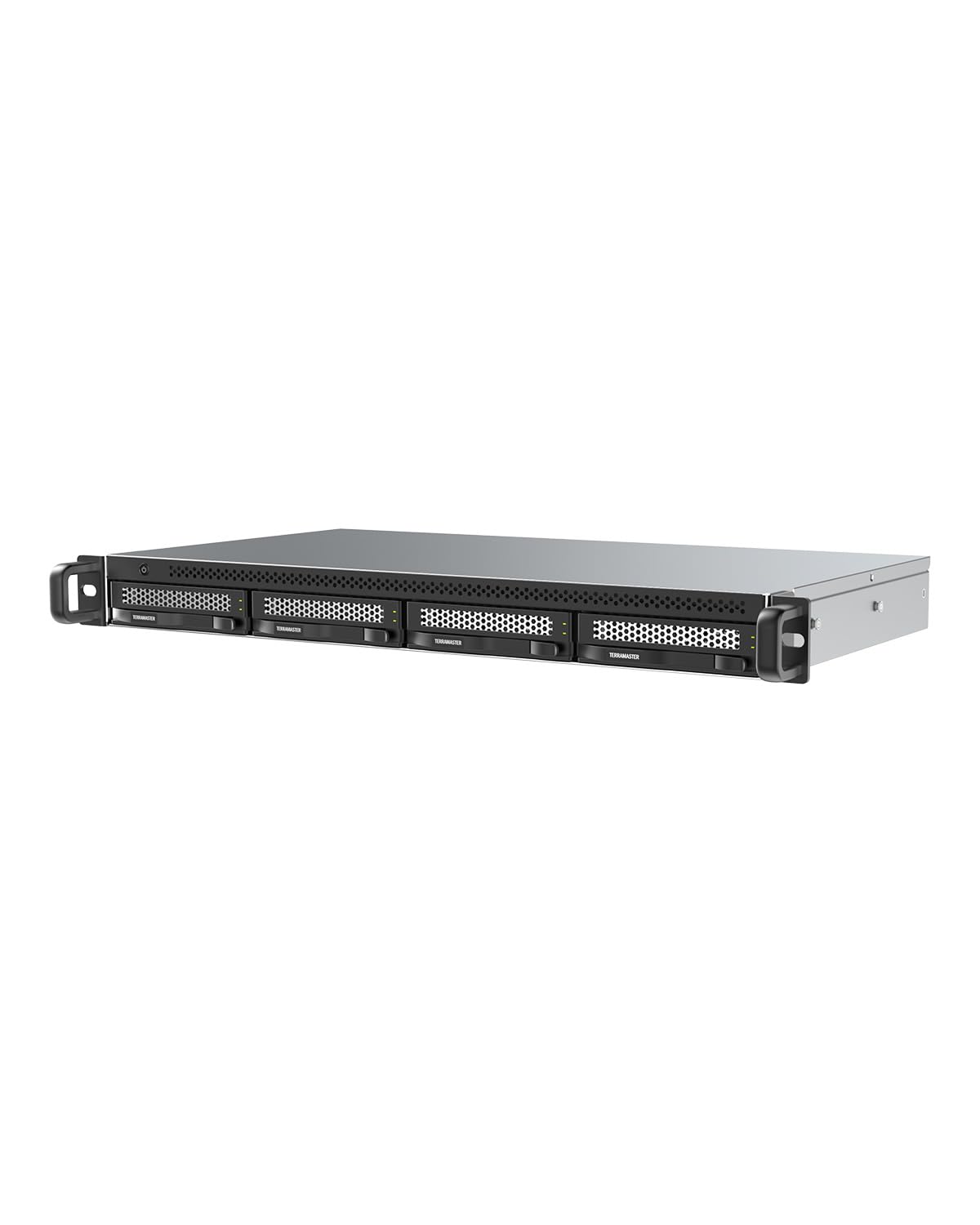
The D4-320U is technically a DAS (Direct Attached Storage), not a standalone NAS. It connects to your primary NAS (specifically a TerraMaster unit running TOS 5.1 or higher) via a USB 3.2 Gen2 Type-C cable, allowing you to expand your total storage without needing a second network-attached unit. In a server rack, its 1U form factor saves significant space, with a depth of only 9.5 inches.
Transfer speeds can reach up to 1,016 MB/s when all four bays are populated, which is fast enough for media editing or as a backup target. The unit supports drives up to 30TB each, giving a theoretical maximum of 120TB. It is also compatible with PC, Mac, and Linux as a standalone DAS, though it does not support hardware RAID — drives appear individually to the host OS.
The main catch is that it is best used as an expansion unit for an existing NAS rather than as a primary storage device. Some users have reported USB reset errors under heavy load, and the included USB cable is notoriously unreliable for maintaining 10 Gbps speeds. Replacing it with a short, shielded cable resolves most issues. It is a niche tool, but for rack-mounted NAS expansion, it fits perfectly.
Why it’s great
- Compact 1U rackmount design saves rack space
- USB 3.2 Gen2 delivers up to 10Gbps transfer speeds
- Can expand TerraMaster NAS storage pools
Good to know
- Stock USB cable is poor quality; replacement required
- No hardware RAID; drives appear individually
- Best used as a NAS expansion, not a standalone solution
8. BUFFALO TeraStation Essentials 24TB

The BUFFALO TeraStation Essentials 24TB is the perfect option for users who want to avoid the hassle of buying and installing separate hard drives. It arrives with four 6TB drives already installed and pre-configured in RAID 5, giving you an 18TB usable pool right out of the box. The 2.5GbE port is a welcome addition at this price point, providing faster transfers than the standard 1GbE connections found on many entry-level NAS units.
Setup is as simple as it gets for a NAS: plug in the power and Ethernet cable, and the unit is discoverable on your network within minutes. The management interface is more utilitarian than Synology’s DSM, but it covers the essentials: user permissions, shared folders, backup jobs, and cloud sync with Amazon S3, Dropbox, Azure, and OneDrive. The 256-bit AES drive encryption adds a layer of security for sensitive files.
On the downside, the 5400 RPM drives are slower than typical 7200 RPM NAS drives, which shows during large file transfers. The online-only manual is an inconvenience, and the unit is larger than many desktop NAS enclosures. However, for a small business or home user who wants a reliable, no-fuss storage solution with decent speed and warranty coverage (3 years including drives), this is a solid pick.
Why it’s great
- Hard drives included and pre-configured in RAID 5
- 2.5GbE port for faster network transfers
- 3-year warranty including hard drive coverage
Good to know
- 5400 RPM drives are slower than standard NAS drives
- Manual is only available online
- Large physical footprint compared to other 4-bay units
9. BUFFALO TeraStation Essentials 32TB
The BUFFALO TeraStation Essentials 32TB is the larger sibling to the 24TB model, shipping with four 8TB drives pre-installed and set to RAID 5 for a 24TB usable capacity. If you know you need substantial storage from day one and do not want to deal with sourcing and installing drives, this is the most straightforward path to a large centralized storage pool. The 2.5GbE port ensures that your network speed does not hold back file transfers.
BUFFALO targets this unit at small offices and professional environments that need reliable, low-maintenance storage. Features like 256-bit AES encryption, cloud sync integration, and support for multiple RAID levels (including RAID 6 for dual-fault tolerance) cover the bases for most business backup scenarios. The 3-year warranty with US-based support adds confidence for business-critical deployments.
The same limitations apply as the 24TB version: the 5400 RPM drives are not speed demons, and the management interface is functional but not as polished as the competition. The 12TB step-up in capacity over the 24TB model is significant, but the price jump is steep. If you anticipate needing more than 20TB of usable storage and want a turnkey solution with warranty coverage, the 32TB TeraStation is a safe bet.
Why it’s great
- Large 24TB usable capacity out of the box with 4x8TB drives
- 2.5GbE port for faster networking
- Comprehensive 3-year warranty including drives
Good to know
- 5400 RPM drives limit write performance
- Setup requires an online manual and driver installation
- Larger physical footprint than many desktop NAS units
FAQ
Can I use a 4-bay NAS as a direct-attached drive via USB?
How many users can a 4-bay NAS support simultaneously?
What size drives should I buy for my 4-bay NAS?
Final Thoughts: The Verdict
For most users, the best 4 bay nas storage winner is the Synology DS425+ because it offers the most polished software ecosystem (DSM), excellent data protection features, and reliable performance for both home and small office environments. If you need raw speed for media production or heavy Docker workloads, grab the QNAP TS-464-8G-US with its dual 2.5GbE and M.2 caching. And for the best entry-level value with a 2.5GbE port included, nothing beats the UGREEN DH4300 Plus.