
Our readers keep the lights on and my morning glass full of iced black tea. As an Amazon Associate, I earn from qualifying purchases.
Specs are compiled from manufacturer listings and verified buyer reviews and can change over time — please confirm the key details on the product page before buying.
An ARGB fan hub does one job: split a single 5V 3-pin header from your motherboard into many, so every fan and LED strip in your case lights up in the same pattern at the same time. Buy the right one and a single 5V 3-pin header drives every fan and strip in your case from one tidy cable run. Buy the wrong one and you will be pressing a reset button every boot because the lights froze mid-fade.
I’m Min — the founder and writer behind Gadgets Feed. This guide is built by comparing the manufacturers’ published specifications and the patterns across verified customer reviews, so you get each pick’s real strengths and trade-offs instead of marketing spin.
Read on for a menu of hubs where some handle an ungodly number of fans and others offer software lighting control, plus what each one means for your case. This is the plainest breakdown of an argb fan hub we have put together.
Our Picks at a Glance

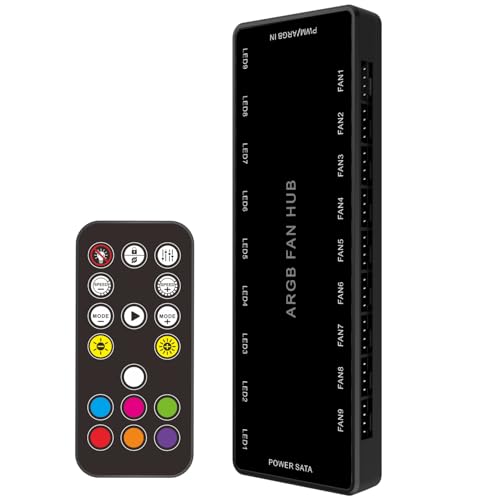

How To Choose The Best ARGB Fan Hub
The first thing that trips up new builders is the connector itself. ARGB (addressable RGB) runs on a 5V 3-pin plug, where each LED in a strip can show its own colour. Older plain RGB runs on a 12V 4-pin plug and lights the whole strip one colour. They are not interchangeable, and plugging a 12V device into a 5V port can damage the gear.
Count your ports before you count your fans
A hub rated for 8 or 9 ports means you can run that many fans or light bars off one board header. If you plan a case full of fans plus a GPU light strip, work out the total now. A 16-port hub leaves room to grow; a 6-port hub may already be full on day one.
Know your LED capacity per channel
Every hub has a ceiling on how many LEDs each channel can drive. Some list a per-channel figure and some list a total across the board. Match that ceiling to your strips — a single long strip can hold more LEDs than a small fan ring, so check the spec sheet against what you own.
Decide between a remote and software
Some hubs ship with a small remote so you can flip effects and brightness without touching the PC. Others lean on motherboard software or dedicated apps for control. A remote is handy when you want light changes without digging into settings; software gives you finer, pattern-level control.
Check how it mounts and what powers it
Magnetic backs attach straight to a steel case panel, while others use adhesive strips. Most pull power from a SATA cable from your power supply, which keeps the lighting steady under load. Confirm your case has a free SATA connection and a flat metal spot for the hub.
Quick Comparison
| Model | Best For | Fan Ports | ARGB Ports | Power Input | Amazon |
|---|---|---|---|---|---|
| ASUS TUF Gaming ARGB PWM Fan Hub★ Best Overall | Clean gaming builds | 6 | 6 | 2x SATA | Amazon |
| JAZZCOOLING ARGB PWM Fan Hub LF99Best Value | Budget 9-fan runs | 9 | 9 | SATA | Amazon |
| TUMMASTER ARGB Fan Hub J-10Most Ports on a Budget | Remote-controlled lighting | 10 | 10 | SATA | Amazon |
| AsiaHorse VE-HUB 2IN1 | Dual ARGB and PWM | 9 | 9 | SATA | Amazon |
| Nollie 8 ARGB Controller | SignalRGB tinkerers | — | 8 | Dual SATA | Amazon |
| EZDIY-FAB ARGB PWM Fan Hub | 8 fans with plenty of LEDs | 8 | 8 | SATA | Amazon |
| AsiaHorse ASH-S1 | Preset light shows | 9 | 9 | SATA | Amazon |
| CORSAIR Commander Duo | Corsair iCUE builders | 2 channels (6 each) | 2 channels | iCUE Link / System Hub | Amazon |
| Airgoo 16-Port USB ARGB Controller | Huge multi-brand rigs | — | 16 | SATA + USB 2.0 | Amazon |
In‑Depth Reviews
1. ASUS TUF Gaming ARGB PWM Fan Hub
Our pick — 4.5+★ from 550+ verified ratings; the strongest balance of quality and price.
The one that sticks to the case wall and syncs fan speed with lighting in a single tidy run.
Six fan ports and six ARGB ports give you enough capacity for a typical gaming build without a spaghetti junction of splitters. It is also the biggest unit in this group, at 6.97 inches long — something to picture before you plan a spot on the back panel.
Two SATA power ports keep the lights and fans fed, even when every port is loaded. That is the difference between a strip that dims on boot and one that holds colour at full load. The magnetic back means it snaps onto any steel surface in the case with no screws or tape. It also carries visible power and status indicators, so you can see the hub is alive without hunting through software.
PWM and RGB are handled together here — set a fan curve and the lighting follows along on the same system. Six ports is the honest ceiling; a 9-fan rig needs one of the budget hubs below instead. For a six-fan mid-tower build with a trusted name on the box, this is the safe pick.
Where it earns its keep
- Six fan ports and six ARGB ports cover a full mid-tower loop
- Two SATA power feeds keep output stable at full load
- Magnetic back mounts tool-free to any steel panel
- Visible power and status indicators for quick checks
What to weigh up
- Six ports is fewer than the 10-port budget hubs here
- It is the longest body in this lineup at 6.97 inches
Reach for this if: you have up to six fans and want a trusted brand with a snap-on magnetic mount.
Look elsewhere if: your case already holds more than six fans and you need a higher port count.
2. JAZZCOOLING ARGB PWM Fan Hub LF99
Nine fans on one board header, for the price of a couple of good fan cables.
Port count is the headline: nine 4-pin PWM ports and nine ARGB ports, all powered from a single SATA connection. If you are building a fan-heavy rig and the motherboard only has one or two RGB headers, this hub multiplies them without a bigger spend. It is compact too, at 5.75 inches long, so it tucks into a corner of the case rather than eating your cable channel.
The 4-pin ports take both 3-pin and 4-pin fans, but the PWM part only applies if the fan itself supports it. A 3-pin fan will run, just not under full speed control. There are small light on/off and light-signal keys on the board, which help when a connected strip comes to life dark — press them and the ARGB usually fires up. Build quality is what wins people over most here; the board and connectors feel more substantial than the budget price hints at.
One thing to plan for: the controller is only for switching light modes, not fan speed. For real PWM control you connect the 12V 4-pin plug to the motherboard. Get that straight and all nine PWM and nine ARGB ports work as intended.
Best bit: nine PWWM and nine ARGB ports off one SATA feed, with a footprint of 5.75 inches that disappears into the case.
The honest catch: light switching lives on the board’s buttons, so fan-speed control still needs the motherboard header.
Pick it when: you want maximum fan connections for a modest spend and you are comfortable wiring the PWM feed to the board.
skip it if: you expect the hub itself to control fan speed — that job belongs to the motherboard here.
3. TUMMASTER ARGB Fan Hub J-10
Ten ports and a remote in your hand — flip the whole case from across the room.
Ten fan and ARGB ports put this at the top of the crowded-builder list, and the body is tiny next to the others. At 3.83 inches long and roughly 0.6 inches tall, it hides easily behind the motherboard tray. It pulls power from a SATA lead and accepts 5V 3-pin ARGB fans and light bars, syncing all of them to one pattern.
The RF remote is the feature that changes daily use. You can swap colours and patterns without opening software, which is handy when you are away from the desk or mid-game. There is also a chassis key for on-board control. What wins people over most is the build — the board and connectors feel sturdier than the price suggests. The remote is genuinely mixed in reception, though: it works for basic changes, but the printed instructions leave a lot to be desired.
One safety note that matters: this hub only takes 5V 3-pin ARGB devices. A 12V 4-pin RGB strip will not work here, and plugging one in the wrong direction can damage your gear. Match the arrow on each plug to the 5V side before you push it home.
Why it stands out: ten fan ports at a budget-tier spend, in a body just 3.83 inches long with a remote for whole-case colour changes.
Watch the paperwork: the manual is thin, so plan to learn the buttons by trial rather than by reading.
The right fit for: builders who want maximum ports plus a hand-held remote for quick lighting swaps.
Not for you if: you own 12V 4-pin gear — this hub only supports 5V 3-pin ARGB.
4. AsiaHorse VE-HUB 2IN1 ARGB/PWM Hub

Dual-purpose ports that feed 9 fans and up to 180 LEDs off a single motherboard header.
This one splits the job into two banks: nine 5V 3-pin ARGB ports and nine 4-pin PWM ports, so fans and light bars each get their own lane. The build quality is what owners praise most, and the port connectivity backs it up — running 9 fans from a single PWM header is the whole point of a hub like this. Up to 180 RGB LEDs can be driven through it, which covers a full set of ring-lit fans plus a strip.
Compatibility is the selling point here. It works with ASUS Aura, GIGABYTE Fusion, MSI Mystic Light, and ASRock Polychrome, so whichever motherboard brand you own, your existing software can see it. Only one RGB header is needed on the board, and the hub handles the rest. A red PWM port must be connected first to enable custom fan curves, so read the labelled port before you plug in the crowd.
This is the widest-selling hub in its tier, and the trade-off that comes with that scale is a mixed record over time. Some buyers report it stops working after a stretch in service, so it is worth routing the SATA cable carefully and keeping airflow over the board. If you want a hub that talks to four major RGB ecosystems from one header, this is the one that does it.
What it delivers
- Nine PWM and nine ARGB ports from a single board header
- Supports 180 RGB LEDs across the channel
- Works with Aura, Fusion, Mystic Light, and Polychrome
- Red PWM port enables custom fan curves
Worth knowing first
- Some reports of units stopping after time in service
- Strictly 5V 3-pin only; no 12V 4-pin support
Yes, if: your build mixes fans from different makers and you need one hub that speaks all four major RGB languages.
Reconsider if: you want the longest service record — the data here shows a mixed durability picture over time.
5. Nollie 8 ARGB Controller Fan Hub
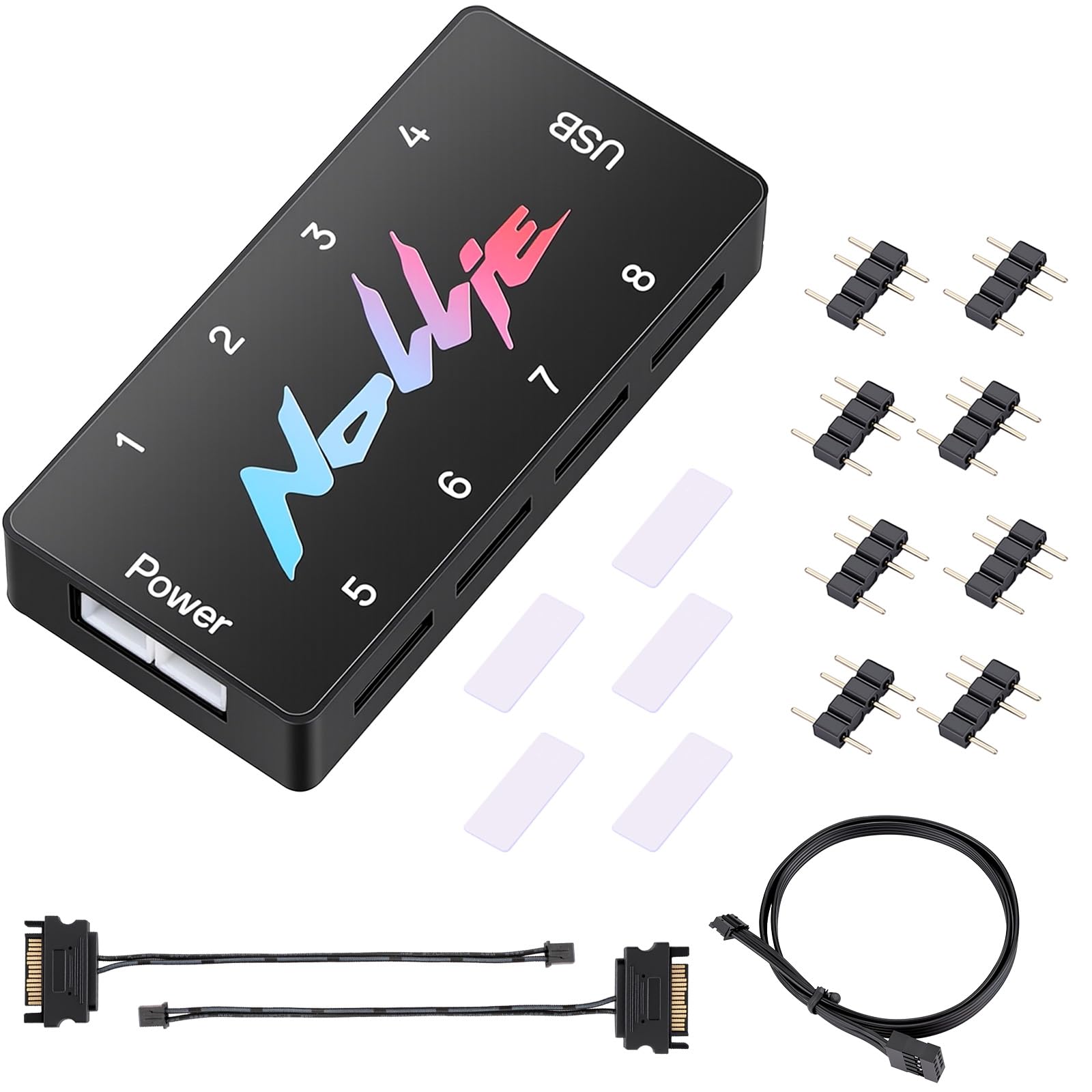
The board that talks to SignalRGB from the start — no puzzle, no software fights.
You can run software-driven lighting across your whole setup from one screen. It gives you eight 5V 3-pin channels (ports for addressable RGB fans and strips) and around 1,000 LED beads of headroom (the total number of individual lights it can drive). It is certified for SignalRGB and compatible with OpenRGB, two programs that sync your effects, so every device answers to one app. The body is just 2.68 inches long, among the most compact here, so you get room for cable runs instead of a chunky box behind the tray.
Dual SATA power (two 6.30-inch cables included) is the backbone that stops voltage drops on big arrays. A single USB 9-pin port, with a 19.69-inch cable in the box, carries the signal. The kit also includes eight adapter pins and adhesive so there is no mad dash to the parts bin. Working with SignalRGB is the feature owners praise most, and compatibility with other lighting ecosystems comes right behind it.
Getting the most out of it takes effort, though. The software side is where bad experiences cluster — a few buyers feel the setup and value do not add up. It is a hub for someone willing to install the right software and learn the interface, not for a plug-and-forget buyer who just wants a static colour. That is the honest trade-off.
The real draw: SignalRGB certification and OpenRGB compatibility, with ~1,000 LED beads of capacity across eight channels.
The catch to know: it rewards tinkerers and punishes anyone hoping to skip the software side — value comes up mixed in buyer feedback.
Made for you if: you already run SignalRGB or OpenRGB and want eight channels with room for big LED arrays.
Probably not if: you want set-and-forget lighting with no software to learn.
6. EZDIY-FAB ARGB PWM Fan Hub

Eight fans and 200 LEDs on a copper-backed board that mounts with velcro, not magnets.
The spec worth anchoring here is LED capacity: up to 200 LEDs across the ARGB channels, which is enough for a full ring-lit fan set plus a long strip. Eight 4-pin PWM ports and eight ARGB ports pair up, so each fan gets both speed and light on the same hub. The board is copper-based for durability, and SATA power keeps output steady even when every slot is filled.
One behaviour to know: fan speed follows the PWM signal from the motherboard, but only the fan in the first port can be read by your system. If you have mixed fan models, they will still spin at their shared curve — you just monitor one RPM figure. Three-pin fans get no speed control at all and will run wide open, so keep your PWM fans for the controlled slots.
Fit-wise, it is built for tighter chambers: the kit includes adhesive velcro rather than a magnet, so there is no need for a steel wall — you can stick it to almost any flat surface. For builds where 200 LEDs is the real ceiling you care about, this is the hub that clears it.
Where it lands: 200 LEDs of lighting headroom and eight fan ports, with a copper-backed board and velcro mounting.
One trait to plan around: only one fan’s speed shows up in your system, and 3-pin fans run at max — fine if your loop is all 4-pin PWM.
Best match for: a lighting-heavy case with up to 200 LEDs and eight PWM fans needing a velcro-friendly mount.
Think twice if: you need to monitor RPM on every individual fan rather than one shared signal.
7. AsiaHorse ASH-S1 ARGB Fan Hub
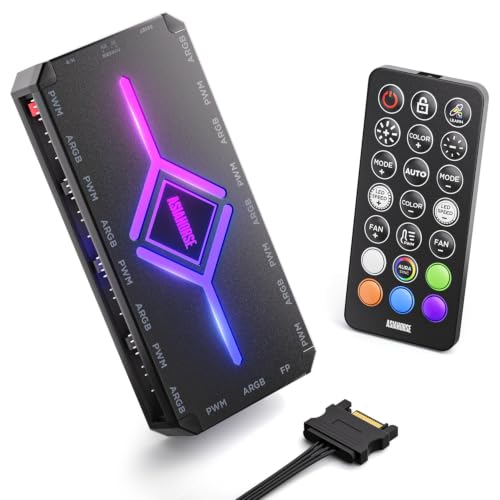
Twenty built-in light shows and a remote that reads your custom colours — a hub that performs.
The hook here is the built-in chip: 20 preset ARGB effects you can call up from the remote without installing anything. There is also a colour-learning mode that reads the colours set in your lighting software, so you can blend the presets with your own palette. Over 400 LED beads of support (the maker cites 9 fans at 24 LEDs each plus a 161-LED strip) means big arrays fit. Nine PWM and nine ARGB ports cover the hardware side.
The remote gives you fine steps too: 10 brightness levels, 10 ARGB speed settings, and 10 PWM fan-speed settings. Aura mode hands lighting control back to your motherboard software for full sync, while PWM mode adjusts fan speeds based on temperature. Maximum fan speed is 2000 rpm at a listed 29 dB noise level — that is the hub’s spec ceiling for attached fans. The performance and quality both draw strong praise, and value holds up in buyer feedback.
The learning curve is real: the colour-learning concept is unusual, and a few buyers find the manual does not fully explain it. Expect to spend a session with the remote before it feels natural. Also, the RGB lighting itself draws mixed reactions — some find the presets more subtle than the photos suggest. That is a matter of taste, not a fault.
Why the showpiece angle lands
- 20 built-in preset effects with a colour-learning mode
- Nine PWM and nine ARGB ports, 400+ LED bead support
- Remote offers 10 brightness, speed and PWM steps
- Aura mode pulls it back into motherboard software
Small frictions
- The colour-learning setup is not obvious from the manual
- Preset lighting intensity varies from the listing images
Go for it if: you want out-of-the-box preset drama with a remote in hand and nine ports of capacity.
Give it a pass if: you prefer software-only control and no remote to keep track of.
8. CORSAIR Commander Duo iCUE Link RGB Lighting Fan Controller
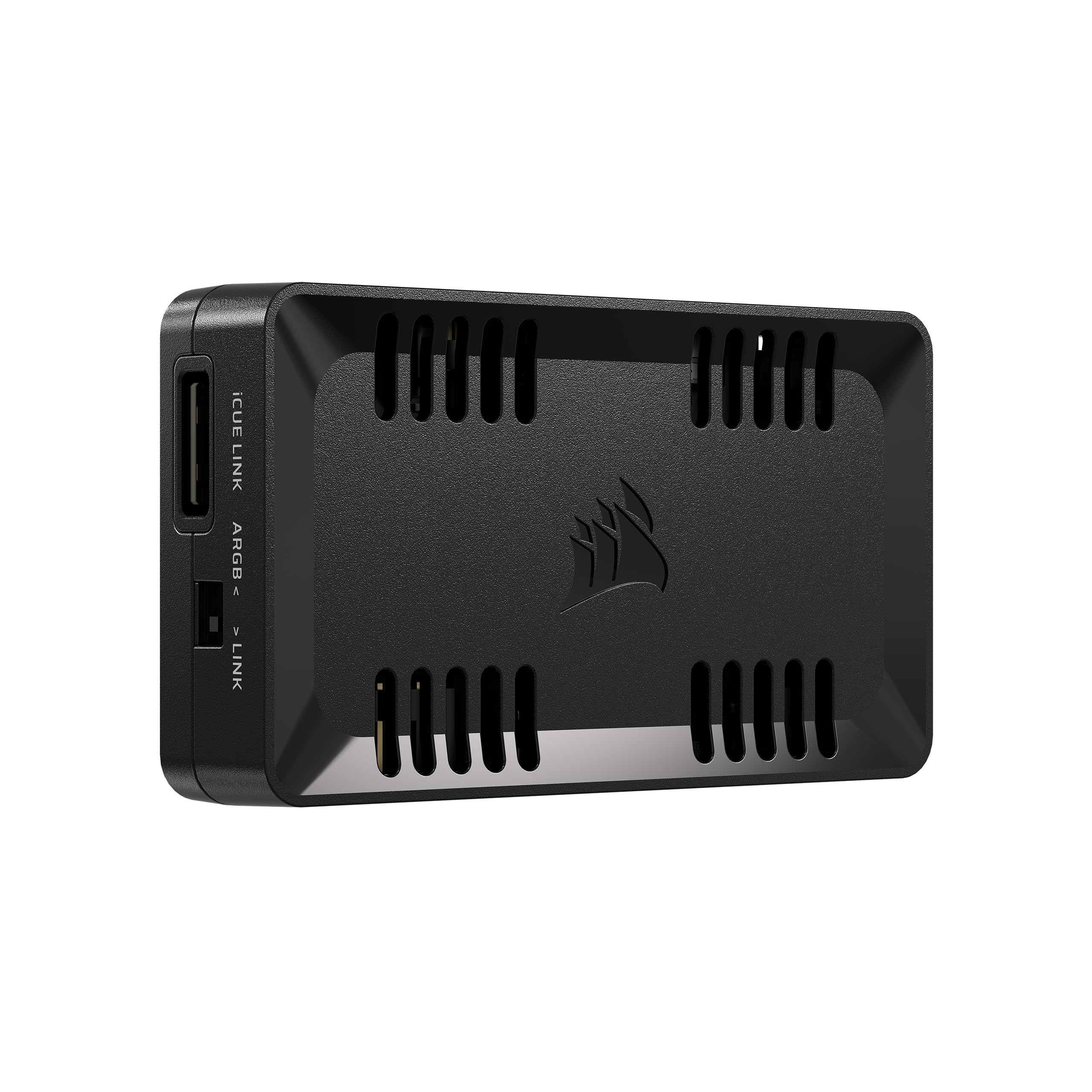
Two channels that each carry six daisy-chained fans — double what the Commander Core XT holds.
Unlike the single-header splitters above, this is a two-ecosystem hub. It works with both ARGB PWM fans and iCUE LINK devices when paired with a System Hub, so one interface can manage two kinds of fans and lighting. Each of the two channels supports up to six daisy-chained fans — twice the fan count of the Commander Core XT. Each ARGB channel supports up to 50 LEDs.
Inside the iCUE software you get intelligent fan detection, group speed control, and custom fan curves. Combined with synchronised RGB across each channel, that is a tidy way to handle a full Corsair build without a tangle of adapters. Compatibility with existing fans and coolers is what owners praise most here, and easy setup comes close behind.
The honest note is that it will not speak every language. Software compatibility and connectivity come up mixed in buyer feedback, and a few report the setup taking more trial and error than expected. If your case is already Corsair-heavy, though, this is the natural control point — pairing with a System Hub is the key, so factor that in.
What it handles: two channels of six daisy-chained fans each, up to 50 LEDs per ARGB channel, all under iCUE software.
Where it stops: it works best inside the Corsair world — third-party fans and other lighting apps may need adapters or patience.
Made for: a Corsair-stacked build already running iCUE software and a System Hub.
Skip past if: your fans come from several brands and you want a single hub to rule them all.
9. Airgoo 16-Port Magnetic-Mount USB ARGB Controller
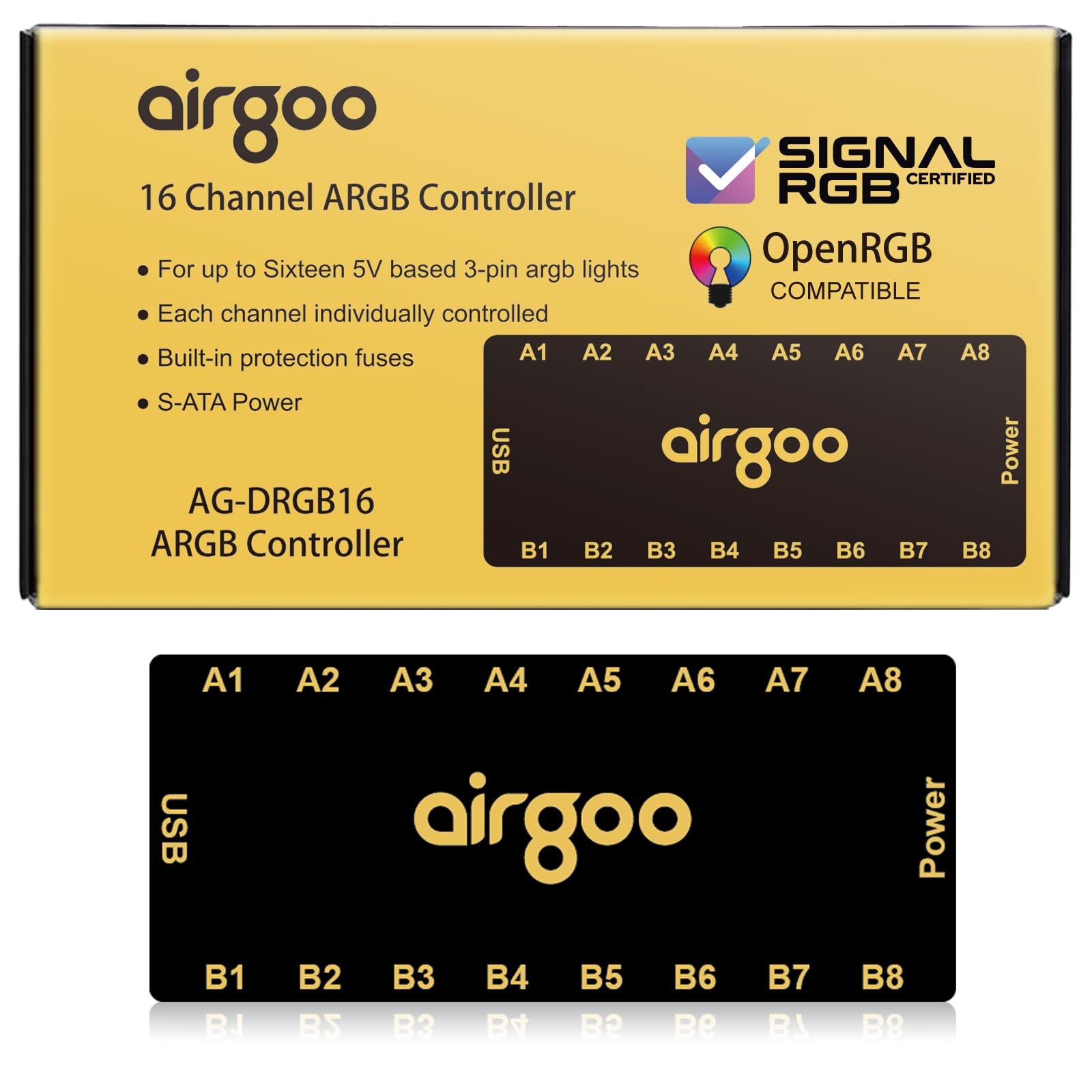
Sixteen channels at up to 256 LEDs each — the biggest lighting canvas in this lineup by a wide margin.
If your problem is not too few fan headers but too few light channels, this solves it. Sixteen independent channels, each supporting up to 256 LEDs, can run fans, strips, and AIO cooler lighting all at once. That is a capacity for multi-brand setups where the motherboard simply runs out of headers. It mounts magnetically to any steel surface inside the case and connects over USB 2.0 plus SATA power.
SignalRGB and OpenRGB are the software backbone: granular per-LED control, gradients, and hardware-reactive patterns all live in one interface. USB 2.0 keeps instructions instant, and the SATA feed stops flicker at maximum load. A built-in auto-resetting fuse guards against overloads and short circuits. Cross-platform support covers Windows for SignalRGB, and Windows, Linux, and macOS for OpenRGB. Quality, functionality and easy installation all come in for strong praise, with the magnetic attachment a particular favourite.
There is one setup rule that catches people: you must download and install the correct software — the latest SignalRGB or OpenRGB release — before configuration works. Skipping that step makes the controller look dead. It is also a lighting-focused controller, so plan your fan speed control separately. For sheer lighting scale, it leads the whole list.
The headline: 16 channels at up to 256 LEDs each, with SignalRGB and OpenRGB support across Windows, Linux, and macOS.
Before you buy: it controls lighting, not fan speed, and demands the right software installed first.
This is for you if: your lighting setup has outgrown your motherboard’s RGB headers and you want one controller to unify it.
Look past if: you also need the hub to manage fan speeds — this one stays in the lighting lane.
Understanding the Specs
5V 3-Pin vs 12V 4-Pin
ARGB lighting runs on a 5V 3-pin connector, which can address each LED individually so one strip can show a rainbow. A 12V 4-pin connector drives the strip as one colour. Feed a 12V device into a 5V port and you risk damage. Check the arrow on the plug and match it to the 5V side before connecting.
Ports and LED Capacity
Fan ports tell you how many fans you can split; LED capacity tells you how much light each channel can drive. A hub might list a per-channel figure, a total, or both. Match these to your fans and strips so you do not hit the ceiling mid-build.
PWM Splitting and Fan Readout
PWM (pulse-width modulation) lets the motherboard control fan speed. Some hubs relay that signal to every port, but only one fan’s RPM is reported to the system. Three-pin fans on a PWM port get no speed control and often run flat out.
SATA Power and Mounting
A SATA lead straight from the power supply keeps lighting steady under load. Mounting varies: magnetic backs snap to steel panels, velcro and adhesive pads work on other surfaces, and small bodies fit behind the motherboard tray.
FAQ
Will an ARGB fan hub work with a 12V RGB strip?
How many fans can I connect to one hub?
Do I need extra software to use my hub?
Why do my lights not turn on when I plug the hub in?
Can I control fan speed through the hub?
Will a hub work with an ASUS, MSI, or Gigabyte motherboard?
How do I mount a hub inside my case?
What is the difference between an ARGB hub and my motherboard’s header?
How much LED capacity do I need?
Does a hub need its own power cable?
Final Thoughts: The Verdict
For a full gaming build, the argb fan hub winner is the ASUS TUF Gaming ARGB PWM Fan Hub. It gives you six PWM ports (fan speed control), six ARGB ports (addressable RGB lighting), two SATA feeds (power cables from your power supply), and a magnetic mount that sticks to your case. That covers a whole build, and the ASUS name on the box backs it. Wire the six fans and six ARGB devices once and the magnetic mount keeps the run tidy.
If raw port count is what you need, the TUMMASTER J-10 gives you ten ports and a hand-held remote for quick colour swaps without software. For huge multi-brand lighting, the Airgoo 16-Port handles sixteen channels at up to 256 LEDs each. Whichever you pick, match the connector arrow to the 5V side and keep the SATA feed steady.
How We Picked
We do not accept paid placement. Every pick is matched to a real buyer and a real use-case; we do not hands-on test units.
Sources & Methodology
Specifications: manufacturer listings and product documentation. Review insights: verified customer reviews, as of November 2026. Pricing: not shown on this page (it changes often); check the current price via the retailer link.
As an Amazon Associate, Gadgets Feed earns from qualifying purchases. This does not affect which products we feature.