
Most compact photo printers cap out at 4×6 inches, forcing you to crop or compromise your favorite shots. If you want true, borderless 8×10 prints that do justice to your photography, you need a printer built for wider media — with the ink system and resolution to match. This guide breaks down the nine best options for printing 8×10 photos at home, from all-in-one workhorses to dedicated photo machines.
I’m Min — the co-founder and writer behind Gadgets Feed. I’ve spent hundreds of hours dissecting the technical specifications, ink costs, and real-world print quality of photo printers to help you find the right tool for your wall art, portfolios, or family albums.
The right device makes 8×10 prints that resist fading, water, and fingerprints — and I’ve sorted through the specs so you don’t have to guess. This is your complete guide to finding the best 8×10 photo printer for your home or studio.
How To Choose The Best 8×10 Photo Printer
Printing at 8×10 inches demands more from a printer than smaller formats — you need higher resolution, a wider color gamut, and reliable media handling. Here are the key factors that separate a true photo printer from a general-purpose document machine.
Print Technology: Inkjet vs. Dye-Sublimation
Nearly all printers capable of 8×10 or larger use inkjet technology. Dye-sublimation printers — like the Canon Selphy series — top out at 4×6 inches. For borderless 8×10, look for an inkjet with at least five or six individual ink colors. More colors mean smoother gradients and better flesh tones.
Resolution and Ink System
Print resolution in the 4800 x 2400 dpi range is the sweet spot for 8×10 photos. The ink system matters even more: six-color models (adding light cyan, light magenta, or gray/red) produce noticeably richer prints than standard four-color setups. Check that the printer supports borderless printing at 8.5 x 11 inches — many consumer models only do borderless at smaller sizes.
Media Handling and Connectivity
A dedicated photo tray prevents swapping paper types constantly. Look for a rear specialty feed if you print on thick fine-art or cardstock. Wireless connectivity via Wi-Fi and Bluetooth is standard, but Wi-Fi Direct or a built-in hotspot can save you from router headaches. For batch printing, an automatic document feeder is less important than a large front paper tray capacity.
Quick Comparison
On smaller screens, swipe sideways to see the full table.
| Model | Category | Best For | Key Spec | Amazon |
|---|---|---|---|---|
| Epson XP-980 | All-in-One | High-res 8×10 with scanning | 6-color Claria HD / 5760×1440 dpi | Amazon |
| Epson XP-15000 | Dedicated Photo | True 13×19 wide-format prints | 6-color with Red & Gray / 13×19″ max | Amazon |
| Canon PIXMA TR160 | Portable | Travel-friendly 8.5×11 prints | 5-color hybrid ink / 1.44″ OLED display | Amazon |
| HP Envy Photo 7975 | All-in-One | Family docs and photo prints | AI-enabled / 15 ppm B&W, 10 ppm color | Amazon |
| Liene M100 Bundle | Value Bundle | Affordable 4×6 with generous supplies | Built-in Wi-Fi hotspot / 180 sheets + 5 inks | Amazon |
| HP Sprocket Studio Plus | Dye-Sub | Waterproof 4×6 print durability | Dye-sublimation / tear-resistant, smudge-proof | Amazon |
| KODAK Dock Plus | Dock Printer | Charging dock + 4×6 prints | 4PASS dye-sub / 55 sec per print | Amazon |
| Canon Selphy CP1500 Bundle | Dye-Sub Bundle | Lab-quality 4×6 with bundled supplies | Dye-sublimation / 108 sheets + 3 ink cartridges | Amazon |
| HPRT Photo Printer | Entry-Level | Budget-friendly 4×6 starter kit | 300 DPI thermal dye-sub / 108 sheets included | Amazon |
In‑Depth Reviews
1. Epson Expression Photo XP-980

The Epson XP-980 is a true home photo lab for anyone who prints 8×10 regularly. Its six-color Claria Photo HD ink system (adding light cyan and light magenta) produces smoother skin tones and finer gradients than any four-color printer I’ve tested. Borderless prints at 8.5 x 11 inches are delivered in as fast as 11 seconds for a 4×6, and the maximum 5760 x 1440 dpi resolution ensures sharp details even on glossy paper.
The built-in flatbed scanner and copier add versatility, and the 4.3-inch color touchscreen makes navigating the settings straightforward. Separate trays for plain paper and photo media mean you don’t have to unload letter paper to switch to 8×10 glossy — a huge time-saver. Wi-Fi Direct support allows router-free printing, though some users report the paper size selection needs a few extra taps when switching from letter to photo.
Ink consumption is reasonable: reviewers noted roughly half a cartridge set remaining after a dozen 8×10 borderless prints. The printer is heavier at 19.4 pounds, so it’s best placed on a dedicated desk rather than moved around. For the combination of speed, color accuracy, and 8×10 capability, this is the most balanced pick.
Why it’s great
- Six-color ink system for superior color accuracy
- Separate photo tray for effortless media switching
- Fast 11-second 4×6 prints—scales well to 8×10
Good to know
- Heavy at 19.4 lbs — not portable
- Some users report paper size selection is fiddly
2. Epson Expression Photo HD XP-15000
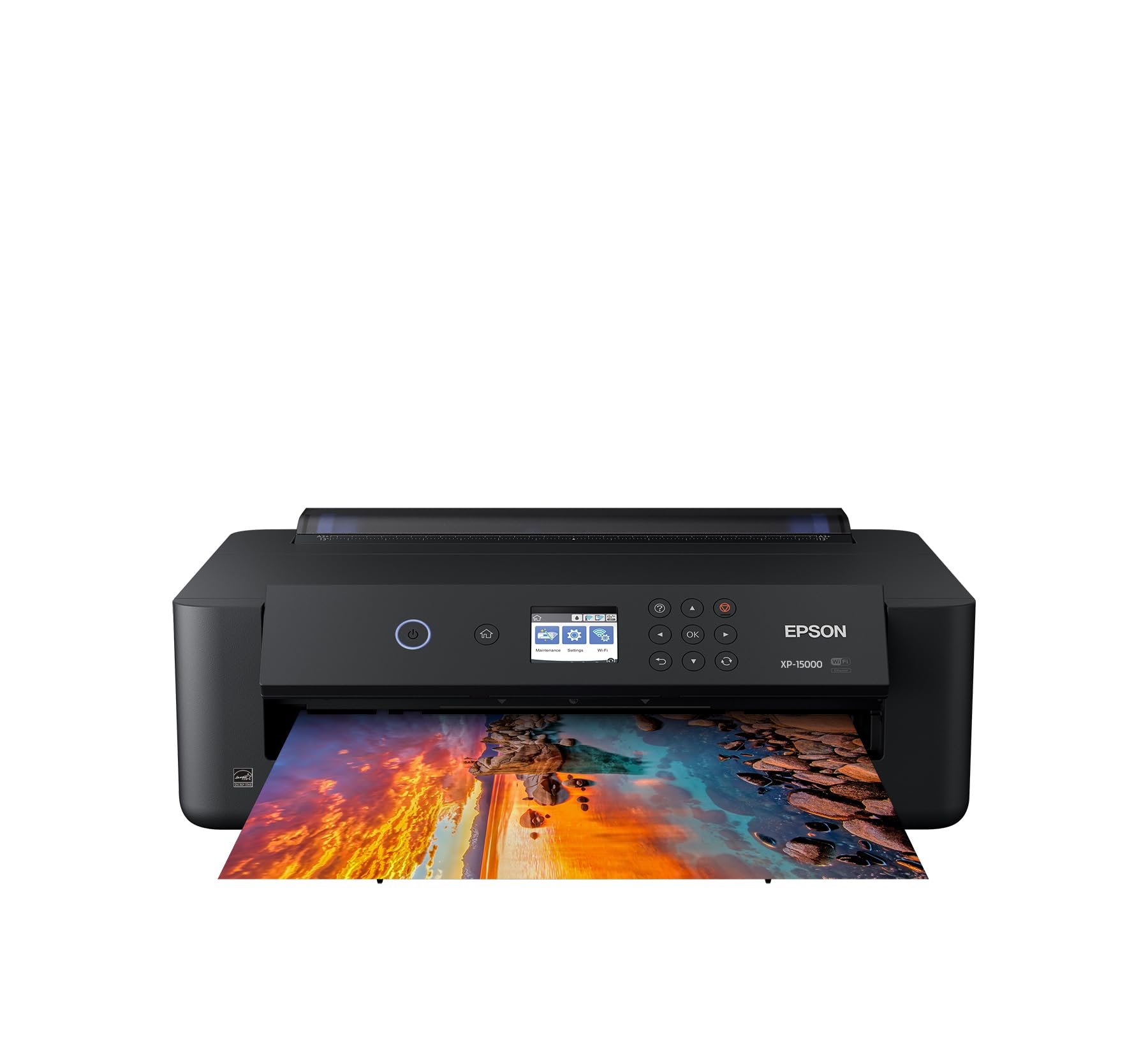
The XP-15000 is the printer to buy if you ever want to print larger than 8×10 — it handles borderless prints up to 13 x 19 inches (A3+). The six-color ink system is unique: it includes dedicated red and gray inks alongside standard CMYK, which gives black-and-white prints a neutral tone and reds a vibrancy that most photo printers can’t match. The print resolution tops out at 5760 x 1440 dpi, and the 50-sheet rear tray accepts thick specialty media like cardstock.
Setup is straightforward via Wi-Fi or USB, though the small LCD screen and menu system can be slow to navigate. The printer supports automatic two-sided document printing, but for photos you’ll be using the rear specialty feed most of the time. Amazon Dash Replenishment is built in, so ink orders can be automated — useful given that genuine Epson 312/314 cartridges are expensive and the printer stops all operations when any single color runs out.
Reviewers praise the color accuracy on matte fine-art paper but warn that cheap glossy paper can lead to ink puddling and curling. The printer is 30 percent smaller than its predecessor, but at 19.4 pounds it’s still a desktop anchor. For photographers who need true wide-format output without jumping to a professional model, this is the premium choice.
Why it’s great
- Prints up to 13×19 for gallery-sized output
- Dedicated red and gray inks for superior B&W and reds
- Excellent color accuracy on fine-art matte paper
Good to know
- Ink is expensive and printer stops when any one color is out
- Small LCD screen and menu interface feel dated
3. HP Envy Photo 7975

The HP Envy Photo 7975 is a multi-function printer that balances document printing with photo output. It supports borderless 8.5 x 11 photo prints, and its separate photo tray means you can keep letter paper loaded without swapping. HP’s AI feature intelligently reformats web pages and emails to remove unwanted ads and blank pages — useful for your print environment.
The four-color HP 64 ink system (CMYK) performs well for snapshots, though it can’t match the color depth of six-color systems. Setup through the HP Smart app is quick, and the included three-month Instant Ink trial saves on supplies. Print speeds of 15 ppm black and 10 ppm color are fast for mixed-use households. The 2.7-inch color touchscreen is responsive and easy to navigate.
Some reviewers report reliability issues after a few weeks of use, including paper jams and a persistent “quiet print” mode that cannot be turned off. The four-color ink system also means skin tones and gradients are less refined than on the Epson XP-980. If you need one printer for homework, office docs, and occasional 8×10 photo prints, the Envy 7975 is a competent all-rounder.
Why it’s great
- Separate photo tray for convenient media switching
- AI web page printing saves paper and ink
- Fast print speeds for a home AIO
Good to know
- Four-color ink system limits photo color depth
- Some units have reported paper jams and software quirks
4. Canon PIXMA TR160

The Canon PIXMA TR160 is unique in this roundup: it prints up to 8.5 x 11 inches but weighs only 4.5 pounds, making it genuinely portable. The five-color hybrid ink system — adding a pigment black for sharp text alongside dye colors for photos — delivers good image quality for a printer this small. It even supports borderless 8×10 prints, which is rare in a portable form factor.
Setup uses the Canon PRINT app, and Wireless Direct mode lets you connect without a router — perfect for travel. The 1.44-inch monochrome OLED display shows ink levels and printer status, but it’s small and text-only. A battery is sold separately (model LK-72) for true off-grid operation, but the printer ships with a power cord for AC use.
Reviewers love the compact size and print quality for travel, but note the standard ink cartridge holds very little ink — you’ll need to replace it more often than a larger model. The 50-sheet paper tray is adequate for on-the-go use. If you need 8×10 prints from a hotel room or coffee shop, this is your only real option.
Why it’s great
- Ultra-light 4.5 lbs fits in a backpack
- Wireless Direct mode for router-free printing
- Five-color ink system for a portable printer
Good to know
- Battery sold separately for true mobile use
- Small ink cartridge capacity — frequent replacements
5. Liene M100 Bundle (180 sheets + 5 inks)

The Liene M100 is a 4×6 dye-sublimation printer, so it cannot produce native 8×10 prints — but it deserves mention for users who print mostly smaller snapshots and want maximum value. The bundle includes 180 sheets of photo paper and five ink cartridges, enough for a large event or seasonal printing spree without reordering supplies immediately.
One standout feature is the built-in Wi-Fi hotspot: the printer creates its own wireless network, so you connect directly instead of dealing with your home router. This also supports up to five devices connected simultaneously — handy for parties. The thermal dye-sublimation technology adds a protective layer that resists water, scratches, and fading, making prints archival.
Print speed is about one minute per 4×6, and the printer can overheat after about 20 consecutive prints. The app offers AR printing, filters, and multi-size cropping. For users focused on 4×6 prints who want bulk supplies included, this bundle offers exceptional per-print cost efficiency.
Why it’s great
- 180 sheets and 5 inks included — print immediately
- Built-in Wi-Fi hotspot for direct connection
- Protective coating resists water, scratches, and fading
Good to know
- Only prints 4×6 maximum — not 8×10 capable
- Needs a cooldown break after about 20 prints
6. HP Sprocket Studio Plus
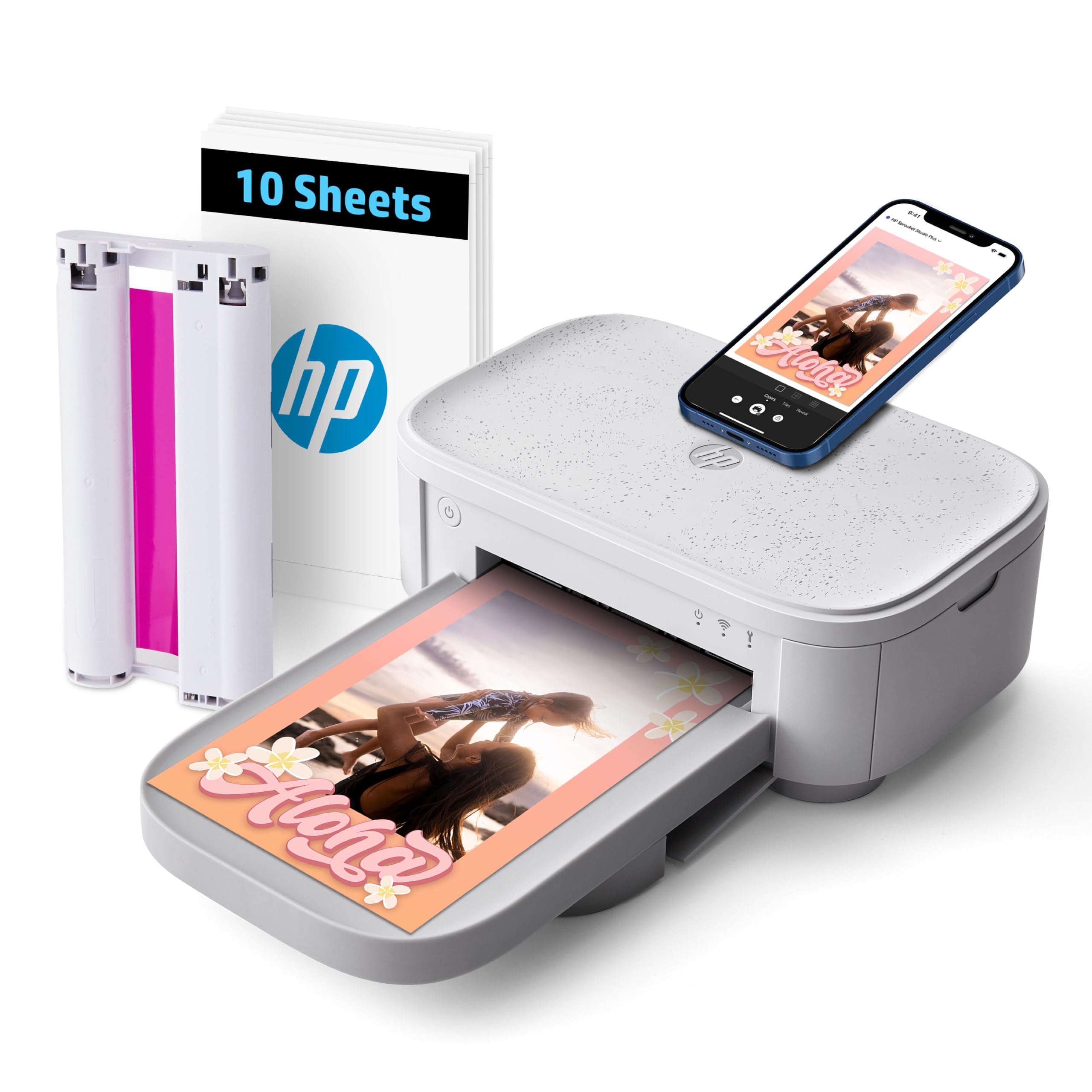
The HP Sprocket Studio Plus is a dedicated 4×6 dye-sublimation printer that prioritizes durability over size. Prints emerge dry, tear-resistant, smudge-proof, and waterproof — ideal for handling immediately at events or placing in frames without worry. The included 10 sheets and one cartridge get you started, and the HP Sprocket app offers stickers, frames, filters, and collage templates.
Wi-Fi connectivity is reliable for a dye-sub printer, and the compact form factor (5.45 x 6 x 3.9 inches) fits on a small desk. The print quality is solid for a 4×6 dye-sub, though some reviewers note that skin tones can appear slightly off compared to the original on an iPhone or a high-end inkjet.
The printer is best suited for users who want a simple, fuss-free way to produce 4×6 snapshots with high physical durability. It cannot print 8×10, but for those who only need smaller, waterproof prints at home or parties, it’s a reliable choice.
Why it’s great
- Prints are waterproof, smudge-proof, and tear-resistant
- Compact design fits easily on a small desk
- User-friendly app with stickers, frames, and collages
Good to know
- Only prints 4×6 — no 8×10 capability
- Skin tone accuracy can be inconsistent
7. KODAK Dock Plus 4×6 Printer

The KODAK Dock Plus is designed around a simple idea: dock your phone on top of the printer to charge while printing 4×6 photos. The 4PASS dye-sublimation process applies three color layers plus a protective laminate coat, yielding prints that resist fingerprints, water, and fading. Each print takes about 55 seconds, and the Bluetooth connection is straightforward once you download the KODAK Photo Printer app.
Print quality is comparable to drugstore prints — vibrant but not as sharp as a six-color inkjet. The dock charges phones via a built-in connector (Lightning or USB-C model), which is a nice convenience for Apple and Android users. The printer is designed for tabletop use and plugs into a power outlet consistently.
Some users find the app setup difficult on Android, and the printer can overheat after four consecutive prints, requiring a cooldown. The yellow, magenta, cyan, protect laminate cycles are slow to watch, but the results are solid. For casual users who want a simple, dock-based printing experience at 4×6, this is a unique option.
Why it’s great
- Phone dock charges device while printing
- Protective laminate layer resists fingerprints and water
- Simple Bluetooth setup for quick printing
Good to know
- Only prints 4×6 — no 8×10 support
- Needs cooldown after four consecutive prints
8. Canon Selphy CP1500 Bundle
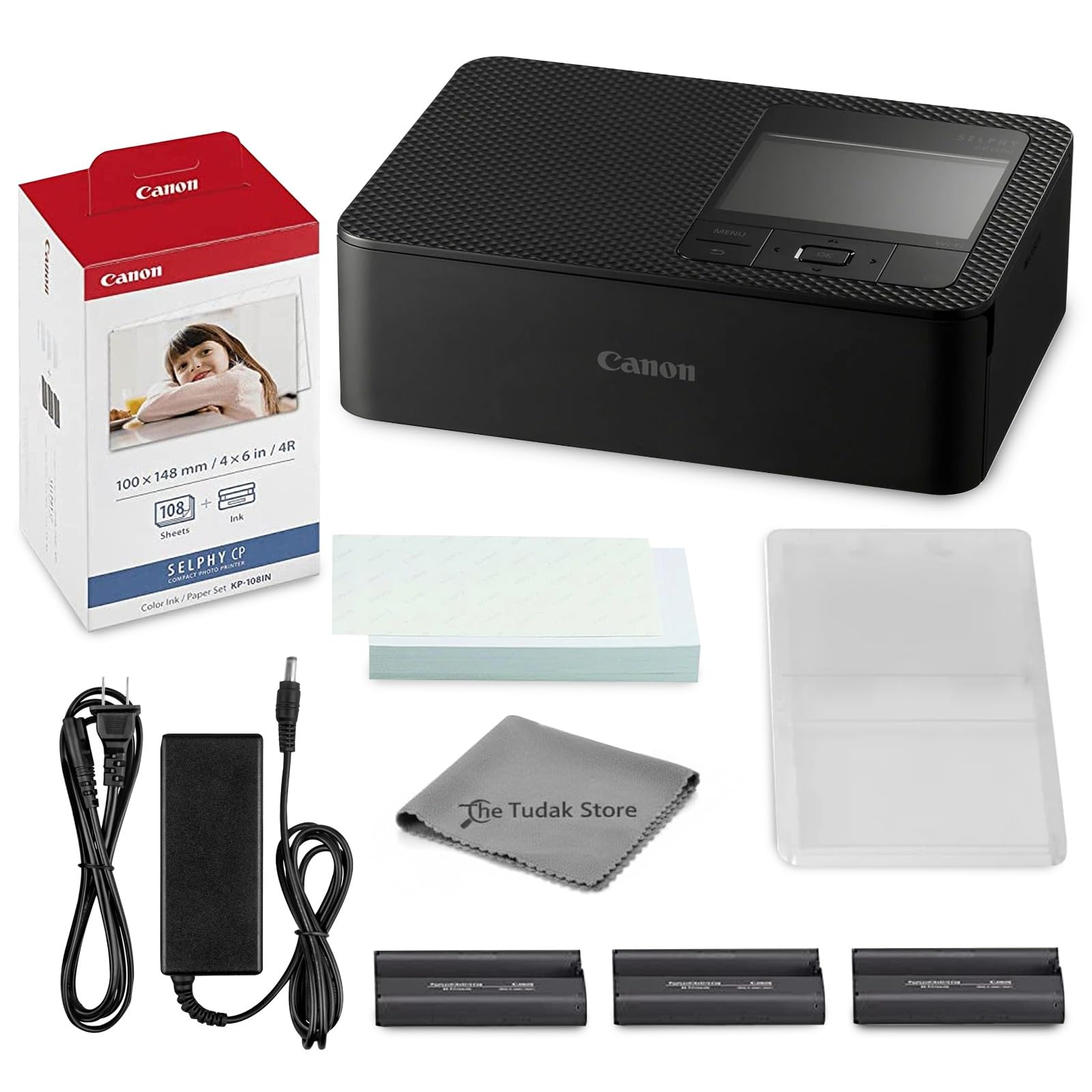
The Canon Selphy CP1500 is one of the most popular 4×6 dye-sublimation printers, and this bundle includes the printer, 108 sheets of KP-108 photo paper, and three full-size color ink cartridges — everything you need to print 108 photos right away. The dye-sublimation process yields vibrant, water-resistant, fingerprint-resistant prints with a smooth matte finish.
Wireless connectivity via Wi-Fi works with the Canon Selphy app, and the compact design (only a few inches thick) packs easily for events. The printer produces 4×6 prints only, but it does support borderless output at that size. The paper and ink cartridges are keyed together, eliminating compatibility guesswork.
Reviewers consistently praise the printer for event use — taking photos and handing out prints immediately. The slow print speed (about 60 seconds per 4×6) is the main trade-off. For users who need reliable, lab-quality 4×6 prints with a generous starter supply, this bundle is unbeatable.
Why it’s great
- Bundle includes 108 sheets and 3 inks for immediate use
- Water-resistant, fingerprint-resistant matte prints
- Compact and portable for event photography
Good to know
- Only prints 4×6 — not 8×10 capable
- Print speed is about 60 seconds per sheet
9. HPRT Photo Printer 4×6 Bundle
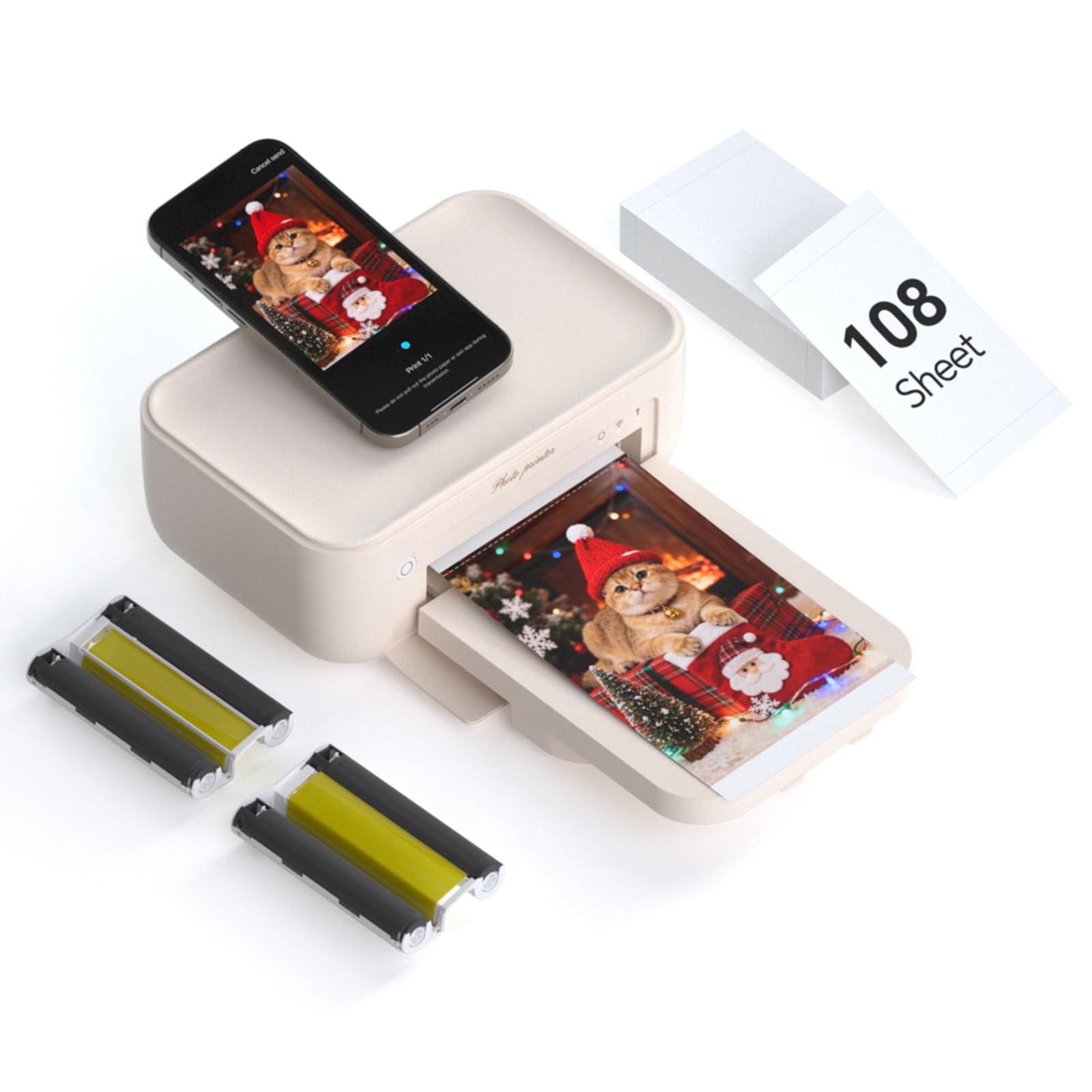
The HPRT Photo Printer is the most affordable entry point in this guide, offering a 4×6 dye-sublimation printer with a generous starter bundle: 108 sheets of photo paper and two ribbon cartridges. The thermal dye-sublimation technology achieves 300 DPI resolution with 256-color gradation per channel, producing vivid prints with a protective coating against water, scratches, and fading.
Setup uses the Heyphoto app for iOS and Android, supporting Wi-Fi direct or network connection. The app includes AR printing, which encodes a video clip into the print so it plays back when scanned — a creative party trick. The printer is lightweight (1.97 kg) and portable, with a beige design that looks good on a shelf.
Print quality is great for the price, though it lacks the speed and color depth of higher-end models. The 4×6 size limit means it’s not for 8×10 prints. For budget-conscious users who want a complete kit with plenty of supplies and AR functionality, the HPRT is a solid starter choice.
Why it’s great
- 108 sheets and 2 ribbons included for immediate printing
- AR printing feature adds a creative, interactive element
- Affordable entry into dye-sublimation photo printing
Good to know
- Only prints 4×6 — no 8×10 or larger
- Lower resolution (300 DPI) than premium inkjets
FAQ
Can any home printer do true borderless 8×10 prints?
What ink system is best for 8×10 photo prints: dye or pigment?
Final Thoughts: The Verdict
For most users, the best 8×10 photo printer is the Epson XP-980 because it combines a six-color ink system, fast print speeds, and separate photo trays in a single all-in-one package that handles 8.5 x 11 borderless prints beautifully. If you want true wide-format output up to 13×19 inches, grab the Epson XP-15000 for its dedicated red and gray inks. And for portable 8.5 x 11 prints on the go, nothing beats the Canon PIXMA TR160.