
Shrinking a true 3840×2160 gaming experience into a package you can slip into a backpack isn’t a gimmick anymore. The latest portable monitors now pack the pixel density of a flagship desktop display, letting you see detail in your games that 1080p panels simply wash out. Whether you’re tucking a secondary screen into a laptop bag for a LAN party or building a compact console rig, the jump to a 4K Portable Gaming Monitor changes how you perceive depth, texture, and contrast on the move.
I’m Min — the co-founder and writer behind Gadgets Feed. For this guide, I’ve cross-referenced pixel pitch, color gamut coverage, panel technology (OLED vs. IPS vs. QLED), and real-world refresh rate limits from eleven distinct models to sort the signal from the noise.
After evaluating brightness, response time consistency, and connectivity compatibility across varying price tiers, I have assembled the definitive list of the best 4k portable gaming monitor options available right now.
How To Choose The Best 4K Portable Gaming Monitor
When you are buying a portable monitor for 4K gaming, the usual “size and weight” checklist isn’t enough. You need a panel that can resolve fast motion without ghosting, a brightness level that doesn’t wash out in daylight, and a connection standard that actually pushes the full 3840×2160 signal without crashing down to 30Hz. Here is what matters most.
Panel Technology and Response Time
The panel type dictates your black levels, color reproducibility, and motion handling. OLED panels (like the UPERFECT UColor O Lite) deliver near-infinite contrast ratios and sub-1ms response times, which makes dark scenes in games like *Diablo IV* look truly black rather than gray. IPS and QLED panels offer higher peak brightness—often 500 to 600 nits—and avoid the burn-in risk that some gamers worry about with marathon sessions. For portable 4K gaming, a 1ms to 5ms GtG response is the threshold where motion blur stops being noticeable during fast camera pans.
Connectivity and Power Delivery
A true 4K signal requires enough bandwidth over USB-C (with DP Alt Mode) or HDMI 2.1 to sustain 60Hz or higher without compression artifacts. Many monitors labeled “4K compatible” actually throttle to 30Hz if you use a single USB-C cable without external power. Look for monitors that include a dedicated power adapter or support power pass-through—this ensures you get full brightness and refresh rate. Devices like the LG 27G810A-B use HDMI 2.1 to unlock 4K at 120Hz on consoles, while dual USB-C ports let you daisy-chain power to a laptop.
Brightness, HDR, and Color Gamut
Portable monitors often compete with ambient light in coffee shops, hotel rooms, or airplane trays. A minimum of 400 nits is recommended for playable HDR, while 500 to 600 nits (as seen on the UPERFECT 17.3 QLED) provides genuinely impactful highlights. Color gamut numbers like 100% sRGB and 95% DCI-P3 are common, but 100% DCI-P3 (found on OLED panels) makes in-game foliage and character skins look noticeably richer. VESA DisplayHDR 400 is the entry point for believable highlights; True Black 400 on OLED models takes shadow detail further.
Quick Comparison
On smaller screens, swipe sideways to see the full table.
| Model | Category | Best For | Key Spec | Amazon |
|---|---|---|---|---|
| LG 32GX850A-B | Premium OLED | Desktop-grade OLED 4K gaming | 32″, 165Hz, 0.03ms, Glossy OLED | Amazon |
| ASUS ROG Strix XG32UCG | Premium IPS | Dual-mode competitive gaming | 32″, 4K 160Hz / FHD 320Hz, 0.3ms | Amazon |
| LG 27G810A-B | Mid-Range IPS | Hybrid work/play 4K monitor | 27″, 4K 180Hz / FHD 360Hz, 1ms | Amazon |
| SOTSU FlipAction Elite | Premium Portable | MacBook Pro companion | 16″, 3840×2400, 60Hz, Full Metal CNC | Amazon |
| Magedok 17.3″ Touch | Touch Mid-Range | Touchscreen creative workflow | 17.3″, 4K 120Hz, 10-Point Touch | Amazon |
| Magedok 16″ OLED | Portable OLED | True 4K OLED on the go | 16″, 4K OLED, 100% DCI-P3, 16:10 | Amazon |
| ViewSonic VX1655-4K-OLED | Brand OLED | Ultra-light 4K OLED travel | 15.6″, 4K OLED, 1.5 lbs, Matte | Amazon |
| UPERFECT 17.3″ QLED | Mid-Range QLED | Bright outdoor gaming | 17.3″, 4K QLED, 600 nits, 150% sRGB | Amazon |
| InnoView Dual Monitor | Dual Screen | Foldable dual 4K productivity | 2x 15.6″, 4K, 180° Stand, 100% sRGB | Amazon |
| UPERFECT UColor O Lite | Compact OLED | Portable OLED with 500 nits | 13.3″, 4K OLED, 500 nits, 1ms | Amazon |
| InnoView 18.5″ 4K | Budget Entry | Large 4K screen on a budget | 18.5″, 4K IPS, 400 nits, 180° Stand | Amazon |
In‑Depth Reviews
1. LG 32GX850A-B 32″ UltraGear Glossy OLED

The LG 32GX850A-B uses a glossy OLED panel with Micro Lens Array+ technology to hit a typical brightness of 275 nits — enough to make in-game explosions pop without the washed-out look of matte coatings. The 32-inch 4K UHD (3840×2160) resolution delivers a pixel density sharp enough for desktop gaming, while the 1.5M:1 contrast ratio ensures that shadowy corners in *Elden Ring* stay truly black. Dual Mode lets you drop to Full HD at 330Hz for competitive shooters, giving you the option to prioritize speed or clarity with a single hotkey press.
VESA DisplayHDR True Black 400 certification and 98.5% DCI-P3 color coverage make this one of the most color-accurate portable-capable monitors on the market. The 0.03ms GtG response time eliminates ghosting entirely, even during rapid flicks in *Valorant*. NVIDIA G-SYNC compatibility and AMD FreeSync Premium Pro handle frame synchronization, so you won’t see tearing whether you are running an RTX 4090 or a Radeon RX 7900 XTX.
The stand offers height, tilt, swivel, and pivot adjustments, and the virtually borderless design keeps the desk feeling clean. Three UL certifications for anti-glare, flicker-free, and low blue light mean you can run this monitor all day without eye strain. At this price tier, you are paying for a desktop-grade OLED experience that happens to be thin enough to think of as portable.
Why it’s great
- Glossy OLED produces perfect blacks with zero gray blooming in dark scenes
- Dual Mode (4K 165Hz / FHD 330Hz) adapts to any game genre instantly
- 0.03ms response time eliminates motion blur completely
Good to know
- Glossy finish reflects direct overhead lights if you don’t control room lighting
- Typical brightness of 275 nits is lower than high-end LCD competitors
2. ASUS ROG Strix 32” XG32UCG

The ASUS ROG Strix XG32UCG uses a Fast IPS panel to achieve a 0.3ms minimum response time, making it one of the fastest non-OLED gaming monitors available. The 32-inch 4K UHD panel runs at 160Hz natively, but the Dual Mode feature lets you switch to 1080p at 320Hz for esports titles where every millisecond counts. ASUS Extreme Low Motion Blur Sync (ELMB SYNC) works concurrently with variable refresh rate, so you get clear motion without the brightness penalty typical of strobing backlights.
Color reproduction hits 95% DCI-P3 with a 130% sRGB volume, which makes the monitor suitable for both gaming and creative work. The USB Type-C port with DP Alt Mode supports a single-cable connection for laptops, and the integrated tripod socket is a unique addition for streamers who mount a camera above the screen. The stand provides height, tilt, swivel, and pivot adjustments, and the DisplayWidget Center software lets you tweak settings with a mouse rather than digging into the OSD.
HDR performance is solid thanks to a dynamic contrast ratio of 100,000,000:1, though the static contrast stays at 1000:1 typical of IPS. The ROG Gaming AI features help optimize visual settings on the fly, and the included 3-month Adobe Creative Cloud subscription adds value for content creators. If you want a monitor that does 4K single-player immersion and competitive 320Hz without swapping hardware, this is the pick.
Why it’s great
- 0.3ms response time is the fastest you will find on an IPS panel
- ELMB SYNC eliminates motion blur without sacrificing brightness
- Dual Mode lets you jump from 4K 160Hz to FHD 320Hz seamlessly
Good to know
- Static contrast ratio of 1000:1 can’t match OLED black levels
- Requires DisplayPort or HDMI 2.1 to hit the full 160Hz at 4K
3. LG 27G810A-B 27″ UltraGear 4K

The LG 27G810A-B strikes a rare balance between resolution and refresh rate by offering Dual Mode support that pushes 4K at 180Hz or drops to Full HD at 360Hz. The 27-inch IPS panel uses a 1ms GtG response time to keep fast motion clean, and the 95% DCI-P3 color gamut ensures that games like *Cyberpunk 2077* look vibrant rather than washed out. VESA DisplayHDR 400 certification gives you enough brightness for punchy highlights, though you won’t get the deep blacks of an OLED.
Connectivity includes HDMI 2.1 and DisplayPort, so you can run 4K at 120Hz on a PS5 or Xbox Series X without any compression. NVIDIA G-SYNC compatibility and AMD FreeSync Premium cover both GPU ecosystems, and the Dynamic Action Sync feature reduces input lag by adjusting the monitor’s processing delay. The Black Stabilizer brightens dark areas without overexposing the rest of the image, which is handy for spotting enemies in shadowy corners.
The stand provides height, tilt, swivel, and pivot adjustments, and the narrow bezel design works well in multi-monitor setups. DTS HP:X audio support through the 4-pole headphone jack delivers spatial sound without needing a separate DAC. If you want a desktop monitor that can double as a high-refresh display for competitive gaming, this LG is a strong candidate.
Why it’s great
- 4K 180Hz and FHD 360Hz dual modes cover both AAA and esports
- HDMI 2.1 enables full-bandwidth 4K 120Hz on consoles
- Black Stabilizer and Dynamic Action Sync improve competitive visibility
Good to know
- IPS contrast ratio of 1000:1 can’t compete with OLED for shadow detail
- Integrated fan produces audible noise in very quiet rooms
4. SOTSU FlipAction Elite 16″

The SOTSU FlipAction Elite is built for the MacBook Pro user who wants a seamless portable companion. The 16-inch LCD panel runs a 16:10 aspect ratio at 3840×2400, giving you extra vertical pixels for timelines in *Final Cut Pro* or spreadsheets. The full metal CNC construction with aerospace materials and an anodized finish makes it feel premium, and the magnetic stand folds flat against the back for a folded thickness of just half an inch. At 450 nits brightness, it is bright enough for indoor use and most outdoor shaded environments.
Color accuracy hits 100% DCI-P3, which matches the color profile of recent MacBook Pro displays closely enough that you won’t notice a shift when dragging windows between screens. The integrated kickstand contains a full-sized SD card slot, so photographers can offload media without an external reader. Power pass-through means you can plug your laptop charger into the monitor and have it power both the display and your device over a single USB-C cable.
The hinge assembly allows 0 to -90, 90, and 180 degrees of rotation, letting you use the monitor as a raised portrait second screen or a landscape gaming display. It ships with a USB-C cable and a mini HDMI cable, but the protective case could be thicker for daily commuting. If build quality and Mac integration are your top priorities, this monitor is in a league of its own.
Why it’s great
- Full metal CNC construction with aerospace materials and anodized finish
- 16:10 aspect ratio at 3840×2400 provides extra vertical workspace
- Integrated SD card slot in the kickstand eliminates the need for a dongle
Good to know
- 60Hz refresh rate limits smoothness for high-frame-rate gaming
- LCD panel cannot match OLED black levels or contrast
5. Magedok 17.3″ 4K Touchscreen
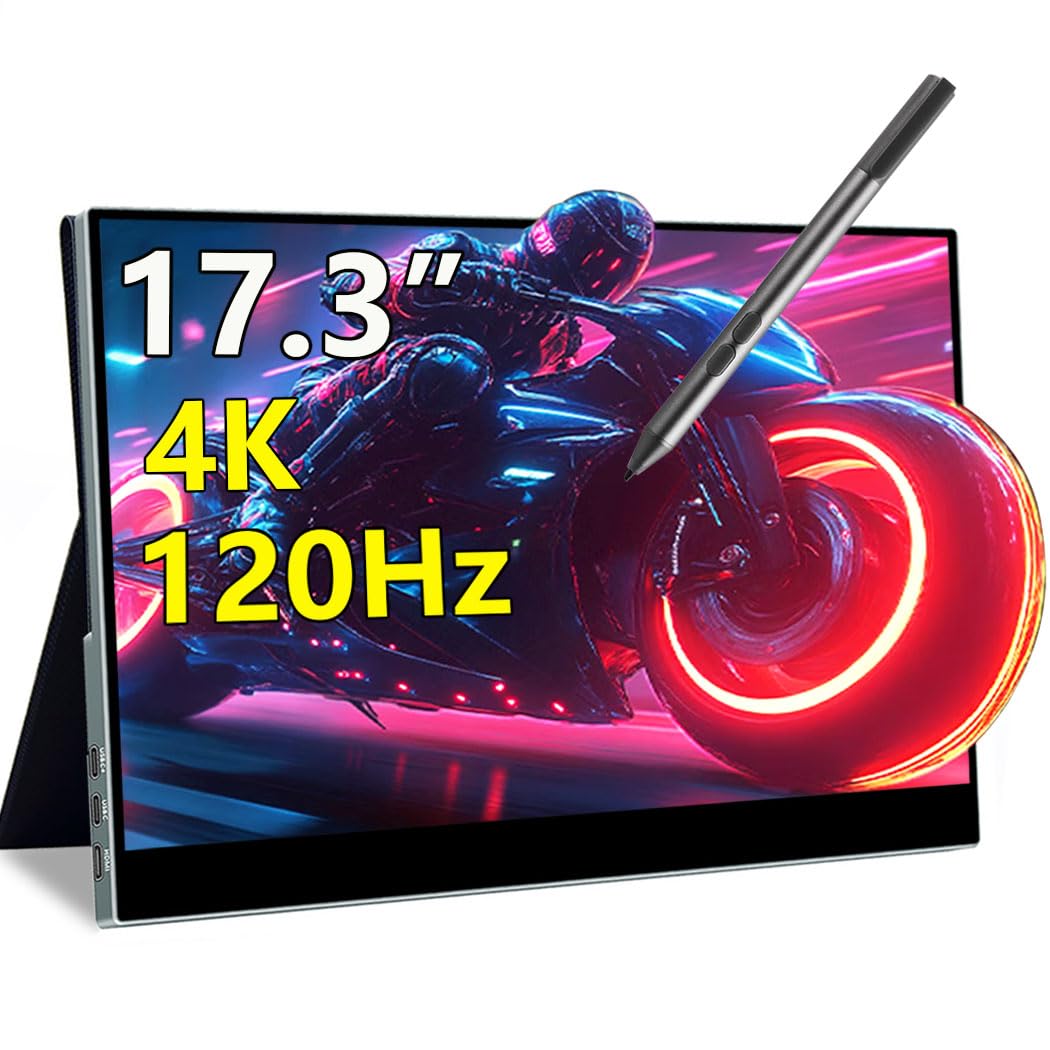
The Magedok 17.3-inch Touchscreen monitor combines a 4K UHD IPS panel with a 120Hz refresh rate and a 1ms response time, making it one of the few portable touch-enabled monitors that can actually handle gaming. The 10-point capacitive touch layer supports MPP stylus pens, so you can sketch, annotate, or navigate apps without reaching for a mouse. The 400-nit brightness and 100% DCI-P3 color gamut keep visuals punchy, and HDMI 2.1 provides enough bandwidth for 4K at 60Hz or 1080p at 120Hz.
The slim all-metal body includes a magnetic smart cover that doubles as a stand, and the 75x75mm VESA mount lets you attach it to an arm for a desk setup. Connectivity covers dual USB-C ports and an HDMI 2.1 port, so you can plug in a laptop, Steam Deck, or PS5 without adapters. The built-in speakers are decent for casual use, though you will want headphones for immersive gaming.
Touch responsiveness is snappy, and the anti-glare coating reduces reflections in bright rooms without dulling the image. The only real compromise is that the IPS panel’s 1000:1 contrast ratio can’t deliver the deep blacks you would get from an OLED. If you need touch input for creative work or navigation, this is the best 4K portable gaming monitor for that use case.
Why it’s great
- 10-point capacitive touch with MPP stylus support for creators
- 120Hz refresh rate and 1ms response keep motion smooth
- HDMI 2.1 enables full 4K bandwidth for consoles
Good to know
- IPS panel has typical 1000:1 contrast, not OLED-level blacks
- Touch functionality requires USB-C connection with DP Alt Mode
6. Magedok 16″ 4K OLED

The Magedok 16-inch OLED uses a Samsung E4 AMOLED panel to deliver the classic strengths of OLED—perfect blacks, infinite contrast, and vibrant color—in a package that weighs just 2 pounds. The 4K resolution across a 16:10 aspect ratio gives you 283 PPI pixel density, which makes text look razor-sharp and game textures incredibly detailed. With 100% DCI-P3 color coverage and a Delta E of less than 1, this monitor is accurate enough for video editing on the go.
Brightness hits 400 nits, which is sufficient for indoor use, and the 100,000:1 contrast ratio ensures that dark scenes in *Alan Wake 2* retain every shadow gradation. Connectivity includes Mini DP, USB-C, and standard HDMI, so you can connect to a wide range of devices including Switch, Xbox, and PS5. The integrated kickstand adjusts from 0 to 90 degrees, and the 75x75mm VESA mount gives you mounting flexibility.
The aluminum body feels sturdy, and the narrow bezel design with a 93% screen-to-body ratio maximizes the viewing area. TÜV Low Blue Light certification helps reduce eye strain during long sessions. The speakers are adequate for system sounds but not for immersive gaming. If you want a true 4K OLED portable monitor that won’t break your back carrying it, this is the pick.
Why it’s great
- Genuine Samsung E4 AMOLED panel with perfect blacks and infinite contrast
- 16:10 ratio at 4K offers 10% more vertical space than 16:9
- Weighs only 2 pounds with a 0.22-inch thin profile
Good to know
- 400 nits brightness is lower than the best LCD portable monitors
- 60Hz panel limits smoothness for high-refresh-rate gaming
7. ViewSonic VX1655-4K-OLED

The ViewSonic VX1655-4K-OLED weighs only 1.5 pounds and measures 0.6 inches thick, making it one of the most travel-friendly 4K OLED monitors available. The 15.6-inch OLED panel delivers 4K UHD resolution with a contrast ratio of 80,000,000:1, so blacks are deep and colors are rich without the blooming you see on IPS panels. The matte screen surface reduces glare in bright environments, which is a welcome feature for coffee shop or airplane tray table use.
USB-C connectivity handles data, audio, and video over a single cable, and the 60W power delivery means you can charge your laptop through the monitor. The built-in stand supports both landscape and portrait orientations, and the protective screen cover doubles as a stand for on-the-go use. The 60Hz refresh rate keeps the display smooth for desktop productivity and slower-paced titles, though competitive gamers will want a higher refresh rate.
The color gamut covers 100% sRGB and 1.07 billion colors, which is enough for photo editing and video playback. The included 3-year warranty with US-based customer service is better than most portable monitor warranties. The speakers are weak, so you will need headphones or external speakers for any serious audio. If low weight and portability are your main concerns, this ViewSonic is a smart choice.
Why it’s great
- Exceptionally lightweight at 1.5 lbs with a slim 0.6-inch profile
- Matte OLED screen reduces glare without sacrificing contrast
- 60W USB-C power delivery charges your laptop through the monitor
Good to know
- 60Hz refresh rate is not ideal for fast-paced competitive gaming
- Built-in speakers are weak and lack volume control
8. UPERFECT 17.3″ 4K QLED

The UPERFECT 17.3-inch QLED panel hits 600 nits of peak brightness, making it one of the brightest portable monitors you can buy. The 4K UHD resolution combined with 150% sRGB color gamut produces vibrant, punchy colors that stand out even in sunlit rooms. QLED technology delivers a wider color volume than standard IPS panels, with purer reds, deeper greens, and brighter blues that make HDR content look genuinely impactful.
The monitor includes two fully functional USB-C ports and a standard HDMI port, so you can connect a laptop, phone, and game console simultaneously. The built-in stand adjusts from 0 to 180 degrees, and the VESA mount (M4 x 4mm) lets you attach it to an arm or wall. The 2000:1 contrast ratio is higher than typical IPS panels, giving you better shadow detail in dark game scenes. FreeSync and G-Sync compatibility help reduce screen tearing.
The virtually bezel-less design is great for multi-monitor setups, and the included 30W PD charger keeps the display running at full brightness. The viewing angles are not as wide as IPS panels, so you will want to sit directly in front of the screen for the best image. If you need a large, bright 4K screen for outdoor or well-lit environments, this QLED monitor is the best option.
Why it’s great
- 600 nits peak brightness is ideal for use in bright rooms or near windows
- 150% sRGB color gamut produces exceptionally vibrant and punchy colors
- Two full-featured USB-C ports plus HDMI for multi-device setups
Good to know
- Viewing angles are narrower than IPS panels
- Requires external power to maintain full brightness at 4K
9. InnoView Dual Portable Monitor

The InnoView Dual Portable Monitor folds into a pair of 15.6-inch 4K UHD screens that stack vertically, giving you a dual-monitor workstation that packs down to the size of a 15-inch laptop. Each panel covers 100% sRGB and 1.07 billion colors, and the Owl Eye Vision AI enhances sharpness and contrast in real time. The AI Blue Light Reduction technology helps reduce eye strain during long coding sessions or document editing.
Connectivity covers USB-C, HDMI, and DisplayPort, and the included 30W PD charger powers both screens and your laptop through a single wall outlet. The foldable design with a 180-degree adjustable stand lets you tilt the screens to your preferred angle. The built-in speakers are clear enough for system sounds and video calls, though you will want headphones for immersive gaming.
The dual-screen setup works with Mac, Windows, and Linux laptops, and the 178-degree viewing angle ensures consistent color from either monitor. The cable management is a bit messy because you have to connect both screens separately, and the 300-nit brightness is lower than premium single-panel options. If you need maximum screen real estate for productivity on the go, this is the only dual 4K portable monitor in the guide.
Why it’s great
- Two 4K UHD screens in a foldable form factor for maximum portability
- AI Blue Light Reduction and Owl Eye Vision improve eye comfort
- Dual connectivity covers USB-C, HDMI, and DisplayPort
Good to know
- 300 nits brightness is lower than many single-screen competitors
- Cable management can get messy with two separate screen connections
10. UPERFECT UColor O Lite 13.3″ OLED
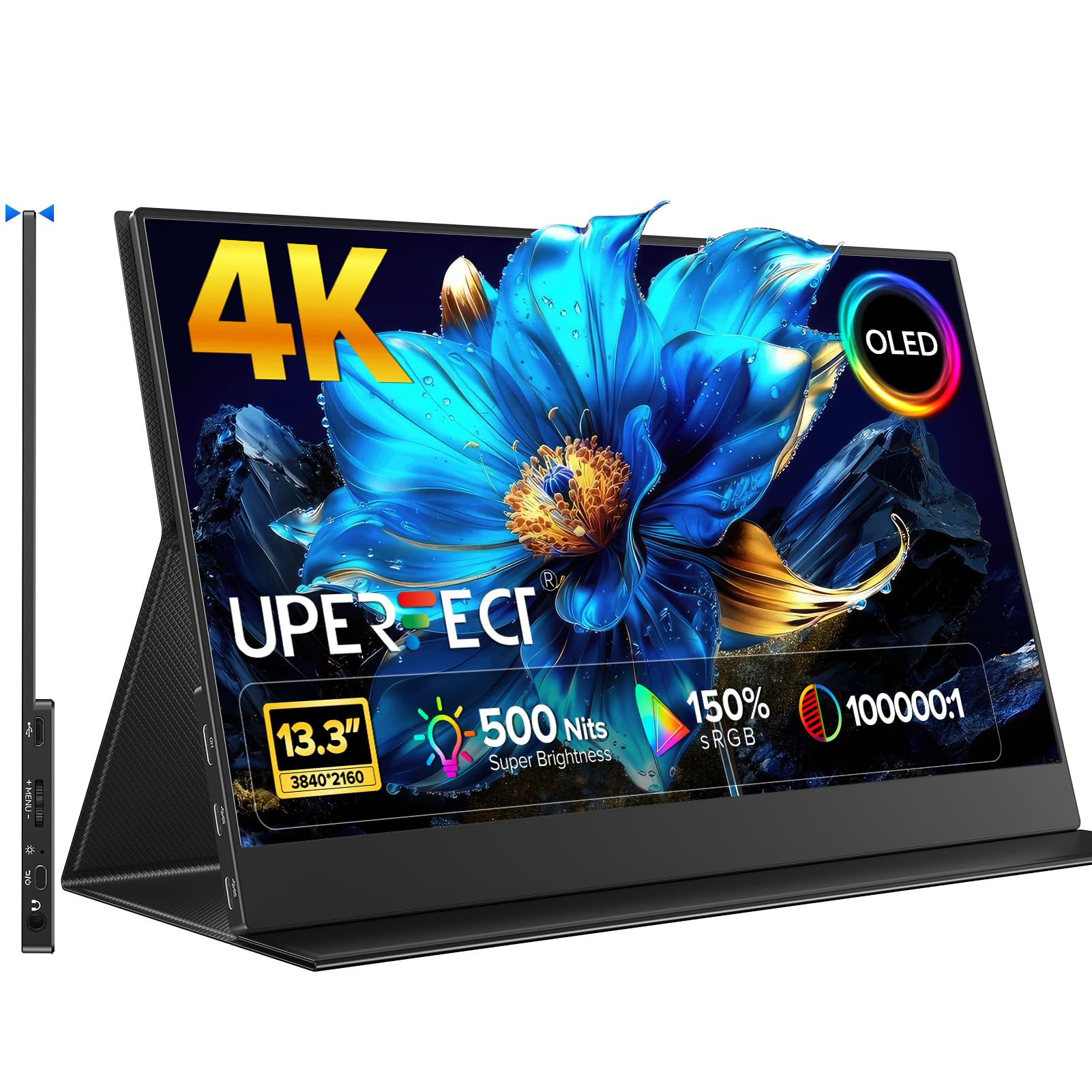
The UPERFECT UColor O Lite packs a 13.3-inch 4K OLED panel into an ultra-slim aluminum chassis, hitting 500 nits of brightness and a 100,000:1 contrast ratio. The OLED panel covers 150% sRGB color gamut and renders 1.07 billion colors, making it one of the most color-rich portable monitors in this guide. The 1ms response time ensures that fast-moving objects in games stay sharp without ghosting, and the 60Hz refresh rate keeps motion fluid for most gaming scenarios.
The all-aluminum housing and mirror glass panel give it a premium feel, and the magnetic foldable cover doubles as a stand. USB-C connectivity supports one-cable power and video transmission, and the 178-degree viewing angle ensures consistent color from any position. The monitor is plug-and-play with no drivers required, and it works with a wide range of devices including laptops, phones, and game consoles.
At just 13.3 inches, the screen is small enough to fit in a laptop sleeve alongside your primary device, making it ideal for travelers who need a secondary 4K display. The speakers are adequate for casual use, and the included protective cover keeps the screen safe during transport. If you want the smallest and brightest OLED portable monitor for travel, this is the best choice.
Why it’s great
- 500 nits brightness on an OLED panel is exceptional for portable use
- 1ms response time keeps gaming motion clean and blur-free
- Ultra-slim aluminum design is very travel-friendly
Good to know
- 13.3-inch screen size may feel small for some gaming setups
- 60Hz refresh rate is standard, not high-refresh for competitive gaming
11. InnoView 18.5″ 4K IPS
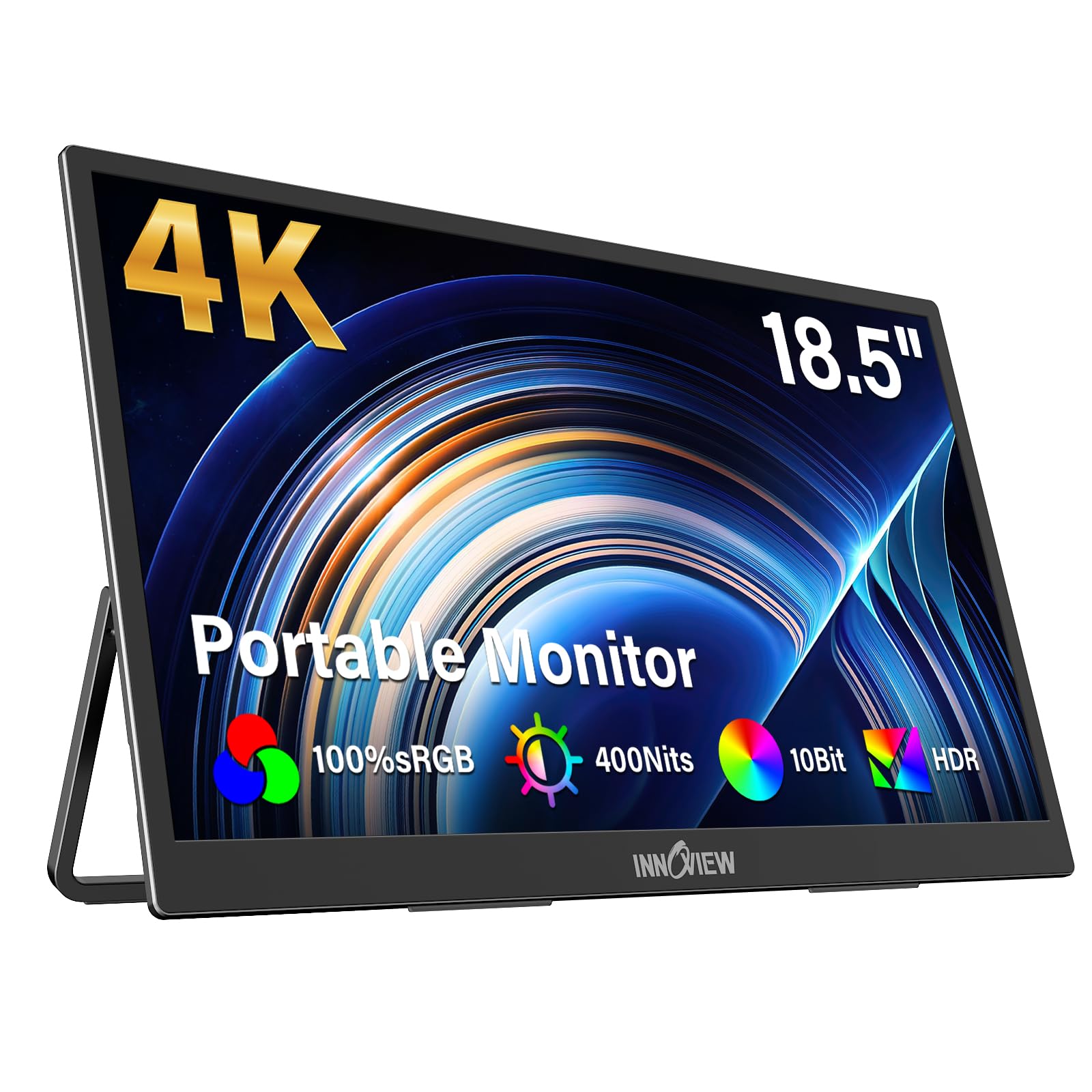
The InnoView 18.5-inch 4K UHD IPS monitor offers the largest screen size in this guide at a budget-friendly price point. The 3840×2160 panel delivers four times the pixels of Full HD, and the 100% sRGB color coverage ensures accurate color reproduction for both gaming and productivity. With 400 nits of brightness, the screen is bright enough for indoor use, and the 1000:1 contrast ratio provides decent shadow detail for an IPS panel.
The built-in stand adjusts from 0 to 180 degrees, letting you find a comfortable viewing angle without needing an external stand. Dual USB-C ports and an HDMI port provide flexible connectivity, and the monitor supports FreeSync for tear-free gaming. The integrated speakers are mediocre, so you will want to use external audio for gaming or movies.
The metal stand feels sturdy, and the monitor’s build quality punches above its price class. The included 18-month warranty and 24/7 customer support add peace of mind. The 60Hz refresh rate keeps desktop work smooth, but competitive gamers will want a higher refresh rate. If you want the largest 4K screen for the lowest price, this InnoView is the best value in the guide.
Why it’s great
- 18.5-inch screen is the largest 4K portable monitor in this guide
- 180-degree adjustable stand with sturdy metal construction
- Excellent value for a true 4K UHD IPS panel
Good to know
- 60Hz refresh rate is not ideal for high-frame-rate gaming
- Built-in speakers are mediocre for audio quality
FAQ
Can a portable monitor with USB-C actually run 4K at 60Hz?
Does OLED burn-in happen on portable gaming monitors?
How do I get full brightness from a 4K portable monitor?
Can I use a 4K portable monitor with a Nintendo Switch or Steam Deck?
Final Thoughts: The Verdict
For most users, the best 4k portable gaming monitor winner is the LG 32GX850A-B because its glossy OLED panel delivers unmatched contrast, color accuracy, and a brilliant dual-mode system for both AAA and competitive titles. If you want a truly portable 16-inch OLED that you can carry in a backpack, grab the Magedok 16″ OLED for its Samsung AMOLED panel and featherlight 2-pound design. And for a massive 4K gaming experience on a budget, nothing beats the InnoView 18.5-inch 4K IPS.