
An 8TB external hard drive is a serious storage investment—one that forces you to choose between the raw capacity of a traditional HDD and the blistering speed of a modern SSD. The wrong pick leaves you either waiting hours for file transfers or spending hundreds on speed you don’t actually need.
I’m Min — the co-founder and writer behind Gadgets Feed. My research process for this guide involved cross-referencing terabytes of customer feedback, parsing real-world transfer benchmarks from USB 3.2 to Thunderbolt 5, and mapping each drive’s specific build quality against the demands of gamers, creative pros, and backup users alike.
After sifting through the noise of advertised speeds versus sustained performance, this guide to the best 8tb external hard drive will show you exactly which model matches your workflow.
How To Choose The Best 8TB External Hard Drive
At 8TB, you are committing to a significant amount of data. The first decision is whether your workflow prioritizes read and write speed (SSD) or raw capacity per dollar (HDD). Your second consideration is the physical interface—this will determine whether you can actually achieve the drive’s theoretical max speed on your computer.
HDD vs SSD at 8TB
A traditional hard disk drive (HDD) at 8TB offers the lowest cost per gigabyte, making it ideal for archival backups, cold storage, and media libraries. The tradeoff is sequential read speeds around 150-200 MB/s and vulnerability to physical shock. A solid-state drive (SSD) at the same capacity costs significantly more but delivers 10-30x faster speeds, making it essential for video editors working with 4K or 6K ProRes footage, gamers who need to move large game installs, and professionals who want external drives that match internal SSD performance.
Interface Bandwidth Matters More Than You Think
A USB 3.2 Gen 1 (5Gbps) interface can handle any 8TB HDD easily, but it will bottleneck an 8TB SSD that is capable of 2000 MB/s or more. To get the full speed from a premium 8TB SSD, you need at least a USB 3.2 Gen 2×2 port (20Gbps) or a Thunderbolt 4/USB4 port (40Gbps). The new Thunderbolt 5 standard pushes that to 80Gbps, but it remains niche for high-end creative workstations. Ignoring this match-up is the most common mistake buyers make: they buy a fast SSD but plug it into a slow port, leaving performance on the table.
Power and Cooling for Desktop HDDs
Most 8TB desktop external hard drives use a 3.5-inch mechanical drive that requires an external power adapter. These drives run warm and rely on passive cooling through their plastic or aluminum enclosure. Stacking other electronics on top of them or placing them in a poorly ventilated cabinet can lead to thermal throttling or premature failure. If you need a truly portable solution at 8TB, look for a bus-powered 2.5-inch HDD or an SSD that draws power directly from the USB or Thunderbolt cable.
Quick Comparison
On smaller screens, swipe sideways to see the full table.
| Model | Category | Best For | Key Spec | Amazon |
|---|---|---|---|---|
| Avolusion PRO-5X 8TB | Gaming HDD | PS5/PS4 game storage | 7200RPM Enterprise HDD | Amazon |
| Seagate Backup Plus Hub | Desktop HDD | Time Machine backup | 185 MB/s read | Amazon |
| Crucial X10 8TB | Portable SSD | 4K video & travel | 2100 MB/s read | Amazon |
| Oyen Digital U34 Bolt | Pro SSD | Thunderbolt 4 workflow | 2800 MB/s sustained | Amazon |
| OWC Express 1M2 8TB | Enclosure SSD | Maximum speed flexibility | 6000+ MB/s peak | Amazon |
| OWC Envoy Ultra 8TB | Thunderbolt 5 SSD | Mac Studio Pro workflows | 6000+ MB/s TB5 | Amazon |
| WD Elements Portable 5TB | Value HDD | Budget storage starter | 5TB (not 8TB) | Amazon |
In‑Depth Reviews
1. Avolusion PRO-5X Series 8TB USB 3.0 External Gaming Hard Drive

This drive uses a refurbished 7200RPM enterprise-grade hard disk inside a fresh outer enclosure, making it a smart cost-conscious approach to 8TB capacity. Customer reports confirm it works seamlessly with the PS5 for storing PS4 games directly and moving PS5 titles off the internal SSD to free up space. The 256MB cache and 5Gbps USB 3.0 interface provide reliable load times without adding latency to gameplay.
The 3.5-inch form factor requires an external power adapter, so this is not a drive you can slip into a bag for on-the-go backups. Setup is plug-and-play on PlayStation consoles, and the white casing matches the PS5 design aesthetic. The 2-year warranty adds reassurance, though the drive contains a refurbished component, so initial health checks (like verifying zero bad sectors) are recommended upon arrival.
For PC users, this drive also functions as a budget-friendly mass storage solution for media libraries, game installations, and large project archives. The 8TB capacity means you can store around 100-150 modern PS4/PS5 titles without juggling what to delete. Just note that PS5 games must be copied to the internal SSD to play—this drive handles the storage role, not the execution role.
Why it’s great
- Enterprise-grade 7200RPM HDD delivers reliable long-term performance
- Seamless PS4 game storage and PS5 game transfer workflow
- White design blends with PlayStation aesthetic
Good to know
- Internal HDD is refurbished—verify health on arrival
- Requires external power brick; not truly portable
- PS5 games need to be copied to internal SSD to play
2. Seagate Backup Plus Hub 8TB Desktop Hard Drive

The Seagate Backup Plus Hub is a 3.5-inch desktop drive built for archival backup workflows. Its standout feature is the pair of front-facing USB 3.0 ports that let you charge phones or connect USB thumb drives without reaching behind your computer. Real-world performance from verified buyers shows sequential reads averaging 185 MB/s and writes around 150 MB/s over USB 3.0, making it fast for an 8TB HDD but still far slower than any SSD.
The drive uses SMR (Shingled Magnetic Recording) technology, which is fine for write-once, read-often backup patterns. If you plan to constantly delete and rewrite large blocks of data, write amplification can become an issue, and performance will degrade. The included two-year warranty and Rescue Data Recovery Services provide peace of mind—if the drive fails mechanically, Seagate will attempt to recover your data at no extra cost.
One major omission is the lack of an on/off switch—the drive only powers on when connected to a live USB port. This makes it annoying for setups where you want to keep the drive idle but still connected to the PC. It also runs passively cooled, so stacking other devices on top is not recommended. Overall, this is a solid choice for Time Machine or file-level backup where speed is secondary to capacity and reliability.
Why it’s great
- Dual front USB ports for convenient device charging or file transfer
- Included Rescue Data Recovery Services for drive failure
- Quiet operation with sleep mode when host is off
Good to know
- SMR technology not ideal for heavy rewrite workloads
- No power switch—drive only powers through USB connection
- Passive cooling means poor ventilation can cause thermal issues
3. Crucial X10 8TB Portable SSD
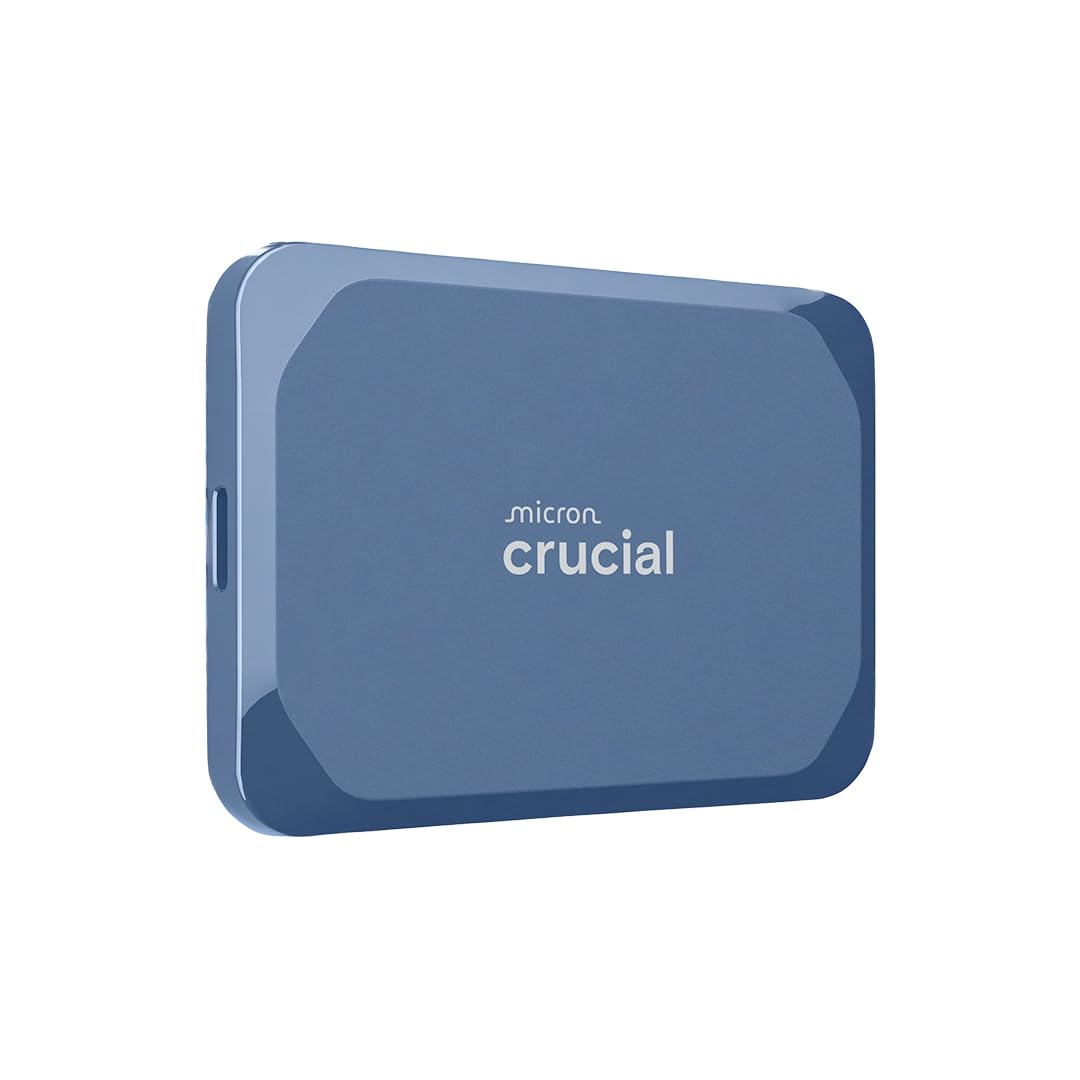
The Crucial X10 is a compact NVMe SSD that fits in a front jeans pocket, yet delivers up to 2100 MB/s sequential read speeds. This is a massive leap over any HDD at the same 8TB capacity. Customer reviews confirm real-world write speeds around 1528 MB/s and reads near 892 MB/s on typical USB 3.2 Gen 2 host ports. To get the full 2100 MB/s claimed speed, you need a USB 3.2 Gen 2×2 port—something still uncommon on most laptops.
Durability is a strong suit here: the drive is rated IP65 for dust and water resistance and can survive drops from up to 3 meters. The matte blue casing resists fingerprints, and at this capacity, the drive is bus-powered, meaning you do not need a separate power adapter. It works natively with Windows, macOS, iPad Pro, Chromebooks, Android, PS5, and Xbox, making it extremely versatile for multi-platform workflows.
The one tradeoff is price—8TB SSDs cost roughly 4-6x more per gigabyte than HDDs. For video editors who need to edit 4K ProRes off an external drive, the speed premium is justified. For general backup of photos and documents, an 8TB HDD at one-fifth the cost is the more rational choice. The included three-month subscriptions to Mylio Photos+ and Acronis True Image add bonus value for photo management and backup automation.
Why it’s great
- Pocket-sized with 2100 MB/s read speed for fast 4K editing
- IP65 rating and 3-meter drop protection for travel
- Broad compatibility across PC, Mac, consoles, and tablets
Good to know
- Peak speed requires USB 3.2 Gen 2×2 port
- No activity LED to confirm drive is working
- Costs significantly more per GB than HDD alternatives
4. Oyen Digital U34 Bolt 8TB USB4/Thunderbolt 4 SSD
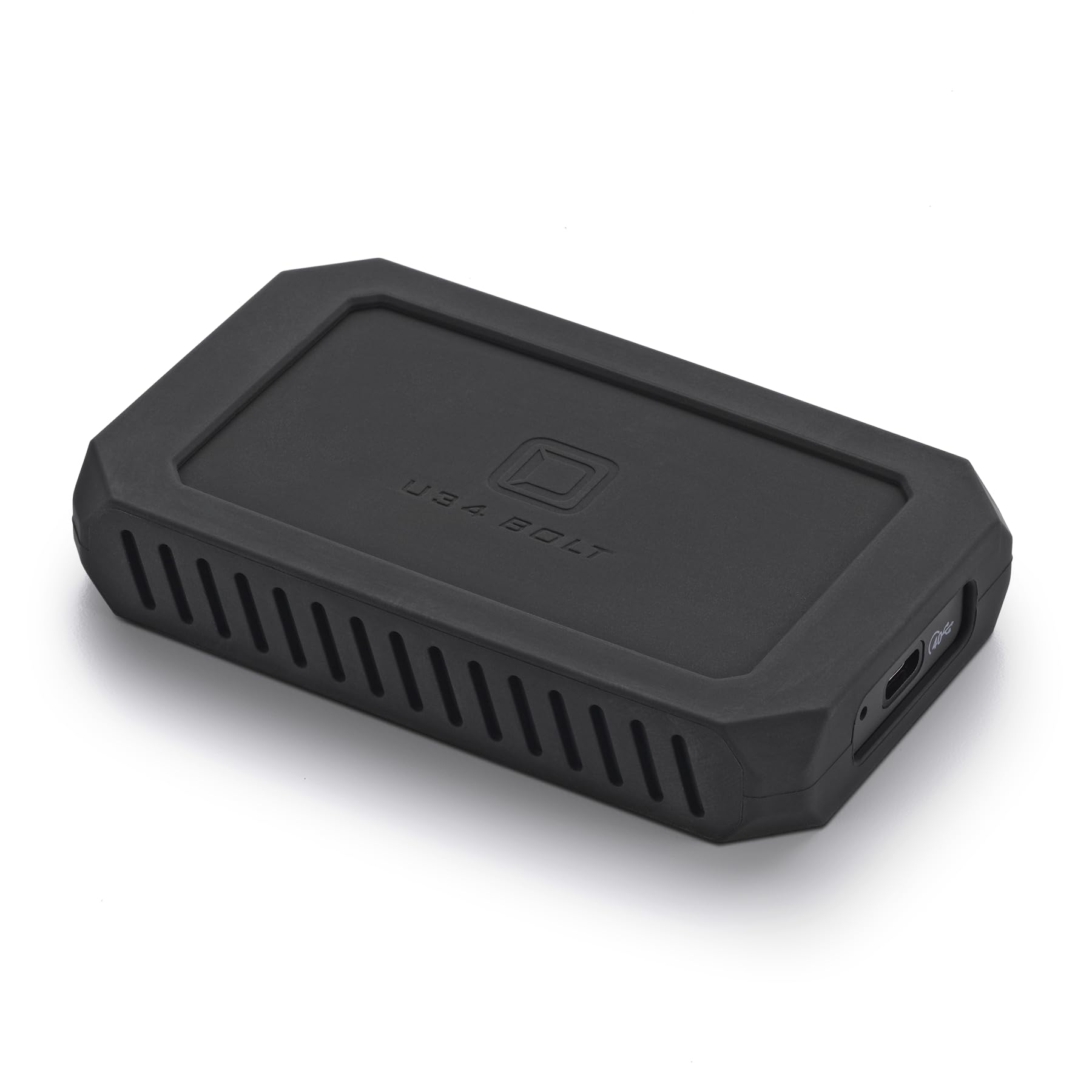
The Oyen Digital U34 Bolt pushes storage speed into professional territory with sustained transfer rates of 2800 MB/s over its USB4/Thunderbolt 4 interface. That means a 50GB project folder transfers in under 18 seconds—compared to roughly 5 minutes on an 8TB HDD. The drive uses an ASMedia ASM2464PD controller, which holds both USB-IF and Thunderbolt 4 certification, ensuring compatibility across modern Macs and PCs with USB-C ports.
Build quality is rugged: the aluminum core acts as a heatsink to keep temperatures in check during sustained writes, and it meets MIL-STD-810 protection standards for shock and vibration. It is slightly larger than a credit card but still pocketable, and the included rubber buffer adds drop protection. The drive ships formatted for Mac OS out of the box, though reviewers recommend reformatting to APFS for better SSD performance and TRIM support.
Customer feedback highlights excellent USA-based support with knowledgeable phone representatives. However, some buyers noted pricing volatility—this drive has seen significant price swings. The 3-year warranty is standard for this class, but at this price tier, you are paying for the speed advantage over HDDs. For photographers moving Lightroom catalogs or videographers working with compressed 6K codecs, the time savings are tangible.
Why it’s great
- 2800 MB/s sustained saves hours on large file transfers
- MIL-STD-810 rugged design with effective heat dissipation
- Thunderbolt 4 and USB-IF certified controller
Good to know
- Requires proper Thunderbolt 4 cable for full speed
- Pricing can fluctuate dramatically over time
- Formatted for Mac; needs reformatting for optimal SSD performance
5. OWC Express 1M2 80Gb/s Portable NVMe SSD Enclosure (8TB)
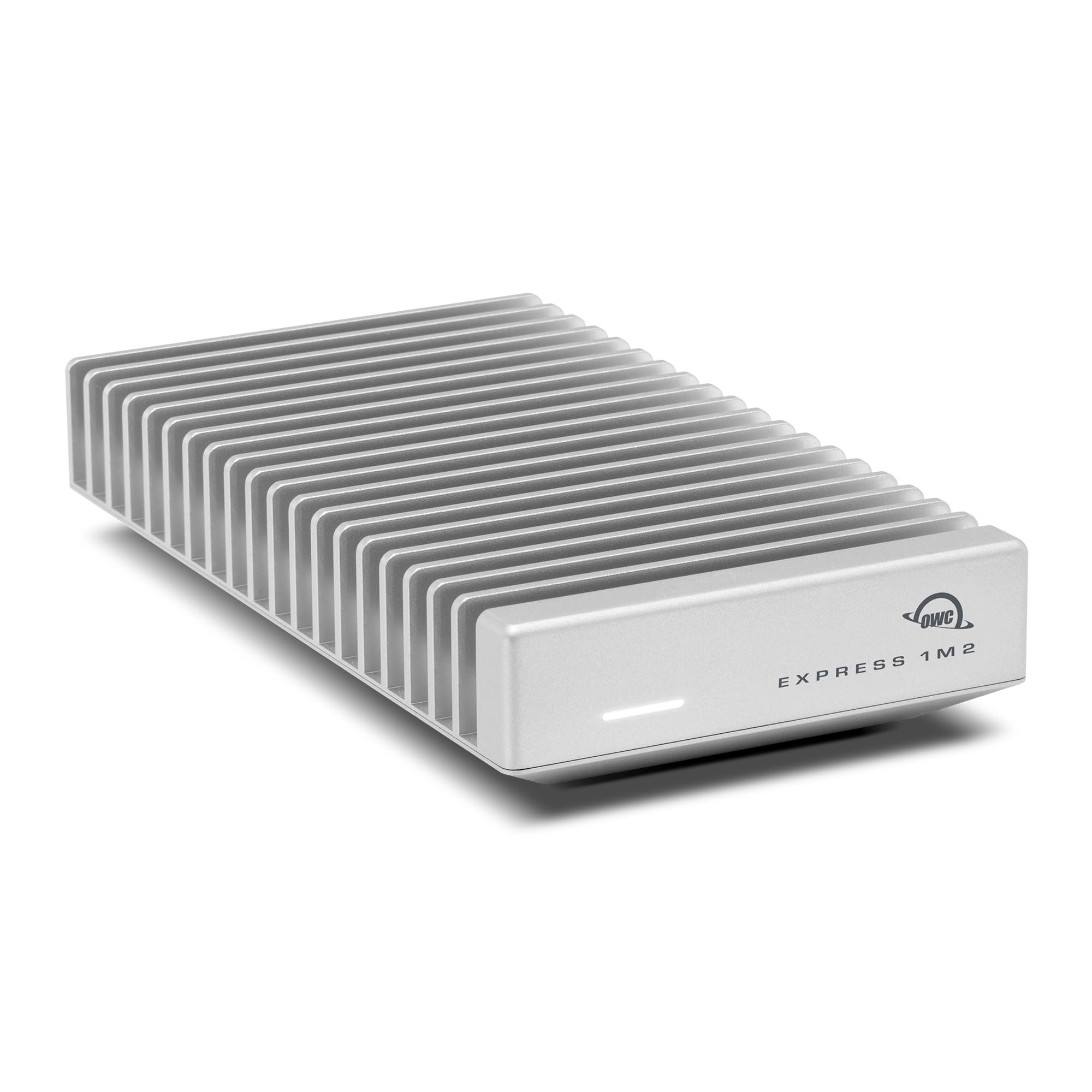
The OWC Express 1M2 is not just a pre-built 8TB SSD—it is an 80Gb/s USB4 enclosure that supports DIY NVMe M.2 SSDs, allowing you to upgrade the drive inside as faster and higher-capacity SSDs become available. Peak real-world speeds exceed 6000 MB/s when paired with a compatible PCIe 4.0 or 5.0 NVMe SSD, making this the fastest portable storage solution you can buy today for non-Thunderbolt 5 computers.
The enclosure uses a patent-pending heat-dissipating design that keeps the SSD cool under sustained load without a fan. Verified users report it stays cooler than their Mac Studio during a 2TB transfer. Compatibility extends to Macs, PCs, iPad Pros, Chromebooks, and Surface devices, though older Thunderbolt 3 machines may experience occasional disconnects. The bus-powered design means no external power brick—the included USB4 cable handles power and data.
The main drawback is that buying a pre-configured 8TB version is expensive because you are paying for both the enclosure and the high-capacity SSD inside. The smarter play is to buy the empty enclosure and install your own high-end NVMe drive (like a Samsung 990 Pro 4TB or 8TB). However, if you need 8TB immediately in a single package, the pre-built version delivers unmatched sequential performance for large file transfers.
Why it’s great
- 6000+ MB/s peak real-world speed matches internal PCIe 4.0 SSDs
- Upgradeable M.2 slot supports future faster NVMe drives
- Fanless, cool-running aluminum heat sink design
Good to know
- Requires USB4/Thunderbolt 4 port for full speed potential
- Pre-configured 8TB version is very expensive
- Some users report disconnects via Thunderbolt 5 docks
6. OWC Envoy Ultra 8TB Thunderbolt 5 Portable SSD

The OWC Envoy Ultra is built specifically for Thunderbolt 5, achieving over 6000 MB/s transfer rates—essentially matching the internal SSD performance of 2025 Mac Studio and high-end Windows workstations. Customer reviews confirm it feels identical to the built-in M4 Max storage for Photoshop and 4K video editing workflows, with no perceptible lag or stutter when scrubbing timelines.
The enclosure is machined from billet aluminum and carries IP67 dust and water resistance, meaning it can survive submersion in up to 1 meter of fresh water for 30 minutes. The built-in Thunderbolt cable is permanently attached, which eliminates the risk of losing the cable but reduces flexibility if the cable gets damaged. OWC backs this drive with a 5-year limited warranty—the longest in this comparison.
The elephant in the room is pricing. Verified buyers report buying this drive at during Black Friday, but the current listing places it at over for the 8TB version. The price-to-performance ratio is only defensible for creative professionals who need to move terabytes of data daily and cannot afford any bottleneck. For anyone else, a slower but far cheaper 8TB HDD or a mid-speed 8TB SSD will do the job without the sticker shock.
Why it’s great
- 6000+ MB/s matches internal drive speeds on Thunderbolt 5 systems
- IP67 weatherproof and shock-resistant for field use
- 5-year OWC warranty provides long-term coverage
Good to know
- Price has doubled since launch—consider seasonal sales
- Built-in cable is non-removable; damage requires drive replacement
- Only Thunderbolt 5 hosts unlock the full speed potential
7. Western Digital 5TB Elements Portable External Hard Drive

The WD Elements Portable is a 2.5-inch, bus-powered HDD that offers 5TB of storage in a compact, lightweight package—significantly less capacity than 8TB, but at a much more accessible price point. It uses a mechanical hard disk spinning at roughly 5400RPM and connects via SuperSpeed USB 3.2 Gen 1 (5Gbps). Verified user reviews report it is quiet, runs only slightly warm during extended use, and works out of the box with Windows without any driver installation.
Because this is a 2.5-inch drive, it draws power directly from the USB port, making it genuinely portable for laptops. It is plug-and-play with Windows, but Mac users will need to reformat it before using with Time Machine. Some customers noted that the included USB cable can be flimsy and prone to failure—replacing it with a quality cable is a cheap fix. The drive is also not designed for gaming workloads, as its random read performance is far below even entry-level SSDs.
This is an entry-level option for someone who wants a large external drive for basic file backup, media storage, or as a secondary archive device. But for a budget-conscious shopper who values portability over raw capacity, the WD Elements is a proven performer with a massive install base and generally positive long-term reliability reports.
Why it’s great
- Bus-powered 2.5-inch design for true on-the-go portability
- Plug-and-play compatibility with Windows PCs
- Quiet operation with low power consumption
Good to know
- 5TB capacity, not 8TB—less storage than other options
- Not fast enough for gaming or 4K video editing
- Included cable can be unreliable; plan to replace it
FAQ
Can I play PS5 games directly from an external 8TB hard drive?
What transfer speed do I need for 4K video editing from an external 8TB drive?
Does an 8TB external hard drive need its own power supply?
Final Thoughts: The Verdict
For most users, the best 8tb external hard drive winner is the Avolusion PRO-5X 8TB because it offers enterprise-grade reliability and a dedicated gaming workflow at a reasonable cost per terabyte. If you want maximum portability and SSD speed, grab the Crucial X10 8TB. And for creative professionals who need internal-SSD performance on an external Thunderbolt 5 connection, nothing beats the OWC Envoy Ultra 8TB.