
That single, dull click-clack from a decades-old plastic switch is the sound of a missed opportunity. Every time you reach for a basic toggle in a dark hallway or leave a room only to wonder if you left the lights blazing, you’re feeling the friction of outdated tech. Modern light switches do far more than complete a circuit—they sense your presence, respond to your voice, and adapt to your schedule, effectively removing the act of flipping a switch from your daily routine.
I’m Min — the co-founder and writer behind Gadgets Feed. I’ve spent hundreds of hours dissecting the specifications, installation requirements, and real-world performance of smart and sensor-driven switches to separate genuine advancements from gimmicks.
This guide cuts through the jargon to deliver the definitive manual on the best awesome light switches, covering everything from simple motion-activated auto-off models to fully integrated smart dimmers that talk to your entire home.
How To Choose The Best Awesome Light Switches
The market is flooded with options that look similar on the shelf but behave completely differently on your wall. The wrong choice can mean flickering LEDs, an unreliable Wi-Fi connection, or a switch that simply doesn’t fit your electrical box. Focus on these three pillars to make the right call.
Wiring Reality: The Neutral Wire Decider
This single factor eliminates more options than any feature list. Homes built before the mid-1980s often lack a neutral wire inside the switch box. If you open your current switch and see only two wires (a hot and a load) plus a ground, you need a switch specifically designed for no-neutral operation. The Leviton Motion Sensor Switch handles this, while most smart switches like the TP-Link Tapo line explicitly require a neutral wire for the constant power needed to maintain Wi-Fi or Bluetooth connectivity. Skipping this check forces a return trip to the store.
Control Philosophy: Sensor vs. Remote vs. Voice
Decide how you want to interact with your lights. A dedicated motion sensor switch (like the Lutron Maestro) is the ultimate hands-free solution for utility spaces—it turns lights on when you walk in and off when you leave, no phone or voice command needed. Smart switches with app control and voice assistant integration (like the MoesGo or TP-Link models) give you remote access and scheduling but require you to physically touch the switch or speak a command for manual operation. The Philips Hue Tap Dial takes a third path: a wireless remote that mounts anywhere, letting you control smart scenes without any wiring at all.
Load Type and Dimming Compatibility
Not all switches play nicely with all bulbs. If you are controlling dimmable LEDs, you need a switch with a properly calibrated dimming circuit. The TP-Link Tapo S505D and S500D both offer 1% to 100% dimming range and a calibration routine to eliminate flicker. If you are pairing a smart switch with a smart bulb, you risk creating a conflict where the switch cuts power to the bulb, rendering the bulb’s own smarts useless. For that scenario, a non-switching remote control like the Philips Hue Dial is the correct tool. Always check the switch’s wattage rating against your lighting load—most handle up to 150W for LEDs.
Quick Comparison
On smaller screens, swipe sideways to see the full table.
| Model | Category | Best For | Key Spec | Amazon |
|---|---|---|---|---|
| Lutron Maestro MS-OPS2HW-WH | Motion Sensor | Hands-free auto-on/off in utility rooms | 180° FOV, 900 sq. ft. coverage | Amazon |
| TP-Link Tapo S505D 2-Pack | Smart Dimmer | Full dimming with Matter/HomeKit | Matter Certified, 0-100% dimming | Amazon |
| Philips Hue Tap Dial | Wireless Remote | Portable scene & dim control for Hue | 4 programmable buttons + rotary dimmer | Amazon |
| TP-Link Tapo S500D 4-Pack | Smart Dimmer | Whole-home dimming on a budget | 2.5A rating, 4-pack value | Amazon |
| Lutron Caseta PD-OSENS-WH | Wireless Sensor | Battery-powered motion detection | 10-year battery, 180° FOV | Amazon |
| Leviton DOS02-LW | Motion Sensor | No-neutral wiring for older homes | No neutral required, 2A resistive | Amazon |
| MoesGo WiFi Glass Switch | Smart Touch | Stylish glass touch panel + scheduling | 2.4GHz Wi-Fi, 3-way capable | Amazon |
In‑Depth Reviews
1. Lutron Maestro Motion Sensor Light Switch MS-OPS2HW-WH
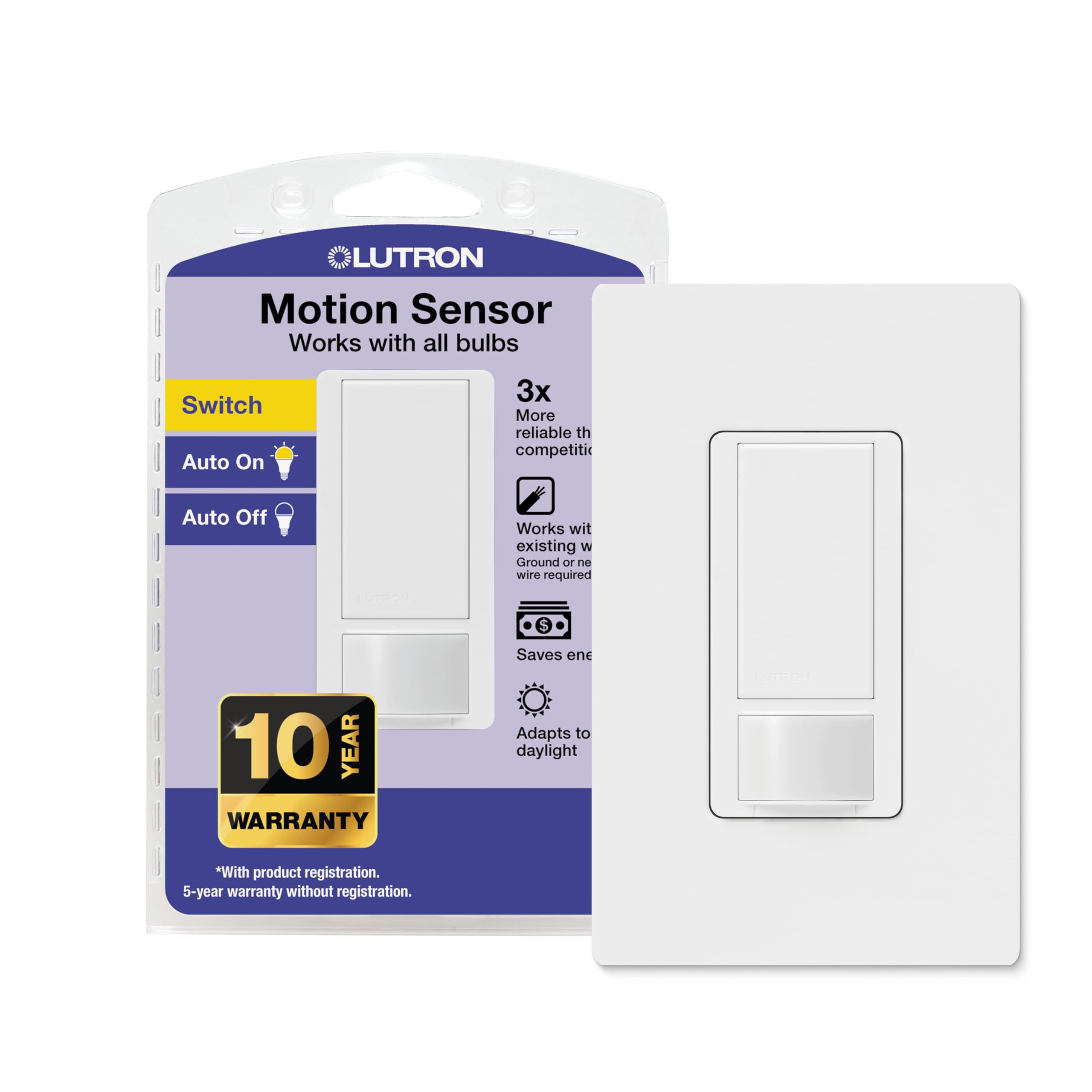
The Lutron Maestro is the gold standard for a reason: it marries effortless motion detection with the flexibility of both Occupancy (auto-on) and Vacancy (manual-on) modes. Its 180° field of view and impressive coverage mean you rarely wave your arms to trigger it, and the adjustable timeout—from 1 to 30 minutes—lets you dial in the exact delay for a garage workshop or a hallway. It works with any bulb type up to 150W for LEDs, and critically, it can be installed without a neutral wire if a ground is present, making it compatible with far more homes than most smart switches.
Users consistently praise the intuitive setup and reliable performance. The instructions are clear, and the sensor learns ambient light levels over time to avoid activating lights during daylight hours, a smart energy-saving feature that many competing sensors lack. The included wallplate is a nice touch that simplifies the install, though some users note the sensor can be oversensitive in narrow spaces, picking up motion from adjacent rooms.
For pure, no-nonsense convenience in high-traffic spaces like bathrooms, laundry rooms, and garages, this switch is the undisputed leader. It removes the single biggest friction point—the act of flipping a switch—without introducing the complexity of an app or hub. The trade-off is that it is a single-pole device with no remote app control, so it is not the right choice if you want to schedule lights from your phone.
Why it’s great
- True hands-off operation with adjustable timer and daylight learning
- Works with or without a neutral wire for broad home compatibility
- Supports both Occupancy (auto-on) and Vacancy (manual-on) modes in one unit
Good to know
- Single-pole only, not designed for 3-way circuits
- Oversensitive sensor may trigger from adjacent rooms in tight layouts
2. TP-Link Tapo Matter Smart Dimmer Switch S505D (2-Pack)
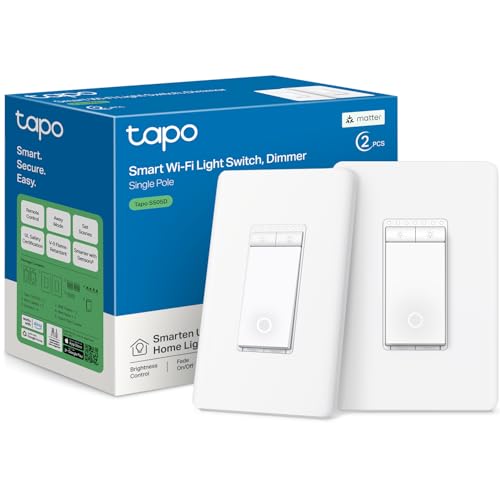
The TP-Link Tapo S505D distinguishes itself through Matter certification, the universal smart home protocol that ensures seamless compatibility with Amazon Alexa, Apple HomeKit, Google Home, and Samsung SmartThings. This means you are not locked into a single ecosystem—you can add it to HomeKit today and switch to SmartThings tomorrow without replacing the hardware. The dimming circuit is equally impressive, offering a true 0% to 100% range with a calibration routine that virtually eliminates the flicker that plagues lesser dimmers on LED loads.
Installation requires a neutral wire and 2.4 GHz Wi-Fi, but the Tapo app provides a step-by-step guided install that even nervous DIYers find manageable. The Fade On/Off feature smoothly ramps brightness up and down, preventing the harsh light shock of an instant full-bright switch-on. Users also appreciate the Away Mode, which randomly toggles lights to simulate occupancy for security, though the glowing ring on the switch can be disabled if it is distracting in a bedroom.
This two-pack delivers tremendous value for anyone looking to upgrade multiple rooms to smart dimming. The main caveat is that these switches are not compatible with smart bulbs—the switch cuts power to the bulb, rendering its smarts useless. Pair them with standard dimmable LEDs for the best experience.
Why it’s great
- Matter certification guarantees cross-ecosystem compatibility and future-proofing
- Calibrated 0-100% dimming eliminates flicker on most LED loads
- Fade On/Off and Away Mode add comfort and security without extra hardware
Good to know
- Requires a neutral wire and 2.4 GHz Wi-Fi connection
- Not designed to work with smart bulbs; use standard dimmable LEDs
3. Philips Hue Wall Tap Dial Light Switch
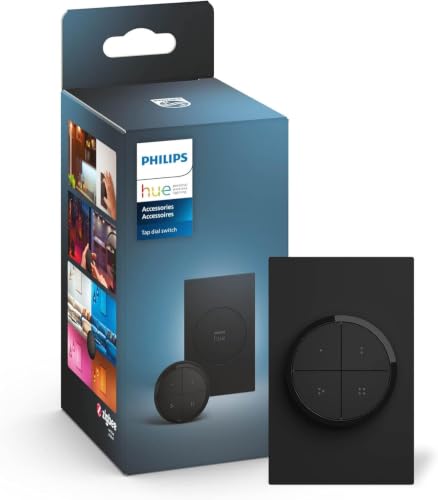
The Philips Hue Tap Dial is not a wall switch in the traditional sense—it is a wireless remote control that mounts to any magnetic surface or wall plate via adhesive, communicating with your Hue lights over ZigBee. This makes it the ultimate solution for spaces where cutting into drywall or running wire is impractical. The dial provides tactile, clicky rotation for precise dimming, while four programmable buttons can trigger any custom scene, room, or zone within your Hue ecosystem.
Setup takes under a minute once you have a Hue Bridge, which is required. Users love the satisfying physical feedback of the dial and the ability to cycle through preset scenes with a single press. The magnetic back means you can pull it off the wall and use it as a sofa-side remote, then stick it back when you are done. Build quality is solid plastic with a premium matte finish, and the CR2032 battery is rated to last for years of normal use.
This is a niche product that excels brilliantly in its niche: anyone already invested in Philips Hue will find it far more convenient than pulling out a phone or shouting at a speaker. It is not a general-purpose switch and will not control non-Hue loads. If you are building a Hue-centric smart home, this is the best physical controller available.
Why it’s great
- Completely wireless with easy adhesive or magnetic mounting
- Precise rotary dimming and four fully customizable scene buttons
- Portable design lets you control lights from anywhere in the house
Good to know
- Requires a Philips Hue Bridge and existing Hue lights to function
- Only available in black; does not match standard white switch plates
4. TP-Link Tapo Smart Dimmer Switch S500D (4-Pack)
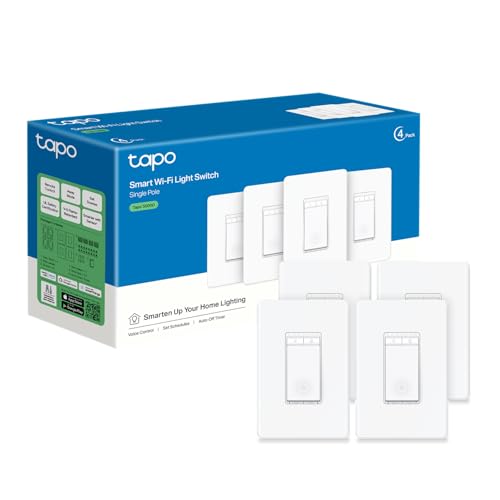
The TP-Link Tapo S500D delivers the same core smart dimming experience as its Matter-certified sibling but omits the Matter protocol in favor of a direct Wi-Fi connection, significantly reducing the per-unit cost. The 4-pack makes it the most economical way to equip an entire floor with app and voice-controlled dimming. Each unit handles a 2.5 Amp load (300W for incandescent, 150W for LED) and supports the full 1% to 100% dimming range with the same calibration routine that prevents flicker.
Installation mirrors the S505D experience: neutral wire required, 2.4 GHz Wi-Fi, and the excellent Tapo app with guided setup. Users report reliable connectivity with no dropped connections after months of use, and the physical rocker switch offers a satisfying, durable click. The customizable indicator light can be dimmed or turned off entirely, and the Away Mode for security is a welcome inclusion at this price point.
The trade-off for the lower cost is the lack of Matter and Apple HomeKit support—this switch works with Alexa and Google Assistant but not with HomeKit or SmartThings natively. If you are firmly in the Alexa or Google camp and need multiple dimmers, this 4-pack is unbeatable value. The thick body can crowd a multi-gang box, so check your box depth before buying.
Why it’s great
- Excellent per-unit cost for whole-home smart dimming
- Calibrated 1-100% dimming with smooth Fade On/Off
- Away Mode and customizable indicator light add security and comfort
Good to know
- No Matter or Apple HomeKit support; Alexa and Google only
- Thick switch body may be tight in crowded multi-gang boxes
5. Lutron Caseta Smart Motion Sensor PD-OSENS-WH

The Lutron Caseta PD-OSENS-WH solves a unique problem: adding motion-based automatic lighting control to any room without running a single wire. This battery-powered sensor communicates wirelessly with Caseta smart switches, dimmers, and fan controls within a 50-foot range, turning them on when it detects motion and off after a user-set timeout. The 10-year battery life—3x the industry average—means you install it and forget it for the better part of a decade.
Installation is trivial: place it on a shelf, mount it to a wall with the included bracket, or stick it in a corner. The sensor uses a 180° field of view and detects fine motion 3x better than standard PIR sensors, according to Lutron. In practice, users report sub-second activation time and reliable detection at 15-18 feet in a garage workshop. The Active Hours feature in the Lutron app lets you set specific times when the sensor is active, preventing unwanted activation during sleeping hours.
The catch is the ecosystem requirement: you need the Lutron Caseta Smart Hub (L-BDG2-WH) and at least one Caseta smart switch or dimmer to control. This raises the entry cost significantly. Also, the sensor cannot detect whether lights were turned on manually, which can create conflicts if someone uses the physical switch and the sensor tries to override it. For motion-only spaces like garages, hallways, and basements, it is a brilliant, clean solution.
Why it’s great
- Completely wireless with a market-leading 10-year battery life
- Superior fine-motion detection reliability over standard PIR sensors
- Compact, versatile mounting options for any room layout
Good to know
- Requires Lutron Caseta Smart Hub and compatible Caseta devices
- Sensor unaware of manual switch state, can create override conflicts
6. Leviton Motion Sensor Light Switch DOS02-LW
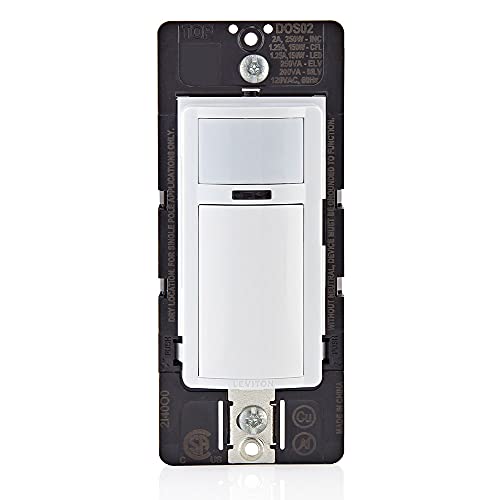
The Leviton DOS02-LW is the entry-level hero for the budget-conscious homeowner looking to automate lights without a full smart home overhaul. Its headline feature is the ability to install without a neutral wire (ground is required), making it one of the most accessible motion sensor switches for older homes where neutral wires are absent in switch boxes. The 180° field of view and 900 sq. ft. coverage area are generous for a switch at this price tier, and the adjustable timer lets you set the auto-off delay to suit the space.
Users consistently highlight the straightforward install and reliable auto-off function. It supports both Occupancy (auto-on) and Vacancy (manual-on) modes, giving you control over whether the lights spring to life automatically or wait for a manual press. The slim profile fits into most wall boxes without crowding, and the compatibility with Leviton’s DOSKT faceplates lets you color-match to your decor in white, ivory, gray, black, and more.
The programming for timer and sensitivity settings requires patience—the instructions can be cryptic, and the process involves pressing the switch in specific sequences. Some users also note that the sensor can be slow to re-trigger if you sit motionless for the timer duration. For basic hands-free lighting in pantries, closets, and laundry rooms, it delivers excellent value, but it lacks the polish and adjustability of the pricier Lutron Maestro.
Why it’s great
- Installs without a neutral wire, ideal for pre-1980s home wiring
- Generous 180° FOV and 900 sq. ft. coverage for a budget sensor
- Compatible with a wide range of color faceplates for aesthetic matching
Good to know
- Adjusting timer and sensitivity requires a cryptic sequence of button presses
- Sensor performance can lag compared to the responsiveness of the Lutron Maestro
7. MoesGo WiFi Smart Wall Light Switch

The MoesGo WiFi Smart Wall Light Switch differentiates itself with a sleek glass touch panel that looks undeniably modern compared to the standard plastic rocker of most competitors. The black 2-gang model reviewed here offers dual touch zones for controlling two separate circuits, and it supports multi-control (3-way) operation, allowing multiple switches to control a single light. The touch response is fast and satisfying, and the glass surface is easy to wipe clean without the crevices that collect dust on traditional switches.
On the smart side, the switch connects to 2.4 GHz Wi-Fi and integrates with the Smart Life/Tuya app for remote on/off control, scheduling, and countdown timers. It works with Amazon Alexa and Google Assistant for hands-free voice control, and the relay status can be set to remember its last state after a power outage. The IP54 rating offers protection against dust and water splashes, making it suitable for covered outdoor areas or bathrooms with proper ventilation.
The installation demands patience. The switch requires a neutral wire and its European-design instructions can be confusing for US electricians. The switch body is bulky, and users frequently need to use a spacer plate or larger wire nuts to cram everything into the gang box. For those willing to wrestle with the install, the final result is a responsive, attractive touch switch with robust smart features. It is a great entry point to smart touch controls but not for beginners.
Why it’s great
- Modern glass touch panel looks premium and is easy to clean
- Supports multi-control (3-way) wiring for complex circuits
- IP54 rating adds water/dust resistance for specific use cases
Good to know
- Bulky body and poor instructions make installation challenging
- European-designed wiring layout can be confusing for US-standard boxes
FAQ
Can I use a motion sensor switch with LED bulbs?
What is the difference between Occupancy and Vacancy mode?
Why does my smart switch require a neutral wire?
Final Thoughts: The Verdict
For most users, the best awesome light switches winner is the Lutron Maestro MS-OPS2HW-WH because it delivers reliable hands-free motion control with the flexibility of both Occupancy and Vacancy modes, works with or without a neutral wire, and requires no app or hub to operate. If you want full smart dimming with cross-platform compatibility including Apple HomeKit, grab the TP-Link Tapo S505D 2-Pack for its Matter-certified future-proofing and calibrated 0-100% dimming. And for the budget-conscious homeowner upgrading multiple rooms at once, nothing beats the per-unit value of the TP-Link Tapo S500D 4-Pack.