
For gamers and creative pros running modern graphics cards, the DisplayPort 1.4 interface is the critical gateway to uncompromised 4K performance at high refresh rates. Without DP 1.4, you’re leaving frames on the table and bandwidth on the floor — a 4K 160Hz panel connected via HDMI 2.0 is capped at a mere 60Hz, robbing you of the fluidity your GPU can actually deliver.
I’m Min — the co-founder and writer behind Gadgets Feed. I’ve spent countless hours analyzing the technical specifications, real-world benchmark data, and long-term value of monitors that properly implement DisplayPort 1.4 with DSC, HDR passthrough, and high-bandwidth support.
This guide cuts through the spec sheet noise to help you invest in the right screen for your setup. Whether you’re chasing competitive response times, color-accurate creative work, or cinematic HDR, these reviews break down exactly which 1.4 displayport monitor fits your specific needs and hardware.
How To Choose The Best 1.4 DisplayPort Monitor
Not all DP 1.4 monitors are created equal. The interface specification defines a maximum data rate of 32.4 Gbps (with DSC), but how each monitor implements that bandwidth — for color depth, refresh rate, and HDR passthrough — separates an excellent display from a frustrating one. Here’s what to look for.
Refresh Rate Ceiling at 4K Resolution
DP 1.4 without DSC caps out at 4K 98Hz (8-bit color) or 4K 75Hz (10-bit color). With DSC enabled, the same interface can push 4K at 160Hz or 144Hz with 10-bit HDR. Any monitor advertising 4K 144Hz or higher via DP 1.4 is relying on DSC. This is not a downside — DSC is visually lossless — but you should verify the monitor’s DSC support in its OSD or spec sheet if you plan to run extended or multi-monitor setups.
Color Depth and HDR Passthrough
A monitor that can handle 10-bit color at high refresh is the real prize. DP 1.4 natively carries HDR10 metadata and supports dynamic HDR over a single cable. If you do color-critical work — photo editing, video grading, or design — look for a panel that specifies 10-bit (8-bit + FRC is acceptable, but true 10-bit is superior) and DCI-P3 coverage above 90%.
Adaptive Sync Compatibility
Both G-Sync Compatible and FreeSync Premium rely on DP 1.4’s VRR (Variable Refresh Rate) functionality. However, some monitors only support Adaptive Sync over DisplayPort, not HDMI. If you are pairing with an NVIDIA GeForce RTX 30-series or newer, confirm G-Sync Compatible certification on the DP input — many budget monitors skip this validation, leading to flicker or tearing in demanding titles.
Panel Technology and Response Time
IPS remains the sweet spot for color accuracy and viewing angles, while OLED dominates contrast and black levels. For competitive gaming, a 1ms GtG IPS panel is standard; premium OLED panels achieve 0.03ms, virtually eliminating ghosting. VA panels offer better native contrast than IPS but typically suffer from slower response times in dark transitions, which can cause smearing in fast-paced games. Choose your panel based on your primary use case — creative work favors OLED or high-quality IPS, while pure esports can benefit from ultra-fast TN or WOLED.
Quick Comparison
On smaller screens, swipe sideways to see the full table.
| Model | Category | Best For | Key Spec | Amazon |
|---|---|---|---|---|
| LG 27GR83Q-B | Gaming Mid-Range | High-refresh 1440p gaming | 240Hz via DP 1.4 / 1ms GtG | Amazon |
| AOC U32G4 | Gaming Mid-Range | 4K 160Hz dual-mode gaming | 4K 160Hz / FHD 320Hz dual mode | Amazon |
| Dell S2725QS | Mid-Range | Productivity + light gaming | 4K 120Hz / 99% sRGB | Amazon |
| ViewSonic VP2488-4K | Pro Creative | Mac color-critical workflow | 4K 60Hz / Thunderbolt 4 / Pantone | Amazon |
| ASUS XG32UCG | Premium Gaming | 4K 160Hz dual-mode + ELMB | 4K 160Hz / FHD 320Hz / 0.3ms | Amazon |
| MSI MAG 272UP QD-OLED | Premium OLED | Vivid HDR gaming + media | 4K 240Hz / 0.03ms / OLED | Amazon |
| ASUS PG27AQDP | Competitive E-Sports | World’s first 1440p 480Hz OLED | 1440p 480Hz / 0.03ms / WOLED | Amazon |
| ASUS XG27UCDMG | Premium OLED | 4K QD-OLED with burn-in prevention | 4K 240Hz / QD-OLED / 90W USB-C PD | Amazon |
| MSI MPG 321URX | Premium OLED | Large 32″ QD-OLED + productivity | 4K 240Hz / 0.03ms / 90W USB-C PD | Amazon |
| ASUS PG32UCDM | Flagship OLED | Best image quality + Dolby Vision | 4K 240Hz / QD-OLED / 90W USB-C PD | Amazon |
| MSI MPG 272URX | Future-Proof OLED | DP 2.1a + 4K 240Hz QD-OLED | 4K 240Hz / DP 2.1a / 98W USB-C PD | Amazon |
In‑Depth Reviews
1. LG 27GR83Q-B

The LG 27GR83Q-B punches well above its price tier with a native 2560×1440 IPS panel that runs at a blistering 240Hz over DisplayPort 1.4. Both HDMI 2.1 and DP 1.4 support 240Hz, but only DP 1.4 unlocks the full 10-bit color depth alongside the maximum refresh rate — critical for avoiding color banding in competitive titles like Valorant or Call of Duty. Combined with a 1ms GtG response time, this monitor delivers buttery-smooth motion with minimal ghosting, validated by NVIDIA G-Sync Compatible certification and AMD FreeSync Premium.
Color performance is another strong point. The LG covers 95% DCI-P3 out of the box, and VESA DisplayHDR 400 provides enough punch to make HDR content look noticeably better than SDR. The included 4-pole headphone jack with DTS Headphone:X spatial audio is a rare value-add, giving you 3D audio positioning directly from the monitor without needing a separate DAC or sound card. The fully adjustable stand (tilt, swivel, pivot, height) is ergonomic and solid, with a small footprint that won’t dominate your desk.
Where the LG falls short is panel uniformity. Multiple reports of stuck or dead pixels on arrival suggest quality control isn’t as tight as premium-tier options. The contrast ratio is a typical IPS 1000:1, so blacks appear grayish in a dark room — this isn’t the monitor for deep inky blacks. Still, for the price, you’re getting a 240Hz 1440p monitor with solid HDR support, low input lag, and excellent color that will keep you competitive for years.
Why it’s great
- 240Hz refresh rate over DP 1.4 with full 10-bit color
- 95% DCI-P3 color gamut and DisplayHDR 400 certified
- 4-pole headphone jack with DTS spatial audio built in
Good to know
- Pixel defect rate higher than average on first units
- IPS glow and 1000:1 contrast ratio limit HDR in dark rooms
2. AOC U32G4
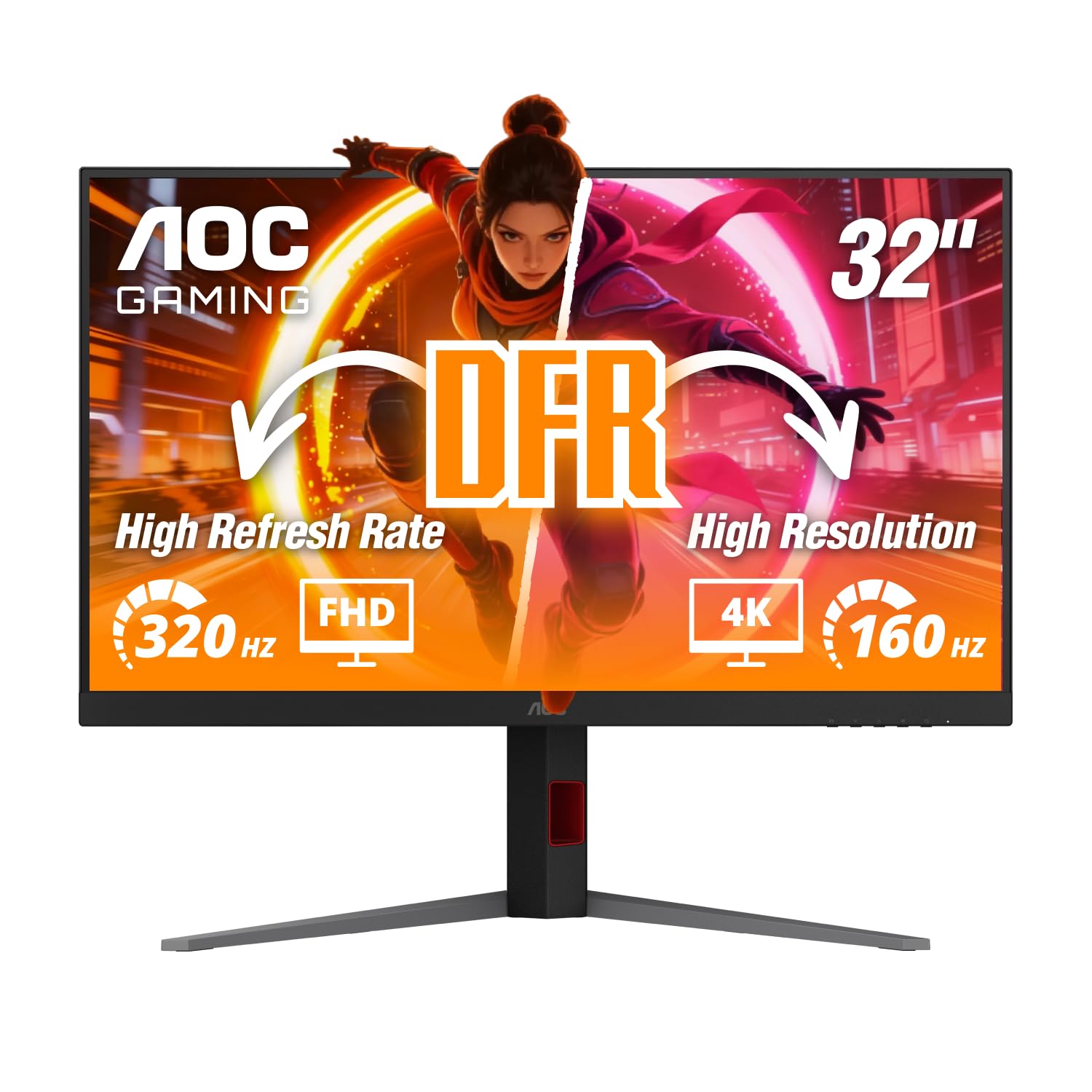
The AOC U32G4 is a 31.5-inch 4K IPS monitor that flips between two distinct performance modes via its DP 1.4 connection. In Standard Mode, it runs 3840×2160 at 160Hz with 10-bit color using DSC — ideal for immersive single-player titles and HDR movies. Toggle to Dual Mode, and the monitor drops the internal resolution to 1920×1080 while doubling the refresh rate to 320Hz, giving competitive players a fluidity advantage in fast-twitch shooters like Overwatch 2 or Apex Legends. This dual-mode flexibility is rare at this price point.
The panel itself is an IPS variant with a 0.5ms MPRT response time in UHD mode and an even faster 0.3ms MPRT in FHD mode, effectively eliminating motion blur. G-Sync Compatible certification ensures tear-free gameplay across both modes, and the HDR-ready brightness (350 nits typical) is serviceable for SDR content and basic HDR. The included stand offers full ergonomic adjustment: 130mm height range, tilt, swivel, and pivot for portrait orientation. Connectivity includes DP 1.4 and HDMI 2.1, both supporting the full refresh rate.
Buyers should note the U32G4 lacks built-in speakers, so you’ll need external audio. The color gamut (listed as 80000000:1 dynamic contrast) is 350 cd/m² typical brightness that works well in well-lit rooms but doesn’t match premium HDR panels. Some users report the picture needs calibration out of the box — colors appear slightly dull until you adjust settings. Despite these quirks, the AOC U32G4 delivers exceptional value as a 4K 160Hz gaming monitor with a genuinely useful competitive mode.
Why it’s great
- 4K 160Hz + FHD 320Hz dual-mode via DP 1.4 with DSC
- Fully ergonomic stand with height, tilt, swivel, pivot
- G-Sync Compatible with 0.5ms MPRT (UHD)
Good to know
- No built-in speakers — external audio required
- Out-of-box color accuracy needs manual adjustment
3. Dell S2725QS

The Dell S2725QS is the ideal entry point into high-refresh 4K for productivity users who also game casually. Unlike the LG or AOC, this 27-inch IPS panel is capped at 120Hz, but with DP 1.4 you can run 4K at 120Hz with 10-bit color using DSC — a significant upgrade over HDMI 2.0’s 4K 60Hz limitation. The included ComfortView Plus technology reduces harmful blue light to ≤35% without washing out colors, making it an excellent choice for all-day coding, design, or document work.
Color accuracy is a highlight: 99% sRGB coverage with a 1500:1 contrast ratio that’s higher than typical IPS panels, giving deeper blacks and better depth for SDR content. The built-in speakers have been redesigned with greater output power and frequency range, delivering noticeably fuller sound than most monitor speakers, though they still lack bass. The slim ash white bezel and ultra-thin design look modern on any desk, and the stand includes full ergonomic adjustment (height, pivot, swivel, tilt).
Where this monitor shows its budget roots is gaming performance. The 0.03ms response time is marketing-oriented (it’s MPRT, not GtG); actual GtG is around 4-5ms, leading to noticeable ghosting in fast-paced games. The FreeSync Premium support helps reduce tearing, but this is not a monitor for competitive gamers. A few reviews mention a yellow tint that can’t be fully calibrated away, and Dell’s anti-glare coating has a slight matte grain that some users find distracting in dark rooms.
Why it’s great
- ComfortView Plus reduces blue light without color shift
- 1500:1 contrast ratio for deeper blacks than typical IPS
- 120Hz refresh over DP 1.4 with 10-bit color
Good to know
- GtG response time too slow for competitive gaming
- Anti-glare coating shows visible grain in dark scenes
4. ViewSonic VP2488-4K

The ViewSonic VP2488-4K is designed specifically for color-critical workflows with Mac systems. This 24-inch 4K IPS monitor runs at 60Hz, but its true strength is Thunderbolt 4 connectivity delivering 40 Gbps data transfer and 100W power delivery over a single cable to a MacBook Pro or Mac Studio. The 24-inch size at 4K offers exceptional pixel density (about 185 PPI), making text razor-sharp and UI elements a comfortable size without scaling compromises.
Color accuracy is factory-calibrated and Pantone Validated, covering 100% sRGB and 98% DCI-P3 — essential for photographers, video editors, and designers who need consistent color across devices. The daisy-chain functionality via Thunderbolt 4 lets you connect multiple 4K monitors with a single cable, streamlining multi-display Mac setups. The stand offers full ergonomic adjustment (tilt, swivel, pivot, height), and the included cables cover HDMI, DP, USB-C, and Thunderbolt.
The biggest drawback is price-to-spec ratio. For the same money, you could buy a 4K 144Hz IPS monitor with better HDR support. Additionally, some users report the monitor fails to reconnect USB devices after sleep and occasionally loses macOS display configuration on power cycles — bugs that are unacceptable at this price point. Adobe RGB coverage (88%) is also short of what some photo editors need, making the Asus PA279CRV or similar options a better fit for that niche. For pure Mac color work with Thunderbolt convenience, however, this is a polished solution.
Why it’s great
- Thunderbolt 4 with 100W PD and daisy-chain support
- Pantone Validated with 98% DCI-P3 out of the box
- High 185 PPI for sharp text at native 4K resolution
Good to know
- Firmware bugs with USB reconnect and power state
- Adobe RGB coverage limited to 88%
5. ASUS ROG Strix XG32UCG

The ASUS ROG Strix XG32UCG is a 32-inch 4K Fast IPS monitor that, like the AOC U32G4, offers a dual-mode resolution toggle: 4K at 160Hz or FHD at 320Hz via DP 1.4 with DSC. What sets it apart is ASUS Extreme Low Motion Blur Sync (ELMB SYNC) technology, which allows ELMB to operate simultaneously with variable refresh rate — a rare combination that eliminates both ghosting and tearing without sacrificing brightness. The 0.3ms minimum response time (Fast IPS) is among the fastest on any IPS panel at this size.
Color reproduction is equally impressive. The XG32UCG covers 95% DCI-P3 with a 130% sRGB gamut, and ASUS’s advanced gray-scale tracking ensures smooth color gradation. The included DisplayWidget Center software lets you adjust all settings with a mouse, including KVM switching and game-specific profiles. The USB-C port supports DP Alt mode and 90W power delivery, making it a hub for both gaming and productivity. The tripod socket on the stand is a thoughtful addition for streamers who want to mount a camera overhead.
The main concern is long-term panel uniformity. Some users report a slight vignette (darker corners) on larger IPS panels, though this is within typical tolerances. The 32-inch size at 4K requires a deeper desk to avoid eye strain — sitting too close makes the edges of the screen fall outside your natural field of view. At its price point, it’s a strong alternative to OLED if you need the dual-mode flexibility and don’t want to worry about burn-in.
Why it’s great
- ELMB SYNC enables motion blur reduction with VRR
- 0.3ms GtG response time on Fast IPS panel
- 4K 160Hz / FHD 320Hz dual-mode with DP 1.4
Good to know
- Vignette (darker corners) reported on some units
- 32″ 4K requires careful viewing distance
6. MSI MAG 272UP QD-OLED X24

The MSI MAG 272UP QD-OLED X24 brings Quantum Dot OLED technology to a 27-inch 4K form factor with a 240Hz refresh rate and 0.03ms GtG response time, all driven over DP 1.4a with DSC. The QD-OLED panel delivers 1.07 billion colors (10-bit, 99% DCI-P3) with a 1,500,000:1 native contrast ratio that produces perfect blacks and zero blooming — a transformative improvement over any IPS or VA panel for HDR content and dark scene gaming.
MSI’s OLED Care 2.0 uses an AI-supported graphene heatsink (fanless) to manage heat and prevent burn-in, alongside pixel shift and brightness limiting. The panel is VESA DisplayHDR True Black 400 certified and reaches up to 1000 nits peak brightness for impactful highlights. The 4-way adjustable stand (height, tilt, swivel, pivot) and VESA 100mm compatibility make it easy to integrate into existing setups. Connectivity includes DP 1.4a, HDMI 2.1 (UHD at 240Hz), and USB-C with 15W Power Delivery.
The QD-OLED panel has a glossy finish that enhances perceived contrast and color pop, but it also reflects ambient light more than matte screens — a trade-off in bright rooms. Some users report a minor purple tint on white backgrounds, a known characteristic of QD-OLED technology. The USB-C power delivery is limited to 15W, insufficient for charging laptops; it’s mainly for peripherals. MSI’s firmware update process requires a PC with an RTX 30-series or AMD 50-series GPU, which may be inconvenient for some users.
Why it’s great
- QD-OLED with perfect blacks and 1,500,000:1 contrast
- 240Hz / 0.03ms for ultra-smooth, ghost-free gaming
- VESA DisplayHDR True Black 400 with 1000 nits peak
Good to know
- Glossy finish reflects ambient light in bright rooms
- USB-C power delivery limited to 15W
7. ASUS ROG Swift OLED PG27AQDP

The ASUS ROG Swift OLED PG27AQDP is the world’s first 1440p 480Hz OLED gaming monitor, setting a new benchmark for competitive display performance. Using a WOLED (White OLED) panel with an RGBW subpixel layout, it achieves a 0.03ms GtG response time that is effectively instantaneous — no ghosting, no motion blur, no perceivable persistence. Over DP 1.4 with DSC, it pushes 1440p at the full 480Hz, making it the definitive choice for esports professionals and high-skill players in games like CS2, Apex, or Valorant.
Color performance is excellent with 99% DCI-P3 coverage and Delta E < 2 factory calibration. The DisplayHDR 400 True Black certification ensures deep blacks and punchy highlights, and ASUS’s custom heatsink (with graphene film) manages thermals to reduce burn-in risk. The OLED Anti-Flicker technology minimizes flicker during refresh rate fluctuations, a common complaint on early OLED monitors. The included AI Assistant can overlay crosshairs and adjust settings on the fly — genuinely useful for competitive play.
The main downside: 1440p is not 4K, and at 27 inches, the lower pixel density means text and UI elements appear less sharp than a 4K panel. The matte anti-glare coating on this generation has been criticized by some users for smeary-looking grays and reduced clarity in bright scenes. A small number of units have exhibited non-functional OSD settings despite firmware updates. For pure speed and fluidity in competitive titles, nothing touches this display, but content creators and those who value 4K clarity should look at the XG27UCDMG or PG32UCDM instead.
Why it’s great
- World’s first 1440p 480Hz OLED with 0.03ms response
- DisplayHDR 400 True Black with 99% DCI-P3
- OLED Anti-Flicker reduces VRR flicker on WOLED
Good to know
- 1440p at 27″ has lower PPI than 4K alternatives
- Matte coating may appear smeary on uniform gray tones
8. ASUS ROG Strix XG27UCDMG

The ASUS ROG Strix XG27UCDMG is a 27-inch 4K QD-OLED gaming monitor that rivals the MSI MAG 272UP but adds ASUS’s OLED Care Pro with a Neo Proximity Sensor. This sensor detects when the user leaves the desk and automatically switches the screen to black, reducing the risk of burn-in during extended pauses. The 4th-gen QD-OLED panel improves text clarity over earlier generations — subpixel rendering is good enough for everyday productivity and coding, a weak point of earlier QD-OLED monitors.
Specs are flagship-tier: 240Hz refresh rate, 0.03ms GtG, DisplayHDR 400 True Black, 99% DCI-P3, and 1,500,000:1 contrast ratio. The DP 1.4 input handles 4K at 240Hz with 10-bit color and HDR via DSC. The USB-C port delivers 90W Power Delivery, enough to charge a MacBook Pro or gaming laptop, making this a functional hub for a minimalist desktop. The DisplayWidget Center software offers mouse-controlled access to OLED Care, brightness, and game profiles.
The glossy QD-OLED coating delivers incredible vibrancy but requires careful handling — fingerprints and dust are easily visible, and cleaning must be gentle to avoid scratching the coating. A few users report that the DP 1.4 connection occasionally drops out when DSC is active, requiring a cable reseat. HDR image settings are greyed out in some modes, limiting customization. For its price, the XG27UCDMG delivers a nearly perfect balance of image quality, speed, and burn-in protection for gamers who also use their monitor for daily work.
Why it’s great
- Neo Proximity Sensor automatically triggers pixel refresh when you walk away
- 90W USB-C PD charges a laptop over a single cable
- 4th-gen QD-OLED with improved text clarity
Good to know
- Glossy coating attracts fingerprints and needs careful cleaning
- DSC can cause brief dropouts on some DP 1.4 cables
9. MSI MPG 321URX QD-OLED

The MSI MPG 321URX QD-OLED is a 32-inch 4K QD-OLED monitor with 240Hz refresh rate and 0.03ms response time, but its real claim to fame is the large 31.5-inch diagonal — offering significantly more screen real estate than 27-inch OLED competitors while maintaining a 4K UHD resolution of 3840×2160. This makes it ideal for immersive gaming, split-screen productivity, and media consumption where you want the OLED contrast without sacrificing desktop space.
Like the MAG 272UP, the MPG 321URX uses MSI’s OLED Care 2.0 with a graphene heatsink, plus a 4-way adjustable stand. Color coverage is 99% DCI-P3 with ΔE ≤2 accuracy, and VESA DisplayHDR True Black 400 certification ensures stunning HDR performance with perfect blacks and bright highlights. The KVM switch with PiP/PbP mode is a welcome addition for users who manage both work and gaming PCs on the same desk. Connectivity is comprehensive: DP 1.4a, HDMI 2.1, and USB-C with 90W Power Delivery.
The 32-inch size at 4K gives a 140 PPI density that is comfortable for text — not as sharp as 27-inch 4K (163 PPI), but far better than 1440p at this size (93 PPI). The stand base is quite large, taking up significant desk space. Some users report difficulty with multi-monitor setups on Mac systems, requiring specific DP input locking and DSC disabling to avoid flicker. At its price point, the MPG 321URX offers the best combination of large-screen QD-OLED immersion and high-refresh gaming performance available today.
Why it’s great
- 32″ QD-OLED with 240Hz and 0.03ms response time
- 90W USB-C PD and KVM for dual-PC setups
- OLED Care 2.0 with graphene heatsink for burn-in prevention
Good to know
- Large stand base requires considerable desk space
- Mac dual-monitor setup may require DSC off/DP lock workaround
10. ASUS ROG Swift PG32UCDM

The ASUS ROG Swift PG32UCDM is the most refined 32-inch QD-OLED gaming monitor on the market, combining a 4K 240Hz panel with Dolby Vision HDR support — a rare feature that elevates both gaming and movie watching to a genuinely cinematic level. The QD-OLED panel delivers the same perfect blacks and 1,500,000:1 contrast as the MSI 321URX, but ASUS’s custom heatsink with advanced airflow design and graphene film provides superior heat dissipation, potentially increasing the panel’s lifespan and reducing burn-in risk.
Color accuracy is reference-grade: 99% DCI-P3, 100% sRGB, true 10-bit, and Delta E < 2. The DisplayWidget Center software allows mouse-controlled adjustments, and the monitor includes a uniform brightness setting that maintains consistent luminance across the screen — critical for color grading work. Connectivity covers DP 1.4, HDMI 2.1, USB-C with 90W PD, and a USB hub. The Proximity Sensor (similar to the XG27UCDMG) automatically turns off the display when you leave, and the built-in tripod socket is perfect for streamers.
Unlike some glossy QD-OLED monitors, the PG32UCDM’s finish is semi-gloss, reducing reflections without the diffusion haze of matte coatings. The 32-inch size at 4K (140 PPI) strikes a balance between immersion and text clarity. The only notable drawback is the lack of DP 2.1 — the 2024-2025 refresh will likely add this for future-proofing with next-gen GPUs. At its price, the PG32UCDM is the most complete package for demanding gamers who also consume HDR content and want a single monitor for everything.
Why it’s great
- Dolby Vision HDR support for gaming and media
- Semi-gloss QD-OLED with deep blacks and minimal reflections
- Custom heatsink + graphene film for enhanced durability
Good to know
- No DP 2.1 — limited to DP 1.4 with DSC
- High price point, but includes burn-in warranty
11. MSI MPG 272URX QD-OLED

The MSI MPG 272URX QD-OLED is the most future-proof monitor in this lineup, primarily because it uses DisplayPort 2.1a instead of DP 1.4. DP 2.1a offers up to 80 Gbps bandwidth (UHBR20), which means 4K at 240Hz with 10-bit HDR can be driven without DSC compression — eliminating the potential for DSC artifacts (however minimal) and ensuring perfect compatibility with upcoming GPU generations. This 27-inch QD-OLED panel uses MSI’s EL Gen 3 technology, improving OLED efficiency by up to 30%.
Specs are otherwise identical to the MAG 272UP: 3840×2160 resolution, 240Hz, 0.03ms response time, 99% DCI-P3, VESA DisplayHDR True Black 400, and 1,500,000:1 contrast ratio. The USB-C port delivers 98W Power Delivery, enough for even high-power laptops, and the monitor includes KVM 1.0, PiP/PbP, and a 4-way adjustable stand. The graphene heatsink and OLED Care 2.0 provide burn-in protection, and the 166 PPI density makes text exceptionally sharp for an OLED.
The downside is the early-adopter premium — this is the most expensive monitor here. The DP 2.1a feature is only useful if you have a compatible GPU (RTX 40-series or AMD RX 7000-series with DP 2.1), and even then, the visual difference from DP 1.4 with DSC is negligible for most users. A small number of early buyers have reported screen delamination (bubbles forming under the screen), though this appears to be limited. For those who want the absolute best connectivity and a monitor that will handle 4K 240Hz without any compression for years to come, the MPG 272URX is the ultimate choice.
Why it’s great
- DP 2.1a delivers 4K 240Hz without DSC compression
- 98W USB-C PD for high-power laptop charging
- 166 PPI QD-OLED with excellent text clarity
Good to know
- Early adopter pricing — the most expensive option
- Limited reports of screen delamination in early batches
FAQ
Do I need a special DP 1.4 cable for 4K 144Hz?
Is DSC on DP 1.4 worse than native DP 2.1 for gaming?
Can I use a DP 1.4 monitor with an older GPU that only has DP 1.2?
What is the practical difference between DP 1.4 and HDMI 2.1 for 4K gaming?
Does DP 1.4 support HDR10 and Dolby Vision?
Final Thoughts: The Verdict
For most users, the best 1.4 displayport monitor winner is the LG 27GR83Q-B because it delivers 1440p at 240Hz with excellent color coverage and G-Sync Compatible certification at a price that makes it accessible to serious gamers. If you want the visual pop of 4K high-refresh, grab the AOC U32G4 for its dual-mode flexibility. And for uncompromised image quality with perfect blacks and silky motion, nothing beats the ASUS ROG Swift PG32UCDM — the definitive premium 4K 240Hz QD-OLED experience.