
Choosing a portable hard drive in the 1TB to 2TB range means balancing capacity, transfer speed, and physical durability for daily backups or on-the-go file access. These USB-powered drives offer a sweet spot of storage without requiring a wall outlet, making them ideal for students, remote workers, and gamers expanding console storage.
I’m Min — the co-founder and writer behind Gadgets Feed. I’ve spent hundreds of hours cross-referencing real-world transfer benchmarks, durability reports, and failure-rate data to separate the drives that truly deliver from those that compromise on build quality or sustained write performance.
Whether you need a rugged companion for field work or a sleek backup drive for your laptop, this guide dissects the best 1 tb to 2 tb external usb hdd options with a focus on real-world usability and data safety.
How To Choose The Best 1 TB To 2 TB External USB HDD
Selecting the right portable HDD goes beyond just looking at the storage number. You need to consider the drive’s physical form factor, its interface speed, the recording technology inside, and the actual build quality of the enclosure to ensure your data survives daily commutes.
Portable vs. Desktop Form Factor
Most 1TB to 2TB external drives use a 2.5-inch hard disk inside, which is bus-powered via a single USB cable. These are genuinely portable — no separate power brick. Some older or higher-capacity models use a 3.5-inch desktop drive that requires AC power. For this capacity range, always choose a 2.5-inch portable drive unless you need it to stay on a desk 24/7.
USB Interface Realities
USB 3.0 (now called USB 3.2 Gen 1) delivers a theoretical 5 Gbps, but a mechanical HDD tops out at around 130-150 MB/s in sequential reads. A faster USB 3.2 Gen 2 port won’t make a standard HDD faster — the drive itself is the bottleneck. What matters more is whether the drive uses CMR (Conventional Magnetic Recording) or SMR (Shingled Magnetic Recording). SMR drives slow down dramatically after the initial cache fills, making them less suitable for frequent large backups.
Durability and Data Protection
A portable HDD inevitably gets bumped. Look for MIL-STD-810G shock resistance ratings and IP68 waterproof/dustproof certifications if you plan to travel with the drive. Even without extreme ratings, a rubberized bumper or a textured shell reduces vibration. The included cable quality also matters — cheap cables are a common failure point and are easy to replace.
Quick Comparison
On smaller screens, swipe sideways to see the full table.
| Model | Category | Best For | Key Spec | Amazon |
|---|---|---|---|---|
| ADATA HD710 Pro 1TB | Rugged Portable | Rough travel & field work | IP68 / MIL-STD-810G 516.6 | Amazon |
| Toshiba Canvio Basics 2TB | Premium Portable | Long-term daily driver | 2TB / USB 3.0 / 5400 RPM | Amazon |
| WD Elements 2TB | Mainstream Workhorse | Plug-and-play PC backup | USB 3.2 Gen 1 (5Gbps) | Amazon |
| Seagate Portable 2TB | Multi-Platform | PS5 & Xbox storage | 130 MB/s read / 1-yr Rescue | Amazon |
| WD Elements 1TB | Compact Mac Ready | M1/M2 MacBook backup | 1TB / 2.5-inch portable | Amazon |
| Seagate Portable 1TB | Entry Level | Budget daily backup | 1TB / USB 3.0 / Drag & Drop | Amazon |
| Toshiba Canvio Basics 1TB | Ultra Slim | Budget travel companion | 1TB / Matte finish / 5Gbps | Amazon |
In‑Depth Reviews
1. ADATA HD710 Pro 1TB
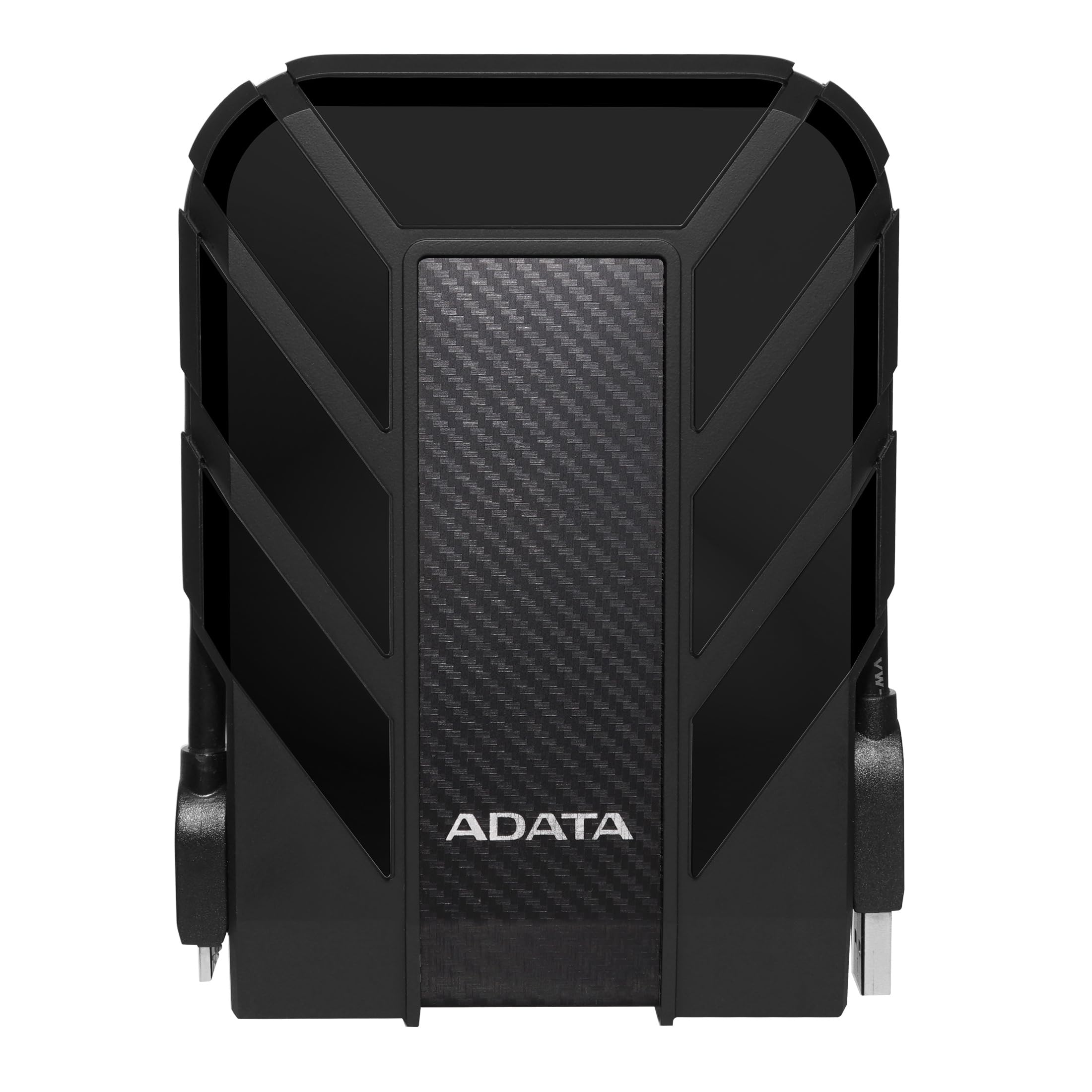
The ADATA HD710 Pro is the only drive in this roundup with a military-grade triple-layer construction and IP68 certification, meaning it survives submersion in 1.5 meters of water for 30 minutes and can withstand a 1.22-meter drop onto concrete. The USB 3.1 interface delivers up to 5 Gbps, and the 1TB capacity is housed in a rubberized shell that absorbs impact during commutes. A neat cable management slot on the underside keeps the USB cord attached to the body, reducing the risk of losing it.
Real-world transfers of large contiguous files hit near the interface limit, but fragmented data can slow operations by a factor of ten — a common mechanical HDD limitation. The drive arrives clean with no pre-loaded software, and simple defragmentation of the source drive before copying mitigates speed loss. Users report surviving two years of clumsy daily use without failure, making it a legitimate choice for scientists, field technicians, and students who treat gear roughly.
The only notable design drawback is the wide, firm USB-A connector that can be difficult to insert for people with hand dexterity issues. Additionally, the drive’s internal mechanism is not ruggedized itself — the enclosure provides the shock protection. Overall, it is the most durable USB-powered HDD available in the 1TB capacity tier.
Why it’s great
- IP68 dustproof and waterproof rating exceeds any competitor
- MIL-STD-810G drop tested from 1.22 meters
- Cord management dock keeps the USB cable attached
Good to know
- Wide USB connector is stiff to plug in
- Fragmented source files can drop transfer speed significantly
- Rugged shell adds bulk compared to slim drives
2. Toshiba Canvio Basics 2TB

The Toshiba Canvio Basics 2TB offers the highest storage density in this roundup at a mid-range price point, packing 2TB into a 2.5-inch form factor with a matte, fingerprint-resistant finish. The USB 3.0 interface supports 5 Gbps, and the drive is pre-formatted NTFS for immediate use on Windows PCs. For Mac users, a quick reformat via Disk Utility (APFS or ExFAT) is required, but the process takes under two minutes.
User reports indicate the drive uses 5400 RPM SMR platters, which means sustained write performance drops after the first ~100GB of sequential data. For daily backups of smaller files or one-time media dumps, this is rarely a problem. The drive has been reported to run reliably for over four years of continuous use across multiple operating systems. The enclosure is all-plastic and basic — no hardware encryption or IP ratings — but the internal mechanism is vibration-dampened enough to remain silent during operation.
The key advantage of this model is its form factor: it is roughly the size of a deck of playing cards, making it the most pocketable 2TB drive in the comparison. The included USB 3.0 cable is standard, and no external power adapter is needed. Proper ejection and occasional backups to another location mitigate the risk of the basic plastic enclosure, which offers no drop protection.
Why it’s great
- Highest capacity in the lineup at 2TB in a compact shell
- Sleek matte finish resists fingerprints and smudges
- Proven reliability over multiple years of heavy use
Good to know
- SMR technology slows writes after initial cache fills
- Plastic case offers no shock or water protection
- No hardware encryption built in
3. WD Elements 2TB

The WD Elements 2TB is a desktop-class external HDD that uses a 3.5-inch hard disk and requires a separate AC power adapter. This distinction is critical: unlike all other drives in this roundup, it is not bus-powered and cannot run off a single USB cable. The upside is a larger cache and potentially higher sustained transfer rates for large backup jobs, though the drive still tops out at around 150 MB/s sequential reads.
The enclosure is a simple black plastic shell with a brushed-texture top. It is not designed for frequent travel; the included USB cable is a known weak point and often fails after a few months — users recommend replacing it immediately with a sturdier third-party cable. The drive works plug-and-play with Windows 10 and 11 out of the box, and it is compatible with gaming consoles for media storage. For Mac users, reformatting is needed, and Time Machine users on Monterey should note that macOS may auto-reformat the drive to APFS, locking it for backup-only use unless a separate volume is created.
This is a strong choice for a stationary backup hub on a desk where power is available. The 2TB capacity at a mid-range price point makes it an affordable secondary archive for photos and documents. It is not suited for daily carry or environments where the drive might be bumped frequently.
Why it’s great
- Higher cache and potential sustained performance over portable drives
- Plug-and-play with Windows; no software installation needed
- Reliable long-term storage for stationary desk setups
Good to know
- Requires external AC power — not truly portable
- Included USB cable is prone to early failure
- 3.5-inch desktop form factor is bulkier than 2.5-inch drives
4. Seagate Portable 2TB

The Seagate Portable 2TB drive is explicitly designed for cross-platform use, with out-of-the-box compatibility with Windows, Mac, PlayStation 4, PS5, Xbox Series X, and Xbox Series S. The 2TB model delivers a real-world sequential read speed of approximately 130 MB/s over USB 3.0, which is adequate for loading console games and offloading video captures. The included 18-inch USB 3.0 cable is shorter than most, which minimizes desk clutter but may require the drive to sit close to the console or laptop.
This drive uses SMR technology, which means that after the initial write buffer fills (around 100GB), sustained write speeds can drop to an average of 25 MB/s for very large continuous writes. This makes it less ideal for backing up a 1TB+ SSD in one session, but perfectly fine for daily incremental backups or game installs. The drive is bus-powered and runs whisper-quiet in operation. The 1-year Rescue Service provides one free data recovery attempt, which adds a layer of peace of mind not offered by most competitors.
The enclosure is a simple rectangular plastic shell with a brushed metal-look top. It is lightweight and portable but offers no drop or water resistance. Some Mac users reported initial detection issues caused by third-party antivirus software blocking disk access, which was resolved by reinstalling the security software. Overall, it is a solid mid-range option with the best multi-console support in this group.
Why it’s great
- Native compatibility with PS5, Xbox Series X, and PC
- 1-year Rescue Service for data recovery
- USB bus-powered and operates silently
Good to know
- SMR drive slows substantially after ~100GB writes
- Short 18-inch cable may limit placement options
- No water or dust protection rating
5. WD Elements 1TB
The 1TB variant of the WD Elements is a pure portable drive — it uses a 2.5-inch internal HDD and is fully bus-powered over a single USB cable. The USB 3.2 Gen 1 interface offers 5 Gbps theoretical bandwidth, and while the mechanical drive tops out at around 120 MB/s sequential reads, the real-world performance is consistent for file transfers and backups. The drive is pre-formatted NTFS, meaning Mac users must reformat via Disk Utility before use.
This drive has proven particularly reliable with Apple Silicon Macs. Users report seamless operation with 2022 MacBook Pro M1 Pro chips after reformatting. The Time Machine limitation on Monterey is present here too — macOS may auto-convert the drive to APFS format, which locks it exclusively for Time Machine backups unless a separate volume is created. This is an Apple OS design quirk, not a drive defect, but it is a consideration for Mac-centric users.
The enclosure is a compact black plastic shell with a textured surface. It is lighter than the ADATA model and slips easily into a laptop bag pocket. The included cable is a standard USB-A to Micro-B, which is prone to wear over time. For longevity, replacing the cable with a reinforced version is recommended. This drive is best suited for users who need a simple, reliable 1TB backup solution without ruggedization or multi-platform compatibility features.
Why it’s great
- Proven compatibility with Apple Silicon Macs after reformatting
- Full bus-power from a single USB cable, no adapter needed
- Excellent value for a reliable 1TB backup drive
Good to know
- NTFS formatted — must reformat for Mac out of the box
- Standard Micro-B cable is prone to early failure
- No shock or water protection rating
6. Seagate Portable 1TB
The entry-level Seagate Portable 1TB is the most affordable drive in this selection and uses the same SMR-based 2.5-inch mechanical hard disk as its 2TB sibling, but with a lower total capacity. The USB 3.0 interface delivers adequate speeds for daily file transfers, and the drag-and-drop operation requires no software installation — it is recognized instantly by Windows and macOS (though Mac formatting is needed).
This drive excels as a dedicated media offloader for smartphone photos and videos. Users report that dumping 30-45 GB of iPhone footage completes in under an hour, which is reasonable for a mechanical HDD at this price tier. The drive is lightweight and incredibly quiet, earning praise from college students who need a portable backup for term papers and projects. The black matte finish is simple but professional.
The primary compromise is the SMR write slowdown. After the initial cache fills, large sequential writes drop to around 25 MB/s. This means it is not suited for backing up a full 500GB+ system drive in one sitting. The enclosure is also basic plastic with no IP rating, so it should be handled with care. The 18-inch cable is short but functional. For budget-conscious buyers who prioritize storage capacity over speed, this drive offers the lowest cost per gigabyte in the roundup.
Why it’s great
- Most affordable 1TB external HDD in the lineup
- Drag-and-drop simplicity, no software required
- Very quiet operation suitable for dorm or office use
Good to know
- SMR drive slows significantly after ~100GB written
- Short 18-inch cable may limit placement flexibility
- No water, dust, or drop protection
7. Toshiba Canvio Basics 1TB

The 1TB Toshiba Canvio Basics is the smaller sibling of the 2TB model, offering the same sleek, smudge-resistant matte finish and USB 3.0 interface in a more compact package. The 1TB capacity is adequate for document backup, music libraries, and photo archives for light users. Pre-formatted NTFS for Windows, it supports plug-and-play operation and is backward compatible with USB 2.0 ports for older hardware.
This drive is notably smaller than the Seagate and WD competitors — about the size of a smartphone. It is bus-powered with no external power adapter needed, making it genuinely pocket-friendly. Users report that it works seamlessly with Windows 10 and 11, with full 5 Gbps speeds on compatible ports. The enclosure is made of standard polycarbonate, so it offers no drop or water protection, but the internal drive mechanism is adequately cushioned for normal desk-to-bag transport.
The only drawback is the lack of hardware encryption or any bundled backup software — this is a pure storage device. For Mac users, reformatting is required, and the drive uses SMR recording, which means sustained write speeds drop after the initial cache is filled. At this price, it is a straightforward, no-frills 1TB solution ideal as a secondary archive or for small business file transfers where speed is not critical.
Why it’s great
- Ultra-thin and compact form factor, smaller than an index card
- USB 3.0 delivers full 5 Gbps on compatible ports
- Matte finish resists fingerprints and daily wear
Good to know
- No bundled software or hardware encryption included
- SMR technology reduces sustained write speed
- Requires reformatting for use with macOS
FAQ
Can I use a 1TB external HDD with a PlayStation 5 or Xbox Series X?
How do I format a 1TB external HDD for use with a Mac?
Does an external HDD need its own power supply?
Final Thoughts: The Verdict
For most users, the 1 tb to 2 tb external usb hdd winner is the ADATA HD710 Pro 1TB because it uniquely combines IP68 waterproofing, MIL-STD-810G shock resistance, and reliable USB 3.1 performance in a truly portable form factor. If you want the highest capacity in the smallest shell, grab the Toshiba Canvio Basics 2TB for its compact 2TB storage and proven longevity. And for multi-console gaming storage, nothing beats the Seagate Portable 2TB with its native console support and included data recovery service.