
A standard mouse forces your wrist into a pronated, flat position that creates shear force on the median nerve—the exact mechanical insult that leads to carpal tunnel syndrome. For professionals who spend 8+ hours daily in SolidWorks, CATIA, or Rhino, that accumulated micro-trauma isn’t just uncomfortable; it directly threatens your ability to work. The right pointing device fundamentally changes this equation by restoring your forearm to a neutral, handshake posture while delivering the pixel-level precision CAD commands demand.
I’m Min — the co-founder and writer behind Gadgets Feed. My analysis for this guide involved cross-referencing sensor specifications, button programmability, wireless latency data, and ergonomic certifications across seven models to identify which devices actually serve the unique demands of 3D modeling workflows rather than generic office productivity.
Whether you are navigating complex assemblies or executing precise sketch constraints, the right tool transforms your workflow. This guide dissects the specific features that matter for best 3d cad mouse, focusing on what actually reduces fatigue and improves accuracy for professionals.
How To Choose The Best 3D CAD Mouse
Selecting a mouse for 3D CAD work requires balancing ergonomic support with sensor precision and software integration. Unlike general office mice, a CAD mouse must handle rapid zoom, orbit, and pan commands without introducing cursor jitter or hand fatigue. The wrong choice leads to repetitive strain injuries and reduced modeling accuracy over time.
Sensor Precision and DPI Range
A high-precision optical sensor with a broad DPI range from 200 to 8000 lets you switch between slow, precise sketch movements and fast assembly navigation. Mid-range models typically offer 4000 DPI, while premium units push beyond 7200 DPI for flawless tracking on any surface. The sensor directly affects how accurately you can select vertices or edges in dense models.
Ergonomic Orientation and Grip Style
Vertical mice place your hand in a neutral handshake position, reducing forearm pronation and wrist pressure. Trackball mice keep your hand stationary while using your thumb to move the cursor—ideal if your desk space is limited. Some advanced mice offer adjustable tilt angles from 35° to 70°, allowing you to fine-tune your posture throughout the day.
Button Programmability and CAD Integration
Dedicated macro buttons that map to common CAD commands—like undo, orbit, or middle-click—reduce repetitive hand movements. The best models offer 6 to 8 programmable buttons with companion software that supports per-application profiles. This feature is critical for maintaining workflow speed without constantly reaching for the keyboard.
Quick Comparison
On smaller screens, swipe sideways to see the full table.
| Model | Category | Best For | Key Spec | Amazon |
|---|---|---|---|---|
| 3Dconnexion CadMouse Pro Wireless | Premium | CAD-Specific Macros | 7200 DPI Optical Sensor | Amazon |
| Logitech MX Master 4 | Premium | Multi-Device Productivity | 200-8000 DPI Sensor | Amazon |
| Contour Unimouse | Mid-Range | Adjustable Ergonomic Fit | 35°-70° Adjustable Tilt | Amazon |
| Logitech MX Ergo S | Mid-Range | Trackball Precision | 20° Tilt Angle | Amazon |
| Logitech MX Vertical | Mid-Range | Wrist Strain Relief | 57° Vertical Angle | Amazon |
| KINESIS DXT Mouse 3 | Mid-Range | Ambi Precision | Fingertip Grip Design | Amazon |
| 3Dconnexion SpaceMouse Wireless Kit 2 | Premium | Full CAD Navigation | 6-DOF SpaceMouse + CadMouse | Amazon |
In‑Depth Reviews
1. 3Dconnexion CadMouse Pro Wireless
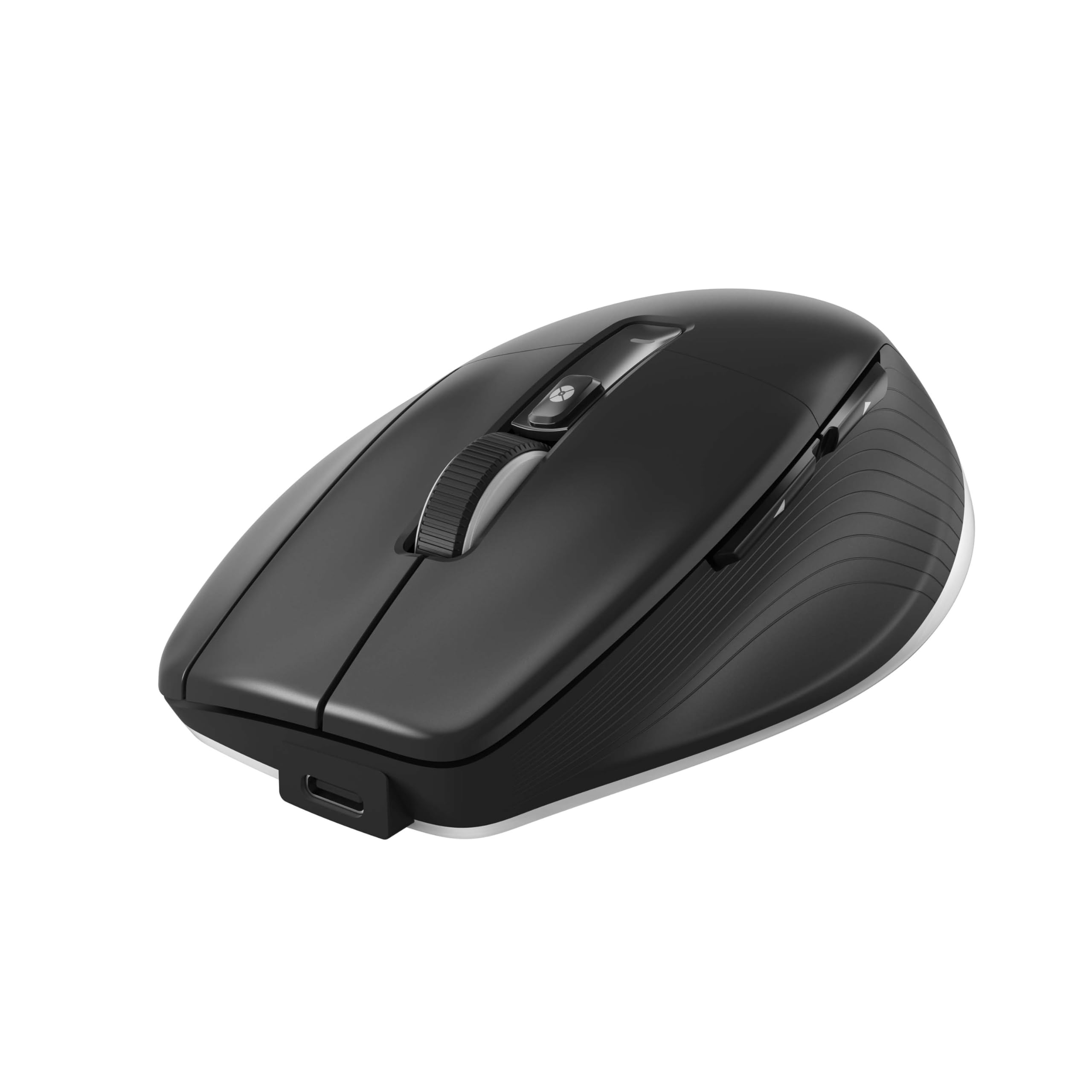
The CadMouse Pro Wireless is purpose-built for CAD professionals who need precise cursor control and customizable macros. Its 7200 DPI optical sensor tracks smoothly across any surface, and the dedicated middle mouse button eliminates the need for wheel-click—a common pain point in modeling workflows where orbit commands are used constantly. The Smart Mouse Wheel 2 offers both free-spin and ratchet scrolling for navigating long drawings.
Connectivity is triple-threat: 2.4 GHz RF for low latency, Bluetooth for convenience, and USB-C for wired use and charging. The battery lasts up to two months on a single charge, and the 7 programmable buttons can be mapped to specific CAD shortcuts using the 3Dconnexion driver. Users report seamless out-of-box performance with Windows 11 and full macro support after driver installation.
Some users note a learning curve when transitioning from a traditional mouse, particularly for the unique button layout. The glossy plastic enclosure also attracts fingerprints faster than matte alternatives. For dedicated CAD work, however, the combination of sensor precision and software integration makes this the most capable all-around choice.
Why it’s great
- 7200 DPI sensor provides ultra-precise tracking for complex assemblies
- Dedicated CAD-specific middle button avoids wheel-click fatigue
- Triple connectivity (2.4 GHz, Bluetooth, USB-C) for flexible setups
Good to know
- Requires 3Dconnexion driver for full macro functionality
- Glossy finish shows fingerprints more than matte alternatives
- Learning curve for custom button layout during first week
2. Logitech MX Master 4
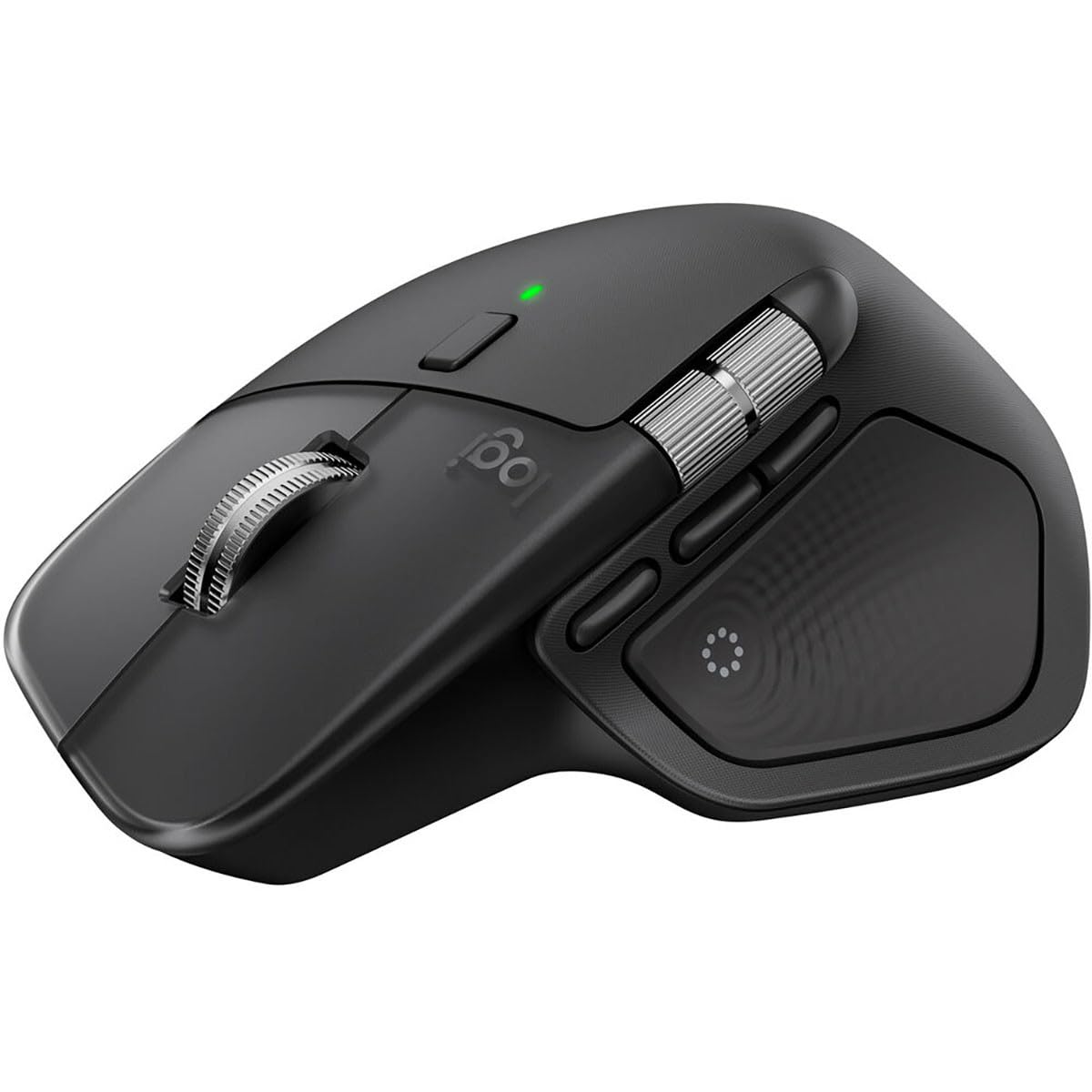
The MX Master 4 sets the standard for multi-device productivity with its Darkfield sensor that works flawlessly on glass. The MagSpeed scroll wheel switches between click-to-click precision and hyper-fast scrolling, making it ideal for navigating long spreadsheets or design documents. The horizontal thumb wheel provides side-to-side scrolling for wide timelines in video or CAD environments.
Battery life reaches 70 days from a single charge, and USB-C charging ensures you can top up quickly when needed. The 8 programmable buttons support haptic feedback and integrate with apps like Adobe Photoshop and Zoom through the Logi Options+ software. Bluetooth 5.1 maintains a stable connection up to 10 meters, and compatibility spans Windows, macOS, Linux, ChromeOS, iPadOS, and Android.
Some users report the rubberized coating feels slick or slimy after extended use, and the right-hand-only design excludes left-handed users. The mouse is also relatively large, which may not suit smaller hands. Despite these quirks, the sensor accuracy and scroll wheel innovations make it a versatile companion for mixed workflows.
Why it’s great
- Darkfield sensor tracks on glass surfaces without a mousepad
- MagSpeed wheel offers fast and precise scrolling modes
- 70-day battery life with fast USB-C charging
Good to know
- Right-hand only design limits ambidextrous use
- Rubberized texture may feel slick to some users
- Large size may not fit smaller hands comfortably
3. Contour Unimouse Ergonomic Vertical

The Contour Unimouse addresses the fundamental limitation of fixed-angle vertical mice by offering a fully adjustable tilt range from 35° to 70°. This friction hinge mechanism allows you to change your wrist angle throughout the day, reducing pressure points and forearm twist. The thumb support also moves in multiple directions—up, down, in, out, forward, and back—accommodating various hand sizes.
Battery life lasts up to 12 weeks on a single charge, and the wireless connection uses a 2.4 GHz USB dongle for reliable low-latency performance. The 6 programmable buttons can be assigned via the companion software to handle common CAD shortcuts or repetitive tasks. The mouse is plug-and-play compatible with both Windows and macOS without additional drivers.
Some users report a low buzzing noise when moving the mouse, which can be distracting in quiet environments. The plastic enclosure feels sturdy but lacks the premium weight of metal options. For users with ongoing wrist pain or tendonitis, the adjustability provides relief that fixed-angle mice cannot match, making it a strong mid-range contender.
Why it’s great
- Fully adjustable tilt (35°-70°) adapts to changing comfort needs
- Adjustable thumb support fits various hand sizes
- 12-week battery life reduces charging interruptions
Good to know
- Low buzzing noise may be noticeable in quiet spaces
- Plastic build lacks premium heft of metal options
- Side buttons can be difficult to reach during use
4. Logitech MX Ergo S

The MX Ergo S uses a thumb-operated trackball that keeps your hand stationary while moving the cursor—ideal for desks with limited surface area. The 20° tilt angle improves forearm posture and reduces muscle strain by 27% compared to a flat mouse, according to Logitech’s ergonomic testing. The new quieter clicks are 80% softer than previous models, making it office-friendly.
USB-C charging delivers 24 hours of use from a single minute of charging, with a full charge lasting up to 120 days. The trackball is easy to remove and clean, which is essential for maintaining smooth motion over time. The Logi Options+ app provides per-application profiles for the 8 programmable buttons, allowing you to map undo, zoom, or orbit commands specifically for your CAD software.
The sculpted design favors medium to large hands—users with smaller hands report that their fingers overreach, causing fatigue during long sessions. The silicone coating can attract dust and lint, and the lack of a dongle storage slot is a minor inconvenience. For users with existing wrist or shoulder strain, the trackball mechanism provides significant relief by eliminating arm movement entirely.
Why it’s great
- Thumb-operated trackball eliminates arm movement for wrist relief
- 20° tilt reduces muscle strain by 27%
- 120-day battery life with quick-charge capability
Good to know
- Best for medium to large hands; small hands may fatigue
- Silicone coating attracts dust and wears over time
- No built-in dongle storage slot
5. Logitech MX Vertical

The MX Vertical positions your hand at a 57° angle, close to the natural handshake posture that reduces muscular activity by 10% compared to a standard mouse. The textured rubber surface provides a secure grip, and the thumb rest keeps your thumb comfortably aligned. This design is ergonomist-approved and specifically tested to reduce wrist pressure and improve posture during extended use.
The 4000 DPI sensor includes a cursor speed switch that lets you toggle between precision and faster movement with a single button press. The battery lasts up to four months on a full charge, and you can connect to up to three devices via Bluetooth or the included USB receiver. The Easy-Switch button makes it simple to move between your PC, Mac, and iPad.
Some users note that the vertical orientation creates a tipping sensation when lifting the mouse, and the lack of a horizontal scroll wheel limits navigation in timeline-heavy applications. The 4-button layout is relatively sparse compared to CAD-dedicated mice. For users prioritizing wrist strain reduction above all else, this remains one of the most comfortable options available.
Why it’s great
- 57° angle promotes natural wrist posture with minimal adaptation
- Four-month battery life reduces frequent charging
- Multi-device pairing with Easy-Switch button
Good to know
- No horizontal scrolling wheel for wide documents
- Limited to 4 buttons, less customizable than alternatives
- Vertical design can tip when lifted for repositioning
6. KINESIS DXT Mouse 3

The DXT Mouse 3 uses a fingertip grip design that allows your hand to rest in a vertical neutral position while your fingers make fine adjustments for cursor control. Designed by UK physiotherapists, this mouse promotes precise tracking without the full-arm engagement of traditional vertical mice. The ambidextrous design lets you switch between right and left hand use with a single button press, with no operating system changes required.
The built-in rechargeable battery lasts one month on a full charge, and the rapid-charge feature provides 2+ hours of use after just 30 seconds of charging. The zinc alloy construction gives it a durable feel, and the ABS plastic keeps weight manageable for all-day use. The wireless connection uses a compact RF dongle for low-latency pairing.
Some users report cursor lag and missed fast movements during detailed CAD tasks, which can be frustrating for precision work. Quality control issues appear more frequently than with larger brands, with a few units failing within the first two months. For users who need ambidextrous capabilities and the unique fingertip grip, this is one of the few options—but reliability is a consideration.
Why it’s great
- Fingertip grip allows fine cursor control with reduced arm movement
- Ambidextrous with instant left/right switching
- Rapid charge provides hours of use in 30 seconds
Good to know
- Wireless connectivity can cause cursor lag for fast movements
- Quality control issues reported with premature failures
- Battery life only 1 month, less than most competitors
7. 3Dconnexion SpaceMouse Wireless Kit 2

The SpaceMouse Wireless Kit 2 bundles a 6-degree-of-freedom 3D controller with a compact CadMouse, providing simultaneous navigation and selection capabilities. The SpaceMouse lets you pan, zoom, and orbit your model with a single subtle push or pull, while the CadMouse handles precise clicks and selections. This dual-device setup is the gold standard for professionals using Fusion 360, Rhino, CATIA, or SolidWorks.
The entire kit connects through a single 2.4 GHz universal receiver, or you can use Bluetooth Low Energy for cable-free operation. Both devices offer long battery life—three months for the SpaceMouse and two months for the CadMouse. The included mouse pad has a micro-textured surface that optimizes tracking for the CadMouse Compact’s sensor. Users report plug-and-play functionality with most CAD programs without additional configuration.
The price positions this as a significant investment, and some users have reported the SpaceMouse failing within a year of purchase, though this appears to be an outlier. The CadMouse Compact, while capable, has fewer buttons than its full-size sibling. For serious CAD professionals who spend all day manipulating 3D models, this kit transforms workflow speed and comfort in ways a single mouse cannot match.
Why it’s great
- 6-DOF SpaceMouse enables intuitive 3D navigation with minimal effort
- Single receiver connects both devices for clean setup
- Bundled mouse pad enhances tracking precision
Good to know
- Premium investment requires commitment to dual-device workflow
- Occasional reliability concerns with SpaceMouse longevity
- CadMouse Compact has fewer buttons than full-size CadMouse Pro
FAQ
Does a vertical mouse really help with CAD wrist strain?
Can I use a trackball mouse for precise 3D modeling?
What is the advantage of a CAD-dedicated mouse over a general office mouse?
Final Thoughts: The Verdict
For most users, the best 3d cad mouse winner is the 3Dconnexion CadMouse Pro Wireless because its 7200 DPI sensor and dedicated CAD button layout directly reduce fatigue and improve precision for all-day modeling. If you need multi-device flexibility and superior scrolling, grab the Logitech MX Master 4. And for the ultimate CAD workflow transformation, nothing beats the 3Dconnexion SpaceMouse Wireless Kit 2 with its dual-device 6-DOF navigation and precise selection combo.