
For demanding gamers, the processor is everything. While most CPUs juggle tasks, the AMD Ryzen 7 7800X3D uses a stacked 3D V-Cache design that slashes latency and feeds frame data directly to the cores, delivering a tangible FPS advantage in simulation, strategy, and AAA titles that standard chips simply cannot match. The real challenge lies in pairing this unique silicon with the right GPU, memory, and cooling so that every frame the 7800X3D can produce reaches your monitor without a hitch.
I’m Min — the co-founder and writer behind Gadgets Feed. I’ve spent hundreds of hours dissecting component benchmarks, thermal profiles, and pre-built configurations to help buyers navigate the specialized hardware ecosystem surrounding this specific AMD processor.
To cut through the clutter, I’ve analyzed ten fully built systems to identify the configuration offering the best balance of raw power and long-term stability, and organized them into this guide to the best 7800x3d gaming pc.
How To Choose The Best 7800X3D Gaming PC
The 7800X3D is not a standard CPU. Its benefit comes from the extra L3 cache, which excels in CPU-bound scenarios like city-building, flight simulators, and online battle royales. Systems built around it must prioritize memory speed, GPU balance, and adequate cooling to prevent thermal throttling from negating the cache advantage.
GPU Tier Matching
A 7800X3D can drive almost any modern GPU without bottlenecking at 1440p or 4K. Pairing it with anything below an RTX 5070 or RX 9070 XT leaves performance on the table. For pure 1080p esports, an RTX 5060 Ti works, but the CPU’s real strength shines with higher-resolution, higher-detail workloads where the cache reduces draw-call overhead.
Memory Speed and Capacity
AMD’s Ryzen 7000 series performs optimally with DDR5-6000 CL30 memory. Slower speeds or higher latencies cost FPS, particularly in 1% low metrics. 32GB is the entry point for modern gaming, while 16GB builds will force compromises in multitasking or memory-heavy titles like Star Citizen.
Cooling and Power Delivery
The 7800X3D is relatively efficient with a 120W TDP, but sustained gaming sessions require a quality 240mm or larger liquid cooler to keep temperatures below 85°C. A 650W power supply is the bare minimum; a 750W or 850W Gold-rated unit provides headroom for future GPU upgrades and overclocking headroom.
Quick Comparison
On smaller screens, swipe sideways to see the full table.
| Model | Category | Best For | Key Spec | Amazon |
|---|---|---|---|---|
| HELLOLAND 7800X3D + RTX 5070 | Mid-Range | 1440p AAA Gaming | 32GB DDR5-6000 | Amazon |
| Skytech Gaming Azure 3 | Mid-Range | 1080p Streaming | 360mm Liquid Cooling | Amazon |
| NINGMEI 7800X3D + RX 9070 XT | Premium | 4K Max Settings | 2TB Gen4 NVMe SSD | Amazon |
| Thermaltake View i570-170 | Premium | Content Creation + Gaming | Intel Core i9-14900KF | Amazon |
| iBUYPOWER Element | Premium | Streaming Workstation | Ryzen 9 7900X CPU | Amazon |
| ASUS ROG Strix RTX 4090 White | GPU Only | Custom 4K Build | 24GB GDDR6X | Amazon |
| PNY RTX 4090 Verto | GPU Only | Workstation + Gaming | 2520MHz Boost Clock | Amazon |
| GIGABYTE RTX 4090 Gaming OC | GPU Only | High-End Custom Build | RGB Fusion Lighting | Amazon |
| Thermaltake 9950X3D + RTX 5080 | Luxury | Ultimate 4K 240Hz | 360mm Liquid Cooling | Amazon |
| VIPERA RTX 4090 Founders Edition | GPU Only | Compact Enthusiast Build | Ada Lovelace Architecture | Amazon |
In‑Depth Reviews
1. HELLOLAND 7800X3D + RTX 5070 Gaming PC

This system from HELLOLAND hits the ideal ratio of CPU to GPU for a 7800X3D build. The RTX 5070 with 12GB of GDDR6X memory pairs perfectly with the chip’s cache to deliver high frame rates in 1440p while maintaining smooth 1% lows. The 32GB of DDR5-6000 memory is exactly the speed AMD recommends for the Ryzen 7000 series, avoiding the performance penalty slower kits impose.
The 240mm liquid cooler is sufficient for the 7800X3D’s 120W TDP, keeping the CPU well under 80°C during extended sessions. A 650W 80 Plus power supply is matched to this configuration, though future GPU upgrades would require a higher wattage unit. The case includes seven RGB fans and Wi-Fi 6/Bluetooth 5.3 support, covering connectivity needs without extra dongles.
Windows 11 Pro is pre-installed and activated, eliminating setup friction. Real user feedback confirms stable operation across Fortnite, GTA, and VRChat with no overheating after months of use. The black, compact tower design fits well under a desk without dominating the room.
Why it’s great
- DDR5-6000 matches AM5 sweet spot
- RTX 5070 handles 1440p ultra settings
- Clean, compact black chassis with Wi-Fi 6
Good to know
- 650W PSU limits future GPU upgrades
- White case variant may show dust quickly
2. Skytech Gaming Azure 3
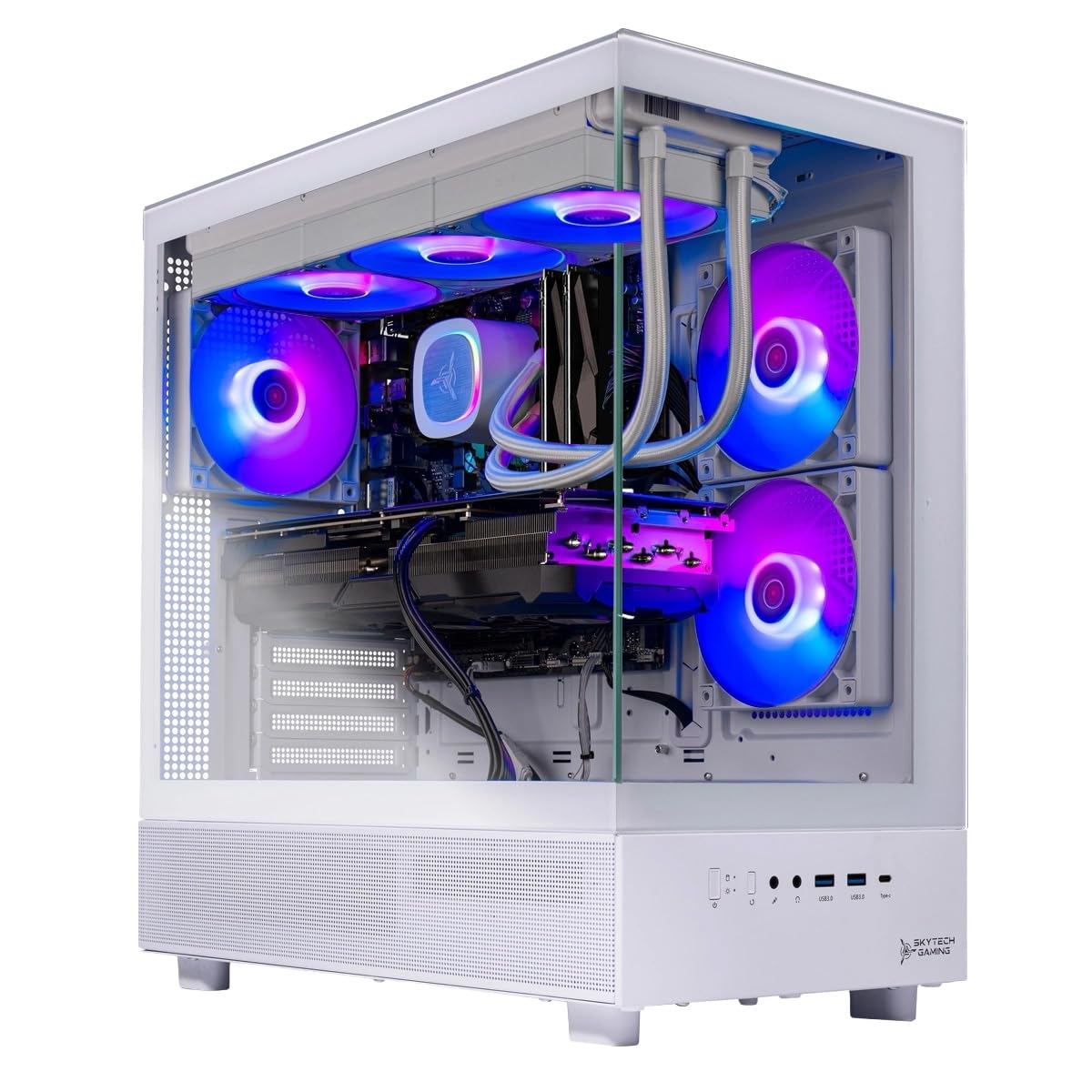
Skytech Gaming offers a well-rounded entry point with the 7800X3D paired to an RTX 5060 Ti featuring 16GB VRAM. While the GPU is a tier below the RTX 5070, the 16GB memory buffer helps in texture-heavy titles and modded games. The standout feature here is the 360mm AIO liquid cooler, which keeps the CPU running cooler than smaller radiators, reducing fan noise during long sessions.
The system ships with 16GB of DDR5-6000 memory, which is adequate for most games but should be upgraded to 32GB for heavy multitasking or memory-intensive simulators like Microsoft Flight Simulator. The 650W Gold PSU is standard for this GPU tier, but the 360mm cooler add significant case weight and size over smaller builds.
It includes a free keyboard and mouse that are decent for beginners, and the white tempered glass case offers good aesthetics. Users report solid 1080p performance in Elden Ring and Cyberpunk 2077, though the included WiFi 5 adapter is dated and should be replaced for faster internet connections.
Why it’s great
- Overkill 360mm cooler for silent operation
- 16GB VRAM helps with texture caching
- Assembled in the USA with warranty
Good to know
- Only 16GB RAM in base config
- WiFi 5 instead of WiFi 6
3. NINGMEI 7800X3D + RX 9070 XT
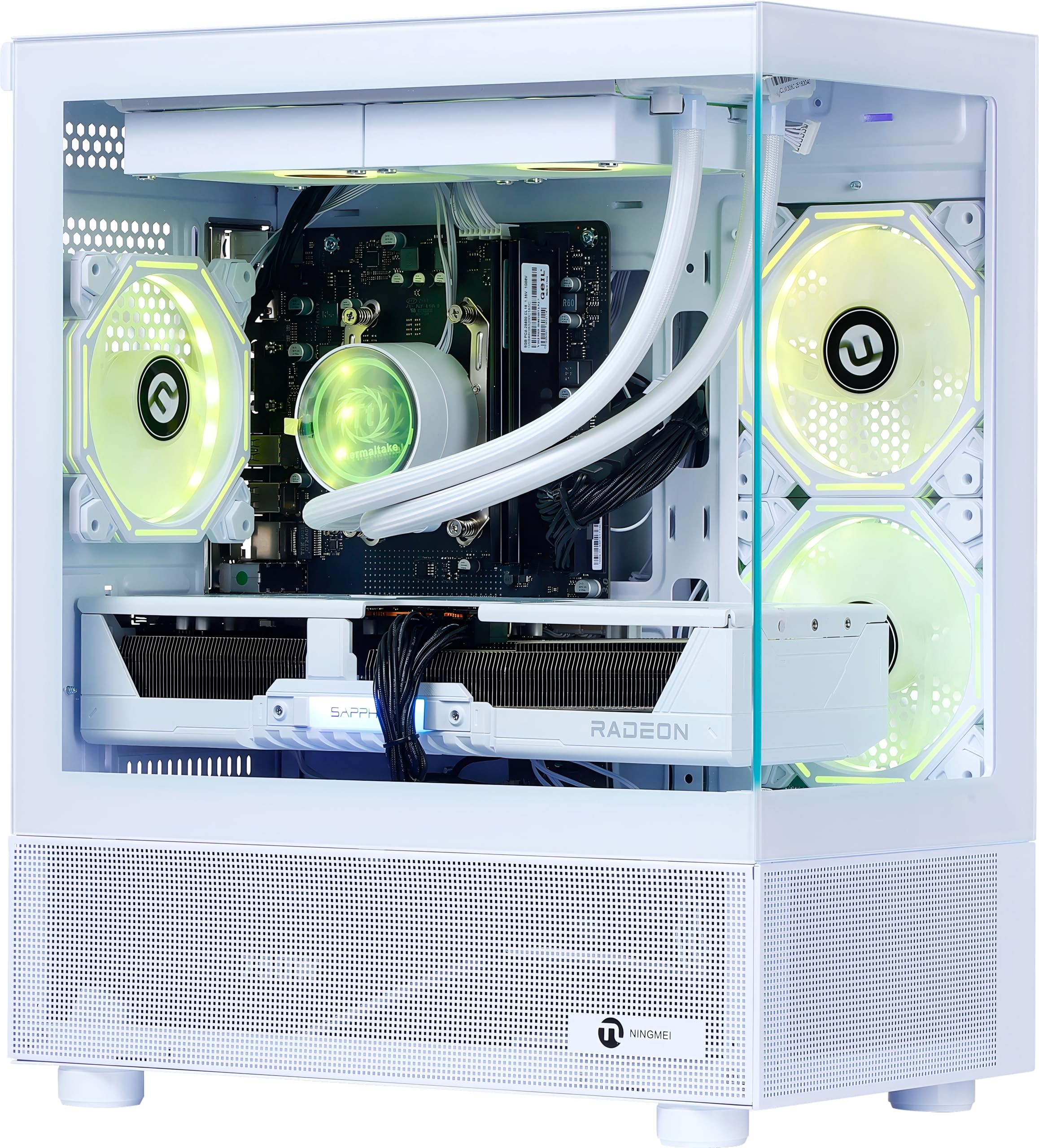
NINGMEI’s configuration is the only one in this list to pair the 7800X3D with an AMD Radeon RX 9070 XT, creating an all-AMD ecosystem that takes advantage of Smart Access Memory for slight FPS lifts in compatible titles. The 16GB VRAM buffer is generous for 4K textures, and the 850W Gold PSU provides ample headroom for future upgrades or overclocking.
The 32GB DDR5-6000 memory hits the exact spec for optimal Infinity Fabric clock, and the 2TB Gen4 NVMe SSD offers double the storage of most competitors, making it ideal for gamers with large libraries. The 240mm ARGB liquid cooler and three ARGB case fans manage thermals effectively, though the white-themed build may require more cleaning than darker cases.
Customer reviews highlight strong performance in Microsoft Flight Simulator and other CPU-heavy titles, but some units have arrived with Windows installation issues or faulty RAM sticks. The B650M motherboard from top-tier brands supports PCIe 4.0, and the system includes a bonus oversized mouse pad.
Why it’s great
- RX 9070 XT benefits from SAM with 7800X3D
- 2TB NVMe storage eliminates early expansion
- 850W Gold PSU leaves upgrade room
Good to know
- Reports of DOA units and RAM faults
- White case shows fingerprints and dust
4. Thermaltake LCGS View i570-170

Although this system uses an Intel i9-14900KF instead of the 7800X3D, it competes directly for the same high-end gaming buyer. The i9 offers more multi-core horsepower for streaming and content creation, while the RTX 5070 handles 1440p gaming with ray tracing enabled. The Thermaltake 240mm closed-loop liquid cooler fits their own chassis perfectly, and the 32GB DDR5-6000 RGB memory matches the AM5 sweet spot spec.
The B760 chipset motherboard supports PCIe 4.0, and the case design features a filtered vertical side-mount radiator bracket that improves airflow aesthetics. Users report flawless performance in Cyberpunk 2077 and Baldur’s Gate 3, with minimal fan noise under load. The system includes no bloatware and comes with a 1-year warranty on parts and labor.
Port selection is adequate with two USB 3.0 ports and one USB-C, but the lack of front-panel USB-C on some units may frustrate users with modern peripherals. The black case offers a clean, understated look that fits into a professional workspace.
Why it’s great
- i9-14900KF excels in streaming workloads
- Quiet operation with 240mm liquid cooling
- No bloatware pre-installed
Good to know
- Intel platform lacks 3D V-Cache advantage
- Front USB-C port missing on some units
5. iBUYPOWER Element EWA9N5702

iBUYPOWER’s Element pairs the Ryzen 9 7900X with an RTX 5070, leaning more toward multi-threaded performance than pure gaming cache. The 7900X features 12 cores and 24 threads, making it a strong choice for streamers who encode while gaming. The 32GB of DDR5-5200 memory is slightly slower than the 6000MHz sweet spot, which may leave a few FPS on the table in CPU-bound scenes.
The white tempered glass case comes with 16-color RGB lighting and a free iBUYPOWER keyboard and mouse. Connectivity includes six USB 3.1 ports and onboard audio, with 802.11ac WiFi built in. The 650W power supply is adequate for the RTX 5070, but upgrading to 750W+ would provide more safety margin.
Users report excellent performance in Dirt Rally 2.0 and Bannerlord at ultra settings, though some note that the motherboard has only two RAM slots, limiting future expansion. The system ships with no bloatware and Windows 11 Home pre-installed.
Why it’s great
- 12 cores handle encoding alongside gaming
- Clean white build with RGB lighting
- Free keyboard and mouse included
Good to know
- DDR5-5200 leaves performance on table
- Only two RAM slots for upgrades
6. ASUS ROG Strix RTX 4090 White OC

The ASUS ROG Strix RTX 4090 White OC edition is a graphics card, not a full PC, but it represents the ultimate GPU pairing for a 7800X3D build. The 24GB GDDR6X memory and massive 3.5-slot cooler with a vapor chamber keep the card under 60°C under load, allowing the 7800X3D to feed frames without GPU bottlenecking at 4K.
The white color scheme matches white-themed 7800X3D builds, and the included support bracket prevents GPU sag over time. The Axial-tech fans deliver 23% more airflow than previous generations, and the digital power control with high-current stages ensures clean power delivery for overclocking.
Users report incredible 4K performance with 100+ FPS in demanding titles and zero coil whine. The card is very large at 14 inches long, requiring a spacious case. The RGB Republic of Gamers lighting adds aesthetic flair, but the premium price reflects both performance and white-color rarity.
Why it’s great
- 24GB VRAM for 4K texture-heavy gaming
- Excellent thermal performance under 60°C
- White finish matches themed builds
Good to know
- Requires a full-tower case to fit
- Premium price reflects white rarity
7. PNY GeForce RTX 4090 Verto

The PNY Verto RTX 4090 focuses on raw performance without RGB flash. It features a 2520MHz boost clock and 16384 CUDA cores, delivering class-leading 4K frame rates. The triple-fan cooler keeps noise levels low, and the subdued black design fits into any build without drawing attention.
This card is slightly shorter than the ASUS variant at 13.26 inches, making it fit more easily in mid-tower cases. The included support bracket and 16-pin to four 8-pin power adapter handle the high power demands. PNY’s LED cannot be disabled via software, which some users find annoying.
In combination with a 7800X3D, this card achieves Time Spy scores near 30,000. Users running Cyberpunk 2077 at max settings report temperatures around 65°C at only 45% GPU utilization, indicating massive thermal headroom. The card works well with Linux for AI workloads like Stable Diffusion, provided CUDA 11.8 is installed.
Why it’s great
- Subdued design fits professional builds
- Excellent 4K performance with low noise
- Works well for AI and CUDA workloads
Good to know
- LED cannot be disabled via software
- Requires 4 PCIe power connectors
8. GIGABYTE GeForce RTX 4090 Gaming OC
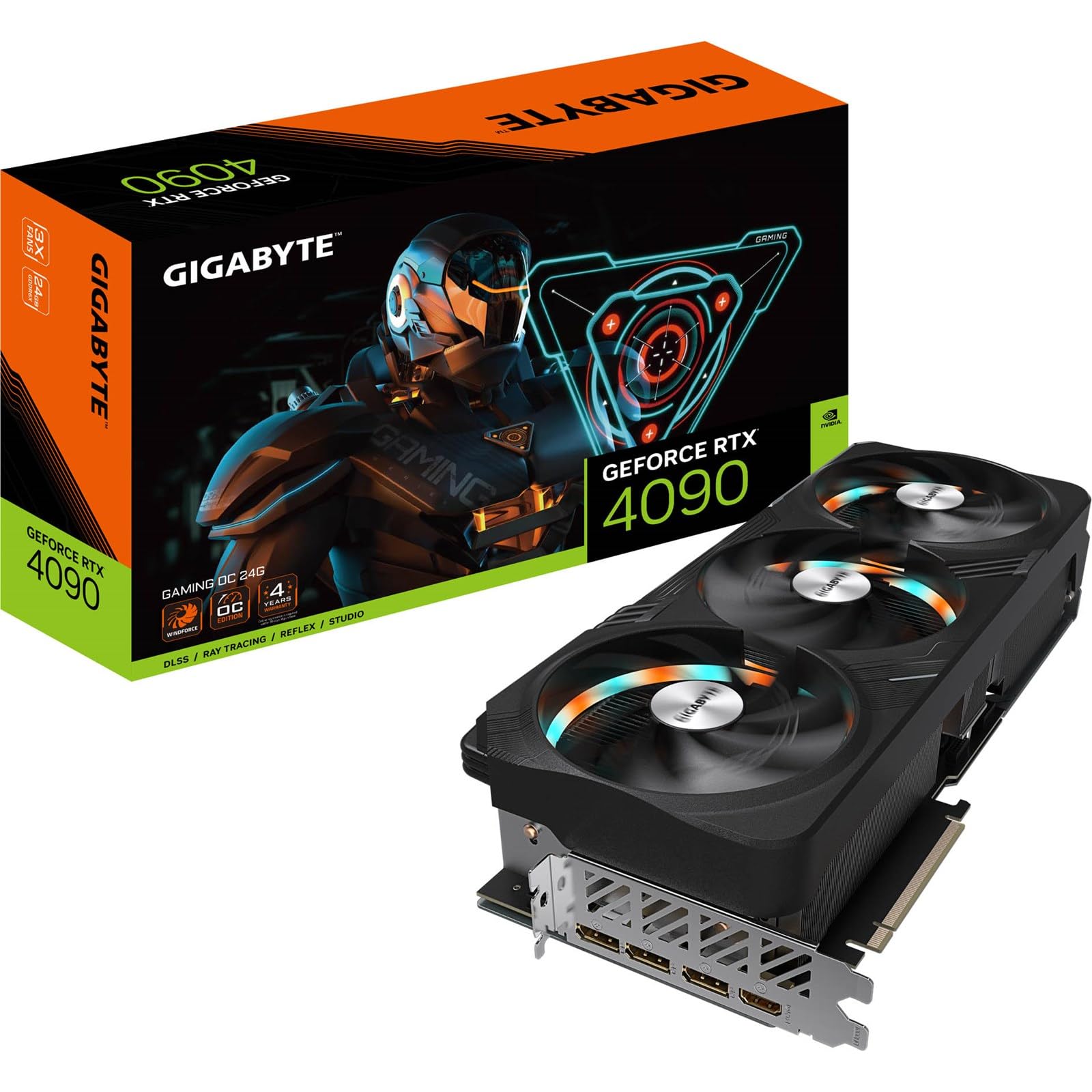
The GIGABYTE Gaming OC RTX 4090 operates at a 2535MHz core clock, slightly higher than the PNY model. The RGB Fusion lighting provides full customization, and the metal backplate adds structural rigidity. The card includes a robust anti-sag bracket that requires extra clearance inside the case — about 30-35mm beyond the card’s 340mm length.
The triple-fan Windforce cooler uses alternate spinning to reduce turbulence, and the large vapor chamber keeps the GPU cool even under sustained load. The card supports 8K resolution output via HDMI 2.1a, though 4K 144Hz is the practical sweet spot for gaming.
Users appreciate the build quality but note that the RGB lighting cannot be dimmed independently from the fans — it creates a strobing effect when fans are spinning. The card requires a spacious case, and some mid-tower owners find the support bracket prevents GPU support sticks from being used.
Why it’s great
- Highest factory core clock among these GPUs
- RGB Fusion lighting is fully customizable
- Robust metal backplate and anti-sag bracket
Good to know
- Length requires 375mm+ case clearance
- RGB strobing effect when fans spin
9. Thermaltake LCGS View 9580S-380XL
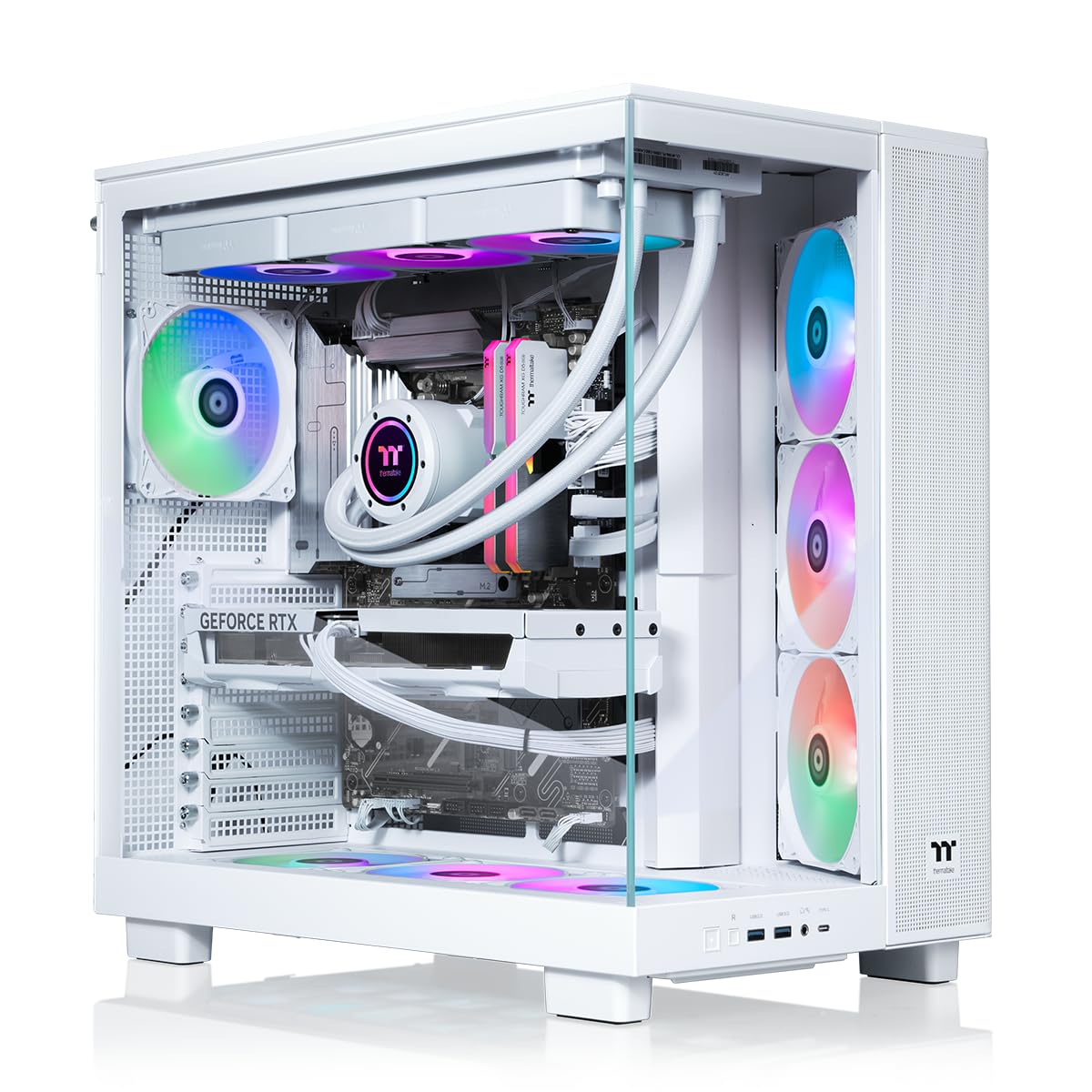
This top-tier Thermaltake system uses the Ryzen 9 9950X3D, the direct successor to the 7800X3D with upgraded core counts and clock speeds. Paired with the RTX 5080 16GB, this combination targets 4K 240Hz gaming without sacrificing detail settings. The 360mm AIO cooler manages the higher heat output of the 9950X3D, while the 32GB DDR5-6000 memory ensures no bottleneck.
The panoramic tempered glass case offers excellent component visibility, and the X870 chipset motherboard supports PCIe 5.0 for future storage upgrades. The 2TB NVMe SSD provides ample space for a modern game library. Thermaltake includes their own liquid cooling and ARGB fans, all controllable via a single software suite.
Real user feedback reports instant boot, zero issues with AAA titles at 1440p, and pristine packaging that protected the large GPU during shipping. However, some customers received defective units and struggled to get support, highlighting variability in quality control on such complex systems.
Why it’s great
- 9950X3D offers best-in-class gaming cache
- RTX 5080 handles 4K high-refresh gaming
- Panoramic case with PCIe 5.0 support
Good to know
- Reports of defective units on arrival
- High price tier with diminishing returns
10. VIPERA RTX 4090 Founders Edition

The VIPERA listing offers the NVIDIA GeForce RTX 4090 Founders Edition, which is the reference design from NVIDIA. At 11.97 inches long, it is the most compact RTX 4090 available, making it the best fit for mid-tower cases where the ASUS or GIGABYTE cards would be too large. The dual-axial fan cooler is surprisingly effective, keeping temperatures in check despite the slimmer profile.
The Founders Edition features 24GB GDDR6X memory and the full Ada Lovelace architecture with 16384 CUDA cores. It uses a 16-pin power connector that requires careful cable management, but the single-cable solution simplifies routing compared to multi-cable third-party designs. The brushed metal shroud gives it a premium, understated look.
Users report excellent performance in Blender, UE 5.4, and AAA gaming at 4K, with the card running quietly under load. It powers large language models efficiently and handles triple-monitor setups without issue. The main trade-off is that the smaller cooler sacrifices some thermal headroom compared to the larger 3.5-slot designs.
Why it’s great
- Smallest 4090 fits mid-tower cases
- Premium understated design
- Excellent for AI and rendering workloads
Good to know
- Dual fan design runs warmer under load
- Premium price for reference rarity
FAQ
Does the 7800X3D require liquid cooling or is air cooling sufficient?
Can the 7800X3D bottleneck an RTX 4090 at 4K resolution?
Final Thoughts: The Verdict
For most users, the best 7800x3d gaming pc winner is the HELLOLAND 7800X3D + RTX 5070 because it hits the perfect balance of CPU-GPU pairing, optimal DDR5-6000 memory, and adequate cooling for 1440p high-refresh gaming. If you want maximum future-proofing and the RX 9070 XT’s Smart Access Memory advantage, grab the NINGMEI 7800X3D + RX 9070 XT. And for a silent, cool-running system that excels at 1080p streaming out of the box, nothing beats the Skytech Gaming Azure 3.